warning lights GMC ACADIA 2007 User Guide
[x] Cancel search | Manufacturer: GMC, Model Year: 2007, Model line: ACADIA, Model: GMC ACADIA 2007Pages: 554, PDF Size: 2.76 MB
Page 220 of 554
If, after several seconds, both status indicator
lights remain on, or if there are no lights at
all, there may be a problem with the lights
or the passenger sensing system. See your
dealer/retailer for service.
{CAUTION:
If the airbag readiness light in the
instrument panel cluster ever comes on
and stays on, it means that something may
be wrong with the airbag system. If this
ever happens, have the vehicle serviced
promptly, because an adult-size person
sitting in the right front passenger’s
seat may not have the protection of the
airbag(s). SeeAirbag Readiness Light
on page 217for more on this, including
important safety information.
Charging System Light
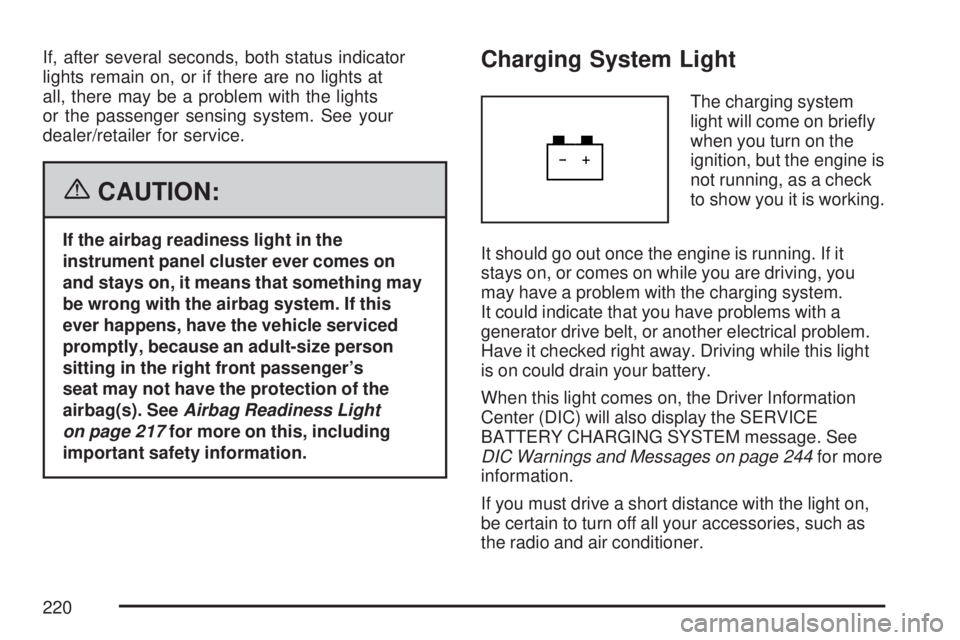
The charging system
light will come on briey
when you turn on the
ignition, but the engine is
not running, as a check
to show you it is working.
It should go out once the engine is running. If it
stays on, or comes on while you are driving, you
may have a problem with the charging system.
It could indicate that you have problems with a
generator drive belt, or another electrical problem.
Have it checked right away. Driving while this light
is on could drain your battery.
When this light comes on, the Driver Information
Center (DIC) will also display the SERVICE
BATTERY CHARGING SYSTEM message. See
DIC Warnings and Messages on page 244for more
information.
If you must drive a short distance with the light on,
be certain to turn off all your accessories, such as
the radio and air conditioner.
220
Page 338 of 554
Traction control can be turned on by pressing and
releasing the traction control disable button if
not automatically shut off for any other reason.
When the traction control system is turned
off, the StabiliTrak
®light and the appropriate
traction control off message will be displayed on
the DIC to warn the driver. Your vehicle will
still have brake-traction control when traction
control is off, but will not be able to use the engine
speed management system. See “Traction
Control Operation” next for more information.
When the traction control system has been turned
off, you may still hear system noises as a result
of the brake-traction control coming on.
It is recommended to leave the system on for
normal driving conditions, but it may be necessary
to turn the system off if your vehicle is stuck in
sand, mud, ice or snow, and you want to “rock”
your vehicle to attempt to free it. It may also
be necessary to turn off the system when driving
in extreme off-road conditions where high wheel
spin is required. SeeIf Your Vehicle is Stuck
in Sand, Mud, Ice, or Snow on page 360.
Traction Control Operation
The traction control system is part of the
StabiliTrak®system. Traction control limits wheel
spin by reducing engine power to the wheels
(engine speed management) and by applying
brakes to each individual wheel (brake-traction
control) as necessary.
The traction control system is enabled automatically
when you start your vehicle. It will activate and the
StabiliTrak
®light will ash if it senses that any of the
wheels are spinning or beginning to lose traction
while driving. If you turn off traction control, only the
brake-traction control portion of traction control will
work. The engine speed management will be
disabled. In this mode, engine power is not reduced
automatically and the driven wheels can spin more
freely. This can cause the brake-traction control to
activate constantly.
Notice:If you allow the wheel(s) of one axle
to spin excessively while the StabiliTrak
®,
ABS and brake warning lights and the SERVICE
STABILITRAK message are displayed, you
could damage the transfer case. The repairs
would not be covered by your warranty.
Reduce engine power and do not spin the
wheel(s) excessively while these lights and this
message are displayed.
338
Page 406 of 554
How to Add Automatic Transmission
Fluid
Refer to the Maintenance Schedule to determine
what kind of transmission uid to use. See
Recommended Fluids and Lubricants on page 511.
If the uid level is low, add only enough of the
proper uid to bring the level into the crosshatched
area on the dipstick.
1. Remove the dipstick.
2. Using a long-neck funnel, add enough uid at
the dipstick hole to bring it to the proper level.
It does not take much uid, generally
less than one half of a pint (0.25 L).
Do not overll.
Notice:Use of the incorrect automatic
transmission uid may damage your vehicle,
and the damages may not be covered by
your warranty. Always use the automatic
transmission uid listed inRecommended
Fluids and Lubricants on page 511.
3. After adding uid, recheck the uid level as
described under “How to Check Automatic
Transmission Fluid,” earlier in this section.
4. When the correct uid level is obtained,
twist & lock dipstick cap in place.
Engine Coolant
The cooling system in your vehicle is lled with
DEX-COOL®engine coolant. This coolant is
designed to remain in your vehicle for ve years or
150,000 miles (240 000 km), whichever occurs
rst, if you add only DEX-COOL
®extended
life coolant.
The following explains your cooling system and
how to add coolant when it is low. If you have
a problem with engine overheating or if you need
to add coolant to the radiator, seeEngine
Overheating on page 410.
A 50/50 mixture of clean, drinkable water and
DEX-COOL
®coolant will:
Give freezing protection down to
−34°F (−37°C).
Give boiling protection up to 265°F (129°C).
Protect against rust and corrosion.
Help keep the proper engine temperature.
Let the warning lights and gages work as
they should.
406
Page 554 of 554
V
Vehicle
Control..................................................... 334
Damage Warnings....................................... 5
Loading.................................................... 361
Symbols...................................................... 5
Vehicle Customization, DIC......................... 255
Vehicle Data Recording and Privacy............ 536
Vehicle Identication
Number (VIN).......................................... 488
Service Parts Identication Label.............. 488
Ventilation Adjustment.................................. 210
Visors.......................................................... 117
Voltage Devices, High and Wiring............... 489
Voltmeter Gage........................................... 221
W
Warning Lights, Gages and Indicators......... 214
Warnings
DIC Warnings and Messages................... 244
Hazard Warning Flashers......................... 172
Other Warning Devices............................ 173
Safety and Symbols..................................... 4
Vehicle Damage.......................................... 5Wheels
Alignment and Tire Balance..................... 454
Different Size........................................... 452
Replacement............................................ 454
Where to Put the Restraint............................ 60
Windows..................................................... 114
Power...................................................... 115
Windshield
Backglass, and Wiper Blades, Cleaning.... 484
Washer.................................................... 177
Washer Fluid........................................... 420
Wiper Blade Replacement........................ 434
Wiper Fuses............................................ 490
Wipers..................................................... 176
Windshield, Rear Washer/Wiper................... 179
Winter Driving............................................. 356
Wiring, High Voltage Devices...................... 489X
XM Radio Messages................................... 309
Y
Your Vehicle and the Environment............... 500
554