battery GMC ACADIA 2007 Owner's Guide
[x] Cancel search | Manufacturer: GMC, Model Year: 2007, Model line: ACADIA, Model: GMC ACADIA 2007Pages: 554, PDF Size: 2.76 MB
Page 228 of 554
Did you just drive through a deep puddle
of water?
If so, your vehicle’s electrical system might be
wet. The condition is usually corrected when
the electrical system dries out. A few driving trips
should turn the light off.
Have you recently changed brands of fuel?
If so, be sure to fuel your vehicle with quality fuel.
SeeGasoline Octane on page 388. Poor fuel
quality causes the engine not to run as efficiently
as designed. You might notice this as stalling
after start-up, stalling when you put the vehicle
into gear, misring, hesitation on acceleration,
or stumbling on acceleration — these conditions
might go away once the engine is warmed up.
This will be detected by the system and cause
the light to turn on.
If you experience one or more of these conditions,
change the fuel brand you use. It will require at
least one full tank of the proper fuel to turn the
light off.
If none of the above steps have made the light
turn off, your dealer/retailer can check the vehicle.
Your dealer/retailer has the proper test equipment
and diagnostic tools to x any mechanical or
electrical problems that might have developed.Emissions Inspection and
Maintenance Programs
Some state/provincial and local governments have
or might begin programs to inspect the emission
control equipment on your vehicle. Failure to pass
this inspection could prevent you from getting a
vehicle registration.
Here are some things you need to know to help
your vehicle pass an inspection:
Your vehicle will not pass this inspection if the
check engine light is on or not working properly.
Your vehicle will not pass this inspection if
the OBD (on-board diagnostic) system determines
that critical emission control systems have not
been completely diagnosed by the system.
The vehicle would be considered not ready for
inspection. This can happen if you have recently
replaced the battery or if the battery has run
down. The diagnostic system is designed
to evaluate critical emission control systems
during normal driving. This can take several days
of routine driving. If you have done this and
your vehicle still does not pass the inspection for
lack of OBD system readiness, your dealer/retailer
can prepare the vehicle for inspection.
228
Page 245 of 554
AUTOMATIC LIGHT CONTROL ON
This message displays when the automatic
headlamps are turned on. This message clears
itself after 10 seconds.
BATTERY SAVER ACTIVE
This message displays when the system detects
that the battery voltage is dropping below expected
levels. The battery saver system starts reducing
certain features of the vehicle that you may be able
to notice. At the point that the features are disabled,
this message is displayed. It means that the vehicle
is trying to save the charge in the battery.
Turn off all unnecessary accessories to allow
the battery to recharge.
The normal battery voltage range is
11.5 to 15.5 volts.
CHANGE ENGINE OIL SOON
This message displays when the engine oil needs
to be changed. When you change the engine oil, be
sure to reset the CHANGE ENGINE OIL SOON
message. SeeEngine Oil Life System on page 400
for information on how to reset the message.
SeeEngine Oil on page 397andScheduled
Maintenance on page 502for more information.
CHECK TIRE PRESSURE
This message displays when the pressure in
one or more of the vehicle’s tires need to
be checked. This message also displays LEFT
FRONT, RIGHT FRONT, LEFT REAR, or
RIGHT REAR to indicate which tire needs to be
checked. You can receive more than one tire
pressure message at a time. To read the other
messages that may have been sent at the
same time, press the set/reset button or the trip
odometer reset stem. If a tire pressure message
appears on the DIC, stop as soon as you can.
Have the tire pressures checked and set to those
shown on the Tire Loading Information label.
SeeTires on page 435,Loading Your Vehicle
on page 361, andInflation - Tire Pressure
on page 442. The DIC display also shows the
tire pressure values for the front and rear tires by
pressing the vehicle information button. See
“DIC Operation and Displays (With DIC Buttons)”
earlier in this section. If the tire pressure is
low, the low tire pressure warning light comes on.
SeeTire Pressure Light on page 225.
245
Page 250 of 554
REPLACE BATTERY IN REMOTE KEY
This message displays if a Remote Keyless
Entry (RKE) transmitter battery is low. The battery
needs to be replaced in the transmitter. See
“Battery Replacement” underRemote Keyless
Entry (RKE) System Operation on page 100.
RIGHT REAR DOOR OPEN
This message displays and a chime sounds if the
passenger’s side rear door is not fully closed
and the vehicle is in a drive gear. Stop and turn
off the vehicle, check the door for obstructions,
and close the door again. Check to see if the
message still appears on the DIC.
SERVICE A/C (Air Conditioning)
SYSTEM
This message displays when the electronic
sensors that control the air conditioning and
heating systems are no longer working. Have
the climate control system serviced by your
dealer/retailer if you notice a drop in heating
and air conditioning efficiency.
SERVICE AIR BAG
This message displays if there is a problem with
the airbag system. Have your dealer/retailer
inspect the system for problems. SeeAirbag
Readiness Light on page 217andAirbag System
on page 76for more information.
SERVICE ALL WHEEL DRIVE
If your vehicle has the All-Wheel Drive (AWD)
system, this message displays if there is a problem
with this system. If this message appears, stop
as soon as possible and turn off the vehicle.
Restart the vehicle after 30 seconds and check for
the message on the DIC display. If the message
is still displayed or appears again when you
begin driving, the AWD system needs service.
See your dealer/retailer.
250
Page 251 of 554
SERVICE BATTERY CHARGING
SYSTEM
On some vehicles, this message displays if there
is a problem with the battery charging system.
Under certain conditions, the charging system light
may also turn on in the instrument panel cluster.
SeeCharging System Light on page 220.
Driving with this problem could drain the battery.
Turn off all unnecessary accessories. Have
the electrical system checked as soon as possible.
See your dealer/retailer.
SERVICE BRAKE SYSTEM
This message displays along with the brake
system warning light if there is a problem with
the brake system. SeeBrake System Warning
Light on page 222. If this message appears, stop
as soon as possible and turn off the vehicle.
Restart the vehicle and check for the message on
the DIC display. If the message is still displayed
or appears again when you begin driving, the
brake system needs service as soon as possible.
See your dealer/retailer.
SERVICE PARK ASSIST
If your vehicle has the Ultrasonic Rear Parking
Assist (URPA) system, this message displays
if there is a problem with the URPA system.
Do not use this system to help you park. See
Ultrasonic Rear Parking Assist (URPA) on
page 194for more information. See your
dealer/retailer for service.
SERVICE POWER STEERING
This message displays when a problem is
detected with the power steering system. When
this message is displayed, you may notice that
the effort required to steer the vehicle increases
or feels heavier, but you will still be able to
steer the vehicle. Have your vehicle serviced
by your dealer/retailer immediately.
251
Page 256 of 554
To change customization preferences, use the
following procedure.
Entering the Feature Settings Menu
1. Turn the ignition on and place the vehicle
in PARK (P).
To avoid excessive drain on the battery,
it is recommended that the headlamps are
turned off.
2. Press the customization button to enter the
feature settings menu. If the menu is not
available, FEATURE SETTINGS AVAILABLE
IN PARK will display. Before entering the
menu, make sure the vehicle is in PARK (P).
Feature Settings Menu Items
The following are customization features that allow
you to program settings to the vehicle:
DISPLAY IN ENGLISH
This feature will only display if a language other
than English has been set. This feature allows
you to change the language in which the DIC
messages appear to English.Press the customization button until the
PRESS
VTO DISPLAY IN ENGLISH,
APPUYER
VPOUR AFFICHAGE ANGLAIS in
French, or PULSE
VPARA MOSTRAR INGLES in
Spanish screen appears on the DIC display.
Press the set/reset button once to display all
DIC messages in English.
DISPLAY LANGUAGE
This feature allows you to select the language in
which the DIC messages will appear.
Press the customization button until the DISPLAY
LANGUAGE screen appears on the DIC display.
Press the set/reset button once to access
the settings for this feature. Then press the
customization button to scroll through the
following settings:
ENGLISH (default):All messages will appear
in English.
FRANCAIS:All messages will appear in French.
ESPANOL:All messages will appear in Spanish.
NO CHANGE:No change will be made to this
feature. The current setting will remain.
256
Page 312 of 554
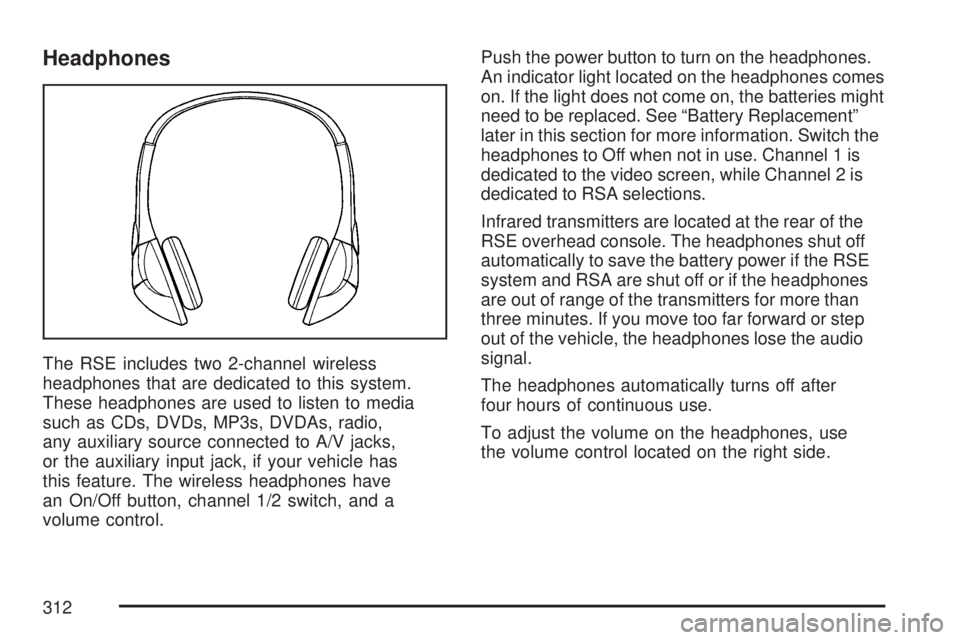
Headphones
The RSE includes two 2-channel wireless
headphones that are dedicated to this system.
These headphones are used to listen to media
such as CDs, DVDs, MP3s, DVDAs, radio,
any auxiliary source connected to A/V jacks,
or the auxiliary input jack, if your vehicle has
this feature. The wireless headphones have
an On/Off button, channel 1/2 switch, and a
volume control.Push the power button to turn on the headphones.
An indicator light located on the headphones comes
on. If the light does not come on, the batteries might
need to be replaced. See “Battery Replacement”
later in this section for more information. Switch the
headphones to Off when not in use. Channel 1 is
dedicated to the video screen, while Channel 2 is
dedicated to RSA selections.
Infrared transmitters are located at the rear of the
RSE overhead console. The headphones shut off
automatically to save the battery power if the RSE
system and RSA are shut off or if the headphones
are out of range of the transmitters for more than
three minutes. If you move too far forward or step
out of the vehicle, the headphones lose the audio
signal.
The headphones automatically turns off after
four hours of continuous use.
To adjust the volume on the headphones, use
the volume control located on the right side.
312
Page 313 of 554
For optimal audio performance, the headphones
must be worn correctly. The symbol L (Left)
appears on the upper left side, above the ear pad
and should be positioned on the left ear. The
symbol R (Right) appears on the upper right side,
above the ear pad and should be positioned on
the right ear.
Notice:Do not store the headphones in heat
or direct sunlight. This could damage the
headphones and repairs will not be covered by
your warranty. Keep the headphones stored
in a cool, dry place.
If the foam ear pads attached to the headphones
become worn or damaged, the pads can be
replaced separately from the headphone set
through your dealer/retailer for more information.
Headphones should be stored in the front oor
console and not in the front seat back pocket.
Headphone damage can occur when the second
row seats are folded forward.Battery Replacement
To change the batteries on the headphones,
do the following:
1. Turn the screw with a coin or screw driver to
loosen the battery door located on the left
side of the headphones. Slide the battery
door open.
2. Replace the two batteries in the compartment.
Make sure that they are installed correctly,
using the diagram on the inside of the battery
compartment.
3. Replace the battery door and tighten the
door screw.
If the headphones are to be stored for a long
period of time, remove the batteries and keep
them in a cool, dry place.
313
Page 316 of 554
If a DVD is playing and the screen is raised to
its locked position, the screen remains on. This is
normal. The DVD continues to play through the
previous audio source. Use the remote control
power button or eject the disc to turn off the
screen.
The RSE overhead console contains the IR
transmitters for the wireless headphones and
the IR receivers for the remote control. They
are located at the rear of the console.
Notice:Avoid directly touching the video
screen, as damage may occur. See “Cleaning
the Video Screen” later in this section for
more information.Remote Control
To use the remote control, aim it at the transmitter
window at the rear of the RSE overhead console
and press the desired button. Direct sunlight
or very bright light can affect the ability of the
RSE transmitter to receive signals from the remote
control. If the remote control does not seem to
be working, the batteries might need to be
replaced. See “Battery Replacement” later in this
section. Objects blocking the line of sight can
also affect the function of the remote control.
If a CD or DVD is in the Radio DVD slot,
the remote control power button can be used to
turn on the video screen display and start the disc.
The radio can also turn on the video screen
display. SeeRadio with CD and DVD on page 278
for more information.
Notice:Storing the remote control in a hot
area or in direct sunlight can damage it,
and the repairs will not be covered by your
warranty. Keep the remote control stored in a
cool, dry place.
316
Page 320 of 554
Battery Replacement
To change the remote control batteries, do the
following:
1. Remove the battery compartment door
located on the bottom of the remote control.
2. Replace the two AA batteries in the
compartment. Make sure that they are
installed correctly, using the diagram on the
inside of the battery compartment.
3. Close the battery door securely.
If the remote control is to be stored for a long
period of time, remove the batteries and keep them
in a cool, dry place.
Problem Recommended Action
No power. The ignition might not be
turned on or in accessory.
The picture does not ll
the screen. There are
black borders on the
top and bottom or on
both sides or it looks
stretched out.Check the display mode
settings in the setup menu
by pressing the display
menu button on the
remote control.
In auxiliary mode, the
picture moves or scrolls.Check the auxiliary input
connections at both
devices.
The remote control
does not work.Check to make sure there
is no obstruction between
the remote control and
the transmitter window.
Check the batteries to
make sure they are not
dead or installed
incorrectly.
After stopping the player,
I push Play but
sometimes the DVD
starts where I left off and
sometimes at the
beginning.If the stop button was
pressed one time, the
DVD player resumes
playing where the DVD
was stopped. If the stop
button was pressed two
times the DVD player
begins to play from the
beginning of the DVD.
320
Page 359 of 554
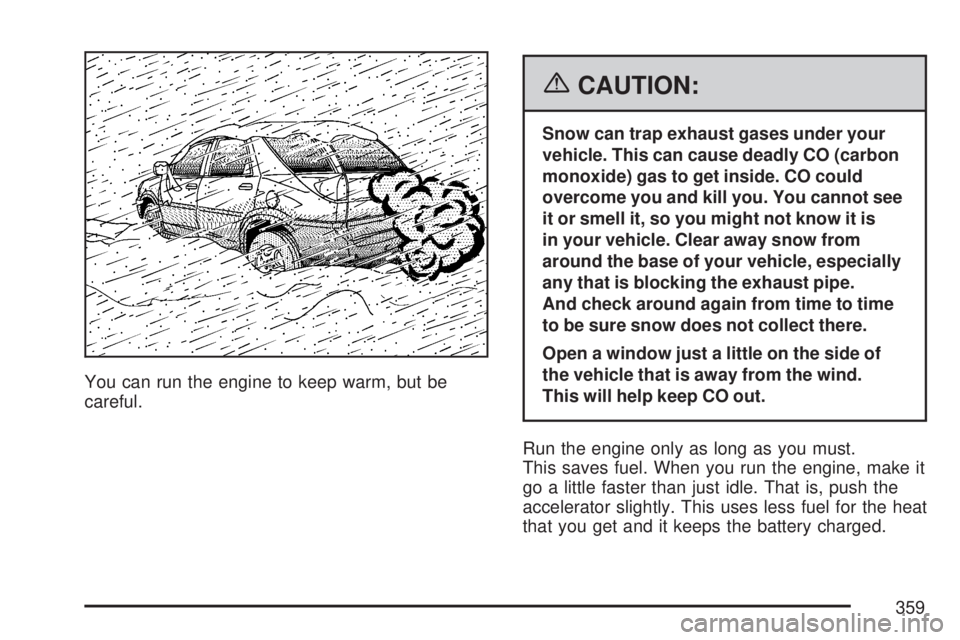
You can run the engine to keep warm, but be
careful.
{CAUTION:
Snow can trap exhaust gases under your
vehicle. This can cause deadly CO (carbon
monoxide) gas to get inside. CO could
overcome you and kill you. You cannot see
it or smell it, so you might not know it is
in your vehicle. Clear away snow from
around the base of your vehicle, especially
any that is blocking the exhaust pipe.
And check around again from time to time
to be sure snow does not collect there.
Open a window just a little on the side of
the vehicle that is away from the wind.
This will help keep CO out.
Run the engine only as long as you must.
This saves fuel. When you run the engine, make it
go a little faster than just idle. That is, push the
accelerator slightly. This uses less fuel for the heat
that you get and it keeps the battery charged.
359