tow GMC ACADIA 2007 Owner's Guide
[x] Cancel search | Manufacturer: GMC, Model Year: 2007, Model line: ACADIA, Model: GMC ACADIA 2007Pages: 554, PDF Size: 2.76 MB
Page 139 of 554
Running the Engine While Parked
It is better not to park with the engine running. But if
you ever have to, here are some things to know.
{CAUTION:
Idling the engine with the climate control
system off could allow dangerous exhaust
into your vehicle. See the earlier caution
underEngine Exhaust on page 138.
Also, idling in a closed-in place can let
deadly carbon monoxide (CO) into your
vehicle even if the climate control fan is at
the highest setting. One place this can
happen is a garage. Exhaust — with
CO — can come in easily. NEVER park in
a garage with the engine running.
Another closed-in place can be a blizzard.
SeeWinter Driving on page 356.
{CAUTION:
It can be dangerous to get out of your
vehicle if the shift lever is not fully in
PARK (P) with the parking brake rmly
set. Your vehicle can roll. Do not leave
your vehicle when the engine is running
unless you have to. If you have left the
engine running, the vehicle can move
suddenly. You or others could be injured.
To be sure your vehicle will not move,
even when you are on fairly level ground,
always set the parking brake and move
the shift lever to PARK (P).
Follow the proper steps to be sure your vehicle
will not move. SeeShifting Into Park (P) on
page 135.
If you are pulling a trailer, seeTowing a Trailer on
page 371.
139
Page 142 of 554
3. Scroll through the zone numbers that appear
in the window on the mirror by pressing the
on/off button. Once you nd your zone
number, release the button. After about
four seconds, the mirror will return to the
compass display, and the new zone number
will be set. If C or CAL appears in the
compass window, the compass may need
calibration. See “Compass Calibration” listed
previously.
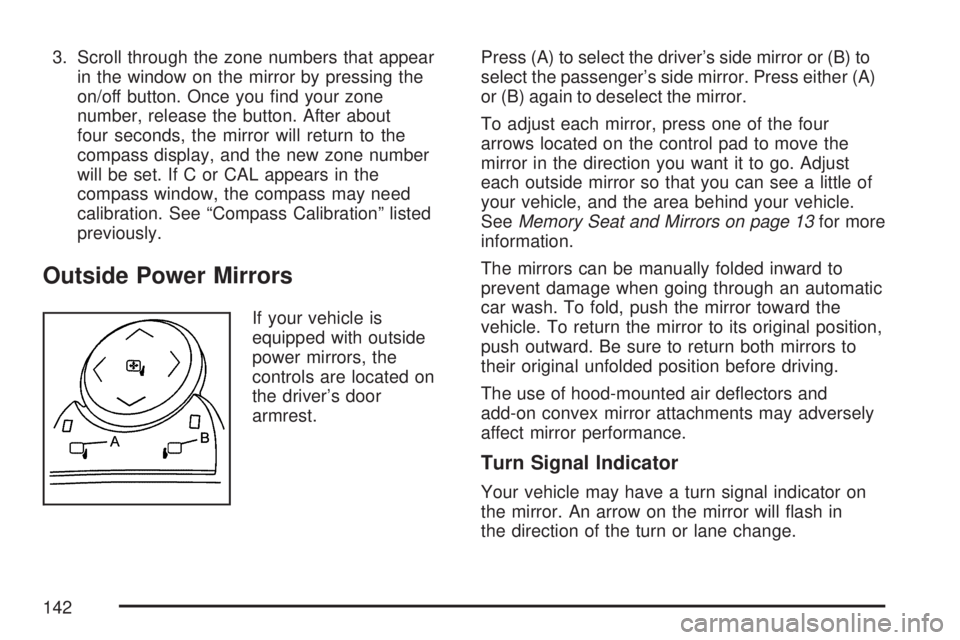
Outside Power Mirrors
If your vehicle is
equipped with outside
power mirrors, the
controls are located on
the driver’s door
armrest.Press (A) to select the driver’s side mirror or (B) to
select the passenger’s side mirror. Press either (A)
or (B) again to deselect the mirror.
To adjust each mirror, press one of the four
arrows located on the control pad to move the
mirror in the direction you want it to go. Adjust
each outside mirror so that you can see a little of
your vehicle, and the area behind your vehicle.
SeeMemory Seat and Mirrors on page 13for more
information.
The mirrors can be manually folded inward to
prevent damage when going through an automatic
car wash. To fold, push the mirror toward the
vehicle. To return the mirror to its original position,
push outward. Be sure to return both mirrors to
their original unfolded position before driving.
The use of hood-mounted air deectors and
add-on convex mirror attachments may adversely
affect mirror performance.
Turn Signal Indicator
Your vehicle may have a turn signal indicator on
the mirror. An arrow on the mirror will ash in
the direction of the turn or lane change.
142
Page 162 of 554
Floor Mats
There is a grommet in the driver side oor mat
that attaches to a hook on the oor of the vehicle.
This allows the mat to remain in position under
your feet and out of reach of the accelerator and
brake pedal. To remove the oor mat, pull the
mat towards the rear of the vehicle until the
grommet can be removed from the hook.
Make sure that the driver side oor mat is properly
placed on the oor so that it does not block the
movement of the accelerator and brake pedal.
Luggage Carrier
{CAUTION:
If you try to carry something on top of
your vehicle that is longer or wider than
the luggage carrier — like paneling,
plywood, a mattress and so forth — the
wind can catch it as you drive along. This
can cause you to lose control. What you
are carrying could be violently torn off,
and this could cause you or other drivers
to have a collision, and of course damage
your vehicle. You may be able to carry
something like this inside. But, never
carry something longer or wider than the
luggage carrier on top of your vehicle.
162
Page 164 of 554
Cargo Management System
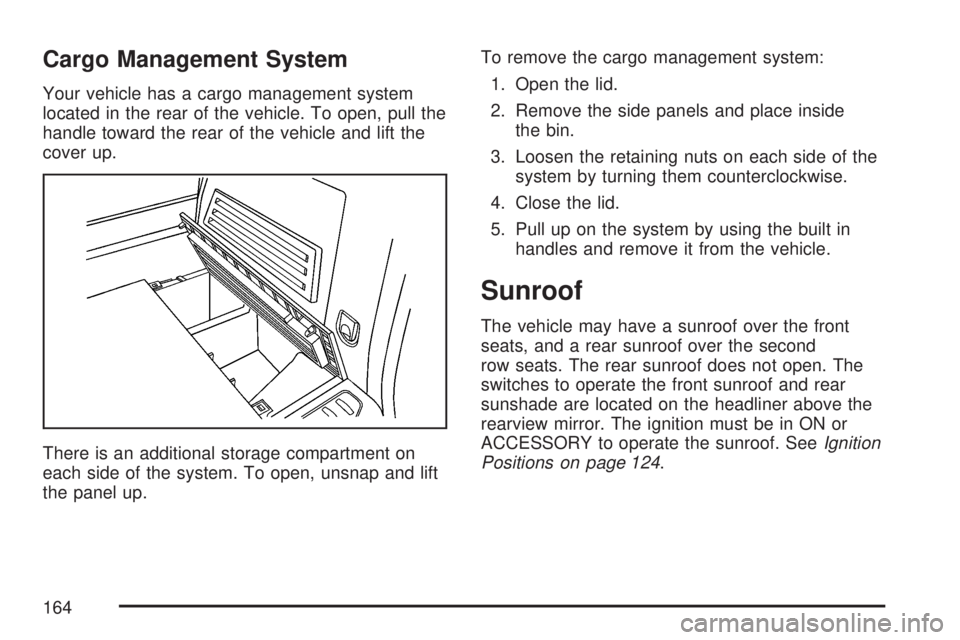
Your vehicle has a cargo management system
located in the rear of the vehicle. To open, pull the
handle toward the rear of the vehicle and lift the
cover up.
There is an additional storage compartment on
each side of the system. To open, unsnap and lift
the panel up.To remove the cargo management system:
1. Open the lid.
2. Remove the side panels and place inside
the bin.
3. Loosen the retaining nuts on each side of the
system by turning them counterclockwise.
4. Close the lid.
5. Pull up on the system by using the built in
handles and remove it from the vehicle.
Sunroof
The vehicle may have a sunroof over the front
seats, and a rear sunroof over the second
row seats. The rear sunroof does not open. The
switches to operate the front sunroof and rear
sunshade are located on the headliner above the
rearview mirror. The ignition must be in ON or
ACCESSORY to operate the sunroof. SeeIgnition
Positions on page 124.
164
Page 168 of 554
Warning Lights, Gages, and Indicators..... 214
Instrument Panel Cluster........................... 215
Speedometer and Odometer...................... 216
Tachometer............................................... 216
Safety Belt Reminder Light........................ 216
Passenger Safety Belt Reminder Light....... 217
Airbag Readiness Light............................. 217
Passenger Airbag Status Indicator............. 218
Charging System Light.............................. 220
Voltmeter Gage......................................... 221
Brake System Warning Light..................... 222
Anti-Lock Brake System Warning Light...... 223
StabiliTrak
®Indicator Light......................... 224
Engine Coolant Temperature Warning
Light...................................................... 224
Engine Coolant Temperature Gage............ 225
Tire Pressure Light.................................... 225
Malfunction Indicator Lamp........................ 226
Oil Pressure Light..................................... 229
Security Light............................................ 229
Fog Lamp Light......................................... 230Cruise Control Light.................................. 230
Highbeam On Light................................... 230
Tow/Haul Mode Light................................ 230
Fuel Gage................................................. 231
Driver Information Center (DIC).................. 232
DIC Operation and Displays
(With DIC Buttons)................................. 233
DIC Operation and Displays
(Without DIC Buttons)............................ 239
DIC Warnings and Messages.................... 244
DIC Vehicle Customization
(With DIC Buttons)................................. 255
Audio System(s)......................................... 264
Setting the Time........................................ 266
Radio with CD........................................... 268
Radio with CD and DVD........................... 278
Using an MP3 (Radio with CD or
Six-Disc CD Player)............................... 295
Using an MP3 (Radio with CD and
DVD Player)........................................... 301
Section 3 Instrument Panel
168
Page 172 of 554
P. Hazard Warning Flasher Button. SeeHazard
Warning Flashers on page 172.
Q. Cupholders. SeeCupholder(s) on page 161.
R. Accessory Power Outlets. SeeAccessory
Power Outlet(s) on page 197.
S. Traction Control System (TCS) Disable
Button (If Equipped). SeeStabiliTrak
®System
on page 337. Tow/Haul Selector Button
(If Equipped). SeeTow/Haul Mode on
page 133. Power Liftgate Button (If Equipped).
SeePower Liftgate on page 110.
T. Heated Seats Button. SeeHeated Seats
on page 12.
U. Passenger Air Bag status Indicator. See
Passenger Sensing System on page 85.
V. Glove Box. SeeGlove Box on page 161.
Hazard Warning Flashers
The hazard warning ashers let you warn others.
They also let police know you have a problem. The
front and rear turn signal lamps will ash on and off.
The hazard warning
asher button is
located in the center of
the instrument panel,
below the audio system.
The hazard warning ashers work no matter what
position the key is in, and even if the key is not
in the ignition.
Press the button to make the front and rear turn
signal lamps ash on and off. Press the button
again to turn the ashers off.
When the hazard warning ashers are on, the turn
signals will not work.
172
Page 174 of 554

Power Tilt Wheel and Telescopic
Steering Column
If your vehicle has this
feature, the power tilt
wheel control is located
on the left side of the
steering column.
To operate the power tilt feature, push the control
up and the steering wheel will tilt up. Push the
control down and the steering wheel will go down.
Push the control forward and the steering wheel
moves toward the front of the vehicle. Push
the control rearward and the steering wheel moves
toward the rear of the vehicle.
Turn Signal/Multifunction Lever
The lever on the left side of the steering column
includes the following:
GTurn and Lane Change Signals. See
Turn and Lane-Change Signals on page 175.
2Headlamp High/Low-Beam Changer.
SeeHeadlamp High/Low-Beam Changer
on page 176.
Flash-to-Pass. SeeFlash-to-Pass
on page 176.
NWindshield Wipers. SeeWindshield
Wipers on page 176.
174
Page 176 of 554

Headlamp High/Low-Beam Changer
To change the headlamps from low beam to
high beam, push the turn signal/multifunction
lever toward the front of the vehicle.
This light on the
instrument panel
cluster comes on if
the high beam lamps
are turned on while
the ignition is on.
To change the headlamps from high beam to
low beam, pull the turn signal lever toward the
rear of the vehicle.
Flash-to-Pass
With the turn signal lever in the low-beam position,
pull the lever toward you momentarily to switch
to high-beam (to signal that you are going to pass).
If the headlamps are on, they will return to
low-beam when the lever is released.
This feature operates even when the headlamps
are off.
Windshield Wipers
Be sure to clear ice and snow from the wiper
blades before using them. If they are frozen to the
windshield, gently loosen or thaw them. Damaged
wiper blades may not clear the windshield well,
making it harder to see and drive safely. If the
blades do become damaged, install new blades or
blade inserts. For more information, seeWindshield
Wiper Blade Replacement on page 434.
Heavy snow or ice can overload the wiper motor. A
circuit breaker will stop the motor until it cools down.
Clear away snow or ice to prevent an overload.
176
Page 191 of 554
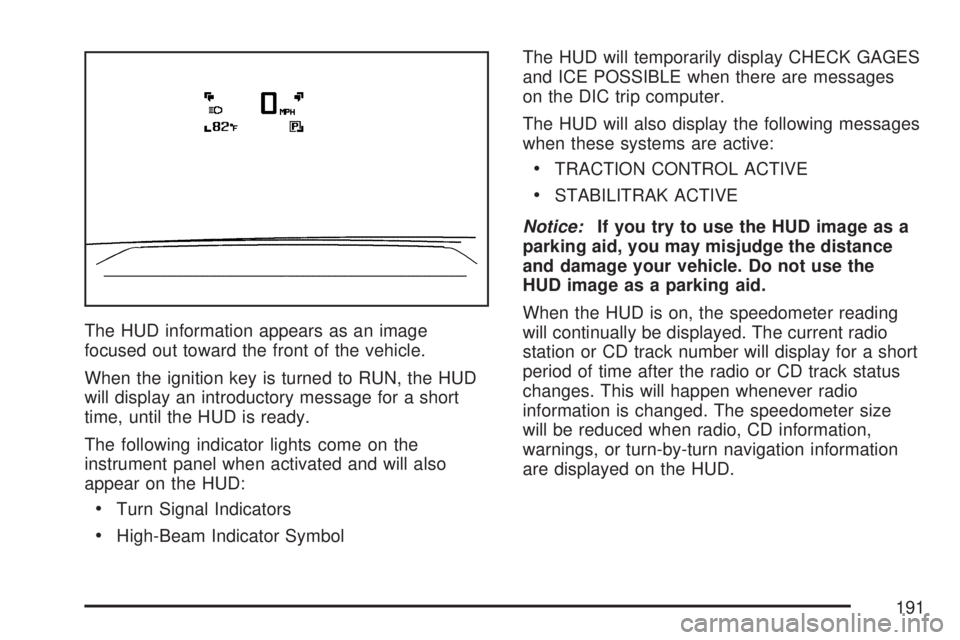
The HUD information appears as an image
focused out toward the front of the vehicle.
When the ignition key is turned to RUN, the HUD
will display an introductory message for a short
time, until the HUD is ready.
The following indicator lights come on the
instrument panel when activated and will also
appear on the HUD:
Turn Signal Indicators
High-Beam Indicator SymbolThe HUD will temporarily display CHECK GAGES
and ICE POSSIBLE when there are messages
on the DIC trip computer.
The HUD will also display the following messages
when these systems are active:
TRACTION CONTROL ACTIVE
STABILITRAK ACTIVE
Notice:If you try to use the HUD image as a
parking aid, you may misjudge the distance
and damage your vehicle. Do not use the
HUD image as a parking aid.
When the HUD is on, the speedometer reading
will continually be displayed. The current radio
station or CD track number will display for a short
period of time after the radio or CD track status
changes. This will happen whenever radio
information is changed. The speedometer size
will be reduced when radio, CD information,
warnings, or turn-by-turn navigation information
are displayed on the HUD.
191
Page 200 of 554
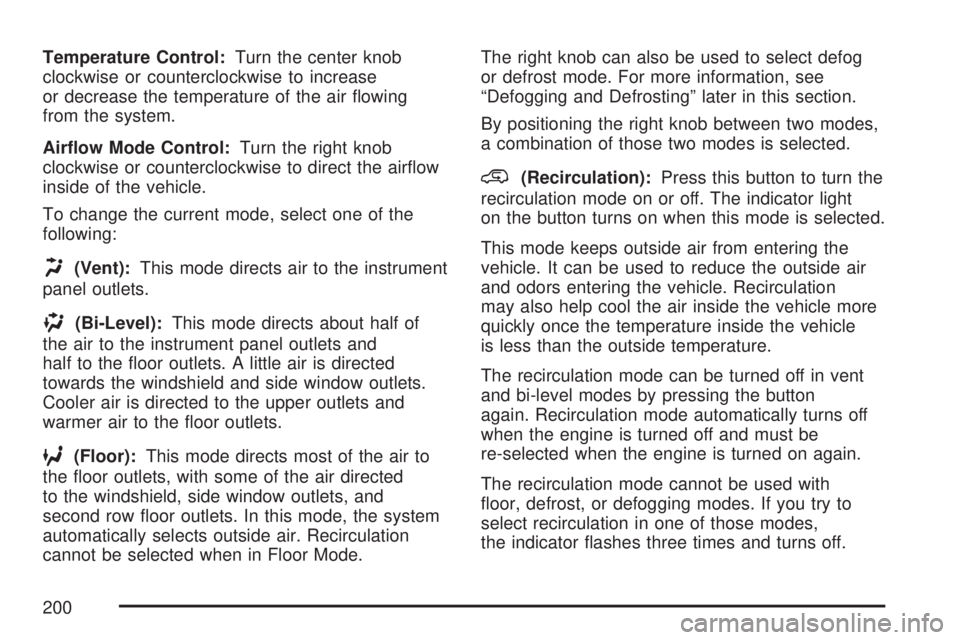
Temperature Control:Turn the center knob
clockwise or counterclockwise to increase
or decrease the temperature of the air owing
from the system.
Airow Mode Control:Turn the right knob
clockwise or counterclockwise to direct the airow
inside of the vehicle.
To change the current mode, select one of the
following:
H(Vent):This mode directs air to the instrument
panel outlets.
)(Bi-Level):This mode directs about half of
the air to the instrument panel outlets and
half to the oor outlets. A little air is directed
towards the windshield and side window outlets.
Cooler air is directed to the upper outlets and
warmer air to the oor outlets.
6(Floor):This mode directs most of the air to
the oor outlets, with some of the air directed
to the windshield, side window outlets, and
second row oor outlets. In this mode, the system
automatically selects outside air. Recirculation
cannot be selected when in Floor Mode.The right knob can also be used to select defog
or defrost mode. For more information, see
“Defogging and Defrosting” later in this section.
By positioning the right knob between two modes,
a combination of those two modes is selected.
@(Recirculation):Press this button to turn the
recirculation mode on or off. The indicator light
on the button turns on when this mode is selected.
This mode keeps outside air from entering the
vehicle. It can be used to reduce the outside air
and odors entering the vehicle. Recirculation
may also help cool the air inside the vehicle more
quickly once the temperature inside the vehicle
is less than the outside temperature.
The recirculation mode can be turned off in vent
and bi-level modes by pressing the button
again. Recirculation mode automatically turns off
when the engine is turned off and must be
re-selected when the engine is turned on again.
The recirculation mode cannot be used with
oor, defrost, or defogging modes. If you try to
select recirculation in one of those modes,
the indicator ashes three times and turns off.
200