brakes GMC ACADIA 2007 Owner's Manual
[x] Cancel search | Manufacturer: GMC, Model Year: 2007, Model line: ACADIA, Model: GMC ACADIA 2007Pages: 554, PDF Size: 2.76 MB
Page 133 of 554
Tow/Haul Mode
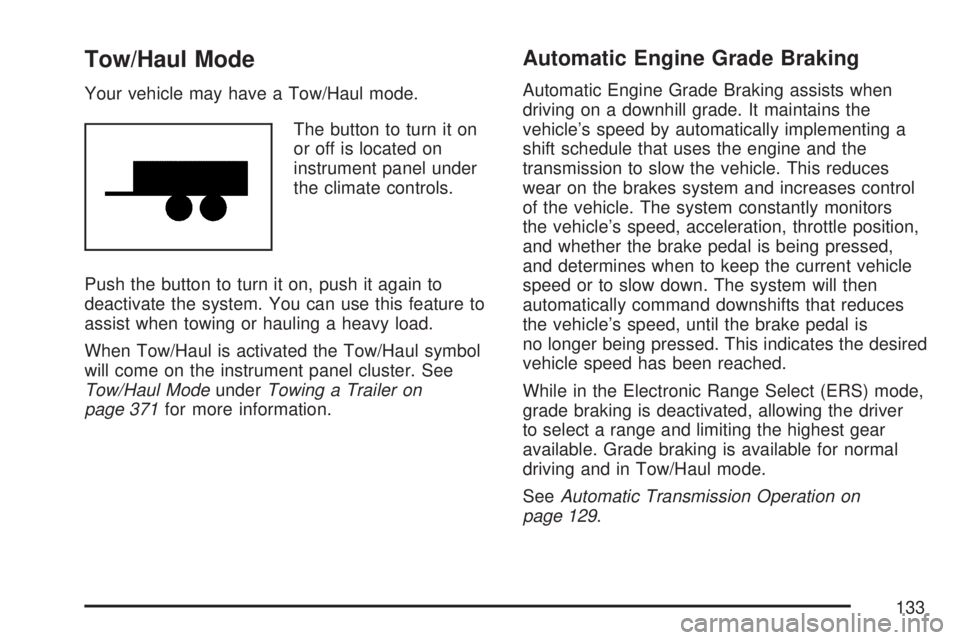
Your vehicle may have a Tow/Haul mode.
The button to turn it on
or off is located on
instrument panel under
the climate controls.
Push the button to turn it on, push it again to
deactivate the system. You can use this feature to
assist when towing or hauling a heavy load.
When Tow/Haul is activated the Tow/Haul symbol
will come on the instrument panel cluster. See
Tow/Haul ModeunderTowing a Trailer on
page 371for more information.
Automatic Engine Grade Braking
Automatic Engine Grade Braking assists when
driving on a downhill grade. It maintains the
vehicle’s speed by automatically implementing a
shift schedule that uses the engine and the
transmission to slow the vehicle. This reduces
wear on the brakes system and increases control
of the vehicle. The system constantly monitors
the vehicle’s speed, acceleration, throttle position,
and whether the brake pedal is being pressed,
and determines when to keep the current vehicle
speed or to slow down. The system will then
automatically command downshifts that reduces
the vehicle’s speed, until the brake pedal is
no longer being pressed. This indicates the desired
vehicle speed has been reached.
While in the Electronic Range Select (ERS) mode,
grade braking is deactivated, allowing the driver
to select a range and limiting the highest gear
available. Grade braking is available for normal
driving and in Tow/Haul mode.
SeeAutomatic Transmission Operation on
page 129.
133
Page 180 of 554
Cruise Control
With cruise control, you can maintain a speed
of about 25 mph (40 km/h) or more without
keeping your foot on the accelerator. This can
really help on long trips. Cruise control does not
work at speeds below about 25 mph (40 km/h).
When you apply your brakes, cruise control
is turned off.
{CAUTION:
Cruise control can be dangerous where
you cannot drive safely at a steady speed.
So, do not use your cruise control on
winding roads or in heavy traffic.
Cruise control can be dangerous on
slippery roads. On such roads, fast
changes in tire traction can cause
excessive wheel slip, and you could
lose control. Do not use cruise control
on slippery roads.The cruise control
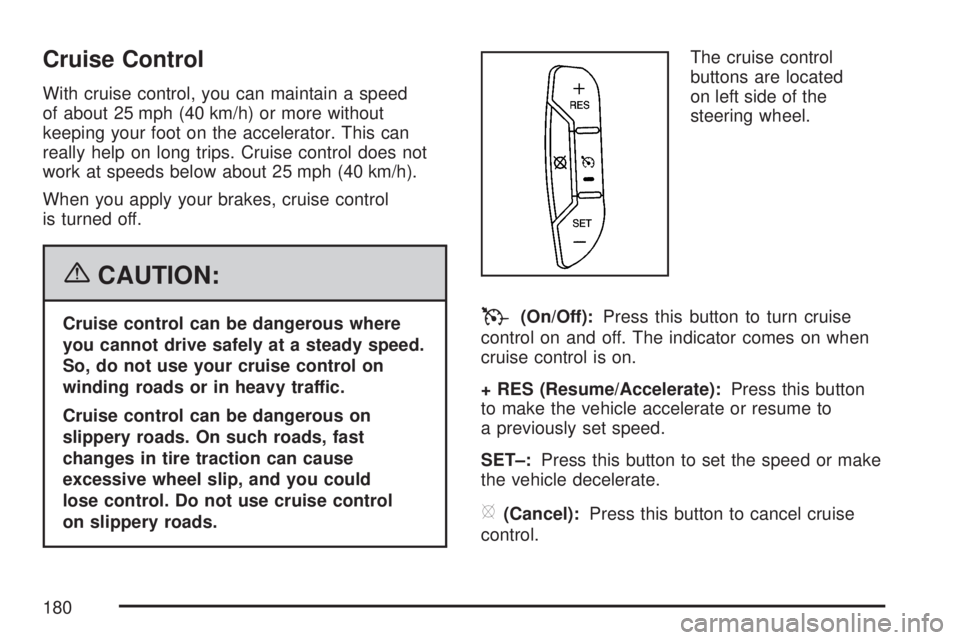
buttons are located
on left side of the
steering wheel.T(On/Off):Press this button to turn cruise
control on and off. The indicator comes on when
cruise control is on.
+ RES (Resume/Accelerate):Press this button
to make the vehicle accelerate or resume to
a previously set speed.
SET–:Press this button to set the speed or make
the vehicle decelerate.
[(Cancel):Press this button to cancel cruise
control.
180
Page 197 of 554
If this occurs, URPA assumes the object is still
attached, so you will have to wait until the
vehicle is driven forward above 15 mph
(25 km/h) before URPA will return to normal
operation.
The ultrasonic sensors need to be kept clean.
So, be sure to keep your vehicle’s rear bumper
free of mud, dirt, snow, ice, and slush. For
cleaning instructions, seeWashing Your
Vehicle on page 482. If the DIC still displays the
PARK ASSIST OFF message after cleaning the
bumper and driving forward at a speed of at
least 15 mph (25 km/h), see your dealer/retailer.
Other conditions that may affect system
performance include vibrations from a
jackhammer or the compression of air brakes
on a very large truck or other mechanical
devices that interfere with URPA performance.
As always, drivers should use care when backing
up a vehicle. Always look behind you, being
sure to check for other vehicles, obstructions
and blind spots.
If the vehicle bumper is damaged, the URPA
system may not work properly. Take the vehicle
to your dealer/retailer to repair the system.
Accessory Power Outlet(s)
The accessory power outlets can be used to
connect electrical equipment such as a cellular
phone or CB radio.
Your vehicle may have four accessory power
outlets. They are located on the instrument panel
below the climate controls, inside the front
center console storage bin, at the rear of the
center console, and in the rear cargo area.
To use the outlets, remove the cover. When not in
use, always cover the outlet with the protective cap.
Notice:Leaving electrical equipment on for
extended periods will drain the battery. Always
turn off electrical equipment when not in
use and do not plug in equipment that exceeds
the maximum amperage rating of 20 amperes.
197
Page 222 of 554
Brake System Warning Light
Your vehicle’s hydraulic brake system is divided
into two parts. If one part is not working, the other
part can still work and stop you. For good braking,
though, you need both parts working well.
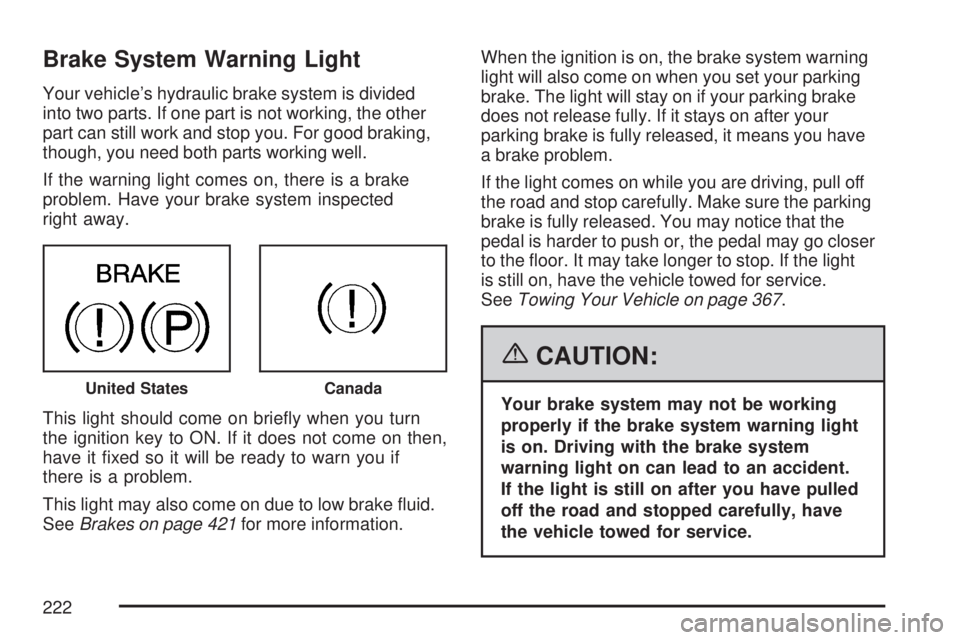
If the warning light comes on, there is a brake
problem. Have your brake system inspected
right away.
This light should come on briey when you turn
the ignition key to ON. If it does not come on then,
have it xed so it will be ready to warn you if
there is a problem.
This light may also come on due to low brake uid.
SeeBrakes on page 421for more information.When the ignition is on, the brake system warning
light will also come on when you set your parking
brake. The light will stay on if your parking brake
does not release fully. If it stays on after your
parking brake is fully released, it means you have
a brake problem.
If the light comes on while you are driving, pull off
the road and stop carefully. Make sure the parking
brake is fully released. You may notice that the
pedal is harder to push or, the pedal may go closer
to the oor. It may take longer to stop. If the light
is still on, have the vehicle towed for service.
SeeTowing Your Vehicle on page 367.
{CAUTION:
Your brake system may not be working
properly if the brake system warning light
is on. Driving with the brake system
warning light on can lead to an accident.
If the light is still on after you have pulled
off the road and stopped carefully, have
the vehicle towed for service.United StatesCanada
222
Page 223 of 554
Anti-Lock Brake System
Warning Light
Your vehicle has the Anti-Lock Brake System (ABS).
This light will come on
when your engine is
started and may stay
on for several seconds.
This is normal.
If the light stays on, turn the ignition to off.
If the light comes on and the chime sounds
when you are driving, pull your vehicle over to a
safe location and stop as soon as possible.Turn the ignition off. Then start the engine again
to reset the system. If the light still stays on,
or comes on again while you are driving, your
vehicle needs service. If the regular brake
system warning light is not on, you still have
brakes, but you do not have anti-lock brakes.
If the regular brake system warning light is also
on, you do not have anti-lock brakes and there
is a problem with your regular brakes. SeeBrake
System Warning Light on page 222earlier in
this section.
The ABS warning light will come on briey when
you turn the ignition key to ON. This is normal.
If the light does not come on then, have it xed so
it will be ready to warn you if there is a problem.
223
Page 334 of 554
Control of a Vehicle
The following three systems help to control your
vehicle while driving — brakes, steering, and
accelerator. At times, as when driving on snow or
ice, it is easy to ask more of those control
systems than the tires and road can provide.
Meaning, you can lose control of your vehicle.
SeeStabiliTrak
®System on page 337.
Adding non-dealer/non-retailer accessories can
affect your vehicle’s performance. SeeAccessories
and Modifications on page 385.
Braking
SeeBrake System Warning Light on page 222.
Braking action involves perception time and
reaction time. First, you have to decide to push
on the brake pedal. That is perception time.
Then you have to bring up your foot and do it.
That is reaction time.
Average reaction time is about three-fourths of
a second. But that is only an average. It might
be less with one driver and as long as two or
three seconds or more with another. Age, physical
condition, alertness, coordination, and eyesight all
play a part. So do alcohol, drugs, and frustration.But even in three-fourths of a second, a vehicle
moving at 60 mph (100 km/h) travels 66 feet
(20 m). That could be a lot of distance in an
emergency, so keeping enough space between
your vehicle and others is important.
And, of course, actual stopping distances vary
greatly with the surface of the road, whether it is
pavement or gravel; the condition of the road,
whether it is wet, dry, or icy; tire tread; the condition
of the brakes; the weight of the vehicle; and the
amount of brake force applied.
Avoid needless heavy braking. Some people drive
in spurts — heavy acceleration followed by heavy
braking — rather than keeping pace with traffic.
This is a mistake. The brakes might not have time
to cool between hard stops. The brakes will
wear out much faster if you do a lot of heavy
braking. If you keep pace with the traffic and allow
realistic following distances, you will eliminate a
lot of unnecessary braking. That means better
braking and longer brake life.
If your vehicle’s engine ever stops while you
are driving, brake normally but do not pump
the brakes. If you do, the pedal could get
harder to push down. If the engine stops,
you will still have some power brake assist.
334
Page 335 of 554
But you will use it when you brake. Once the
power assist is used up, it can take longer to stop
and the brake pedal will be harder to push.
Adding non-dealer/non-retailer accessories can
affect your vehicle’s performance. SeeAccessories
and Modifications on page 385.
Anti-Lock Brake System (ABS)
Your vehicle has the Anti-Lock Brake System
(ABS), an advanced electronic braking system that
will help prevent a braking skid.
When you start the engine and begin to drive
away, ABS will check itself. You might hear
a momentary motor or clicking noise while this test
is going on, and you might even notice that the
brake pedal moves a little. This is normal.
If there is a problem
with ABS, this warning
light will stay on.
SeeAnti-Lock Brake
System Warning
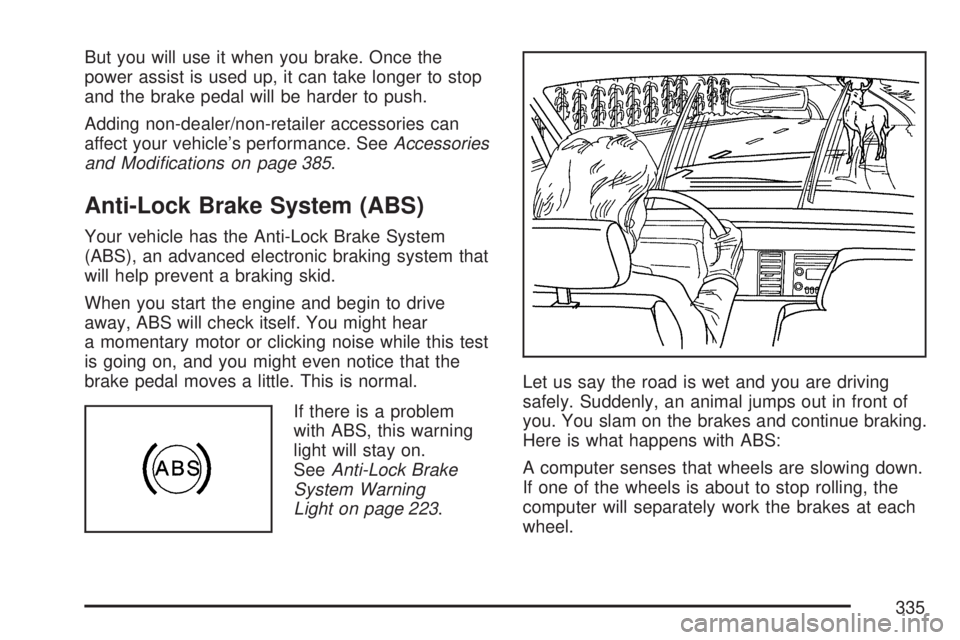
Light on page 223.Let us say the road is wet and you are driving
safely. Suddenly, an animal jumps out in front of
you. You slam on the brakes and continue braking.
Here is what happens with ABS:
A computer senses that wheels are slowing down.
If one of the wheels is about to stop rolling, the
computer will separately work the brakes at each
wheel.
335
Page 336 of 554
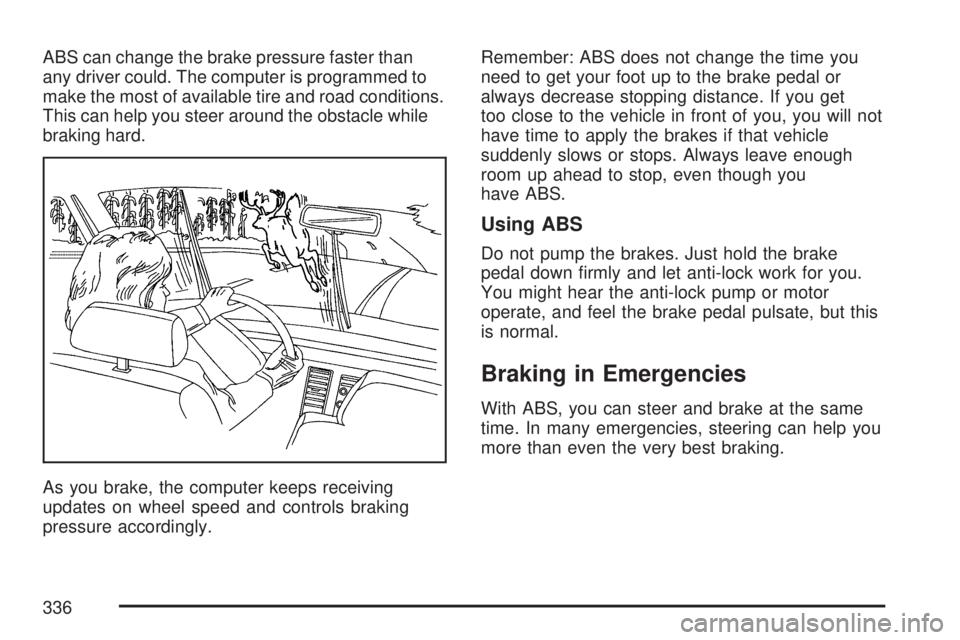
ABS can change the brake pressure faster than
any driver could. The computer is programmed to
make the most of available tire and road conditions.
This can help you steer around the obstacle while
braking hard.
As you brake, the computer keeps receiving
updates on wheel speed and controls braking
pressure accordingly.Remember: ABS does not change the time you
need to get your foot up to the brake pedal or
always decrease stopping distance. If you get
too close to the vehicle in front of you, you will not
have time to apply the brakes if that vehicle
suddenly slows or stops. Always leave enough
room up ahead to stop, even though you
have ABS.
Using ABS
Do not pump the brakes. Just hold the brake
pedal down rmly and let anti-lock work for you.
You might hear the anti-lock pump or motor
operate, and feel the brake pedal pulsate, but this
is normal.
Braking in Emergencies
With ABS, you can steer and brake at the same
time. In many emergencies, steering can help you
more than even the very best braking.
336
Page 338 of 554
Traction control can be turned on by pressing and
releasing the traction control disable button if
not automatically shut off for any other reason.
When the traction control system is turned
off, the StabiliTrak
®light and the appropriate
traction control off message will be displayed on
the DIC to warn the driver. Your vehicle will
still have brake-traction control when traction
control is off, but will not be able to use the engine
speed management system. See “Traction
Control Operation” next for more information.
When the traction control system has been turned
off, you may still hear system noises as a result
of the brake-traction control coming on.
It is recommended to leave the system on for
normal driving conditions, but it may be necessary
to turn the system off if your vehicle is stuck in
sand, mud, ice or snow, and you want to “rock”
your vehicle to attempt to free it. It may also
be necessary to turn off the system when driving
in extreme off-road conditions where high wheel
spin is required. SeeIf Your Vehicle is Stuck
in Sand, Mud, Ice, or Snow on page 360.
Traction Control Operation
The traction control system is part of the
StabiliTrak®system. Traction control limits wheel
spin by reducing engine power to the wheels
(engine speed management) and by applying
brakes to each individual wheel (brake-traction
control) as necessary.
The traction control system is enabled automatically
when you start your vehicle. It will activate and the
StabiliTrak
®light will ash if it senses that any of the
wheels are spinning or beginning to lose traction
while driving. If you turn off traction control, only the
brake-traction control portion of traction control will
work. The engine speed management will be
disabled. In this mode, engine power is not reduced
automatically and the driven wheels can spin more
freely. This can cause the brake-traction control to
activate constantly.
Notice:If you allow the wheel(s) of one axle
to spin excessively while the StabiliTrak
®,
ABS and brake warning lights and the SERVICE
STABILITRAK message are displayed, you
could damage the transfer case. The repairs
would not be covered by your warranty.
Reduce engine power and do not spin the
wheel(s) excessively while these lights and this
message are displayed.
338
Page 341 of 554
Try to adjust your speed so you can “drive” through
the curve. Maintain a reasonable, steady speed.
Wait to accelerate until you are out of the curve,
and then accelerate gently into the straightaway.
Adding non-dealer/non-retailer accessories can
affect your vehicle’s performance. SeeAccessories
and Modifications on page 385.
Steering in Emergencies
There are times when steering can be more
effective than braking. For example, you come
over a hill and nd a truck stopped in your lane,
or a car suddenly pulls out from nowhere, or
a child darts out from between parked cars and
stops right in front of you. You can avoid
these problems by braking — if you can stop in
time. But sometimes you cannot; there is not room.
That is the time for evasive action — steering
around the problem.
Your vehicle can perform very well in emergencies
like these. First, apply the brakes. SeeBraking
on page 334. It is better to remove as much speed
as you can from a possible collision. Then steer
around the problem, to the left or right depending
on the space available.An emergency like this requires close attention
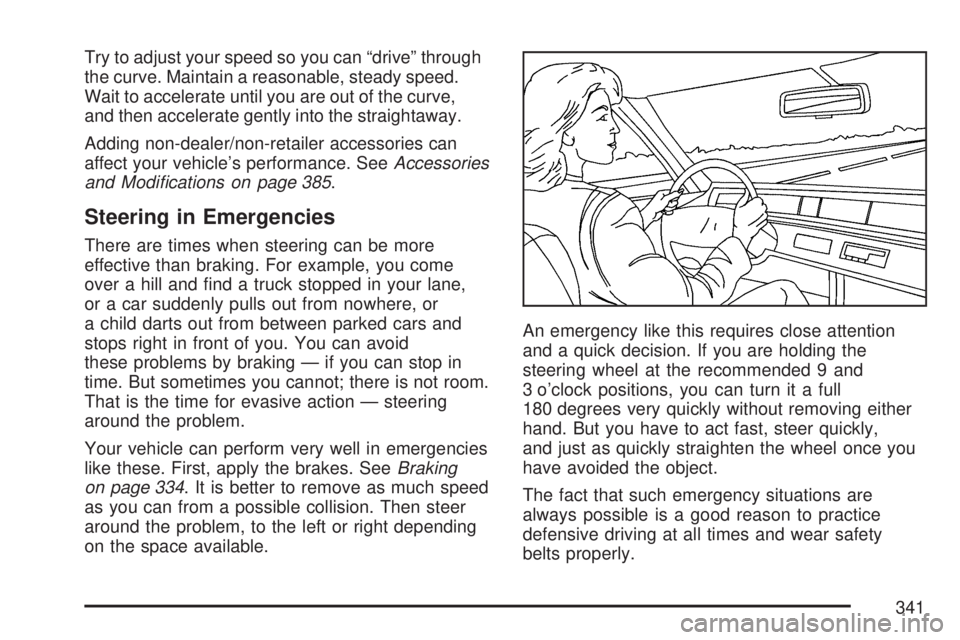
and a quick decision. If you are holding the
steering wheel at the recommended 9 and
3 o’clock positions, you can turn it a full
180 degrees very quickly without removing either
hand. But you have to act fast, steer quickly,
and just as quickly straighten the wheel once you
have avoided the object.
The fact that such emergency situations are
always possible is a good reason to practice
defensive driving at all times and wear safety
belts properly.
341