clock GMC ACADIA 2007 Owner's Manual
[x] Cancel search | Manufacturer: GMC, Model Year: 2007, Model line: ACADIA, Model: GMC ACADIA 2007Pages: 554, PDF Size: 2.76 MB
Page 164 of 554
Cargo Management System
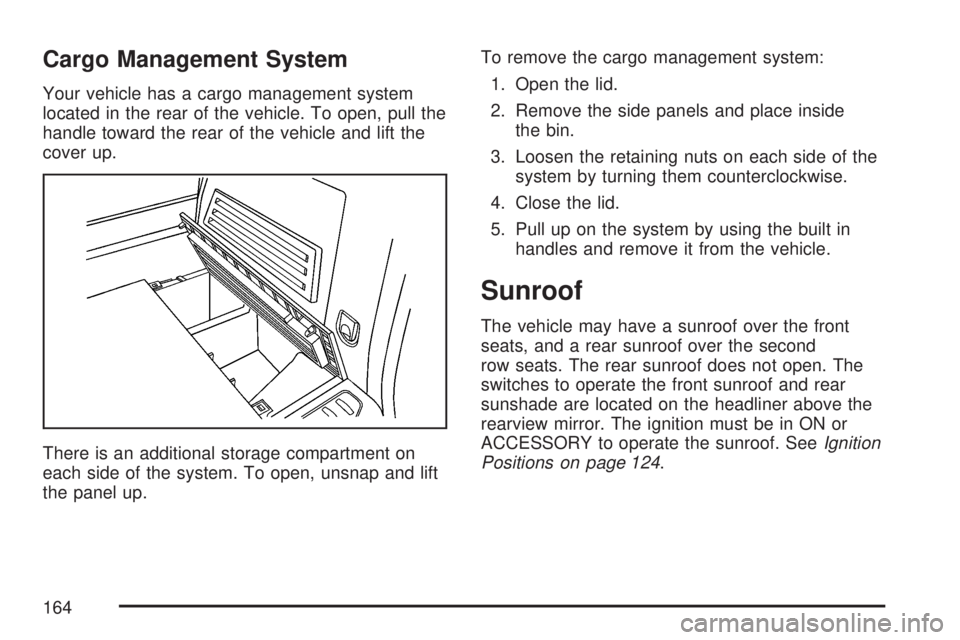
Your vehicle has a cargo management system
located in the rear of the vehicle. To open, pull the
handle toward the rear of the vehicle and lift the
cover up.
There is an additional storage compartment on
each side of the system. To open, unsnap and lift
the panel up.To remove the cargo management system:
1. Open the lid.
2. Remove the side panels and place inside
the bin.
3. Loosen the retaining nuts on each side of the
system by turning them counterclockwise.
4. Close the lid.
5. Pull up on the system by using the built in
handles and remove it from the vehicle.
Sunroof
The vehicle may have a sunroof over the front
seats, and a rear sunroof over the second
row seats. The rear sunroof does not open. The
switches to operate the front sunroof and rear
sunshade are located on the headliner above the
rearview mirror. The ignition must be in ON or
ACCESSORY to operate the sunroof. SeeIgnition
Positions on page 124.
164
Page 186 of 554
Fog Lamps
Use the fog lamps for better vision in foggy or
misty conditions.
-(Fog Lamps):The fog lamps button is located
on the exterior lamps control. The exterior lamps
control is located on the instrument panel to the
left of the steering column.
The ignition must be on for the fog lamps to work.
Press the exterior lamps button to turn the fog
lamps on or off. A light will come on in the
instrument panel cluster when the fog lamps
are in use.
When the headlamps are changed to high-beam,
the fog lamps will turn off. The fog lamps come
back on again when the high-beam headlamps are
turned off.
Some localities have laws that require the
headlamps to be on along with the fog lamps.
Instrument Panel Brightness
D(Instrument Panel Brightness):The knob
with this symbol on it is located next to the exterior
lamps control. Push the knob in all the way until
it pops out and then turn the knob clockwise
to brighten or counterclockwise to dim the lights.
Push the knob back in when nished.
Courtesy Lamps
When a door is opened, the courtesy lamps
automatically come on. They make it easy for you
to enter and leave your vehicle. You can also
manually turn these lamps on by fully turning the
instrument panel brightness control clockwise.
The reading lamps, located on the headliner, can
be turned on or off independent of the automatic
courtesy lamps, when the doors are closed.
186
Page 192 of 554
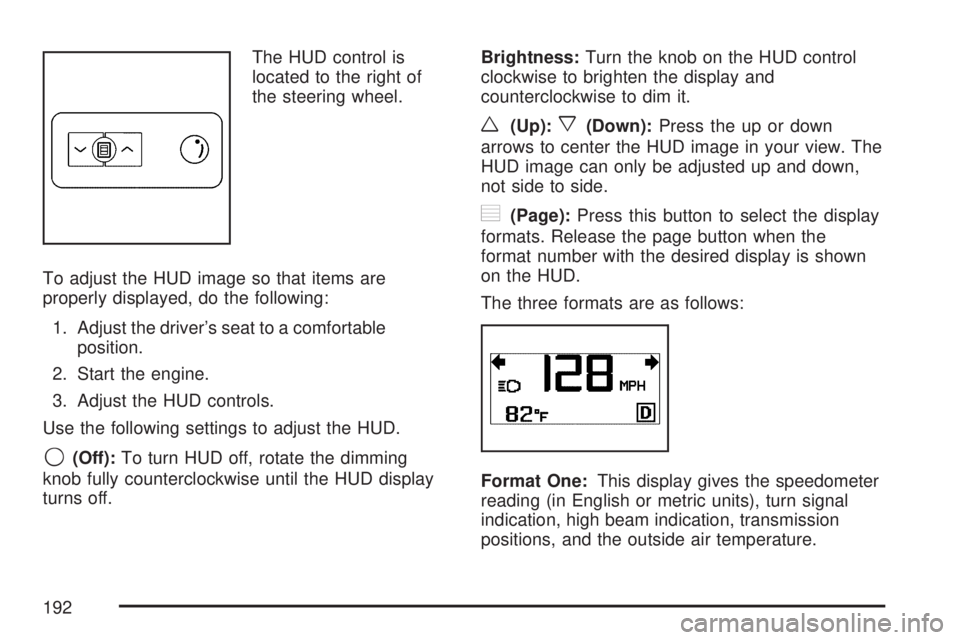
The HUD control is
located to the right of
the steering wheel.
To adjust the HUD image so that items are
properly displayed, do the following:
1. Adjust the driver’s seat to a comfortable
position.
2. Start the engine.
3. Adjust the HUD controls.
Use the following settings to adjust the HUD.
9(Off):To turn HUD off, rotate the dimming
knob fully counterclockwise until the HUD display
turns off.Brightness:Turn the knob on the HUD control
clockwise to brighten the display and
counterclockwise to dim it.
w(Up):x(Down):Press the up or down
arrows to center the HUD image in your view. The
HUD image can only be adjusted up and down,
not side to side.
?(Page):Press this button to select the display
formats. Release the page button when the
format number with the desired display is shown
on the HUD.
The three formats are as follows:
Format One:This display gives the speedometer
reading (in English or metric units), turn signal
indication, high beam indication, transmission
positions, and the outside air temperature.
192
Page 199 of 554
The indicator on the inner outlet face will come on
when 115 volt AC power is available. The AC
power is available when the ignition is turned to
ACCESSORY or ON, and electrical equipment
is plugged into the outlet. The AC power is
not available in the outlet when the ignition is
turned to OFF.
The power outlet is not designed for the following
electrical equipment and may not work properly
if these items are plugged into the power outlet:
Equipment with high initial peak wattage
such as: compressor-driven refrigerators
and electric power tools.
Other equipment requiring an extremely
stable power supply such as:
microcomputer-controlled electric blankets,
touch sensor lamps, etc.
SeeHigh Voltage Devices and Wiring on
page 489.
Climate Controls
Climate Control System
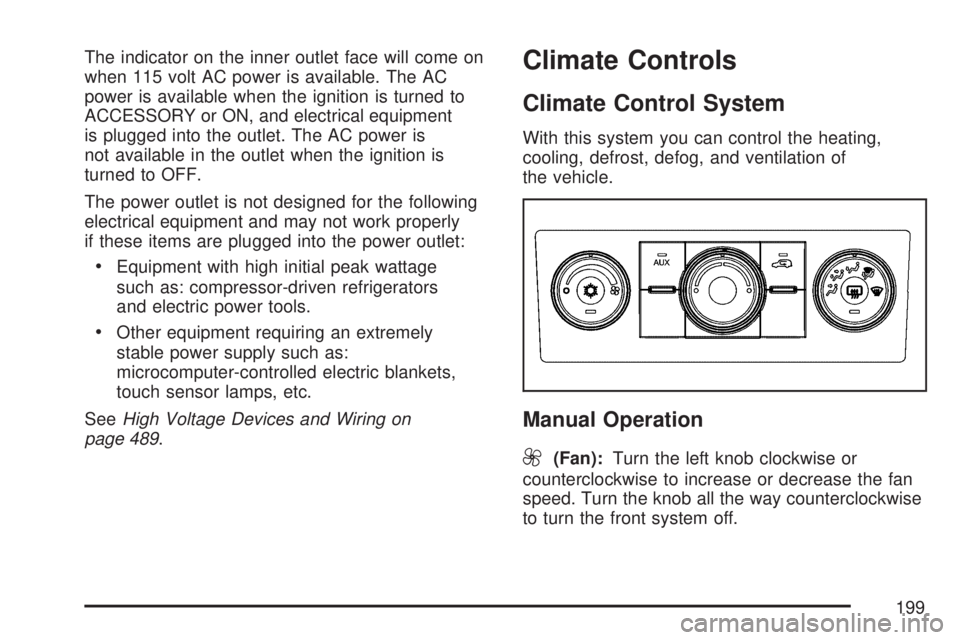
With this system you can control the heating,
cooling, defrost, defog, and ventilation of
the vehicle.
Manual Operation
9
(Fan):Turn the left knob clockwise or
counterclockwise to increase or decrease the fan
speed. Turn the knob all the way counterclockwise
to turn the front system off.
199
Page 200 of 554
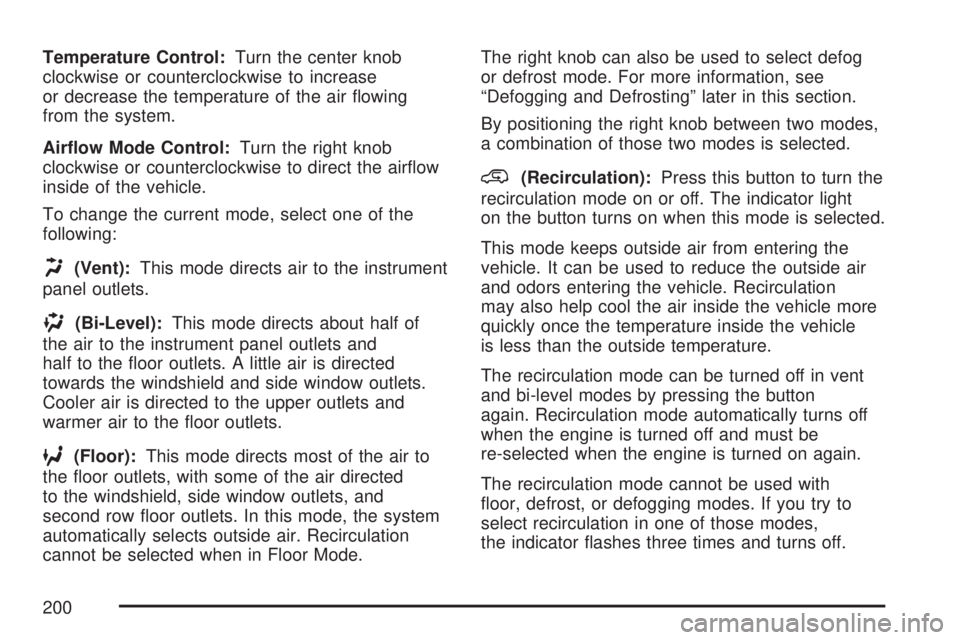
Temperature Control:Turn the center knob
clockwise or counterclockwise to increase
or decrease the temperature of the air owing
from the system.
Airow Mode Control:Turn the right knob
clockwise or counterclockwise to direct the airow
inside of the vehicle.
To change the current mode, select one of the
following:
H(Vent):This mode directs air to the instrument
panel outlets.
)(Bi-Level):This mode directs about half of
the air to the instrument panel outlets and
half to the oor outlets. A little air is directed
towards the windshield and side window outlets.
Cooler air is directed to the upper outlets and
warmer air to the oor outlets.
6(Floor):This mode directs most of the air to
the oor outlets, with some of the air directed
to the windshield, side window outlets, and
second row oor outlets. In this mode, the system
automatically selects outside air. Recirculation
cannot be selected when in Floor Mode.The right knob can also be used to select defog
or defrost mode. For more information, see
“Defogging and Defrosting” later in this section.
By positioning the right knob between two modes,
a combination of those two modes is selected.
@(Recirculation):Press this button to turn the
recirculation mode on or off. The indicator light
on the button turns on when this mode is selected.
This mode keeps outside air from entering the
vehicle. It can be used to reduce the outside air
and odors entering the vehicle. Recirculation
may also help cool the air inside the vehicle more
quickly once the temperature inside the vehicle
is less than the outside temperature.
The recirculation mode can be turned off in vent
and bi-level modes by pressing the button
again. Recirculation mode automatically turns off
when the engine is turned off and must be
re-selected when the engine is turned on again.
The recirculation mode cannot be used with
oor, defrost, or defogging modes. If you try to
select recirculation in one of those modes,
the indicator ashes three times and turns off.
200
Page 202 of 554
Defogging and Defrosting
Fog on the inside of the windows is a result of
high humidity (moisture) condensing on the
cool window glass. This can be minimized if the
climate control system is used properly. There
are two modes to clear fog or frost from the
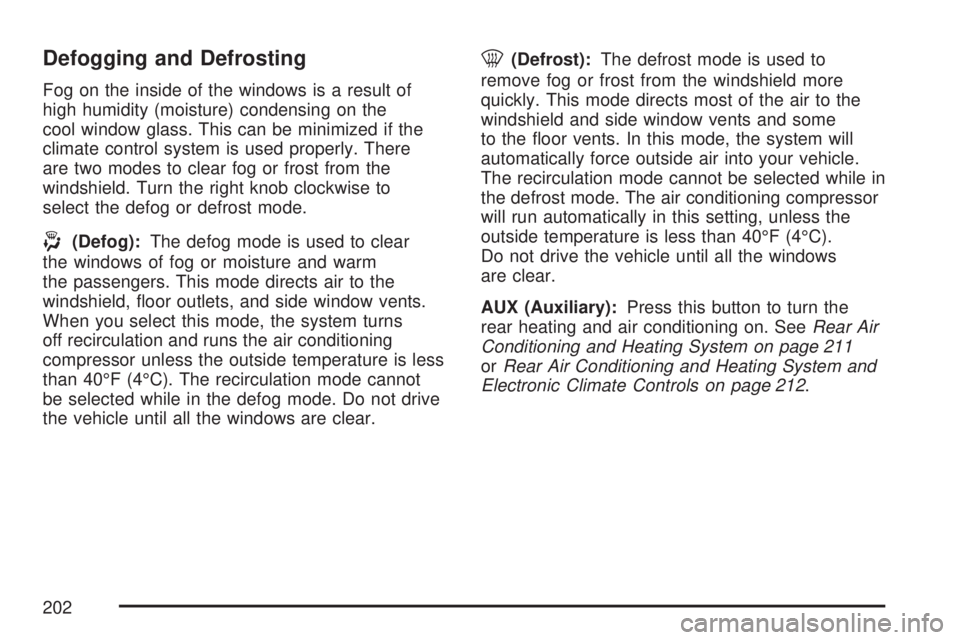
windshield. Turn the right knob clockwise to
select the defog or defrost mode.
-(Defog):The defog mode is used to clear
the windows of fog or moisture and warm
the passengers. This mode directs air to the
windshield, oor outlets, and side window vents.
When you select this mode, the system turns
off recirculation and runs the air conditioning
compressor unless the outside temperature is less
than 40°F (4°C). The recirculation mode cannot
be selected while in the defog mode. Do not drive
the vehicle until all the windows are clear.
0(Defrost):The defrost mode is used to
remove fog or frost from the windshield more
quickly. This mode directs most of the air to the
windshield and side window vents and some
to the oor vents. In this mode, the system will
automatically force outside air into your vehicle.
The recirculation mode cannot be selected while in
the defrost mode. The air conditioning compressor
will run automatically in this setting, unless the
outside temperature is less than 40°F (4°C).
Do not drive the vehicle until all the windows
are clear.
AUX (Auxiliary):Press this button to turn the
rear heating and air conditioning on. SeeRear Air
Conditioning and Heating System on page 211
orRear Air Conditioning and Heating System and
Electronic Climate Controls on page 212.
202
Page 211 of 554
Rear Air Conditioning and
Heating System
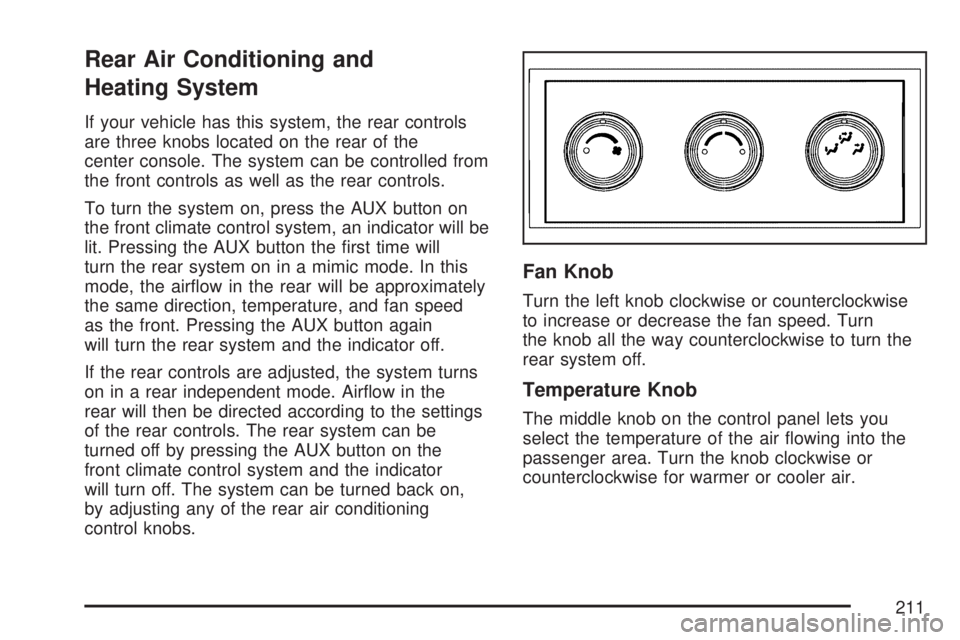
If your vehicle has this system, the rear controls
are three knobs located on the rear of the
center console. The system can be controlled from
the front controls as well as the rear controls.
To turn the system on, press the AUX button on
the front climate control system, an indicator will be
lit. Pressing the AUX button the rst time will
turn the rear system on in a mimic mode. In this
mode, the airow in the rear will be approximately
the same direction, temperature, and fan speed
as the front. Pressing the AUX button again
will turn the rear system and the indicator off.
If the rear controls are adjusted, the system turns
on in a rear independent mode. Airow in the
rear will then be directed according to the settings
of the rear controls. The rear system can be
turned off by pressing the AUX button on the
front climate control system and the indicator
will turn off. The system can be turned back on,
by adjusting any of the rear air conditioning
control knobs.
Fan Knob
Turn the left knob clockwise or counterclockwise
to increase or decrease the fan speed. Turn
the knob all the way counterclockwise to turn the
rear system off.
Temperature Knob
The middle knob on the control panel lets you
select the temperature of the air owing into the
passenger area. Turn the knob clockwise or
counterclockwise for warmer or cooler air.
211
Page 266 of 554
Setting the Time
MP3 Radios with a Single CD or a
Single CD and DVD Player
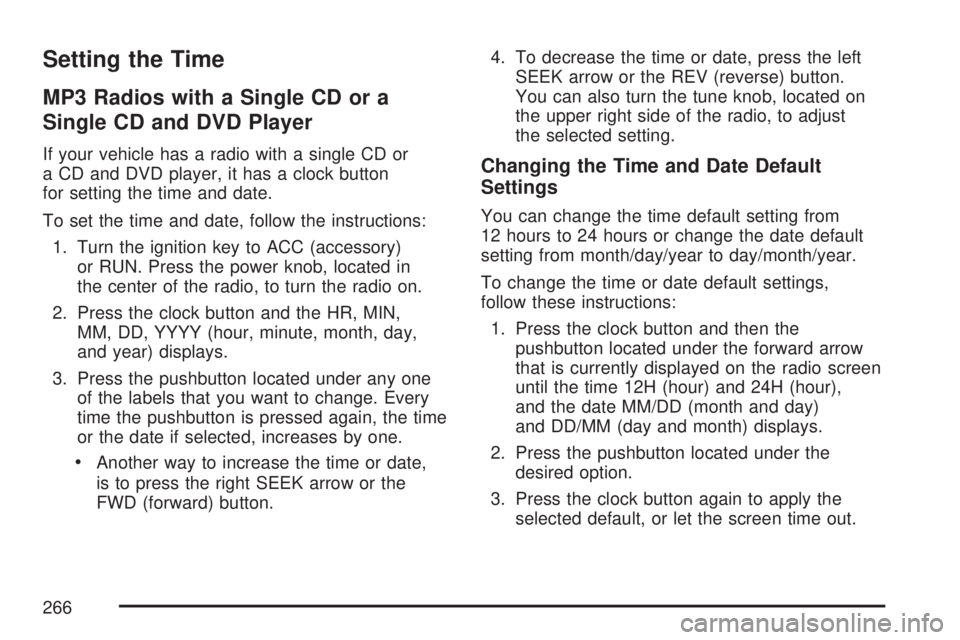
If your vehicle has a radio with a single CD or
a CD and DVD player, it has a clock button
for setting the time and date.
To set the time and date, follow the instructions:
1. Turn the ignition key to ACC (accessory)
or RUN. Press the power knob, located in
the center of the radio, to turn the radio on.
2. Press the clock button and the HR, MIN,
MM, DD, YYYY (hour, minute, month, day,
and year) displays.
3. Press the pushbutton located under any one
of the labels that you want to change. Every
time the pushbutton is pressed again, the time
or the date if selected, increases by one.
Another way to increase the time or date,
is to press the right SEEK arrow or the
FWD (forward) button.4. To decrease the time or date, press the left
SEEK arrow or the REV (reverse) button.
You can also turn the tune knob, located on
the upper right side of the radio, to adjust
the selected setting.
Changing the Time and Date Default
Settings
You can change the time default setting from
12 hours to 24 hours or change the date default
setting from month/day/year to day/month/year.
To change the time or date default settings,
follow these instructions:
1. Press the clock button and then the
pushbutton located under the forward arrow
that is currently displayed on the radio screen
until the time 12H (hour) and 24H (hour),
and the date MM/DD (month and day)
and DD/MM (day and month) displays.
2. Press the pushbutton located under the
desired option.
3. Press the clock button again to apply the
selected default, or let the screen time out.
266
Page 267 of 554
MP3 Radio with a Six-Disc CD Player
If your vehicle has a radio with a six-disc CD
player, the radio has a MENU button instead of
the clock button to set the time and date.
To set the time and date, follow these instructions:
1. Press the MENU button. Once the clock
option displays, press the pushbutton
located under that label. The HR, MIN,
MM, DD, YYYY (hour, minute, month, day,
and year) displays.
2. Press the pushbutton located under any one
of the time or date setting labels that you
want to change. Every time the pushbutton
is pressed again, the time or the date if
selected, increases by one.
Another way to increase the time or date,
is to press the right SEEK arrow or the
FWD (forward) button.
3. To decrease the time or date, press the left
SEEK arrow or the REV (reverse) button.
You can also turn the tune knob, located on
the upper right side of the radio, to adjust
the selected setting.
Changing the Time and Date Default
Settings
You can change the time default setting from
12 hours to 24 hours or change the date default
setting from month/day/year to day/month/year.
To change the time or date default settings,
follow these instructions:
1. Press the MENU button. Once the clock
option displays, press the pushbutton
located under the forward arrow that is
currently displayed on the radio screen
until the 12H (hour) and 24H (hour), and
the date MM/DD (month and day) and
DD/MM (day and month) displays.
2. Press the pushbutton located under the
desired option.
3. Press the MENU button again to apply the
selected default, or let the screen time out.
267
Page 269 of 554
Playing the Radio
O
(Power/Volume):Press this knob to turn the
system on and off.
Turn this knob clockwise or counterclockwise to
increase or decrease the volume.
Speed Compensated Volume (SCV):The radio
has Speed Compensated Volume (SCV). When
SCV is on, the radio volume automatically adjusts
to compensate for road and wind noise as you
speed up or slow down while driving. That way,
the volume level should sound about the same
as you drive.
To activate SCV:
1. Set the radio volume to the desired level.
2. Press the MENU button to display the radio
setup menu.
3. Press the pushbutton under the AUTO
VOLUM (volume) label on the radio display.
4. Press the pushbutton under the desired Speed
Compensated Volume setting (OFF, Low,
Med, or High) to select the level of radiovolume compensation. Press the pushbutton
located below the BACK label on the
MENU SETUP display or let the display time
out after approximately 10 seconds. Each
higher setting allows for more radio volume
compensation at faster vehicle speeds.
Finding a Station
BAND:Press this button to switch between AM,
FM, or XM™ (if equipped). The selection displays.
f(Tune):Turn this knob to select radio stations.
©SEEK¨:Press the right or left SEEK arrow
to go to the next or to the previous station and
stay there.
To scan stations, press and hold either SEEK
arrow for a few seconds until a beep sounds. The
radio goes to a station, plays for a few seconds,
then goes to the next station. Press either
SEEK arrow again to stop scanning.
The radio seeks and scans only stations with a
strong signal that are in the selected band.
269