navigation system GMC ACADIA 2007 Owner's Manual
[x] Cancel search | Manufacturer: GMC, Model Year: 2007, Model line: ACADIA, Model: GMC ACADIA 2007Pages: 554, PDF Size: 2.76 MB
Page 169 of 554
XM Radio Messages................................. 309
Navigation/Radio System........................... 311
Rear Seat Entertainment System............... 311
Rear Seat Audio (RSA)............................. 322
Rear Audio Controller (RAC)..................... 324
Theft-Deterrent Feature............................. 325Audio Steering Wheel Controls.................. 325
Radio Reception........................................ 326
Care of Your CDs and DVDs.................... 328
Care of the CD and DVD Player............... 328
Multi-Band Antenna................................... 328
Section 3 Instrument Panel
169
Page 171 of 554
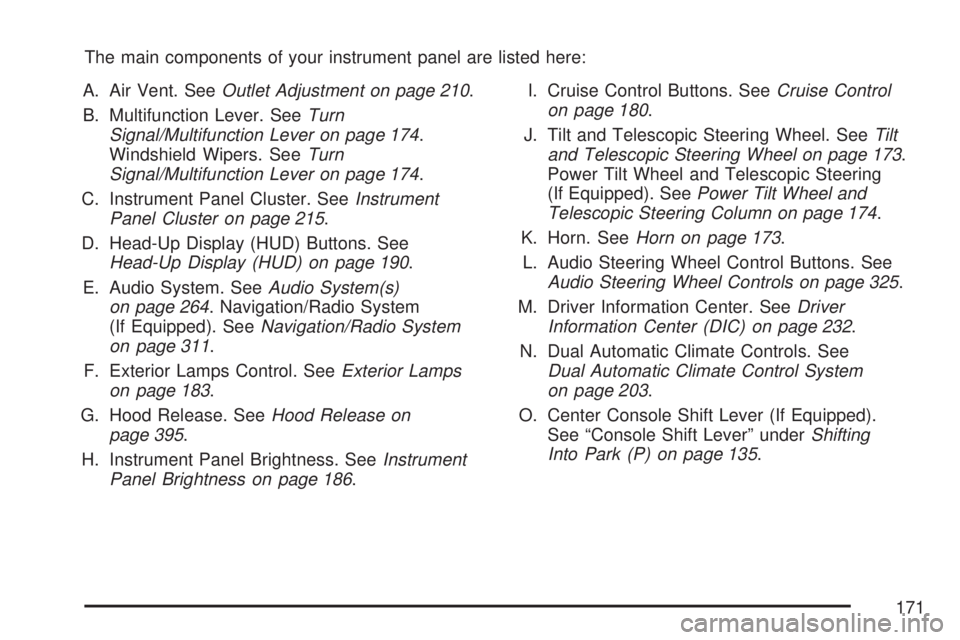
The main components of your instrument panel are listed here:
A. Air Vent. SeeOutlet Adjustment on page 210.
B. Multifunction Lever. SeeTurn
Signal/Multifunction Lever on page 174.
Windshield Wipers. SeeTurn
Signal/Multifunction Lever on page 174.
C. Instrument Panel Cluster. SeeInstrument
Panel Cluster on page 215.
D. Head-Up Display (HUD) Buttons. See
Head-Up Display (HUD) on page 190.
E. Audio System. SeeAudio System(s)
on page 264. Navigation/Radio System
(If Equipped). SeeNavigation/Radio System
on page 311.
F. Exterior Lamps Control. SeeExterior Lamps
on page 183.
G. Hood Release. SeeHood Release on
page 395.
H. Instrument Panel Brightness. SeeInstrument
Panel Brightness on page 186.I. Cruise Control Buttons. SeeCruise Control
on page 180.
J. Tilt and Telescopic Steering Wheel. SeeTilt
and Telescopic Steering Wheel on page 173.
Power Tilt Wheel and Telescopic Steering
(If Equipped). SeePower Tilt Wheel and
Telescopic Steering Column on page 174.
K. Horn. SeeHorn on page 173.
L. Audio Steering Wheel Control Buttons. See
Audio Steering Wheel Controls on page 325.
M. Driver Information Center. SeeDriver
Information Center (DIC) on page 232.
N. Dual Automatic Climate Controls. See
Dual Automatic Climate Control System
on page 203.
O. Center Console Shift Lever (If Equipped).
See “Console Shift Lever” underShifting
Into Park (P) on page 135.
171
Page 191 of 554
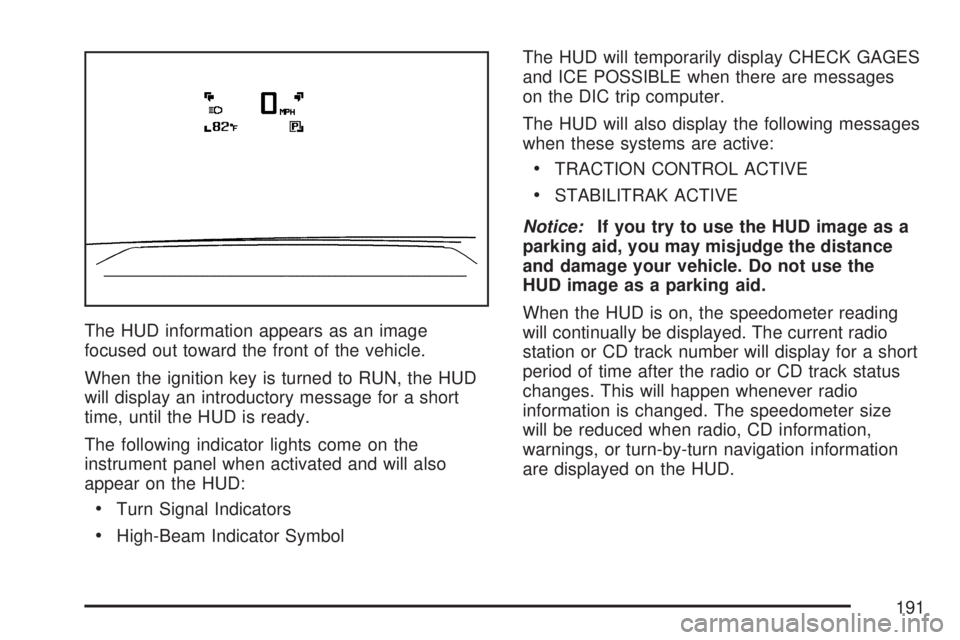
The HUD information appears as an image
focused out toward the front of the vehicle.
When the ignition key is turned to RUN, the HUD
will display an introductory message for a short
time, until the HUD is ready.
The following indicator lights come on the
instrument panel when activated and will also
appear on the HUD:
Turn Signal Indicators
High-Beam Indicator SymbolThe HUD will temporarily display CHECK GAGES
and ICE POSSIBLE when there are messages
on the DIC trip computer.
The HUD will also display the following messages
when these systems are active:
TRACTION CONTROL ACTIVE
STABILITRAK ACTIVE
Notice:If you try to use the HUD image as a
parking aid, you may misjudge the distance
and damage your vehicle. Do not use the
HUD image as a parking aid.
When the HUD is on, the speedometer reading
will continually be displayed. The current radio
station or CD track number will display for a short
period of time after the radio or CD track status
changes. This will happen whenever radio
information is changed. The speedometer size
will be reduced when radio, CD information,
warnings, or turn-by-turn navigation information
are displayed on the HUD.
191
Page 292 of 554
y(Menu):Press this button to access the DVD
menu. The DVD menu is different on every
DVD. Use the pushbuttons located under the
navigation arrows to navigate the cursor through
the DVD menu. After making a selection press
the enter button. This button only operates when
using a DVD.
Nav (Navigate):Press this button to display
directional arrows for navigating through the
menus.
q(Return):Press this button to exit the
current active menu and return to the previous
menu. This button operates only when a DVD is
playing and a menu is active.
DVD-A (Audio) Display Buttons
Once a DVD-A is inserted, radio display menu
shows several tag options for DVD playing. Press
the pushbuttons located under any desired tag
option during DVD playback. See the tag options
listed below for more information.The rear seat operator can navigate the DVD-A
menus and controls through the remote control.
See “Remote Control”, underRear Seat
Entertainment System on page 311for more
information. The Video Screen does not
automatically power on when the DVD-A is
inserted into the DVD slot. It must be manually
turned on by the rear seat occupant through
the remote control power button.
r/j(Play/Pause):Press either the play or
pause icon displayed on the radio system,
to toggle between pausing or restarting playback
of a DVD. If the forward arrow is showing on
display, the system is in pause mode. If the pause
icon is showing on display, the system is in
playback mode.
qGroupr:Press this button to cycle through
musical groupings on the DVD-A disc.
Nav (Navigate):Press this button to display
directional arrows for navigating through the
menus.
292
Page 293 of 554
e(Audio Stream):Press this button to cycle
through audio steam formats located on a DVD-A
disc. There is not any type of notication for
the customer to see through the radio display,
but VSM has a text eld that shows audio stream
changing.
Inserting a Disc
To play a disc, gently insert the disc, with the
label side up, into the loading slot. The DVD player
might not accept some paper labeled media.
The player starts loading the disc into the system
and display “Loading Disc” on the radio display.
At the same time, the radio displays a softkey
menu of option(s). Some discs automatically play
the movie while others default to the softkey
menu display which requires the Play, Enter, or
Navigation softkeys to be pressed; either by
softkey or by the rear seat passenger using the
remote control.
Loading a disc into the system, depending
on media type and format, ranges from
5 to 20 seconds for a CD, and up to
30 seconds for a DVD.
Stopping and Resuming Playback
To stop playing a DVD without turning off the
system, press the stop button on the remote
control, or press the pushbutton located under the
stop or the play/pause symbol tags displayed
on the radio. If the radio head is sourced to
something other than DVD-V, press the DVD/CD
AUX button to make DVD-V the active source.
To resume DVD playback, press the play/pause
button on the remote control, or press the
pushbutton located under the play/pause symbol
tag displayed on the radio. The DVD should
resume play from where it last stopped if the disc
has not been ejected and the stop button has
not been pressed twice on the remote control.
If the disc has been ejected or the stop button
has been pressed twice on the remote control,
the disc resumes playing at the beginning of
the disc.
293
Page 304 of 554
File System and Naming
The song name that is displayed is the song
name that is contained in the ID3 tag. If the
song name is not present in the ID3 tag, then
the radio displays the le name without the
extension (such as .mp3) as the track name.
Track names longer than 32 characters or
four pages are shortened. Parts of words on
the last page of text and the extension of
the lename displays.
Preprogrammed Playlists
Preprogrammed playlists that were created using
WinAmp™, MusicMatch™, or Real Jukebox™
software can be accessed, however, they cannot
be edited using the radio. These playlists are
treated as special folders containing compressed
audio song les.
Playing an MP3/WMA (In Either the DVD
or CD Slot)
Insert a CD-R or CD-RW partway into either
the top or bottom slot, label side up. The player
pulls it in, and the CD-R or CD-RW should
begin playing.Depending on the format of the disc, a softkey
menu appears and allows navigation of the disc.
The menu reads left to right as RDM (Randomize
song play order), a Folder icon with left and
right arrows (to move up or down through available
folders), a PL tag if the disc has a Playlist available,
and a Music Navigator tag. If a Playlist tag is
shown, toggling this key brings up a Folder softkey
only or the menu as previously described.
If the ignition or radio is turned off with a CD-R
or CD-RW in the player, it stays in the player.
When the ignition or radio is turned on, the CD-R
or CD-RW starts to play where it stopped, if it
was the last selected audio source.
As each new track starts to play, the track number
and song title displays.
If playing a CD-R or CD-RW, the sound quality
can be reduced due to CD-R or CD-RW quality,
the method of recording, the quality of the
music that has been recorded, and the way the
CD-R or CD-RW has been handled. There can
be an increase in skipping, difficulty in nding
tracks, and/or difficulty in loading and ejecting.
304
Page 311 of 554
Navigation/Radio System
Your vehicle may have a navigation radio system.
The navigation system has built-in features
intended to minimize driver distraction. Technology
alone, no matter how advanced, can never
replace your own judgment. See the Navigation
System manual for some tips to help you
reduce distractions while driving.
Rear Seat Entertainment System
Your vehicle may have a DVD Rear Seat
Entertainment (RSE) system. The RSE system
works with the vehicle’s audio system. The
DVD player is part of the front radio. The RSE
system includes a radio with a DVD player, a video
display screen, audio/video jacks, two wireless
headphones, and a remote control. SeeRadio with
CD and DVD on page 278for more information
on the vehicle’s audio/DVD system.
Before You Drive
The RSE is designed for rear seat passengers
only. The driver cannot safely view the video
screen while driving and should not try to do so.
In severe or extreme weather conditions the
RSE system might not work until the temperature
is within the operating range. The operating
range for the RSE system is above−4°F (−20°C)
or below 140°F (60°C). If the temperature of
your vehicle is outside of this range, heat or cool
the vehicle until the temperature is within the
operating range of the RSE system.
Parental Control
The RSE system may have a Parental Control
feature, depending on which radio you have.
To enable Parental Control, press and hold the
radio power button for more than two seconds to
stop all system features such as: radio, video
screen, RSA, DVD and/or CD. While Parental
Control is on, a padlock icon displays.
When the radio is turned back on, Parental
Control is unlocked.
311
Page 315 of 554
How to Change the RSE Video Screen
Settings
The screen display mode (normal, full, and zoom),
screen brightness, and setup menu language
can be changed from the on screen setup menu.
To change any feature, do the following:
1. Press the display menu button on the
remote control.
2. Use the remote control menu navigation
arrows and the enter button to use the
setup menu.
3. Press the display menu button again to
remove the setup menu from the screen.
Audio Output
Audio from the DVD player or auxiliary inputs can
be heard through the following possible sources:
Wireless Headphones
Vehicle Speakers
Vehicle wired headphone jacks on the rear
seat audio system, if your vehicle has this
feature.The RSE system always transmits the audio
signal to the wireless headphones, if there is
audio available. See “Headphones” earlier in this
section for more information.
When a device is connected to the A/V jacks,
or the radio’s auxiliary input jack, if your vehicle
has this feature, the rear seat passengers are able
to hear audio from the auxiliary device through
the wireless or wired headphones. The front
seat passengers are able to listen to playback
from this device through the vehicle speakers by
selecting AUX as the source on the radio.
Video Screen
The video screen is located in the RSE overhead
console.
To use the video screen, do the following:
1. Push the release button located on the
RSE overhead console.
2. Move the screen to the desired position.
When the video screen is not in use, push it up
into its locked position.
315
Page 326 of 554
g(Mute/Voice Recognition):Press and release
this button to silence the vehicle speakers only.
The audio of the wireless and wired headphones,
if your vehicle has these features, does not
mute. Press and release this button again, to
turn the sound on.
If your vehicle has the navigation system, press
and hold this button for longer than one second to
initiate voice recognition. See “Voice Recognition”
in the Navigation System manual for more
information.
If your vehicle has OnStar
®, press and hold this
button for longer than one second to interact
with the OnStar
®system. If your vehicle also has
the navigation system, press and hold this
button for longer than one second to initiate voice
recognition and say “OnStar” to enter OnStar
®
mode. See theOnStar®System on page 145in
this manual for more information.SRCE (Source):Press this button to switch
between the radio (AM, FM), XM™ (if equipped),
CD, and if your vehicle has these features,
DVD, front auxiliary, and rear auxiliary.
+
e−e(Volume):Press the plus or minus
button to increase or to decrease the radio volume.
¨(Seek):Press the seek arrow to go to the
next radio station while in AM, FM, or XM™
(if equipped). Press this button to go to the next
track or chapter while sourced to the CD or
DVD slot.
Radio Reception
Frequency interference and static can occur
during normal radio reception if items such as cell
phone chargers, vehicle convenience accessories,
and external electronic devices are plugged
into the accessory power outlet. If there is
interference or static, unplug the item from the
accessory power outlet.
326
Page 517 of 554
Customer Assistance and Information....... 518
Customer Satisfaction Procedure............... 518
Online Owner Center................................. 521
Customer Assistance for Text Telephone
(TTY) Users........................................... 522
Customer Assistance Offices..................... 522
GM Mobility Reimbursement Program........ 523
Roadside Assistance Program................... 524
Courtesy Transportation............................. 527
Collision Damage Repair........................... 530
Reporting Safety Defects............................ 533
Reporting Safety Defects to the
United States Government..................... 533Reporting Safety Defects to the
Canadian Government............................ 534
Reporting Safety Defects to
General Motors...................................... 534
Service Publications Ordering
Information............................................. 535
Vehicle Data Recording and Privacy......... 536
Event Data Recorders............................... 537
OnStar...................................................... 538
Navigation System..................................... 538
Radio Frequency Identication (RFID)........ 538
Section 7 Customer Assistance Information
517