display GMC ACADIA 2010 Owner's Manual
[x] Cancel search | Manufacturer: GMC, Model Year: 2010, Model line: ACADIA, Model: GMC ACADIA 2010Pages: 444, PDF Size: 2.58 MB
Page 288 of 444
9-38 Driving and Operating
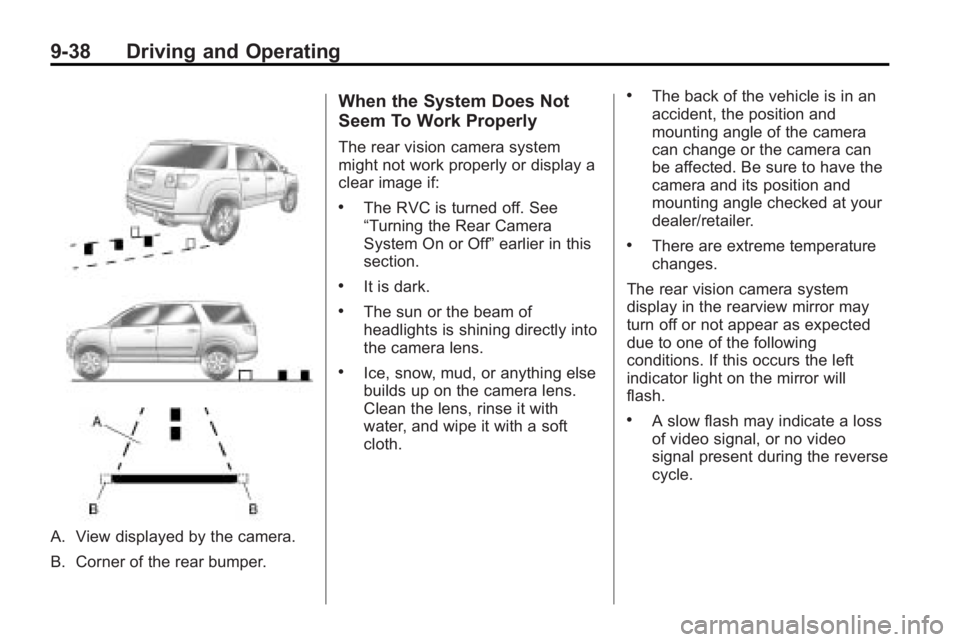
A. View displayed by the camera.
B. Corner of the rear bumper.
When the System Does Not
Seem To Work Properly
The rear vision camera system
might not work properly or display a
clear image if:
.The RVC is turned off. See
“Turning the Rear Camera
System On or Off”earlier in this
section.
.It is dark.
.The sun or the beam of
headlights is shining directly into
the camera lens.
.Ice, snow, mud, or anything else
builds up on the camera lens.
Clean the lens, rinse it with
water, and wipe it with a soft
cloth.
.The back of the vehicle is in an
accident, the position and
mounting angle of the camera
can change or the camera can
be affected. Be sure to have the
camera and its position and
mounting angle checked at your
dealer/retailer.
.There are extreme temperature
changes.
The rear vision camera system
display in the rearview mirror may
turn off or not appear as expected
due to one of the following
conditions. If this occurs the left
indicator light on the mirror will
flash.
.A slow flash may indicate a loss
of video signal, or no video
signal present during the reverse
cycle.
Page 289 of 444
Driving and Operating 9-39
.A fast flash may indicate that the
display has been on for the
maximum allowable time during
a reverse cycle, or the display
has reached an Over
Temperature limit.
The fast flash conditions are
used to protect the video device
from high temperature
conditions. Once conditions
return to normal the device will
reset and the green indicator will
stop flashing.
During any of these fault conditions,
the display will be blank and the
indicator will continue to flash as
long as the vehicle is in R (Reverse)
or until the conditions return to
normal.
Pressing and holding
zwhen the
left indicator light is flashing will turn
off the video display along with the
left indicator light.
Fuel
Use of the recommended fuel is an
important part of the proper
maintenance of this vehicle. To help
keep the engine clean and maintain
optimum vehicle performance, we
recommend the use of gasoline
advertised as TOP TIER Detergent
Gasoline.
Look for the TOP TIER label on the
fuel pump to ensure gasoline meets
enhanced detergency standards
developed by auto companies. A list
of marketers providing TOP TIER
Detergent Gasoline can be found at
www.toptiergas.com.
Page 316 of 444
10-10 Vehicle Care
Engine Oil Additives / Engine
Oil Flushes
Do not add anything to the oil. The
recommended oils with the starburst
symbol that meet GM Standard
GM6094M are all that is needed for
good performance and engine
protection.
Engine oil system flushes are not
recommended and could cause
engine damage not covered by the
vehicle warranty.
Engine Oil Life System
When to Change Engine Oil
This vehicle has a computer system
that indicates when to change the
engine oil and filter. This is based
on engine revolutions and engine
temperature, and not on mileage.
Based on driving conditions, the
mileage at which an oil change is
indicated can vary considerably. For
the oil life system to work properly,
the system must be reset every time
the oil is changed.When the system has calculated
that oil life has been diminished, it
indicates that an oil change is
necessary. A CHANGE ENGINE
OIL SOON message comes on.
Change the oil as soon as possible
within the next 600 miles (1 000 km).
It is possible that, if driving under
the best conditions, the oil life
system might not indicate that an oil
change is necessary for over a year.
However, the engine oil and filter
must be changed at least once a
year and at this time the system
must be reset. Your dealer/retailer
has trained service people who will
perform this work using genuine
parts and reset the system. It is also
important to check the oil regularly
and keep it at the proper level.
If the system is ever reset
accidentally, the oil must be
changed at 3,000 miles (5 000 km)
since the last oil change.
Remember to reset the oil life
system whenever the oil is changed.
How to Reset the Engine Oil
Life System
The Engine Oil Life System
calculates when to change the
engine oil and filter based on
vehicle use. Whenever the oil is
changed, reset the system so it can
calculate when the next oil change
is required. If a situation occurs
where the oil is changed prior to a
CHANGE ENGINE OIL SOON
message being turned on, reset the
system.
If the vehicle does not have Driver
Information Center (DIC) buttons:
1. Turn the ignition to ON/RUN,
with the engine off. The vehicle
must be in P (Park) to access
this display. Press the trip
odometer reset stem until OIL
LIFE REMAINING displays.
Page 317 of 444
Vehicle Care 10-11
2. Press and hold the trip odometerreset stem until OIL LIFE
REMAINING shows 100%.
Three chimes sound and the
CHANGE ENGINE OIL SOON
message goes off.
3. Turn the key to LOCK/OFF. If the CHANGE ENGINE OIL
SOON message comes back on
when the vehicle is started, the
engine oil life system has not
reset. Repeat the procedure.
If the vehicle has Driver Information
Center (DIC) buttons:
1. Turn the ignition to ON/RUN, with the engine off.
2. Press the vehicle information button until OIL LIFE
REMAINING displays. 3. Press and hold the set/reset
button until 100% is displayed.
Three chimes sound and the
CHANGE ENGINE OIL SOON
message goes off.
4. Turn the key to LOCK/OFF.
If the CHANGE ENGINE OIL SOON
message comes back on when the
vehicle is started, the engine oil life
system has not reset. Repeat the
procedure.
What to Do with Used Oil
Used engine oil contains certain
elements that can be unhealthy for
your skin and could even cause
cancer. Do not let used oil stay on
your skin for very long. Clean your
skin and nails with soap and water,
or a good hand cleaner. Wash or
properly dispose of clothing or rags
containing used engine oil. See the
manufacturer's warnings about the
use and disposal of oil products. Used oil can be a threat to the
environment. If you change your
own oil, be sure to drain all the oil
from the filter before disposal. Never
dispose of oil by putting it in the
trash, pouring it on the ground, into
sewers, or into streams or bodies of
water. Recycle it by taking it to a
place that collects used oil.
Automatic Transmission
Fluid
It is not necessary to check the
transmission fluid level.
A transmission fluid leak is the only
reason for fluid loss. If a leak
occurs, take the vehicle to the
dealer/retailer and have it repaired
as soon as possible.
Page 325 of 444
Vehicle Care 10-19
9. If the coolant level inside theradiator filler neck is low, add
more of the proper DEX-COOL
coolant mixture through the filler
neck until the level is back up to
the base of the filler neck.
Replace the pressure cap. Be
sure to secure it tightly.
Notice: If the pressure cap is not
tightly installed, coolant loss and
possible engine damage may
occur. Be sure the cap is properly
and tightly secured.
Engine Overheating
The vehicle has several indicators
to warn of engine overheating.
There is an engine coolant
temperature gage on the instrument
panel cluster. See Engine Coolant
Temperature Gage on page 5‑13. The vehicle may also display an
ENGINE OVERHEATED IDLE
ENGINE and ENGINE
OVERHEATED STOP ENGINE
message in the Driver Information
Center (DIC). See
Warning Lights,
Gages, and Indicators
on
page 5‑10.
You may decide not to lift the hood
when this warning appears, but
instead get service help right away.
See Roadside Assistance Program
on page 13‑5.
If you do decide to lift the hood ,
make sure the vehicle is parked on
a level surface.
Then check to see if the engine
cooling fans are running. If the
engine is overheating, both fans
should be running. If they are not,
do not continue to run the engine
and have the vehicle serviced. Notice:
Engine damage from
running the engine without
coolant is not covered by the
warranty.
Notice: If the engine catches fire
while driving with no coolant, the
vehicle can be badly damaged.
The costly repairs would not be
covered by the vehicle warranty.
See Overheated Engine
Protection Operating Mode
on
page 10‑21for information on
driving to a safe place in an
emergency.
Page 326 of 444
10-20 Vehicle Care
If Steam Is Coming From The
Engine Compartment
{WARNING
Steam from an overheated engine
can burn you badly, even if you
just open the hood. Stay away
from the engine if you see or hear
steam coming from it. Turn it off
and get everyone away from the
vehicle until it cools down. Wait
until there is no sign of steam or
coolant before you open
the hood.
If you keep driving when the
vehicles engine is overheated,
the liquids in it can catch fire. You
or others could be badly burned.
Stop the engine if it overheats,
and get out of the vehicle until the
engine is cool.(Continued)
WARNING (Continued)
SeeOverheated Engine
Protection Operating Mode
on
page 10‑21
for information on
driving to a safe place in an
emergency.
If No Steam Is Coming From
The Engine Compartment
If an engine overheat warning is
displayed but no steam can be seen
or heard, the problem may not be
too serious. Sometimes the engine
can get a little too hot when the
vehicle:
.Climbs a long hill on a hot day.
.Stops after high-speed driving.
.Idles for long periods in traffic.
.Tows a trailer. If the overheat warning is displayed
with no sign of steam:
1. Turn the air conditioning off.
2. Turn the heater on to the highest
temperature and to the highest
fan speed. Open the windows as
necessary.
3. If in a traffic jam, shift to N (Neutral), otherwise, shift to
the highest gear while
driving —D (Drive) or L (Low).
If the temperature overheat gage is
no longer in the overheat zone or an
overheat warning no longer
displays, the vehicle can be driven.
Continue to drive the vehicle slow
for about 10 minutes. Keep a safe
vehicle distance from the car in front
of you. If the warning does not come
back on, continue to drive normally.
If the warning continues, pull over,
stop, and park the vehicle
right away.
Page 327 of 444
Vehicle Care 10-21
If there is no sign of steam, idle the
engine for three minutes while
parked. If the warning is still
displayed, turn off the engine until it
cools down. Also, see“Overheated
Engine Protection Operating Mode”
next in this section.
Overheated Engine
Protection
Operating Mode
This emergency operating mode lets
the vehicle be driven to a safe place
in an emergency situation. If an
overheated engine condition exists,
an overheat protection mode which
alternates firing groups of cylinders
helps prevent engine damage. In
this mode, there is a significant loss
in power and engine performance.
The temperature gage indicates an
overheat condition exists. Driving
extended distances and/or towing a
trailer in the overheat protection
mode should be avoided. Notice:
After driving in the
overheated engine protection
operating mode, to avoid engine
damage, allow the engine to cool
before attempting any repair. The
engine oil will be severely
degraded. Repair the cause of
coolant loss, change the oil and
reset the oil life system. See
Engine Oil on page 10‑8.
Power Steering Fluid
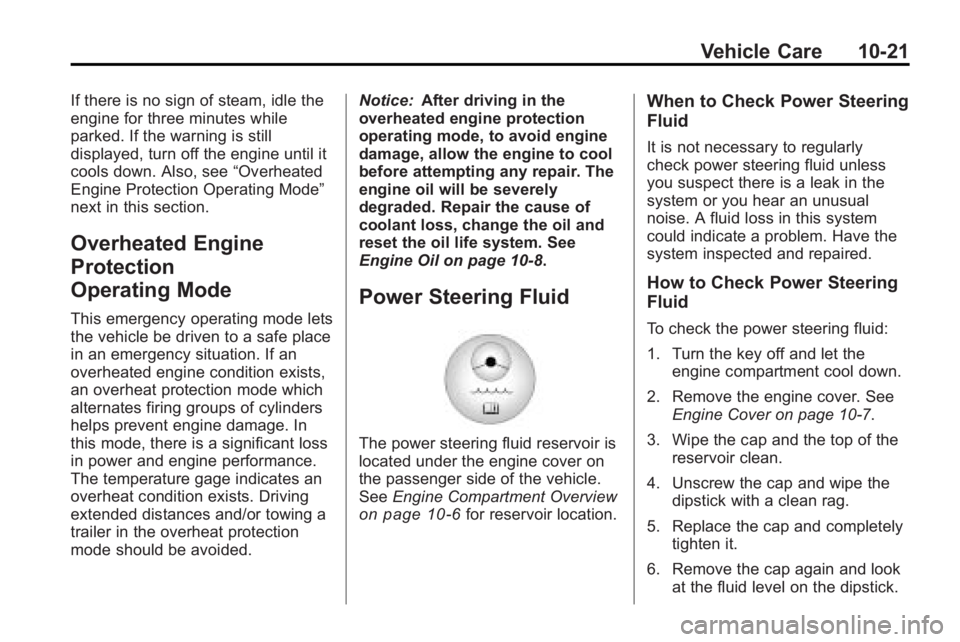
The power steering fluid reservoir is
located under the engine cover on
the passenger side of the vehicle.
See Engine Compartment Overview
on page 10‑6for reservoir location.
When to Check Power Steering
Fluid
It is not necessary to regularly
check power steering fluid unless
you suspect there is a leak in the
system or you hear an unusual
noise. A fluid loss in this system
could indicate a problem. Have the
system inspected and repaired.
How to Check Power Steering
Fluid
To check the power steering fluid:
1. Turn the key off and let the
engine compartment cool down.
2. Remove the engine cover. See Engine Cover on page 10‑7.
3. Wipe the cap and the top of the reservoir clean.
4. Unscrew the cap and wipe the dipstick with a clean rag.
5. Replace the cap and completely tighten it.
6. Remove the cap again and look at the fluid level on the dipstick.
Page 328 of 444
10-22 Vehicle Care
The fluid level should be
somewhere between MAX and MIN
line on the dipstick in room
temperature. If the fluid is on or
below MIN line, you should add fluid
close to MAX Line.
What to Use
To determine what kind of fluid to
use, seeRecommended Fluids and
Lubricants
on page 11‑8. Always
use the proper fluid.
Notice: Use of the incorrect fluid
may damage the vehicle and the
damages may not be covered by
the vehicle's warranty. Always
use the correct fluid listed in
Recommended Fluids and
Lubricants on page 11‑8.
Washer Fluid
What to Use
When adding windshield washer
fluid, be sure to read the
manufacturer's instructions before
use. If the vehicle will be operating
in an area where the temperature
may fall below freezing, use a fluid
that has sufficient protection against
freezing.
Adding Washer Fluid
When the windshield washer fluid
reservoir is low, a WASHER FLUID
LOW ADD FLUID message will be
displayed on the Driver Information
Center (DIC). See Washer Fluid
Messages
on page 5‑43for more
information.
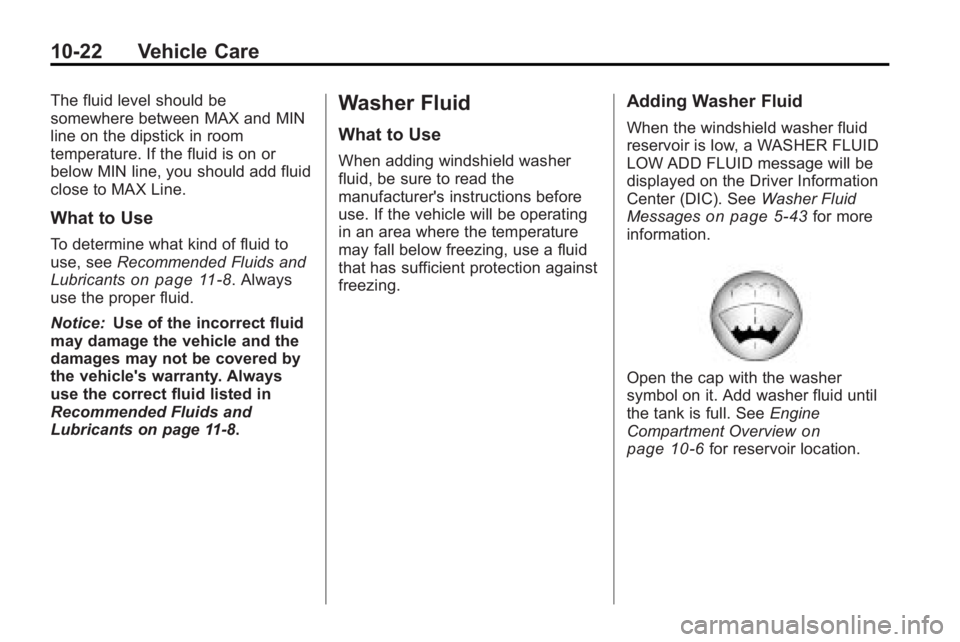
Open the cap with the washer
symbol on it. Add washer fluid until
the tank is full. See Engine
Compartment Overview
on
page 10‑6for reservoir location.
Page 341 of 444
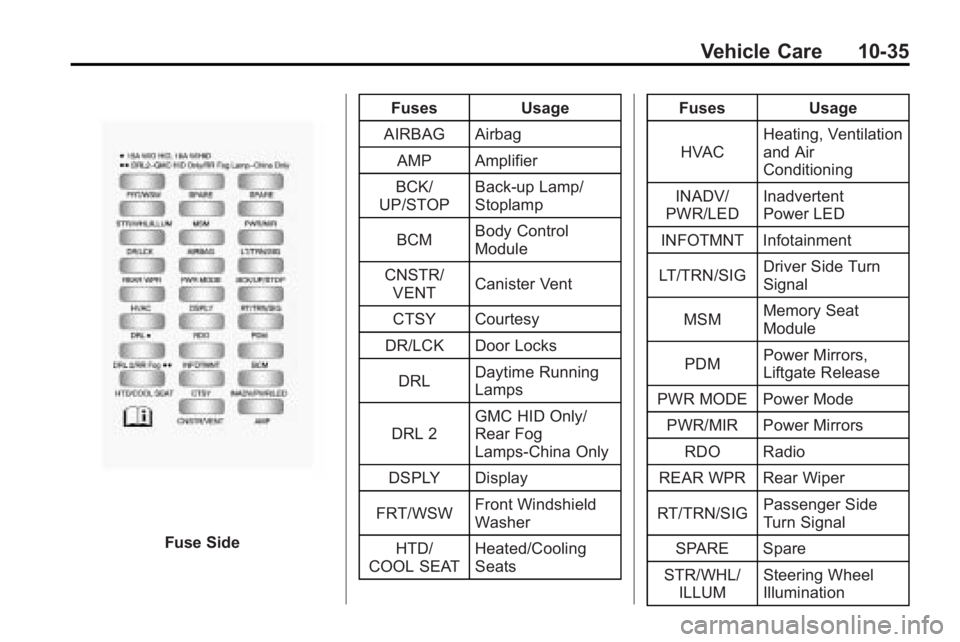
Vehicle Care 10-35
Fuse SideFuses
Usage
AIRBAG Airbag AMP Amplifier
BCK/
UP/STOP Back-up Lamp/
Stoplamp
BCM Body Control
Module
CNSTR/ VENT Canister Vent
CTSY Courtesy
DR/LCK Door Locks
DRL Daytime Running
Lamps
DRL 2 GMC HID Only/
Rear Fog
Lamps-China Only
DSPLY Display
FRT/WSW Front Windshield
Washer
HTD/
COOL SEAT Heated/Cooling
Seats Fuses
Usage
HVAC Heating, Ventilation
and Air
Conditioning
INADV/
PWR/LED Inadvertent
Power LED
INFOTMNT Infotainment
LT/TRN/SIG Driver Side Turn
Signal
MSM Memory Seat
Module
PDM Power Mirrors,
Liftgate Release
PWR MODE Power Mode
PWR/MIR Power Mirrors RDO Radio
REAR WPR Rear Wiper
RT/TRN/SIG Passenger Side
Turn Signal
SPARE Spare
STR/WHL/ ILLUM Steering Wheel
Illumination
Page 352 of 444
10-46 Vehicle Care
and wheel assembly, if the vehicle
has one. The TPMS sensors
monitor the air pressure in the
vehicle's tires and transmits the tire
pressure readings to a receiver
located in the vehicle.
When a low tire pressure condition
is detected, the TPMS illuminates
the low tire pressure warning light
located on the instrument panel
cluster.
At the same time a message to
check the pressure in a specific tire
appears on the Driver Information
Center (DIC) display. The low tire
pressure warning light and the DIC
warning message come on at each
ignition cycle until the tires are
inflated to the correct inflation
pressure. Using the DIC, tire
pressure levels can be viewed bythe driver. For additional information
and details about the DIC operation
and displays see
Driver Information
Center (DIC) (With DIC Buttons)
on
page 5‑23or Driver Information
Center (DIC) (Without DIC Buttons)
on page 5‑28and Tire Messageson page 5‑41.
The low tire pressure warning light
may come on in cool weather when
the vehicle is first started, and then
turn off as you start to drive. This
could be an early indicator that the
air pressure in the tire(s) are getting
low and need to be inflated to the
proper pressure.
A Tire and Loading Information
label, attached to your vehicle,
shows the size of your vehicle's
original equipment tires and the
correct inflation pressure for your
vehicle's tires when they are cold.
See Vehicle Load Limits
on
page 9‑10, for an example of the
Tire and Loading Information label
and its location on your vehicle.
Also see Tire Pressure
on
page 10‑43. Your vehicle's TPMS can warn you
about a low tire pressure condition
but it does not replace normal tire
maintenance. See
Tire Inspection
on page 10‑49,Tire Rotationon
page 10‑49and Tires on
page 10‑37.
Notice: Using non-approved tire
sealants could damage the Tire
Pressure Monitor System (TPMS)
sensors. TPMS sensor damage
caused by using an incorrect tire
sealant is not covered by the
vehicle warranty. Always use the
GM approved tire sealant
available through your dealer/
retailer.
Factory-installed Tire Inflator Kits
use a GM approved liquid tire
sealant. Using non-approved tire
sealants could damage the TPMS
sensors. See Tire Sealant and
Compressor Kit
on page 10‑58for
information regarding the inflator kit
materials and instructions.