key battery GMC ACADIA 2011 User Guide
[x] Cancel search | Manufacturer: GMC, Model Year: 2011, Model line: ACADIA, Model: GMC ACADIA 2011Pages: 478, PDF Size: 5.52 MB
Page 228 of 478
Black plate (28,1)GMC Acadia/Acadia Denali Owner Manual - 2011
7-28 Infotainment System
To connect an iPod, connect one
end of the USB cable that came
with the iPod to the iPod’s dock
connector and connect the other
end to the USB port located in the
center console. If the vehicle is on
and the USB connection works,
“OK to disconnect”and a GM logo
may appear on the iPod and iPod
appears on the radio's display.
The iPod music appears on the
radio’s display and begins playing.
The iPod charges while it is
connected to the vehicle if the
vehicle is in the ACC/ACCESSORY
or ON/RUN position. When the
vehicle is turned off, the iPod
automatically powers off and
will not charge or draw power
from the vehicle's battery.
If you have an older iPod model that
is not supported, it can still be used
by connecting it to the Auxiliary
Input Jack using a standard 3.5 mm
(1/8 in) stereo cable. See “Using the
Auxiliary Input Jack” earlier for more
information.Using the Radio to Control a
USB Storage Device or iPod
The radio can control a USB
storage device or an iPod using
the radio buttons and knobs and
display song information on the
radio’s display.
f(Tune): Turn to select files.
©SEEK:Press to go to the start of
the track, if more than ten seconds
have played. Press and hold or
press multiple times to continue
moving backward through tracks.
¨SEEK: Press to go to the next
track. Press and hold or press
multiple times to continue moving
forward through tracks.
sREV (Reverse): Press and hold
to reverse playback quickly. Sound
is heard at a reduced volume.
Release
sREV to resume playing.
The elapsed time of the file
displays.
\FWD (Fast Forward): Press
and hold to advance playback
quickly. Sound is heard at a
reduced volume. Release
\FWD
to resume playing. The elapsed time
of the file displays.
4(Information): Press to display
additional information about the
selected track.
Using Softkeys to Control a
USB Storage Device or iPod
The five softkeys below the radio
display are used to control the
functions listed below.
To use the softkeys:
1. Press the first or fifth softkey below the radio display to
display the functions listed
below, or press the softkey
below the function if it is
currently displayed.
2. Press the softkey below the tab with the function on it to use that
function.
Page 234 of 478
Black plate (34,1)GMC Acadia/Acadia Denali Owner Manual - 2011
7-34 Infotainment System
alphabetical order. Continue
pressing either softkey below the
arrow tab until the artist displays.
To change from playback by artist to
playback by album:
1. Press the softkey located belowthe Sort By tab.
2. Press one of the softkeys below the album tab from the sort
screen.
3. Press the softkey below the back tab to return to the main
music navigator screen.
The album name displays on the
second line between the arrows
and songs from the current album
begins to play. Once all songs
from that album have played, the
player moves to the next album in
alphabetical order on the CD and
begins playing MP3 files from that
album.
To exit music navigator mode, press
the softkey below the Back tab to
return to normal MP3 playback.Connecting a USB Storage
Device or iPod®
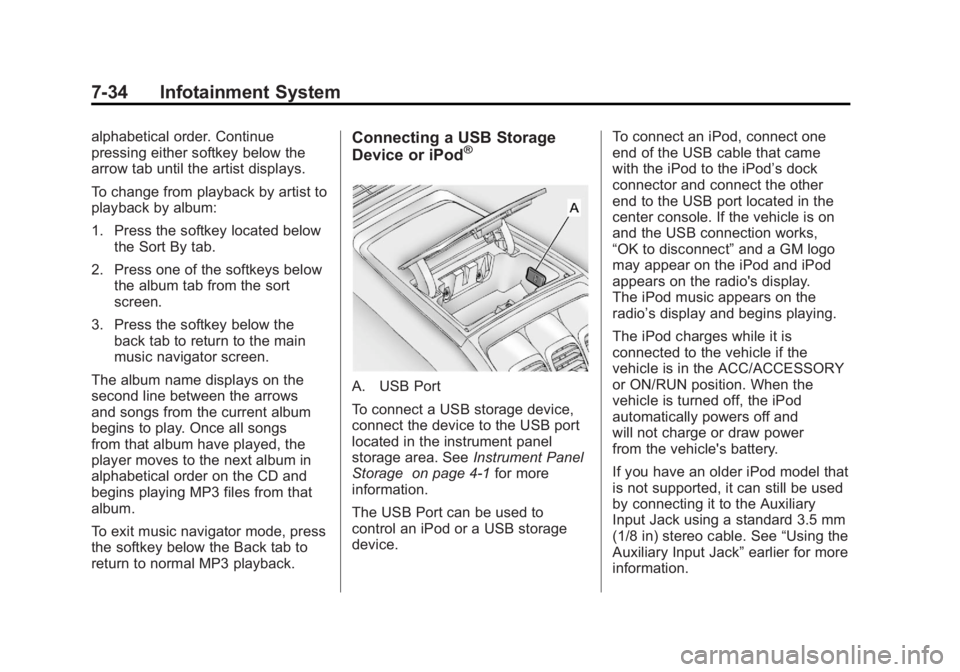
A. USB Port
To connect a USB storage device,
connect the device to the USB port
located in the instrument panel
storage area. See Instrument Panel
Storage on page 4‑1 for more
information.
The USB Port can be used to
control an iPod or a USB storage
device. To connect an iPod, connect one
end of the USB cable that came
with the iPod to the iPod’s dock
connector and connect the other
end to the USB port located in the
center console. If the vehicle is on
and the USB connection works,
“OK to disconnect”
and a GM logo
may appear on the iPod and iPod
appears on the radio's display.
The iPod music appears on the
radio’s display and begins playing.
The iPod charges while it is
connected to the vehicle if the
vehicle is in the ACC/ACCESSORY
or ON/RUN position. When the
vehicle is turned off, the iPod
automatically powers off and
will not charge or draw power
from the vehicle's battery.
If you have an older iPod model that
is not supported, it can still be used
by connecting it to the Auxiliary
Input Jack using a standard 3.5 mm
(1/8 in) stereo cable. See “Using the
Auxiliary Input Jack” earlier for more
information.
Page 291 of 478
Black plate (19,1)GMC Acadia/Acadia Denali Owner Manual - 2011
Driving and Operating 9-19
The steering can bind with the
wheels turned off center. If this
happens, move the steering wheel
from right to left while turning the
key to ACC/ACCESSORY. If this
doesn't work, then the vehicle
needs service.
ACC (ACC/ACCESSORY):This
is the position in which you can
operate the electrical accessories
or items plugged into the accessory
power outlets. This position unlocks
the ignition and steering wheel. Use
this position if the vehicle must be
pushed or towed.
R(ON/RUN): This position can
be used to operate the electrical
accessories and to display some
instrument panel warning and
indicator lights. The switch stays
in this position when the engine
is running. The transmission is
also unlocked in this position. If you leave the key in the
ACC/ACCESSORY or ON/RUN
position with the engine off, the
battery could be drained. You may
not be able to start the vehicle if
the battery is allowed to drain for
an extended period of time.
/(START):
This is the position
that starts the engine. When the
engine starts, release the key.
The ignition switch will return to
ON/RUN for driving.
Starting the Engine
Move the shift lever to P (Park) or
N (Neutral). The engine will not start
in any other position. To restart the
engine when the vehicle is already
moving, use N (Neutral) only.
Notice: Do not try to shift to
P (Park) if the vehicle is moving.
If you do, you could damage the
transmission. Shift to P (Park)
only when the vehicle is stopped. Starting Procedure
1. With your foot off the accelerator
pedal, turn the ignition to START.
When the engine starts, let go
of the key. The idle speed
will slow down as the engine
warms. Do not race the engine
immediately after starting it.
Operate the engine and
transmission gently to allow
the oil to warm up and lubricate
all moving parts.
The vehicle has a
Computer-Controlled
Cranking System. This feature
assists in starting the engine
and protects components.
If the ignition key is turned to
the START position, and then
released when the engine
begins cranking, the engine
will continue cranking for a few
seconds or until the vehicle
starts. If the engine does not
start and the key is held in
START, cranking will be stopped
after 15 seconds to prevent
cranking motor damage.
Page 292 of 478
Black plate (20,1)GMC Acadia/Acadia Denali Owner Manual - 2011
9-20 Driving and Operating
To prevent gear damage, this
system also prevents cranking
if the engine is already running.
Engine cranking can be stopped
by turning the ignition switch
to the ACC/ACCESSORY or
LOCK/OFF position.
Notice: Cranking the engine for
long periods of time, by returning
the key to the START position
immediately after cranking has
ended, can overheat and damage
the cranking motor, and drain the
battery. Wait at least 15 seconds
between each try, to let the
cranking motor cool down.
2. If the engine does not start
after 5‐10 seconds, especially in
very cold weather (below 0°F or
−18°C), it could be flooded with
too much gasoline. Try pushing
the accelerator pedal all the
way to the floor and holding it
there as you hold the key in
START for up to a maximum
of 15 seconds. Wait at least 15 seconds between each try,
to allow the cranking motor to
cool down. When the engine
starts, let go of the key and
accelerator. If the vehicle starts
briefly but then stops again,
repeat these steps. This clears
the extra gasoline from the
engine. Do not race the engine
immediately after starting it.
Operate the engine and
transmission gently until the
oil warms up and lubricates
all moving parts.
Notice: The engine is designed
to work with the electronics in
the vehicle. If you add electrical
parts or accessories, you could
change the way the engine
operates. Before adding electrical
equipment, check with your
dealer. If you do not, the engine
might not perform properly. Any
resulting damage would not be
covered by the vehicle warranty.Engine Heater
The engine coolant heater
can provide easier starting
and better fuel economy during
engine warm-up in cold weather
conditions at or below 0°F (−18°C).
Vehicles with an engine coolant
heater should be plugged in at
least four hours before starting.
Some models may have an internal
thermostat in the cord which will
prevent engine coolant heater
operation at temperatures above
0°F (−18°C).
To Use the Engine Coolant
Heater
1. Turn off the engine.
2. Open the hood and unwrap the electrical cord. The cord is
located on the driver side of the
engine compartment. It is routed
around the windshield washer
fluid reservoir.
3. Plug the cord into a normal, grounded 110-volt AC outlet.
Page 295 of 478
Black plate (23,1)GMC Acadia/Acadia Denali Owner Manual - 2011
Driving and Operating 9-23
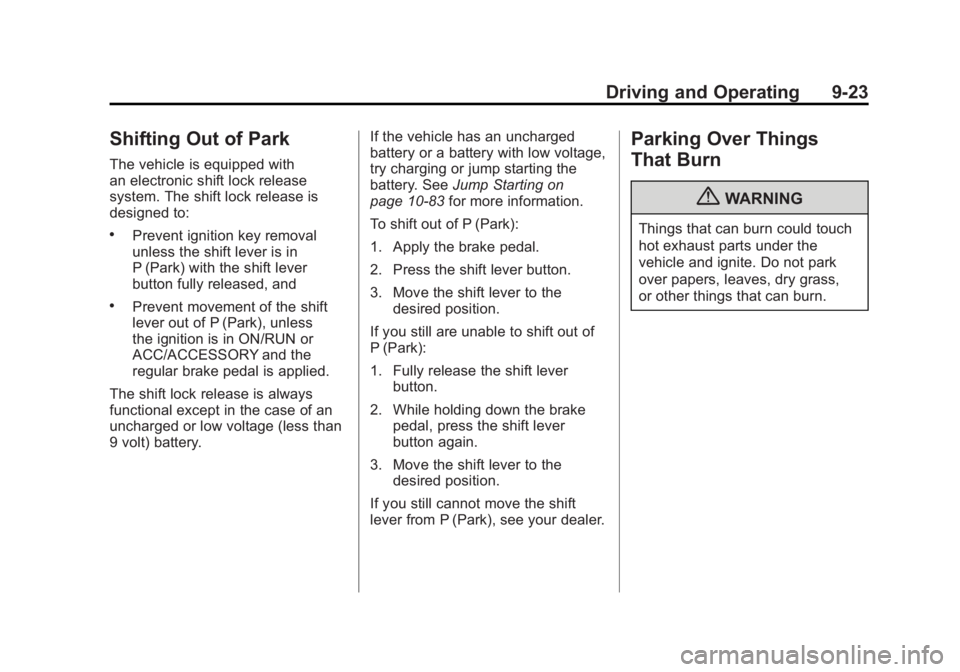
Shifting Out of Park
The vehicle is equipped with
an electronic shift lock release
system. The shift lock release is
designed to:
.Prevent ignition key removal
unless the shift lever is in
P (Park) with the shift lever
button fully released, and
.Prevent movement of the shift
lever out of P (Park), unless
the ignition is in ON/RUN or
ACC/ACCESSORY and the
regular brake pedal is applied.
The shift lock release is always
functional except in the case of an
uncharged or low voltage (less than
9 volt) battery. If the vehicle has an uncharged
battery or a battery with low voltage,
try charging or jump starting the
battery. See
Jump Starting on
page 10‑83 for more information.
To shift out of P (Park):
1. Apply the brake pedal.
2. Press the shift lever button.
3. Move the shift lever to the desired position.
If you still are unable to shift out of
P (Park):
1. Fully release the shift lever button.
2. While holding down the brake pedal, press the shift lever
button again.
3. Move the shift lever to the desired position.
If you still cannot move the shift
lever from P (Park), see your dealer.
Parking Over Things
That Burn
{WARNING
Things that can burn could touch
hot exhaust parts under the
vehicle and ignite. Do not park
over papers, leaves, dry grass,
or other things that can burn.
Page 472 of 478
Black plate (8,1)GMC Acadia/Acadia Denali Owner Manual - 2011
i-8 INDEX
M
MaintenanceRecords . . . . . . . . . . . . . . . . . . . . .11-10
Maintenance Schedule Recommended Fluids andLubricants . . . . . . . . . . . . . . . . . . . 11-7
Scheduled Maintenance . . . . . . 11-2
Malfunction Indicator Lamp . . . . 5-18
Manual Mode . . . . . . . . . . . . . . . . . . 9-27
Memory Features . . . . . . . . . . . . . . . 1-7
Messages Airbag System . . . . . . . . . . . . . . . . 5-43
Anti-Theft Alarm System . . . . . . 5-43
Battery Voltage andCharging . . . . . . . . . . . . . . . . . . . . 5-37
Brake System . . . . . . . . . . . . . . . . 5-38
Door Ajar . . . . . . . . . . . . . . . . . . . . . 5-38
Engine Cooling System . . . . . . . 5-39
Engine Oil . . . . . . . . . . . . . . . . . . . . 5-40 Messages (cont.)
Engine Power . . . . . . . . . . . . . . . . 5-41
Fuel System . . . . . . . . . . . . . . . . . . 5-41
Key and Lock . . . . . . . . . . . . . . . . . 5-41
Lamp . . . . . . . . . . . . . . . . . . . . . . . . . 5-41
Object Detection System . . . . . 5-42
Ride Control System . . . . . . . . . . 5-42
Service Vehicle . . . . . . . . . . . . . . . 5-43
Tire . . . . . . . . . . . . . . . . . . . . . . . . . . . 5-44
Transmission . . . . . . . . . . . . . . . . . 5-45
Vehicle . . . . . . . . . . . . . . . . . . . . . . . 5-37
Vehicle Reminder . . . . . . . . . . . . . 5-46
Vehicle Speed . . . . . . . . . . . . . . . . 5-46
Washer Fluid . . . . . . . . . . . . . . . . . 5-46
Mirrors Automatic Dimming . . . . . . . . . . . 2-18
Automatic DimmingRearview . . . . . . . . . . . . . . . . . . . . 2-19
Convex . . . . . . . . . . . . . . . . . . . . . . . 2-16 Mirrors (cont.)
Folding . . . . . . . . . . . . . . . . . . . . . . . 2-17
Heated . . . . . . . . . . . . . . . . . . . . . . . 2-18
Manual Rearview . . . . . . . . . . . . . 2-19
Park Tilt . . . . . . . . . . . . . . . . . . . . . . 2-18
Power . . . . . . . . . . . . . . . . . . . . . . . . 2-17
Monitor System, Tire Pressure . . . . . . . . . . . . . . . . . . . . 10-47
MP3 . . . . . . . . . . . . . . . . . . . . . 7-24, 7-30
Multi-Band Antenna . . . . . . . . . . . . 7-13
N
Navigation
Vehicle Data Recordingand Privacy . . . . . . . . . . . . . . . 13-19
Net, Convenience . . . . . . . . . . . . . . 4-4
New Vehicle Break-In . . . . . . . . . . 9-17