service reset GMC ACADIA 2011 User Guide
[x] Cancel search | Manufacturer: GMC, Model Year: 2011, Model line: ACADIA, Model: GMC ACADIA 2011Pages: 478, PDF Size: 5.52 MB
Page 211 of 478
Black plate (11,1)GMC Acadia/Acadia Denali Owner Manual - 2011
Infotainment System 7-11
To setup the number of favorites
pages:
1. Press MENU to display the radiosetup menu.
2. Press the softkey below the FAV 1-6 tab.
3. Select the desired number of favorites pages by pressing the
softkey below the displayed
page numbers.
4. Press FAV, or let the menu time out, to return to the original
main radio screen showing the
radio station frequency tabs
and to begin the process of
programming favorites for the
chosen amount of numbered
pages.XM™ Radio Messages
XL (Explicit Language
Channels): These channels,
or any others, can be blocked at
a customer's request, by calling
1-800-929-2100 in the U.S. and
1-877-438-9677 in Canada.
XM Updating: The encryption
code in the receiver is being
updated, and no action is required.
This process should take no
longer than 30 seconds.
No XM Signal: The system is
functioning correctly, but the vehicle
is in a location that is blocking the
XM™ signal. When the vehicle
is moved into an open area,
the signal should return.
Loading XM: The audio system is
acquiring and processing audio and
text data. No action is needed. This
message should disappear shortly. Channel Off Air:
This channel is
not currently in service. Tune in to
another channel.
Channel Unauth : This channel is
blocked or cannot be received with
your XM Subscription package.
Channel Unavail: This previously
assigned channel is no longer
assigned. Tune to another station.
If this station was one of the
presets, choose another station
for that preset button.
No Artist Info: No artist
information is available at this
time on this channel. The system
is working properly.
No Title Info: No song title
information is available at this time
on this channel. The system is
working properly.
No CAT Info: No category
information is available at this time
on this channel. The system is
working properly.
Page 303 of 478
Black plate (31,1)GMC Acadia/Acadia Denali Owner Manual - 2011
Driving and Operating 9-31
Ride Control Systems
StabiliTrak®System
The vehicle has the StabiliTrak
system which combines antilock
brake, traction and stability control
systems and helps the driver
maintain directional control of the
vehicle in most driving conditions.
When you first start the vehicle
and begin to drive away, the
system performs several diagnostic
checks to ensure there are no
problems. The system may be
heard or felt while it is working.
This is normal and does not
mean there is a problem with the
vehicle. The system should initialize
before the vehicle reaches 32 km/h
(20 mph). In some cases, it may
take approximately 3.2 km (2 miles)
of driving before the system
initializes.
If the system fails to turn on or
activate, one of the following
messages will be displayed on theDriver Information Center (DIC):
SERVICE TRACTION CONTROL,
SERVICE STABILITRAK, the
StabiliTrak light will come on
and stay and four chimes are
heard. If these conditions are
observed, turn the vehicle off, wait
15 seconds, and then turn it back
on again to reset the system. If any
of these messages still appear on
the Driver Information Center (DIC),
the vehicle should be taken in for
service. For more information on
the DIC messages, see
Driver
Information Center (DIC) (With DIC
Buttons) on page 5‑25 orDriver
Information Center (DIC) (Without
DIC Buttons) on page 5‑30.
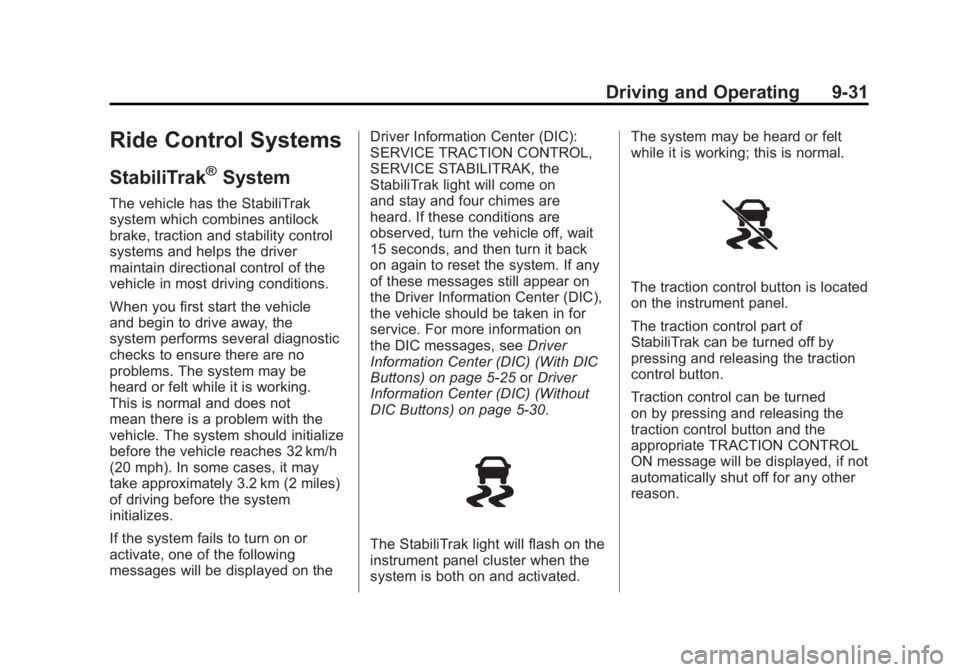
The StabiliTrak light will flash on the
instrument panel cluster when the
system is both on and activated. The system may be heard or felt
while it is working; this is normal.
The traction control button is located
on the instrument panel.
The traction control part of
StabiliTrak can be turned off by
pressing and releasing the traction
control button.
Traction control can be turned
on by pressing and releasing the
traction control button and the
appropriate TRACTION CONTROL
ON message will be displayed, if not
automatically shut off for any other
reason.
Page 340 of 478
Black plate (12,1)GMC Acadia/Acadia Denali Owner Manual - 2011
10-12 Vehicle Care
It is possible that, if driving under
the best conditions, the oil life
system might indicate that an oil
change is not necessary for up to a
year. The engine oil and filter must
be changed at least once a year
and, at this time, the system must
be reset. Your dealer has trained
service people who will perform
this work and reset the system.
It is also important to check the
oil regularly over the course of
an oil drain interval and keep it
at the proper level.
If the system is ever reset
accidentally, the oil must be
changed at 3,000 miles (5 000 km)
since the last oil change.
Remember to reset the oil life
system whenever the oil is changed.How to Reset the Engine Oil
Life System
Reset the system whenever the
engine oil is changed so that the
system can calculate the next
engine oil change. To reset the
system:
If the vehicle does not have Driver
Information Center (DIC) buttons:
1. Turn the ignition to ON/RUN,with the engine off. The vehicle
must be in P (Park) to access
this display. Press the trip
odometer reset stem until OIL
LIFE REMAINING displays.
2. Press and hold the trip odometer reset stem until OIL LIFE
REMAINING shows “100%.”
Three chimes sound and the
CHANGE ENGINE OIL SOON
message goes off. 3. Turn the key to LOCK/OFF.
If the CHANGE ENGINE OIL
SOON message comes back
on when the vehicle is started,
the engine oil life system has
not been reset. Repeat the
procedure.
If the vehicle has Driver Information
Center (DIC) buttons:
1. Turn the ignition to ON/RUN, with the engine off.
2. Press the vehicle information button until OIL LIFE
REMAINING displays.
3. Press and hold the set/reset button until “100%”is displayed.
Three chimes sound and the
CHANGE ENGINE OIL SOON
message goes off.
4. Turn the key to LOCK/OFF.
If the CHANGE ENGINE OIL SOON
message comes back on when the
vehicle is started, the engine oil life
system has not been reset. Repeat
the procedure.
Page 358 of 478
Black plate (30,1)GMC Acadia/Acadia Denali Owner Manual - 2011
10-30 Vehicle Care
Headlamp Aiming
Headlamp aim has been preset at
the factory and should need no
further adjustment.
However, if your vehicle is damaged
in a crash, the headlamp aim may
be affected. Aim adjustment to
the low-beam headlamps may be
necessary if oncoming drivers flash
their high-beam headlamps at you
(for vertical aim).
If the headlamps need to be
re-aimed, it is recommended that
you take the vehicle to your dealer
for service.
Bulb Replacement
For the proper type of replacement
bulbs, seeReplacement Bulbs on
page 10‑31.
For any bulb‐changing procedure
not listed in this section, contact
your dealer.
Halogen Bulbs
{WARNING
Halogen bulbs have pressurized
gas inside and can burst if you
drop or scratch the bulb. You or
others could be injured. Be sure
to read and follow the instructions
on the bulb package.
High Intensity Discharge
(HID) Lighting
{WARNING
The low beam high intensity
discharge lighting system
operates at a very high voltage.
If you try to service any of the
system components, you could
be seriously injured. Have your
dealer or a qualified technician
service them.
The up‐level vehicle has HID
headlamps. After an HID headlamp
bulb has been replaced, the beam
might be a slightly different shade
than it was originally. This is normal.
Page 430 of 478
Black plate (2,1)GMC Acadia/Acadia Denali Owner Manual - 2011
11-2 Service and Maintenance
{WARNING
Performing maintenance work
can be dangerous. Some jobs
can cause serious injury. Perform
maintenance work only if you
have the required know-how and
the proper tools and equipment.
If in doubt, see your dealer to
have a qualified technician do
the work. SeeDoing Your Own
Service Work on page 10‑4.
At your dealer, you can be
certain that you will receive the
highest level of service available.
Your dealer has specially trained
service technicians, uses genuine
replacement parts, as well as,
up‐to‐date tools and equipment
to ensure fast and accurate
diagnostics. The proper replacement parts,
fluids, and lubricants to use are
listed in
Recommended Fluids
and Lubricants on page 11‑7 and
Maintenance Replacement Parts on
page 11‑9. We recommend the use
of genuine parts from your dealer.
Rotation of New Tires
To maintain ride, handling, and
performance of the vehicle, it is
important that the first rotation
service for new tires be performed.
Tires should be rotated every
12 000 km/7,500 miles. See Tire
Rotation on page 10‑52.
Scheduled
Maintenance
When the Change Engine Oil
Soon Message Displays
Change engine oil and filter.
See Engine Oil on page 10‑8.
An Emission Control Service.
When the CHANGE ENGINE
OIL SOON message displays,
service is required for the vehicle
as soon as possible, within the next
1 000 km/600 miles. If driving under
the best conditions, the engine oil
life system might not indicate the
need for vehicle service for more
than a year. The engine oil and filter
must be changed at least once a
year and the oil life system must
be reset. Your dealer has trained
service technicians who will perform
this work and reset the system.
Page 431 of 478
Black plate (3,1)GMC Acadia/Acadia Denali Owner Manual - 2011
Service and Maintenance 11-3
If the engine oil life system is reset
accidentally, service the vehicle
within 5 000 km/3,000 miles since
the last service. Reset the oil life
system whenever the oil is changed.
SeeEngine Oil Life System on
page 10‑11.
Every Engine Oil Change
.Change engine oil and
filter. Reset oil life system.
See Engine Oil on page 10‑8
and Engine Oil Life System on
page 10‑11. An Emission Control
Service.
.Engine coolant level check.
See Engine Coolant on
page 10‑15.
.Engine cooling system
inspection. Visual inspection
of hoses, pipes, fittings, and
clamps and replacement,
if needed.
.Windshield washer fluid level
check. See Washer Fluid on
page 10‑23.
.Windshield wiper blade
inspection for wear, cracking,
or contamination and
windshield and wiper blade
cleaning, if contaminated. See
Exterior Care on page 10‑90.
Worn or damaged wiper blade
replacement. See Wiper Blade
Replacement on page 10‑29.
.Tire inflation pressures
check. See Tire Pressure on
page 10‑45.
.Tire wear inspection. See Tire
Inspection on page 10‑51.
.Rotate tires if necessary.
See Tire Rotation on
page 10‑52.
.Fluids visual leak check
(or every 12 months, whichever
occurs first). A leak in any
system must be repaired and
the fluid level checked.
.Engine air cleaner filter
inspection. See Engine Air
Cleaner/Filter on page 10‑13.
.Brake system inspection
(or every 12 months, whichever
occurs first).
.Steering and suspension
inspection. Visual inspection
for damaged, loose, or missing
parts or signs of wear.