lock GMC ACADIA 2011 Workshop Manual
[x] Cancel search | Manufacturer: GMC, Model Year: 2011, Model line: ACADIA, Model: GMC ACADIA 2011Pages: 478, PDF Size: 5.52 MB
Page 133 of 478
Black plate (1,1)GMC Acadia/Acadia Denali Owner Manual - 2011
Instruments and Controls 5-1
Instruments and
Controls
Controls
Steering Wheel Adjustment . . . 5-2
Steering Wheel Controls . . . . . . 5-2
Horn . . . . . . . . . . . . . . . . . . . . . . . . . . 5-4
Windshield Wiper/Washer . . . . . 5-5
Rear WindowWiper/Washer . . . . . . . . . . . . . . . 5-6
Compass . . . . . . . . . . . . . . . . . . . . . 5-6
Clock . . . . . . . . . . . . . . . . . . . . . . . . . 5-8
Power Outlets . . . . . . . . . . . . . . . . . 5-9
Warning Lights, Gauges, and
Indicators
Warning Lights, Gauges, and Indicators . . . . . . . . . . . . . . . . . . . 5-11
Instrument Cluster . . . . . . . . . . . 5-12
Speedometer . . . . . . . . . . . . . . . . 5-13
Odometer . . . . . . . . . . . . . . . . . . . . 5-13
Tachometer . . . . . . . . . . . . . . . . . . 5-13
Fuel Gauge . . . . . . . . . . . . . . . . . . 5-13 Engine Coolant Temperature
Gauge . . . . . . . . . . . . . . . . . . . . . . 5-14
Voltmeter Gauge . . . . . . . . . . . . . 5-14
Safety Belt Reminders . . . . . . . 5-15
Airbag Readiness Light . . . . . . 5-15
Passenger Airbag Status Indicator . . . . . . . . . . . . . . . . . . . . 5-16
Charging System Light . . . . . . 5-17
Malfunction Indicator Lamp . . . . . . . . . . . . . 5-18
Brake System Warning Light . . . . . . . . . . . . . . . . . . . . . . . 5-20
Antilock Brake System (ABS) Warning Light . . . . . . . . . . . . . . 5-21
Tow/Haul Mode Light . . . . . . . . 5-22
StabiliTrak
®Indicator Light . . . 5-22
Engine Coolant Temperature Warning Light . . . . . . . . . . . . . . 5-22
Tire Pressure Light . . . . . . . . . . 5-23
Engine Oil Pressure Light . . . . 5-23
Security Light . . . . . . . . . . . . . . . . 5-24
High-Beam On Light . . . . . . . . . 5-24
Front Fog Lamp Light . . . . . . . . 5-24
Cruise Control Light . . . . . . . . . 5-24
Information Displays
Driver Information Center (DIC) (With DIC Buttons) . . . 5-25
Driver Information Center (DIC) (Without DIC
Buttons) . . . . . . . . . . . . . . . . . . . . 5-30
Head-Up Display (HUD) . . . . . 5-33
Vehicle Messages
Vehicle Messages . . . . . . . . . . . 5-37
Battery Voltage and Charging Messages . . . . . . . . . . . . . . . . . . 5-37
Brake System Messages . . . . 5-38
Cruise Control Messages . . . . 5-38
Door Ajar Messages . . . . . . . . . 5-38
Engine Cooling System Messages . . . . . . . . . . . . . . . . . . 5-39
Engine Oil Messages . . . . . . . . 5-40
Engine Power Messages . . . . 5-41
Fuel System Messages . . . . . . 5-41
Key and Lock Messages . . . . . 5-41
Lamp Messages . . . . . . . . . . . . . 5-41
Object Detection System
Messages . . . . . . . . . . . . . . . . . . 5-42
Page 134 of 478
Black plate (2,1)GMC Acadia/Acadia Denali Owner Manual - 2011
5-2 Instruments and Controls
Ride Control SystemMessages . . . . . . . . . . . . . . . . . . 5-42
Airbag System Messages . . . . 5-43
Anti-Theft Alarm System Messages . . . . . . . . . . . . . . . . . . 5-43
Service Vehicle Messages . . . 5-43
Tire Messages . . . . . . . . . . . . . . . 5-44
Transmission Messages . . . . . 5-45
Vehicle Reminder Messages . . . . . . . . . . . . . . . . . . 5-46
Vehicle Speed Messages . . . . 5-46
Washer Fluid Messages . . . . . 5-46
Vehicle Personalization
Vehicle Personalization (With DIC Buttons) . . . . . . . . . 5-47
Universal Remote System
Universal Remote System . . . 5-55
Universal Remote SystemProgramming . . . . . . . . . . . . . . . 5-55
Universal Remote System Operation . . . . . . . . . . . . . . . . . . 5-59
Controls
Steering Wheel
Adjustment
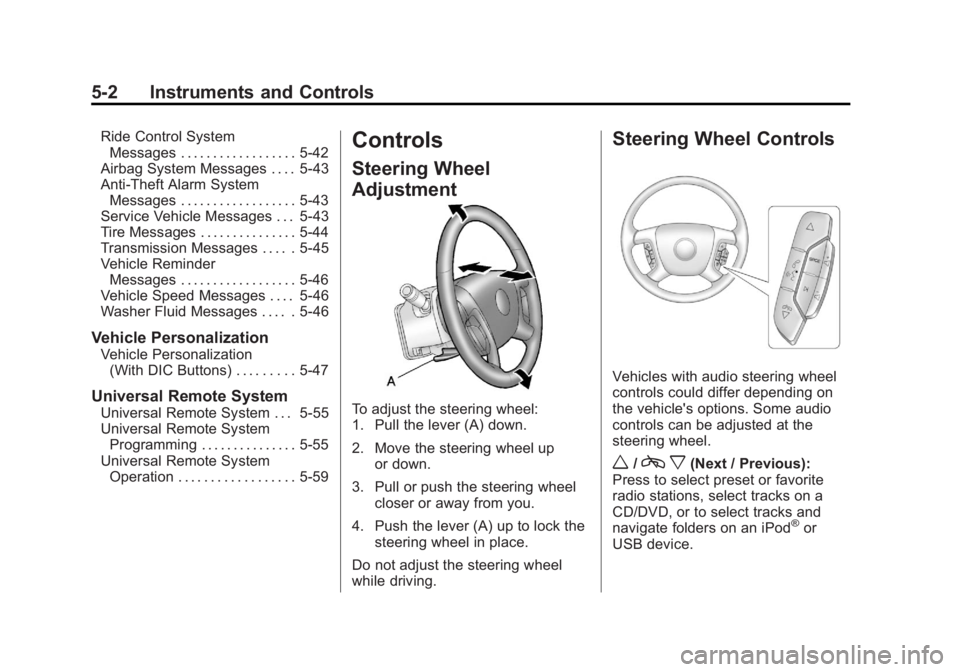
To adjust the steering wheel:
1. Pull the lever (A) down.
2. Move the steering wheel up
or down.
3. Pull or push the steering wheel closer or away from you.
4. Push the lever (A) up to lock the steering wheel in place.
Do not adjust the steering wheel
while driving.
Steering Wheel Controls
Vehicles with audio steering wheel
controls could differ depending on
the vehicle's options. Some audio
controls can be adjusted at the
steering wheel.
w/c x(Next / Previous):
Press to select preset or favorite
radio stations, select tracks on a
CD/DVD, or to select tracks and
navigate folders on an iPod
®or
USB device.
Page 137 of 478
Black plate (5,1)GMC Acadia/Acadia Denali Owner Manual - 2011
Instruments and Controls 5-5
Windshield Wiper/Washer
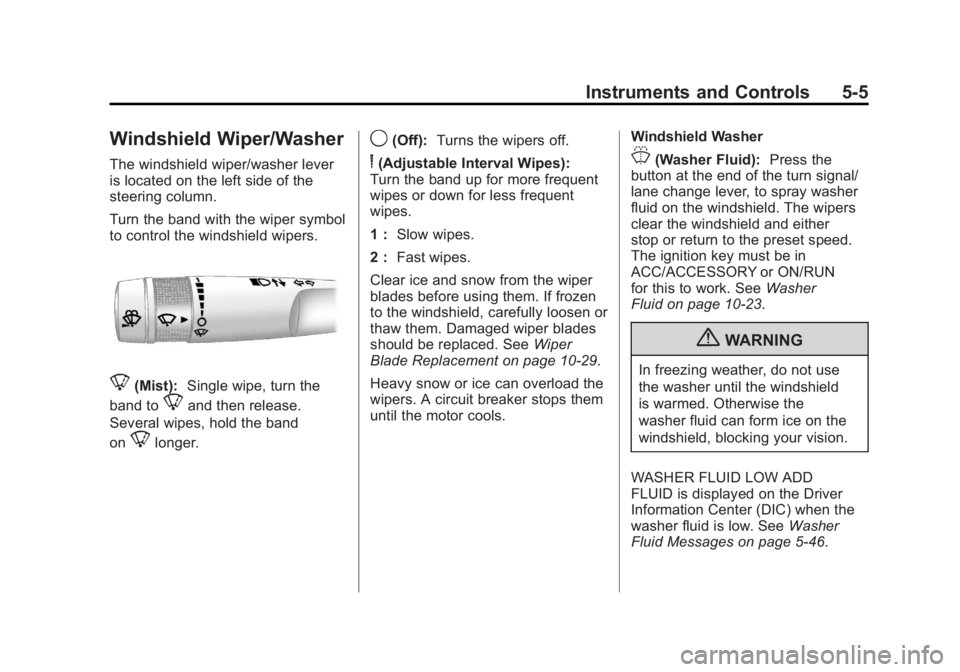
The windshield wiper/washer lever
is located on the left side of the
steering column.
Turn the band with the wiper symbol
to control the windshield wipers.
8(Mist):Single wipe, turn the
band to
8and then release.
Several wipes, hold the band
on
8longer.
9(Off): Turns the wipers off.
6(Adjustable Interval Wipes):
Turn the band up for more frequent
wipes or down for less frequent
wipes.
1 : Slow wipes.
2 : Fast wipes.
Clear ice and snow from the wiper
blades before using them. If frozen
to the windshield, carefully loosen or
thaw them. Damaged wiper blades
should be replaced. See Wiper
Blade Replacement on page 10‑29.
Heavy snow or ice can overload the
wipers. A circuit breaker stops them
until the motor cools. Windshield WasherJ(Washer Fluid):
Press the
button at the end of the turn signal/
lane change lever, to spray washer
fluid on the windshield. The wipers
clear the windshield and either
stop or return to the preset speed.
The ignition key must be in
ACC/ACCESSORY or ON/RUN
for this to work. See Washer
Fluid on page 10‑23.
{WARNING
In freezing weather, do not use
the washer until the windshield
is warmed. Otherwise the
washer fluid can form ice on the
windshield, blocking your vision.
WASHER FLUID LOW ADD
FLUID is displayed on the Driver
Information Center (DIC) when the
washer fluid is low. See Washer
Fluid Messages on page 5‑46.
Page 140 of 478
Black plate (8,1)GMC Acadia/Acadia Denali Owner Manual - 2011
5-8 Instruments and Controls
To calibrate the compass, use the
following procedure:
Compass Calibration Procedure
1. Before calibrating the compass,make sure the compass zone
is set to the variance zone in
which the vehicle is located.
See “Compass Variance (Zone)
Procedure” earlier in this
section.
Do not operate any switches
such as window, sunroof,
climate controls, seats, etc.
during the calibration procedure.
2. Press the vehicle information button until PRESS
VTO
CALIBRATE COMPASS
displays.
3. Press the set/reset button to start the compass calibration. 4. The DIC will display
CALIBRATING: DRIVE IN
CIRCLES. Drive the vehicle
in tight circles at less than
8 km/h (5 mph) to complete the
calibration. The DIC will display
CALIBRATION COMPLETE
for a few seconds when the
calibration is complete. The DIC
display will then return to the
previous menu.
Clock
To adjust the time and date:
1. Turn the ignition key to
ACC/ACCESSORY or ON/RUN,
then press
O, to turn the
radio on.
2. Press
Gto display HR, MIN,
MM, DD, YYYY (hour, minute,
month, day, and year). 3. Press the pushbutton located
under any one of the labels to
be changed.
4. To increase the time or date, do one of the following:
.Press the pushbutton below
the selected label.
.Press¨SEEK.
.Press\FWD.
.Turnfclockwise.
5. To decrease the time or date, do one of the following:
.Press©SEEK.
.PresssREV.
.Turnfcounter‐clockwise.
Page 153 of 478
Black plate (21,1)GMC Acadia/Acadia Denali Owner Manual - 2011
Instruments and Controls 5-21
This light may also come on due
to low brake fluid. SeeBrakes on
page 10‑24 for more information.
When the ignition is on, the brake
system warning light will also come
on when the parking brake is set.
The light will stay on if the parking
brake does not release fully. If it
stays on after the parking brake is
fully released, it means there is a
brake problem.
If the light comes on while driving,
pull off the road and stop carefully.
Make sure the parking brake is fully
released. The pedal may be harder
to push or, the pedal may go closer
to the floor. It may take longer to
stop. If the light is still on, have
the vehicle towed for service. See
Towing the Vehicle on page 10‑87.{WARNING
The brake system might not be
working properly if the brake
system warning light is on.
Driving with the brake system
warning light on can lead to a
crash. If the light is still on after
the vehicle has been pulled off
the road and carefully stopped,
have the vehicle towed for
service.
Antilock Brake System
(ABS) Warning Light
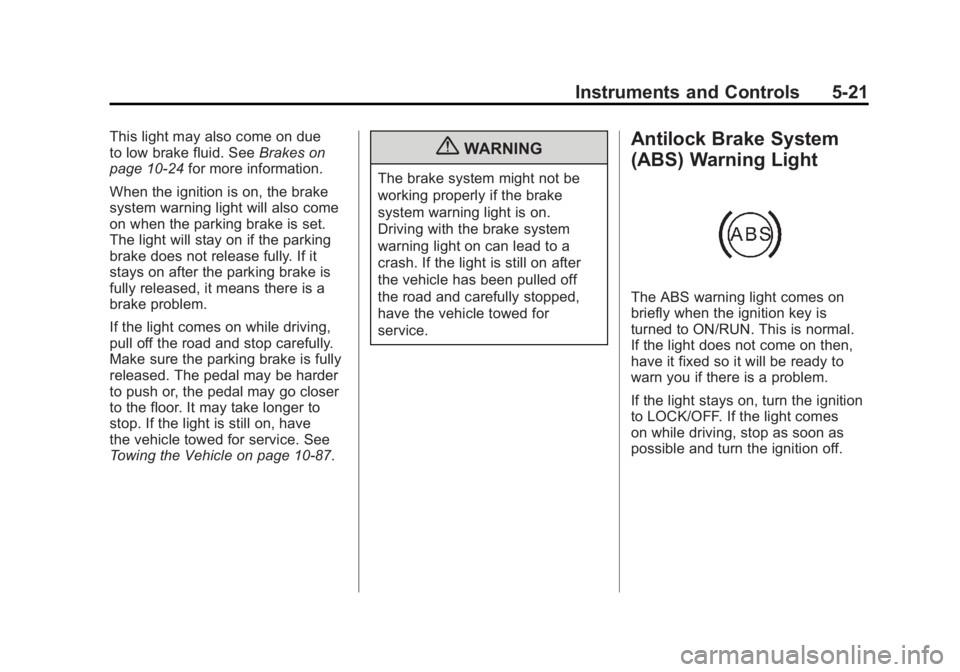
The ABS warning light comes on
briefly when the ignition key is
turned to ON/RUN. This is normal.
If the light does not come on then,
have it fixed so it will be ready to
warn you if there is a problem.
If the light stays on, turn the ignition
to LOCK/OFF. If the light comes
on while driving, stop as soon as
possible and turn the ignition off.
Page 154 of 478
Black plate (22,1)GMC Acadia/Acadia Denali Owner Manual - 2011
5-22 Instruments and Controls
Then start the engine again to reset
the system. If the light still stays on,
or comes on again while driving, the
vehicle needs service. If the regular
brake system warning light is not
on, there are still brakes, but no
antilock brakes. If the regular brake
system warning light is also on,
there are no antilock brakes and
there is a problem with the regular
brakes. SeeBrake System Warning
Light on page 5‑20.
Tow/Haul Mode Light
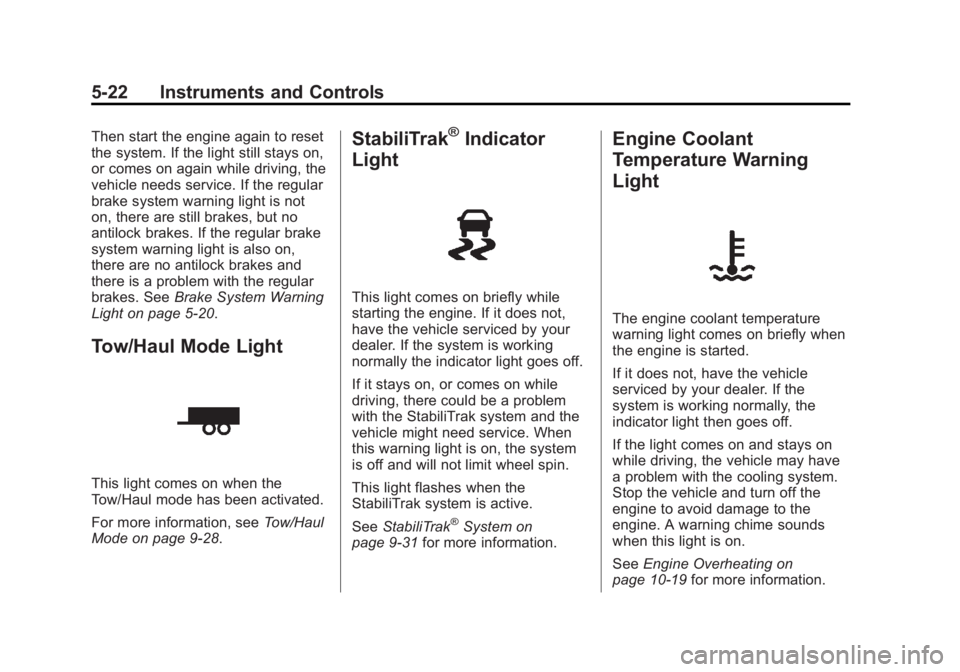
This light comes on when the
Tow/Haul mode has been activated.
For more information, see Tow/Haul
Mode on page 9‑28.
StabiliTrak®Indicator
Light
This light comes on briefly while
starting the engine. If it does not,
have the vehicle serviced by your
dealer. If the system is working
normally the indicator light goes off.
If it stays on, or comes on while
driving, there could be a problem
with the StabiliTrak system and the
vehicle might need service. When
this warning light is on, the system
is off and will not limit wheel spin.
This light flashes when the
StabiliTrak system is active.
See StabiliTrak
®System on
page 9‑31 for more information.
Engine Coolant
Temperature Warning
Light
The engine coolant temperature
warning light comes on briefly when
the engine is started.
If it does not, have the vehicle
serviced by your dealer. If the
system is working normally, the
indicator light then goes off.
If the light comes on and stays on
while driving, the vehicle may have
a problem with the cooling system.
Stop the vehicle and turn off the
engine to avoid damage to the
engine. A warning chime sounds
when this light is on.
SeeEngine Overheating on
page 10‑19 for more information.
Page 166 of 478
Black plate (34,1)GMC Acadia/Acadia Denali Owner Manual - 2011
5-34 Instruments and Controls
The following indicator lights come
on the instrument panel when
activated and also appear on
the HUD:
.Turn Signal Indicators
.High-Beam Indicator Symbol
The HUD temporarily displays
CHECK GAGES and ICE
POSSIBLE when these messages
are on the DIC trip computer.
The HUD also displays the following
messages on vehicles with these
systems, when they are active:
.TRACTION CONTROL ACTIVE
.STABILITRAK ACTIVE
Notice: If you try to use the
HUD image as a parking aid, you
may misjudge the distance and
damage your vehicle. Do not use
the HUD image as a parking aid.
When the HUD is on, the
speedometer reading is continually
displayed. The current radio station or CD track number will display
for a short period of time after
the radio or CD track status
changes. This happens whenever
radio information is changed.
The speedometer size is reduced
when radio, CD information,
warnings, or turn-by-turn navigation
information are displayed on
the HUD.
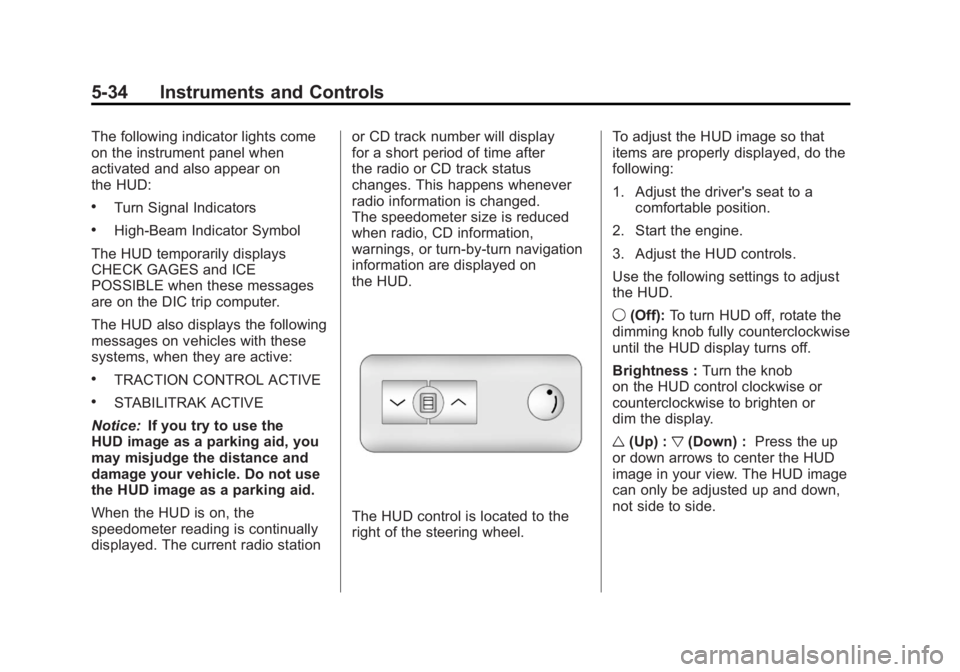
The HUD control is located to the
right of the steering wheel.
To adjust the HUD image so that
items are properly displayed, do the
following:
1. Adjust the driver's seat to a
comfortable position.
2. Start the engine.
3. Adjust the HUD controls.
Use the following settings to adjust
the HUD.
9 (Off): To turn HUD off, rotate the
dimming knob fully counterclockwise
until the HUD display turns off.
Brightness : Turn the knob
on the HUD control clockwise or
counterclockwise to brighten or
dim the display.
w (Up) : x(Down) : Press the up
or down arrows to center the HUD
image in your view. The HUD image
can only be adjusted up and down,
not side to side.
Page 168 of 478
Black plate (36,1)GMC Acadia/Acadia Denali Owner Manual - 2011
5-36 Instruments and Controls
All formats will show the
turn-by-turn navigation information
and provide details about the
next driving maneuver to be made.
When you near your destination,
the HUD will display a distance
bar that will fill in the closer you get
to your destination. All navigation
information is provided to the HUD
by the navigation radio, if the
vehicle has one.
The HUD image displayed on the
windshield will automatically dim
and brighten to compensate for
outside lighting.
The HUD image can temporarily
light up depending on the angle
and position of the sunlight on the
HUD display. This is normal and
will change when the angle of
the sunlight on the HUD display
changes.
Polarized sunglasses could make
the HUD image harder to see.Care of the HUD
Clean the inside of the windshield
as needed to remove any dirt or film
that could reduce the sharpness or
clarity of the HUD image.
To clean the HUD lens, use a soft,
clean cloth that has household glass
cleaner sprayed on it. Wipe the
HUD lens gently, then dry it. Do not
spray cleaner directly on the lens
because the cleaner could leak
into the unit.
If You Cannot See the HUD
Image When the Ignition Is On
.Is anything covering the
HUD lens?
.Is the HUD dimmer setting bright
enough?
.Is the HUD image adjusted to
the proper height?
.Are you wearing polarized
sunglasses?
.Still no HUD image? Check the
fuse in the instrument panel fuse
block. SeeInstrument Panel
Fuse Block on page 10‑35.
If the HUD Image Is Not Clear
.Is the HUD image too bright?
.Are the windshield and HUD
lens clean?
If the HUD image is not correct,
contact your dealer.
Keep in mind that the windshield is
part of the HUD system.
Page 173 of 478
Black plate (41,1)GMC Acadia/Acadia Denali Owner Manual - 2011
Instruments and Controls 5-41
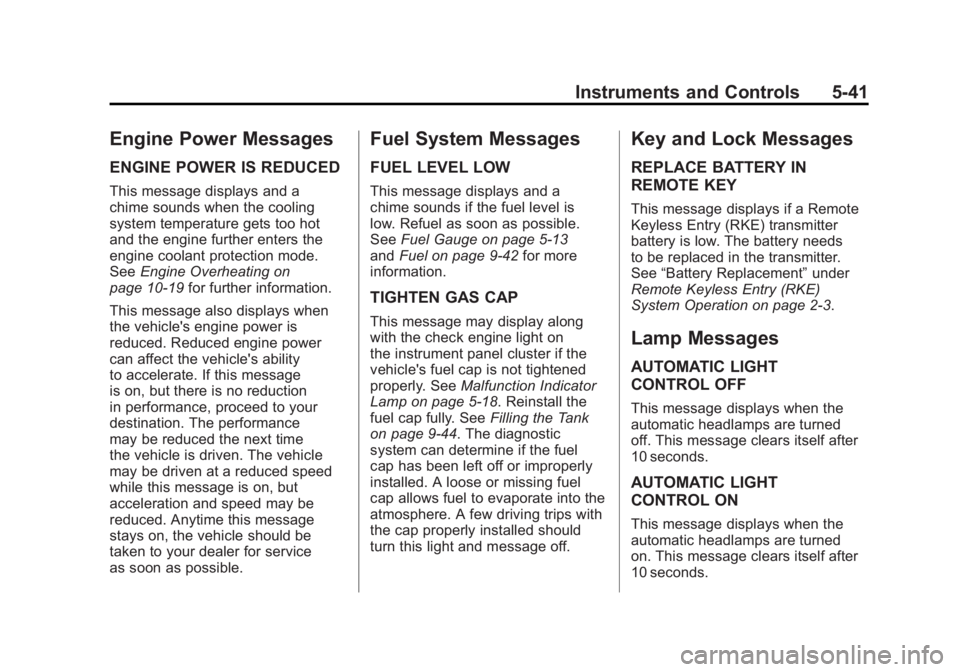
Engine Power Messages
ENGINE POWER IS REDUCED
This message displays and a
chime sounds when the cooling
system temperature gets too hot
and the engine further enters the
engine coolant protection mode.
SeeEngine Overheating on
page 10‑19 for further information.
This message also displays when
the vehicle's engine power is
reduced. Reduced engine power
can affect the vehicle's ability
to accelerate. If this message
is on, but there is no reduction
in performance, proceed to your
destination. The performance
may be reduced the next time
the vehicle is driven. The vehicle
may be driven at a reduced speed
while this message is on, but
acceleration and speed may be
reduced. Anytime this message
stays on, the vehicle should be
taken to your dealer for service
as soon as possible.
Fuel System Messages
FUEL LEVEL LOW
This message displays and a
chime sounds if the fuel level is
low. Refuel as soon as possible.
See Fuel Gauge on page 5‑13
and Fuel on page 9‑42 for more
information.
TIGHTEN GAS CAP
This message may display along
with the check engine light on
the instrument panel cluster if the
vehicle's fuel cap is not tightened
properly. See Malfunction Indicator
Lamp on page 5‑18. Reinstall the
fuel cap fully. See Filling the Tank
on page 9‑44. The diagnostic
system can determine if the fuel
cap has been left off or improperly
installed. A loose or missing fuel
cap allows fuel to evaporate into the
atmosphere. A few driving trips with
the cap properly installed should
turn this light and message off.
Key and Lock Messages
REPLACE BATTERY IN
REMOTE KEY
This message displays if a Remote
Keyless Entry (RKE) transmitter
battery is low. The battery needs
to be replaced in the transmitter.
See “Battery Replacement” under
Remote Keyless Entry (RKE)
System Operation on page 2‑3.
Lamp Messages
AUTOMATIC LIGHT
CONTROL OFF
This message displays when the
automatic headlamps are turned
off. This message clears itself after
10 seconds.
AUTOMATIC LIGHT
CONTROL ON
This message displays when the
automatic headlamps are turned
on. This message clears itself after
10 seconds.
Page 174 of 478
Black plate (42,1)GMC Acadia/Acadia Denali Owner Manual - 2011
5-42 Instruments and Controls
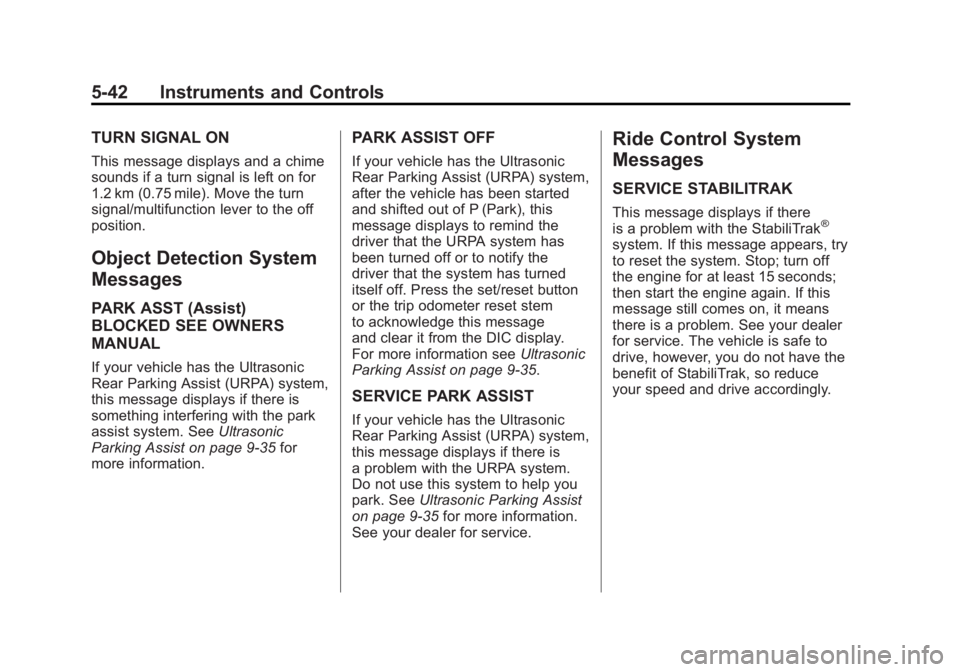
TURN SIGNAL ON
This message displays and a chime
sounds if a turn signal is left on for
1.2 km (0.75 mile). Move the turn
signal/multifunction lever to the off
position.
Object Detection System
Messages
PARK ASST (Assist)
BLOCKED SEE OWNERS
MANUAL
If your vehicle has the Ultrasonic
Rear Parking Assist (URPA) system,
this message displays if there is
something interfering with the park
assist system. SeeUltrasonic
Parking Assist on page 9‑35 for
more information.
PARK ASSIST OFF
If your vehicle has the Ultrasonic
Rear Parking Assist (URPA) system,
after the vehicle has been started
and shifted out of P (Park), this
message displays to remind the
driver that the URPA system has
been turned off or to notify the
driver that the system has turned
itself off. Press the set/reset button
or the trip odometer reset stem
to acknowledge this message
and clear it from the DIC display.
For more information see Ultrasonic
Parking Assist on page 9‑35.
SERVICE PARK ASSIST
If your vehicle has the Ultrasonic
Rear Parking Assist (URPA) system,
this message displays if there is
a problem with the URPA system.
Do not use this system to help you
park. See Ultrasonic Parking Assist
on page 9‑35 for more information.
See your dealer for service.
Ride Control System
Messages
SERVICE STABILITRAK
This message displays if there
is a problem with the StabiliTrak®
system. If this message appears, try
to reset the system. Stop; turn off
the engine for at least 15 seconds;
then start the engine again. If this
message still comes on, it means
there is a problem. See your dealer
for service. The vehicle is safe to
drive, however, you do not have the
benefit of StabiliTrak, so reduce
your speed and drive accordingly.