maintenance schedule GMC ACADIA 2011 Owner's Manual
[x] Cancel search | Manufacturer: GMC, Model Year: 2011, Model line: ACADIA, Model: GMC ACADIA 2011Pages: 478, PDF Size: 5.52 MB
Page 2 of 478
Black plate (2,1)GMC Acadia/Acadia Denali Owner Manual - 2011
2011 GMC Acadia/Acadia Denali Owner ManualM
Wheels and Tires . . . . . . . . . . . 10-38
Jump Starting . . . . . . . . . . . . . . . 10-83
Towing . . . . . . . . . . . . . . . . . . . . . . 10-87
Appearance Care . . . . . . . . . . . 10-90
Service and Maintenance . . . 11-1
General Information . . . . . . . . . . 11-1
Scheduled Maintenance . . . . . . 11-2
Recommended Fluids, Lubricants, and Parts . . . . . . . 11-7
Maintenance Records . . . . . . . 11-10 Technical Data
. . . . . . . . . . . . . . . 12-1
Vehicle Identification . . . . . . . . . 12-1
Vehicle Data . . . . . . . . . . . . . . . . . . 12-2
Customer Information . . . . . . . 13-1
Customer Information . . . . . . . . 13-1
Reporting Safety Defects . . . . 13-16
Vehicle Data Recording and
Privacy . . . . . . . . . . . . . . . . . . . . 13-18
Index . . . . . . . . . . . . . . . . . . . . . i-1
Page 28 of 478
Black plate (22,1)GMC Acadia/Acadia Denali Owner Manual - 2011
1-22 In Brief
3. If the vehicle has DriverInformation Center (DIC)
buttons: Press and hold the
set/reset button until “100%”is
displayed. Three chimes sound
and the CHANGE ENGINE OIL
SOON message goes off.
If the vehicle does not have
Driver Information Center (DIC)
buttons: Press and hold the
trip odometer reset stem until
OIL LIFE REMAINING shows
“100%.” Three chimes sound
and the CHANGE ENGINE OIL
SOON message goes off.
4. Turn the key to LOCK/OFF.
See Engine Oil Life System on
page 10‑11.Driving for Better Fuel
Economy
Driving habits can affect fuel
mileage. Here are some driving
tips to get the best fuel economy
possible.
.Avoid fast starts and accelerate
smoothly.
.Brake gradually and avoid
abrupt stops.
.Avoid idling the engine for long
periods of time.
.When road and weather
conditions are appropriate,
use cruise control.
.Always follow posted speed
limits or drive more slowly when
conditions require.
.Keep vehicle tires properly
inflated.
.Combine several trips into a
single trip.
.Replace the vehicle's tires with
the same TPC Spec number
molded into the tire's sidewall
near the size.
.Follow recommended scheduled
maintenance.
Roadside Assistance
Program
U.S.: 1-800-GMC-8782
(1‐800‐462-8782)
TTY Users (U.S.): 1-888-889-2438
Canada: 1-800-268-6800
Mexico: 01-800-466-0801
As the owner of a new GMC, you
are automatically enrolled in the
Roadside Assistance program.
See Roadside Assistance Program
(U.S. and Canada) on page 13‑8
or Roadside Assistance Program
(Mexico) on page 13‑10 for more
information.
Page 103 of 478
Black plate (47,1)GMC Acadia/Acadia Denali Owner Manual - 2011
Seats and Restraints 3-47
Q: Because I have a disability,I have to get my vehicle
modified. How can I find out
whether this will affect my
airbag system?
A: If you have questions,
call Customer Assistance.
The phone numbers and
addresses for Customer
Assistance are in Step Two
of the Customer Satisfaction
Procedure in this manual.
See Customer Satisfaction
Procedure (U.S. and Canada) on
page 13‑1 orCustomer
Satisfaction Procedure (Mexico)
on page 13‑3. In addition, the dealer and the
service manual have information
about the location of the airbag
sensors, sensing and diagnostic
module and airbag wiring.
Airbag System Check
The airbag system does not need
regularly scheduled maintenance
or replacement. Make sure the
airbag readiness light is working.
See
Airbag Readiness Light on
page 5‑15 for more information. Notice:
If an airbag covering is
damaged, opened, or broken,
the airbag may not work properly.
Do not open or break the airbag
coverings. If there are any
opened or broken airbag covers,
have the airbag covering and/or
airbag module replaced. For the
location of the airbag modules,
see What Makes an Airbag
Inflate? on page 3‑38.
See your dealer for service.
Page 155 of 478
Black plate (23,1)GMC Acadia/Acadia Denali Owner Manual - 2011
Instruments and Controls 5-23
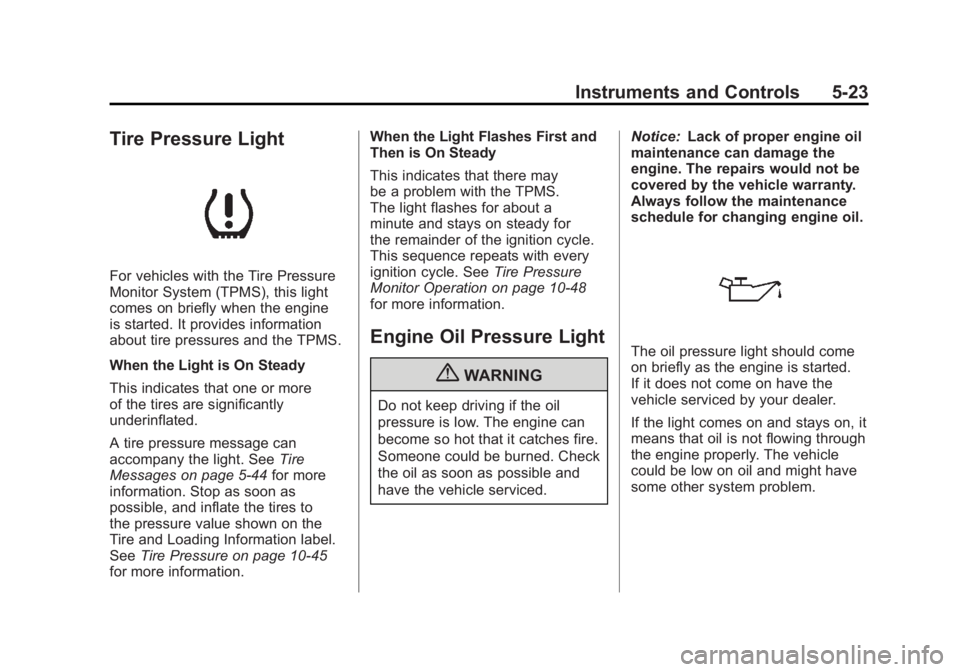
Tire Pressure Light
For vehicles with the Tire Pressure
Monitor System (TPMS), this light
comes on briefly when the engine
is started. It provides information
about tire pressures and the TPMS.
When the Light is On Steady
This indicates that one or more
of the tires are significantly
underinflated.
A tire pressure message can
accompany the light. SeeTire
Messages on page 5‑44 for more
information. Stop as soon as
possible, and inflate the tires to
the pressure value shown on the
Tire and Loading Information label.
See Tire Pressure on page 10‑45
for more information. When the Light Flashes First and
Then is On Steady
This indicates that there may
be a problem with the TPMS.
The light flashes for about a
minute and stays on steady for
the remainder of the ignition cycle.
This sequence repeats with every
ignition cycle. See
Tire Pressure
Monitor Operation on page 10‑48
for more information.
Engine Oil Pressure Light
{WARNING
Do not keep driving if the oil
pressure is low. The engine can
become so hot that it catches fire.
Someone could be burned. Check
the oil as soon as possible and
have the vehicle serviced. Notice:
Lack of proper engine oil
maintenance can damage the
engine. The repairs would not be
covered by the vehicle warranty.
Always follow the maintenance
schedule for changing engine oil.
The oil pressure light should come
on briefly as the engine is started.
If it does not come on have the
vehicle serviced by your dealer.
If the light comes on and stays on, it
means that oil is not flowing through
the engine properly. The vehicle
could be low on oil and might have
some other system problem.
Page 158 of 478
Black plate (26,1)GMC Acadia/Acadia Denali Owner Manual - 2011
5-26 Instruments and Controls
T(Vehicle Information):Press
this button to display the oil life,
park assist on vehicles with this
feature, units, tire pressure readings
on vehicles with this feature, and
compass calibration and zone
setting on vehicles with this feature.
3(Trip/Fuel): Press this
button to display the odometer, trip
odometers, fuel range, average
economy, timer, fuel used, and
average speed.
Vehicle Information Menu
Items
T(Vehicle Information): Press
this button to scroll through the
following menu items:
OIL LIFE
Press the vehicle information
button until OIL LIFE REMAINING
displays. This display shows an
estimate of the oil's remaining
useful life. If you see 99% OIL LIFE
REMAINING on the display, that
means 99% of the current oil life
remains. The engine oil life system will alert you to change the oil on
a schedule consistent with your
driving conditions.
When the remaining oil life is low,
the CHANGE ENGINE OIL SOON
message will appear on the display.
See
“CHANGE ENGINE OIL SOON”
under Engine Oil Messages on
page 5‑40. You should change the
oil as soon as you can. See Engine
Oil on page 10‑8. In addition to the
engine oil life system monitoring the
oil life, additional maintenance is
recommended in the Maintenance
Schedule in this manual. See
Scheduled Maintenance on
page 11‑2 for more information.
Remember, you must reset the
OIL LIFE display yourself after each
oil change. It will not reset itself.
Also, be careful not to reset the
OIL LIFE display accidentally at any
time other than when the oil has just
been changed. It cannot be reset
accurately until the next oil change.
To reset the engine oil life system,
see Engine Oil Life System on
page 10‑11. PARK ASSIST
If your vehicle has the Ultrasonic
Rear Parking Assist (URPA) system,
press the vehicle information button
until PARK ASSIST displays.
This display allows the system
to be turned on or off. Once in this
display, press the set/reset button to
select between ON or OFF. If you
choose ON, the system will be
turned on. If you choose OFF, the
system will be turned off. The URPA
system automatically turns back on
after each vehicle start. When the
URPA system is turned off and the
vehicle is shifted out of P (Park), the
DIC will display the PARK ASSIST
OFF message as a reminder that
the system has been turned off.
See
Object Detection System
Messages on page 5‑42 and
Ultrasonic Parking Assist on
page 9‑35 for more information.
Page 163 of 478
Black plate (31,1)GMC Acadia/Acadia Denali Owner Manual - 2011
Instruments and Controls 5-31
To use the retroactive reset feature,
press and hold the trip odometer
reset stem for at least four seconds.
The trip odometer will display
the number of kilometers (km)
or miles (mi) driven since the
ignition was last turned on and
the vehicle was moving. Once the
vehicle begins moving, the trip
odometer will accumulate mileage.
For example, if the vehicle was
driven 8 km (5 miles) before it
is started again, and then the
retroactive reset feature is activated,
the display will show 8 km (5 miles).
As the vehicle begins moving, the
display will then increase to 8.2 km
(5.1 miles), 8.4 km (5.2 miles), etc.
If the retroactive reset feature is
activated after the vehicle is started,
but before it begins moving, the
display will show the number of
kilometers (km) or miles (mi) that
were driven during the last ignition
cycle.OIL LIFE
To access this display, the vehicle
must be in P (Park). Press the
trip odometer reset stem until
OIL LIFE REMAINING displays.
This display shows an estimate of
the oil's remaining useful life. If you
see 99% OIL LIFE REMAINING on
the display, that means 99% of the
current oil life remains. The engine
oil life system will alert you to
change the oil on a schedule
consistent with your driving
conditions.
When the remaining oil life is low,
the CHANGE ENGINE OIL SOON
message will appear on the display.
See
“CHANGE ENGINE OIL SOON”
under Engine Oil Messages on
page 5‑40. You should change the oil as soon as you can. See
Engine
Oil on page 10‑8. In addition to the
engine oil life system monitoring
the oil life, additional maintenance
is recommended in the Maintenance
Schedule in this manual.
See Scheduled Maintenance on
page 11‑2 for more information.
Remember, you must reset the
OIL LIFE display yourself after each
oil change. It will not reset itself.
Also, be careful not to reset the
OIL LIFE display accidentally at any
time other than when the oil has just
been changed. It cannot be reset
accurately until the next oil change.
To reset the engine oil life system,
see Engine Oil Life System on
page 10‑11.
Page 172 of 478
Black plate (40,1)GMC Acadia/Acadia Denali Owner Manual - 2011
5-40 Instruments and Controls
ENGINE OVERHEATED STOP
ENGINE
Notice:If you drive the vehicle
while the engine is overheating,
severe engine damage may
occur. If an overheat warning
appears on the instrument panel
cluster and/or DIC, stop the
vehicle as soon as possible.
Do not increase the engine speed
above normal idling speed.
See Engine Overheating on
page 10‑19 for more information.
This message displays and a
continuous chime sounds if the
engine cooling system reaches
unsafe temperatures for operation.
Stop and turn off the vehicle as
soon as it is safe to do so to avoid
severe damage. This message
clears when the engine has cooled
to a safe operating temperature.
Engine Oil Messages
CHANGE ENGINE OIL SOON
This message displays when the
engine oil needs to be changed.
When you change the engine oil,
be sure to reset the CHANGE
ENGINE OIL SOON message.
See Engine Oil Life System on
page 10‑11 for information on how
to reset the message. See Engine
Oil on page 10‑8 andScheduled
Maintenance on page 11‑2 for
more information.
OIL PRESSURE LOW STOP
ENGINE
Notice: If you drive the vehicle
while the engine oil pressure
is low, severe engine damage
may occur. If a low oil pressure
warning appears on the
instrument panel cluster and/or
DIC, stop the vehicle as soon
as possible. Do not drive the
vehicle until the cause of the
low oil pressure is corrected.
See Engine Oil on page 10‑8
for more information.
This message displays if low oil
pressure levels occur. Stop the
vehicle as soon as safely possible
and do not operate it until the cause
of the low oil pressure has been
corrected. Check the oil as soon
as possible and have your vehicle
serviced by your dealer. See Engine
Oil on page 10‑8.
Page 324 of 478
Black plate (52,1)GMC Acadia/Acadia Denali Owner Manual - 2011
9-52 Driving and Operating
Maintenance When Trailer
Towing
The vehicle needs service more
often when pulling a trailer. See this
manual's Maintenance Schedule
or Index for more information.
Things that are especially important
in trailer operation are automatic
transmission fluid, engine oil, axle
lubricant, belts, cooling system and
brake system. Inspect these before
and during the trip.
Check periodically to see that all
hitch nuts and bolts are tight.
Engine Cooling When Trailer
Towing
The cooling system may temporarily
overheat during severe operating
conditions. SeeEngine Overheating
on page 10‑19.
Trailer Towing
Three important considerations
have to do with weight:
.The weight of the trailer
.The weight of the trailer tongue
.The total weight on the vehicle's
tires
Weight of the Trailer
How heavy can a trailer safely be?
Speed, altitude, road grades,
outside temperature, special
equipment, and the amount of
tongue weight the vehicle can carry
must be considered. See “Weight
of the Trailer Tongue” later in this
section for more information. Maximum trailer weight is calculated
assuming only the driver is in
the tow vehicle and it has all the
required trailering equipment.
The weight of additional optional
equipment, passengers and cargo in
the tow vehicle must be subtracted
from the maximum trailer weight.
Use the following chart to determine
how much the vehicle can weigh,
based upon the vehicle model and
options.
Page 341 of 478
Black plate (13,1)GMC Acadia/Acadia Denali Owner Manual - 2011
Vehicle Care 10-13
Automatic Transmission
Fluid
It is not necessary to check
the transmission fluid level.
A transmission fluid leak is the
only reason for fluid loss. If a leak
occurs, take the vehicle to the
dealer and have it repaired as
soon as possible.
Change the fluid at the intervals
listed inScheduled Maintenance on
page 11‑2, and be sure to use
the transmission fluid listed in
Recommended Fluids and
Lubricants on page 11‑7.
Notice: Use of the incorrect
automatic transmission fluid
may damage the vehicle, and the
damages may not be covered by
the vehicle warranty. Always use
the automatic transmission fluid
listed in Recommended Fluids
and Lubricants on page 11‑7. The transmission fluid will not
reach the end of the dipstick unless
the transmission is at operating
temperature. If you need to check
the transmission fluid level, please
take the vehicle to your dealer.
Engine Air Cleaner/Filter
When to Inspect the Engine Air
Cleaner/Filter
Inspect the air cleaner/filter at
the scheduled maintenance
intervals and replace it at the first
oil change after each 80 000 km
(50,000 mi) interval. See
Scheduled
Maintenance on page 11‑2 for more
information. If driving in dusty/dirty
conditions, inspect the filter at each
engine oil change.
See Engine Compartment Overview
on page 10‑6 for the location of the
engine air cleaner/filter.
How to Inspect the Engine Air
Cleaner/Filter
To inspect the air cleaner/filter,
remove the filter from the vehicle
and lightly shake the filter (away
from vehicle) to release loose dust
and dirt. If the filter remains covered
with dirt, a new filter is required.
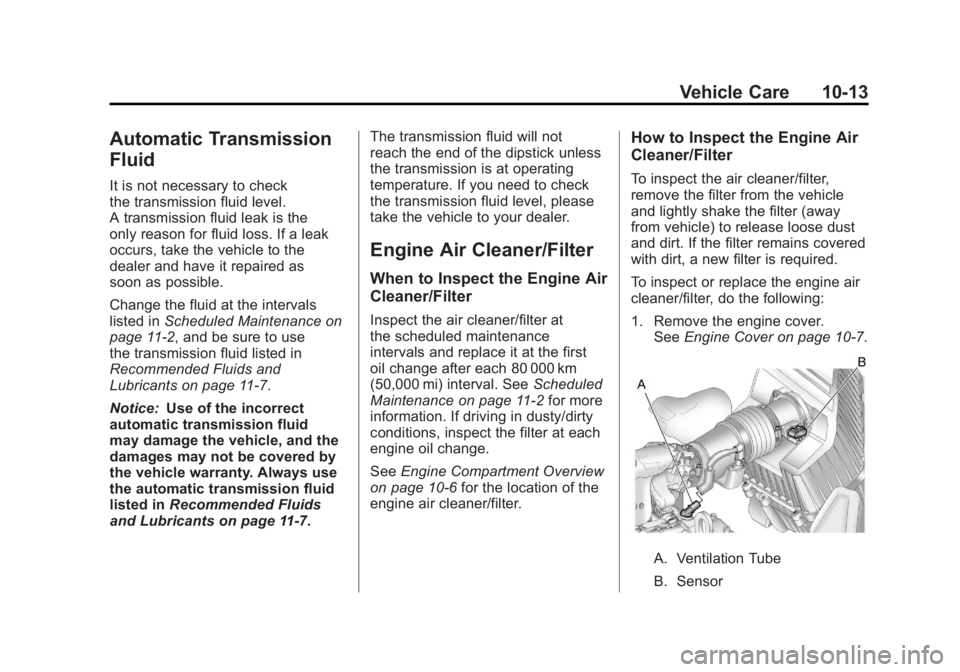
To inspect or replace the engine air
cleaner/filter, do the following:
1. Remove the engine cover. See Engine Cover on page 10‑7.
A. Ventilation Tube
B. Sensor
Page 357 of 478
Black plate (29,1)GMC Acadia/Acadia Denali Owner Manual - 2011
Vehicle Care 10-29
.To check the P (Park)
mechanism's holding ability:
With the engine running, shift
to P (Park). Then release the
parking brake followed by the
regular brake.
Contact your dealer if service is
required.
Wiper Blade Replacement
Windshield wiper blades should
be inspected for wear or cracking.
See Scheduled Maintenance on
page 11‑2 for more information.
Replacement blades come in
different types and are removed in
different ways. To replace the wiper
blade assembly:
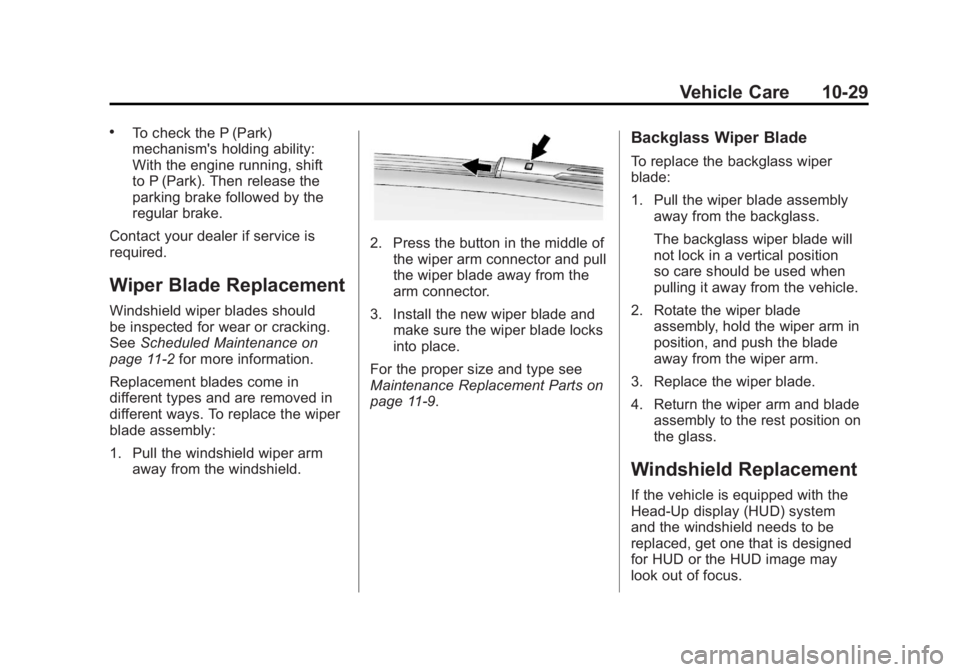
1. Pull the windshield wiper arm away from the windshield.
2. Press the button in the middle ofthe wiper arm connector and pull
the wiper blade away from the
arm connector.
3. Install the new wiper blade and make sure the wiper blade locks
into place.
For the proper size and type see
Maintenance Replacement Parts on
page 11‑9.
Backglass Wiper Blade
To replace the backglass wiper
blade:
1. Pull the wiper blade assembly away from the backglass.
The backglass wiper blade will
not lock in a vertical position
so care should be used when
pulling it away from the vehicle.
2. Rotate the wiper blade assembly, hold the wiper arm in
position, and push the blade
away from the wiper arm.
3. Replace the wiper blade.
4. Return the wiper arm and blade assembly to the rest position on
the glass.
Windshield Replacement
If the vehicle is equipped with the
Head‐Up display (HUD) system
and the windshield needs to be
replaced, get one that is designed
for HUD or the HUD image may
look out of focus.