remove seats GMC ACADIA 2011 Owner's Manual
[x] Cancel search | Manufacturer: GMC, Model Year: 2011, Model line: ACADIA, Model: GMC ACADIA 2011Pages: 478, PDF Size: 5.52 MB
Page 15 of 478
Black plate (9,1)GMC Acadia/Acadia Denali Owner Manual - 2011
In Brief 1-9
Third Row Seats
The third row seatbacks can be
folded forward, and the seats can
be removed.
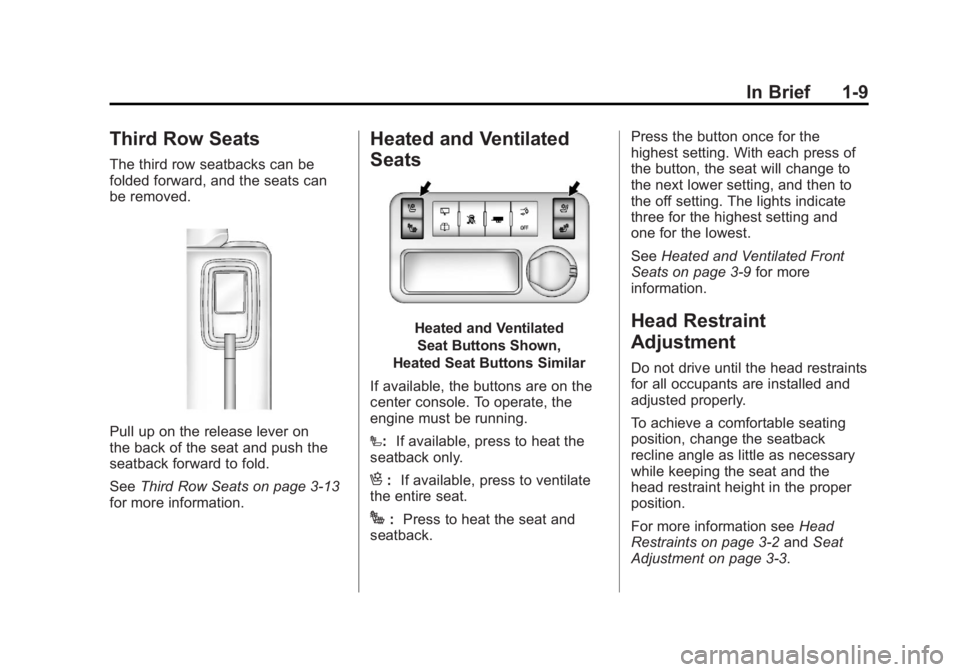
Pull up on the release lever on
the back of the seat and push the
seatback forward to fold.
SeeThird Row Seats on page 3‑13
for more information.
Heated and Ventilated
Seats
Heated and Ventilated
Seat Buttons Shown,
Heated Seat Buttons Similar
If available, the buttons are on the
center console. To operate, the
engine must be running.
I: If available, press to heat the
seatback only.
H: If available, press to ventilate
the entire seat.
J: Press to heat the seat and
seatback. Press the button once for the
highest setting. With each press of
the button, the seat will change to
the next lower setting, and then to
the off setting. The lights indicate
three for the highest setting and
one for the lowest.
See
Heated and Ventilated Front
Seats on page 3‑9 for more
information.
Head Restraint
Adjustment
Do not drive until the head restraints
for all occupants are installed and
adjusted properly.
To achieve a comfortable seating
position, change the seatback
recline angle as little as necessary
while keeping the seat and the
head restraint height in the proper
position.
For more information see Head
Restraints on page 3‑2 andSeat
Adjustment on page 3‑3.
Page 55 of 478
Black plate (23,1)GMC Acadia/Acadia Denali Owner Manual - 2011
Keys, Doors and Windows 2-23
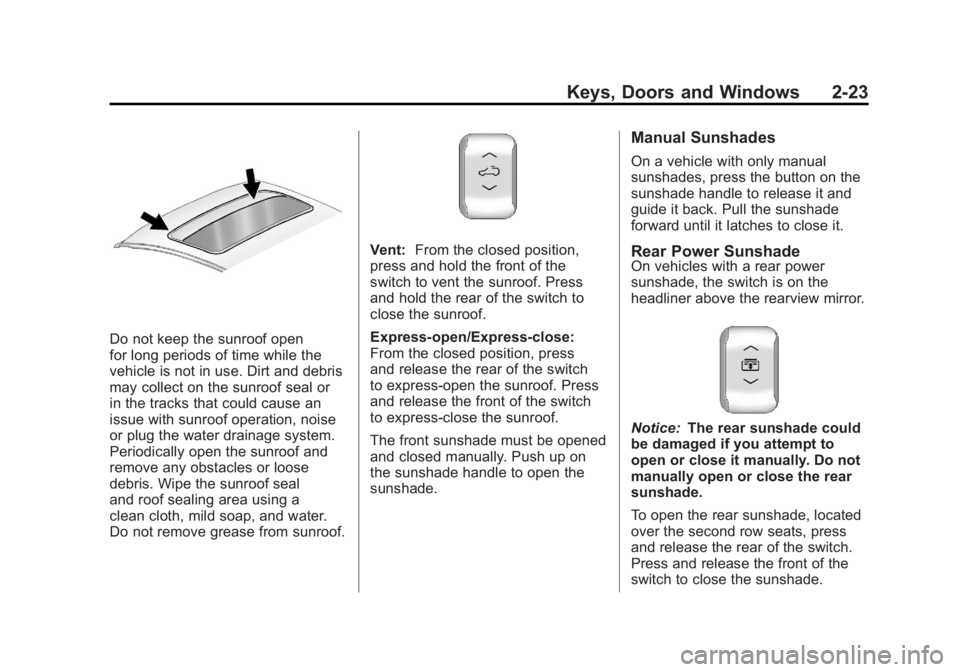
Do not keep the sunroof open
for long periods of time while the
vehicle is not in use. Dirt and debris
may collect on the sunroof seal or
in the tracks that could cause an
issue with sunroof operation, noise
or plug the water drainage system.
Periodically open the sunroof and
remove any obstacles or loose
debris. Wipe the sunroof seal
and roof sealing area using a
clean cloth, mild soap, and water.
Do not remove grease from sunroof.
Vent:From the closed position,
press and hold the front of the
switch to vent the sunroof. Press
and hold the rear of the switch to
close the sunroof.
Express-open/Express-close:
From the closed position, press
and release the rear of the switch
to express-open the sunroof. Press
and release the front of the switch
to express-close the sunroof.
The front sunshade must be opened
and closed manually. Push up on
the sunshade handle to open the
sunshade.
Manual Sunshades
On a vehicle with only manual
sunshades, press the button on the
sunshade handle to release it and
guide it back. Pull the sunshade
forward until it latches to close it.
Rear Power SunshadeOn vehicles with a rear power
sunshade, the switch is on the
headliner above the rearview mirror.
Notice: The rear sunshade could
be damaged if you attempt to
open or close it manually. Do not
manually open or close the rear
sunshade.
To open the rear sunshade, located
over the second row seats, press
and release the rear of the switch.
Press and release the front of the
switch to close the sunshade.
Page 59 of 478
Black plate (3,1)GMC Acadia/Acadia Denali Owner Manual - 2011
Seats and Restraints 3-3
2. Push down on the head restraintafter the button is released to
make sure that it is locked in
place.
The vehicle's second‐row seats
have head restraints in the outboard
seating positions that cannot be
adjusted.
The vehicle's third‐row seats have
headrests in the outboard seating
positions that cannot be adjusted.
The vehicle's head restraints and
headrests are not designed to be
removed.Front Seats
Seat Adjustment
{WARNING
You can lose control of the
vehicle if you try to adjust a
manual driver seat while the
vehicle is moving. The sudden
movement could startle and
confuse you, or make you push
a pedal when you do not want to.
Adjust the driver seat only when
the vehicle is not moving.
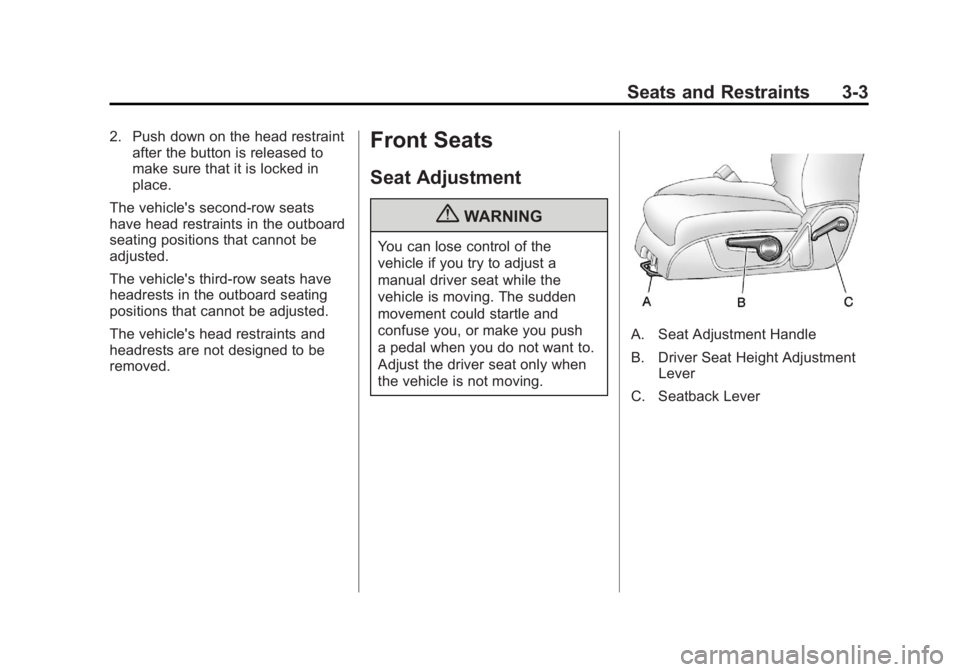
A. Seat Adjustment Handle
B. Driver Seat Height Adjustment Lever
C. Seatback Lever
Page 62 of 478
Black plate (6,1)GMC Acadia/Acadia Denali Owner Manual - 2011
3-6 Seats and Restraints
If something has blocked the
driver seat while recalling a
memory position, the recall may
stop. Remove the obstruction; then
press and hold the appropriate
manual control for the memory item
that is not recalling for two seconds.
Try recalling the memory position
again by pressing the appropriate
memory button. If the memory
position is still not recalling,
see your dealer for service.
Easy Exit Driver Seat
This feature can move the seat
rearward to allow extra room to
exit the vehicle.
S(Easy Exit Driver Seat):Press
to recall the easy exit seat position.
The vehicle must be in P (Park).
If the easy exit seat feature is
programmed on in the vehicle
personalization menu, automatic
seat movement occurs when the
ignition key is removed. A single beep sounds. The driver
seat moves back approximately
8 cm (3 in). To move the seat back
farther, press the easy exit seat
button again until the seat is all
the way back.
If something has blocked the driver
seat while recalling the exit position,
the recall may stop. Remove the
obstruction; then press and hold
the power seat control rearward for
two seconds. Try recalling the exit
position again. If the exit position is
still not recalling, see your dealer
for service.
See
“Easy Exit Seat” underVehicle
Personalization (With DIC Buttons)
on page 5‑47 for more information.
Lumbar Adjustment
Manual Lumbar
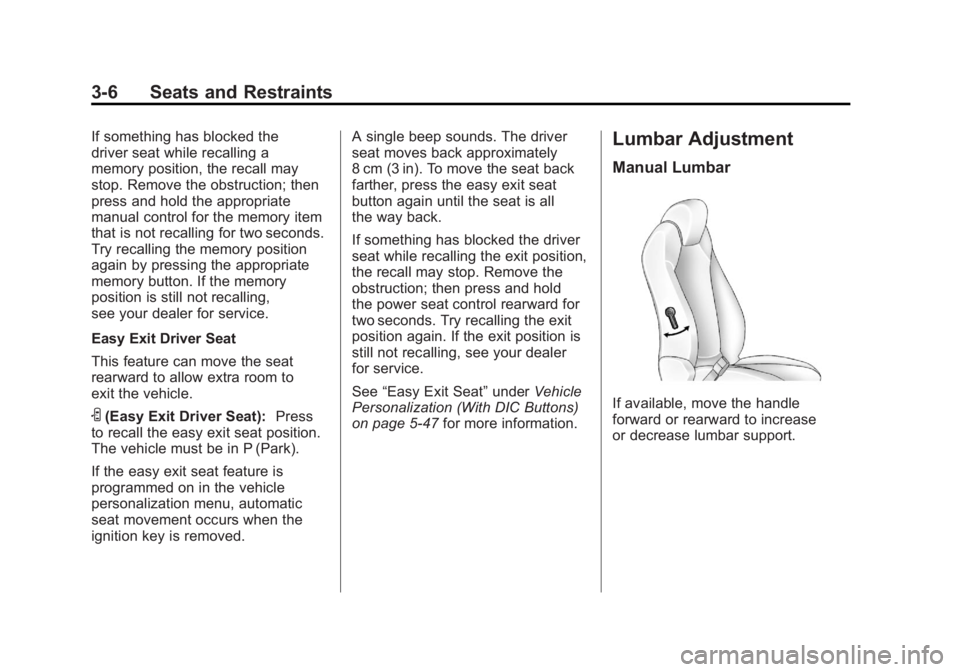
If available, move the handle
forward or rearward to increase
or decrease lumbar support.
Page 67 of 478
Black plate (11,1)GMC Acadia/Acadia Denali Owner Manual - 2011
Seats and Restraints 3-11
Entering and Exiting the
Third Row
{WARNING
Using the third row seating
position while the second row is
folded, or folded and tumbled,
could cause injury in a sudden
stop or crash. Be sure to return
the seat to the passenger seating
position. Push and pull on the
seat to make sure it is locked into
place.
Notice: Folding a rear seat with
the safety belts still fastened may
cause damage to the seat or the
safety belts. Always unbuckle the
safety belts and return them to
their normal stowed position
before folding a rear seat.
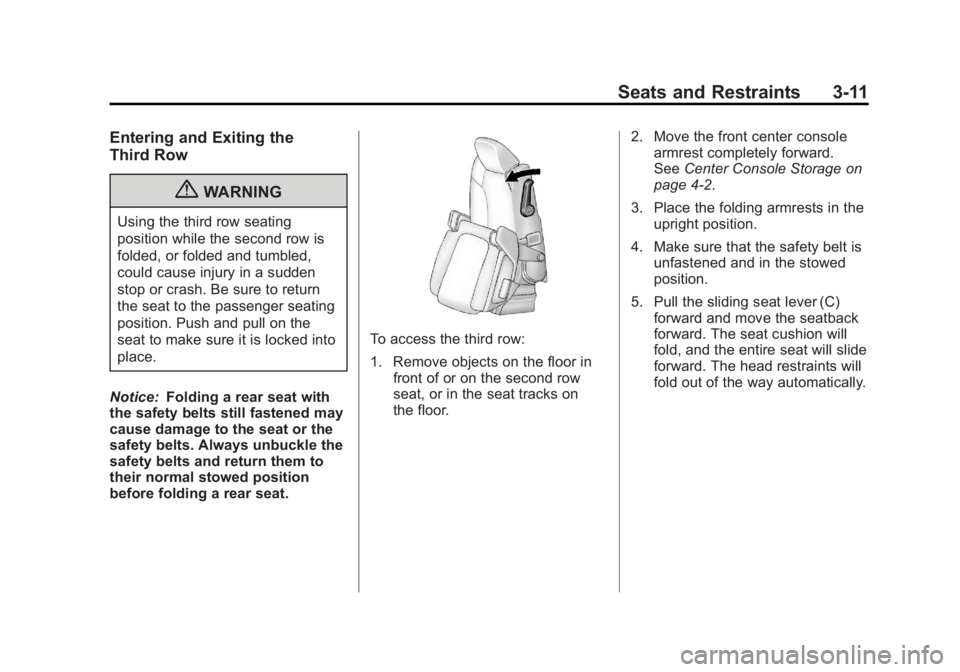
To access the third row:
1. Remove objects on the floor in front of or on the second row
seat, or in the seat tracks on
the floor. 2. Move the front center console
armrest completely forward.
See Center Console Storage on
page 4‑2.
3. Place the folding armrests in the upright position.
4. Make sure that the safety belt is unfastened and in the stowed
position.
5. Pull the sliding seat lever (C) forward and move the seatback
forward. The seat cushion will
fold, and the entire seat will slide
forward. The head restraints will
fold out of the way automatically.
Page 68 of 478
Black plate (12,1)GMC Acadia/Acadia Denali Owner Manual - 2011
3-12 Seats and Restraints
Returning the Seat to the
Seating Position
To return the second row seat to its
normal seating position:
1. Remove objects on the floorbehind the second row seat or
in the seat tracks on the floor.
2. Pull the seatback rearward until it is locked in place.
3. Slide the seat rearward by pushing on the seatback until
it is locked into place. 4. Return the head restraint to
the upright position by reaching
behind the seat and pulling the
head restraint forward until it
locks into place.
Push and pull on the head
restraint to make sure that it
is locked.
5. Push down on the rear of the seat cushion until it is locked
in place.
6. Push and pull on the seatback and seat cushion to make sure
they are locked in place.
7. Check that the safety belt is not under the seat cushion.
Reclining the Seatbacks
To recline the seatback:
1. Leaning forward in the seat, pullthe reclining seatback strap (B).
2. Move the seatback to the desired position, and then
release the strap to lock the
seatback in place.
3. Push and pull on the seatback to make sure it is locked.
Folding the Seatback
To fold the second row seatbacks:
1. Remove anything on or underthe seat.
2. Place the armrest in the upright position, and unfasten the
safety belt.
Page 69 of 478
Black plate (13,1)GMC Acadia/Acadia Denali Owner Manual - 2011
Seats and Restraints 3-13
3. Pull forward on the recliningseatback strap (B) and push
down on the seatback.
The head restraint will fold down
automatically.
To return the seatback to the
seating position, lift the upper
corner of the seatback and push
it rearward until it locks into place.
Push and pull on the seatback to
make sure it is locked. Pull up on
the head restraint to return it to the
upright, locked position.
Adjusting the Seats
To adjust the second row seats,
pull outward on the seat adjustment
handle (A). Slide the seat forward
or rearward to the desired position.
Release the handle, and push and
pull on the seat to make sure it is
locked.
Third Row Seats
{WARNING
Using the third row seating
position while the second row
is folded, or pushed forward in
the entry position, could cause
injury in a sudden stop or crash.
Be sure to return the seat to the
passenger seating position. Push
and pull on the seat to make sure
it is locked into place.
Folding the Seatback
Notice: Folding a rear seat with
the safety belts still fastened may
cause damage to the seat or the
safety belts. Always unbuckle the
safety belts and return them to
their normal stowed position
before folding a rear seat. To fold the third row seatback:
1. Remove anything on or under
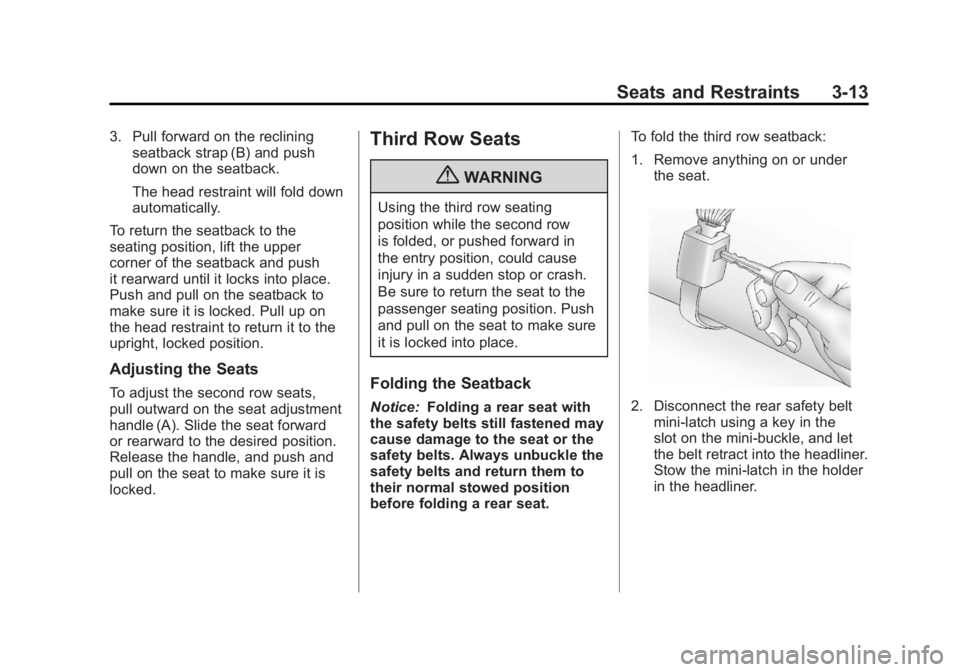
the seat.2. Disconnect the rear safety beltmini-latch using a key in the
slot on the mini-buckle, and let
the belt retract into the headliner.
Stow the mini-latch in the holder
in the headliner.
Page 71 of 478
Black plate (15,1)GMC Acadia/Acadia Denali Owner Manual - 2011
Seats and Restraints 3-15
Removing the Third Row Seats
To remove a third row seat:
1. Remove the cargomanagement system,
if available and installed.
See Cargo Management
System on page 4‑3.
2. Remove anything on or under the seat.
Notice: Folding a rear seat with
the safety belts still fastened may
cause damage to the seat or the
safety belts. Always unbuckle the
safety belts and return them to
their normal stowed position
before folding a rear seat.
3. Fold the seatback down.
See “Folding the Seatback”
earlier in this section.
4. Remove the rear bolts on the floor on each side of the seat. 5. Remove the seat by tilting it
slightly upward, and then pulling
it out of the rear of the vehicle in
one motion.
6. Replace the bolts in the floor holes for storage.
Installing the Third Row Seats
To reinstall a third row seat:
1. Before installing the seat
the seatback must be folded
forward. See “Folding the
Seatback” earlier in this section.
The seats must be placed in
the proper locations to attach
correctly. The wider seat must
be installed on the driver side
and the narrower seat on the
passenger side. Remove the
bolts from the holes in the floor
before installing the seats. 2. Place the seat on the vehicle
floor so that the front seat hooks
are on the vehicle bars.
3. Reinstall the bolts, and torque to 55Y (41 lb ft). Pull up on the
seat to make sure it is locked in
place.
4. Raise the seatback to the upright position. Push and pull
on the seatback to make sure it
is locked into place.
5. Reconnect the center safety belt mini-latch to the mini-buckle.
Do not let it twist.
Page 84 of 478
Black plate (28,1)GMC Acadia/Acadia Denali Owner Manual - 2011
3-28 Seats and Restraints
Safety Belt Pretensioners
This vehicle has safety belt
pretensioners for the front outboard
occupants. Although the safety
belt pretensioners cannot be seen,
they are part of the safety belt
assembly. They can help tighten
the safety belts during the early
stages of a moderate to severe
frontal, near frontal, or rear crash
if the threshold conditions for
pretensioner activation are met.
And, for vehicles with side impact
airbags, safety belt pretensioners
can help tighten the safety belts in
a side crash or a rollover event.
Pretensioners work only once.
If the pretensioners activate in a
crash, they will need to be replaced,
and probably other new parts for
the vehicle's safety belt system.
SeeReplacing Safety Belt System
Parts After a Crash on page 3‑32.
Rear Safety Belt Comfort
Guides
This vehicle may have rear shoulder
belt comfort guides. If not, they
are available through your dealer.
The guides may provide added
safety belt comfort for older children
who have outgrown booster seats
and for some adults. When installed
and properly adjusted, the comfort
guide positions the shoulder belt
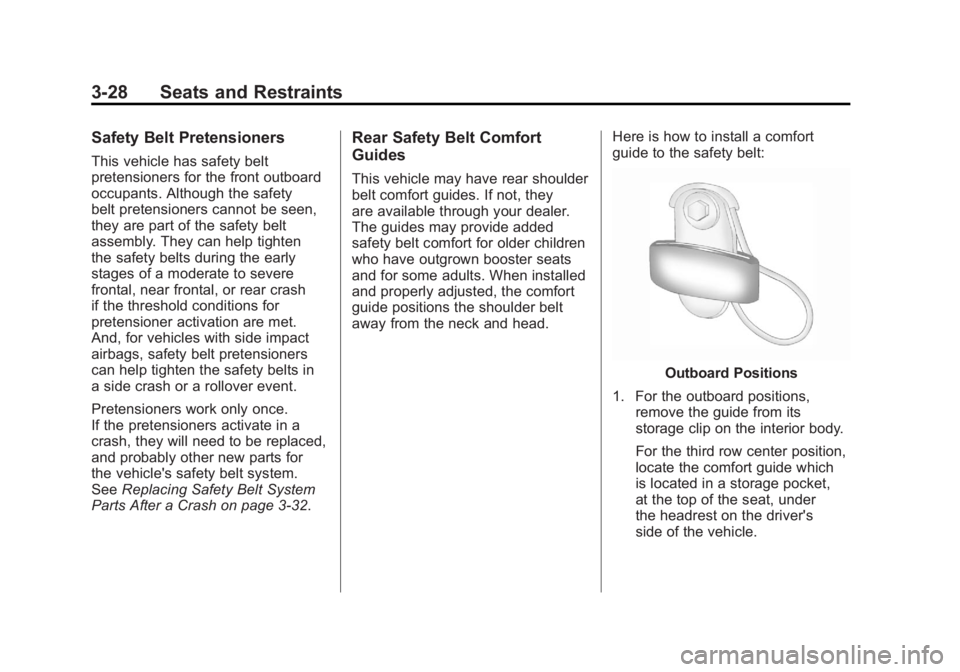
away from the neck and head. Here is how to install a comfort
guide to the safety belt:
Outboard Positions
1. For the outboard positions, remove the guide from its
storage clip on the interior body.
For the third row center position,
locate the comfort guide which
is located in a storage pocket,
at the top of the seat, under
the headrest on the driver's
side of the vehicle.
Page 86 of 478
Black plate (30,1)GMC Acadia/Acadia Denali Owner Manual - 2011
3-30 Seats and Restraints
{WARNING
A safety belt that is not properly
worn may not provide the
protection needed in a crash.
The person wearing the belt could
be seriously injured. The shoulder
belt should go over the shoulder
and across the chest. These parts
of the body are best able to take
belt restraining forces.
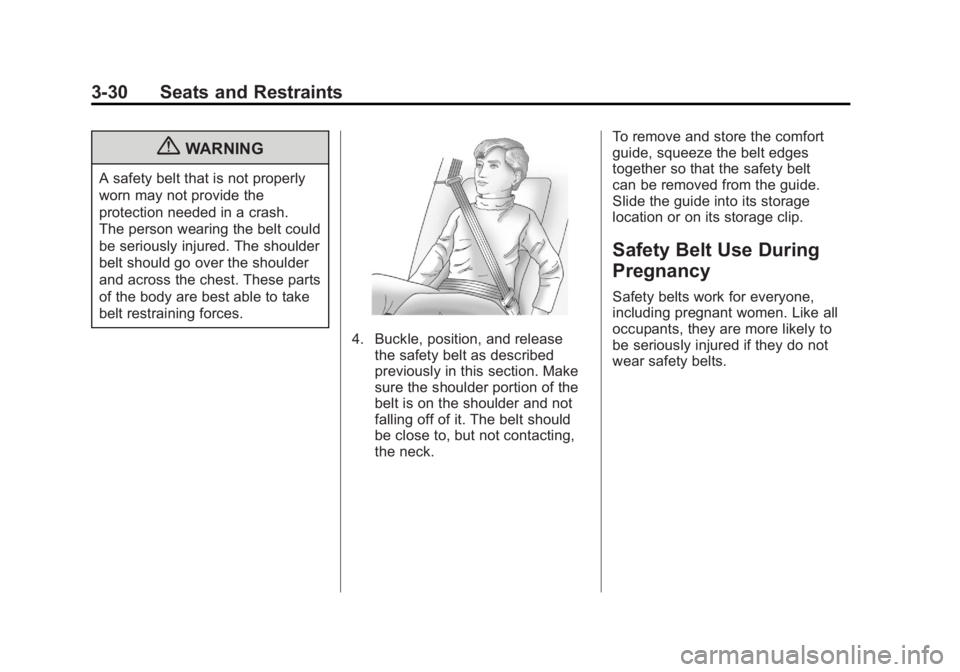
4. Buckle, position, and releasethe safety belt as described
previously in this section. Make
sure the shoulder portion of the
belt is on the shoulder and not
falling off of it. The belt should
be close to, but not contacting,
the neck. To remove and store the comfort
guide, squeeze the belt edges
together so that the safety belt
can be removed from the guide.
Slide the guide into its storage
location or on its storage clip.
Safety Belt Use During
Pregnancy
Safety belts work for everyone,
including pregnant women. Like all
occupants, they are more likely to
be seriously injured if they do not
wear safety belts.