engine GMC ACADIA 2013 User Guide
[x] Cancel search | Manufacturer: GMC, Model Year: 2013, Model line: ACADIA, Model: GMC ACADIA 2013Pages: 410, PDF Size: 5.46 MB
Page 36 of 410
Black plate (6,1)Acadia/Acadia Denali Owner Manual - 2013 - crc2 - 12/11/12
2-6 Keys, Doors, and Windows
A maximum of two remote starts or
remote start attempts are allowed
between ignition cycles.
After the vehicle's engine has been
started two times using the remote
start button, the ignition must be
turned on and then back off before
the remote start procedure can be
used again.
Canceling a Remote Start
To manually shut off a remote start:
.Aim the RKE transmitter at the
vehicle and press
/until the
parking lamps turn off.
.Turn on the hazard warning
flashers.
.Turn the ignition switch on and
then off.
Conditions in Which the
Remote Start Will Not Work
The vehicle cannot be started using
the remote start feature if the key is
in the ignition, the hood is open, or if
there is an emission control system
malfunction.
The engine turns off during a remote
start if the coolant temperature gets
too high or if the oil pressure
gets low.
Door Locks
{WARNING
Unlocked doors can be
dangerous.
.Passengers, especially
children, can easily open the
doors and fall out of a moving
vehicle. When a door is
locked, the handle will not
open it. The chance of being
thrown out of the vehicle in a
(Continued)
WARNING (Continued)
crash is increased if the
doors are not locked. So, all
passengers should wear
safety belts properly and the
doors should be locked
whenever the vehicle is
driven.
.Young children who get into
unlocked vehicles may be
unable to get out. A child can
be overcome by extreme heat
and can suffer permanent
injuries or even death from
heat stroke. Always lock the
vehicle whenever leaving it.
.Outsiders can easily enter
through an unlocked door
when you slow down or stop
the vehicle. Locking the doors
can help prevent this from
happening.
To lock or unlock a door, use the
key from the outside or the door
lock from the inside.
Page 38 of 410
Black plate (8,1)Acadia/Acadia Denali Owner Manual - 2013 - crc2 - 12/11/12
2-8 Keys, Doors, and Windows
Safety Locks
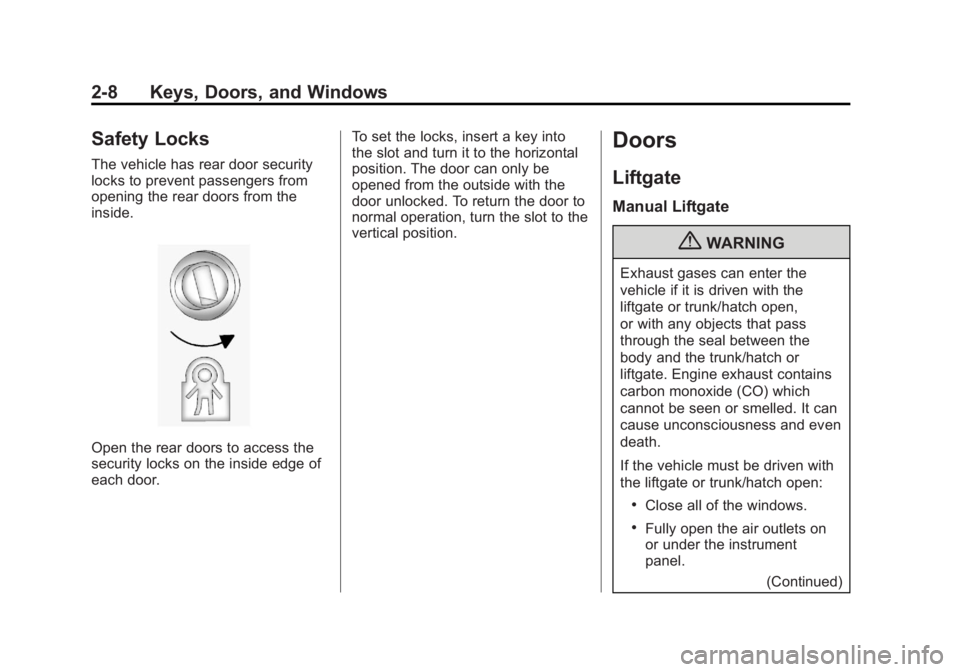
The vehicle has rear door security
locks to prevent passengers from
opening the rear doors from the
inside.
Open the rear doors to access the
security locks on the inside edge of
each door.To set the locks, insert a key into
the slot and turn it to the horizontal
position. The door can only be
opened from the outside with the
door unlocked. To return the door to
normal operation, turn the slot to the
vertical position.
Doors
Liftgate
Manual Liftgate
{WARNING
Exhaust gases can enter the
vehicle if it is driven with the
liftgate or trunk/hatch open,
or with any objects that pass
through the seal between the
body and the trunk/hatch or
liftgate. Engine exhaust contains
carbon monoxide (CO) which
cannot be seen or smelled. It can
cause unconsciousness and even
death.
If the vehicle must be driven with
the liftgate or trunk/hatch open:
.Close all of the windows.
.Fully open the air outlets on
or under the instrument
panel.
(Continued)
Page 39 of 410
Black plate (9,1)Acadia/Acadia Denali Owner Manual - 2013 - crc2 - 12/11/12
Keys, Doors, and Windows 2-9
WARNING (Continued)
.Adjust the climate control
system to a setting that
brings in only outside air and
set the fan speed to the
highest setting. See“Climate
Control Systems” in the
Index.
.If the vehicle is equipped with
a power liftgate, disable the
power liftgate function.
See Engine Exhaust on
page 9‑20.
Notice: To avoid damage to the
liftgate or liftgate glass, make
sure the area above and behind
the liftgate is clear before
opening it.
To unlock the liftgate, press the
power door lock switch or press
K
on the Remote Keyless Entry
(RKE) transmitter twice. See
Remote Keyless Entry (RKE)
System Operation on page 2‑2. To open the liftgate, press the touch
pad under the liftgate handle and lift
up. The vehicle must be in P (Park)
and the battery must be charged.
Use the pull cup to lower and close
the liftgate.
Always close the liftgate before
driving.
Power Liftgate
On vehicles with a power liftgate,
the vehicle must be in P (Park) to
operate. The taillamps flash and a
chime sounds when the power
liftgate moves.
{WARNING
You, or others, could be injured if
caught in the path of the power
liftgate. Make sure there is no one
in the way of the liftgate as it is
opening and closing.
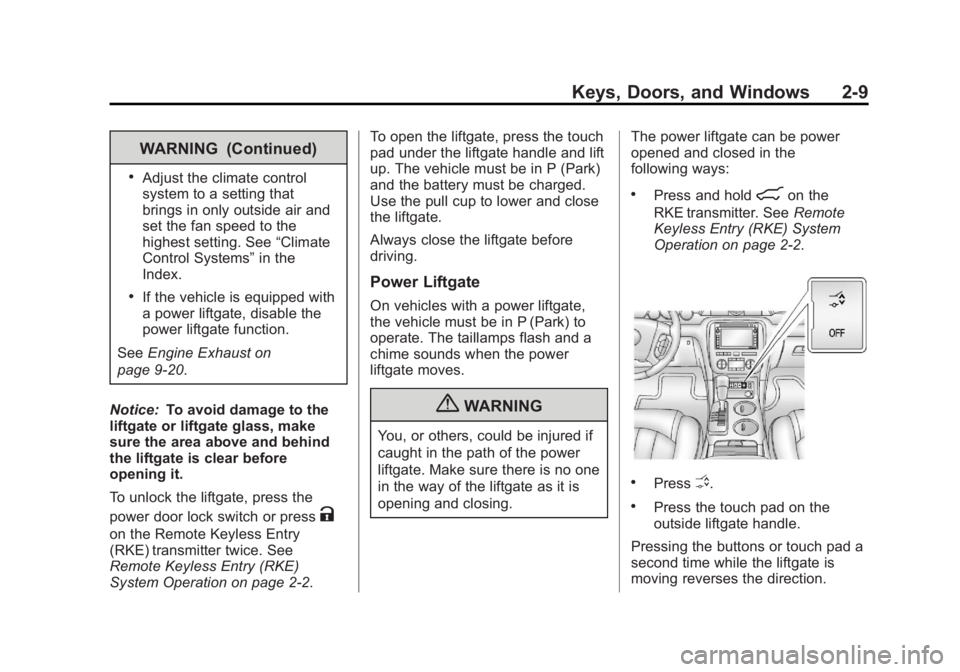
The power liftgate can be power
opened and closed in the
following ways:
.Press and hold8on the
RKE transmitter. See Remote
Keyless Entry (RKE) System
Operation on page 2‑2.
.PressO.
.Press the touch pad on the
outside liftgate handle.
Pressing the buttons or touch pad a
second time while the liftgate is
moving reverses the direction.
Page 43 of 410
Black plate (13,1)Acadia/Acadia Denali Owner Manual - 2013 - crc2 - 12/11/12
Keys, Doors, and Windows 2-13
Immobilizer
SeeRadio Frequency Statement on
page 13‑20 for information
regarding Part 15 of the Federal
Communications Commission (FCC)
rules and Industry Canada
Standards RSS-GEN/210/220/310.
Immobilizer Operation
This vehicle has PASS-Key®III+
(Personalized Automotive Security
System) theft-deterrent system.
PASS-Key III+ is a passive
theft-deterrent system.
The system is automatically armed
when the key is removed from the
ignition.
The system is automatically
disarmed when the key is turned to
ON/RUN, ACC/ACCESSORY,
or START from the LOCK/OFF
position.
You do not have to manually arm or
disarm the system. The security light comes on if there
is a problem with arming or
disarming the theft-deterrent
system.
When the PASS-Key III+ system
senses an incorrect key, the vehicle
does not start. Anyone using a
trial-and-error method to start the
vehicle will be discouraged because
of the high number of electrical key
codes.
If the engine does not start and the
security light on the instrument
panel comes on when trying to start
the vehicle, there may be a problem
with the theft-deterrent system. Turn
the ignition off and try again.
If the engine still does not start, and
the key appears to be undamaged,
try another ignition key and check
the fuses. See
Fuses and Circuit
Breakers on page 10‑28 for
additional information. If the engine
still does not start with the other key,
the vehicle needs service. If the
vehicle does start, the first key may
be faulty. See your dealer who can service the PASS-Key III+ to have a
new key made. In an emergency,
contact Roadside Assistance. See
Roadside Assistance Program
(Mexico) on page 13‑7
orRoadside
Assistance Program (U.S. and
Canada) on page 13‑10.
It is possible for the PASS-Key III+
decoder to learn the transponder
value of a new or replacement key.
Up to 10 keys may be programmed
to the vehicle. The following
procedure is for programming
additional keys only. If all currently
programmed keys are lost or do not
operate, you must see your dealer
or a locksmith who can service
PASS-Key III+ to have keys made
and programmed to the system.
See your dealer or a locksmith who
can service PASS-Key III+ to get a
new key blank that is cut exactly as
the ignition key that operates the
system.
Page 44 of 410
Black plate (14,1)Acadia/Acadia Denali Owner Manual - 2013 - crc2 - 12/11/12
2-14 Keys, Doors, and Windows
To program the new additional key:
1. Verify that the new key has a
1
stamped on it.
2. Insert the already programmed key in the ignition and start the
engine. If the engine does not
start, see your dealer for service.
3. After the engine has started, turn the key to LOCK/OFF, and
remove the key.
4. Insert the key to be programmed and turn it to the ON/RUN
position within five seconds of
the original key being turned to
the LOCK/OFF position.
The security light turns off once
the key has been programmed.
5. Repeat Steps 1–4 if additional keys are to be programmed. If the PASS-Key III+ key is lost or
damaged, see your dealer or a
locksmith to have a new key made.
The SERVICE THEFT
DETERRENT SYSTEM message
displays on the Driver Information
Center (DIC) when there is a
problem with the theft-deterrent
system. See
Security Messages on
page 5‑38 for additional information.
Do not leave the key or device that
disarms or deactivates the
theft-deterrent system in the vehicle.
Exterior Mirrors
Convex Mirrors
{WARNING
A convex mirror can make things,
like other vehicles, look farther
away than they really are. If you
cut too sharply into the right lane,
you could hit a vehicle on the
right. Check the inside mirror or
glance over your shoulder before
changing lanes.
The passenger side mirror is convex
shaped. A convex mirror's surface is
curved so more can be seen from
the driver seat.
Page 60 of 410
Black plate (8,1)Acadia/Acadia Denali Owner Manual - 2013 - crc2 - 12/11/12
3-8 Seats and Restraints
A single beep sounds. The driver
seat moves back approximately
8 cm (3 in) and the power steering
column (if equipped) moves up and
forward. To move the seat back
farther, press
Sagain until the seat
is all the way back.
If something has blocked the driver
seat while recalling the exit position,
the recall may stop. Remove the
obstruction; then press and hold the
power seat control rearward for
two seconds. Try recalling the exit
position again. If the exit position is
still not recalling, see your dealer for
service.
See Vehicle Personalization on
page 5‑41.
Heated and Ventilated
Front Seats
{WARNING
If you cannot feel temperature
change or pain to the skin, the
seat heater may cause burns. To
reduce the risk of burns, people
with such a condition should use
care when using the seat heater,
especially for long periods of
time. Do not place anything on
the seat that insulates against
heat, such as a blanket, cushion,
cover, or similar item. This may
cause the seat heater to
overheat. An overheated seat
heater may cause a burn or may
damage the seat.
Heated and Cooled Seat Buttons
Shown, Heated Seat Buttons Similar
If available, the buttons are on the
center console. To operate, the
engine must be running.
I(Heated Seatback): If available,
press to heat the seatback only.
H(Cooled Seat): If available,
press to cool the entire seat.
J(Heated Seat and Seatback):
Press to heat the seat and
seatback.
Press the button once for the
highest setting. With each press of
the button, the seat will change to
the next lower setting, and then to
Page 81 of 410
Black plate (29,1)Acadia/Acadia Denali Owner Manual - 2013 - crc2 - 12/11/12
Seats and Restraints 3-29
Airbags should never be regarded
as anything more than a supplement
to safety belts.
What Will You See after
an Airbag Inflates?
After the frontal airbags and
seat-mounted side impact airbags
inflate, they quickly deflate, so
quickly that some people may not
even realize an airbag inflated. The
front center airbag, if equipped, and
the roof-rail airbags may still be at
least partially inflated for some time
after they inflate. Some components
of the airbag module may be hot for
several minutes. For location of the
airbags, seeWhere Are the
Airbags? on page 3‑25.
The parts of the airbag that come
into contact with you may be warm,
but not too hot to touch. There may
be some smoke and dust coming
from the vents in the deflated
airbags. Airbag inflation does not
prevent the driver from seeing out of the windshield or being able to steer
the vehicle, nor does it prevent
people from leaving the vehicle.
{WARNING
When an airbag inflates, there
may be dust in the air. This dust
could cause breathing problems
for people with a history of
asthma or other breathing trouble.
To avoid this, everyone in the
vehicle should get out as soon as
it is safe to do so. If you have
breathing problems but cannot
get out of the vehicle after an
airbag inflates, then get fresh air
by opening a window or a door.
If you experience breathing
problems following an airbag
deployment, you should seek
medical attention.
The vehicle has a feature that may
automatically unlock the doors, turn
on the interior lamps and hazard
warning flashers, and shut off the fuel system after the airbags inflate.
You can lock the doors, and turn off
the interior lamps and hazard
warning flashers by using the
controls for those features.{WARNING
A crash severe enough to inflate
the airbags may have also
damaged important functions in
the vehicle, such as the fuel
system, brake and steering
systems, etc. Even if the vehicle
appears to be drivable after a
moderate crash, there may be
concealed damage that could
make it difficult to safely operate
the vehicle.
Use caution if you should attempt
to restart the engine after a crash
has occurred.
In many crashes severe enough to
inflate the airbag, windshields are
broken by vehicle deformation.
Page 115 of 410
Black plate (1,1)Acadia/Acadia Denali Owner Manual - 2013 - crc2 - 12/11/12
Instruments and Controls 5-1
Instruments and
Controls
Controls
Steering Wheel Adjustment . . . 5-2
Steering Wheel Controls . . . . . . 5-2
Horn . . . . . . . . . . . . . . . . . . . . . . . . . . 5-3
Windshield Wiper/Washer . . . . . 5-3
Rear Window Wiper/Washer . . . . . . . . . . . . . . . . . . . . . . 5-4
Compass . . . . . . . . . . . . . . . . . . . . . 5-4
Clock . . . . . . . . . . . . . . . . . . . . . . . . . 5-6
Power Outlets . . . . . . . . . . . . . . . . . 5-7
Warning Lights, Gauges, and
Indicators
Warning Lights, Gauges, and Indicators . . . . . . . . . . . . . . . . . . . . 5-9
Instrument Cluster . . . . . . . . . . . 5-10
Speedometer . . . . . . . . . . . . . . . . 5-11
Odometer . . . . . . . . . . . . . . . . . . . . 5-11
Tachometer . . . . . . . . . . . . . . . . . . 5-11
Fuel Gauge . . . . . . . . . . . . . . . . . . 5-11
Engine Coolant Temperature Gauge . . . . . . . . . . . . . . . . . . . . . . 5-12
Voltmeter Gauge . . . . . . . . . . . . . 5-13
Safety Belt Reminders . . . . . . . 5-13 Airbag Readiness Light . . . . . . 5-14
Passenger Airbag Status
Indicator . . . . . . . . . . . . . . . . . . . . 5-15
Charging System Light . . . . . . 5-15
Malfunction Indicator Lamp . . . . . . . . . . . . . 5-16
Brake System Warning Light . . . . . . . . . . . . . . . . . . . . . . . 5-18
Antilock Brake System (ABS) Warning Light . . . . . . . . . . . . . . 5-19
Tow/Haul Mode Light . . . . . . . . 5-20
StabiliTrak
®Indicator Light . . . 5-20
Engine Coolant Temperature Warning Light . . . . . . . . . . . . . . 5-20
Tire Pressure Light . . . . . . . . . . 5-21
Engine Oil Pressure Light . . . . 5-21
Security Light . . . . . . . . . . . . . . . . 5-21
High-Beam On Light . . . . . . . . . 5-22
Front Fog Lamp Light . . . . . . . . 5-22
Cruise Control Light . . . . . . . . . 5-22
Information Displays
Driver Information Center (DIC) . . . . . . . . . . . . . . . 5-23
Head-Up Display (HUD) . . . . . 5-28
Vehicle Messages
Vehicle Messages . . . . . . . . . . . 5-31
Battery Voltage and Charging Messages . . . . . . . . . . . . . . . . . . 5-32
Brake System Messages . . . . 5-32
Cruise Control Messages . . . . 5-32
Door Ajar Messages . . . . . . . . . 5-32
Engine Cooling System Messages . . . . . . . . . . . . . . . . . . 5-33
Engine Oil Messages . . . . . . . . 5-34
Engine Power Messages . . . . 5-35
Fuel System Messages . . . . . . 5-35
Key and Lock Messages . . . . . 5-36
Lamp Messages . . . . . . . . . . . . . 5-36
Object Detection System Messages . . . . . . . . . . . . . . . . . . 5-36
Ride Control System Messages . . . . . . . . . . . . . . . . . . 5-37
Airbag System Messages . . . . 5-38
Security Messages . . . . . . . . . . 5-38
Service Vehicle Messages . . . 5-38
Tire Messages . . . . . . . . . . . . . . . 5-39
Transmission Messages . . . . . 5-40
Vehicle Reminder Messages . . . . . . . . . . . . . . . . . . 5-41
Vehicle Speed Messages . . . . 5-41
Washer Fluid Messages . . . . . 5-41
Page 123 of 410
Black plate (9,1)Acadia/Acadia Denali Owner Manual - 2013 - crc2 - 12/11/12
Instruments and Controls 5-9
Warning Lights,
Gauges, and
Indicators
Warning lights and gauges can
signal that something is wrong
before it becomes serious enough
to cause an expensive repair or
replacement. Paying attention to the
warning lights and gauges could
prevent injury.
Warning lights come on when there
could be a problem with a vehicle
function. Some warning lights come
on briefly when the engine is started
to indicate they are working.Gauges can indicate when there
could be a problem with a vehicle
function. Often gauges and warning
lights work together to indicate a
problem with the vehicle.
When one of the warning lights
comes on and stays on while
driving, or when one of the gauges
shows there may be a problem,
check the section that explains what
to do. Follow this manual's advice.
Waiting to do repairs can be costly
and even dangerous.
Page 125 of 410
Black plate (11,1)Acadia/Acadia Denali Owner Manual - 2013 - crc2 - 12/11/12
Instruments and Controls 5-11
Speedometer
The speedometer shows the
vehicle's speed in either kilometers
per hour (km/h) or miles per
hour (mph).
Odometer
The odometer shows how far the
vehicle has been driven, in either
kilometers or miles.
This vehicle has a tamper-resistant
odometer. If the vehicle needs a
new odometer installed, the new
one is set to the mileage of the old
odometer. If this is not possible, it is
set at zero and a label is put on the
driver door to show the old mileage
reading.
Tachometer
The tachometer displays the engine
speed in revolutions per
minute (rpm).
Fuel Gauge
Metric
EnglishWhen the ignition is on, the fuel
gauge shows how much fuel is left
in the tank.
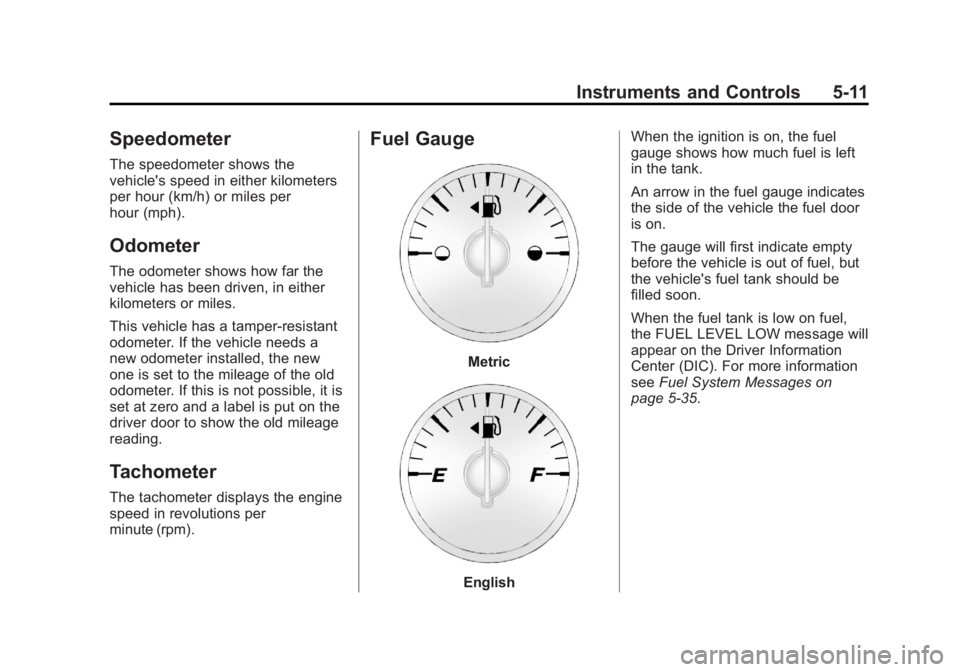
An arrow in the fuel gauge indicates
the side of the vehicle the fuel door
is on.
The gauge will first indicate empty
before the vehicle is out of fuel, but
the vehicle's fuel tank should be
filled soon.
When the fuel tank is low on fuel,
the FUEL LEVEL LOW message will
appear on the Driver Information
Center (DIC). For more information
see
Fuel System Messages on
page 5‑35.