Tire GMC ACADIA 2013 Owner's Manual
[x] Cancel search | Manufacturer: GMC, Model Year: 2013, Model line: ACADIA, Model: GMC ACADIA 2013Pages: 410, PDF Size: 5.46 MB
Page 2 of 410
Black plate (2,1)Acadia/Acadia Denali Owner Manual - 2013 - crc2 - 12/11/12
2013 Acadia/Acadia Denali Owner ManualM
Vehicle Care. . . . . . . . . . . . . . . . . 10-1
General Information . . . . . . . . . . 10-2
Vehicle Checks . . . . . . . . . . . . . . . 10-3
Headlamp Aiming . . . . . . . . . . . 10-25
Bulb Replacement . . . . . . . . . . 10-26
Electrical System . . . . . . . . . . . . 10-27
Wheels and Tires . . . . . . . . . . . 10-37
Jump Starting . . . . . . . . . . . . . . . 10-68
Towing . . . . . . . . . . . . . . . . . . . . . . 10-71
Appearance Care . . . . . . . . . . . 10-75
Service and Maintenance . . . 11-1
General Information . . . . . . . . . . 11-1
Maintenance Schedule . . . . . . . 11-2
Special Application
Services . . . . . . . . . . . . . . . . . . . . 11-8
Additional Maintenance
and Care . . . . . . . . . . . . . . . . . . . . 11-9
Recommended Fluids, Lubricants, and Parts . . . . . . 11-12
Maintenance Records . . . . . . . 11-14 Technical Data
. . . . . . . . . . . . . . . 12-1
Vehicle Identification . . . . . . . . . 12-1
Vehicle Data . . . . . . . . . . . . . . . . . . 12-2
Customer Information . . . . . . . 13-1
Customer Information . . . . . . . . 13-2
Reporting Safety Defects . . . . 13-17
Vehicle Data Recording and
Privacy . . . . . . . . . . . . . . . . . . . . 13-19
OnStar . . . . . . . . . . . . . . . . . . . . . . . 14-1
OnStar Overview . . . . . . . . . . . . . 14-1
OnStar Services . . . . . . . . . . . . . . 14-2
OnStar Additional Information . . . . . . . . . . . . . . . . . . 14-5
Index . . . . . . . . . . . . . . . . . . . . . i-1
Page 5 of 410
Black plate (5,1)Acadia/Acadia Denali Owner Manual - 2013 - crc2 - 12/11/12
Introduction v
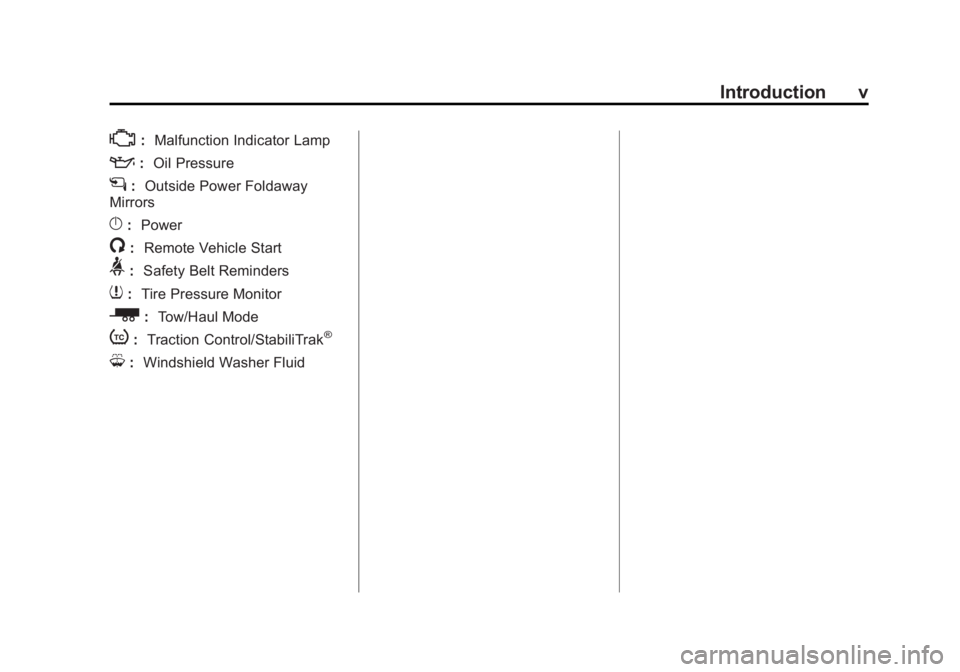
*:Malfunction Indicator Lamp
::Oil Pressure
g:Outside Power Foldaway
Mirrors
}: Power
/:Remote Vehicle Start
>:Safety Belt Reminders
7:Tire Pressure Monitor
_: Tow/Haul Mode
t:Traction Control/StabiliTrak®
M:Windshield Washer Fluid
Page 7 of 410
Black plate (1,1)Acadia/Acadia Denali Owner Manual - 2013 - crc2 - 12/11/12
In Brief 1-1
In Brief
Instrument Panel
Instrument Panel . . . . . . . . . . . . . . 1-2
Initial Drive Information
Initial Drive Information . . . . . . . . 1-4
Remote Keyless Entry (RKE)System . . . . . . . . . . . . . . . . . . . . . . 1-4
Remote Vehicle Start . . . . . . . . . 1-4
Door Locks . . . . . . . . . . . . . . . . . . . 1-5
Liftgate . . . . . . . . . . . . . . . . . . . . . . . . 1-6
Windows . . . . . . . . . . . . . . . . . . . . . . 1-6
Seat Adjustment . . . . . . . . . . . . . . 1-7
Memory Features . . . . . . . . . . . . . 1-8
Second Row Seats . . . . . . . . . . . 1-8
Third Row Seats . . . . . . . . . . . . . . 1-8
Heated and Ventilated Seats . . . . . . . . . . . . . . . . . . . . . . . . 1-9
Head Restraint Adjustment . . . . 1-9
Safety Belts . . . . . . . . . . . . . . . . . . 1-10 Passenger Sensing
System . . . . . . . . . . . . . . . . . . . . . 1-10
Mirror Adjustment . . . . . . . . . . . . 1-10
Steering Wheel Adjustment . . . . . . . . . . . . . . . . . 1-12
Interior Lighting . . . . . . . . . . . . . . 1-12
Exterior Lighting . . . . . . . . . . . . . 1-13
Windshield Wiper/Washer . . . . 1-13
Climate Controls . . . . . . . . . . . . . 1-14
Transmission . . . . . . . . . . . . . . . . 1-15
Vehicle Features
Radio(s) . . . . . . . . . . . . . . . . . . . . . 1-16
Satellite Radio . . . . . . . . . . . . . . . 1-17
Portable Audio Devices . . . . . . 1-18
Bluetooth
®. . . . . . . . . . . . . . . . . . . 1-18
Steering Wheel Controls . . . . . 1-18
Cruise Control . . . . . . . . . . . . . . . 1-19
Infotainment System . . . . . . . . . 1-19
Ultrasonic Parking Assist . . . . 1-19
Power Outlets . . . . . . . . . . . . . . . 1-19
Universal Remote System . . . 1-20
Sunroof . . . . . . . . . . . . . . . . . . . . . . 1-20
Performance and Maintenance
StabiliTrak®System . . . . . . . . . 1-21
Tire Pressure Monitor . . . . . . . . 1-21
Engine Oil Life System . . . . . . 1-21
Driving for Better Fuel Economy . . . . . . . . . . . . . . . . . . . 1-22
Roadside Assistance Program . . . . . . . . . . . . . . . . . . . . 1-23
OnStar
®. . . . . . . . . . . . . . . . . . . . . 1-23
Page 13 of 410
Black plate (7,1)Acadia/Acadia Denali Owner Manual - 2013 - crc2 - 12/11/12
In Brief 1-7
Seat Adjustment
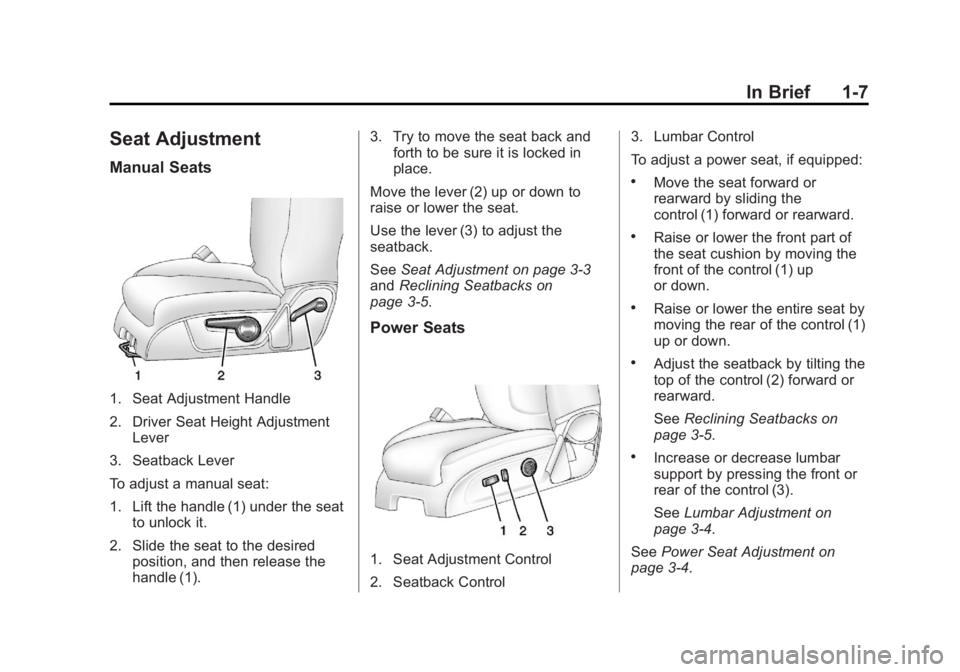
Manual Seats
1. Seat Adjustment Handle
2. Driver Seat Height AdjustmentLever
3. Seatback Lever
To adjust a manual seat:
1. Lift the handle (1) under the seat to unlock it.
2. Slide the seat to the desired position, and then release the
handle (1). 3. Try to move the seat back and
forth to be sure it is locked in
place.
Move the lever (2) up or down to
raise or lower the seat.
Use the lever (3) to adjust the
seatback.
See Seat Adjustment on page 3‑3
and Reclining Seatbacks on
page 3‑5.
Power Seats
1. Seat Adjustment Control
2. Seatback Control 3. Lumbar Control
To adjust a power seat, if equipped:
.Move the seat forward or
rearward by sliding the
control (1) forward or rearward.
.Raise or lower the front part of
the seat cushion by moving the
front of the control (1) up
or down.
.Raise or lower the entire seat by
moving the rear of the control (1)
up or down.
.Adjust the seatback by tilting the
top of the control (2) forward or
rearward.
See
Reclining Seatbacks on
page 3‑5.
.Increase or decrease lumbar
support by pressing the front or
rear of the control (3).
See Lumbar Adjustment on
page 3‑4.
See Power Seat Adjustment on
page 3‑4.
Page 15 of 410
Black plate (9,1)Acadia/Acadia Denali Owner Manual - 2013 - crc2 - 12/11/12
In Brief 1-9
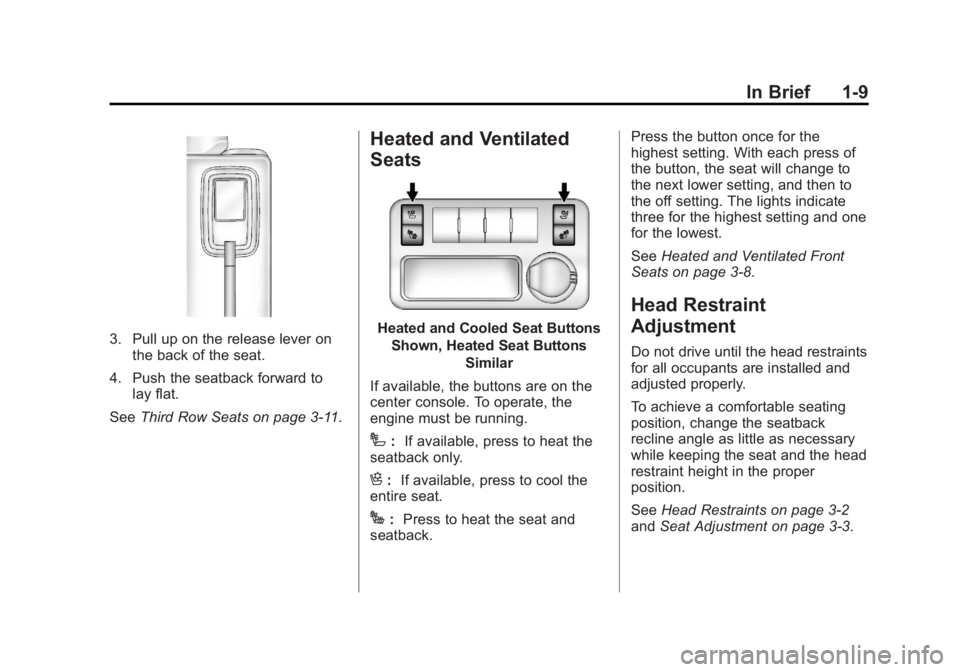
3. Pull up on the release lever onthe back of the seat.
4. Push the seatback forward to lay flat.
See Third Row Seats on page 3‑11.
Heated and Ventilated
Seats
Heated and Cooled Seat Buttons
Shown, Heated Seat Buttons Similar
If available, the buttons are on the
center console. To operate, the
engine must be running.
I: If available, press to heat the
seatback only.
H: If available, press to cool the
entire seat.
J: Press to heat the seat and
seatback. Press the button once for the
highest setting. With each press of
the button, the seat will change to
the next lower setting, and then to
the off setting. The lights indicate
three for the highest setting and one
for the lowest.
See
Heated and Ventilated Front
Seats on page 3‑8.
Head Restraint
Adjustment
Do not drive until the head restraints
for all occupants are installed and
adjusted properly.
To achieve a comfortable seating
position, change the seatback
recline angle as little as necessary
while keeping the seat and the head
restraint height in the proper
position.
See Head Restraints on page 3‑2
and Seat Adjustment on page 3‑3.
Page 27 of 410
Black plate (21,1)Acadia/Acadia Denali Owner Manual - 2013 - crc2 - 12/11/12
In Brief 1-21
Performance and
Maintenance
StabiliTrak®System
The vehicle has a traction control
system that limits wheel spin, and
the StabiliTrak system that assists
with directional control of the vehicle
in difficult driving conditions. Both
systems turn on automatically every
time the vehicle is started.
.To turn off traction control, press
and release
4on the center
stack, and the appropriate DIC
message displays. See Ride
Control System Messages on
page 5‑37.
.Press and release4again to
turn on the traction control
system. The StabiliTrak system
remains on.
See StabiliTrak
®System on
page 9‑27.
Tire Pressure Monitor
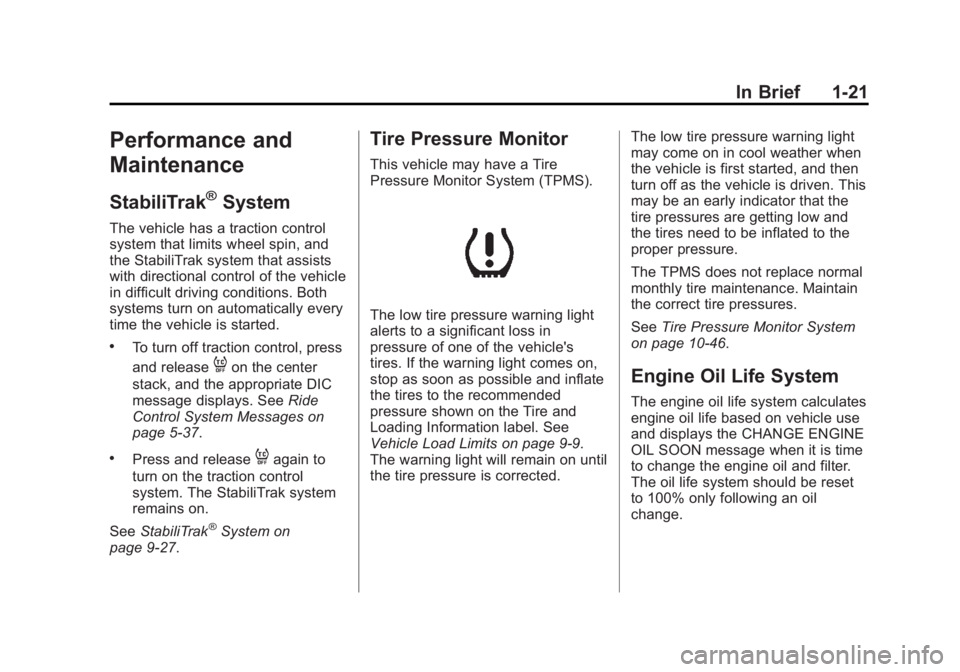
This vehicle may have a Tire
Pressure Monitor System (TPMS).
The low tire pressure warning light
alerts to a significant loss in
pressure of one of the vehicle's
tires. If the warning light comes on,
stop as soon as possible and inflate
the tires to the recommended
pressure shown on the Tire and
Loading Information label. See
Vehicle Load Limits on page 9‑9.
The warning light will remain on until
the tire pressure is corrected. The low tire pressure warning light
may come on in cool weather when
the vehicle is first started, and then
turn off as the vehicle is driven. This
may be an early indicator that the
tire pressures are getting low and
the tires need to be inflated to the
proper pressure.
The TPMS does not replace normal
monthly tire maintenance. Maintain
the correct tire pressures.
See
Tire Pressure Monitor System
on page 10‑46.
Engine Oil Life System
The engine oil life system calculates
engine oil life based on vehicle use
and displays the CHANGE ENGINE
OIL SOON message when it is time
to change the engine oil and filter.
The oil life system should be reset
to 100% only following an oil
change.
Page 28 of 410
Black plate (22,1)Acadia/Acadia Denali Owner Manual - 2013 - crc2 - 12/11/12
1-22 In Brief
Resetting the Oil Life System
1. Turn the ignition to ON/RUN,with the engine off.
2. If the vehicle has Driver Information Center (DIC)
buttons: Press the vehicle
information button until OIL LIFE
REMAINING displays.
If the vehicle does not have
Driver Information Center (DIC)
buttons: The vehicle must be in
P (Park) to access this display.
Press the trip odometer reset
stem until OIL LIFE REMAINING
displays.
3. If the vehicle has Driver Information Center (DIC)
buttons: Press and hold the set/
reset button until “100%”is
displayed. Three chimes sound
and the CHANGE ENGINE OIL
SOON message goes off. If the vehicle does not have
Driver Information Center (DIC)
buttons: Press and hold the trip
odometer reset stem until OIL
LIFE REMAINING shows
“100%.”
Three chimes sound
and the CHANGE ENGINE OIL
SOON message goes off.
4. Turn the key to LOCK/OFF.
See Engine Oil Life System on
page 10‑9.
Driving for Better Fuel
Economy
Driving habits can affect fuel
mileage. Here are some driving tips
to get the best fuel economy
possible.
.Avoid fast starts and accelerate
smoothly.
.Brake gradually and avoid
abrupt stops.
.Avoid idling the engine for long
periods of time.
.When road and weather
conditions are appropriate, use
cruise control.
.Always follow posted speed
limits or drive more slowly when
conditions require.
.Keep vehicle tires properly
inflated.
.Combine several trips into a
single trip.
.Replace the vehicle's tires with
the same TPC Spec number
molded into the tire's sidewall
near the size.
.Follow recommended scheduled
maintenance.
Page 56 of 410
Black plate (4,1)Acadia/Acadia Denali Owner Manual - 2013 - crc2 - 12/11/12
3-4 Seats and Restraints
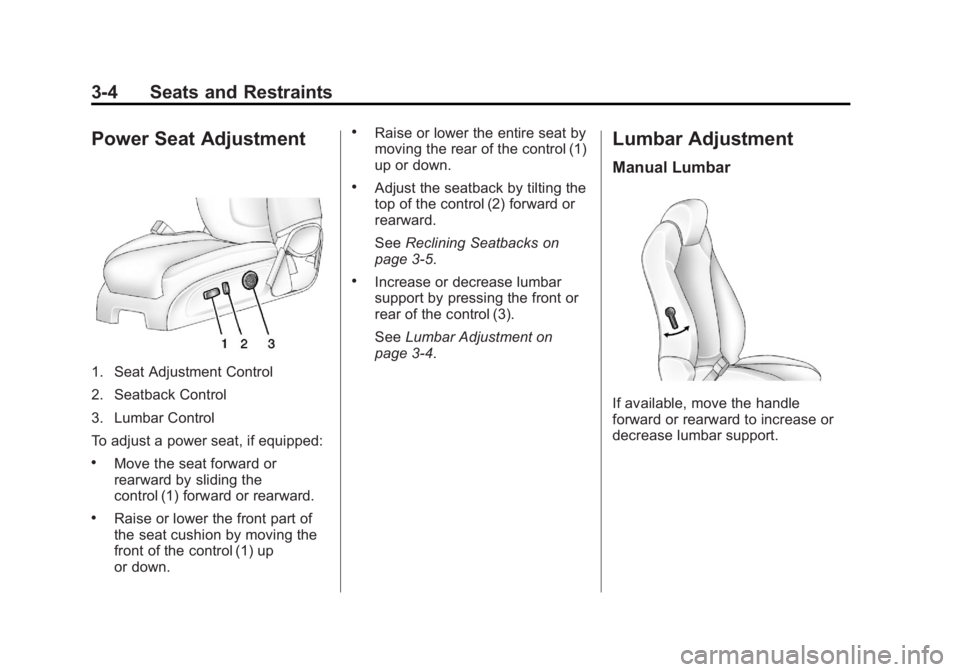
Power Seat Adjustment
1. Seat Adjustment Control
2. Seatback Control
3. Lumbar Control
To adjust a power seat, if equipped:
.Move the seat forward or
rearward by sliding the
control (1) forward or rearward.
.Raise or lower the front part of
the seat cushion by moving the
front of the control (1) up
or down.
.Raise or lower the entire seat by
moving the rear of the control (1)
up or down.
.Adjust the seatback by tilting the
top of the control (2) forward or
rearward.
SeeReclining Seatbacks on
page 3‑5.
.Increase or decrease lumbar
support by pressing the front or
rear of the control (3).
See Lumbar Adjustment on
page 3‑4.
Lumbar Adjustment
Manual Lumbar
If available, move the handle
forward or rearward to increase or
decrease lumbar support.
Page 60 of 410
Black plate (8,1)Acadia/Acadia Denali Owner Manual - 2013 - crc2 - 12/11/12
3-8 Seats and Restraints
A single beep sounds. The driver
seat moves back approximately
8 cm (3 in) and the power steering
column (if equipped) moves up and
forward. To move the seat back
farther, press
Sagain until the seat
is all the way back.
If something has blocked the driver
seat while recalling the exit position,
the recall may stop. Remove the
obstruction; then press and hold the
power seat control rearward for
two seconds. Try recalling the exit
position again. If the exit position is
still not recalling, see your dealer for
service.
See Vehicle Personalization on
page 5‑41.
Heated and Ventilated
Front Seats
{WARNING
If you cannot feel temperature
change or pain to the skin, the
seat heater may cause burns. To
reduce the risk of burns, people
with such a condition should use
care when using the seat heater,
especially for long periods of
time. Do not place anything on
the seat that insulates against
heat, such as a blanket, cushion,
cover, or similar item. This may
cause the seat heater to
overheat. An overheated seat
heater may cause a burn or may
damage the seat.
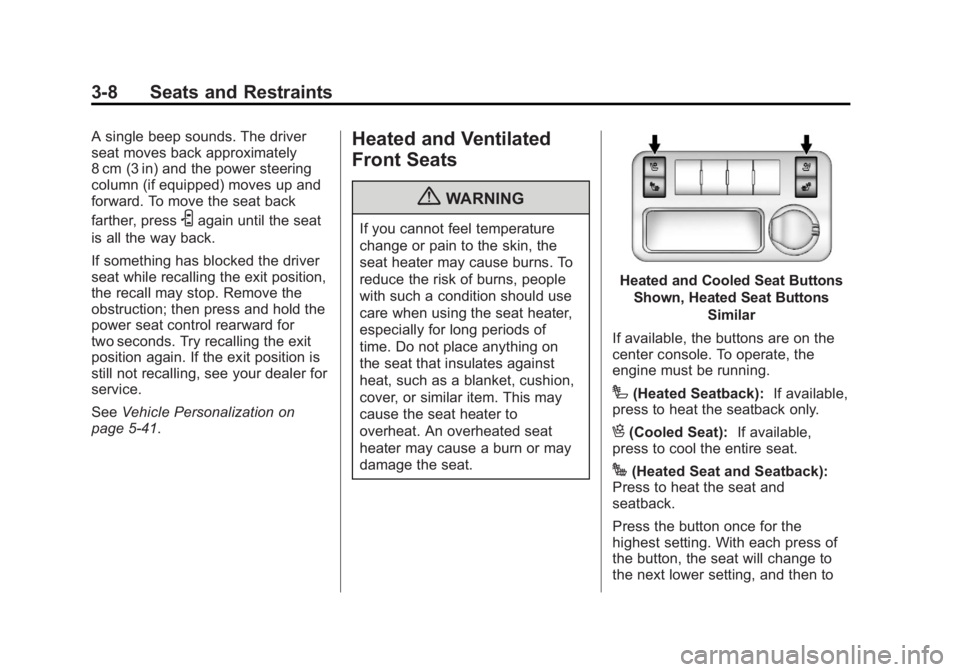
Heated and Cooled Seat Buttons
Shown, Heated Seat Buttons Similar
If available, the buttons are on the
center console. To operate, the
engine must be running.
I(Heated Seatback): If available,
press to heat the seatback only.
H(Cooled Seat): If available,
press to cool the entire seat.
J(Heated Seat and Seatback):
Press to heat the seat and
seatback.
Press the button once for the
highest setting. With each press of
the button, the seat will change to
the next lower setting, and then to
Page 62 of 410
Black plate (10,1)Acadia/Acadia Denali Owner Manual - 2013 - crc2 - 12/11/12
3-10 Seats and Restraints
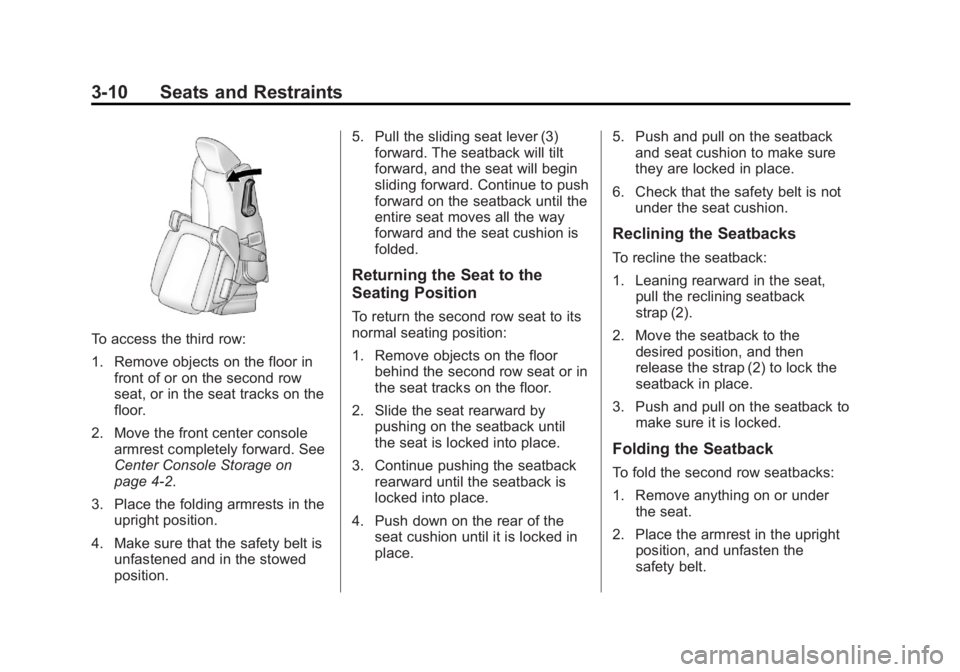
To access the third row:
1. Remove objects on the floor infront of or on the second row
seat, or in the seat tracks on the
floor.
2. Move the front center console armrest completely forward. See
Center Console Storage on
page 4‑2.
3. Place the folding armrests in the upright position.
4. Make sure that the safety belt is unfastened and in the stowed
position. 5. Pull the sliding seat lever (3)
forward. The seatback will tilt
forward, and the seat will begin
sliding forward. Continue to push
forward on the seatback until the
entire seat moves all the way
forward and the seat cushion is
folded.
Returning the Seat to the
Seating Position
To return the second row seat to its
normal seating position:
1. Remove objects on the floorbehind the second row seat or in
the seat tracks on the floor.
2. Slide the seat rearward by pushing on the seatback until
the seat is locked into place.
3. Continue pushing the seatback rearward until the seatback is
locked into place.
4. Push down on the rear of the seat cushion until it is locked in
place. 5. Push and pull on the seatback
and seat cushion to make sure
they are locked in place.
6. Check that the safety belt is not under the seat cushion.
Reclining the Seatbacks
To recline the seatback:
1. Leaning rearward in the seat,pull the reclining seatback
strap (2).
2. Move the seatback to the desired position, and then
release the strap (2) to lock the
seatback in place.
3. Push and pull on the seatback to make sure it is locked.
Folding the Seatback
To fold the second row seatbacks:
1. Remove anything on or underthe seat.
2. Place the armrest in the upright position, and unfasten the
safety belt.