all symbols GMC ACADIA 2015 Owner's Manual
[x] Cancel search | Manufacturer: GMC, Model Year: 2015, Model line: ACADIA, Model: GMC ACADIA 2015Pages: 407, PDF Size: 4.46 MB
Page 199 of 407
Black plate (26,1)GMC Acadia/Acadia Denali Owner Manual (GMNA-Localizing-U.S./Canada/
Mexico-7576030) - 2015 - CRC - 8/18/14
7-26 Infotainment System
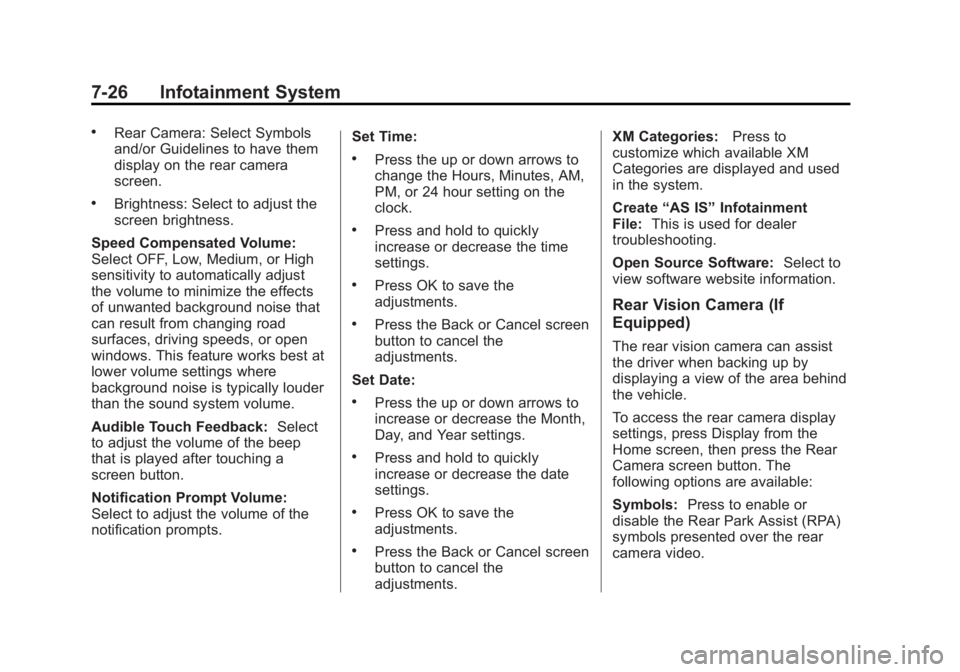
.Rear Camera: Select Symbols
and/or Guidelines to have them
display on the rear camera
screen.
.Brightness: Select to adjust the
screen brightness.
Speed Compensated Volume:
Select OFF, Low, Medium, or High
sensitivity to automatically adjust
the volume to minimize the effects
of unwanted background noise that
can result from changing road
surfaces, driving speeds, or open
windows. This feature works best at
lower volume settings where
background noise is typically louder
than the sound system volume.
Audible Touch Feedback: Select
to adjust the volume of the beep
that is played after touching a
screen button.
Notification Prompt Volume:
Select to adjust the volume of the
notification prompts. Set Time:
.Press the up or down arrows to
change the Hours, Minutes, AM,
PM, or 24 hour setting on the
clock.
.Press and hold to quickly
increase or decrease the time
settings.
.Press OK to save the
adjustments.
.Press the Back or Cancel screen
button to cancel the
adjustments.
Set Date:
.Press the up or down arrows to
increase or decrease the Month,
Day, and Year settings.
.Press and hold to quickly
increase or decrease the date
settings.
.Press OK to save the
adjustments.
.Press the Back or Cancel screen
button to cancel the
adjustments. XM Categories:
Press to
customize which available XM
Categories are displayed and used
in the system.
Create “AS IS” Infotainment
File: This is used for dealer
troubleshooting.
Open Source Software: Select to
view software website information.
Rear Vision Camera (If
Equipped)
The rear vision camera can assist
the driver when backing up by
displaying a view of the area behind
the vehicle.
To access the rear camera display
settings, press Display from the
Home screen, then press the Rear
Camera screen button. The
following options are available:
Symbols: Press to enable or
disable the Rear Park Assist (RPA)
symbols presented over the rear
camera video.
Page 406 of 407
Black plate (11,1)GMC Acadia/Acadia Denali Owner Manual (GMNA-Localizing-U.S./Canada/
Mexico-7576030) - 2015 - CRC - 8/18/14
INDEX i-11
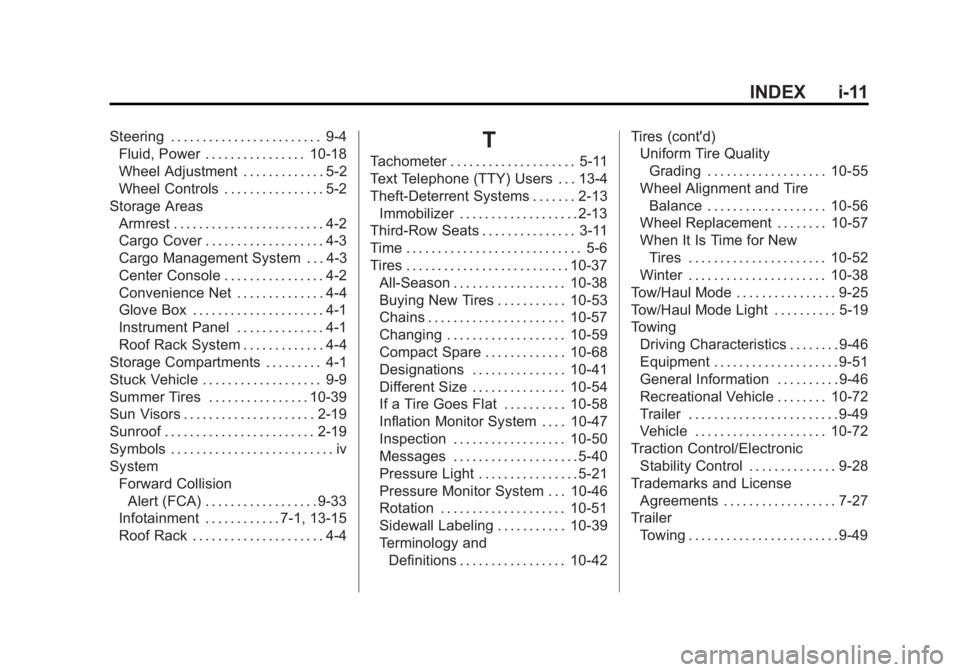
Steering . . . . . . . . . . . . . . . . . . . . . . . . 9-4Fluid, Power . . . . . . . . . . . . . . . . 10-18
Wheel Adjustment . . . . . . . . . . . . . 5-2
Wheel Controls . . . . . . . . . . . . . . . . 5-2
Storage Areas Armrest . . . . . . . . . . . . . . . . . . . . . . . . 4-2
Cargo Cover . . . . . . . . . . . . . . . . . . . 4-3
Cargo Management System . . . 4-3
Center Console . . . . . . . . . . . . . . . . 4-2
Convenience Net . . . . . . . . . . . . . . 4-4
Glove Box . . . . . . . . . . . . . . . . . . . . . 4-1
Instrument Panel . . . . . . . . . . . . . . 4-1
Roof Rack System . . . . . . . . . . . . . 4-4
Storage Compartments . . . . . . . . . 4-1
Stuck Vehicle . . . . . . . . . . . . . . . . . . . 9-9
Summer Tires . . . . . . . . . . . . . . . . 10-39
Sun Visors . . . . . . . . . . . . . . . . . . . . . 2-19
Sunroof . . . . . . . . . . . . . . . . . . . . . . . . 2-19
Symbols . . . . . . . . . . . . . . . . . . . . . . . . . . iv
System Forward Collision
Alert (FCA) . . . . . . . . . . . . . . . . . . 9-33
Infotainment . . . . . . . . . . . . 7-1, 13-15
Roof Rack . . . . . . . . . . . . . . . . . . . . . 4-4T
Tachometer . . . . . . . . . . . . . . . . . . . . 5-11
Text Telephone (TTY) Users . . . 13-4
Theft-Deterrent Systems . . . . . . . 2-13 Immobilizer . . . . . . . . . . . . . . . . . . . 2-13
Third-Row Seats . . . . . . . . . . . . . . . 3-11
Time . . . . . . . . . . . . . . . . . . . . . . . . . . . . 5-6
Tires . . . . . . . . . . . . . . . . . . . . . . . . . . 10-37 All-Season . . . . . . . . . . . . . . . . . . 10-38
Buying New Tires . . . . . . . . . . . 10-53
Chains . . . . . . . . . . . . . . . . . . . . . . 10-57
Changing . . . . . . . . . . . . . . . . . . . 10-59
Compact Spare . . . . . . . . . . . . . 10-68
Designations . . . . . . . . . . . . . . . 10-41
Different Size . . . . . . . . . . . . . . . 10-54
If a Tire Goes Flat . . . . . . . . . . 10-58
Inflation Monitor System . . . . 10-47
Inspection . . . . . . . . . . . . . . . . . . 10-50
Messages . . . . . . . . . . . . . . . . . . . . 5-40
Pressure Light . . . . . . . . . . . . . . . . 5-21
Pressure Monitor System . . . 10-46
Rotation . . . . . . . . . . . . . . . . . . . . 10-51
Sidewall Labeling . . . . . . . . . . . 10-39
Terminology andDefinitions . . . . . . . . . . . . . . . . . 10-42 Tires (cont'd)
Uniform Tire Quality
Grading . . . . . . . . . . . . . . . . . . . 10-55
Wheel Alignment and Tire
Balance . . . . . . . . . . . . . . . . . . . 10-56
Wheel Replacement . . . . . . . . 10-57
When It Is Time for New Tires . . . . . . . . . . . . . . . . . . . . . . 10-52
Winter . . . . . . . . . . . . . . . . . . . . . . 10-38
Tow/Haul Mode . . . . . . . . . . . . . . . . 9-25
Tow/Haul Mode Light . . . . . . . . . . 5-19
Towing Driving Characteristics . . . . . . . . 9-46
Equipment . . . . . . . . . . . . . . . . . . . . 9-51
General Information . . . . . . . . . . 9-46
Recreational Vehicle . . . . . . . . 10-72
Trailer . . . . . . . . . . . . . . . . . . . . . . . . 9-49
Vehicle . . . . . . . . . . . . . . . . . . . . . 10-72
Traction Control/Electronic Stability Control . . . . . . . . . . . . . . 9-28
Trademarks and License Agreements . . . . . . . . . . . . . . . . . . 7-27
Trailer
Towing . . . . . . . . . . . . . . . . . . . . . . . . 9-49