engine overheat GMC ACADIA 2016 User Guide
[x] Cancel search | Manufacturer: GMC, Model Year: 2016, Model line: ACADIA, Model: GMC ACADIA 2016Pages: 371, PDF Size: 5.28 MB
Page 236 of 371
GMC Acadia/Acadia Denali Owner Manual (GMNA-Localizing-U.S./Canada/
Mexico-9159268) - 2016 - crc - 7/31/15
Driving and Operating 235
When turning with a trailer, make
wider turns than normal so the
trailer will not strike soft shoulders,
curbs, road signs, trees or other
objects. Use the turn signal well in
advance and avoid jerky or sudden
maneuvers.
Turn Signals When Towing a
Trailer
The turn signal indicators on the
instrument cluster flash whenever
signaling a turn or lane change.
Properly hooked up, the trailer
lamps also flash, telling other
drivers the vehicle is turning,
changing lanes or stopping.
When towing a trailer, the arrows on
the instrument cluster flash for turns
even if the bulbs on the trailer are
burned out. Check occasionally to
be sure the trailer bulbs are still
working.
Driving on Grades
Reduce speed and shift to a lower
gear before starting down a long or
steep downgrade. If the
transmission is not shifted down, thebrakes might have to be used so
much that they would get hot and no
longer work well.
The vehicle can tow in D (Drive).
Use a lower gear if the transmission
shifts too often.
The Tow/Haul Mode may be used if
the transmission shifts too often.
See
Tow/Haul Mode 0214.
When towing at high altitude on
steep uphill grades, engine coolant
boils at a lower temperature than at
normal altitudes. If the engine is
turned off immediately after towing
at high altitude on steep uphill
grades, the vehicle could show
signs similar to engine overheating.
To avoid this, let the engine run
while parked, preferably on level
ground, with the transmission in
P (Park) for a few minutes before
turning the engine off. If the
overheat warning comes on, see
Engine Overheating 0255.
Parking on Hills
{Warning
Parking the vehicle on a hill with
the trailer attached can be
dangerous. If something goes
wrong, the rig could start to move.
People can be injured, and both
the vehicle and the trailer can be
damaged. When possible, always
park the rig on a flat surface.
If parking the rig on a hill: 1. Press the brake pedal, but do not shift into P (Park) yet. Turn
the wheels into the curb if
facing downhill or into traffic if
facing uphill.
2. Have someone place chocks under the trailer wheels.
3. When the wheel chocks are in place, release the brake pedal
until the chocks absorb
the load.
4. Reapply the brake pedal. Then apply the parking brake and
shift into P (Park).
Page 237 of 371
GMC Acadia/Acadia Denali Owner Manual (GMNA-Localizing-U.S./Canada/
Mexico-9159268) - 2016 - crc - 7/31/15
236 Driving and Operating
5. Release the brake pedal.
Leaving After Parking on a Hill
1. Apply and hold the brake pedalwhile you:
.Start the engine.
. Shift into a gear.
. Release the parking brake.
2. Let up on the brake pedal.
3. Drive slowly until the trailer is clear of the chocks.
4. Stop and have someone pick up and store the chocks.
Maintenance When Trailer
Towing
The vehicle needs service more
often when pulling a trailer. See the
Maintenance Schedule 0321.
Things that are especially important
in trailer operation are automatic
transmission fluid, engine oil, axle
lubricant, belts, cooling system and
brake system. Inspect these before
and during the trip.
Check periodically to see that all
hitch nuts and bolts are tight.
Engine Cooling When Trailer
Towing
The cooling system may temporarily
overheat during severe operating
conditions. See Engine Overheating
0 255.
Trailer Towing
Three important considerations
have to do with weight:
.
The weight of the trailer.
. The weight of the trailer tongue.
. The total weight on the vehicle's
tires.
Weight of the Trailer
How heavy can a trailer safely be?
Speed, altitude, road grades,
outside temperature, special
equipment, and the amount of
tongue weight the vehicle can carry
must be considered. See “Weight of
the Trailer Tongue” later in this
section for more information.
Maximum trailer weight is calculated
assuming only the driver is in the
tow vehicle and it has all the required trailering equipment. The
weight of additional optional
equipment, passengers and cargo in
the tow vehicle must be subtracted
from the maximum trailer weight.
Use the following chart to determine
how much the vehicle can weigh,
based upon the vehicle model and
options.
Page 242 of 371
GMC Acadia/Acadia Denali Owner Manual (GMNA-Localizing-U.S./Canada/
Mexico-9159268) - 2016 - crc - 7/31/15
Vehicle Care 241
Vehicle Care
General Information
General Information . . . . . . . . . . 242
California Proposition65 Warning . . . . . . . . . . . . . . . . . 242
California Perchlorate Materials Requirements . . . . . 242
Accessories and Modifications . . . . . . . . . . . . . . . . 242
Vehicle Checks
Doing Your OwnService Work . . . . . . . . . . . . . . . 243
Hood . . . . . . . . . . . . . . . . . . . . . . . . . 243
Engine Compartment Overview . . . . . . . . . . . . . . . . . . . . 245
Engine Cover . . . . . . . . . . . . . . . . . 246
Engine Oil . . . . . . . . . . . . . . . . . . . . 246
Engine Oil Life System . . . . . . . 249
Automatic Transmission Fluid . . . . . . . . . . . . . . . . . . . . . . . . 249
Engine Air Cleaner/Filter . . . . . . 250
Cooling System . . . . . . . . . . . . . . 251
Engine Coolant . . . . . . . . . . . . . . . 252
Engine Overheating . . . . . . . . . . 255
Overheated Engine Protection Operating Mode . . . . . . . . . . . . . 256
Power Steering Fluid . . . . . . . . . 257
Washer Fluid . . . . . . . . . . . . . . . . . 257 Brakes . . . . . . . . . . . . . . . . . . . . . . . 258
Brake Fluid . . . . . . . . . . . . . . . . . . . 259
Battery - North America . . . . . . 260
All-Wheel Drive . . . . . . . . . . . . . . . 261
Starter Switch Check . . . . . . . . . 261
Automatic Transmission Shift
Lock Control Function
Check . . . . . . . . . . . . . . . . . . . . . . . 261
Ignition Transmission Lock Check . . . . . . . . . . . . . . . . . . . . . . . 261
Park Brake and P (Park) Mechanism Check . . . . . . . . . . 262
Wiper Blade Replacement . . . . 262
Windshield Replacement . . . . . 263
Headlamp Aiming
Headlamp Aiming . . . . . . . . . . . . 263
Bulb Replacement
Bulb Replacement . . . . . . . . . . . . 264
LED Lighting . . . . . . . . . . . . . . . . . 264
License Plate Lamp . . . . . . . . . . 264
Replacement Bulbs . . . . . . . . . . . 264
Electrical System
High Voltage Devices and Wiring . . . . . . . . . . . . . . . . . . . . . . . 265
Electrical System Overload . . . 265
Fuses and Circuit Breakers . . . 265
Engine Compartment Fuse Block . . . . . . . . . . . . . . . . . . . . . . . . 266 Instrument Panel Fuse
Block . . . . . . . . . . . . . . . . . . . . . . . . 272
Wheels and Tires
Tires . . . . . . . . . . . . . . . . . . . . . . . . . . 275
All-Season Tires . . . . . . . . . . . . . . 276
Winter Tires . . . . . . . . . . . . . . . . . . 276
Summer Tires . . . . . . . . . . . . . . . . 277
Tire Sidewall Labeling . . . . . . . . 277
Tire Designations . . . . . . . . . . . . . 279
Tire Terminology andDefinitions . . . . . . . . . . . . . . . . . . 280
Tire Pressure . . . . . . . . . . . . . . . . . 282
Tire Pressure Monitor System . . . . . . . . . . . . . . . . . . . . . . 283
Tire Pressure Monitor Operation . . . . . . . . . . . . . . . . . . . 284
Tire Inspection . . . . . . . . . . . . . . . . 287
Tire Rotation . . . . . . . . . . . . . . . . . 288
When It Is Time for New Tires . . . . . . . . . . . . . . . . . . . . . . . . 289
Buying New Tires . . . . . . . . . . . . . 289
Different Size Tires and Wheels . . . . . . . . . . . . . . . . . . . . . . 291
Uniform Tire Quality Grading . . . . . . . . . . . . . . . . . . . . . 291
Wheel Alignment and Tire Balance . . . . . . . . . . . . . . . . . . . . . 293
Wheel Replacement . . . . . . . . . . 293
Tire Chains . . . . . . . . . . . . . . . . . . . 294
If a Tire Goes Flat . . . . . . . . . . . . 294
Page 253 of 371
GMC Acadia/Acadia Denali Owner Manual (GMNA-Localizing-U.S./Canada/
Mexico-9159268) - 2016 - crc - 7/31/15
252 Vehicle Care
Engine Coolant
The cooling system in the vehicle is
filled with DEX-COOL®engine
coolant. See Maintenance Schedule
0 321 andRecommended Fluids
and Lubricants 0330.
The following explains the cooling
system and how to check and add
coolant when it is low. If there is a
problem with engine overheating,
see Engine Overheating 0255.
What to Use
{Warning
Adding only plain water or some
other liquid to the cooling system
can be dangerous. Plain water
and other liquids, can boil before
the proper coolant mixture will.
The coolant warning system is set
for the proper coolant mixture.
With plain water or the wrong
mixture, the engine could get too
hot but you would not get the
overheat warning. The engine
(Continued)
Warning (Continued)
could catch fire and you or others
could be burned. Use a 50/
50 mixture of clean, drinkable
water and DEX-COOL coolant.
Use a 50/50 mixture of clean,
drinkable water and DEX-COOL
coolant. If using this mixture,
nothing else needs to be added.
This mixture:
. Gives freezing protection down
to−37 °C (−34 °F), outside
temperature.
. Gives boiling protection up to
129 °C (265 °F), engine
temperature.
. Protects against rust and
corrosion.
. Will not damage aluminum parts.
. Helps keep the proper engine
temperature.
Caution
If improper coolant mixture,
inhibitors, or additives are used in
the vehicle cooling system, the
engine could overheat and be
damaged. Too much water in the
mixture can freeze and crack
engine cooling parts. The repairs
would not be covered by the
vehicle warranty. Use only the
proper mixture of engine coolant
for the cooling system. See
Recommended Fluids and
Lubricants 0330.
Never dispose of engine coolant by
putting it in the trash, pouring it on
the ground, or into sewers, streams,
or bodies of water. Have the coolant
changed by an authorized service
center, familiar with legal
requirements regarding used
coolant disposal. This will help
protect the environment and your
health.
Page 254 of 371
GMC Acadia/Acadia Denali Owner Manual (GMNA-Localizing-U.S./Canada/
Mexico-9159268) - 2016 - crc - 7/31/15
Vehicle Care 253
Checking Coolant
The vehicle must be on a level
surface when checking the coolant
level.
Check to see if coolant is visible in
the coolant recovery tank. If the
coolant inside the coolant recovery
tank is boiling, do not do anything
else until it cools down. If coolant is
visible but the coolant level is not at
or above the FULL COLD mark or
the FULL COLD ISO symbol mark,
add a 50/50 mixture of clean,
drinkable water and DEX-COOL
coolant at the coolant recovery tank,
but be sure the cooling system is
cool before this is done. SeeEngine
Overheating 0255.
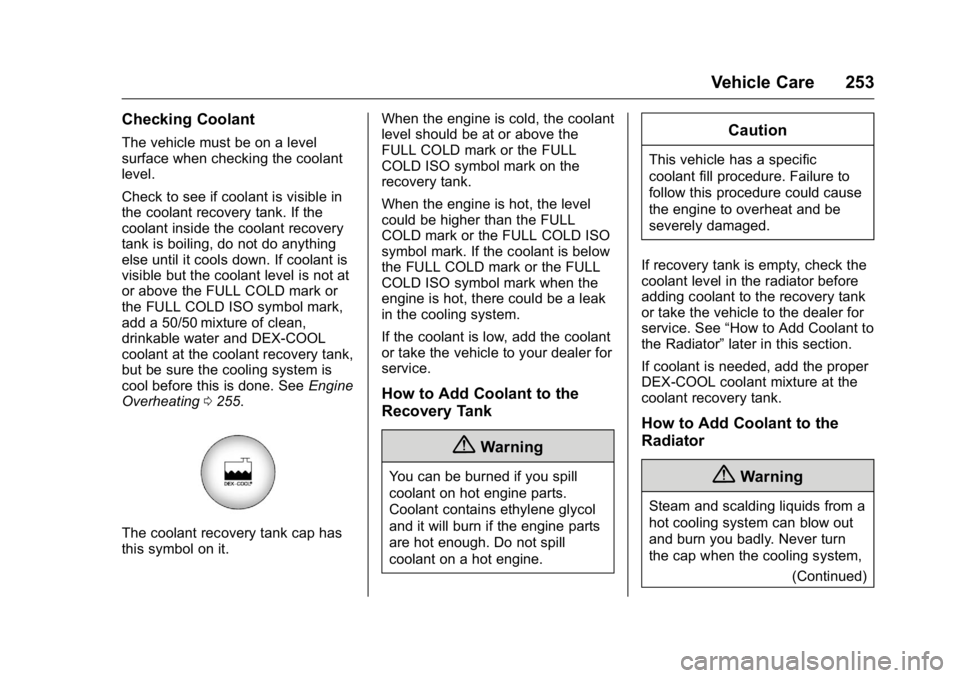
The coolant recovery tank cap has
this symbol on it. When the engine is cold, the coolant
level should be at or above the
FULL COLD mark or the FULL
COLD ISO symbol mark on the
recovery tank.
When the engine is hot, the level
could be higher than the FULL
COLD mark or the FULL COLD ISO
symbol mark. If the coolant is below
the FULL COLD mark or the FULL
COLD ISO symbol mark when the
engine is hot, there could be a leak
in the cooling system.
If the coolant is low, add the coolant
or take the vehicle to your dealer for
service.
How to Add Coolant to the
Recovery Tank
{Warning
You can be burned if you spill
coolant on hot engine parts.
Coolant contains ethylene glycol
and it will burn if the engine parts
are hot enough. Do not spill
coolant on a hot engine.
Caution
This vehicle has a specific
coolant fill procedure. Failure to
follow this procedure could cause
the engine to overheat and be
severely damaged.
If recovery tank is empty, check the
coolant level in the radiator before
adding coolant to the recovery tank
or take the vehicle to the dealer for
service. See “How to Add Coolant to
the Radiator” later in this section.
If coolant is needed, add the proper
DEX-COOL coolant mixture at the
coolant recovery tank.
How to Add Coolant to the
Radiator
{Warning
Steam and scalding liquids from a
hot cooling system can blow out
and burn you badly. Never turn
the cap when the cooling system, (Continued)
Page 256 of 371
GMC Acadia/Acadia Denali Owner Manual (GMNA-Localizing-U.S./Canada/
Mexico-9159268) - 2016 - crc - 7/31/15
Vehicle Care 255
6. Reinstall the cap on the coolantrecovery tank but leave the
radiator pressure cap off.
7. Start the engine and let it run until the upper radiator hose
feels warm. Any time during
this procedure, watch out for
the engine cooling fans.
8. If the coolant level inside the radiator filler neck is low, add
more of the proper DEX-COOL
coolant mixture through the
filler neck until the level is back
up to the base of the filler neck.
9. Replace the pressure cap tightly. At any time during this
procedure if coolant begins to
flow out of the filler neck,
reinstall the pressure cap.
Caution
If the pressure cap is not tightly
installed, coolant loss and
possible engine damage may
occur. Be sure the cap is properly
and tightly secured.
Engine Overheating
The vehicle has several indicators
to warn of engine overheating.
There is an engine coolant
temperature gauge on the
instrument panel cluster. See
Engine Coolant Temperature Gauge
0113.
The vehicle may also display an
ENGINE OVERHEATED IDLE
ENGINE and ENGINE
OVERHEATED STOP ENGINE
message in the Driver Information
Center (DIC). See Engine Cooling
System Messages 0132.
You may decide not to lift the hood
when this warning appears, but
instead get service help right away.
See Roadside Assistance Program
0 340.
If you do decide to lift the hood,
make sure the vehicle is parked on
a level surface.
Then check to see if the engine
cooling fans are running. If the
engine is overheating, both fans should be running. If they are not,
do not continue to run the engine
and have the vehicle serviced.
Caution
Running the engine without
coolant may cause damage or a
fire. Vehicle damage would not be
covered by the vehicle warranty.
See
Overheated Engine
Protection Operating Mode 0256
for information on driving to a
safe place in an emergency.
If Steam Is Coming from the
Engine Compartment
{Warning
Steam from an overheated engine
can burn you badly, even if you
just open the hood. Stay away
from the engine if you see or hear
steam coming from it. Turn it off
and get everyone away from the
vehicle until it cools down. Wait
(Continued)
Page 257 of 371
GMC Acadia/Acadia Denali Owner Manual (GMNA-Localizing-U.S./Canada/
Mexico-9159268) - 2016 - crc - 7/31/15
256 Vehicle Care
Warning (Continued)
until there is no sign of steam or
coolant before you open
the hood.
If you keep driving when the
vehicles engine is overheated,
the liquids in it can catch fire. You
or others could be badly burned.
Stop the engine if it overheats,
and get out of the vehicle until the
engine is cool.
SeeOverheated Engine
Protection Operating Mode 0256
for information on driving to a
safe place in an emergency.
If No Steam Is Coming from
the Engine Compartment
If an engine overheat warning is
displayed but no steam can be seen
or heard, the problem may not be
too serious. Sometimes the engine
can get a little too hot when the
vehicle:
. Climbs a long hill on a hot day. .
Stops after high-speed driving.
. Idles for long periods in traffic.
. Tows a trailer.
If the overheat warning is displayed
with no sign of steam: 1. Turn the air conditioning off.
2. Turn the heater on to the highest temperature and to the
highest fan speed. Open the
windows as necessary.
3. When it is safe to do so, pull off the road, shift to P (Park) or
N (Neutral), and let the
engine idle.
If the temperature overheat gauge is
no longer in the overheat zone or an
overheat warning no longer
displays, the vehicle can be driven.
Continue to drive the vehicle slow
for about 10 minutes. Keep a safe
vehicle distance from the car in front
of you. If the warning does not come
back on, continue to drive normally
and have the cooling system
checked for proper fill and function. If the warning continues, pull over,
stop, and park the vehicle
right away.
If there is no sign of steam, idle the
engine for three minutes while
parked. If the warning is still
displayed, turn off the engine until it
cools down. Also, see
“Overheated
Engine Protection Operating Mode”
next in this section.
Overheated Engine
Protection
Operating Mode
This emergency operating mode lets
the vehicle be driven to a safe place
in an emergency situation. If an
overheated engine condition exists,
an overheat protection mode which
alternates firing groups of cylinders
helps prevent engine damage. In
this mode, there is a significant loss
in power and engine performance.
The temperature gauge indicates an
overheat condition exists. Driving
extended distances and/or towing a
trailer in the overheat protection
mode should be avoided.
Page 258 of 371
GMC Acadia/Acadia Denali Owner Manual (GMNA-Localizing-U.S./Canada/
Mexico-9159268) - 2016 - crc - 7/31/15
Vehicle Care 257
Caution
After driving in the overheated
engine protection operating
mode, the engine oil will be
severely degraded. Any repairs
performed before the engine is
cool may cause engine damage.
Allow the engine to cool before
attempting any repair. Repair the
cause of coolant loss, change the
oil, and reset the oil life system.
SeeEngine Oil 0246.
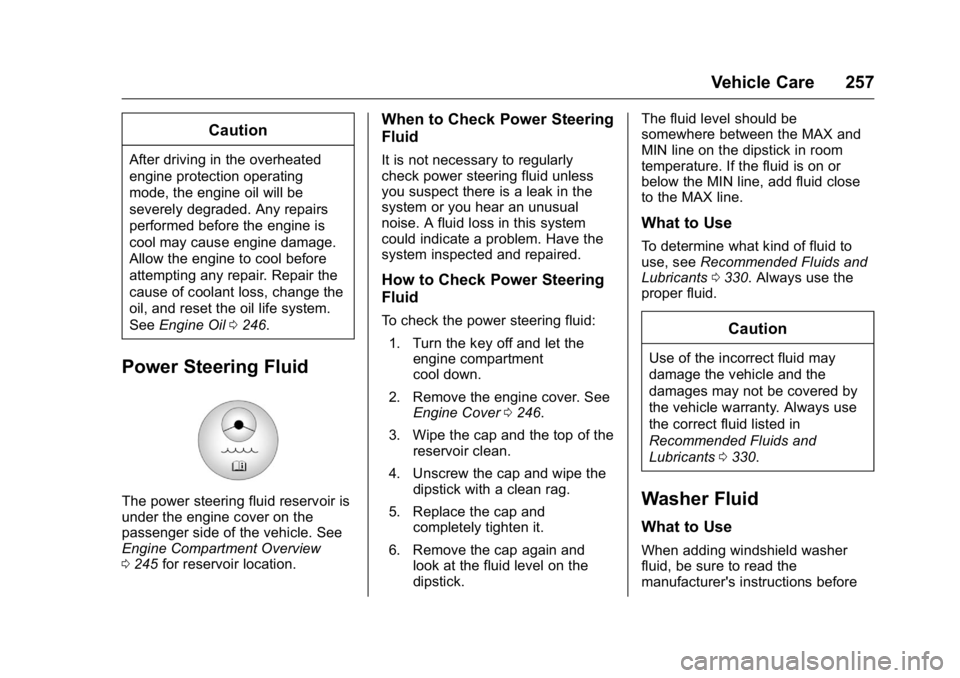
Power Steering Fluid
The power steering fluid reservoir is
under the engine cover on the
passenger side of the vehicle. See
Engine Compartment Overview
0245 for reservoir location.
When to Check Power Steering
Fluid
It is not necessary to regularly
check power steering fluid unless
you suspect there is a leak in the
system or you hear an unusual
noise. A fluid loss in this system
could indicate a problem. Have the
system inspected and repaired.
How to Check Power Steering
Fluid
To check the power steering fluid:
1. Turn the key off and let the engine compartment
cool down.
2. Remove the engine cover. See Engine Cover 0246.
3. Wipe the cap and the top of the reservoir clean.
4. Unscrew the cap and wipe the dipstick with a clean rag.
5. Replace the cap and completely tighten it.
6. Remove the cap again and look at the fluid level on the
dipstick. The fluid level should be
somewhere between the MAX and
MIN line on the dipstick in room
temperature. If the fluid is on or
below the MIN line, add fluid close
to the MAX line.
What to Use
To determine what kind of fluid to
use, see
Recommended Fluids and
Lubricants 0330. Always use the
proper fluid.
Caution
Use of the incorrect fluid may
damage the vehicle and the
damages may not be covered by
the vehicle warranty. Always use
the correct fluid listed in
Recommended Fluids and
Lubricants 0330.
Washer Fluid
What to Use
When adding windshield washer
fluid, be sure to read the
manufacturer's instructions before
Page 364 of 371

GMC Acadia/Acadia Denali Owner Manual (GMNA-Localizing-U.S./Canada/
Mexico-9159268) - 2016 - crc - 7/31/15
Index 363
Driving (cont'd)If the Vehicle is Stuck . . . . . . . . . 200
Loss of Control . . . . . . . . . . . . . . . 196
Off-Road Recovery . . . . . . . . . . . 196
Vehicle Load Limits . . . . . . . . . . . 200
Wet Roads . . . . . . . . . . . . . . . . . . . 197
Winter . . . . . . . . . . . . . . . . . . . . . . . . 198
Dual Automatic Climate Control System . . . . . . . . . . . . . . . . 185
E
Electrical Equipment,
Add-On . . . . . . . . . . . . . . . . . . . . . . . 240
Electrical System
Engine Compartment FuseBlock . . . . . . . . . . . . . . . . . . . . . . . . 266
Fuses and Circuit Breakers . . . 265
Instrument Panel Fuse Block . . . . . . . . . . . . . . . . . . . . . . . . 272
Overload . . . . . . . . . . . . . . . . . . . . . 265
Emergency OnStar
®. . . . . . . . . . . . . . . . . . . . . . 351
Engine Air Cleaner/Filter . . . . . . . . . . . . . 250
Check and Service Engine
Soon Light . . . . . . . . . . . . . . . . . . .117
Compartment Overview . . . . . . . 245
Coolant . . . . . . . . . . . . . . . . . . . . . . . 252 Engine (cont'd)
Coolant Temperature
Gauge . . . . . . . . . . . . . . . . . . . . . . .113
Coolant Temperature
Warning Light . . . . . . . . . . . . . . . 121
Cooling System . . . . . . . . . . . . . . . 251
Cooling System Messages . . . 132
Cover . . . . . . . . . . . . . . . . . . . . . . . . . 246
Drive Belt Routing . . . . . . . . . . . . 335
Exhaust . . . . . . . . . . . . . . . . . . . . . . 210
Heater . . . . . . . . . . . . . . . . . . . . . . . . 207
Oil Life System . . . . . . . . . . . . . . . 249
Oil Messages . . . . . . . . . . . . . . . . . 133
Oil Pressure Light . . . . . . . . . . . . 121
Overheated Protection Operating Mode . . . . . . . . . . . . . 256
Overheating . . . . . . . . . . . . . . . . . . 255
Power Messages . . . . . . . . . . . . . 133
Running While Parked . . . . . . . . .211
Starting . . . . . . . . . . . . . . . . . . . . . . . 206
Entry Lighting . . . . . . . . . . . . . . . . . . . 154
Equipment, Towing . . . . . . . . . . . . . 238
Event Data Recorders . . . . . . . . . . 348
Extender, Safety Belt . . . . . . . . . . . . 65
Exterior Lamp Controls . . . . . . . . . 150
F
Features Memory . . . . . . . . . . . . . . . . . . . . . . . . . 11
Filter, Engine Air Cleaner . . . . . . . . . . . 250
Flash-to-Pass . . . . . . . . . . . . . . . . . . . 151
Flashers, Hazard Warning . . . . . . 152
Flat Tire . . . . . . . . . . . . . . . . . . . . . . . . 294 Changing . . . . . . . . . . . . . . . . . . . . . 295
Floor Mats . . . . . . . . . . . . . . . . . . . . . . 318
Fluid
Automatic Transmission . . . . . . 249
Brakes . . . . . . . . . . . . . . . . . . . . . . . . 259
Power Steering . . . . . . . . . . . . . . . 257
Washer . . . . . . . . . . . . . . . . . . . . . . . 257
Fog Lamps Bulb Replacement . . . . . . . . . . . . 152
Folding Mirrors . . . . . . . . . . . . . . . . . . 41
Forward Collision Alert (FCA) System . . . . . . . . . . . . . . . . . 224
Frequency Statement Radio . . . . . . . . . . . . . . . . . . . . . . . . . 346
Front Fog Lamp Light . . . . . . . . . . . . . . . . . . . . . . . . . . 122
Front Seats Adjustment . . . . . . . . . . . . . . . . . . . . . 49
Heated and Cooled . . . . . . . . . . . . . 53
Fuel . . . . . . . . . . . . . . . . . . . . . . . . . . . . 229
Page 367 of 371

GMC Acadia/Acadia Denali Owner Manual (GMNA-Localizing-U.S./Canada/
Mexico-9159268) - 2016 - crc - 7/31/15
366 Index
Memory Seats . . . . . . . . . . . . . . . . . . . 52
MessagesAirbag System . . . . . . . . . . . . . . . . 137
Battery Voltage andCharging . . . . . . . . . . . . . . . . . . . . 131
Brake System . . . . . . . . . . . . . . . . 131
Door Ajar . . . . . . . . . . . . . . . . . . . . . 132
Engine Cooling System . . . . . . . 132
Engine Oil . . . . . . . . . . . . . . . . . . . . 133
Engine Power . . . . . . . . . . . . . . . . 133
Fuel System . . . . . . . . . . . . . . . . . . 134
Key and Lock . . . . . . . . . . . . . . . . . 134
Lamp . . . . . . . . . . . . . . . . . . . . . . . . . 134
Object Detection System . . . . . 135
Ride Control System . . . . . . . . . . 136
Security . . . . . . . . . . . . . . . . . . . . . . 137
Service Vehicle . . . . . . . . . . . . . . . 137
Tire . . . . . . . . . . . . . . . . . . . . . . . . . . . 137
Transmission . . . . . . . . . . . . . . . . . 138
Vehicle . . . . . . . . . . . . . . . . . . . . . . . 131
Vehicle Reminder . . . . . . . . . . . . . 139
Vehicle Speed . . . . . . . . . . . . . . . . 139
Washer Fluid . . . . . . . . . . . . . . . . . 139
Mirrors Automatic Dimming . . . . . . . . . . . . . 42
Automatic Dimming
Rearview . . . . . . . . . . . . . . . . . . . . . . 43
Convex . . . . . . . . . . . . . . . . . . . . . . . . . 40 Mirrors (cont'd)
Folding . . . . . . . . . . . . . . . . . . . . . . . . . 41
Heated . . . . . . . . . . . . . . . . . . . . . . . . . 42
Manual Rearview . . . . . . . . . . . . . . . 42
Park Tilt . . . . . . . . . . . . . . . . . . . . . . . . 42
Power . . . . . . . . . . . . . . . . . . . . . . . . . . 41
Mirrors, Interior Rearview . . . . . . . . 42
Monitor System, Tire Pressure . . . . . . . . . . . . . . . . . . . . . . 283
MP3 . . . . . . . . . . . . . . . . . . . . . . . . . . . . 168
Multi-band Antenna . . . . . . . . . . . . . 166
N
Navigation OnStar®. . . . . . . . . . . . . . . . . . . . . . 351
Net, Convenience . . . . . . . . . . . . . . 101
New Vehicle Break-In . . . . . . . . . . . 204
O
Object Detection System Messages . . . . . . . . . . . . . . . . . . . . . 135
Odometer . . . . . . . . . . . . . . . . . . . . . . . 112
Off-Road Recovery . . . . . . . . . . . . . . . . . . . . . 196
Oil Engine . . . . . . . . . . . . . . . . . . . . . . . . 246
Engine Oil Life System . . . . . . . 249
Messages . . . . . . . . . . . . . . . . . . . . 133
Pressure Light . . . . . . . . . . . . . . . . 121 Older Children, Restraints . . . . . . . 79
Online Owner Center . . . . . . . . . . . 339
OnStar . . . . . . . . . . . . . . . . . . . . . . . . . 348
OnStar System . . . . . . . . . . . . . . . . . 170
OnStar
®Additional
Information . . . . . . . . . . . . . . . . . . . . 354
OnStar
®Connections . . . . . . . . . . . 352
OnStar®Diagnostics . . . . . . . . . . . . 354
OnStar®Emergency . . . . . . . . . . . . 351
OnStar®Navigation . . . . . . . . . . . . . 351
OnStar®Overview . . . . . . . . . . . . . . 350
OnStar®Security . . . . . . . . . . . . . . . 351
Operating Mode Overheated EngineProtection . . . . . . . . . . . . . . . . . . . 256
Operation
Infotainment System . . . . . . . . . . 159
Ordering Service Publications . . . . . . . . . . 345
Outlets Power . . . . . . . . . . . . . . . . . . . . . . . . 108
Overheated Engine Protection Operating Mode . . . . 256
Overheating, Engine . . . . . . . . . . . . 255
Overview . . . . . . . . . . . . . . . . . . . . . . . 159