radio controls GMC ACADIA 2016 User Guide
[x] Cancel search | Manufacturer: GMC, Model Year: 2016, Model line: ACADIA, Model: GMC ACADIA 2016Pages: 371, PDF Size: 5.28 MB
Page 159 of 371
GMC Acadia/Acadia Denali Owner Manual (GMNA-Localizing-U.S./Canada/
Mexico-9159268) - 2016 - crc - 7/31/15
158 Infotainment System
functions may gray out when they
are unavailable. Many infotainment
features are also available through
the instrument cluster and steering
wheel controls.
Before driving:
.Become familiar with the
operation, faceplate buttons, and
screen buttons.
. Set up the audio by presetting
favorite stations, setting the
tone, and adjusting the
speakers.
. Set up phone numbers in
advance so they can be called
easily by pressing a single
button or by using a single voice
command if equipped with
Bluetooth phone capability.
See Defensive Driving 0194.
To play the infotainment system with
the ignition off, see Retained
Accessory Power (RAP) 0208.Theft-Deterrent Feature
TheftLock®is designed to
discourage theft of the vehicle's
radio by learning a portion of the
Vehicle Identification Number (VIN).
The radio does not operate if it is
stolen or moved to a different
vehicle.
Page 163 of 371
GMC Acadia/Acadia Denali Owner Manual (GMNA-Localizing-U.S./Canada/
Mexico-9159268) - 2016 - crc - 7/31/15
162 Infotainment System
Radio
AM-FM Radio
Playing the Radio
PUSH/O(Power/Volume):
. Press to turn the radio on or off.
. Turn to increase or decrease the
volume of the active source.
The steering wheel controls can
also be used to adjust the volume.
See Steering Wheel Controls 0105.
Audio Source
To access AM, FM, or SiriusXM
®if
equipped, do one of the following:
. Press the AM, FM, or XM (if
equipped) screen button on the
Home Page.
. Press the SRCE radio button to
scroll through the options.
A source ribbon will appear at
the bottom of the screen
allowing you to select the one
you want.
Infotainment System Settings
Tone Settings
To access the tone settings, press
the Tone Settings button on the
Home Page.
To adjust the settings:
.Bass: Press + or −to change
the level.
. Middle: Press + or −to change
the level.
. Treble: Press + or −to change
the level.
. EQ: Press
oorpto scroll
through the preset EQ options.
. DSP Mode: Press
oorpto
scroll through the preset DSP
modes.
. Fade: Press the F or R button
for more sound from the front or
rear speakers. The middle
position balances the sound
between the front and rear
speakers. .
Balance: Press the L or R button
for more sound from the left or
right speakers. The middle
position balances the sound
between the left and right
speakers.
Finding a Station
Press SRCE to select AM, FM,
or SiriusXM (if equipped).
Turn the PUSH/SEL knob to find a
radio station. To select a preset
station, press FAV to scroll through
the favorite pages and then press a
preset button on the radio or the
screen button.
Seeking a Station
Press
©SEEK or SEEK¨to search
for a station. You may also use the
¨on the steering wheel controls.
Page 168 of 371
GMC Acadia/Acadia Denali Owner Manual (GMNA-Localizing-U.S./Canada/
Mexico-9159268) - 2016 - crc - 7/31/15
Infotainment System 167
If these problems occur, check the
disc for damage or try a known
good disc.
To avoid damage to the CD player:
.Do not use scratched or
damaged discs.
. Do not apply labels to discs. The
labels could get caught in the
player.
. Insert only one disc at a time.
. Keep the loading slot free of
foreign materials, liquids, and
debris.
. Use a marking pen to label the
top of the disc.
Loading and Ejecting Discs
To load a disc:
1. Turn the radio on.
2. Insert a disc into the slot, label side up. The player pulls it in
the rest of the way. If the disc
is damaged or improperly
loaded, there is an error and
the disc ejects.
The disc automatically plays once
loaded. Press
Zto eject a disc from the
CD player. If the disc is not removed
within a short period of time, it is
automatically pulled back into the
player.
Playing an Audio CD
Make sure a disc is inserted in the
player.
1. Press the Disc screen button on the Home Page or from the
SRCE/Source banner.
2. Press the Menu screen button on the CD Audio screen to
display a list of Tracks/Songs.
3. Press the desired track/song.
On the Disc main page a track
number displays at the beginning of
each track. Song, Artist, Elapsed
Time, and Album information
displays when available.
Use the following controls to play
the disc:
©SEEK:
. Press to seek to the beginning of
the current or previous track.
If the track has been playing for less than eight seconds, it seeks
to the previous track. If longer
than eight seconds, the current
track starts from the beginning.
. Press and hold to fast reverse
through a track. Release the
button to return to playing
speed. Elapsed time displays.
SEEK
¨:
. Press to seek to the next track.
. Press and hold to fast forward
through a track. Release the
button to return to playing
speed. Elapsed time displays.
PUSH/SEL (Select) : Turn to the
right or left to select the next or
previous track.
Error Messages
If Disc Error displays and/or the disc
comes out, it could be for one of the
following reasons:
. The disc has an invalid or
unknown format.
. The disc is very hot. Try the disc
again when the temperature
returns to normal.
Page 173 of 371
GMC Acadia/Acadia Denali Owner Manual (GMNA-Localizing-U.S./Canada/
Mexico-9159268) - 2016 - crc - 7/31/15
172 Infotainment System
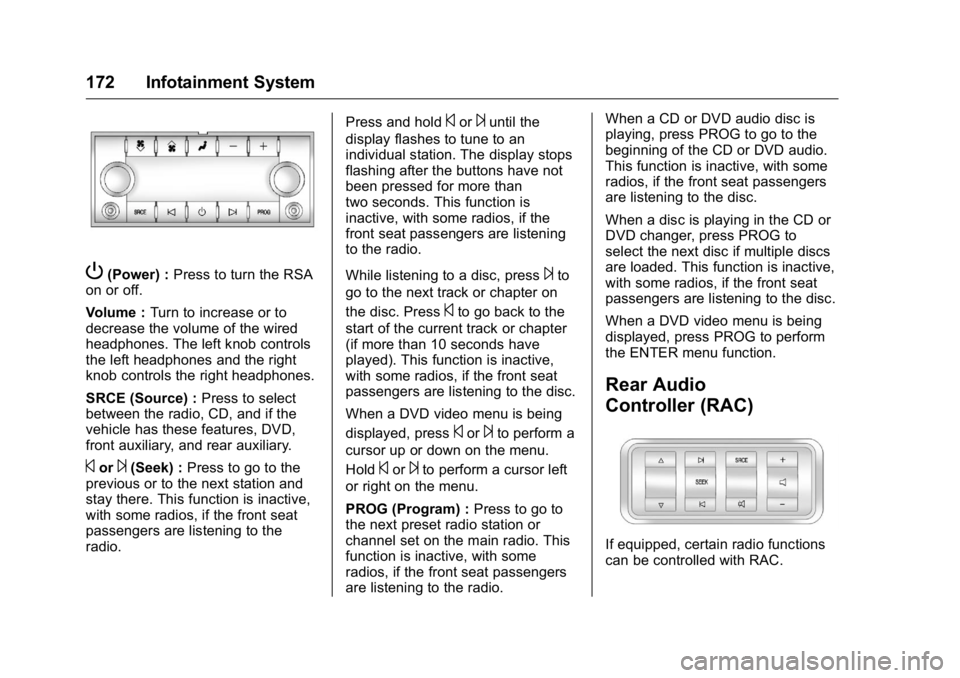
P(Power) :Press to turn the RSA
on or off.
Volume : Turn to increase or to
decrease the volume of the wired
headphones. The left knob controls
the left headphones and the right
knob controls the right headphones.
SRCE (Source) : Press to select
between the radio, CD, and if the
vehicle has these features, DVD,
front auxiliary, and rear auxiliary.
©or¨(Seek) : Press to go to the
previous or to the next station and
stay there. This function is inactive,
with some radios, if the front seat
passengers are listening to the
radio. Press and hold
©or¨until the
display flashes to tune to an
individual station. The display stops
flashing after the buttons have not
been pressed for more than
two seconds. This function is
inactive, with some radios, if the
front seat passengers are listening
to the radio.
While listening to a disc, press
¨to
go to the next track or chapter on
the disc. Press
©to go back to the
start of the current track or chapter
(if more than 10 seconds have
played). This function is inactive,
with some radios, if the front seat
passengers are listening to the disc.
When a DVD video menu is being
displayed, press
©or¨to perform a
cursor up or down on the menu.
Hold
©or¨to perform a cursor left
or right on the menu.
PROG (Program) : Press to go to
the next preset radio station or
channel set on the main radio. This
function is inactive, with some
radios, if the front seat passengers
are listening to the radio. When a CD or DVD audio disc is
playing, press PROG to go to the
beginning of the CD or DVD audio.
This function is inactive, with some
radios, if the front seat passengers
are listening to the disc.
When a disc is playing in the CD or
DVD changer, press PROG to
select the next disc if multiple discs
are loaded. This function is inactive,
with some radios, if the front seat
passengers are listening to the disc.
When a DVD video menu is being
displayed, press PROG to perform
the ENTER menu function.
Rear Audio
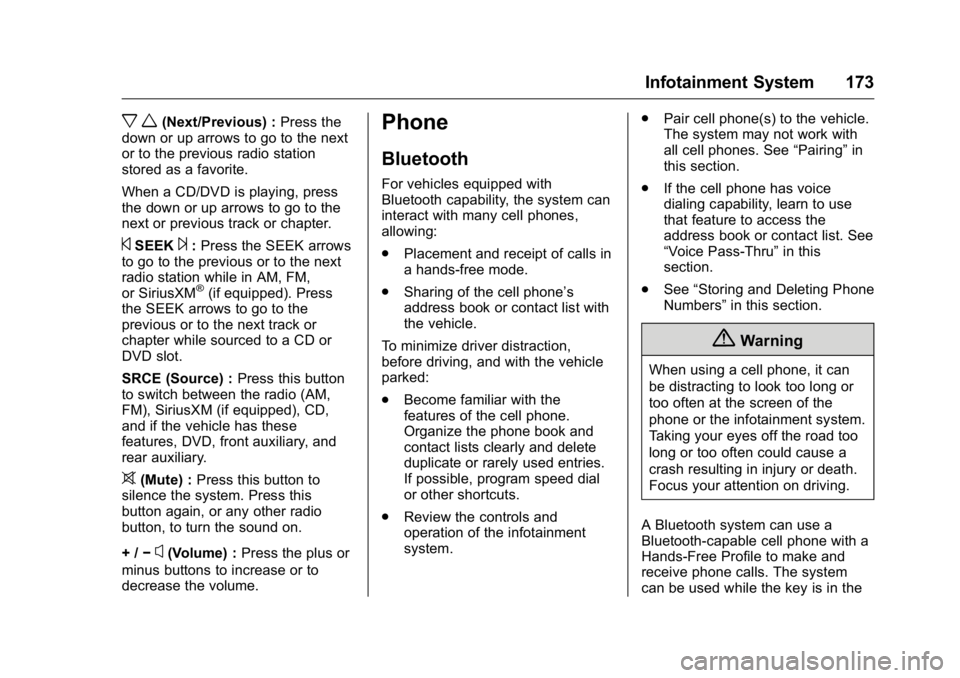
Controller (RAC)
If equipped, certain radio functions
can be controlled with RAC.
Page 174 of 371
GMC Acadia/Acadia Denali Owner Manual (GMNA-Localizing-U.S./Canada/
Mexico-9159268) - 2016 - crc - 7/31/15
Infotainment System 173
x w(Next/Previous) :Press the
down or up arrows to go to the next
or to the previous radio station
stored as a favorite.
When a CD/DVD is playing, press
the down or up arrows to go to the
next or previous track or chapter.
©SEEK¨: Press the SEEK arrows
to go to the previous or to the next
radio station while in AM, FM,
or SiriusXM
®(if equipped). Press
the SEEK arrows to go to the
previous or to the next track or
chapter while sourced to a CD or
DVD slot.
SRCE (Source) : Press this button
to switch between the radio (AM,
FM), SiriusXM (if equipped), CD,
and if the vehicle has these
features, DVD, front auxiliary, and
rear auxiliary.
>(Mute) : Press this button to
silence the system. Press this
button again, or any other radio
button, to turn the sound on.
+ / −
x(Volume) : Press the plus or
minus buttons to increase or to
decrease the volume.
Phone
Bluetooth
For vehicles equipped with
Bluetooth capability, the system can
interact with many cell phones,
allowing:
. Placement and receipt of calls in
a hands-free mode.
. Sharing of the cell phone’s
address book or contact list with
the vehicle.
To minimize driver distraction,
before driving, and with the vehicle
parked:
. Become familiar with the
features of the cell phone.
Organize the phone book and
contact lists clearly and delete
duplicate or rarely used entries.
If possible, program speed dial
or other shortcuts.
. Review the controls and
operation of the infotainment
system. .
Pair cell phone(s) to the vehicle.
The system may not work with
all cell phones. See “Pairing”in
this section.
. If the cell phone has voice
dialing capability, learn to use
that feature to access the
address book or contact list. See
“Voice Pass-Thru” in this
section.
. See “Storing and Deleting Phone
Numbers” in this section.
{Warning
When using a cell phone, it can
be distracting to look too long or
too often at the screen of the
phone or the infotainment system.
Taking your eyes off the road too
long or too often could cause a
crash resulting in injury or death.
Focus your attention on driving.
A Bluetooth system can use a
Bluetooth-capable cell phone with a
Hands-Free Profile to make and
receive phone calls. The system
can be used while the key is in the
Page 364 of 371

GMC Acadia/Acadia Denali Owner Manual (GMNA-Localizing-U.S./Canada/
Mexico-9159268) - 2016 - crc - 7/31/15
Index 363
Driving (cont'd)If the Vehicle is Stuck . . . . . . . . . 200
Loss of Control . . . . . . . . . . . . . . . 196
Off-Road Recovery . . . . . . . . . . . 196
Vehicle Load Limits . . . . . . . . . . . 200
Wet Roads . . . . . . . . . . . . . . . . . . . 197
Winter . . . . . . . . . . . . . . . . . . . . . . . . 198
Dual Automatic Climate Control System . . . . . . . . . . . . . . . . 185
E
Electrical Equipment,
Add-On . . . . . . . . . . . . . . . . . . . . . . . 240
Electrical System
Engine Compartment FuseBlock . . . . . . . . . . . . . . . . . . . . . . . . 266
Fuses and Circuit Breakers . . . 265
Instrument Panel Fuse Block . . . . . . . . . . . . . . . . . . . . . . . . 272
Overload . . . . . . . . . . . . . . . . . . . . . 265
Emergency OnStar
®. . . . . . . . . . . . . . . . . . . . . . 351
Engine Air Cleaner/Filter . . . . . . . . . . . . . 250
Check and Service Engine
Soon Light . . . . . . . . . . . . . . . . . . .117
Compartment Overview . . . . . . . 245
Coolant . . . . . . . . . . . . . . . . . . . . . . . 252 Engine (cont'd)
Coolant Temperature
Gauge . . . . . . . . . . . . . . . . . . . . . . .113
Coolant Temperature
Warning Light . . . . . . . . . . . . . . . 121
Cooling System . . . . . . . . . . . . . . . 251
Cooling System Messages . . . 132
Cover . . . . . . . . . . . . . . . . . . . . . . . . . 246
Drive Belt Routing . . . . . . . . . . . . 335
Exhaust . . . . . . . . . . . . . . . . . . . . . . 210
Heater . . . . . . . . . . . . . . . . . . . . . . . . 207
Oil Life System . . . . . . . . . . . . . . . 249
Oil Messages . . . . . . . . . . . . . . . . . 133
Oil Pressure Light . . . . . . . . . . . . 121
Overheated Protection Operating Mode . . . . . . . . . . . . . 256
Overheating . . . . . . . . . . . . . . . . . . 255
Power Messages . . . . . . . . . . . . . 133
Running While Parked . . . . . . . . .211
Starting . . . . . . . . . . . . . . . . . . . . . . . 206
Entry Lighting . . . . . . . . . . . . . . . . . . . 154
Equipment, Towing . . . . . . . . . . . . . 238
Event Data Recorders . . . . . . . . . . 348
Extender, Safety Belt . . . . . . . . . . . . 65
Exterior Lamp Controls . . . . . . . . . 150
F
Features Memory . . . . . . . . . . . . . . . . . . . . . . . . . 11
Filter, Engine Air Cleaner . . . . . . . . . . . 250
Flash-to-Pass . . . . . . . . . . . . . . . . . . . 151
Flashers, Hazard Warning . . . . . . 152
Flat Tire . . . . . . . . . . . . . . . . . . . . . . . . 294 Changing . . . . . . . . . . . . . . . . . . . . . 295
Floor Mats . . . . . . . . . . . . . . . . . . . . . . 318
Fluid
Automatic Transmission . . . . . . 249
Brakes . . . . . . . . . . . . . . . . . . . . . . . . 259
Power Steering . . . . . . . . . . . . . . . 257
Washer . . . . . . . . . . . . . . . . . . . . . . . 257
Fog Lamps Bulb Replacement . . . . . . . . . . . . 152
Folding Mirrors . . . . . . . . . . . . . . . . . . 41
Forward Collision Alert (FCA) System . . . . . . . . . . . . . . . . . 224
Frequency Statement Radio . . . . . . . . . . . . . . . . . . . . . . . . . 346
Front Fog Lamp Light . . . . . . . . . . . . . . . . . . . . . . . . . . 122
Front Seats Adjustment . . . . . . . . . . . . . . . . . . . . . 49
Heated and Cooled . . . . . . . . . . . . . 53
Fuel . . . . . . . . . . . . . . . . . . . . . . . . . . . . 229