dic GMC ACADIA 2017 Owner's Guide
[x] Cancel search | Manufacturer: GMC, Model Year: 2017, Model line: ACADIA, Model: GMC ACADIA 2017Pages: 419, PDF Size: 5.89 MB
Page 46 of 419
GMC Acadia/Acadia Denali Owner Manual (GMNA-Localizing-U.S./Canada/
Mexico-9803770) - 2017 - crc - 7/12/16
Keys, Doors, and Windows 45
Caution
Splashing water may cause the
liftgate to open. Keep the RKE
transmitter away from the rear
bumper detection area or turn the
liftgate mode to OFF when
cleaning or working near the rear
bumper to avoid accidental
opening.
. Do not sweep your foot side
to side.
. Do not keep your foot under the
bumper; the liftgate will not
activate. .
Do not touch the liftgate until it
has stopped moving.
. This feature may be temporarily
disabled under some conditions.
If the liftgate does not respond to
the kick, open or close the
liftgate by another method or
start the vehicle. The feature will
be re-enabled.
When closing the liftgate using this
feature, there will be a short delay.
The taillamps will flash and a chime
will sound. Step away from the
liftgate before it starts moving.
Vehicle Security
This vehicle has theft-deterrent
features; however, they do not make
the vehicle impossible to steal.
Vehicle Alarm System
This vehicle has an anti-theft alarm
system.
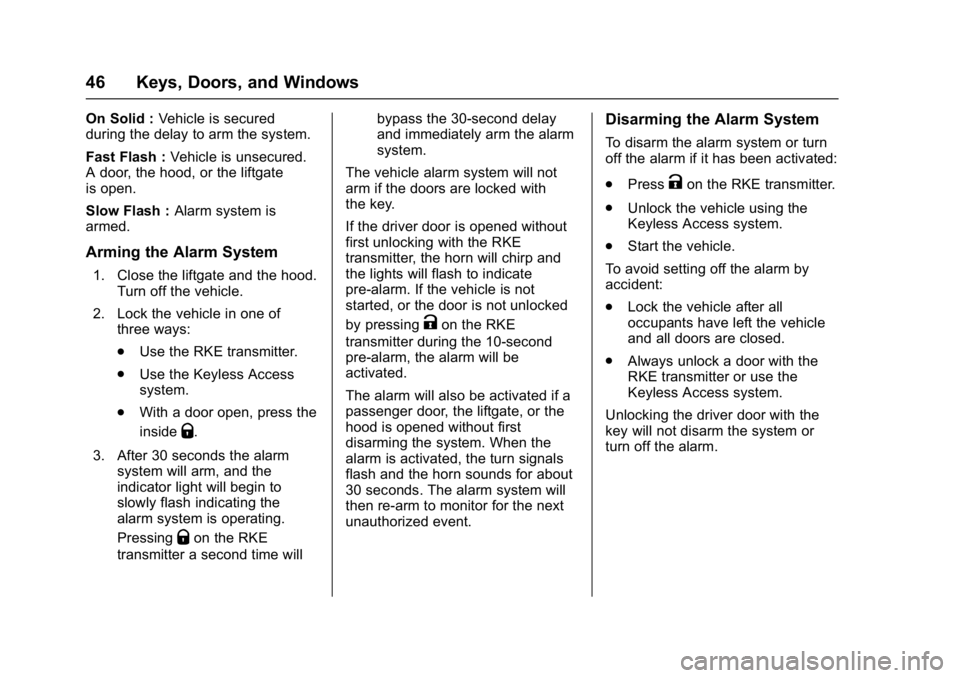
The indicator light, on the
instrument panel near the
windshield, indicates the status of
the system.
Off : Alarm system is disarmed.
Page 47 of 419
GMC Acadia/Acadia Denali Owner Manual (GMNA-Localizing-U.S./Canada/
Mexico-9803770) - 2017 - crc - 7/12/16
46 Keys, Doors, and Windows
On Solid :Vehicle is secured
during the delay to arm the system.
Fast Flash : Vehicle is unsecured.
A door, the hood, or the liftgate
is open.
Slow Flash : Alarm system is
armed.
Arming the Alarm System
1. Close the liftgate and the hood. Turn off the vehicle.
2. Lock the vehicle in one of three ways:
.Use the RKE transmitter.
. Use the Keyless Access
system.
. With a door open, press the
inside
Q.
3. After 30 seconds the alarm system will arm, and the
indicator light will begin to
slowly flash indicating the
alarm system is operating.
Pressing
Qon the RKE
transmitter a second time will bypass the 30-second delay
and immediately arm the alarm
system.
The vehicle alarm system will not
arm if the doors are locked with
the key.
If the driver door is opened without
first unlocking with the RKE
transmitter, the horn will chirp and
the lights will flash to indicate
pre-alarm. If the vehicle is not
started, or the door is not unlocked
by pressing
Kon the RKE
transmitter during the 10-second
pre-alarm, the alarm will be
activated.
The alarm will also be activated if a
passenger door, the liftgate, or the
hood is opened without first
disarming the system. When the
alarm is activated, the turn signals
flash and the horn sounds for about
30 seconds. The alarm system will
then re-arm to monitor for the next
unauthorized event.
Disarming the Alarm System
To disarm the alarm system or turn
off the alarm if it has been activated:
. Press
Kon the RKE transmitter.
. Unlock the vehicle using the
Keyless Access system.
. Start the vehicle.
To avoid setting off the alarm by
accident:
. Lock the vehicle after all
occupants have left the vehicle
and all doors are closed.
. Always unlock a door with the
RKE transmitter or use the
Keyless Access system.
Unlocking the driver door with the
key will not disarm the system or
turn off the alarm.
Page 48 of 419
GMC Acadia/Acadia Denali Owner Manual (GMNA-Localizing-U.S./Canada/
Mexico-9803770) - 2017 - crc - 7/12/16
Keys, Doors, and Windows 47
How to Detect a Tamper
Condition
IfKis pressed and the horn chirps
and the lights flash three times, the
alarm was activated while the alarm
system was armed.
If the alarm system has been
activated, a message will appear on
the DIC. See Security
Messages 0155.
Immobilizer
See Radio Frequency
Statement 0394.
Immobilizer Operation
This vehicle has a passive
theft-deterrent system.
The system does not have to be
manually armed or disarmed.
The vehicle is automatically
immobilized when the vehicle is
turned off. The immobilization system is
disarmed when the pushbutton start
is activated to enter the ACC/
ACCESSORY mode or the ON/
RUN/START mode and a valid
transmitter is present in the vehicle.
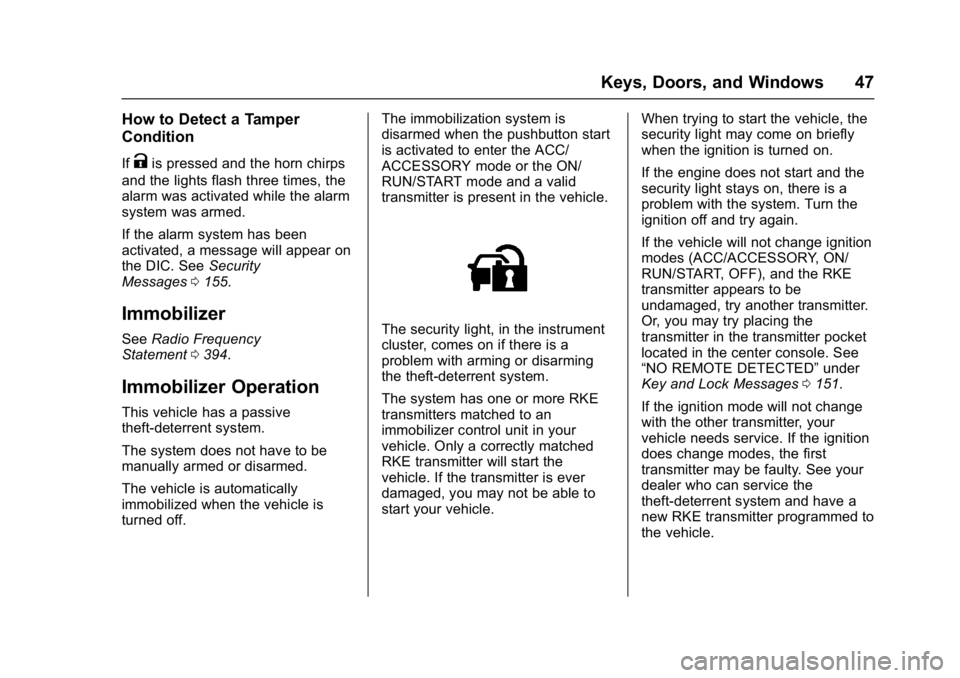
The security light, in the instrument
cluster, comes on if there is a
problem with arming or disarming
the theft-deterrent system.
The system has one or more RKE
transmitters matched to an
immobilizer control unit in your
vehicle. Only a correctly matched
RKE transmitter will start the
vehicle. If the transmitter is ever
damaged, you may not be able to
start your vehicle.
When trying to start the vehicle, the
security light may come on briefly
when the ignition is turned on.
If the engine does not start and the
security light stays on, there is a
problem with the system. Turn the
ignition off and try again.
If the vehicle will not change ignition
modes (ACC/ACCESSORY, ON/
RUN/START, OFF), and the RKE
transmitter appears to be
undamaged, try another transmitter.
Or, you may try placing the
transmitter in the transmitter pocket
located in the center console. See
“NO REMOTE DETECTED”
under
Key and Lock Messages 0151.
If the ignition mode will not change
with the other transmitter, your
vehicle needs service. If the ignition
does change modes, the first
transmitter may be faulty. See your
dealer who can service the
theft-deterrent system and have a
new RKE transmitter programmed to
the vehicle.
Page 52 of 419
GMC Acadia/Acadia Denali Owner Manual (GMNA-Localizing-U.S./Canada/
Mexico-9803770) - 2017 - crc - 7/12/16
Keys, Doors, and Windows 51
Window Lockout
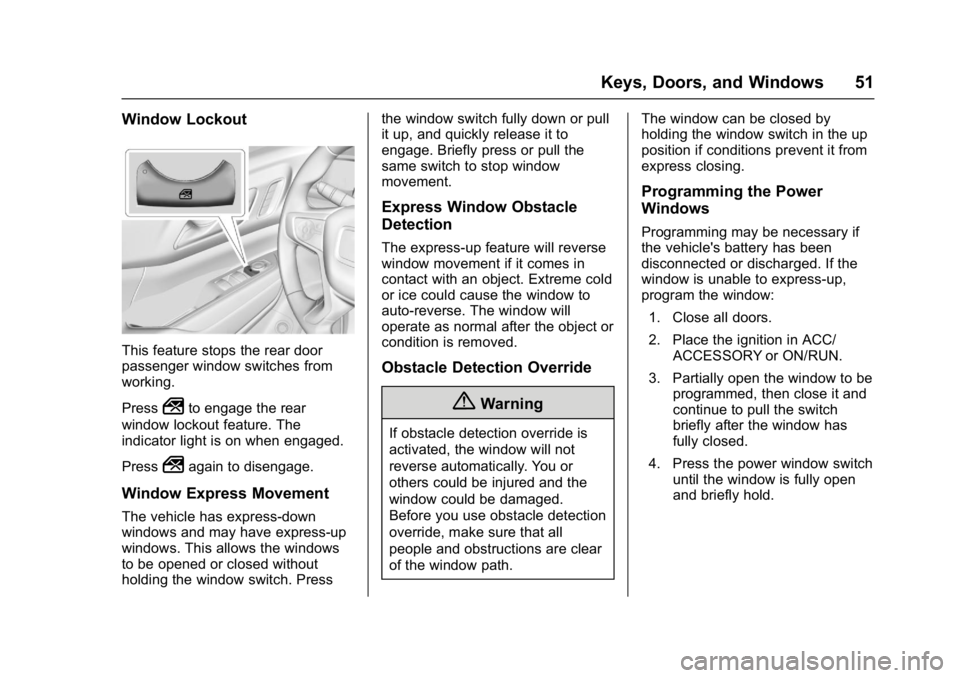
This feature stops the rear door
passenger window switches from
working.
Press
2to engage the rear
window lockout feature. The
indicator light is on when engaged.
Press
2again to disengage.
Window Express Movement
The vehicle has express-down
windows and may have express-up
windows. This allows the windows
to be opened or closed without
holding the window switch. Press the window switch fully down or pull
it up, and quickly release it to
engage. Briefly press or pull the
same switch to stop window
movement.
Express Window Obstacle
Detection
The express-up feature will reverse
window movement if it comes in
contact with an object. Extreme cold
or ice could cause the window to
auto-reverse. The window will
operate as normal after the object or
condition is removed.
Obstacle Detection Override
{Warning
If obstacle detection override is
activated, the window will not
reverse automatically. You or
others could be injured and the
window could be damaged.
Before you use obstacle detection
override, make sure that all
people and obstructions are clear
of the window path.
The window can be closed by
holding the window switch in the up
position if conditions prevent it from
express closing.
Programming the Power
Windows
Programming may be necessary if
the vehicle's battery has been
disconnected or discharged. If the
window is unable to express-up,
program the window:
1. Close all doors.
2. Place the ignition in ACC/ ACCESSORY or ON/RUN.
3. Partially open the window to be programmed, then close it and
continue to pull the switch
briefly after the window has
fully closed.
4. Press the power window switch until the window is fully open
and briefly hold.
Page 54 of 419
GMC Acadia/Acadia Denali Owner Manual (GMNA-Localizing-U.S./Canada/
Mexico-9803770) - 2017 - crc - 7/12/16
Keys, Doors, and Windows 53
open position. The sunshade can be
manually opened or closed when
the sunroof is closed.
If equipped, the rear sunshade can
only be opened or closed manually.
The sunroof cannot be opened or
closed if the vehicle has an
electrical failure.
Automatic Reversal System
The sunroof is equipped with an
automatic reversal system that is
only active when the sunroof is
being operated in express mode.
If an object is in the path of the
sunroof while it is express-closing,
the reversal system will detect the
object and stop. In the event of
closing difficulties like frost or other
conditions, it is possible to override
the reversal system. To override the
reversal system, close in manual
mode. To stop the movement,
release the switch.
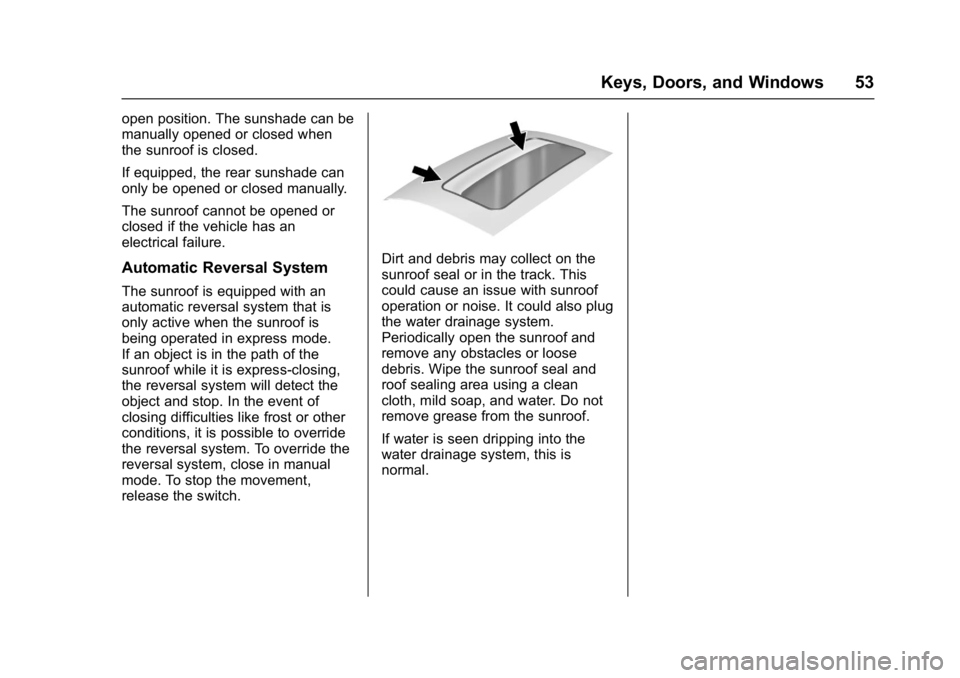
Dirt and debris may collect on the
sunroof seal or in the track. This
could cause an issue with sunroof
operation or noise. It could also plug
the water drainage system.
Periodically open the sunroof and
remove any obstacles or loose
debris. Wipe the sunroof seal and
roof sealing area using a clean
cloth, mild soap, and water. Do not
remove grease from the sunroof.
If water is seen dripping into the
water drainage system, this is
normal.
Page 63 of 419
GMC Acadia/Acadia Denali Owner Manual (GMNA-Localizing-U.S./Canada/
Mexico-9803770) - 2017 - crc - 7/12/16
62 Seats and Restraints
Warning (Continued)
overheat. An overheated seat
heater may cause a burn or may
damage the seat.
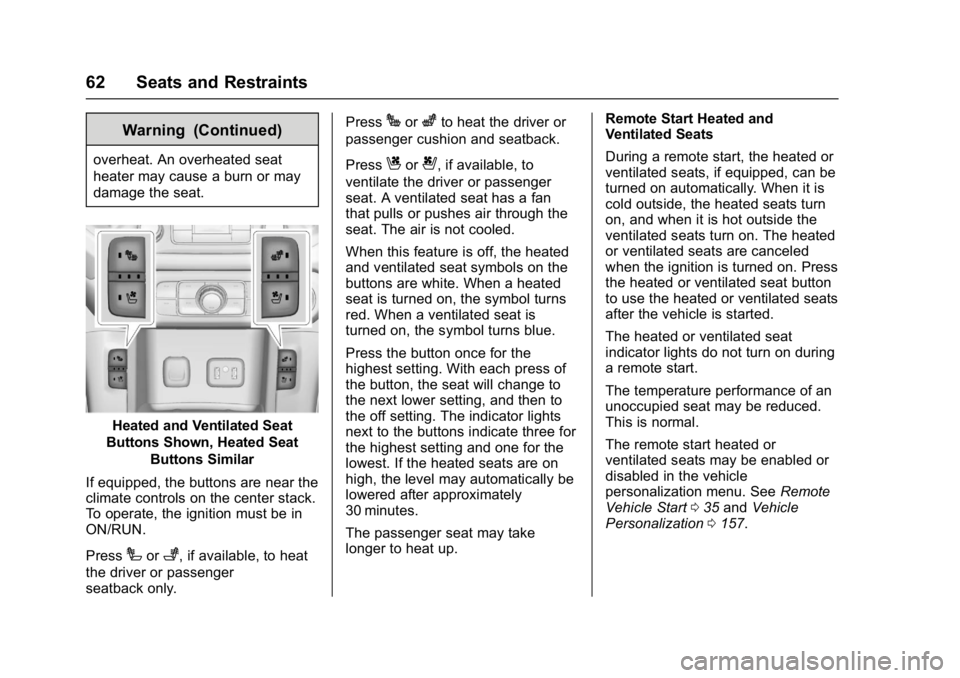
Heated and Ventilated Seat
Buttons Shown, Heated Seat
Buttons Similar
If equipped, the buttons are near the
climate controls on the center stack.
To operate, the ignition must be in
ON/RUN.
Press
Ior+, if available, to heat
the driver or passenger
seatback only. Press
Jorzto heat the driver or
passenger cushion and seatback.
Press
Cor{, if available, to
ventilate the driver or passenger
seat. A ventilated seat has a fan
that pulls or pushes air through the
seat. The air is not cooled.
When this feature is off, the heated
and ventilated seat symbols on the
buttons are white. When a heated
seat is turned on, the symbol turns
red. When a ventilated seat is
turned on, the symbol turns blue.
Press the button once for the
highest setting. With each press of
the button, the seat will change to
the next lower setting, and then to
the off setting. The indicator lights
next to the buttons indicate three for
the highest setting and one for the
lowest. If the heated seats are on
high, the level may automatically be
lowered after approximately
30 minutes.
The passenger seat may take
longer to heat up. Remote Start Heated and
Ventilated Seats
During a remote start, the heated or
ventilated seats, if equipped, can be
turned on automatically. When it is
cold outside, the heated seats turn
on, and when it is hot outside the
ventilated seats turn on. The heated
or ventilated seats are canceled
when the ignition is turned on. Press
the heated or ventilated seat button
to use the heated or ventilated seats
after the vehicle is started.
The heated or ventilated seat
indicator lights do not turn on during
a remote start.
The temperature performance of an
unoccupied seat may be reduced.
This is normal.
The remote start heated or
ventilated seats may be enabled or
disabled in the vehicle
personalization menu. See
Remote
Vehicle Start 035 and Vehicle
Personalization 0157.
Page 64 of 419
GMC Acadia/Acadia Denali Owner Manual (GMNA-Localizing-U.S./Canada/
Mexico-9803770) - 2017 - crc - 7/12/16
Seats and Restraints 63
Rear Seats
Rear Seat Reminder
Look in Rear Seat Reminder
Feature
This message displays under
certain conditions indicating there
may be an item or passenger in the
rear seat. Check before exiting the
vehicle.
This feature will activate when a
second row door is opened while
the vehicle is on or up to 10 minutes
before the vehicle is turned on,
including if the vehicle was started
remotely. There will be an alert
when the vehicle is turned off. The
alert does not directly detect objects
in the rear seat; instead, under
certain conditions, it detects when a
rear door is opened and closed,
indicating that there may be
something in the rear seat.
The feature is active only once each
time the vehicle is turned on and off,
and will require reactivation by
opening and closing the second row
doors. There may be an alert even
when there is nothing in the rearseat; for example, if a child entered
the vehicle through the rear door
and left the vehicle without the
vehicle being shut off.
The feature can be turned on or off
through
Vehicle
Personalization 0157.
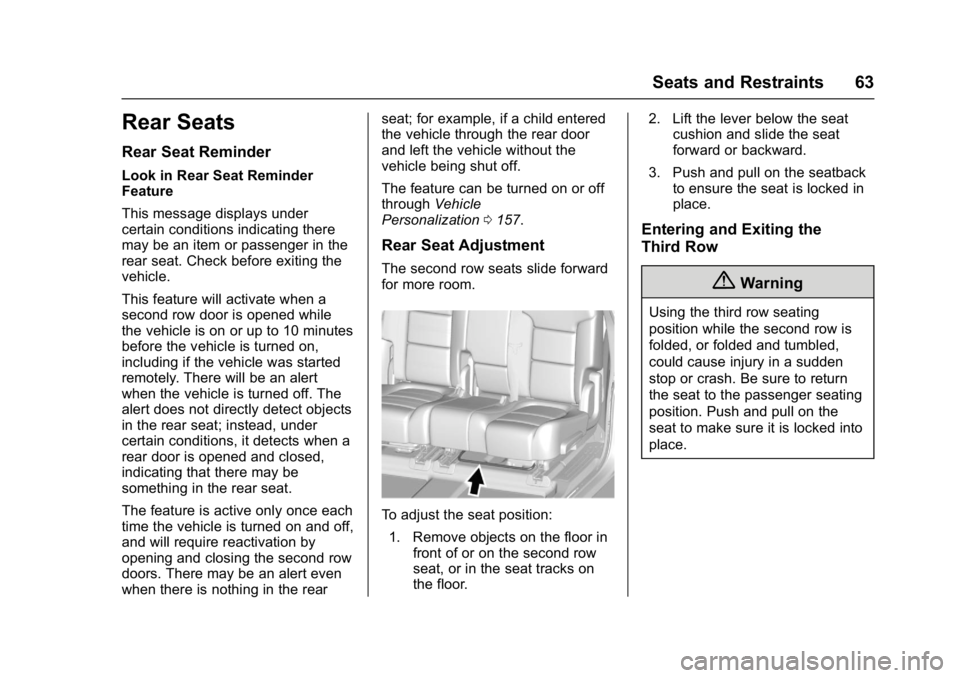
Rear Seat Adjustment
The second row seats slide forward
for more room.
To adjust the seat position:
1. Remove objects on the floor in front of or on the second row
seat, or in the seat tracks on
the floor. 2. Lift the lever below the seat
cushion and slide the seat
forward or backward.
3. Push and pull on the seatback to ensure the seat is locked in
place.
Entering and Exiting the
Third Row
{Warning
Using the third row seating
position while the second row is
folded, or folded and tumbled,
could cause injury in a sudden
stop or crash. Be sure to return
the seat to the passenger seating
position. Push and pull on the
seat to make sure it is locked into
place.
Page 67 of 419
GMC Acadia/Acadia Denali Owner Manual (GMNA-Localizing-U.S./Canada/
Mexico-9803770) - 2017 - crc - 7/12/16
66 Seats and Restraints
Heated Rear Seats
{Warning
If you cannot feel temperature
change or pain to the skin, the
seat heater may cause burns.
See the Warning underHeated
and Ventilated Front Seats 061.
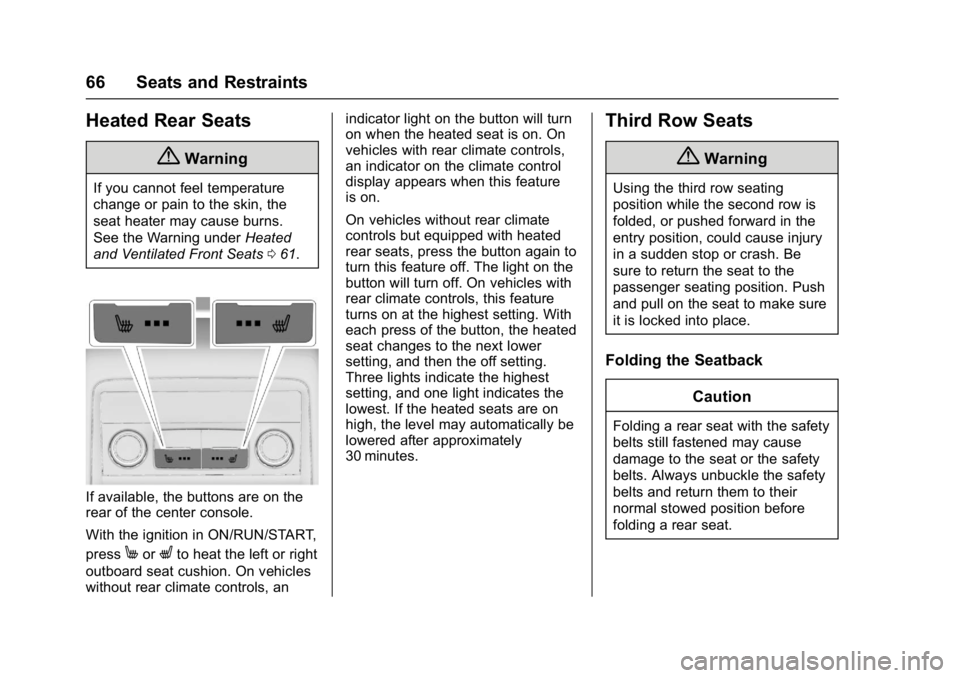
If available, the buttons are on the
rear of the center console.
With the ignition in ON/RUN/START,
press
MorLto heat the left or right
outboard seat cushion. On vehicles
without rear climate controls, an indicator light on the button will turn
on when the heated seat is on. On
vehicles with rear climate controls,
an indicator on the climate control
display appears when this feature
is on.
On vehicles without rear climate
controls but equipped with heated
rear seats, press the button again to
turn this feature off. The light on the
button will turn off. On vehicles with
rear climate controls, this feature
turns on at the highest setting. With
each press of the button, the heated
seat changes to the next lower
setting, and then the off setting.
Three lights indicate the highest
setting, and one light indicates the
lowest. If the heated seats are on
high, the level may automatically be
lowered after approximately
30 minutes.
Third Row Seats
{Warning
Using the third row seating
position while the second row is
folded, or pushed forward in the
entry position, could cause injury
in a sudden stop or crash. Be
sure to return the seat to the
passenger seating position. Push
and pull on the seat to make sure
it is locked into place.
Folding the Seatback
Caution
Folding a rear seat with the safety
belts still fastened may cause
damage to the seat or the safety
belts. Always unbuckle the safety
belts and return them to their
normal stowed position before
folding a rear seat.
Page 69 of 419
GMC Acadia/Acadia Denali Owner Manual (GMNA-Localizing-U.S./Canada/
Mexico-9803770) - 2017 - crc - 7/12/16
68 Seats and Restraints
Safety Belts
This section describes how to use
safety belts properly, and some
things not to do.
{Warning
Do not let anyone ride where a
safety belt cannot be worn
properly. In a crash, if you or your
passenger(s) are not wearing
safety belts, injuries can be much
worse than if you are wearing
safety belts. You can be seriously
injured or killed by hitting things
inside the vehicle harder or by
being ejected from the vehicle. In
addition, anyone who is not
buckled up can strike other
passengers in the vehicle.
It is extremely dangerous to ride
in a cargo area, inside or outside
of a vehicle. In a collision,
passengers riding in these areas
are more likely to be seriously
injured or killed. Do not allow(Continued)
Warning (Continued)
passengers to ride in any area of
the vehicle that is not equipped
with seats and safety belts.
Always wear a safety belt, and
check that all passenger(s) are
restrained properly too.
This vehicle has indicators as a
reminder to buckle the safety belts.
See Safety Belt Reminders 0130.
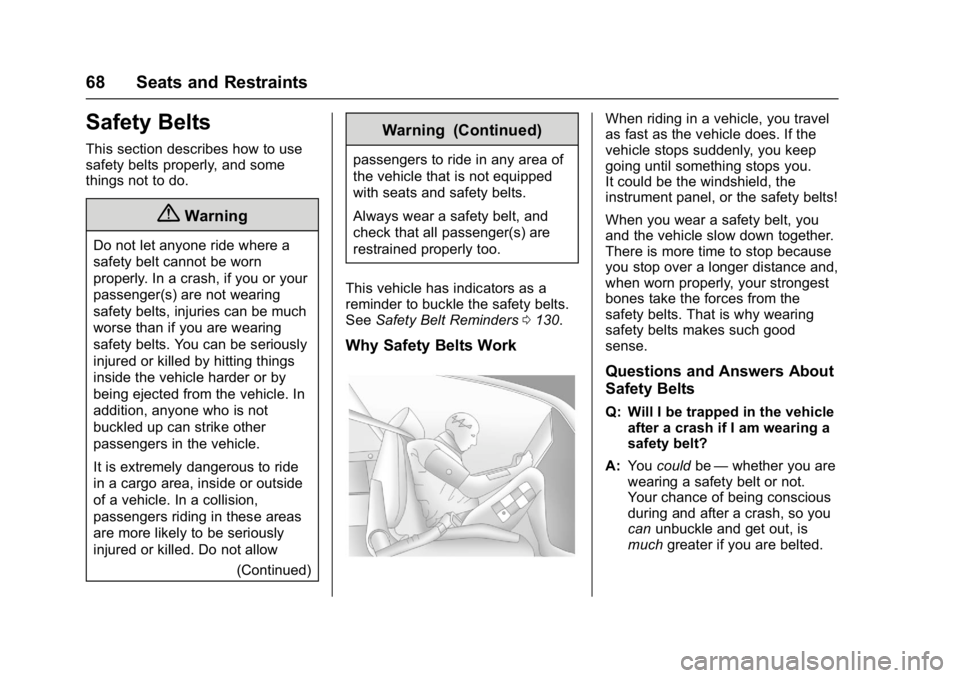
Why Safety Belts Work
When riding in a vehicle, you travel
as fast as the vehicle does. If the
vehicle stops suddenly, you keep
going until something stops you.
It could be the windshield, the
instrument panel, or the safety belts!
When you wear a safety belt, you
and the vehicle slow down together.
There is more time to stop because
you stop over a longer distance and,
when worn properly, your strongest
bones take the forces from the
safety belts. That is why wearing
safety belts makes such good
sense.
Questions and Answers About
Safety Belts
Q: Will I be trapped in the vehicle
after a crash if I am wearing a
safety belt?
A: You could be—whether you are
wearing a safety belt or not.
Your chance of being conscious
during and after a crash, so you
can unbuckle and get out, is
much greater if you are belted.
Page 79 of 419
GMC Acadia/Acadia Denali Owner Manual (GMNA-Localizing-U.S./Canada/
Mexico-9803770) - 2017 - crc - 7/12/16
78 Seats and Restraints
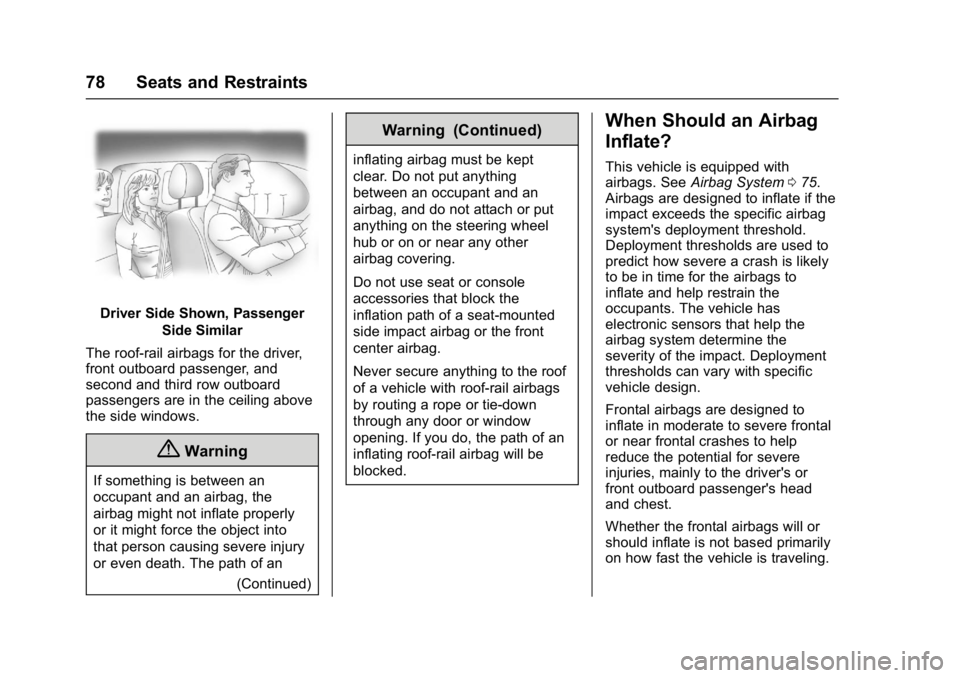
Driver Side Shown, PassengerSide Similar
The roof-rail airbags for the driver,
front outboard passenger, and
second and third row outboard
passengers are in the ceiling above
the side windows.
{Warning
If something is between an
occupant and an airbag, the
airbag might not inflate properly
or it might force the object into
that person causing severe injury
or even death. The path of an (Continued)
Warning (Continued)
inflating airbag must be kept
clear. Do not put anything
between an occupant and an
airbag, and do not attach or put
anything on the steering wheel
hub or on or near any other
airbag covering.
Do not use seat or console
accessories that block the
inflation path of a seat-mounted
side impact airbag or the front
center airbag.
Never secure anything to the roof
of a vehicle with roof-rail airbags
by routing a rope or tie-down
through any door or window
opening. If you do, the path of an
inflating roof-rail airbag will be
blocked.
When Should an Airbag
Inflate?
This vehicle is equipped with
airbags. SeeAirbag System 075.
Airbags are designed to inflate if the
impact exceeds the specific airbag
system's deployment threshold.
Deployment thresholds are used to
predict how severe a crash is likely
to be in time for the airbags to
inflate and help restrain the
occupants. The vehicle has
electronic sensors that help the
airbag system determine the
severity of the impact. Deployment
thresholds can vary with specific
vehicle design.
Frontal airbags are designed to
inflate in moderate to severe frontal
or near frontal crashes to help
reduce the potential for severe
injuries, mainly to the driver's or
front outboard passenger's head
and chest.
Whether the frontal airbags will or
should inflate is not based primarily
on how fast the vehicle is traveling.