steering wheel GMC ACADIA 2018 Workshop Manual
[x] Cancel search | Manufacturer: GMC, Model Year: 2018, Model line: ACADIA, Model: GMC ACADIA 2018Pages: 423, PDF Size: 7.26 MB
Page 266 of 423
GMC Acadia/Acadia Denali Owner Manual (GMNA-Localizing-U.S./Canada/
Mexico-11349114) - 2018 - crc - 9/21/17
Driving and Operating 265
direction. Since this system is part
of the Lane Keep Assist (LKA)
system, read the entire LKA section
before using this feature.
Lane Keep Assist (LKA)
If equipped, LKA may help avoid
crashes due to unintentional lane
departures. It may assist by gently
turning the steering wheel if the
vehicle approaches a detected lane
marking without using a turn signal
in that direction. It may also provide
a Lane Departure Warning (LDW)
system alert as the lane marking is
crossed. The LKA system will not
assist or provide an LDW alert if it
detects that you are actively
steering. Override LKA by turning
the steering wheel. LKA uses a
camera to detect lane markings
between 60 km/h (37 mph) and
180 km/h (112 mph).
{Warning
The LKA system does not
continuously steer the vehicle.
It may not keep the vehicle in the
lane or give a Lane Departure
Warning (LDW) alert, even if a
lane marking is detected.
The LKA and LDW systems
may not:. Provide an alert or enough
steering assist to avoid a
lane departure or crash.
. Detect lane markings under
poor weather or visibility
conditions. This can occur if
the windshield or
headlamps are blocked by
dirt, snow, or ice, if they are
not in proper condition, or if
the sun shines directly into
the camera.
. Detect road edges.
. Detect lanes on winding or
hilly roads.
(Continued)
Warning (Continued)
If LKA only detects lane markings
on one side of the road, it will
only assist or provide an LDW
alert when approaching the lane
on the side where it has detected
a lane marking. Even with LKA
and LDW, you must steer the
vehicle. Always keep your
attention on the road and
maintain proper vehicle position
within the lane, or vehicle
damage, injury, or death could
occur. Always keep the
windshield, headlamps, and
camera sensors clean and in
good repair. Do not use LKA in
bad weather conditions.
{Warning
Using LKA while towing a trailer
or on slippery roads could cause
loss of control of the vehicle and
a crash. Turn the system off.
Page 267 of 423
GMC Acadia/Acadia Denali Owner Manual (GMNA-Localizing-U.S./Canada/
Mexico-11349114) - 2018 - crc - 9/21/17
266 Driving and Operating
How the System Works
The LKA camera sensor is on the
windshield ahead of the rearview
mirror.
To turn LKA on and off, press
A
on the center console.
When on,
Ais green if LKA is
available to assist and provide LDW
alerts. It may assist by gently
turning the steering wheel and
display
Aas amber if the vehicle
approaches a detected lane marking
without using a turn signal in that
direction. It may also provide an
LDW alert by flashing
Aamber
as the lane marking is crossed.
Additionally, there may be three
beeps, or the driver seat may pulse
three times, on the right or left,
depending on the lane departure
direction. Take Steering
The LKA system does not
continuously steer the vehicle.
If LKA does not detect active driver
steering, an alert, chime, or DIC
message may be provided. Move
the steering wheel to dismiss.
When the System Does Not
Seem to Work Properly
The system performance may be
affected by:
.
Close vehicles ahead.
. Sudden lighting changes, such
as when driving through tunnels.
. Banked roads.
. Roads with poor lane markings,
such as two-lane roads.
If the LKA system is not functioning
properly when lane markings are
clearly visible, cleaning the
windshield may help. A system unavailable message may
display if the camera is blocked.
The LKA system does not need
service.
LKA assistance and/or LDW alerts
may occur due to tar marks,
shadows, cracks in the road,
temporary or construction lane
markings, or other road
imperfections. This is normal system
operation; the vehicle does not need
service. Turn LKA off if these
conditions continue.
Page 273 of 423
GMC Acadia/Acadia Denali Owner Manual (GMNA-Localizing-U.S./Canada/
Mexico-11349114) - 2018 - crc - 9/21/17
272 Driving and Operating
Following Distance
Stay at least twice as far behind the
vehicle ahead as you would when
driving the vehicle without a trailer.
This can help to avoid situations
that require heavy braking and
sudden turns.
Passing
More passing distance is needed
when towing a trailer. Because the
rig is longer, it is necessary to go
farther beyond the passed vehicle
before returning to the lane.
Backing Up
Hold the bottom of the steering
wheel with one hand. To move the
trailer to the left, move your hand to
the left. To move the trailer to the
right, move your hand to the right.
Always back up slowly and,
if possible, have someone
guide you.
Making TurnsCaution
Making very sharp turns while
trailering could cause the trailer to
come in contact with the vehicle.
The vehicle could be damaged.
Avoid making very sharp turns
while trailering.
When turning with a trailer, make
wider turns than normal so the
trailer will not strike soft shoulders,
curbs, road signs, trees, or other
objects. Use the turn signal well in
advance and avoid jerky or sudden
maneuvers.
Turn Signals When Towing a
Trailer
The turn signal indicators on the
instrument cluster flash whenever
signaling a turn or lane change.
Properly hooked up, the trailer
lamps also flash, telling other
drivers the vehicle is turning,
changing lanes, or stopping. When towing a trailer, the arrows on
the instrument cluster flash for turns
even if the bulbs on the trailer are
burned out. Check occasionally to
be sure the trailer bulbs are still
working.
Driving on Grades
Reduce speed and shift to a lower
gear before starting down a long or
steep downgrade. If the
transmission is not shifted down, the
brakes might have to be used so
much that they would get hot and no
longer work well.
The vehicle can tow in D (Drive).
Use a lower gear if the transmission
shifts too often.
The Tow/Haul Mode may be used if
the transmission shifts too often.
See
Tow/Haul Mode 0232.
When towing at high altitude on
steep uphill grades, engine coolant
boils at a lower temperature than at
normal altitudes. If the engine is
turned off immediately after towing
at high altitude on steep uphill
grades, the vehicle could show
signs similar to engine overheating.
Page 309 of 423
GMC Acadia/Acadia Denali Owner Manual (GMNA-Localizing-U.S./Canada/
Mexico-11349114) - 2018 - crc - 9/21/17
308 Vehicle Care
FusesUsage
F19 –
F20 –
F21 –
F22 Electronic brake control module
F23 Parking/Trailer lamps
F24 Right trailer stoplamp/Turn
signal lamp
F25 Steering column lock
F26 –
F27 Left trailer stoplamp/ Turn signal lamp
F28 –
F29 –
F30 Washer pump
F31 Headlamp low-beam right
F32 Headlamp low-beam left
F33 Fog lamps Fuses
Usage
F34 Horn
F35 –
F36 Headlamp high-beam left
F37 Headlamp high-beam right
F38 Automatic headlamp leveling motor
F39 Transmission control module 1
F40 Left rear bus electrical center/
Ignition
F41 Instrument cluster
F42 Heating, ventilation, and air conditioning
F43 Head-up display
F44 –
F45 –
F46 –
F47 –
F48 Rear wiper 2 Fuses
Usage
F49 Interior rearview mirror/Trailer
F50 Fuel system control module
F51 Heated steering wheel
F52 Air conditioning clutch
F53 Transmission range control module
F54 Coolant pump
F55 –
F56 –
F57 Engine control module/Ignition
F58 Transmission control module/Ignition
F59 Engine control module battery
F60 Transmission control module 2
F61 O2 sensor 1/ Aeroshutter
Page 312 of 423
GMC Acadia/Acadia Denali Owner Manual (GMNA-Localizing-U.S./Canada/
Mexico-11349114) - 2018 - crc - 9/21/17
Vehicle Care 311
FusesUsage
F14 Left front heated seat
F15 Instrument panel switch bank
F16 Sunroof
F17 Body control module 1
F18 Instrument cluster
F19 –
F20 Rear seat entertainment
F21 Body control module 4
F22 Infotainment USB data/Aux jack
F23 Body control module 2
F24 USB charger/ Wireless charging
F25 Parking assist
F26 CIM
F27 Video Fuses
Usage
F28 Heating, ventilation, and air
conditioning
display
F29 Radio
F30 Steering wheel adjustment controls
F31 Front blower
F32 DC AC inverter
F33 Driver power seat
F34 Passenger power seat
F35 Battery IEC 1 feed
F36 Electric power steering
F37 Rear seat entertainment/USB
charge/Wireless
charging module
F38 Body control module 8
F39 – Circuit
Breakers Usage
F40 –
F41 –
F42 Auxiliary power outlet/Lighter
Rear Compartment Fuse
Block
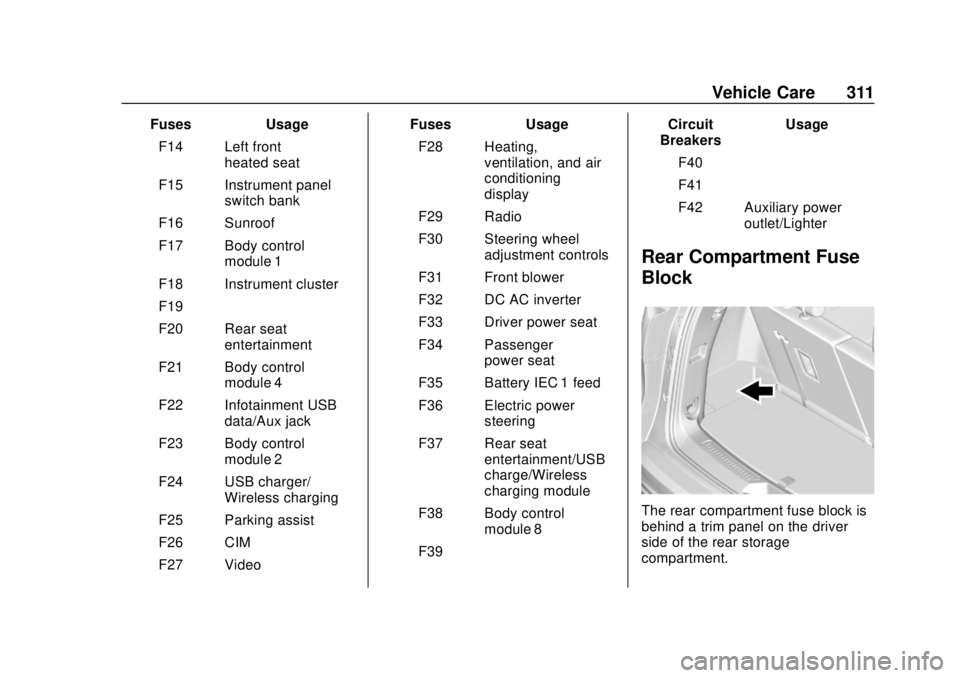
The rear compartment fuse block is
behind a trim panel on the driver
side of the rear storage
compartment.
Page 328 of 423
GMC Acadia/Acadia Denali Owner Manual (GMNA-Localizing-U.S./Canada/
Mexico-11349114) - 2018 - crc - 9/21/17
Vehicle Care 327
The TPMS will not activate the tire
fill alert properly under the following
conditions:
.There is interference from an
external device or transmitter.
. The air pressure from the
inflation device is not sufficient
to inflate the tire.
. There is a malfunction in
the TPMS.
. There is a malfunction in the
horn or turn signal lamps.
. The identification code of the
TPMS sensor is not registered to
the system.
. The battery of the TPMS sensor
is low.
If the tire fill alert does not operate
due to TPMS interference, move the
vehicle about 1 m (3 ft) back or
forward and try again. If the tire fill
alert feature is not working, use a
tire pressure gauge.TPMS Sensor Matching
Process
Each TPMS sensor has a unique
identification code. The identification
code needs to be matched to a new
tire/wheel position after rotating the
vehicle’s tires or replacing one or
more of the TPMS sensors. The
TPMS sensor matching process
should also be performed after
replacing a spare tire with a road
tire containing the TPMS sensor.
The malfunction light and the DIC
message should go off at the next
ignition cycle. The sensors are
matched to the tire/wheel positions,
using a TPMS relearn tool, in the
following order: driver side front tire,
passenger side front tire, passenger
side rear tire, and driver side rear
tire. See your dealer for service or
to purchase a relearn tool. A TPMS
relearn tool can also be purchased.
See Tire Pressure Monitor Sensor
Activation Tool at
www.gmtoolsandequipment.com or
call 1-800-GM TOOLS
(1-800-468-6657). There are two minutes to match the
first tire/wheel position, and
five minutes overall to match all four
tire/wheel positions. If it takes
longer, the matching process stops
and must be restarted.
The TPMS sensor matching
process is:
1. Set the parking brake.
2. Place the vehicle in Service Mode. See Ignition Positions
0 221.
3. Make sure the Tire Pressure info page option is turned on.
The info pages on the DIC can
be turned on and off through
the Options menu.
See Driver Information Center
(DIC) (Base and Midlevel)
0 145 orDriver Information
Center (DIC) (Uplevel) 0148.
4. Use the DIC controls on the right side of the steering wheel
to scroll to the Tire Pressure
screen under the DIC
info page.
Page 336 of 423
GMC Acadia/Acadia Denali Owner Manual (GMNA-Localizing-U.S./Canada/
Mexico-11349114) - 2018 - crc - 9/21/17
Vehicle Care 335
Warning (Continued)
cause loss of control and a crash.
Use another type of traction
device only if its manufacturer
recommends it for the vehicle's
tire size combination and road
conditions. Follow that
manufacturer's instructions. To
avoid vehicle damage, drive slow
and readjust or remove the
traction device if it contacts the
vehicle. Do not spin the wheels. If
traction devices are used, install
them on the front tires.
Caution
If the vehicle is equipped with
235/65R18 size tires, use tire
chains only where legal and only
when necessary. Use low profile
chains that add no more than
12 mm thickness to the tire tread
and inner sidewall. Use chains(Continued)
Caution (Continued)
that are the proper size for the
tires. Install them on the tires of
the front axle. Do not use chains
on the tires of the rear axle.
Tighten them as tightly as
possible with the ends securely
fastened. Drive slowly and follow
the chain manufacturer's
instructions. If the chains contact
the vehicle, stop and retighten
them. If the contact continues,
slow down until it stops. Driving
too fast or spinning the wheels
with chains on will damage the
vehicle.
If a Tire Goes Flat
It is unusual for a tire to blow out
while driving, especially if the tires
are maintained properly. See Tires
0 314. If air goes out of a tire, it is
much more likely to leak out slowly.
But if there is ever a blowout, here
are a few tips about what to expect
and what to do: If a front tire fails, the flat tire
creates a drag that pulls the vehicle
toward that side. Take your foot off
the accelerator pedal and grip the
steering wheel firmly. Steer to
maintain lane position, and then
gently brake to a stop, well off the
road, if possible.
A rear blowout, particularly on a
curve, acts much like a skid and
may require the same correction as
used in a skid. Stop pressing the
accelerator pedal and steer to
straighten the vehicle. It may be
very bumpy and noisy. Gently brake
to a stop, well off the road,
if possible.
{Warning
Driving on a flat tire will cause
permanent damage to the tire.
Re-inflating a tire after it has been
driven on while severely
underinflated or flat may cause a
blowout and a serious crash.
Never attempt to re-inflate a tire
(Continued)
Page 376 of 423
GMC Acadia/Acadia Denali Owner Manual (GMNA-Localizing-U.S./Canada/
Mexico-11349114) - 2018 - crc - 9/21/17
Service and Maintenance 375
.To avoid break-down or failure to
start the vehicle, maintain a
battery with full cranking power.
. Trained dealer technicians have
the diagnostic equipment to test
the battery and ensure that the
connections and cables are
corrosion-free.
Belts
. Belts may need replacing if they
squeak or show signs of
cracking or splitting.
. Trained dealer technicians have
access to tools and equipment
to inspect the belts and
recommend adjustment or
replacement when necessary.
Brakes
Brakes stop the vehicle and are
crucial to safe driving.
. Signs of brake wear may include
chirping, grinding, or squealing
noises, or difficulty stopping. .
Trained dealer technicians have
access to tools and equipment
to inspect the brakes and
recommend quality parts
engineered for the vehicle.
Fluids
Proper fluid levels and approved
fluids protect the vehicle’s systems
and components. See
Recommended Fluids and
Lubricants 0377 for GM approved
fluids.
. Engine oil and windshield
washer fluid levels should be
checked at every fuel fill.
. Instrument cluster lights may
come on to indicate that fluids
may be low and need to be
filled.
Hoses
Hoses transport fluids and should
be regularly inspected to ensure
that there are no cracks or leaks.
With a multi-point inspection, your
dealer can inspect the hoses and
advise if replacement is needed. Lamps
Properly working headlamps,
taillamps, and brake lamps are
important to see and be seen on
the road.
.
Signs that the headlamps need
attention include dimming, failure
to light, cracking, or damage.
The brake lamps need to be
checked periodically to ensure
that they light when braking.
. With a multi-point inspection,
your dealer can check the lamps
and note any concerns.
Shocks and Struts
Shocks and struts help aid in control
for a smoother ride.
. Signs of wear may include
steering wheel vibration, bounce/
sway while braking, longer
stopping distance, or uneven
tire wear.
. As part of the multi-point
inspection, trained dealer
technicians can visually inspect
the shocks and struts for signs
Page 415 of 423

GMC Acadia/Acadia Denali Owner Manual (GMNA-Localizing-U.S./Canada/
Mexico-11349114) - 2018 - crc - 9/21/17
414 Index
Frequency StatementRadio . . . . . . . . . . . . . . . . . . . . . . . . . 394
Front Fog Lamp Light . . . . . . . . . . . . . . . . . . . . . . . . . . 144
Front Pedestrian Braking (FPB) System . . . . . . . . . . . . . . . . . 260
Front Seats
Adjustment . . . . . . . . . . . . . . . . . . . . . 59
Heated and Ventilated . . . . . . . . . . 64
Fuel . . . . . . . . . . . . . . . . . . . . . . . . . . . . 267 Additives . . . . . . . . . . . . . . . . . . . . . 268
Economy Driving . . . . . . . . . . . . . . . 27
Filling a Portable Fuel
Container . . . . . . . . . . . . . . . . . . . 270
Filling the Tank . . . . . . . . . . . . . . . 268
Foreign Countries . . . . . . . . . . . . 268
Gauge . . . . . . . . . . . . . . . . . . . . . . . . 132
Low Fuel Warning Light . . . . . . . . . . . . . . . . . . . 143, 144
Requirements, California . . . . . 267
Fuses
Engine Compartment FuseBlock . . . . . . . . . . . . . . . . . . . . . . . . 306
Fuses and Circuit Breakers . . . 306
Instrument Panel Fuse Block . . . . . . . . . . . . . . . . . . . . . . . . 309
Rear Compartment Fuse Block . . . . . . . . . . . . . . . . . . . . . . . . .311G
Garage Door Opener . . . . . . . . . . . 160Programming . . . . . . . . . . . . . . . . . 160
Gas Strut(s) . . . . . . . . . . . . . . . . . . . . 302
Gauges Engine CoolantTemperature . . . . . . . . . . . . . . . . 133
Fuel . . . . . . . . . . . . . . . . . . . . . . . . . . 132
Odometer . . . . . . . . . . . . . . . . . . . . . 131
Speedometer . . . . . . . . . . . . . . . . . 131
Tachometer . . . . . . . . . . . . . . . . . . . 131
Trip Odometer . . . . . . . . . . . . . . . . 131
Warning Lights and Indicators . . . . . . . . . . . . . . . . . . . 126
General Information Service and Maintenance . . . . . 367
Towing . . . . . . . . . . . . . . . . . . . . . . . . 270
Vehicle Care . . . . . . . . . . . . . . . . . . 280
Glove Box . . . . . . . . . . . . . . . . . . . . . . 111
GM Mobility Reimbursement
Program . . . . . . . . . . . . . . . . . . . . . . . 388
H
Halogen Bulbs . . . . . . . . . . . . . . . . . . 304
Hands-Free Phone . . . . . . . . . . . . . 194
Hazard Warning Flashers . . . . . . . 168
Head Restraints . . . . . . . . . . . . . . . . . 57 Headlamps
Aiming . . . . . . . . . . . . . . . . . . . . . . . . 303
Automatic . . . . . . . . . . . . . . . . . . . . . 167
Bulb Replacement . . . . . . . . . . . . 304
Daytime Running
Lamps (DRL) . . . . . . . . . . . . . . . . 166
Flash-to-Pass . . . . . . . . . . . . . . . . . 166
High-Beam On Light . . . . . . . . . . 144
High/Low Beam Changer . . . . . 166
Lamps On Reminder . . . . . . . . . 145
Heated
Rear Seats . . . . . . . . . . . . . . . . . . . . . 69
Steering Wheel . . . . . . . . . . . . . . . 120
Heated and Ventilated Front Seats . . . . . . . . . . . . . . . . . . . . . . . . . . 64
Heated Mirrors . . . . . . . . . . . . . . . . . . . 50
Heater
Engine . . . . . . . . . . . . . . . . . . . . . . . . 225
Heating . . . . . . . . . . . . . . . . . . . . 198, 201
High Voltage Devices and Wiring . . . . . . . . . . . . . . . . . . . . . . . . . 305
High-Beam On Light . . . . . . . . . . . . 144
High-Speed Operation . . . . . . . . . . 323
Hill and Mountain Roads . . . . . . . . 215
Hill Descent Control (HDC) . . . . . 238
Hill Descent Control Light . . . . . . . 140
Hill Start Assist (HSA) . . . . . . . . . . 235
Home Page . . . . . . . . . . . . . . . . . . . . . 176
Page 420 of 423

GMC Acadia/Acadia Denali Owner Manual (GMNA-Localizing-U.S./Canada/
Mexico-11349114) - 2018 - crc - 9/21/17
Index 419
Shift Lock Control FunctionCheck, Automatic
Transmission . . . . . . . . . . . . . . . . . . 300
Shifting Into Park . . . . . . . . . . . . . . . . . . . . . . 226
Out of Park . . . . . . . . . . . . . . . . . . . 227
Side Blind Zone Alert (SBZA) . . . 262
Signals, Turn and
Lane-Change . . . . . . . . . . . . . . . . . 168
Software Updates . . . . . . . . . . . . . . 177
Spare Tire Compact . . . . . . . . . . . . . . . . . . . . . . 350
Special Application Services . . . . 374
Specifications and Capacities . . . . . . . . . . . . . . . . . . . . . 381
Speedometer . . . . . . . . . . . . . . . . . . . 131
StabiliTrak
OFF Light . . . . . . . . . . . . . . . . . . . . . 141
Start Assist, Hill . . . . . . . . . . . . . . . . . 235
Start Vehicle, Remote . . . . . . . . . . . 36
Starter Switch Check . . . . . . . . . . . 300
Starting the Engine . . . . . . . . . . . . . 223
Steering . . . . . . . . . . . . . . . . . . . . . . . . 208 Heated Wheel . . . . . . . . . . . . . . . . 120
Wheel Adjustment . . . . . . . . . . . . .119
Wheel Controls . . . . . . . . . . . . . . . .119
Storage Rear . . . . . . . . . . . . . . . . . . . . . . . . . . .112 Storage Areas
Armrest . . . . . . . . . . . . . . . . . . . . . . . . 111
Cargo Cover . . . . . . . . . . . . . . . . . . .112
Cargo Management System . . .113
Center Console . . . . . . . . . . . . . . . .112
Glove Box . . . . . . . . . . . . . . . . . . . . . 111
Roof Rack System . . . . . . . . . . . . .116
Storage Compartments . . . . . . . . . 111
Storing the Tire Sealant and Compressor Kit . . . . . . . . . . . . . . . 343
Struts
Gas . . . . . . . . . . . . . . . . . . . . . . . . . . . 302
Stuck Vehicle . . . . . . . . . . . . . . . . . . . 217
Summer Tires . . . . . . . . . . . . . . . . . . 315
Sun Visors . . . . . . . . . . . . . . . . . . . . . . . 53
Sunroof . . . . . . . . . . . . . . . . . . . . . . . . . . 53
Symbols . . . . . . . . . . . . . . . . . . . . . . . . . . 3
System Forward CollisionAlert (FCA) . . . . . . . . . . . . . . . . . . 256
Infotainment . . . . . . . . . . . . . 173, 397
Roof Rack . . . . . . . . . . . . . . . . . . . . .116
Systems Driver Assistance . . . . . . . . . . . . . 251T
Tachometer . . . . . . . . . . . . . . . . . . . . . 131
Text Telephone (TTY) Users . . . . 387
Theft-Deterrent Systems . . . . . . . . . 48Immobilizer . . . . . . . . . . . . . . . . . . . . . 48
Third-Row Seats . . . . . . . . . . . . . . . . . 70
Time . . . . . . . . . . . . . . . . . . . . . . . . . . . . 122
Tires . . . . . . . . . . . . . . . . . . . . . . . . . . . . 314 All-Season . . . . . . . . . . . . . . . . . . . . 315
Buying New Tires . . . . . . . . . . . . . 330
Chains . . . . . . . . . . . . . . . . . . . . . . . . 334
Changing . . . . . . . . . . . . . . . . . . . . . 344
Compact Spare . . . . . . . . . . . . . . . 350
Designations . . . . . . . . . . . . . . . . . 318
Different Size . . . . . . . . . . . . . . . . . 332
If a Tire Goes Flat . . . . . . . . . . . . 335
Inspection . . . . . . . . . . . . . . . . . . . . 328
Pressure . . . . . . . . . . . . . . . . . 321, 323
Pressure Light . . . . . . . . . . . . . . . . 142
Pressure Monitor Operation . . 324
Pressure Monitor System . . . . . 323
Rotation . . . . . . . . . . . . . . . . . . . . . . 328
Sealant andCompressor Kit . . . . . . . . . . . . . 337
Sealant and Compressor Kit, Storing . . . . . . . . . . . . . . . . . . 343
Sidewall Labeling . . . . . . . . . . . . . 316
Terminology and Definitions . . 319