Malfunction light GMC ACADIA 2018 Owner's Manual
[x] Cancel search | Manufacturer: GMC, Model Year: 2018, Model line: ACADIA, Model: GMC ACADIA 2018Pages: 423, PDF Size: 7.26 MB
Page 8 of 423

GMC Acadia/Acadia Denali Owner Manual (GMNA-Localizing-U.S./Canada/
Mexico-11349114) - 2018 - crc - 9/21/17
In Brief 7
1.Air Vents 0203.
2. Exterior Lamp Controls 0164.
Turn Signal Lever. See Turn
and Lane-Change Signals
0 168.
3. Instrument Cluster 0127.
4. Windshield Wiper/Washer
0120.
Rear Window Wiper/Washer
0 121.
5. Light Sensor. See Automatic
Headlamp System 0167.
6. Infotainment 0173.
7. Dual Automatic Climate Control
System 0198.
8. Heated and Ventilated Front
Seats 064 (If Equipped).
9. USB Port 0181 (If Equipped).
Auxiliary Input Jack. See
Auxiliary Devices 0187.
10. Hazard Warning Flashers
0168.
Traction Control/Electronic
Stability Control 0236. 11.
Power Outlets 0124.
12. Driver Mode Control 0238.
Assistance Systems for
Parking or Backing 0252 (If
Equipped).
Lane Keep Assist (LKA) 0265
(If Equipped).
13. Shift Lever. See Automatic
Transmission 0229.
14. ENGINE START/STOP Button. SeeStarting the Engine 0223.
15. Steering Wheel Controls 0119
(If Equipped).
Driver Information Center (DIC)
Buttons.
See Driver Information Center
(DIC) (Base and Midlevel)
0 145 orDriver Information
Center (DIC) (Uplevel) 0148.
16. Horn 0120.
17. Steering Wheel Adjustment
0119.
18. Cruise Control 0240.
Adaptive Cruise Control 0242
(If Equipped). Forward Collision Alert (FCA)
System
0256 (If Equipped).
Heated Steering Wheel 0120
(If Equipped).
19. Hood Release. See Hood
0 282.
20. Instrument Panel Illumination
Control 0169 (Out of View).
21. Data Link Connector (DLC) (Out of View). See Malfunction
Indicator Lamp (Check Engine
Light) 0136.
22. Electric Parking Brake 0233.
Page 81 of 423
GMC Acadia/Acadia Denali Owner Manual (GMNA-Localizing-U.S./Canada/
Mexico-11349114) - 2018 - crc - 9/21/17
80 Seats and Restraints
Warning (Continued)
Occupants should not lean on or
sleep against the front center
armrest or console in vehicles
with a front center airbag.
Occupants should not lean on or
sleep against the door or side
windows in seating positions with
seat-mounted side impact airbags
and/or roof-rail airbags.
{Warning
Children who are up against,
or very close to, any airbag when
it inflates can be seriously injured
or killed. Always secure children
properly in the vehicle. To read
how, seeOlder Children 091 or
Infants and Young Children 093.
There is an airbag readiness light
on the instrument cluster, which
shows the airbag symbol.
The system checks the airbag
electrical system for malfunctions.
The light tells you if there is an
electrical problem. See Airbag
Readiness Light 0135.
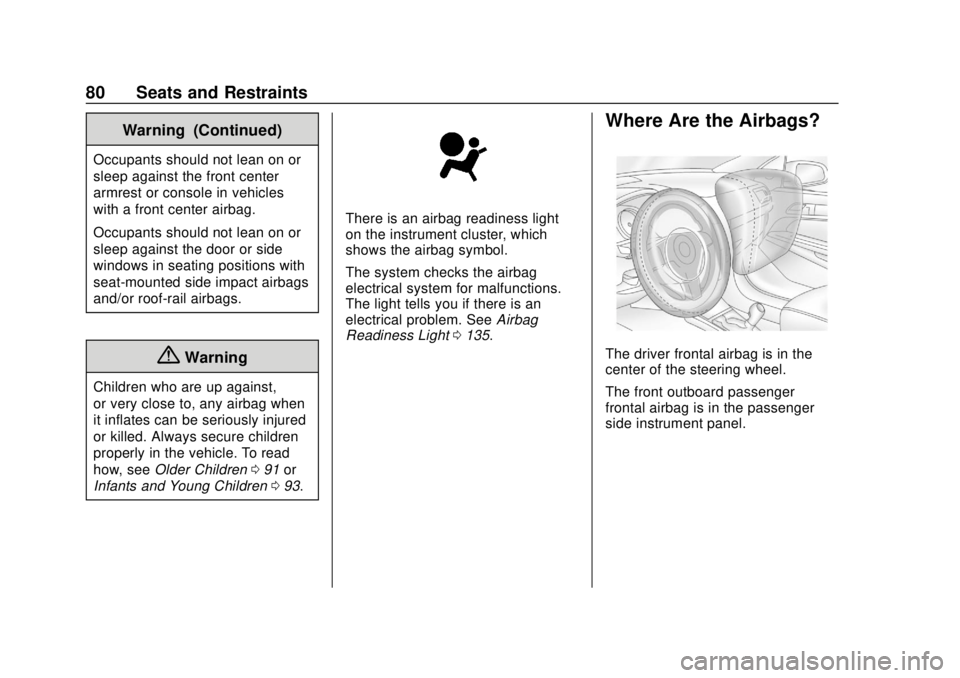
Where Are the Airbags?
The driver frontal airbag is in the
center of the steering wheel.
The front outboard passenger
frontal airbag is in the passenger
side instrument panel.
Page 119 of 423
GMC Acadia/Acadia Denali Owner Manual (GMNA-Localizing-U.S./Canada/
Mexico-11349114) - 2018 - crc - 9/21/17
118 Instruments and Controls
Instruments and
Controls
Controls
Steering Wheel Adjustment . . . 119
Steering Wheel Controls . . . . . . 119
Heated Steering Wheel . . . . . . . 120
Horn . . . . . . . . . . . . . . . . . . . . . . . . . . 120
Windshield Wiper/Washer . . . . 120
Rear Window Wiper/Washer . . . . . . . . . . . . . . . . . . . . . 121
Compass . . . . . . . . . . . . . . . . . . . . . 122
Clock . . . . . . . . . . . . . . . . . . . . . . . . . 122
Power Outlets . . . . . . . . . . . . . . . . 124
Warning Lights, Gauges, and
Indicators
Warning Lights, Gauges, and Indicators . . . . . . . . . . . . . . . . . . . 126
Instrument Cluster . . . . . . . . . . . . 127
Speedometer . . . . . . . . . . . . . . . . . 131
Odometer . . . . . . . . . . . . . . . . . . . . . 131
Trip Odometer . . . . . . . . . . . . . . . . 131
Tachometer . . . . . . . . . . . . . . . . . . . 131
Fuel Gauge . . . . . . . . . . . . . . . . . . . 132
Engine Coolant Temperature Gauge . . . . . . . . . . . . . . . . . . . . . . 133
Seat Belt Reminders . . . . . . . . . 134 Airbag Readiness Light . . . . . . . 135
Passenger Airbag Status
Indicator . . . . . . . . . . . . . . . . . . . . 135
Charging System Light . . . . . . . 136
Malfunction Indicator Lamp (Check Engine Light) . . . . . . . . 136
Brake System Warning Light . . . . . . . . . . . . . . . . . . . . . . . . 138
Electric Parking Brake Light . . . . . . . . . . . . . . . . . . . . . . . . 139
Service Electric Parking Brake Light (Uplevel and Midlevel
Cluster Only) . . . . . . . . . . . . . . . . 139
Antilock Brake System (ABS) Warning Light . . . . . . . . . . . . . . . 140
Tow/Haul Mode Light . . . . . . . . . 140
Hill Descent Control Light . . . . 140
Lane Keep Assist (LKA) Light . . . . . . . . . . . . . . . . . . . . . . . . 140
Vehicle Ahead Indicator . . . . . . 141
Pedestrian Ahead Indicator . . . 141
Traction Off Light . . . . . . . . . . . . . 141
StabiliTrak OFF Light . . . . . . . . . 141
Traction Control System (TCS)/ StabiliTrak Light . . . . . . . . . . . . . 142
Tire Pressure Light . . . . . . . . . . . 142
Engine Oil Pressure Light . . . . 143
Low Fuel Warning Light (Base Level) . . . . . . . . . . . . . . . . . . . . . . . 143 Low Fuel Warning Light
(Midlevel and Uplevel) . . . . . . 144
Security Light . . . . . . . . . . . . . . . . . 144
High-Beam On Light . . . . . . . . . . 144
Front Fog Lamp Light . . . . . . . . . 144
Lamps On Reminder . . . . . . . . . 145
Cruise Control Light . . . . . . . . . . 145
Door Ajar Light . . . . . . . . . . . . . . . 145
Information Displays
Driver Information Center (DIC) (Base and Midlevel) . . . . . . . . . 145
Driver Information Center (DIC) (Uplevel) . . . . . . . . . . . . . . . . . . . . 148
Vehicle Messages
Vehicle Messages . . . . . . . . . . . . 151
Engine Power Messages . . . . . 151
Vehicle Speed Messages . . . . . 152
Vehicle Personalization
Vehicle Personalization . . . . . . . 152
Universal Remote System
Universal Remote System . . . . 160
Universal Remote SystemProgramming . . . . . . . . . . . . . . . 160
Universal Remote System Operation . . . . . . . . . . . . . . . . . . . 163
Page 137 of 423
GMC Acadia/Acadia Denali Owner Manual (GMNA-Localizing-U.S./Canada/
Mexico-11349114) - 2018 - crc - 9/21/17
136 Instruments and Controls
several more seconds, the status
indicator will light either ON or OFF,
or either the on or off symbol, to let
you know the status of the front
outboard passenger frontal airbag.
If the word ON or the on symbol is
lit on the passenger airbag status
indicator, it means that the front
outboard passenger frontal airbag is
allowed to inflate.
If the word OFF or the off symbol is
lit on the passenger airbag status
indicator, it means that the
passenger sensing system has
turned off the front outboard
passenger frontal airbag.
If, after several seconds, both status
indicator lights remain on, or if there
are no lights at all, there may be a
problem with the lights or the
passenger sensing system. See
your dealer for service.{Warning
If the airbag readiness light ever
comes on and stays on, it means
that something may be wrong
with the airbag system. To help
avoid injury to yourself or others,
have the vehicle serviced right
away. SeeAirbag Readiness
Light 0135 for more information,
including important safety
information.
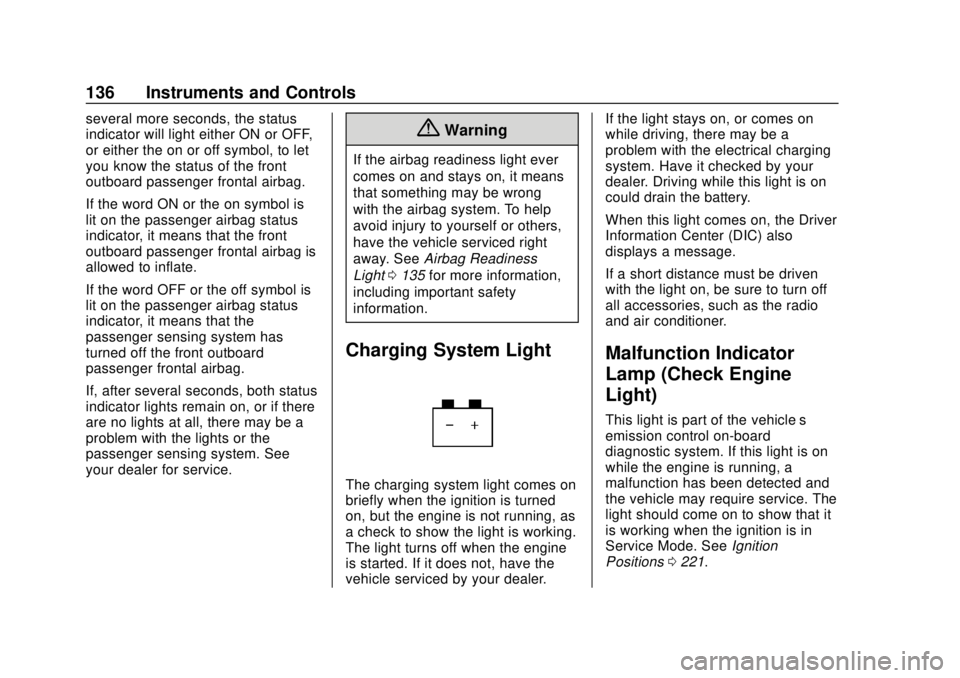
Charging System Light
The charging system light comes on
briefly when the ignition is turned
on, but the engine is not running, as
a check to show the light is working.
The light turns off when the engine
is started. If it does not, have the
vehicle serviced by your dealer. If the light stays on, or comes on
while driving, there may be a
problem with the electrical charging
system. Have it checked by your
dealer. Driving while this light is on
could drain the battery.
When this light comes on, the Driver
Information Center (DIC) also
displays a message.
If a short distance must be driven
with the light on, be sure to turn off
all accessories, such as the radio
and air conditioner.
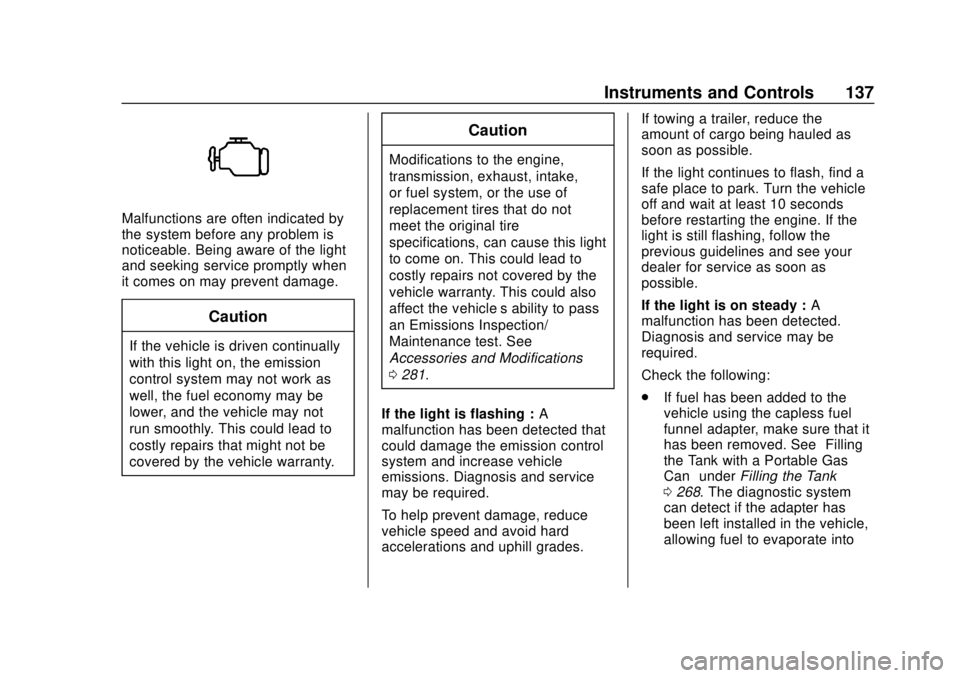
Malfunction Indicator
Lamp (Check Engine
Light)
This light is part of the vehicle’s
emission control on-board
diagnostic system. If this light is on
while the engine is running, a
malfunction has been detected and
the vehicle may require service. The
light should come on to show that it
is working when the ignition is in
Service Mode. See
Ignition
Positions 0221.
Page 138 of 423
GMC Acadia/Acadia Denali Owner Manual (GMNA-Localizing-U.S./Canada/
Mexico-11349114) - 2018 - crc - 9/21/17
Instruments and Controls 137
Malfunctions are often indicated by
the system before any problem is
noticeable. Being aware of the light
and seeking service promptly when
it comes on may prevent damage.
Caution
If the vehicle is driven continually
with this light on, the emission
control system may not work as
well, the fuel economy may be
lower, and the vehicle may not
run smoothly. This could lead to
costly repairs that might not be
covered by the vehicle warranty.
Caution
Modifications to the engine,
transmission, exhaust, intake,
or fuel system, or the use of
replacement tires that do not
meet the original tire
specifications, can cause this light
to come on. This could lead to
costly repairs not covered by the
vehicle warranty. This could also
affect the vehicle’s ability to pass
an Emissions Inspection/
Maintenance test. See
Accessories and Modifications
0281.
If the light is flashing : A
malfunction has been detected that
could damage the emission control
system and increase vehicle
emissions. Diagnosis and service
may be required.
To help prevent damage, reduce
vehicle speed and avoid hard
accelerations and uphill grades. If towing a trailer, reduce the
amount of cargo being hauled as
soon as possible.
If the light continues to flash, find a
safe place to park. Turn the vehicle
off and wait at least 10 seconds
before restarting the engine. If the
light is still flashing, follow the
previous guidelines and see your
dealer for service as soon as
possible.
If the light is on steady :
A
malfunction has been detected.
Diagnosis and service may be
required.
Check the following:
. If fuel has been added to the
vehicle using the capless fuel
funnel adapter, make sure that it
has been removed. See “Filling
the Tank with a Portable Gas
Can” under Filling the Tank
0 268. The diagnostic system
can detect if the adapter has
been left installed in the vehicle,
allowing fuel to evaporate into
Page 224 of 423
GMC Acadia/Acadia Denali Owner Manual (GMNA-Localizing-U.S./Canada/
Mexico-11349114) - 2018 - crc - 9/21/17
Driving and Operating 223
ON/RUN/START (Green Indicator
Light) :This mode is for driving and
starting. With the ignition off, and
the brake pedal applied, pressing
the button once will place the
ignition system in ON/RUN/START.
Once engine cranking begins,
release the button. Engine cranking
will continue until the engine starts.
See Starting the Engine 0223. The
ignition will then remain in ON/RUN.
Service Mode
This power mode is available for
service and diagnostics, and to
verify the proper operation of the
malfunction indicator lamp as may
be required for emission inspection
purposes. With the vehicle off, and
the brake pedal not applied,
pressing and holding the button for
more than five seconds will place
the vehicle in Service Mode. The
instruments and audio systems will
operate as they do in ON/RUN, but
the vehicle will not be able to be
driven. The engine will not start in
Service Mode. Press the button
again to turn the vehicle off.Starting the Engine
Move the shift lever to P (Park) or
N (Neutral). The engine will not start
in any other position. To restart the
engine when the vehicle is already
moving, use N (Neutral) only.
Caution
Do not try to shift to P (Park) if the
vehicle is moving. If you do, you
could damage the transmission.
Shift to P (Park) only when the
vehicle is stopped.
Caution
If you add electrical parts or
accessories, you could change
the way the engine operates. Any
resulting damage would not be
covered by the vehicle warranty.
See Add-On Electrical Equipment
0 278.
Starting Procedure
1. With the Keyless Access
system, the RKE transmitter
must be in the vehicle. Press
ENGINE START/STOP with the
brake pedal applied. When the
engine begins cranking, let go
of the button.
The idle speed will go down as
the engine gets warm. Do not
race the engine immediately
after starting it.
If the RKE transmitter is not in
the vehicle, if there is
interference, or if the RKE
battery is low, the Driver
Information Center (DIC) will
display a message.
Caution
Cranking the engine for long
periods of time, by returning the
ignition to the START position
immediately after cranking has
ended, can overheat and damage
the cranking motor, and drain the
(Continued)
Page 269 of 423
GMC Acadia/Acadia Denali Owner Manual (GMNA-Localizing-U.S./Canada/
Mexico-11349114) - 2018 - crc - 9/21/17
268 Driving and Operating
federal specifications, but emission
control system performance may be
affected. The malfunction indicator
lamp could turn on and the vehicle
may not pass a smog-check test.
SeeMalfunction Indicator Lamp
(Check Engine Light) 0136. If this
occurs, return to your authorized
dealer for diagnosis. If it is
determined that the condition is
caused by the type of fuel used,
repairs may not be covered by the
vehicle warranty.
Fuels in Foreign
Countries
The U.S., Canada, and Mexico post
fuel octane ratings in anti-knock
index (AKI). For fuel not to use in a
foreign country, see “Prohibited
Fuels” inFuel 0267.
Fuel Additives
To keep fuel systems clean, TOP
TIER detergent gasoline is
recommended. See Fuel0267. If TOP TIER detergent gasoline is
not available, one bottle of GM Fuel
System Treatment Cleaner added to
the fuel tank at every engine oil
change, can help. GM Fuel System
Treatment Cleaner is the only
gasoline additive recommended by
General Motors. It is available at
your dealer.
Filling the Tank
{Warning
Fuel vapors and fuel fires burn
violently and can cause injury or
death.
. To help avoid injuries to you
and others, read and follow
all the instructions on the
fuel pump island.
. Turn off the engine when
refueling.
. Keep sparks, flames, and
smoking materials away
from fuel.
(Continued)
Warning (Continued)
.Do not leave the fuel pump
unattended.
. Do not use a cell phone
while refueling.
. Do not reenter the vehicle
while pumping fuel.
. Keep children away from
the fuel pump and never let
children pump fuel.
. Fuel can spray out if the
refueling nozzle is inserted
too quickly. This spray can
happen if the tank is nearly
full, and is more likely in hot
weather. Insert the refueling
nozzle slowly and wait for
any hiss noise to stop prior
to beginning to flow fuel.
Page 279 of 423
GMC Acadia/Acadia Denali Owner Manual (GMNA-Localizing-U.S./Canada/
Mexico-11349114) - 2018 - crc - 9/21/17
278 Driving and Operating
the trailer wiring package. The
instrument panel contains blunt cut
wires above the parking brake
assembly for the electric trailer
brake controller. The harness
contains the following wires:
.Blue: “To Trailer”
. Red/Black or Red/Blue:
Battery Feed
. White/Blue: Brake Apply Signal
. Black: Ground
The electric trailer brake controller
should be installed by your dealer or
a qualified service center.Conversions and
Add-Ons
Add-On Electrical
Equipment
{Warning
The Data Link Connector (DLC)
is used for vehicle service
and Emission Inspection/
Maintenance testing. See
Malfunction Indicator Lamp
(Check Engine Light) 0136.
A device connected to the DLC —
such as an aftermarket fleet or
driver-behavior tracking device —
may interfere with vehicle
systems. This could affect vehicle
operation and cause a crash.
Such devices may also access
information stored in the vehicle’s
systems.
Caution
Some electrical equipment can
damage the vehicle or cause
components to not work and
would not be covered by the
vehicle warranty. Always check
with your dealer before adding
electrical equipment.
Add-on equipment can drain the
vehicle's 12-volt battery, even if the
vehicle is not operating.
The vehicle has an airbag system.
Before attempting to add anything
electrical to the vehicle, see
Servicing the Airbag-Equipped
Vehicle 089 and Adding Equipment
to the Airbag-Equipped Vehicle
0 90.
Page 325 of 423
GMC Acadia/Acadia Denali Owner Manual (GMNA-Localizing-U.S./Canada/
Mexico-11349114) - 2018 - crc - 9/21/17
324 Vehicle Care
tread life, and may affect the
vehicle's handling and stopping
ability.
Please note that the TPMS is not a
substitute for proper tire
maintenance, and it is the driver's
responsibility to maintain correct tire
pressure, even if under-inflation has
not reached the level to trigger
illumination of the TPMS low tire
pressure telltale.
Your vehicle has also been
equipped with a TPMS malfunction
indicator to indicate when the
system is not operating properly.
The TPMS malfunction indicator is
combined with the low tire pressure
telltale. When the system detects a
malfunction, the telltale will flash for
approximately one minute and then
remain continuously illuminated.
This sequence will continue upon
subsequent vehicle start-ups as
long as the malfunction exists.
When the malfunction indicator is
illuminated, the system may not be
able to detect or signal low tire
pressure as intended. TPMS
malfunctions may occur for a varietyof reasons, including the installation
of replacement or alternate tires or
wheels on the vehicle that prevent
the TPMS from functioning properly.
Always check the TPMS malfunction
telltale after replacing one or more
tires or wheels on your vehicle to
ensure that the replacement or
alternate tires and wheels allow the
TPMS to continue to function
properly.
See
Tire Pressure Monitor
Operation 0324.
See Radio Frequency Statement
0 394.
Tire Pressure Monitor
Operation
This vehicle may have a Tire
Pressure Monitor System (TPMS).
The TPMS is designed to warn the
driver when a low tire pressure
condition exists. TPMS sensors are
mounted onto each tire and wheel
assembly, excluding the spare tire
and wheel assembly. The TPMS
sensors monitor the air pressure in the tires and transmit the tire
pressure readings to a receiver
located in the vehicle.
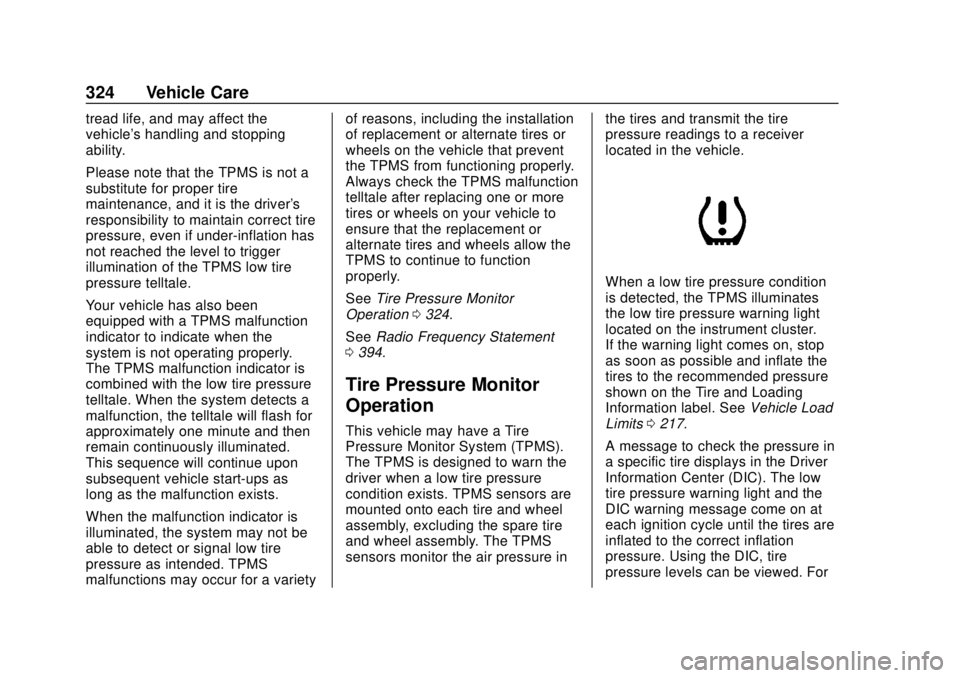
When a low tire pressure condition
is detected, the TPMS illuminates
the low tire pressure warning light
located on the instrument cluster.
If the warning light comes on, stop
as soon as possible and inflate the
tires to the recommended pressure
shown on the Tire and Loading
Information label. See
Vehicle Load
Limits 0217.
A message to check the pressure in
a specific tire displays in the Driver
Information Center (DIC). The low
tire pressure warning light and the
DIC warning message come on at
each ignition cycle until the tires are
inflated to the correct inflation
pressure. Using the DIC, tire
pressure levels can be viewed. For
Page 326 of 423
GMC Acadia/Acadia Denali Owner Manual (GMNA-Localizing-U.S./Canada/
Mexico-11349114) - 2018 - crc - 9/21/17
Vehicle Care 325
additional information and details
about the DIC operation and
displays seeDriver Information
Center (DIC) (Base and Midlevel)
0 145 orDriver Information Center
(DIC) (Uplevel) 0148.
The low tire pressure warning light
may come on in cool weather when
the vehicle is first started, and then
turn off as the vehicle is driven. This
could be an early indicator that the
air pressure is getting low and
needs to be inflated to the proper
pressure.
A Tire and Loading Information
label, attached to your vehicle,
shows the size of the original
equipment tires and the correct
inflation pressure for the tires when
they are cold. See Vehicle Load
Limits 0217, for an example of the
Tire and Loading Information label
and its location. Also see Tire
Pressure 0321. The TPMS can warn about a low
tire pressure condition but it does
not replace normal tire
maintenance. See
Tire Inspection
0 328, Tire Rotation 0328 andTires
0 314.
Caution
Tire sealant materials are not all
the same. A non-approved tire
sealant could damage the TPMS
sensors. TPMS sensor damage
caused by using an incorrect tire
sealant is not covered by the
vehicle warranty. Always use only
the GM approved tire sealant
available through your dealer or
included in the vehicle.
Factory-installed Tire Inflator Kits
use a GM-approved liquid tire
sealant. Using non-approved tire
sealants could damage the TPMS
sensors. See Tire Sealant and
Compressor Kit 0337 for
information regarding the inflator kit
materials and instructions.
TPMS Malfunction Light and
Message
The TPMS will not function properly
if one or more of the TPMS sensors
are missing or inoperable. When the
system detects a malfunction, the
low tire pressure warning light
flashes for about one minute and
then stays on for the remainder of
the ignition cycle. A DIC warning
message also displays. The
malfunction light and DIC warning
message come on at each ignition
cycle until the problem is corrected.
Some of the conditions that can
cause these to come on are:
. One of the road tires has been
replaced with the spare tire. The
spare tire does not have a
TPMS sensor. The malfunction
light and DIC message should
go off after the road tire is
replaced and the sensor
matching process is performed
successfully. See “TPMS Sensor
Matching Process” later in this
section.