instrument panel GMC ACADIA 2019 Owner's Guide
[x] Cancel search | Manufacturer: GMC, Model Year: 2019, Model line: ACADIA, Model: GMC ACADIA 2019Pages: 429, PDF Size: 6.38 MB
Page 204 of 429
GMC Acadia/Acadia Denali Owner Manual (GMNA-Localizing-U.S./Canada/
Mexico-12146149) - 2019 - crc - 7/30/18
Climate Controls 203
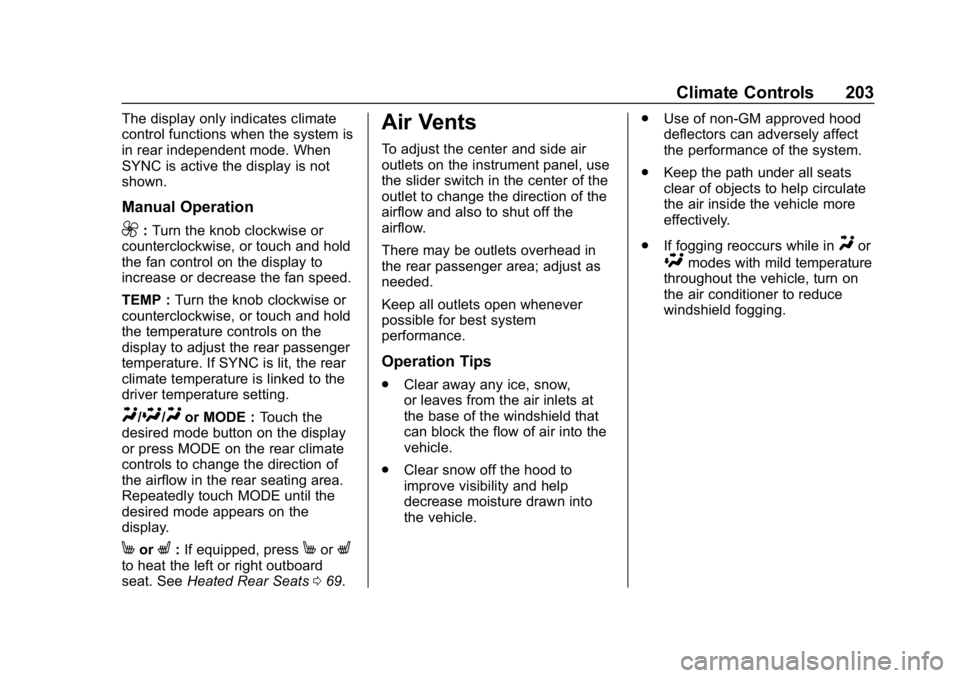
The display only indicates climate
control functions when the system is
in rear independent mode. When
SYNC is active the display is not
shown.
Manual Operation
9:Turn the knob clockwise or
counterclockwise, or touch and hold
the fan control on the display to
increase or decrease the fan speed.
TEMP : Turn the knob clockwise or
counterclockwise, or touch and hold
the temperature controls on the
display to adjust the rear passenger
temperature. If SYNC is lit, the rear
climate temperature is linked to the
driver temperature setting.
Y/\/Yor MODE : Touch the
desired mode button on the display
or press MODE on the rear climate
controls to change the direction of
the airflow in the rear seating area.
Repeatedly touch MODE until the
desired mode appears on the
display.
MorL: If equipped, pressMorLto heat the left or right outboard
seat. See Heated Rear Seats 069.
Air Vents
To adjust the center and side air
outlets on the instrument panel, use
the slider switch in the center of the
outlet to change the direction of the
airflow and also to shut off the
airflow.
There may be outlets overhead in
the rear passenger area; adjust as
needed.
Keep all outlets open whenever
possible for best system
performance.
Operation Tips
.
Clear away any ice, snow,
or leaves from the air inlets at
the base of the windshield that
can block the flow of air into the
vehicle.
. Clear snow off the hood to
improve visibility and help
decrease moisture drawn into
the vehicle. .
Use of non-GM approved hood
deflectors can adversely affect
the performance of the system.
. Keep the path under all seats
clear of objects to help circulate
the air inside the vehicle more
effectively.
. If fogging reoccurs while in
Yor
\modes with mild temperature
throughout the vehicle, turn on
the air conditioner to reduce
windshield fogging.
Page 217 of 429
GMC Acadia/Acadia Denali Owner Manual (GMNA-Localizing-U.S./Canada/
Mexico-12146149) - 2019 - crc - 7/30/18
216 Driving and Operating
.Allow greater following distance
and watch for slippery spots. Icy
patches can occur on otherwise
clear roads in shaded areas.
The surface of a curve or an
overpass can remain icy when
the surrounding roads are clear.
Avoid sudden steering
maneuvers and braking while
on ice.
. Turn off cruise control.
. Select All-Wheel Drive (AWD)
Mode for vehicles equipped with
AWD. Select Snow/Ice Mode for
FWD only vehicles.
See Driver Mode Control 0239
and All-Wheel Drive 0233.
Blizzard Conditions
Stop the vehicle in a safe place and
signal for help. Stay with the vehicle
unless there is help nearby.
If possible, use Roadside
Assistance. See Roadside
Assistance Program 0394. To get
help and keep everyone in the
vehicle safe:
. Turn on the hazard warning
flashers. .
Tie a red cloth to an outside
mirror.
{Warning
Snow can trap engine exhaust
under the vehicle. This may
cause exhaust gases to get
inside. Engine exhaust contains
carbon monoxide (CO), which
cannot be seen or smelled. It can
cause unconsciousness and even
death.
If the vehicle is stuck in snow:
. Clear snow from the base of
the vehicle, especially any
blocking the exhaust pipe.
. Open a window about 5 cm
(2 in) on the vehicle side
that is away from the wind,
to bring in fresh air.
. Fully open the air outlets on
or under the instrument
panel.
(Continued)
Warning (Continued)
.Adjust the climate control
system to circulate the air
inside the vehicle and set
the fan speed to the highest
setting. See “Climate
Control Systems.”
For more information about CO,
see Engine Exhaust 0229.
To save fuel, run the engine for
short periods to warm the vehicle
and then shut the engine off and
partially close the window. Moving
about to keep warm also helps.
If it takes time for help to arrive,
when running the engine, push the
accelerator pedal slightly so the
engine runs faster than the idle
speed. This keeps the battery
charged to restart the vehicle and to
signal for help with the headlamps.
Do this as little as possible, to
save fuel.
Page 247 of 429
GMC Acadia/Acadia Denali Owner Manual (GMNA-Localizing-U.S./Canada/
Mexico-12146149) - 2019 - crc - 7/30/18
246 Driving and Operating
accelerator pedal. The vehicle
will now cruise at the higher
speed.
When the accelerator pedal is
pressed, ACC will not brake
because it is overridden. The
ACC indicator on the instrument
panel will turn blue. SeeVehicle
Messages 0151.
. Press and hold RES+ until the
desired set speed appears on
the display, then release it.
. To increase vehicle speed in
small increments, press RES+ to
the first detent. For each press,
the vehicle goes 1 km/h (1 mph)
faster.
. To increase vehicle speed in
larger increments, press RES+
to the second detent. For each
press, the vehicle speed
increases to the next 5 km/h
(5 mph) mark on the
speedometer. The set speed can also be
increased while the vehicle is
stopped.
.
If stopped with the brake
applied, press RES+ until the
desired set speed is displayed.
. If ACC is holding the vehicle at a
stop and there is another vehicle
directly ahead, pressing RES+
will increase the set speed.
Pressing RES+ when there is no
longer a vehicle ahead will
cause ACC to resume.
When it is determined that there is
no vehicle ahead or the vehicle
ahead is beyond the selected
following gap, then the vehicle
speed will increase to the set speed.
The speedometer reading can be
displayed in either English or metric
units. See Instrument Cluster 0127.
The increment value used depends
on the units displayed. Reducing Speed While ACC is at a
Set Speed
If ACC is already activated, do one
of the following:
.
Use the brake to get to the
desired lower speed. Release
the brake and press SET– . The
vehicle will now cruise at the
lower speed.
. Press and hold SET– until the
desired lower speed is reached,
then release it.
. To decrease the vehicle speed in
smaller increments, press SET−
to the first detent. For each
press, the vehicle goes about
1 km/h (1 mph) slower.
. To decrease the vehicle speed in
larger increments, press SET−
to the second detent. For each
press, the vehicle speed
decreases to the next 5 km/h
(5 mph) mark on the
speedometer.
Page 274 of 429
GMC Acadia/Acadia Denali Owner Manual (GMNA-Localizing-U.S./Canada/
Mexico-12146149) - 2019 - crc - 7/30/18
Driving and Operating 273
Warning (Continued)
.Fully open the air outlets on
or under the instrument
panel.
. Adjust the climate control
system to a setting that
brings in only outside air.
See “Climate Control
Systems” in the Index.
For more information about
carbon monoxide, see Engine
Exhaust 0229.
Towing a trailer requires experience.
The combination of the vehicle and
trailer is longer and not as
responsive as the vehicle itself. Get
used to the handling and braking of
the combination by driving on a
level road surface before driving on
public roads.
The trailer structure, the tires, and
the brakes must be all be rated to
carry the intended cargo.
Inadequate trailer equipment can
cause the combination to operate in an unexpected or unsafe manner.
Before driving, inspect all trailer
hitch parts and attachments, safety
chains, electrical connectors, lamps,
tires, and mirrors. See
Towing
Equipment 0278. If the trailer has
electric brakes, start the
combination moving and then
manually apply the trailer brake
controller to check the trailer brakes
work. During the trip, occasionally
check that the cargo and trailer are
secure and that the lamps and any
trailer brakes are working.
Towing with a Stability Control
System
When towing, the stability control
system might be heard. The system
reacts to vehicle movement caused
by the trailer, which mainly occurs
during cornering. This is normal
when towing heavier trailers.
Following Distance
Stay at least twice as far behind the
vehicle ahead as you would when
driving without a trailer. This can
help to avoid heavy braking and
sudden turns.
Passing
More passing distance is needed
when towing a trailer. The
combination of the vehicle and
trailer will not accelerate as quickly
and is much longer than the vehicle
alone. It is necessary to go much
farther beyond the passed vehicle
before returning to the lane. Pass
on level roadways. Avoid passing
on hills if possible.
Backing Up
Hold the bottom of the steering
wheel with one hand. To move the
trailer to the left, move that hand to
the left. To move the trailer to the
right, move that hand to the right.
Always back up slowly and,
if possible, have someone
guide you.
Page 285 of 429
GMC Acadia/Acadia Denali Owner Manual (GMNA-Localizing-U.S./Canada/
Mexico-12146149) - 2019 - crc - 7/30/18
284 Vehicle Care
Vehicle Care
General Information
General Information . . . . . . . . . . 285
California Proposition65 Warning . . . . . . . . . . . . . . . . . 285
California Perchlorate Materials Requirements . . . . . 286
Accessories and Modifications . . . . . . . . . . . . . . . . 286
Vehicle Checks
Doing Your OwnService Work . . . . . . . . . . . . . . . 286
Hood . . . . . . . . . . . . . . . . . . . . . . . . . 287
Engine Compartment Overview . . . . . . . . . . . . . . . . . . . . 288
Engine Oil . . . . . . . . . . . . . . . . . . . . 291
Engine Oil Life System . . . . . . . 293
Automatic Transmission Fluid . . . . . . . . . . . . . . . . . . . . . . . . 294
Engine Air Cleaner/Filter . . . . . . 295
Cooling System . . . . . . . . . . . . . . 296
Engine Overheating . . . . . . . . . . 300
Washer Fluid . . . . . . . . . . . . . . . . . 301
Brakes . . . . . . . . . . . . . . . . . . . . . . . 302
Brake Fluid . . . . . . . . . . . . . . . . . . . 303
Battery - North America . . . . . . 304
All-Wheel Drive . . . . . . . . . . . . . . . 305 Starter Switch Check . . . . . . . . . 305
Automatic Transmission Shift
Lock Control Function
Check . . . . . . . . . . . . . . . . . . . . . . . 305
Park Brake and P (Park)
Mechanism Check . . . . . . . . . . 305
Wiper Blade Replacement . . . . 306
Windshield Replacement . . . . . 307
Gas Strut(s) . . . . . . . . . . . . . . . . . . 307
Headlamp Aiming
Headlamp Aiming . . . . . . . . . . . . 308
Bulb Replacement
Bulb Replacement . . . . . . . . . . . . 309
Halogen Bulbs . . . . . . . . . . . . . . . . 309
LED Lighting . . . . . . . . . . . . . . . . . 309
License Plate Lamp . . . . . . . . . . 309
Electrical System
Electrical System Overload . . . 310
Fuses and Circuit Breakers . . . 310
Engine Compartment Fuse Block . . . . . . . . . . . . . . . . . . . . . . . . 311
Instrument Panel Fuse Block . . . . . . . . . . . . . . . . . . . . . . . . 314
Rear Compartment Fuse Block . . . . . . . . . . . . . . . . . . . . . . . . 316
Wheels and Tires
Tires . . . . . . . . . . . . . . . . . . . . . . . . . . 319
All-Season Tires . . . . . . . . . . . . . . 320 Winter Tires . . . . . . . . . . . . . . . . . . 320
Summer Tires . . . . . . . . . . . . . . . . 320
Tire Sidewall Labeling . . . . . . . . 321
Tire Designations . . . . . . . . . . . . . 323
Tire Terminology and
Definitions . . . . . . . . . . . . . . . . . . 324
Tire Pressure . . . . . . . . . . . . . . . . . 326
Tire Pressure for High-Speed Operation . . . . . . . . . . . . . . . . . . . 328
Tire Pressure Monitor System . . . . . . . . . . . . . . . . . . . . . . 328
Tire Pressure Monitor Operation . . . . . . . . . . . . . . . . . . . 329
Tire Inspection . . . . . . . . . . . . . . . . 333
Tire Rotation . . . . . . . . . . . . . . . . . 334
When It Is Time for New Tires . . . . . . . . . . . . . . . . . . . . . . . . 335
Buying New Tires . . . . . . . . . . . . . 335
Different Size Tires and Wheels . . . . . . . . . . . . . . . . . . . . . . 337
Uniform Tire Quality Grading . . . . . . . . . . . . . . . . . . . . . 337
Wheel Alignment and Tire Balance . . . . . . . . . . . . . . . . . . . . . 339
Wheel Replacement . . . . . . . . . . 339
Tire Chains . . . . . . . . . . . . . . . . . . . 340
If a Tire Goes Flat . . . . . . . . . . . . 340
Tire Sealant and Compressor Kit . . . . . . . . . . . . . 342
Page 288 of 429
GMC Acadia/Acadia Denali Owner Manual (GMNA-Localizing-U.S./Canada/
Mexico-12146149) - 2019 - crc - 7/30/18
Vehicle Care 287
If equipped with remote vehicle
start, open the hood before
performing any service work to
prevent remote starting the vehicle
accidentally. SeeRemote Vehicle
Start 035.
Keep a record with all parts receipts
and list the mileage and the date of
any service work performed. See
Maintenance Records 0385.
Caution
Even small amounts of
contamination can cause damage
to vehicle systems. Do not allow
contaminants to contact the fluids,
reservoir caps, or dipsticks.
Hood
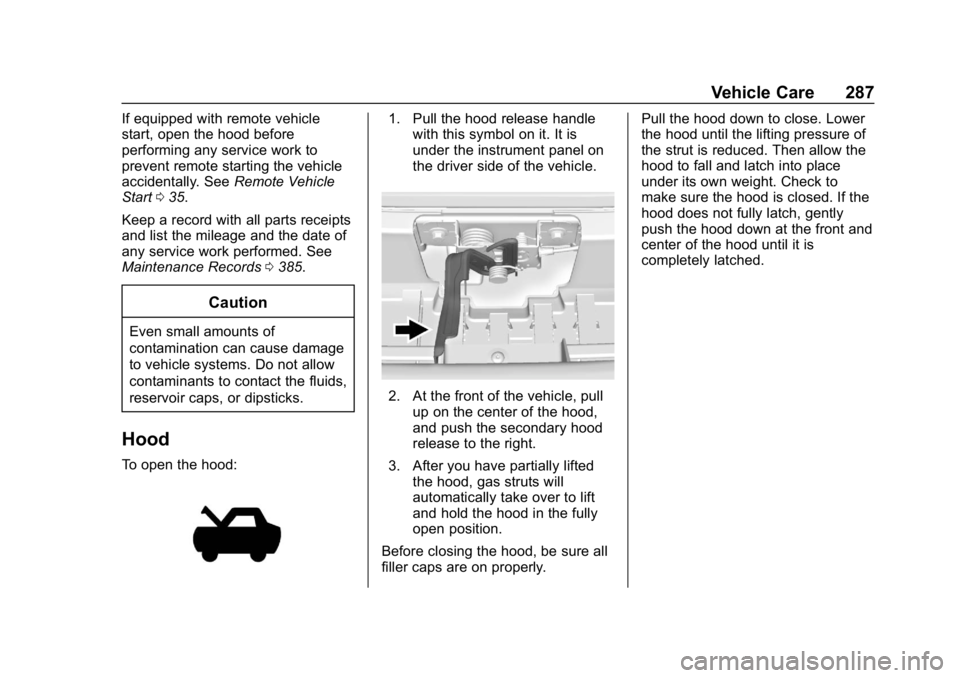
To open the hood:
1. Pull the hood release handle
with this symbol on it. It is
under the instrument panel on
the driver side of the vehicle.
2. At the front of the vehicle, pull
up on the center of the hood,
and push the secondary hood
release to the right.
3. After you have partially lifted the hood, gas struts will
automatically take over to lift
and hold the hood in the fully
open position.
Before closing the hood, be sure all
filler caps are on properly. Pull the hood down to close. Lower
the hood until the lifting pressure of
the strut is reduced. Then allow the
hood to fall and latch into place
under its own weight. Check to
make sure the hood is closed. If the
hood does not fully latch, gently
push the hood down at the front and
center of the hood until it is
completely latched.
Page 315 of 429
GMC Acadia/Acadia Denali Owner Manual (GMNA-Localizing-U.S./Canada/
Mexico-12146149) - 2019 - crc - 7/30/18
314 Vehicle Care
FusesUsage
F62 Engine control module–odd
F63 O2 sensor 2
F64 Engine control module–even
F65 Engine control module powertrain 1
F66 Engine control module powertrain 2
F67 Powertrain TRCM
F68 –
F69 –
F70 –
F71 –
F72 –
F73 –
F74 –
F75 –
F76 –
F77 – Relays
Usage
K1 Starter 1
K2 Run/Crank
K3 Starter 3
K4 LED/Automatic headlamps
K5 –
K6 Coolant pump
K7 Engine control module
K8 Air conditioning
K9 –
K10 Starter 2Instrument Panel Fuse
Block
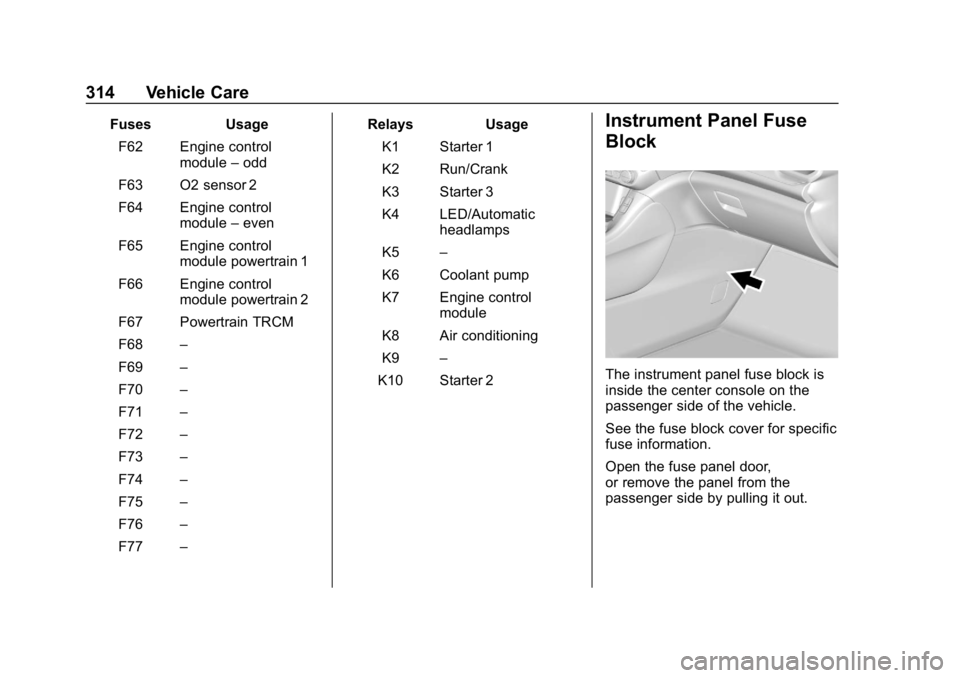
The instrument panel fuse block is
inside the center console on the
passenger side of the vehicle.
See the fuse block cover for specific
fuse information.
Open the fuse panel door,
or remove the panel from the
passenger side by pulling it out.
Page 317 of 429
GMC Acadia/Acadia Denali Owner Manual (GMNA-Localizing-U.S./Canada/
Mexico-12146149) - 2019 - crc - 7/30/18
316 Vehicle Care
FusesUsage
F14 Driver heated seat
F15 Instrument panel switch bank
F16 Sunroof
F17 Body control module 1
F18 Instrument cluster
F19 –
F20 Rear seat entertainment
F21 Body control module 4
F22 Infotainment USB data/Aux jack
F23 Body control module 2
F24 USB charger/ Wireless charging
F25 Park aid
F26 CIM
F27 Video Fuses
Usage
F28 Heating, ventilation, and air
conditioning
display
F29 Radio
F30 Steering wheel adjustment controls
F31 Front blower
F32 DC AC inverter
F33 Driver power seat
F34 Passenger power seat
F35 Battery IEC 1 feed
F36 Electric power steering
F37 Rear seat entertainment/USB
charge/Wireless
charging module
F38 Body control module 8
F39 – Circuit
Breakers Usage
F40 –
F41 –
F42 Auxiliary power outlet/Lighter
Rear Compartment Fuse
Block
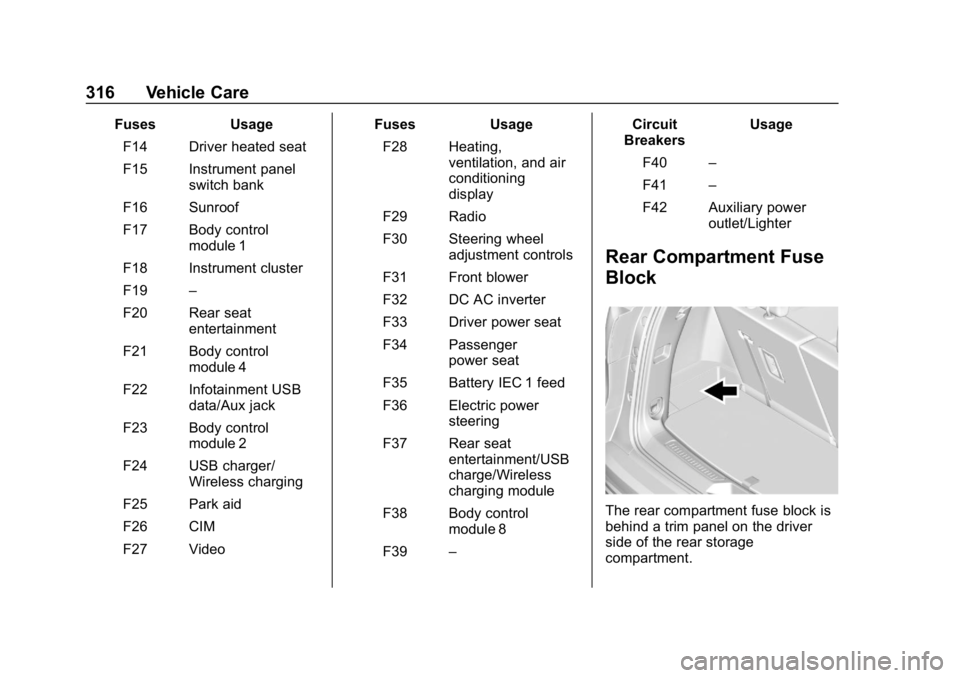
The rear compartment fuse block is
behind a trim panel on the driver
side of the rear storage
compartment.
Page 371 of 429
GMC Acadia/Acadia Denali Owner Manual (GMNA-Localizing-U.S./Canada/
Mexico-12146149) - 2019 - crc - 7/30/18
370 Vehicle Care
Cleaning High Gloss Surfaces
and Vehicle Information and
Radio Displays
Use a microfiber cloth on high gloss
surfaces or vehicle displays. First,
use a soft bristle brush to remove
dirt that can scratch the surface.
Then gently clean by rubbing with a
microfiber cloth. Never use window
cleaners or solvents. Periodically
hand wash the microfiber cloth
separately, using mild soap. Do not
use bleach or fabric softener. Rinse
thoroughly and air dry before
next use.
Caution
Do not attach a device with a
suction cup to the display. This
may cause damage and would
not be covered by the vehicle
warranty.
Instrument Panel, Leather,
Vinyl, Other Plastic Surfaces,
Low Gloss Paint Surfaces, and
Natural Open Pore Wood
Surfaces
Use a soft microfiber cloth
dampened with water to remove
dust and loose dirt. For a more
thorough cleaning, use a soft
microfiber cloth dampened with a
mild soap solution.
Caution
Soaking or saturating leather,
especially perforated leather, as
well as other interior surfaces,
may cause permanent damage.
Wipe excess moisture from these
surfaces after cleaning and allow
them to dry naturally. Never use
heat, steam, or spot removers. Do
not use cleaners that contain
silicone or wax-based products.
Cleaners containing these
solvents can permanently change(Continued)
Caution (Continued)
the appearance and feel of
leather or soft trim, and are not
recommended.
Do not use cleaners that increase
gloss, especially on the instrument
panel. Reflected glare can decrease
visibility through the windshield
under certain conditions.
Caution
Use of air fresheners may cause
permanent damage to plastics
and painted surfaces. If an air
freshener comes in contact with
any plastic or painted surface in
the vehicle, blot immediately and
clean with a soft cloth dampened
with a mild soap solution.
Damage caused by air fresheners
would not be covered by the
vehicle warranty.
Page 387 of 429
GMC Acadia/Acadia Denali Owner Manual (GMNA-Localizing-U.S./Canada/
Mexico-12146149) - 2019 - crc - 7/30/18
386 Technical Data
Technical Data
Vehicle Identification
Vehicle IdentificationNumber (VIN) . . . . . . . . . . . . . . . 386
Service Parts Identification Label . . . . . . . . . . . . . . . . . . . . . . . . 386
Vehicle Data
Capacities andSpecifications . . . . . . . . . . . . . . . 387
Engine Drive Belt Routing . . . . 389
Vehicle Identification
Vehicle Identification
Number (VIN)
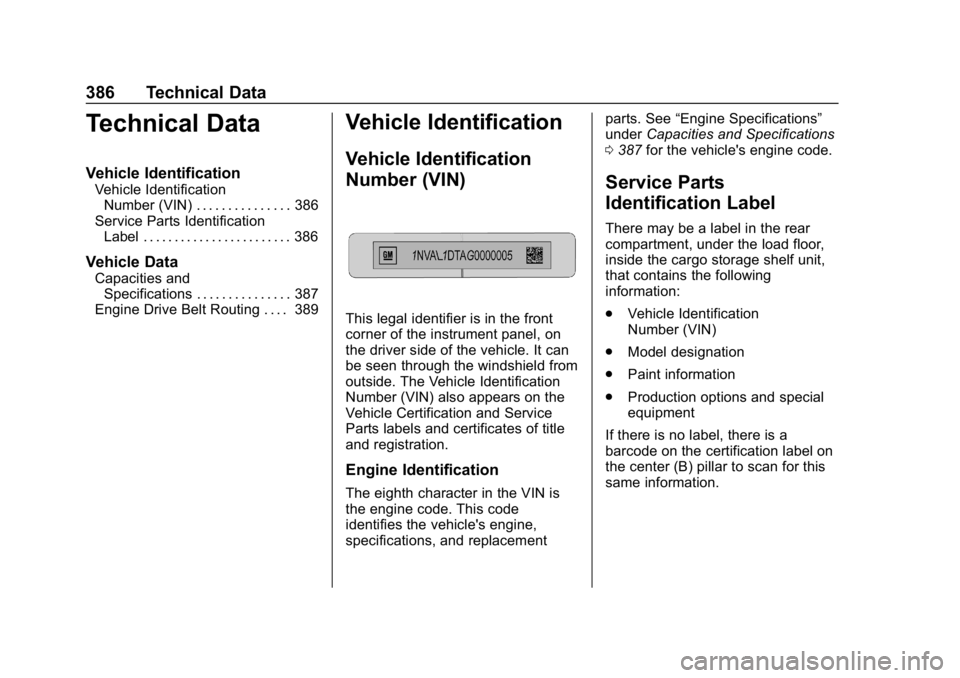
This legal identifier is in the front
corner of the instrument panel, on
the driver side of the vehicle. It can
be seen through the windshield from
outside. The Vehicle Identification
Number (VIN) also appears on the
Vehicle Certification and Service
Parts labels and certificates of title
and registration.
Engine Identification
The eighth character in the VIN is
the engine code. This code
identifies the vehicle's engine,
specifications, and replacement parts. See
“Engine Specifications”
under Capacities and Specifications
0 387 for the vehicle's engine code.
Service Parts
Identification Label
There may be a label in the rear
compartment, under the load floor,
inside the cargo storage shelf unit,
that contains the following
information:
.
Vehicle Identification
Number (VIN)
. Model designation
. Paint information
. Production options and special
equipment
If there is no label, there is a
barcode on the certification label on
the center (B) pillar to scan for this
same information.