Cruise control GMC ACADIA LIMITED 2017 Owner's Manual
[x] Cancel search | Manufacturer: GMC, Model Year: 2017, Model line: ACADIA LIMITED, Model: GMC ACADIA LIMITED 2017Pages: 339, PDF Size: 4.75 MB
Page 4 of 339
GMC Acadia Limited Owner Manual (GMNA-Localizing-U.S.-10283134) -
2017 - crc - 3/30/16
Introduction 3
{Danger
Danger indicates a hazard with a
high level of risk which will result
in serious injury or death.
{Warning
Warning indicates a hazard that
could result in injury or death.
Caution
Caution indicates a hazard that
could result in property or vehicle
damage.
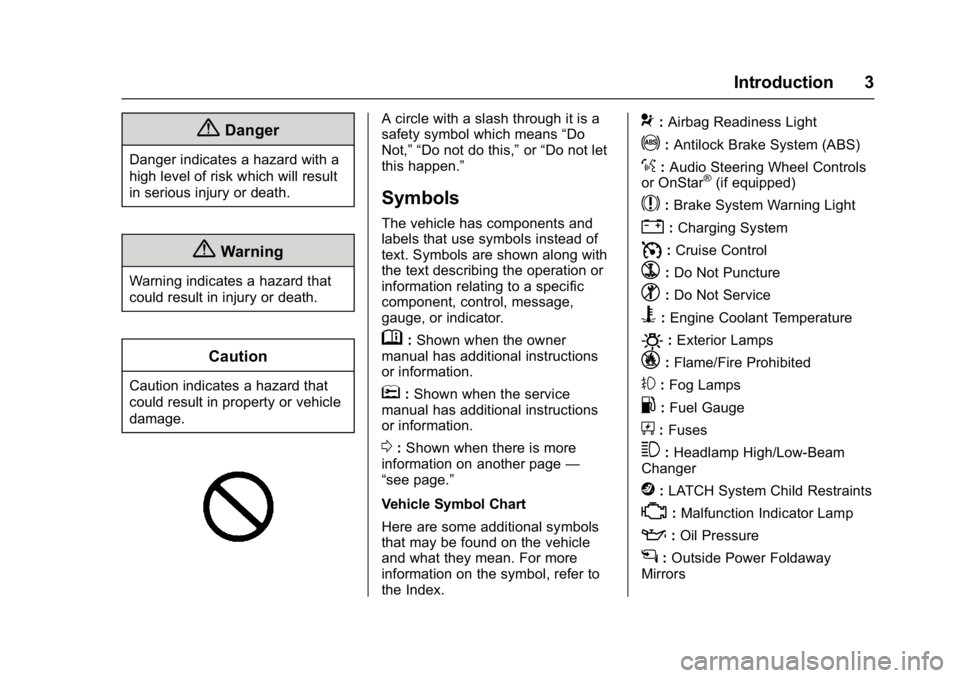
A circle with a slash through it is a
safety symbol which means“Do
Not,” “Do not do this,” or“Do not let
this happen.”
Symbols
The vehicle has components and
labels that use symbols instead of
text. Symbols are shown along with
the text describing the operation or
information relating to a specific
component, control, message,
gauge, or indicator.
M: Shown when the owner
manual has additional instructions
or information.
*: Shown when the service
manual has additional instructions
or information.
0: Shown when there is more
information on another page —
“see page.”
Vehicle Symbol Chart
Here are some additional symbols
that may be found on the vehicle
and what they mean. For more
information on the symbol, refer to
the Index.
9: Airbag Readiness Light
!:Antilock Brake System (ABS)
%:Audio Steering Wheel Controls
or OnStar®(if equipped)
$: Brake System Warning Light
":Charging System
I: Cruise Control
`:Do Not Puncture
^:Do Not Service
B:Engine Coolant Temperature
O:Exterior Lamps
_: Flame/Fire Prohibited
#:Fog Lamps
.:Fuel Gauge
+: Fuses
3:Headlamp High/Low-Beam
Changer
j: LATCH System Child Restraints
*:Malfunction Indicator Lamp
::Oil Pressure
g:Outside Power Foldaway
Mirrors
Page 6 of 339
GMC Acadia Limited Owner Manual (GMNA-Localizing-U.S.-10283134) -
2017 - crc - 3/30/16
In Brief 5
In Brief
Instrument Panel
Instrument Panel . . . . . . . . . . . . . . . . 6
Initial Drive Information
Initial Drive Information . . . . . . . . . . 8
Remote Keyless Entry (RKE)System . . . . . . . . . . . . . . . . . . . . . . . . 8
Remote Vehicle Start . . . . . . . . . . . 8
Door Locks . . . . . . . . . . . . . . . . . . . . . 9
Liftgate . . . . . . . . . . . . . . . . . . . . . . . . . . 9
Windows . . . . . . . . . . . . . . . . . . . . . . . 10
Seat Adjustment . . . . . . . . . . . . . . . 10
Memory Features . . . . . . . . . . . . . . 11
Second Row Seats . . . . . . . . . . . . 11
Third Row Seats . . . . . . . . . . . . . . . 11
Heated and Cooled Front Seats . . . . . . . . . . . . . . . . . . . . . . . . . 12
Head Restraint Adjustment . . . . 12
Safety Belts . . . . . . . . . . . . . . . . . . . . 13
Passenger Sensing System . . . 13
Mirror Adjustment . . . . . . . . . . . . . . 13
Steering Wheel Adjustment . . . . 14
Interior Lighting . . . . . . . . . . . . . . . . 15
Exterior Lighting . . . . . . . . . . . . . . . 16
Windshield Wiper/Washer . . . . . . 16
Climate Controls . . . . . . . . . . . . . . . 17
Transmission . . . . . . . . . . . . . . . . . . 17
Vehicle Features
Infotainment System . . . . . . . . . . . 18
Steering Wheel Controls . . . . . . . 18
Cruise Control . . . . . . . . . . . . . . . . . 18
Forward Collision Alert (FCA) System . . . . . . . . . . . . . . . . . . . . . . . 18
Lane Departure Warning (LDW) . . . . . . . . . . . . . . . 19
Side Blind Zone Alert (SBZA) . . . . . . . . . . . . . . . . . . 19
Rear Vision Camera (RVC) . . . . 19
Rear Cross Traffic Alert (RCTA) System . . . . . . . . . . . . . . . . . . . . . . . 19
Parking Assist . . . . . . . . . . . . . . . . . 19
Power Outlets . . . . . . . . . . . . . . . . . 19
Universal Remote System . . . . . 20
Sunroof . . . . . . . . . . . . . . . . . . . . . . . . 20
Performance and Maintenance
Traction Control/Electronic Stability Control . . . . . . . . . . . . . . 21
Tire Pressure Monitor . . . . . . . . . . 21
Fuel . . . . . . . . . . . . . . . . . . . . . . . . . . . 21
E85 or FlexFuel . . . . . . . . . . . . . . . . 22
Engine Oil Life System . . . . . . . . 22
Driving for Better Fuel Economy . . . . . . . . . . . . . . . . . . . . . 22
Roadside Assistance Program . . . . . . . . . . . . . . . . . . . . . . 22
Page 8 of 339

GMC Acadia Limited Owner Manual (GMNA-Localizing-U.S.-10283134) -
2017 - crc - 3/30/16
In Brief 7
1.Air Vents 0158.
2. Windshield Wiper/Washer 098
(Out of View).
Turn Signal Lever. See Turn
and Lane-Change
Signals 0145.
3. Instrument Cluster 0104.
4. Head-Up Display (HUD) 0120
(If Equipped).
5. Instrument Panel Storage 092.
6. Infotainment 0150.
7. Passenger Airbag Status Indicator. See Passenger
Sensing System 068.
8. Hazard Warning
Flashers 0144.
9. Heated and Cooled Front
Seats 048 (If Equipped).
10. Rear Window Wiper/
Washer 099.
Traction Control/Electronic
Stability Control 0184.
Forward Collision Alert (FCA)
System 0192 (If Equipped). Lane Departure Warning
(LDW)
0195 (If Equipped).
Tow/Haul Button (If Equipped).
See Tow/Haul Mode 0181.
Power Liftgate Button (If
Equipped). See Liftgate031.
11. Power Outlets 0101.
12. USB Port. See the infotainment manual.
13. Shift Lever. See Automatic
Transmission 0179.
14. Dual Automatic Climate Control
System 0151.
15. Driver Information Center (DIC) Buttons. See Driver Information
Center (DIC) 0116.
16. Steering Wheel Controls 098
(If Equipped).
17. Horn 098.
18. Steering Wheel
Adjustment 098.
19. Cruise Control 0186.
20. Dome Lamp Override. See Dome Lamps 0146. Instrument Panel Illumination
Control
0146.
21. Data Link Connector (DLC) (Out of View). See Malfunction
Indicator Lamp (Check Engine
Light) 0109.
22. Parking Brake 0183.
23. Hood Release. See Hood 0211.
24. Exterior Lamp Controls 0143.
Page 19 of 339
GMC Acadia Limited Owner Manual (GMNA-Localizing-U.S.-10283134) -
2017 - crc - 3/30/16
18 In Brief
Vehicle Features
Infotainment System
See the infotainment manual for
information on the radio, audio
players, phone, navigation system,
and voice or speech recognition.
It also includes information on
settings.
Steering Wheel Controls
The infotainment system can be
operated by using the steering
wheel controls. See "Steering
Wheel Controls" in the infotainment
manual.
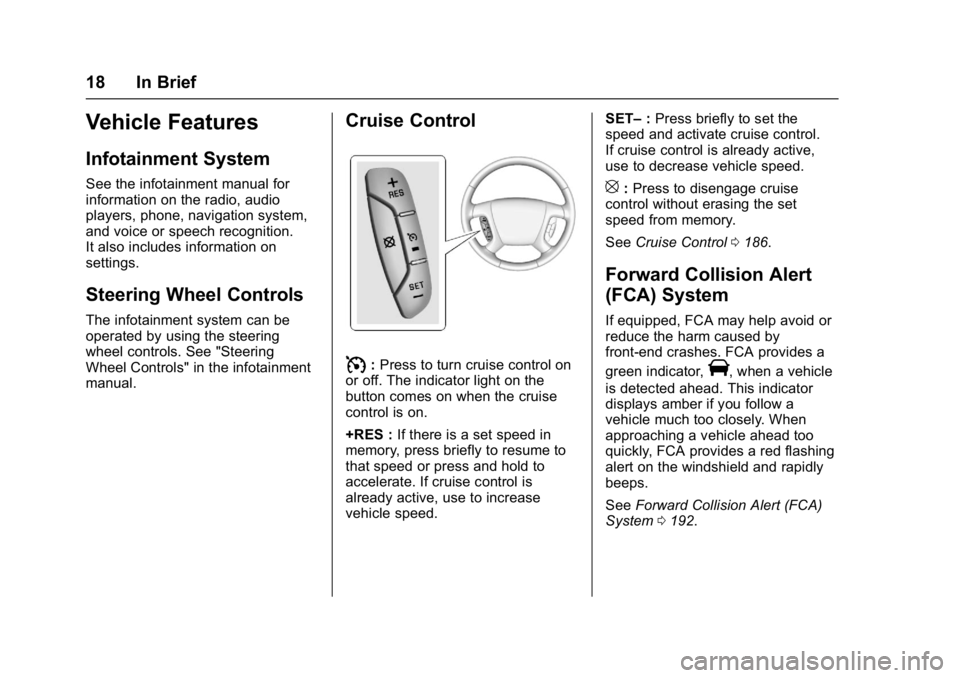
Cruise Control
I:Press to turn cruise control on
or off. The indicator light on the
button comes on when the cruise
control is on.
+RES : If there is a set speed in
memory, press briefly to resume to
that speed or press and hold to
accelerate. If cruise control is
already active, use to increase
vehicle speed. SET–
:Press briefly to set the
speed and activate cruise control.
If cruise control is already active,
use to decrease vehicle speed.
[: Press to disengage cruise
control without erasing the set
speed from memory.
See Cruise Control 0186.
Forward Collision Alert
(FCA) System
If equipped, FCA may help avoid or
reduce the harm caused by
front-end crashes. FCA provides a
green indicator,
V, when a vehicle
is detected ahead. This indicator
displays amber if you follow a
vehicle much too closely. When
approaching a vehicle ahead too
quickly, FCA provides a red flashing
alert on the windshield and rapidly
beeps.
See Forward Collision Alert (FCA)
System 0192.
Page 23 of 339
GMC Acadia Limited Owner Manual (GMNA-Localizing-U.S.-10283134) -
2017 - crc - 3/30/16
22 In Brief
E85 or FlexFuel
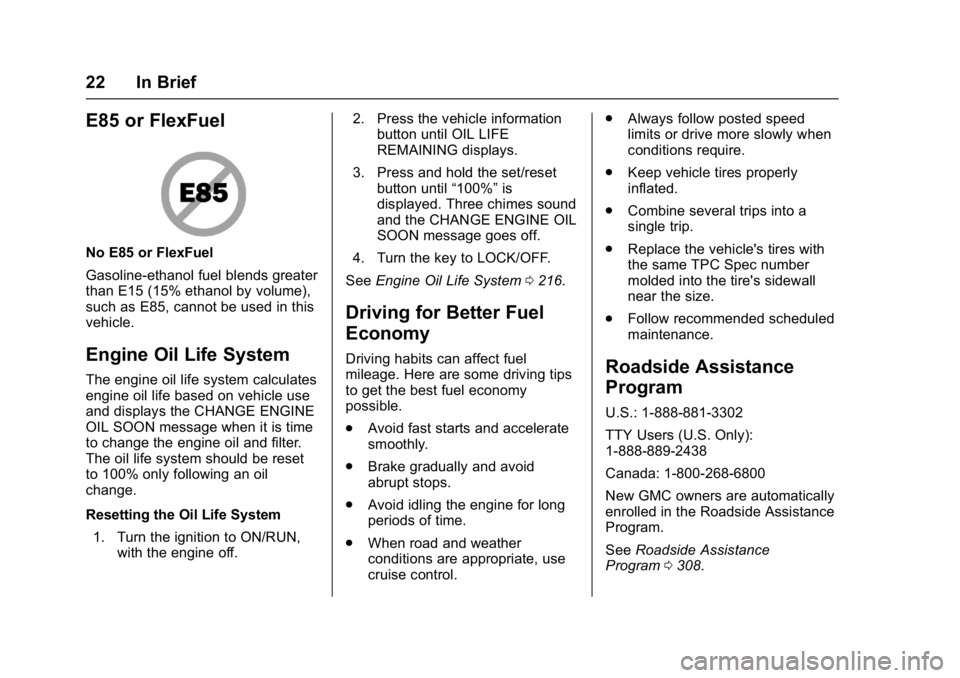
No E85 or FlexFuel
Gasoline-ethanol fuel blends greater
than E15 (15% ethanol by volume),
such as E85, cannot be used in this
vehicle.
Engine Oil Life System
The engine oil life system calculates
engine oil life based on vehicle use
and displays the CHANGE ENGINE
OIL SOON message when it is time
to change the engine oil and filter.
The oil life system should be reset
to 100% only following an oil
change.
Resetting the Oil Life System1. Turn the ignition to ON/RUN, with the engine off. 2. Press the vehicle information
button until OIL LIFE
REMAINING displays.
3. Press and hold the set/reset button until “100%”is
displayed. Three chimes sound
and the CHANGE ENGINE OIL
SOON message goes off.
4. Turn the key to LOCK/OFF.
See Engine Oil Life System 0216.
Driving for Better Fuel
Economy
Driving habits can affect fuel
mileage. Here are some driving tips
to get the best fuel economy
possible.
.
Avoid fast starts and accelerate
smoothly.
. Brake gradually and avoid
abrupt stops.
. Avoid idling the engine for long
periods of time.
. When road and weather
conditions are appropriate, use
cruise control. .
Always follow posted speed
limits or drive more slowly when
conditions require.
. Keep vehicle tires properly
inflated.
. Combine several trips into a
single trip.
. Replace the vehicle's tires with
the same TPC Spec number
molded into the tire's sidewall
near the size.
. Follow recommended scheduled
maintenance.Roadside Assistance
Program
U.S.: 1-888-881-3302
TTY Users (U.S. Only):
1-888-889-2438
Canada: 1-800-268-6800
New GMC owners are automatically
enrolled in the Roadside Assistance
Program.
See Roadside Assistance
Program 0308.
Page 98 of 339
GMC Acadia Limited Owner Manual (GMNA-Localizing-U.S.-10283134) -
2017 - crc - 3/30/16
Instruments and Controls 97
Instruments and
Controls
Controls
Steering Wheel Adjustment . . . . 98
Steering Wheel Controls . . . . . . . 98
Horn . . . . . . . . . . . . . . . . . . . . . . . . . . . 98
Windshield Wiper/Washer . . . . . . 98
Rear Window Wiper/Washer . . . 99
Compass . . . . . . . . . . . . . . . . . . . . . . 99
Clock . . . . . . . . . . . . . . . . . . . . . . . . . 101
Power Outlets . . . . . . . . . . . . . . . . 101
Warning Lights, Gauges, and
Indicators
Warning Lights, Gauges, andIndicators . . . . . . . . . . . . . . . . . . . 103
Instrument Cluster . . . . . . . . . . . . 104
Speedometer . . . . . . . . . . . . . . . . . 105
Odometer . . . . . . . . . . . . . . . . . . . . . 105
Tachometer . . . . . . . . . . . . . . . . . . . 105
Fuel Gauge . . . . . . . . . . . . . . . . . . . 105
Engine Coolant Temperature Gauge . . . . . . . . . . . . . . . . . . . . . . 106
Voltmeter Gauge . . . . . . . . . . . . . 107 Safety Belt Reminders . . . . . . . . 107
Airbag Readiness Light . . . . . . . 108
Passenger Airbag Status
Indicator . . . . . . . . . . . . . . . . . . . . 108
Charging System Light . . . . . . . 109
Malfunction Indicator Lamp
(Check Engine Light) . . . . . . . . 109
Brake System Warning Light . . . . . . . . . . . . . . . . . . . . . . . . . 111
Antilock Brake System (ABS) Warning Light . . . . . . . . . . . . . . . 112
Tow/Haul Mode Light . . . . . . . . . 112
Lane Departure Warning (LDW) Light . . . . . . . . . . . . . . . . . 113
Vehicle Ahead Indicator . . . . . . . 113
StabiliTrak
®Indicator Light . . . 113
Engine Coolant Temperature Warning Light . . . . . . . . . . . . . . . 113
Tire Pressure Light . . . . . . . . . . . 114
Engine Oil Pressure Light . . . . . 114
Security Light . . . . . . . . . . . . . . . . . 115
High-Beam On Light . . . . . . . . . . 115
Front Fog Lamp Light . . . . . . . . . 115
Cruise Control Light . . . . . . . . . . 115
Information Displays
Driver Information Center (DIC) . . . . . . . . . . . . . . . . 116
Head-Up Display (HUD) . . . . . . 120
Vehicle Messages
Vehicle Messages . . . . . . . . . . . . 123
Battery Voltage and Charging Messages . . . . . . . . . . . . . . . . . . . 124
Brake System Messages . . . . . 124
Cruise Control Messages . . . . . 124
Door Ajar Messages . . . . . . . . . . 124
Engine Cooling System Messages . . . . . . . . . . . . . . . . . . . 125
Engine Oil Messages . . . . . . . . . 126
Engine Power Messages . . . . . 126
Fuel System Messages . . . . . . . 126
Key and Lock Messages . . . . . 127
Lamp Messages . . . . . . . . . . . . . . 127
Object Detection System Messages . . . . . . . . . . . . . . . . . . . 127
Ride Control System Messages . . . . . . . . . . . . . . . . . . . 129
Airbag System Messages . . . . 129
Security Messages . . . . . . . . . . . 129
Service Vehicle Messages . . . . 130
Tire Messages . . . . . . . . . . . . . . . . 130
Transmission Messages . . . . . . 131
Vehicle Reminder Messages . . . . . . . . . . . . . . . . . . . 132
Vehicle Speed Messages . . . . . 132
Washer Fluid Messages . . . . . . 132
Page 116 of 339
GMC Acadia Limited Owner Manual (GMNA-Localizing-U.S.-10283134) -
2017 - crc - 3/30/16
Instruments and Controls 115
If the light comes on and stays on, it
means that oil is not flowing through
the engine properly. The vehicle
could be low on oil and might have
some other system problem. See
your dealer.
Security Light
The security light should come on
briefly as the engine is started. If the
system is working normally, the
indicator light turns off. If it does not
come on, have the vehicle serviced
by your dealer.
If the light stays on and the engine
does not start, there could be a
problem with the theft-deterrent
system.
This light is also used to indicate the
status of the anti-theft alarm system
when the ignition is turned off. The
light will flash rapidly if the alarmsystem is arming and one or more
of the monitored entry points is not
closed. The light will stay on if the
alarm is arming and all entry points
are closed.
For information regarding this light
and the vehicle's security system,
see
Vehicle Alarm System 034.
High-Beam On Light
The high-beam on light comes on
when the high-beam headlamps are
in use.
See Headlamp High/Low-Beam
Changer 0143 for more information.
Front Fog Lamp Light
The front fog lamp light comes on
when the fog lamps are in use.
The light goes out when the fog
lamps are turned off. See Fog
Lamps 0145.
Cruise Control Light
This light comes on when the cruise
control is set.
This light goes out when the cruise
control is canceled. See Cruise
Control 0186.
Page 125 of 339
GMC Acadia Limited Owner Manual (GMNA-Localizing-U.S.-10283134) -
2017 - crc - 3/30/16
124 Instruments and Controls
Battery Voltage and
Charging Messages
BATTERY LOW START
VEHICLE
This message displays when the
system detects that the battery
voltage has dropped to a critical
level and the engine must be started
to avoid a dead battery situation.
BATTERY SAVER ACTIVE
This message displays when the
system detects that the battery
voltage is dropping below expected
levels. The battery saver system
starts reducing certain features of
the vehicle that you may be able to
notice. At the point that the features
are disabled, this message is
displayed. It means that the vehicle
is trying to save the charge in the
battery.
Turn off all unnecessary
accessories to allow the battery to
recharge.
The normal battery voltage range is
11.5 to 15.5 volts.
SERVICE BATTERY
CHARGING SYSTEM
On some vehicles, this message
displays if there is a problem with
the battery charging system. Under
certain conditions, the charging
system light may also turn on in the
instrument cluster. SeeCharging
System Light 0109. Driving with this
problem could drain the battery.
Turn off all unnecessary
accessories. Have the electrical
system checked as soon as
possible. See your dealer.
Brake System Messages
SERVICE BRAKE SYSTEM
This message displays along with
the brake system warning light if
there is a problem with the brake
system. See Brake System Warning
Light 0111. If this message
appears, stop as soon as possible
and turn off the vehicle. Restart the
vehicle and check for the message
on the DIC display. If the message
is still displayed or appears again when you begin driving, the brake
system needs service as soon as
possible. See your dealer.
Cruise Control Messages
CRUISE SET TO XXX
This message displays whenever
the cruise control is set. See
Cruise
Control 0186 for more information.
Door Ajar Messages
DRIVER DOOR OPEN
This message displays and a chime
sounds if the driver door is not fully
closed and the vehicle is shifted out
of P (Park). Stop and turn off the
vehicle, check the door for
obstructions, and close the door
again. Check to see if the message
still appears on the DIC.
HOOD OPEN
On some models, this message
displays and a chime sounds if the
hood is not fully closed. Stop and
turn off the vehicle, check the hood
Page 161 of 339
GMC Acadia Limited Owner Manual (GMNA-Localizing-U.S.-10283134) -
2017 - crc - 3/31/16
160 Driving and Operating
Driving and
Operating
Driving Information
Distracted Driving . . . . . . . . . . . . 161
Defensive Driving . . . . . . . . . . . . . 161
Drunk Driving . . . . . . . . . . . . . . . . . 161
Control of a Vehicle . . . . . . . . . . . 162
Braking . . . . . . . . . . . . . . . . . . . . . . . 162
Steering . . . . . . . . . . . . . . . . . . . . . . 162
Off-Road Recovery . . . . . . . . . . . 163
Loss of Control . . . . . . . . . . . . . . . 163
Driving on Wet Roads . . . . . . . . 164
Hill and Mountain Roads . . . . . 165
Winter Driving . . . . . . . . . . . . . . . . 165
If the Vehicle Is Stuck . . . . . . . . 167
Vehicle Load Limits . . . . . . . . . . . 167
Starting and Operating
New Vehicle Break-In . . . . . . . . . 171
Ignition Positions . . . . . . . . . . . . . 171
Starting the Engine . . . . . . . . . . . 173
Engine Heater . . . . . . . . . . . . . . . . 174
Retained AccessoryPower (RAP) . . . . . . . . . . . . . . . . 175
Shifting Into Park . . . . . . . . . . . . . 176
Shifting out of Park . . . . . . . . . . . 177
Parking over Things That Burn . . . . . . . . . . . . . . . . . . . 177
Engine Exhaust
Engine Exhaust . . . . . . . . . . . . . . 178
Running the Vehicle WhileParked . . . . . . . . . . . . . . . . . . . . . . 178
Automatic Transmission
Automatic Transmission . . . . . . 179
Manual Mode . . . . . . . . . . . . . . . . . 180
Tow/Haul Mode . . . . . . . . . . . . . . . 181
Drive Systems
All-Wheel Drive . . . . . . . . . . . . . . . 182
Brakes
Antilock BrakeSystem (ABS) . . . . . . . . . . . . . . . 182
Parking Brake . . . . . . . . . . . . . . . . 183
Brake Assist . . . . . . . . . . . . . . . . . . 184
Hill Start Assist (HSA) . . . . . . . . 184
Ride Control Systems
Traction Control/Electronic Stability Control . . . . . . . . . . . . . 184
Cruise Control
Cruise Control . . . . . . . . . . . . . . . . 186
Driver Assistance Systems
Rear Vision Camera (RVC) . . . 188
Parking Assist . . . . . . . . . . . . . . . . 190
Forward Collision Alert (FCA)System . . . . . . . . . . . . . . . . . . . . . . 192 Side Blind Zone
Alert (SBZA) . . . . . . . . . . . . . . . . 193
Lane Departure Warning (LDW) . . . . . . . . . . . . . 195
Fuel
Fuel . . . . . . . . . . . . . . . . . . . . . . . . . . 197
California FuelRequirements . . . . . . . . . . . . . . . 197
Fuels in Foreign Countries . . . 198
Fuel Additives . . . . . . . . . . . . . . . . 198
Filling the Tank . . . . . . . . . . . . . . . 198
Filling a Portable Fuel Container . . . . . . . . . . . . . . . . . . . 199
Trailer Towing
General TowingInformation . . . . . . . . . . . . . . . . . . 200
Driving Characteristics and Towing Tips . . . . . . . . . . . . . . . . . 200
Trailer Towing . . . . . . . . . . . . . . . . 203
Towing Equipment . . . . . . . . . . . . 205
Conversions and Add-Ons
Add-On Electrical Equipment . . . . . . . . . . . . . . . . . . 207
Page 166 of 339
GMC Acadia Limited Owner Manual (GMNA-Localizing-U.S.-10283134) -
2017 - crc - 3/31/16
Driving and Operating 165
There is no hard and fast rule about
hydroplaning. The best advice is to
slow down when the road is wet.
Other Rainy Weather Tips
Besides slowing down, other wet
weather driving tips include:
.Allow extra following distance.
. Pass with caution.
. Keep windshield wiping
equipment in good shape.
. Keep the windshield washer fluid
reservoir filled.
. Have good tires with proper
tread depth. See Tires0242.
. Turn off cruise control.
Hill and Mountain Roads
Driving on steep hills or through
mountains is different than driving
on flat or rolling terrain. Tips include:
.
Keep the vehicle serviced and in
good shape.
. Check all fluid levels and brakes,
tires, cooling system, and
transmission. .
Shift to a lower gear when going
down steep or long hills.
{Warning
Using the brakes to slow the
vehicle on a long downhill slope
can cause brake overheating, can
reduce brake performance, and
could result in a loss of braking.
Shift the transmission to a lower
gear to let the engine assist the
brakes on a steep downhill slope.
{Warning
Coasting downhill in N (Neutral)
or with the ignition off is
dangerous. This can cause
overheating of the brakes and
loss of steering. Always have the
engine running and the vehicle
in gear.
. Drive at speeds that keep the
vehicle in its own lane. Do not
swing wide or cross the
center line. .
Be alert on top of hills;
something could be in your lane
(e.g., stalled car, accident).
. Pay attention to special road
signs (e.g., falling rocks area,
winding roads, long grades,
passing or no-passing zones)
and take appropriate action.
Winter Driving
Driving on Snow or Ice
Snow or ice between the tires and
the road creates less traction or
grip, so drive carefully. Wet ice can
occur at about 0 °C (32 °F) when
freezing rain begins to fall. Avoid
driving on wet ice or in freezing rain
until roads can be treated.
For Slippery Road Driving:
.Accelerate gently. Accelerating
too quickly causes the wheels to
spin and makes the surface
under the tires slick.
. Turn on Traction Control. See
Traction Control/Electronic
Stability Control 0184.