ECO mode GMC CANYON 2004 User Guide
[x] Cancel search | Manufacturer: GMC, Model Year: 2004, Model line: CANYON, Model: GMC CANYON 2004Pages: 420, PDF Size: 2.84 MB
Page 159 of 420
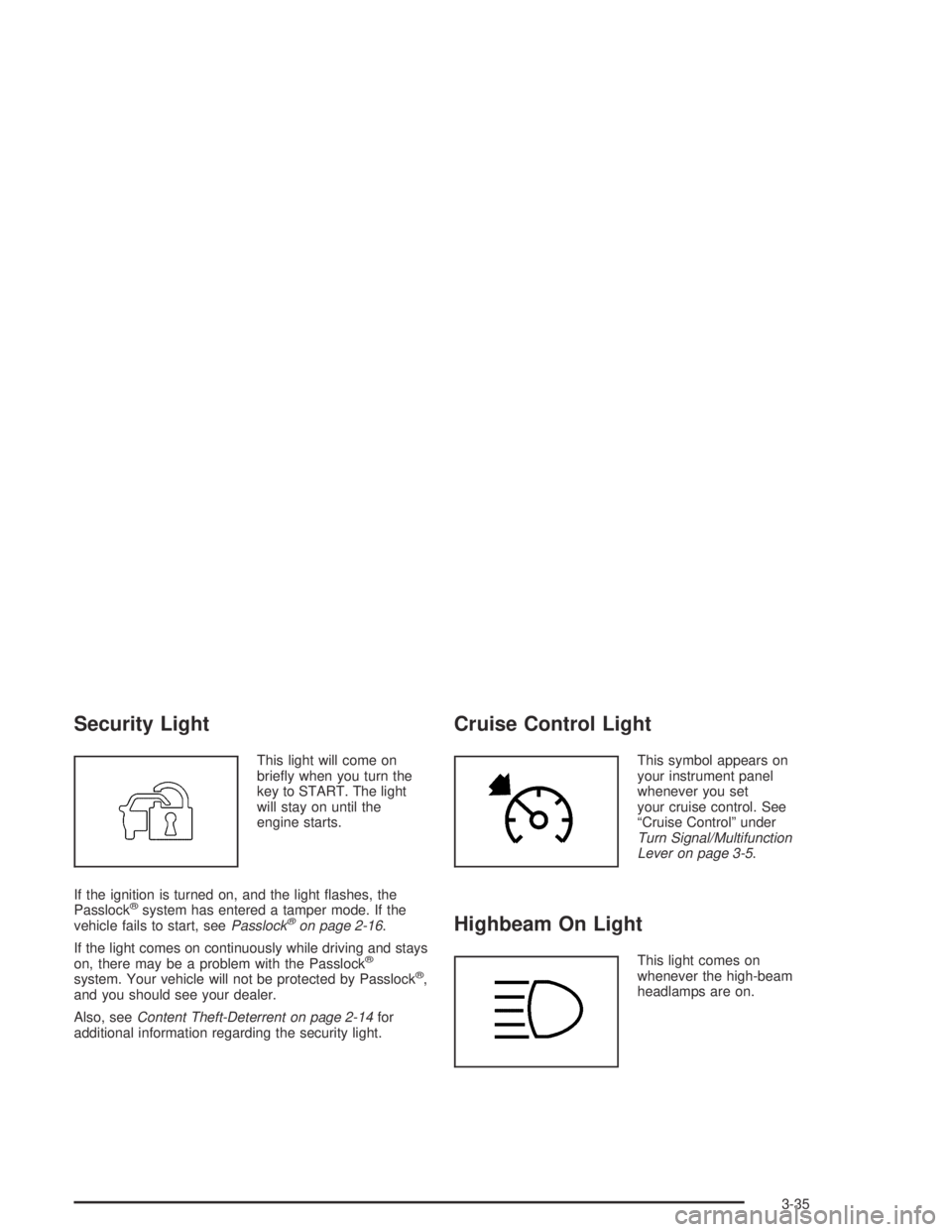
Security Light
This light will come on
briey when you turn the
key to START. The light
will stay on until the
engine starts.
If the ignition is turned on, and the light ashes, the
Passlock
®system has entered a tamper mode. If the
vehicle fails to start, seePasslock®on page 2-16.
If the light comes on continuously while driving and stays
on, there may be a problem with the Passlock
®
system. Your vehicle will not be protected by Passlock®,
and you should see your dealer.
Also, seeContent Theft-Deterrent on page 2-14for
additional information regarding the security light.
Cruise Control Light
This symbol appears on
your instrument panel
whenever you set
your cruise control. See
“Cruise Control” under
Turn Signal/Multifunction
Lever on page 3-5.
Highbeam On Light
This light comes on
whenever the high-beam
headlamps are on.
3-35
Page 161 of 420
Driver Information Center (DIC)
The DIC display is located on the instrument panel
cluster. The DIC can display information such as the trip
odometer, and personalization features.
DIC Controls and Displays
The Driver Information Center (DIC) comes on when the
ignition is on. After a short delay the DIC will display
the current driver and the information that was last
displayed before the engine was turned off.
If a problem is detected, a warning message will appear
on the display. Pressing and releasing the trip
odometer reset stem on the DIC will acknowledge any
current warning or service messages.
The DIC has different modes which can be accessed by
pressing the trip odometer reset stem on the DIC.
These modes are explained following. The DIC trip
odometer reset stem is located on the instrument panel
cluster next to the DIC display. To scroll through the
available functions, press and release the reset stem.
Trip Information
Odometer
The odometer is automatically displayed on the DIC
when you start the vehicle. The odometer shows
the total distance the vehicle has been driven in either
miles or kilometers.
Trip Odometer
Press and release the reset stem until TRIP appears
on the DIC display. This shows the current distance
traveled since the last reset of the trip odometer in either
miles or kilometers.
Press and hold the reset stem for approximately
four seconds to reset the trip odometer.
3-37
Page 162 of 420
GM Oil Life System™
Press the reset stem until OIL LIFE appears (ashing)
on the display. The GM Oil Life System™ shows
an estimate of the oil’s remaining useful life. It will show
100% when the system is reset after an oil change.
It will alert you to change your oil on a schedule
consistent with your driving conditions.
Always reset the engine oil life after an oil change.
To reset the oil life system press and hold the reset
stem while OIL LIFE is displayed. The system will
reset and a beep will sound.
The DIC does not replace the need to maintain your
vehicle as recommended in the Maintenance Schedule
in this manual. The oil change reminder will not
detect dusty conditions or engine malfunctions that may
affect the oil. Also, the oil change reminder does not
measure how much oil you have in your engine. So, be
sure to check your oil level often. SeeEngine Oil on
page 5-13for more information.
Automatic Door Locks
With the vehicle’s engine off, and the ignition in the
LOCK position, press and hold the power door
lock button for approximately 3 seconds until the DIC
displays the current door lock mode. Then press
the reset stem for approximately two seconds to switch
modes. The following are the mode choices:
Mode 1 (default):Lock all doors when the vehicle is
shifted out of PARK (P) with an automatic transmission,
or when vehicle speed is greater than 15 mph
(24km/h) with a manual transmission. Doors will unlock
when the vehicle is shifted into PARK (P) with an
automatic transmission, or when the ignition key is
removed on a manual transmission.
Mode 2:Turns off the automatic door locks.
Mode 3:Lock all doors when the vehicle is shifted out
of PARK (P) with an automatic transmission, or
when vehicle speed is greater than 15 mph (24km/h)
with a manual transmission. Driver’s door will unlock
when the vehicle is shifted into PARK (P) with an
automatic transmission, or when the ignition key is
removed on a manual transmission.
Mode 4:Lock all doors when the vehicle is shifted out
of PARK (P) with an automatic transmission, or
when the vehicle speed is greater than 15 mph (24km/h)
with a manual transmission. No doors will unlock.
3-38
Page 167 of 420
Setting the Time for Radios without
Radio Data Systems (RDS)
Press and hold HR until the correct hour appears on the
display. Press and hold MIN until the correct minute
appears on the display. To display the time with
the ignition off, press RCL, HR, or MIN and the time will
appear on the display for a few seconds. There is an
initial two-second delay before the clock goes into
time-set mode.
Setting the Time for Radios with
Radio Data Systems (RDS)
Your radio may have a button marked with an H or
HR to represent hours and an M or MN to represent
minutes.
Press and hold the hour button until the correct hour
appears on the display. Press and hold the minute
button until the correct minute appears on the display.
The time may be set with the ignition on or off.
To synchronize the time with an FM station broadcasting
Radio Data System (RDS) information, press and hold
the hour and minute buttons at the same time until
RDS TIME appears on the display. To accept this time,
press and hold the hour and minute buttons, at the
same time, for another 2 seconds. If the time is
not available from the station, NO UPDAT will appear
on the display.
RDS time is broadcast once a minute. Once you have
tuned to an RDS broadcast station, it may take a
few minutes for your time to update.
3-43
Page 170 of 420
Adjusting the Speakers (Balance/Fade)
AUDIO:To adjust the balance between the right
and the left speakers, press and release AUDIO until
BAL appears on the display. Then press and hold the up
or the down arrow to move the sound toward the right
or the left speakers.
To adjust the fade between the front and the rear
speakers, press and release AUDIO until FAD appears
on the display. Then press and hold the up or the
down arrow to move the sound toward the front or the
rear speakers.
To adjust balance or fade to the middle position, select
BAL or FAD. Then press and hold AUDIO for more
than two seconds until you hear a beep. L and a zero
or F and a zero will appear on the display.
To adjust both tone controls and both speaker controls
to the middle position, end out of audio by waiting for
the display to change to the time display. Then press
and hold AUDIO for more than two seconds until
you hear a beep. CEN will appear on the display.
Fade may not be available if you have a regular cab model.
Radio Messages
CAL (Calibrated):Your audio system has been
calibrated for your vehicle from the factory. If CAL
appears on the display it means that your radio has not
been congured properly for your vehicle and must
be returned to the dealer for service.
LOC (Locked):This message is displayed when the
Theftlock
®system has locked up. Your vehicle must be
returned to the dealer for service.
3-46
Page 175 of 420
SCAN:You can scan the stations within a PTY by
performing the following:
1. Turn the P-TYPE knob to activate program type
select mode. TYPE and a PTY will appear on the
display.
2. Turn the P-TYPE knob to select a PTY.
3. Once the desired PTY is displayed, press either
SCAN arrow, and the radio will begin scanning
the stations in the PTY.
4. Press either SCAN arrow to stop at a station.
If both PTY and TRAF are on, the radio will scan
for stations with the selected PTY and traffic
announcements.
BAND (Alternate Frequency):Alternate frequency
allows the radio to switch to a stronger station with the
same program type. To turn alternate frequency on,
press and hold BAND for two seconds. AF ON will
appear on the display. The radio may switch to stronger
stations.
To turn alternate frequency off, press and hold BAND
again for two seconds. AF OFF will appear on the
display. The radio will not switch to other stations.Setting Preset PTYs
The six numbered pushbuttons let you return to your
favorite PTYs. These pushbuttons have factory
PTY presets. You can set up to 12 PTYs (six FM1 and
six FM2) by performing the following steps:
1. Press BAND to select FM1 or FM2.
2. Turn the P-TYPE knob to activate program type
select mode. TYPE and a PTY will appear on the
display.
3. Turn the P-TYPE knob to select a PTY.
4. Press and hold one of the six numbered pushbuttons
until you hear a beep. Whenever you press that
numbered pushbutton, the PTY you set will return.
5. Repeat the steps for each pushbutton.
3-51
Page 184 of 420
SCAN:You can also scan through the stations within a
PTY by performing the following:
1. Press the P-TYPE button to activate program type
select mode. P-TYPE and the last selected PTY will
appear on the display.
2. Turn the P-TYPE knob to select a PTY.
3. Once the desired PTY is displayed, press and hold
either SCAN arrow, and the radio will begin
scanning the stations in the PTY.
4. Press either SCAN arrow to stop at a station.
If both P-TYPE and TRAF are on, the radio will
scan for stations with the selected PTY and traffic
announcements.
BAND (Alternate Frequency):Alternate frequency
allows the radio to switch to a stronger station with the
same program type. To turn alternate frequency on,
press and hold BAND for two seconds. AF ON will
appear on the display. The radio may switch to stronger
stations.
To turn alternate frequency off, press and hold BAND
again for two seconds. AF OFF will appear on the
display. The radio will not switch to other stations.Setting Preset PTYs
The six numbered pushbuttons let you return to your
favorite PTYs. These pushbuttons have factory PTY
presets. You can set up to 12 PTYs (six FM1 and
six FM2) by performing the following steps:
1. Press BAND to select FM1 or FM2.
2. Press the P-TYPE button to activate program type
select mode. P-TYPE and the last selected PTY will
appear on the display.
3. Turn the P-TYPE knob to select a PTY.
4. Press and hold one of the six numbered pushbuttons
until you hear a beep. Whenever you press that
numbered pushbutton, the PTY you set will return.
5. Repeat the steps for each pushbutton.
3-60
Page 189 of 420
To scan all loaded CDs, press and hold either SCAN
arrow for more than four seconds until CD SCAN
appears on the display and you hear a beep. Use this
feature to listen to 10 seconds of the rst track of
each CD loaded. Press either SCAN arrow again,
to stop scanning.
RCL (Recall):Press this knob to see how long the
current track has been playing. To change the default
on the display (track or elapsed time), press this
knob until you see the display you want, then hold the
knob until the display ashes. The selected display
will now be the default.
BAND:Press this button to play the radio when a
CD(s) is in the player. The inactive CD(s) will remain
safely inside the radio for future listening.
CD AUX (Auxiliary):Press this button to play a CD
when listening to the radio.Using Song List Mode
The six-disc CD changer has a feature called song list.
This feature is capable of saving 20 track selections.
To save tracks into the song list feature, perform
the following steps:
1. Turn the CD player on and load it with at least one
CD. See “LOAD CD” listed previously in this section
for more information.
2. Check to see that the CD changer is not in song list
mode. S-LIST should not appear in the display.
If S-LIST is present, press the SONG LIST button
to turn it off.
3. Select the desired CD by pressing the numbered
pushbutton and then use the SEEK SCAN right
arrow button to locate the track that you want
to save. The track will begin to play.
4. Press and hold the SONG LIST button for two or
more seconds to save the track into memory.
When SONG LIST is pressed a beep will be heard
immediately. After two seconds of continuously
pressing SONG LIST, two beeps will sound
to conrm that the track has been saved.
5. Repeat Steps 3 and 4 for saving other selections.
S-LIST FULL will appear on the display, if you try
to save more than 20 selections.
3-65
Page 190 of 420
To play the song list, press the SONG LIST button.
One beep will be heard and S-LIST will appear on the
display. The recorded tracks will begin to play in
the order that they were saved.
You may seek through the song list by using the SEEK
SCAN arrows. Seeking past the last saved track will
return you to the rst saved track.
To delete tracks from the song list, perform the
following steps:
1. Turn the CD player on.
2. Press the SONG LIST button to turn song list on.
S-LIST will appear on the display.
3. Press the SEEK SCAN arrows to select the desired
track to be deleted.
4. Press and hold the SONG LIST button for two
seconds. When SONG LIST is pressed, one
beep will be heard immediately. After two seconds
of continuously pressing the SONG LIST button,
two beeps will be heard to conrm that the track has
been deleted.After a track has been deleted, the remaining tracks are
moved up the list. When another track is added to
the song list, the track will be added to the end of
the list.
To delete the entire song list, perform the following steps:
1. Turn the CD player on.
2. Press the SONG LIST button to turn song list on.
S-LIST will appear on the display.
3. Press and hold the SONG LIST button for more
than four seconds. A beep will be heard, followed
by two beeps after two seconds and a nal beep will
be heard after four seconds. S-LIST EMPTY will
appear on the display indicating that the song
list has been deleted.
If a CD is ejected, and the song list contains saved
tracks from that CD, those tracks are automatically
deleted from the song list. Any tracks saved to the song
list again are added to the bottom of the list.
To end song list mode, press the SONG LIST button.
One beep will be heard and S-LIST will be removed from
the display.
3-66
Page 245 of 420
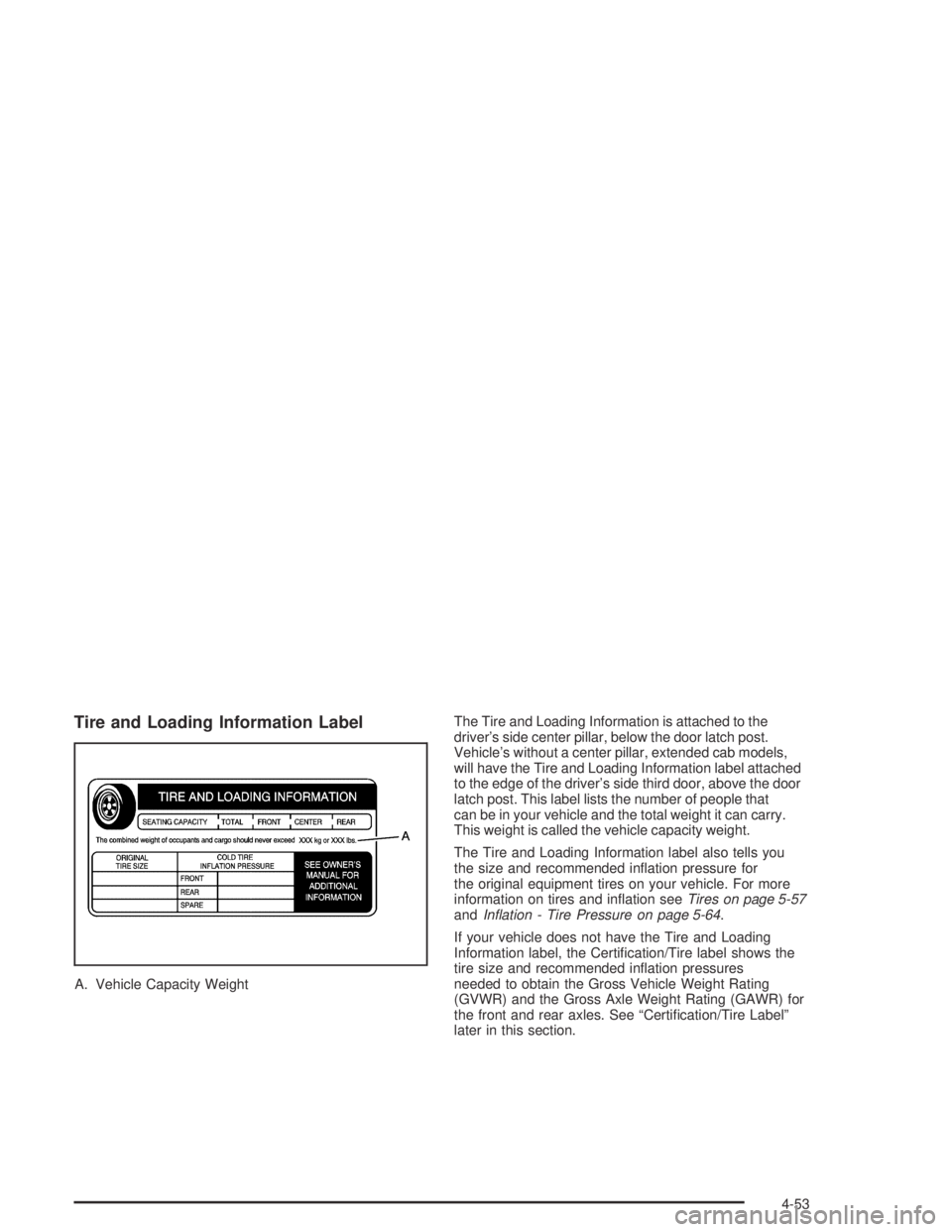
Tire and Loading Information Label
A. Vehicle Capacity WeightThe Tire and Loading Information is attached to the
driver’s side center pillar, below the door latch post.
Vehicle’s without a center pillar, extended cab models,
will have the Tire and Loading Information label attached
to the edge of the driver’s side third door, above the door
latch post. This label lists the number of people that
can be in your vehicle and the total weight it can carry.
This weight is called the vehicle capacity weight.
The Tire and Loading Information label also tells you
the size and recommended ination pressure for
the original equipment tires on your vehicle. For more
information on tires and ination seeTires on page 5-57
andInation - Tire Pressure on page 5-64.
If your vehicle does not have the Tire and Loading
Information label, the Certication/Tire label shows the
tire size and recommended ination pressures
needed to obtain the Gross Vehicle Weight Rating
(GVWR) and the Gross Axle Weight Rating (GAWR) for
the front and rear axles. See “Certication/Tire Label”
later in this section.
4-53