instrument panel GMC CANYON 2004 Owner's Guide
[x] Cancel search | Manufacturer: GMC, Model Year: 2004, Model line: CANYON, Model: GMC CANYON 2004Pages: 420, PDF Size: 2.84 MB
Page 164 of 420
BRAKES
This message will be displayed on the DIC if there is a
problem with your brakes. Check your brakes as
soon as possible and have your vehicle serviced.
SeeBrakes on page 5-38andBrake System Warning
Light on page 3-28for more information. Press and
release the reset stem to acknowledge the message and
clear it from the DIC display.
CHANGE OIL
This message will be displayed on your DIC when the
oil needs to be changed. Check the oil in your vehicle as
soon as possible and have your vehicle serviced. See
Engine Oil on page 5-13andScheduled Maintenance on
page 6-4for more information. Press the reset stem
to acknowledge the message and clear it from the
display.
DOORS
This message will be displayed on your DIC when one
of your doors is ajar. You should check all the doors
on your vehicle to make sure they are closed. Press the
reset stem to acknowledge the message and clear it
from the display.
ENG (Engine) HOT
This message will be displayed on your DIC when your
engine coolant temperature is hot. Check your engine
coolant temperature gage. SeeEngine Coolant
Temperature Gage on page 3-30for more information.
You should have your vehicle serviced as soon as
possible if you suspect your engine is overheating. See
Engine Overheating on page 5-28for more information.
FLUID
This message will be displayed on the DIC if your brake
uid is low. Check the brake uid as soon as possible
and have your vehicle serviced. SeeBrakes on
page 5-38for more information. Press the reset stem to
acknowledge the message and clear it from the DIC
display.
FUEL CAP
This message will be displayed if your vehicle’s fuel cap
is either off or loose. You should pull over and check
to see if your vehicle’s fuel cap is secure as soon
as possible. You may also see the check engine light
on the instrument panel cluster. SeeMalfunction
Indicator Lamp on page 3-30for more information.
Press the reset stem to acknowledge the message and
clear it from the display.
3-40
Page 201 of 420
Remember: Anti-lock does not change the time you
need to get your foot up to the brake pedal or always
decrease stopping distance. If you get too close to
the vehicle in front of you, you will not have time to apply
your brakes if that vehicle suddenly slows or stops.
Always leave enough room up ahead to stop, even
though you have anti-lock brakes.
Using Anti-Lock
Do not pump the brakes. Just hold the brake pedal
down rmly and let anti-lock work for you. You may feel
the brakes vibrate, or you may notice some noise,
but this is normal.
Braking in Emergencies
With anti-lock, you can steer and brake at the same
time. In many emergencies, steering can help you more
than even the very best braking.
Traction Control System (TCS)
Your vehicle may have a Traction Control System (TCS)
that limits wheel spin. This is especially useful in slippery
road conditions. The system operates only if it senses
that one or both of the rear wheels are spinning or
beginning to lose traction. When this happens, the
system reduces engine power and may also upshift the
transmission to limit wheel spin.
You may feel or hear the system working, but this is
normal.
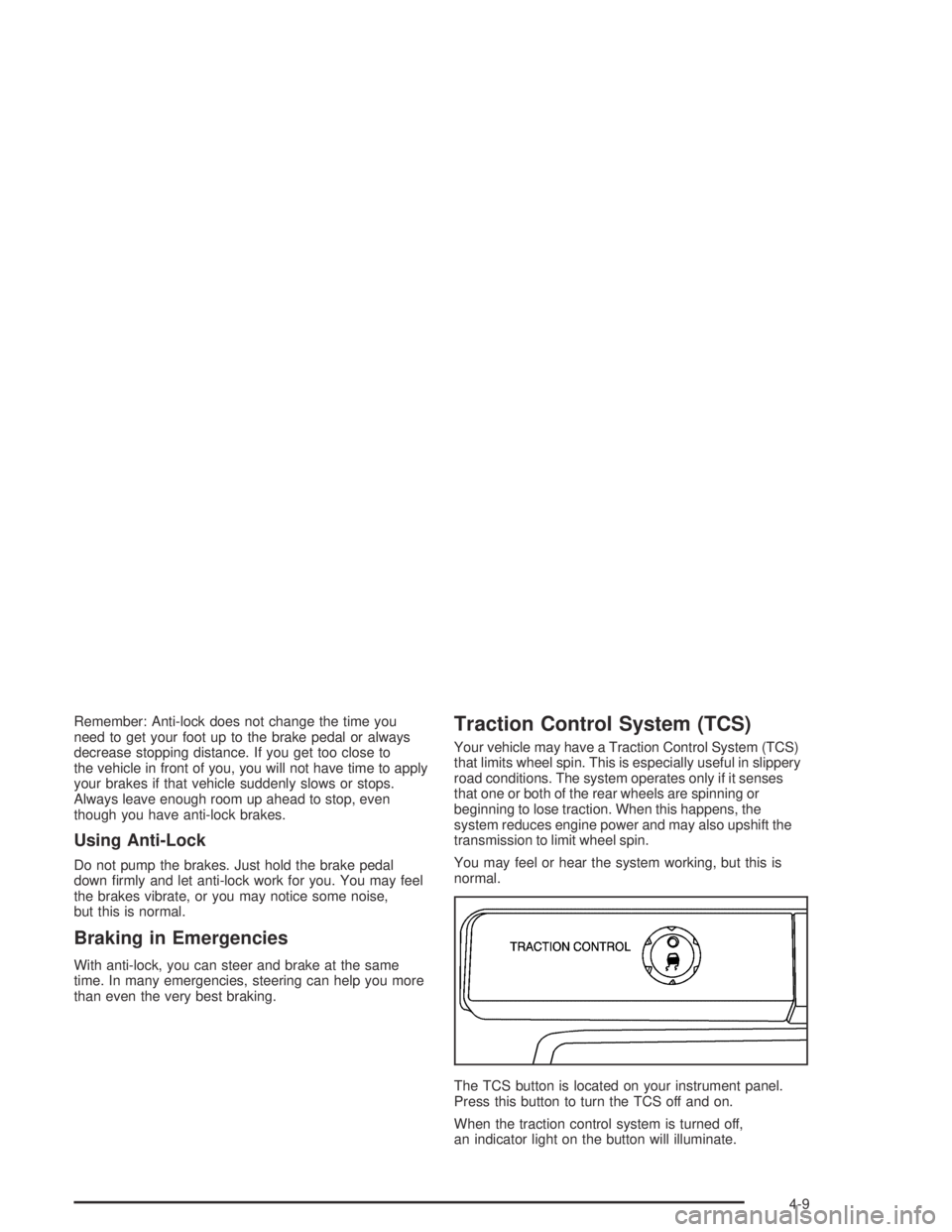
The TCS button is located on your instrument panel.
Press this button to turn the TCS off and on.
When the traction control system is turned off,
an indicator light on the button will illuminate.
4-9
Page 241 of 420
5. Shift the transfer case to NEUTRAL.
SeeFour-Wheel Drive on page 2-26for
more information.
6. Release the parking brake only after the vehicle
being towed is rmly attached to the towing
vehicle.
Notice:If you exceed 55 mph (90 km/h) while towing
your vehicle, it could be damaged. Never exceed
55 mph (90 km/h) while towing your vehicle.
7. Turn the ignition to LOCK. To prevent your
battery from draining while towing, remove the
RDO BATT and CLSTR fuses from the instrument
panel fuse block. Be sure to replace the fuse
when you reach your destination. SeeFuses and
Circuit Breakers on page 5-104for more information.
After towing see “Shifting out of NEUTRAL” under
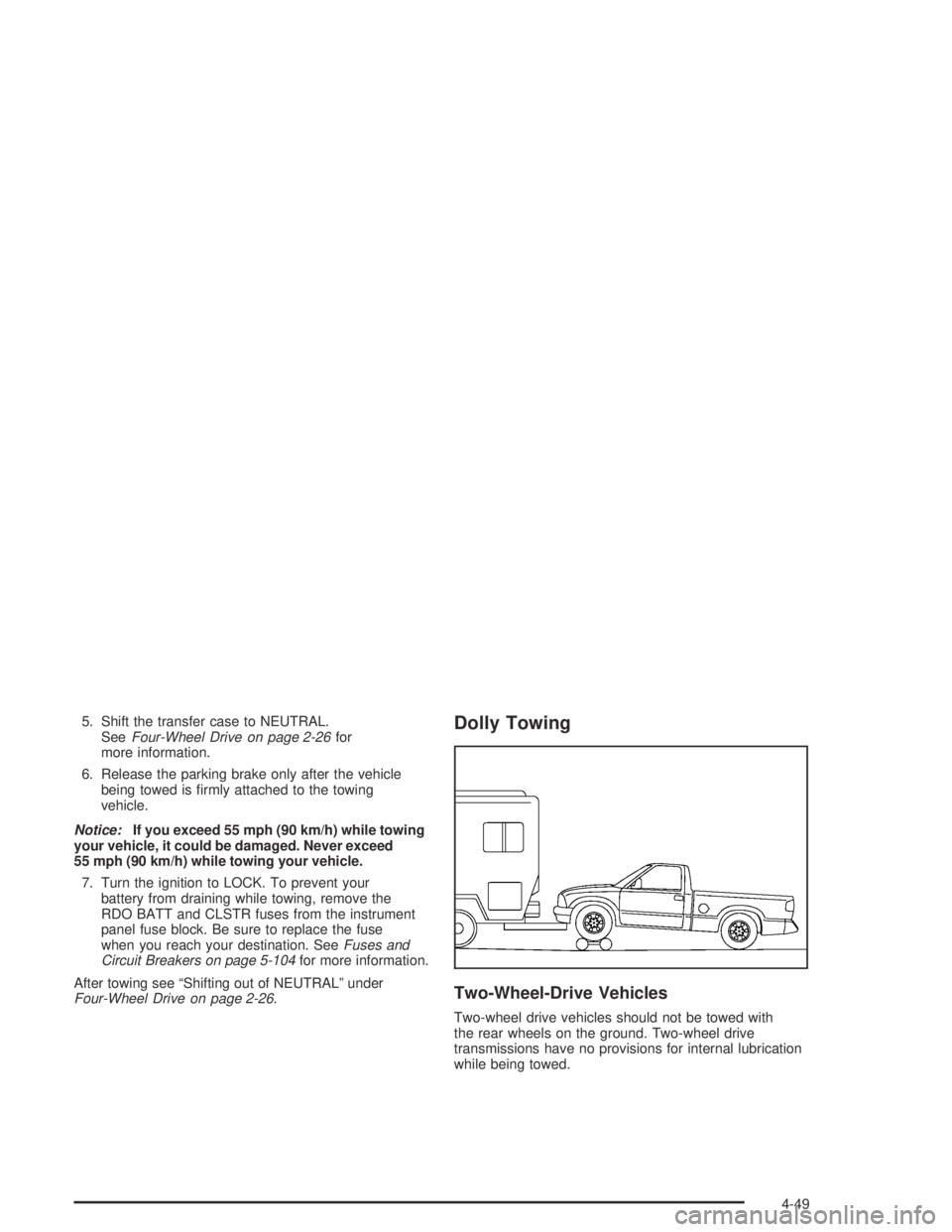
Four-Wheel Drive on page 2-26.Dolly Towing
Two-Wheel-Drive Vehicles
Two-wheel drive vehicles should not be towed with
the rear wheels on the ground. Two-wheel drive
transmissions have no provisions for internal lubrication
while being towed.
4-49
Page 242 of 420
Four-Wheel-Drive Vehicles
Front Towing (Front Wheels Off the Ground)
Use the following steps to dolly tow your vehicle from
the front:
1. Drive the vehicle up onto the dolly.
2. Firmly set the parking brake. SeeParking Brake on
page 2-29for more information.
3. Follow the dolly manufacturer’s instructions to
attach and secure the vehicle being towed to
the dolly and then the loaded dolly to the tow
vehicle.
4. Put an automatic transmission in PARK (P) or a
manual transmission in FIRST (1).
{CAUTION:
Shifting a four-wheel-drive vehicle’s transfer
case into NEUTRAL can cause your vehicle to
roll even if the transmission is in Park (P) for
CAUTION: (Continued)
CAUTION: (Continued)
an automatic transmission, or if your vehicle is
in gear, for a manual transmission. You or
others could be injured. Make sure the parking
brake is rmly set before you shift the transfer
case to NEUTRAL.
5. Shift the transfer case to NEUTRAL. See
Four-Wheel Drive on page 2-26for instructions.
6. Release the parking brake only after the vehicle
being towed is rmly attached to the towing
vehicle.
Notice:If you exceed 55 mph (90 km/h) while
towing your vehicle, it could be damaged. Never
exceed 55 mph (90 km/h) while towing your vehicle.
7. Turn the ignition to LOCK. To prevent your
battery from draining while towing, remove the
RDO BATT and CLSTR fuses from the instrument
panel fuse block. Be sure to replace the fuse
when you reach your destination SeeFuses and
Circuit Breakers on page 5-104for more information.
4-50
Page 244 of 420
6. Release the parking brake only after the vehicle
being towed is rmly attached to the towing
vehicle.
Notice:If you exceed 55 mph (90 km/h) while
towing your vehicle, it could be damaged. Never
exceed 55 mph (90 km/h) while towing your vehicle.
7. Turn the ignition to LOCK. To prevent your
battery from draining while towing, remove the
RDO BATT and CLSTR fuses from the instrument
panel fuse block. Be sure to replace the fuse
when you reach your destination SeeFuses and
Circuit Breakers on page 5-104for more information.
After towing see “Shifting out of NEUTRAL” under
Four-Wheel Drive on page 2-26.Loading Your Vehicle
It is very important to know how much weight your
vehicle can carry. This weight is called the vehicle
capacity weight and includes the weight of all occupants,
cargo and all nonfactory-installed options. Two labels
on your vehicle show how much weight it may properly
carry, the Tire and Loading Information label and the
Certication/Tire label.
{CAUTION:
Do not load your vehicle any heavier than the
GVWR, or either the maximum front or rear
GAWR. If you do, parts on your vehicle can
break, and it can change the way your vehicle
handles. These could cause you to lose
control and crash. Also, overloading can
shorten the life of your vehicle.
4-52
Page 262 of 420
Following Distance
Stay at least twice as far behind the vehicle ahead as
you would when driving your vehicle without a trailer.
This can help you avoid situations that require
heavy braking and sudden turns.
Passing
You’ll need more passing distance up ahead when
you’re towing a trailer. And, because you’re a good deal
longer, you’ll need to go much farther beyond the
passed vehicle before you can return to your lane.
Backing Up
Hold the bottom of the steering wheel with one hand.
Then, to move the trailer to the left, just move that hand
to the left. To move the trailer to the right, move your
hand to the right. Always back up slowly and, if possible,
have someone guide you.
Making Turns
Notice:Making very sharp turns while trailering
could cause the trailer to come in contact with
the vehicle. Your vehicle could be damaged.
Avoid making very sharp turns while trailering.
When you’re turning with a trailer, make wider turns than
normal. Do this so your trailer won’t strike soft shoulders,
curbs, road signs, trees or other objects. Avoid jerky or
sudden maneuvers. Signal well in advance.
Turn Signals When Towing a Trailer
When you tow a trailer, your vehicle has to have extra
wiring and a heavy-duty turn signal asher.
The arrows on your instrument panel will ash whenever
you signal a turn or lane change. Properly hooked up,
the trailer lamps will also ash, telling other drivers
you’re about to turn, change lanes or stop.
When towing a trailer, the arrows on your instrument
panel will ash for turns even if the bulbs on the trailer
are burned out. Thus, you may think drivers behind
you are seeing your signal when they are not. It’s
important to check occasionally to be sure the trailer
bulbs are still working.
4-70
Page 273 of 420
{CAUTION:
If you spill fuel and then something ignites it,
you could be badly burned. Fuel can spray out
on you if you open the fuel cap too quickly.
This spray can happen if your tank is nearly full,
and is more likely in hot weather. Open the fuel
cap slowly and wait for any “hiss” noise to stop.
Then unscrew the cap all the way.
{CAUTION:
If a re starts while you are refueling, do not
remove the nozzle. Shut off the ow of fuel
by shutting off the pump or by notifying the
station attendant. Leave the area immediately.
Be careful not to spill fuel. Do not top off or overll
your tank and wait a few seconds after you have
nished pumping before you remove the nozzle.Clean fuel from painted surfaces as soon as possible.
SeeCleaning the Outside of Your Vehicle on page 5-98
Cleaning the Outside of Your Vehicle. When lling
the tank do not overll by squeezing in much more fuel
after the pump shuts off.
When you put the fuel cap back on, turn it to the right
(clockwise) until you hear a clicking sound. Make sure
you fully install the cap. The diagnostic system can
determine if the fuel cap has been left off or improperly
installed. This would allow fuel to evaporate into the
atmosphere. If the fuel cap is not properly installed,
FUEL CAP will appear on the DIC and the check engine
light will be lit on instrument panel cluster. SeeDIC
Warnings and Messages on page 3-39andMalfunction
Indicator Lamp on page 3-30for more information.
Notice:If you need a new fuel cap, be sure to get the
right type. Your dealer can get one for you. If you get
the wrong type, it may not t properly. This may
cause your malfunction indicator lamp to light and
may damage your fuel tank and emissions system.
SeeMalfunction Indicator Lamp on page 3-30.
5-9
Page 275 of 420
Hood Release
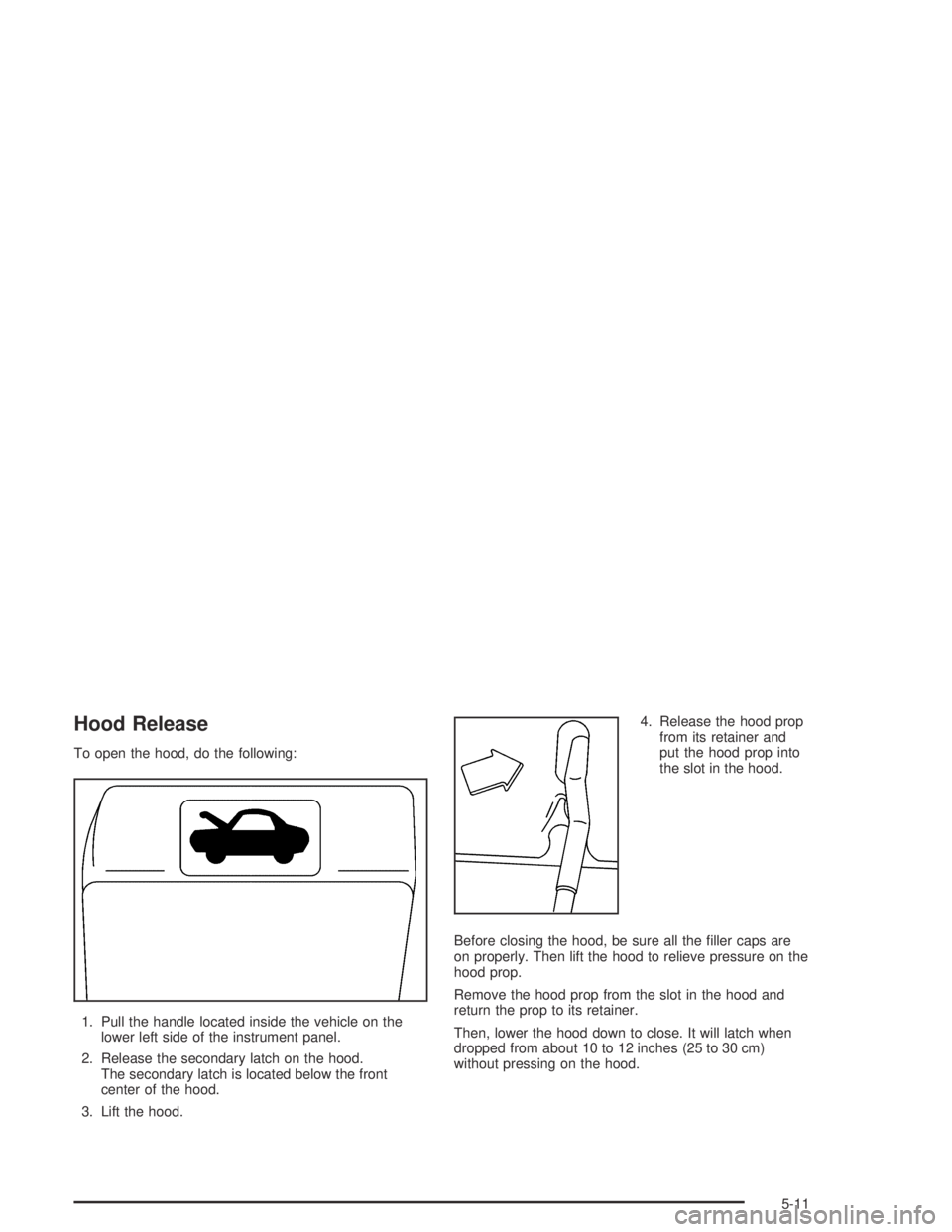
To open the hood, do the following:
1. Pull the handle located inside the vehicle on the
lower left side of the instrument panel.
2. Release the secondary latch on the hood.
The secondary latch is located below the front
center of the hood.
3. Lift the hood.4. Release the hood prop
from its retainer and
put the hood prop into
the slot in the hood.
Before closing the hood, be sure all the ller caps are
on properly. Then lift the hood to relieve pressure on the
hood prop.
Remove the hood prop from the slot in the hood and
return the prop to its retainer.
Then, lower the hood down to close. It will latch when
dropped from about 10 to 12 inches (25 to 30 cm)
without pressing on the hood.
5-11
Page 292 of 420
Add coolant mixture at the recovery tank, but be careful
not to spill it.
{CAUTION:
You can be burned if you spill coolant on hot
engine parts. Coolant contains ethylene glycol,
and it will burn if the engine parts are hot
enough. Do not spill coolant on a hot engine.
Occasionally check the coolant level in the radiator.
For information on how to add coolant to the radiator,
seeCooling System on page 5-30.
Radiator Pressure Cap
Notice:If the pressure cap is not tightly installed,
coolant loss and possible engine damage may
occur. Be sure the cap is properly and tightly
secured.
Engine Overheating
You will nd a coolant temperature gage on your
vehicle’s instrument panel. SeeEngine Coolant
Temperature Gage on page 3-30.
Your air conditioning may stop working if your engine is
too hot. This is normal and helps cool the engine.
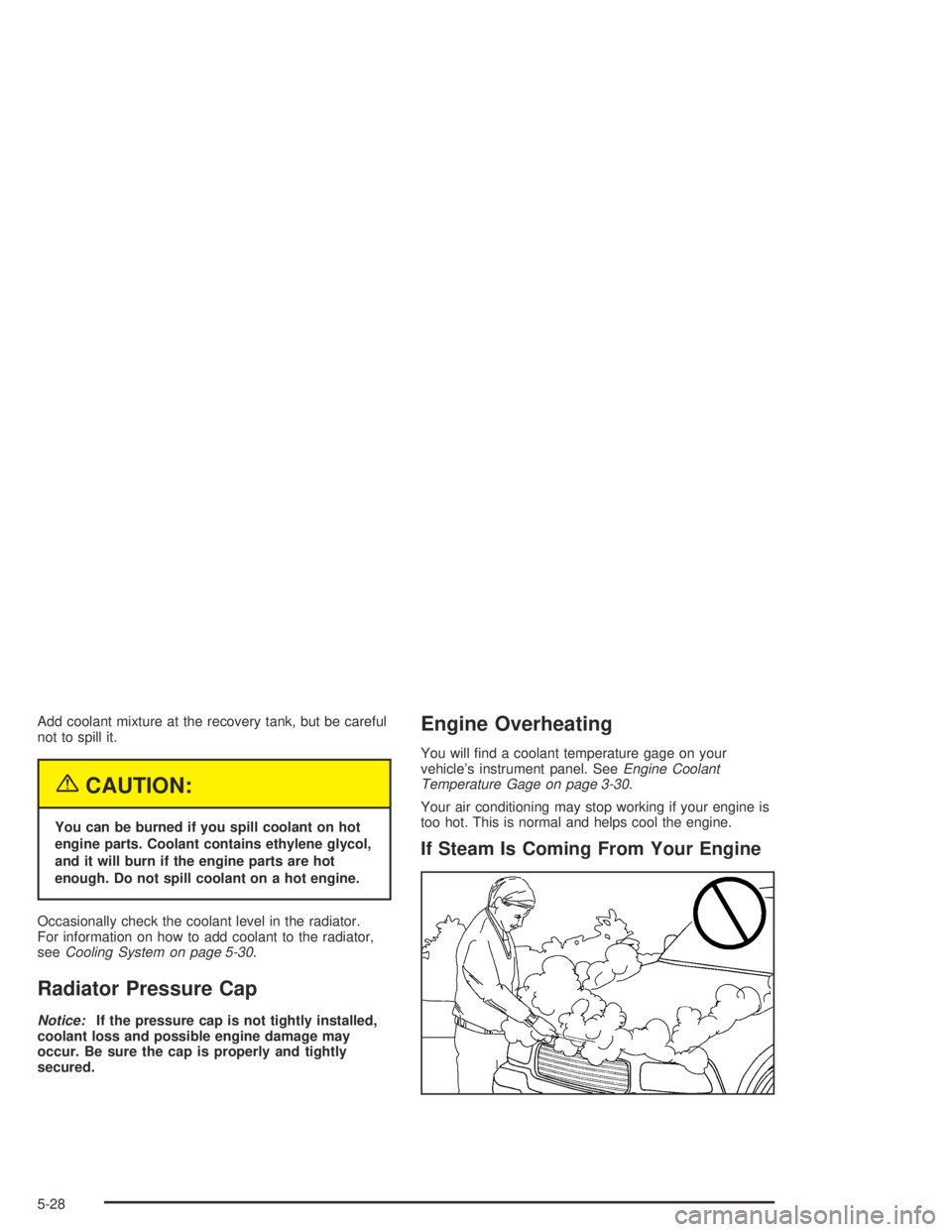
If Steam Is Coming From Your Engine
5-28
Page 361 of 420
Cleaning the Top of the Instrument
Panel
Use only mild soap and water to clean the top surfaces
of the instrument panel. Sprays containing silicones
or waxes may cause annoying reections in the
windshield and even make it difficult to see through the
windshield under certain conditions.
Cleaning Interior Plastic Components
Use only a mild soap and water solution on a soft cloth
or sponge. Commercial cleaners may affect the
surface nish.
Cleaning Glass Surfaces
Glass should be cleaned often. GM Glass Cleaner or a
liquid household glass cleaner will remove normal
tobacco smoke and dust lms on interior glass. See
Vehicle Care/Appearance Materials on page 5-102.
Notice:If you use abrasive cleaners when cleaning
glass surfaces on your vehicle, you could scratch
the glass and/or cause damage to the rear window
defogger and the integrated radio antenna. When
cleaning the glass on your vehicle, use only a soft
cloth and glass cleaner.
Care of Safety Belts
Keep belts clean and dry.
{CAUTION:
Do not bleach or dye safety belts. If you do, it
may severely weaken them. In a crash, they
might not be able to provide adequate
protection. Clean safety belts only with mild
soap and lukewarm water.
Weatherstrips
Silicone grease on weatherstrips will make them last
longer, seal better, and not stick or squeak. Apply
silicone grease with a clean cloth at least every six
months. During very cold, damp weather more frequent
application may be required. SeeRecommended
Fluids and Lubricants on page 6-13.
5-97