mirror GMC CANYON 2004 Owner's Manual
[x] Cancel search | Manufacturer: GMC, Model Year: 2004, Model line: CANYON, Model: GMC CANYON 2004Pages: 420, PDF Size: 2.84 MB
Page 1 of 420
Seats and Restraint Systems........................... 1-1
Front Seats
............................................... 1-3
Rear Seats
............................................... 1-9
Safety Belts
.............................................1-11
Child Restraints
.......................................1-31
Air Bag Systems
......................................1-60
Restraint System Check
............................1-73
Features and Controls..................................... 2-1
Keys
........................................................ 2-2
Doors and Locks
....................................... 2-7
Windows
.................................................2-12
Theft-Deterrent Systems
............................2-14
Starting and Operating Your Vehicle
...........2-16
Mirrors
....................................................2-36
OnStar
®System
......................................2-41
Storage Areas
.........................................2-42
Instrument Panel............................................. 3-1
Instrument Panel Overview
.......................... 3-2
Climate Controls
......................................3-18
Warning Lights, Gages, and Indicators
........3-22
Driver Information Center (DIC)
..................3-37
Audio System(s)
.......................................3-42Driving Your Vehicle....................................... 4-1
Your Driving, the Road, and Your Vehicle
........ 4-2
Towing
...................................................4-47
Service and Appearance Care.......................... 5-1
Service
..................................................... 5-3
Fuel
......................................................... 5-5
Checking Things Under the Hood
...............5-10
Rear Axle
...............................................5-47
Four-Wheel Drive
.....................................5-48
Front Axle
...............................................5-49
Bulb Replacement
....................................5-50
Windshield Wiper Blade Replacement
.........5-55
Tires
......................................................5-57
Appearance Care
.....................................5-94
Vehicle Identication
...............................5-103
Electrical System
....................................5-103
Capacities and Specications
...................5-108
Maintenance Schedule..................................... 6-1
Maintenance Schedule
................................ 6-2
Customer Assistance and Information.............. 7-1
Customer Assistance and Information
........... 7-2
Reporting Safety Defects
...........................7-10
Index.................................................................1
2004 GMC Canyon Owner ManualM
Page 81 of 420
Keys...............................................................2-2
Remote Keyless Entry System.........................2-4
Remote Keyless Entry System Operation...........2-5
Doors and Locks.............................................2-7
Door Locks....................................................2-7
Power Door Locks..........................................2-8
Programmable Automatic Door Locks................2-8
Rear Door Security Locks (Crew Cab)...............2-9
Lockout Protection..........................................2-9
Leaving Your Vehicle....................................2-10
Rear Doors (Extended Cab)...........................2-10
Tailgate.......................................................2-10
Windows........................................................2-12
Manual Windows..........................................2-12
Power Windows............................................2-13
Sliding Rear Window.....................................2-14
Sun Visors...................................................2-14
Theft-Deterrent Systems..................................2-14
Content Theft-Deterrent.................................2-14
Passlock
®....................................................2-16
Starting and Operating Your Vehicle................2-16
New Vehicle Break-In....................................2-16
Ignition Positions..........................................2-17
Starting Your Engine.....................................2-18
Engine Coolant Heater..................................2-20
Automatic Transmission Operation...................2-21
Manual Transmission Operation......................2-24Four-Wheel Drive..........................................2-26
Parking Brake..............................................2-29
Shifting Into Park (P)
(Automatic Transmission)............................2-30
Shifting Out of Park (P)
(Automatic Transmission)............................2-32
Parking Your Vehicle (Manual Transmission).......2-33
Parking Over Things That Burn.......................2-33
Engine Exhaust............................................2-34
Running Your Engine While You Are Parked.......2-34
Mirrors...........................................................2-36
Manual Rearview Mirror.................................2-36
Manual Rearview Mirror with OnStar
®..............2-36
Automatic Dimming Rearview Mirror with
Compass and Temperature Display..............2-37
Outside Manual Mirrors..................................2-39
Outside Power Mirrors...................................2-40
Outside Convex Mirror...................................2-40
OnStar
®System.............................................2-41
Storage Areas................................................2-42
Glove Box...................................................2-42
Cupholder(s)................................................2-42
Front Armrest Storage Area...........................2-43
Assist Handles.............................................2-43
Rear Storage Area........................................2-43
Bed Rails....................................................2-43
Section 2 Features and Controls
2-1
Page 94 of 420
Sliding Rear Window
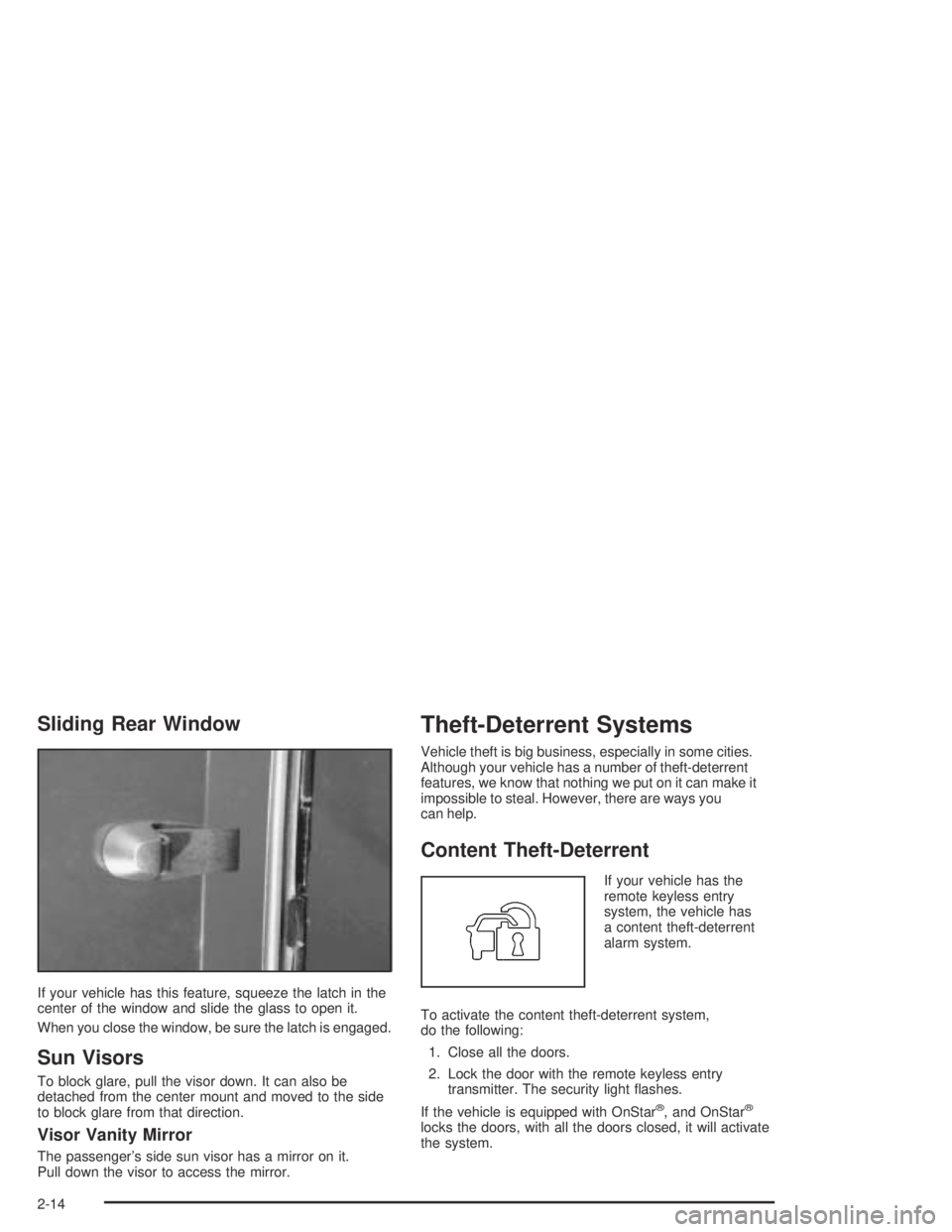
If your vehicle has this feature, squeeze the latch in the
center of the window and slide the glass to open it.
When you close the window, be sure the latch is engaged.
Sun Visors
To block glare, pull the visor down. It can also be
detached from the center mount and moved to the side
to block glare from that direction.
Visor Vanity Mirror
The passenger’s side sun visor has a mirror on it.
Pull down the visor to access the mirror.
Theft-Deterrent Systems
Vehicle theft is big business, especially in some cities.
Although your vehicle has a number of theft-deterrent
features, we know that nothing we put on it can make it
impossible to steal. However, there are ways you
can help.
Content Theft-Deterrent
If your vehicle has the
remote keyless entry
system, the vehicle has
a content theft-deterrent
alarm system.
To activate the content theft-deterrent system,
do the following:
1. Close all the doors.
2. Lock the door with the remote keyless entry
transmitter. The security light ashes.
If the vehicle is equipped with OnStar
®, and OnStar®
locks the doors, with all the doors closed, it will activate
the system.
2-14
Page 116 of 420
Mirrors
Manual Rearview Mirror
You can adjust the mirror for day or night driving.
Press the tab forward (away from you) for day driving.
Pull the tab back (toward you) for night driving.
The mirror may have lamps. To manually turn the lamps
on or off, press the button next to each lamp.
Manual Rearview Mirror with
OnStar
®
Your vehicle may have a manual rearview mirror with
the OnStar®System and map lamps.
Mirror Operation
You can adjust the mirror for day or night driving.
Press the tab forward (away from you) for day driving.
Pull the tab back (toward you) for night driving.
There are also three OnStar
®buttons located at the
bottom of the mirror. See your dealer for more
information on the system and how to subscribe to
OnStar
®. SeeOnStar®System on page 2-41for more
information about the services OnStar®provides.
Map Lamps
The mirror has map lamps located at the bottom of the
mirror. To manually turn the lamps on or off, press the
button next to each lamp.
Cleaning the Mirror
When cleaning the mirror, use a paper towel or similar
material dampened with glass cleaner. Do not spray
glass cleaner directly on the mirror housing.
2-36
Page 117 of 420
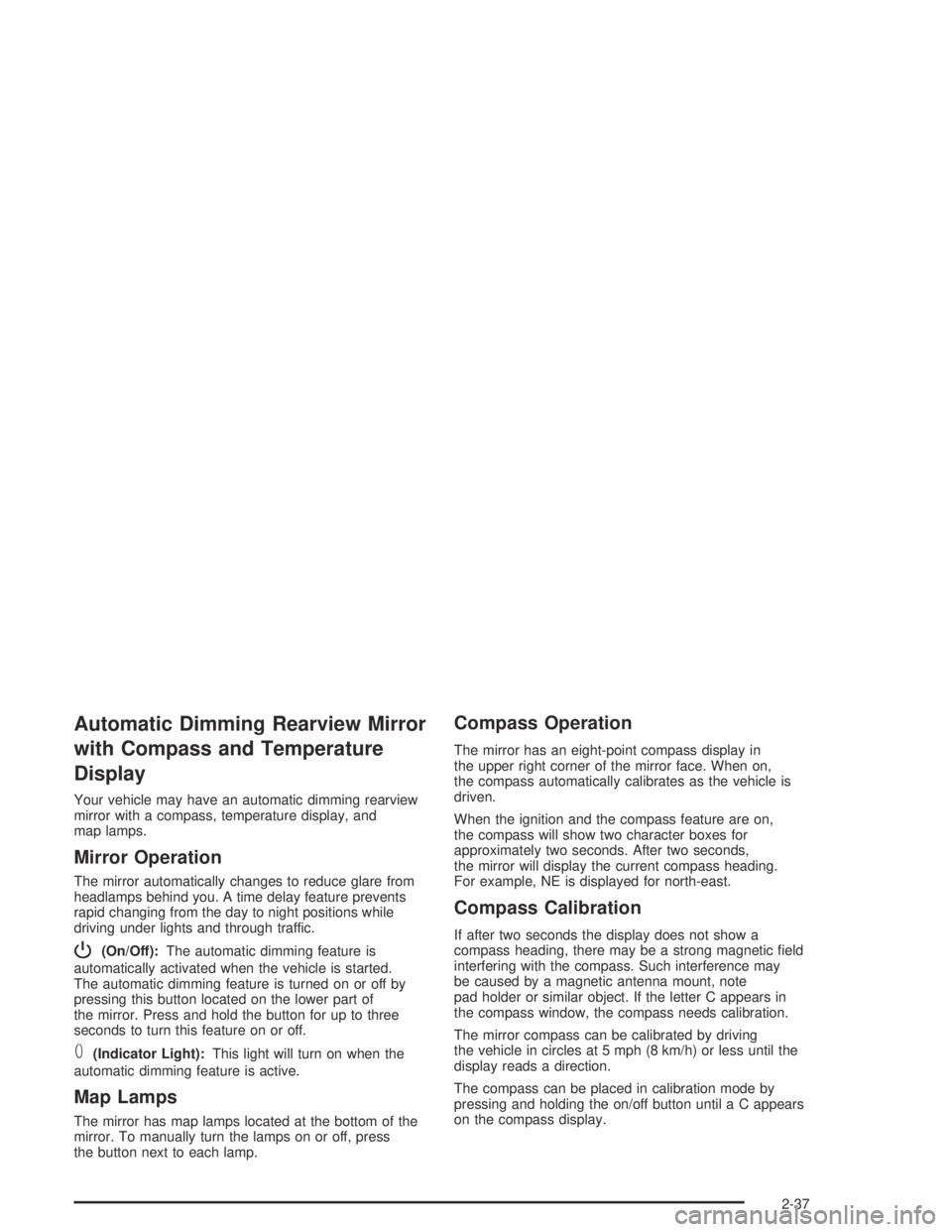
Automatic Dimming Rearview Mirror
with Compass and Temperature
Display
Your vehicle may have an automatic dimming rearview
mirror with a compass, temperature display, and
map lamps.
Mirror Operation
The mirror automatically changes to reduce glare from
headlamps behind you. A time delay feature prevents
rapid changing from the day to night positions while
driving under lights and through traffic.
P(On/Off):The automatic dimming feature is
automatically activated when the vehicle is started.
The automatic dimming feature is turned on or off by
pressing this button located on the lower part of
the mirror. Press and hold the button for up to three
seconds to turn this feature on or off.
T(Indicator Light):This light will turn on when the
automatic dimming feature is active.
Map Lamps
The mirror has map lamps located at the bottom of the
mirror. To manually turn the lamps on or off, press
the button next to each lamp.
Compass Operation
The mirror has an eight-point compass display in
the upper right corner of the mirror face. When on,
the compass automatically calibrates as the vehicle is
driven.
When the ignition and the compass feature are on,
the compass will show two character boxes for
approximately two seconds. After two seconds,
the mirror will display the current compass heading.
For example, NE is displayed for north-east.
Compass Calibration
If after two seconds the display does not show a
compass heading, there may be a strong magnetic eld
interfering with the compass. Such interference may
be caused by a magnetic antenna mount, note
pad holder or similar object. If the letter C appears in
the compass window, the compass needs calibration.
The mirror compass can be calibrated by driving
the vehicle in circles at 5 mph (8 km/h) or less until the
display reads a direction.
The compass can be placed in calibration mode by
pressing and holding the on/off button until a C appears
on the compass display.
2-37
Page 118 of 420
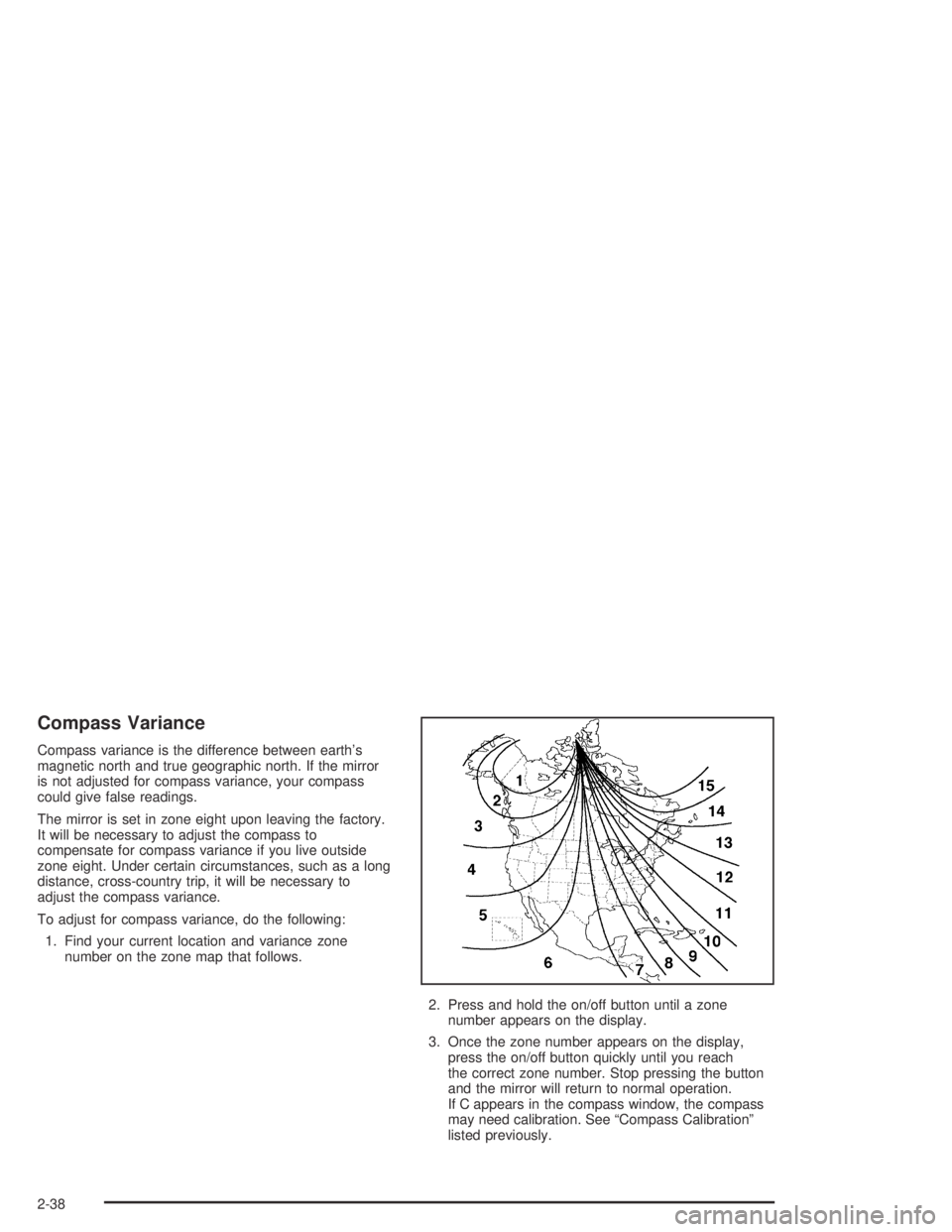
Compass Variance
Compass variance is the difference between earth’s
magnetic north and true geographic north. If the mirror
is not adjusted for compass variance, your compass
could give false readings.
The mirror is set in zone eight upon leaving the factory.
It will be necessary to adjust the compass to
compensate for compass variance if you live outside
zone eight. Under certain circumstances, such as a long
distance, cross-country trip, it will be necessary to
adjust the compass variance.
To adjust for compass variance, do the following:
1. Find your current location and variance zone
number on the zone map that follows.
2. Press and hold the on/off button until a zone
number appears on the display.
3. Once the zone number appears on the display,
press the on/off button quickly until you reach
the correct zone number. Stop pressing the button
and the mirror will return to normal operation.
If C appears in the compass window, the compass
may need calibration. See “Compass Calibration”
listed previously.
2-38
Page 119 of 420
Temperature Display Operation
The outside air temperature is displayed in the window
located at the lower center of the mirror face.
Press and hold the far right button for four seconds and
release. This will change the temperature reading
between degrees Fahrenheit, degrees Celsius, or turn
the display off.
Cleaning the Mirror
When cleaning the mirror, use a paper towel or similar
material dampened with glass cleaner. Do not spray
glass cleaner directly on the mirror as that may cause
the liquid cleaner to enter the mirror housing.
Outside Manual Mirrors
Adjust these mirrors by hand so that you can just see
the side of your vehicle when you are sitting in a
comfortable driving position.
The mirrors can be folded inward to prevent damage
when going through an automatic car wash. To fold,
push the mirror toward the vehicle. To return the mirror
to its original position, push outward. Be sure to
return both mirrors to the unfolded position before
driving.
2-39
Page 120 of 420
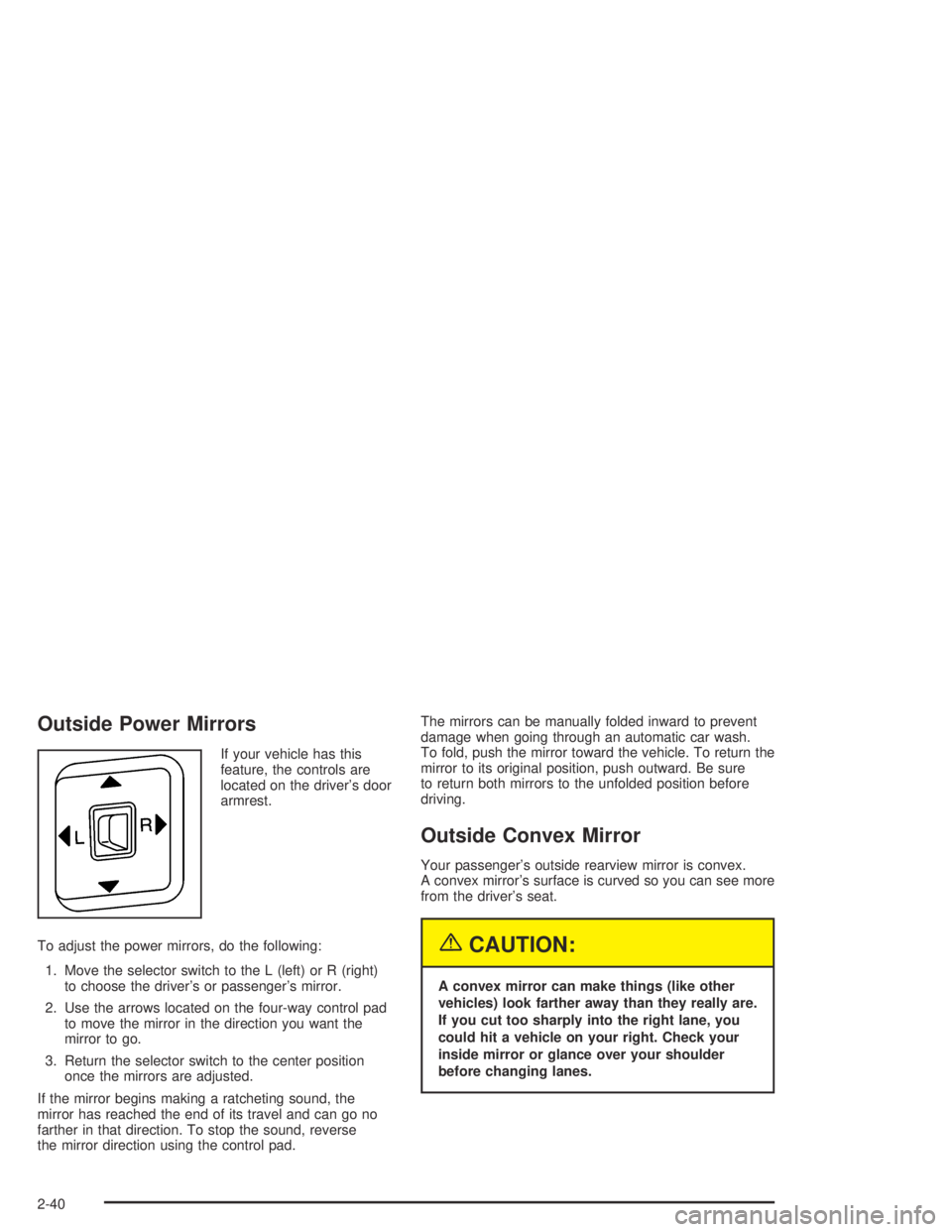
Outside Power Mirrors
If your vehicle has this
feature, the controls are
located on the driver’s door
armrest.
To adjust the power mirrors, do the following:
1. Move the selector switch to the L (left) or R (right)
to choose the driver’s or passenger’s mirror.
2. Use the arrows located on the four-way control pad
to move the mirror in the direction you want the
mirror to go.
3. Return the selector switch to the center position
once the mirrors are adjusted.
If the mirror begins making a ratcheting sound, the
mirror has reached the end of its travel and can go no
farther in that direction. To stop the sound, reverse
the mirror direction using the control pad.The mirrors can be manually folded inward to prevent
damage when going through an automatic car wash.
To fold, push the mirror toward the vehicle. To return the
mirror to its original position, push outward. Be sure
to return both mirrors to the unfolded position before
driving.
Outside Convex Mirror
Your passenger’s outside rearview mirror is convex.
A convex mirror’s surface is curved so you can see more
from the driver’s seat.
{CAUTION:
A convex mirror can make things (like other
vehicles) look farther away than they really are.
If you cut too sharply into the right lane, you
could hit a vehicle on your right. Check your
inside mirror or glance over your shoulder
before changing lanes.
2-40
Page 206 of 420
Check your mirrors, glance over your shoulder,
and start your left lane change signal before moving
out of the right lane to pass. When you are far
enough ahead of the passed vehicle to see its
front in your inside mirror, activate your right lane
change signal and move back into the right
lane. (Remember that your right outside mirror is
convex. The vehicle you just passed may seem to
be farther away from you than it really is.)
Try not to pass more than one vehicle at a time on
two-lane roads. Reconsider before passing the
next vehicle.
Do not overtake a slowly moving vehicle too rapidly.
Even though the brake lamps are not ashing,
it may be slowing down or starting to turn.
If you are being passed, make it easy for the
following driver to get ahead of you. Perhaps
you can ease a little to the right.
Loss of Control
Let us review what driving experts say about what
happens when the three control systems (brakes,
steering and acceleration) do not have enough friction
where the tires meet the road to do what the driver
has asked.
In any emergency, do not give up. Keep trying to
steer and constantly seek an escape route or area of
less danger.
Skidding
In a skid, a driver can lose control of the vehicle.
Defensive drivers avoid most skids by taking reasonable
care suited to existing conditions, and by not “overdriving”
those conditions. But skids are always possible.
The three types of skids correspond to your vehicle’s
three control systems. In the braking skid, your wheels
are not rolling. In the steering or cornering skid, too much
speed or steering in a curve causes tires to slip and lose
cornering force. And in the acceleration skid, too much
throttle causes the driving wheels to spin.
A cornering skid is best handled by easing your foot off
the accelerator pedal.
4-14
Page 207 of 420
If your vehicle starts to slide, ease your foot off the
accelerator pedal and quickly steer the way you want
the vehicle to go. If you start steering quickly enough,
your vehicle may straighten out. Always be ready
for a second skid if it occurs.
Of course, traction is reduced when water, snow, ice,
gravel or other material is on the road. For safety,
you will want to slow down and adjust your driving to
these conditions. It is important to slow down on slippery
surfaces because stopping distance will be longer and
vehicle control more limited.
While driving on a surface with reduced traction,
try your best to avoid sudden steering, acceleration or
braking (including engine braking by shifting to a
lower gear). Any sudden changes could cause the tires
to slide. You may not realize the surface is slippery
until your vehicle is skidding. Learn to recognize warning
clues — such as enough water, ice or packed snow
on the road to make a “mirrored surface” — and slow
down when you have any doubt.
Remember: Any anti-lock brake system (ABS) helps
avoid only the braking skid.Off-Road Driving with Your
Four-Wheel-Drive Vehicle
This off-road guide is for vehicles that have
four-wheel drive.
Also, seeAnti-Lock BrakesunderBraking on page 4-6.
If your vehicle does not have four-wheel drive, you
should not drive off-road unless you are on a level,
solid surface.
Off-road driving can be great fun. But it does have
some denite hazards. The greatest of these is
the terrain itself.
“Off-roading” means you have left the great North
American road system behind. Traffic lanes are not
marked. Curves are not banked. There are no
road signs. Surfaces can be slippery, rough, uphill or
downhill. In short, you have gone right back to nature.
Off-road driving involves some new skills. And that
is why it is very important that you read this guide.
You will nd many driving tips and suggestions.
These will help make your off-road driving safer and
more enjoyable.
4-15