display GMC CANYON 2005 Owner's Manual
[x] Cancel search | Manufacturer: GMC, Model Year: 2005, Model line: CANYON, Model: GMC CANYON 2005Pages: 420, PDF Size: 2.73 MB
Page 83 of 420
Keys...............................................................2-2
Remote Keyless Entry System.........................2-4
Remote Keyless Entry System Operation...........2-5
Doors and Locks.............................................2-7
Door Locks....................................................2-7
Power Door Locks..........................................2-8
Programmable Automatic Door Locks................2-8
Rear Door Security Locks (Crew Cab)...............2-9
Lockout Protection........................................2-10
Rear Doors (Extended Cab)...........................2-10
Tailgate.......................................................2-10
Windows........................................................2-12
Manual Windows..........................................2-12
Power Windows............................................2-13
Sliding Rear Window.....................................2-14
Sun Visors...................................................2-14
Theft-Deterrent Systems..................................2-14
Content Theft-Deterrent.................................2-14
Passlock
®....................................................2-16
Starting and Operating Your Vehicle................2-16
New Vehicle Break-In....................................2-16
Ignition Positions..........................................2-17
Retained Accessory Power (RAP)...................2-18
Starting Your Engine.....................................2-18
Engine Coolant Heater..................................2-20
Automatic Transmission Operation...................2-21Manual Transmission Operation......................2-24
Four-Wheel Drive..........................................2-26
Parking Brake..............................................2-29
Shifting Into Park (P)
(Automatic Transmission)............................2-30
Shifting Out of Park (P)
(Automatic Transmission)............................2-32
Parking Your Vehicle (Manual Transmission).....2-33
Parking Over Things That Burn.......................2-33
Engine Exhaust............................................2-34
Running Your Engine While You Are Parked
(Automatic Transmission)............................2-34
Mirrors...........................................................2-36
Manual Rearview Mirror.................................2-36
Manual Rearview Mirror with OnStar
®..............2-36
Automatic Dimming Rearview Mirror with
Compass and Temperature Display..............2-37
Outside Manual Mirrors..................................2-39
Outside Power Mirrors...................................2-39
Outside Convex Mirror...................................2-40
OnStar
®System.............................................2-40
Storage Areas................................................2-42
Glove Box...................................................2-42
Cupholder(s)................................................2-42
Front Armrest Storage Area...........................2-42
Assist Handles.............................................2-43
Rear Storage Area........................................2-43
Section 2 Features and Controls
2-1
Page 87 of 420
Remote Keyless Entry System
Operation
If your vehicle has this feature you can lock and unlock
your doors and disarm or arm your theft-deterrent
system from about 3 feet (1 m) up to 30 feet (9 m) away
using the remote keyless entry transmitter. SeeContent
Theft-Deterrent on page 2-14for additional information.
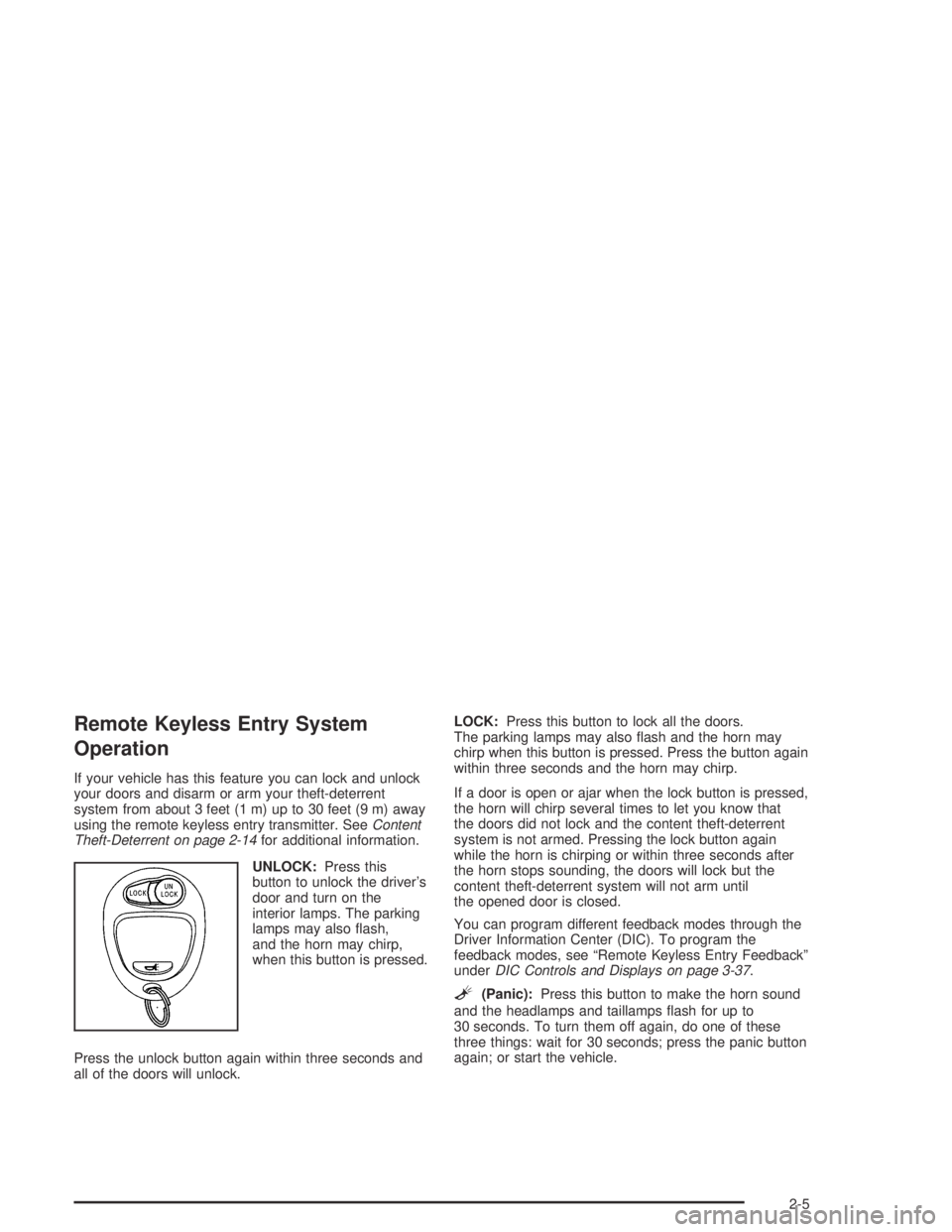
UNLOCK:Press this
button to unlock the driver’s
door and turn on the
interior lamps. The parking
lamps may also ash,
and the horn may chirp,
when this button is pressed.
Press the unlock button again within three seconds and
all of the doors will unlock.LOCK:Press this button to lock all the doors.
The parking lamps may also ash and the horn may
chirp when this button is pressed. Press the button again
within three seconds and the horn may chirp.
If a door is open or ajar when the lock button is pressed,
the horn will chirp several times to let you know that
the doors did not lock and the content theft-deterrent
system is not armed. Pressing the lock button again
while the horn is chirping or within three seconds after
the horn stops sounding, the doors will lock but the
content theft-deterrent system will not arm until
the opened door is closed.
You can program different feedback modes through the
Driver Information Center (DIC). To program the
feedback modes, see “Remote Keyless Entry Feedback”
underDIC Controls and Displays on page 3-37.
L(Panic):Press this button to make the horn sound
and the headlamps and taillamps ash for up to
30 seconds. To turn them off again, do one of these
three things: wait for 30 seconds; press the panic button
again; or start the vehicle.
2-5
Page 90 of 420
Power Door Locks
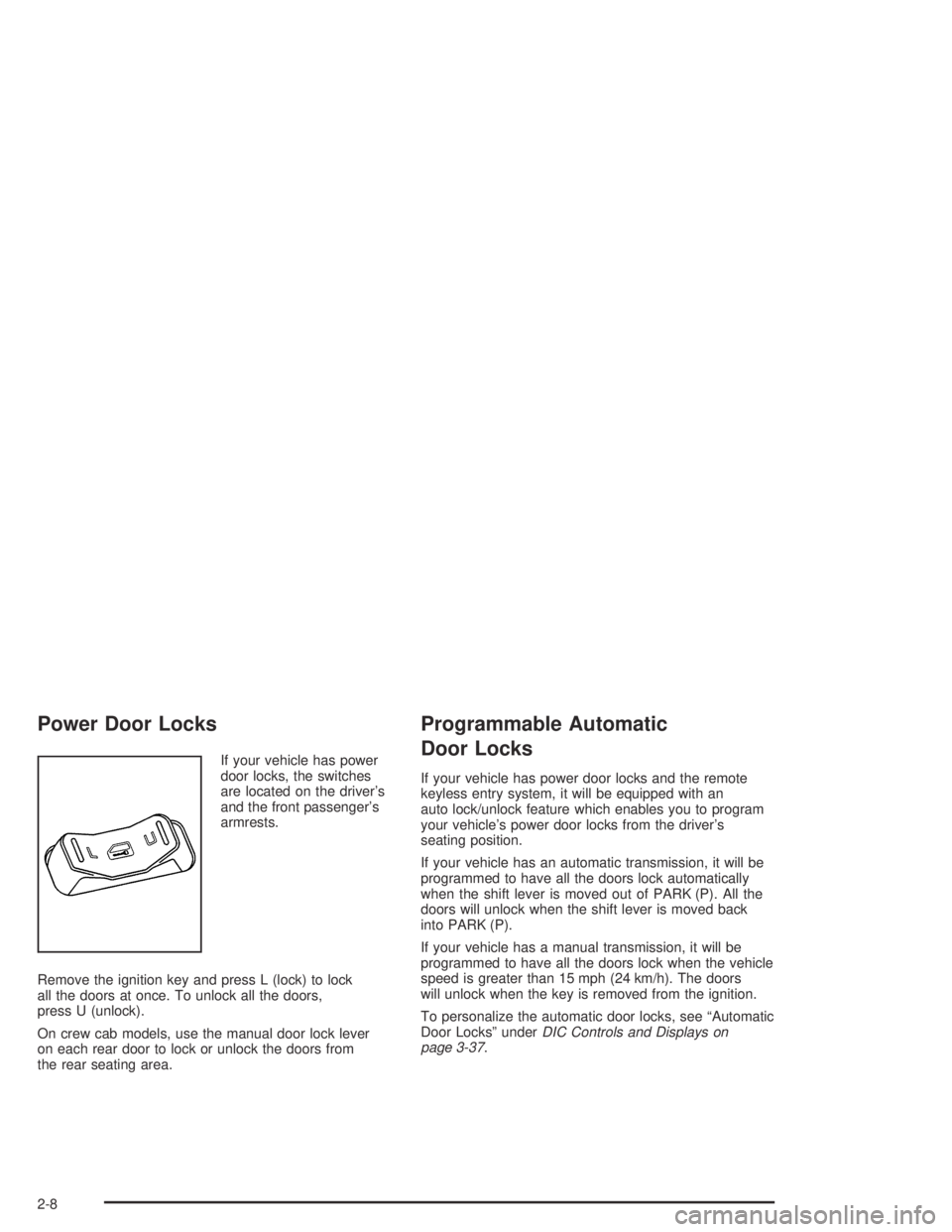
If your vehicle has power
door locks, the switches
are located on the driver’s
and the front passenger’s
armrests.
Remove the ignition key and press L (lock) to lock
all the doors at once. To unlock all the doors,
press U (unlock).
On crew cab models, use the manual door lock lever
on each rear door to lock or unlock the doors from
the rear seating area.
Programmable Automatic
Door Locks
If your vehicle has power door locks and the remote
keyless entry system, it will be equipped with an
auto lock/unlock feature which enables you to program
your vehicle’s power door locks from the driver’s
seating position.
If your vehicle has an automatic transmission, it will be
programmed to have all the doors lock automatically
when the shift lever is moved out of PARK (P). All the
doors will unlock when the shift lever is moved back
into PARK (P).
If your vehicle has a manual transmission, it will be
programmed to have all the doors lock when the vehicle
speed is greater than 15 mph (24 km/h). The doors
will unlock when the key is removed from the ignition.
To personalize the automatic door locks, see “Automatic
Door Locks” underDIC Controls and Displays on
page 3-37.
2-8
Page 99 of 420
Ignition Positions
With the key in the ignition
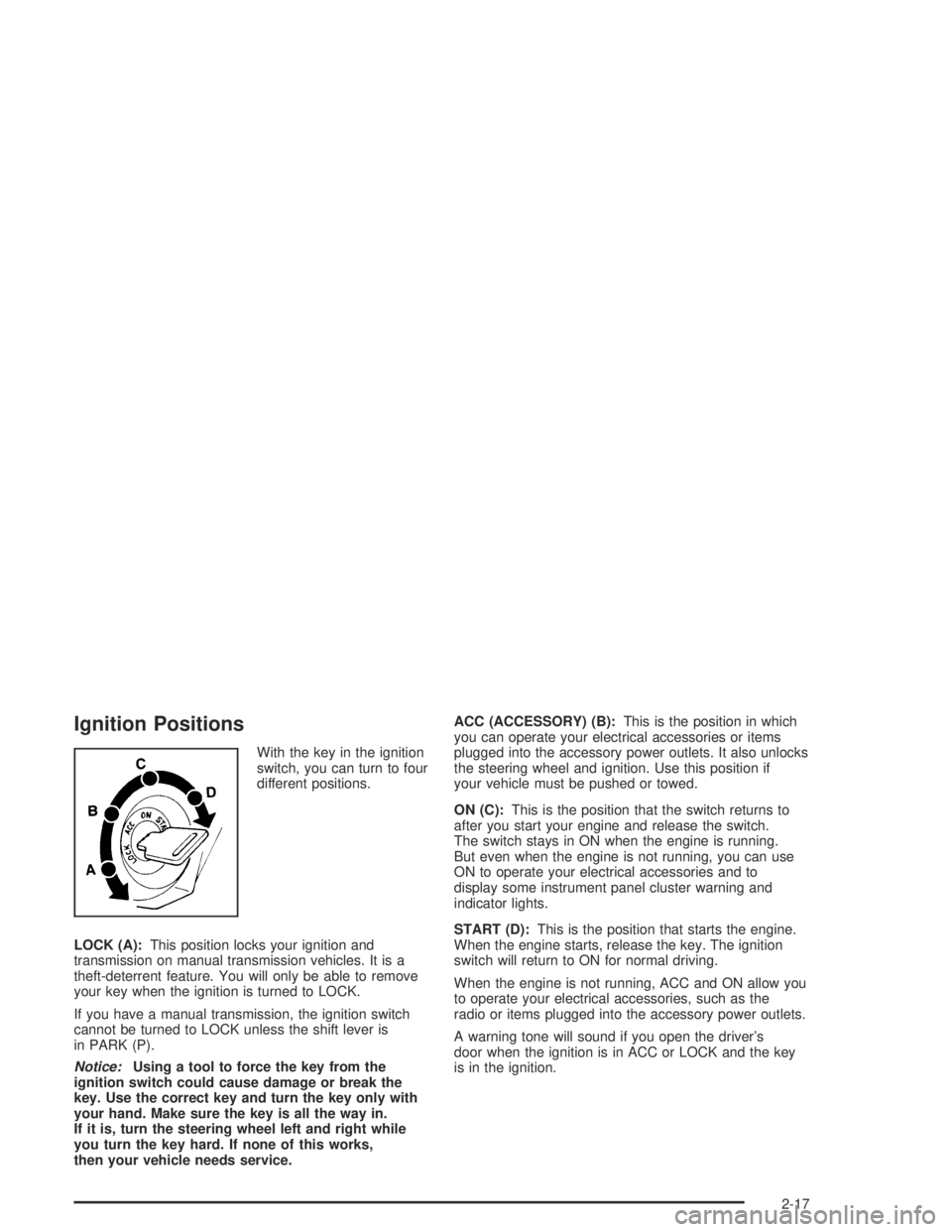
switch, you can turn to four
different positions.
LOCK (A):This position locks your ignition and
transmission on manual transmission vehicles. It is a
theft-deterrent feature. You will only be able to remove
your key when the ignition is turned to LOCK.
If you have a manual transmission, the ignition switch
cannot be turned to LOCK unless the shift lever is
in PARK (P).
Notice:Using a tool to force the key from the
ignition switch could cause damage or break the
key. Use the correct key and turn the key only with
your hand. Make sure the key is all the way in.
If it is, turn the steering wheel left and right while
you turn the key hard. If none of this works,
then your vehicle needs service.ACC (ACCESSORY) (B):This is the position in which
you can operate your electrical accessories or items
plugged into the accessory power outlets. It also unlocks
the steering wheel and ignition. Use this position if
your vehicle must be pushed or towed.
ON (C):This is the position that the switch returns to
after you start your engine and release the switch.
The switch stays in ON when the engine is running.
But even when the engine is not running, you can use
ON to operate your electrical accessories and to
display some instrument panel cluster warning and
indicator lights.
START (D):This is the position that starts the engine.
When the engine starts, release the key. The ignition
switch will return to ON for normal driving.
When the engine is not running, ACC and ON allow you
to operate your electrical accessories, such as the
radio or items plugged into the accessory power outlets.
A warning tone will sound if you open the driver’s
door when the ignition is in ACC or LOCK and the key
is in the ignition.
2-17
Page 103 of 420
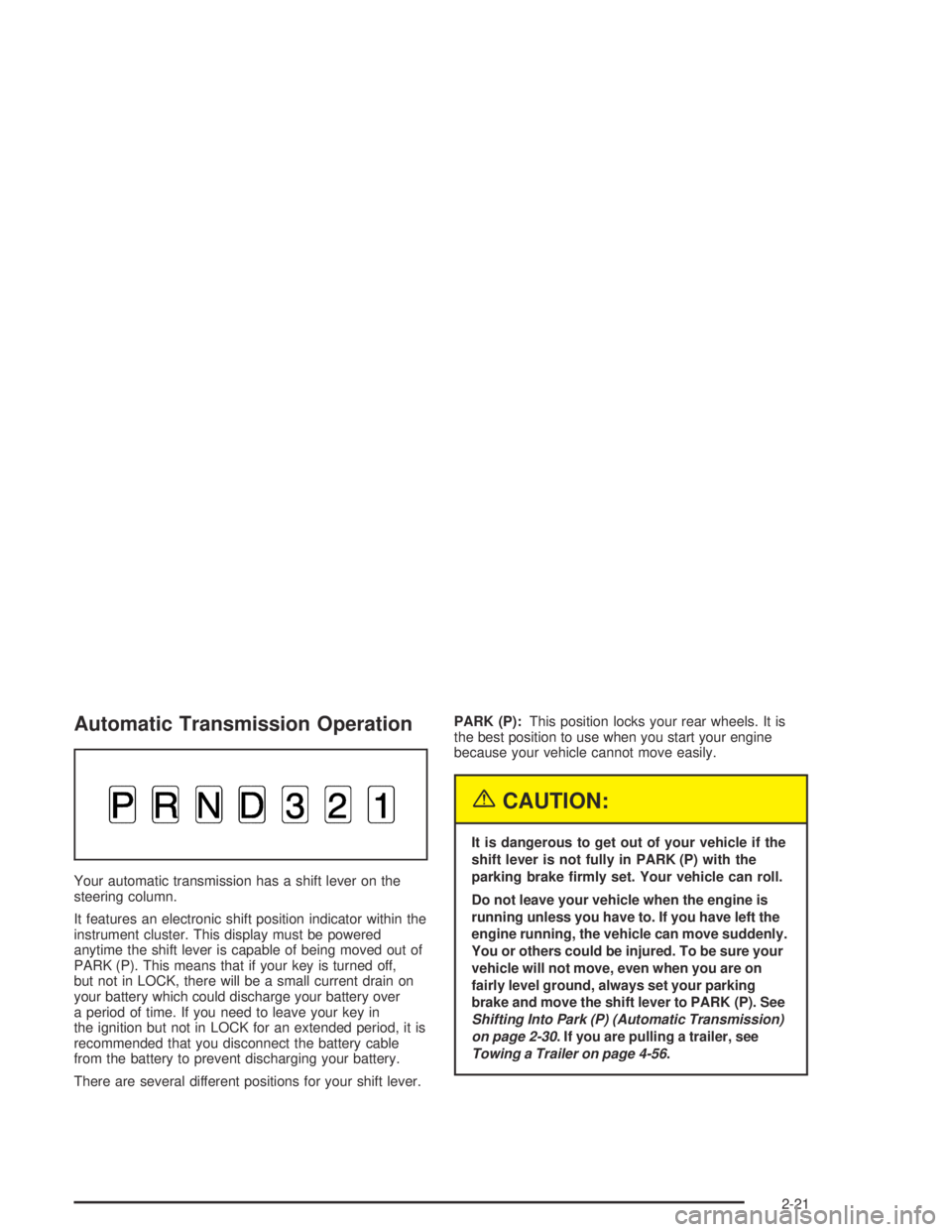
Automatic Transmission Operation
Your automatic transmission has a shift lever on the
steering column.
It features an electronic shift position indicator within the
instrument cluster. This display must be powered
anytime the shift lever is capable of being moved out of
PARK (P). This means that if your key is turned off,
but not in LOCK, there will be a small current drain on
your battery which could discharge your battery over
a period of time. If you need to leave your key in
the ignition but not in LOCK for an extended period, it is
recommended that you disconnect the battery cable
from the battery to prevent discharging your battery.
There are several different positions for your shift lever.PARK (P):This position locks your rear wheels. It is
the best position to use when you start your engine
because your vehicle cannot move easily.
{CAUTION:
It is dangerous to get out of your vehicle if the
shift lever is not fully in PARK (P) with the
parking brake rmly set. Your vehicle can roll.
Do not leave your vehicle when the engine is
running unless you have to. If you have left the
engine running, the vehicle can move suddenly.
You or others could be injured. To be sure your
vehicle will not move, even when you are on
fairly level ground, always set your parking
brake and move the shift lever to PARK (P). See
Shifting Into Park (P) (Automatic Transmission)
on page 2-30. If you are pulling a trailer, see
Towing a Trailer on page 4-56.
2-21
Page 119 of 420
Automatic Dimming Rearview
Mirror with Compass and
Temperature Display
The vehicle may have an automatic dimming rearview
mirror with a compass, temperature display, and
map lamps.
Mirror Operation
The mirror automatically changes to reduce glare from
headlamps behind you. A time delay feature prevents
rapid changing from the day to night positions while
driving under lights and through traffic.
P(On/Off):The automatic dimming feature is
automatically activated when the vehicle is started.
The automatic dimming feature is turned on or off by
pressing this button located on the lower part of
the mirror. Press and hold the button for up to three
seconds to turn this feature on or off.
T(Indicator Light):This light will turn on when the
automatic dimming feature is active.
Map Lamps
The mirror has map lamps located at the bottom of the
mirror. To manually turn the lamps on or off, press
the button next to each lamp.
Compass Operation
The mirror has an eight-point compass display in the
bottom of the mirror face.
When the ignition and the compass feature are on,
the compass will show two character boxes for
approximately two seconds. After two seconds, the
mirror will display the current compass heading.
For example, NE is displayed for north-east.
Compass Calibration
If after two seconds the display does not show a
compass heading, there may be a strong magnetic eld
interfering with the compass. Such interference may
be caused by a magnetic antenna mount, note
pad holder or similar object. If the letter C appears in
the compass window, the compass needs calibration.
The mirror compass can be calibrated by driving
the vehicle in circles at 5 mph (8 km/h) or less until the
display reads a direction.
The compass can be placed in calibration mode by
pressing and holding the left map light button until
a C appears on the compass display.
2-37
Page 120 of 420
Compass Variance
Compass variance is the difference between earth’s
magnetic north and true geographic north. If the mirror
is not adjusted for compass variance, your compass
could give false readings.
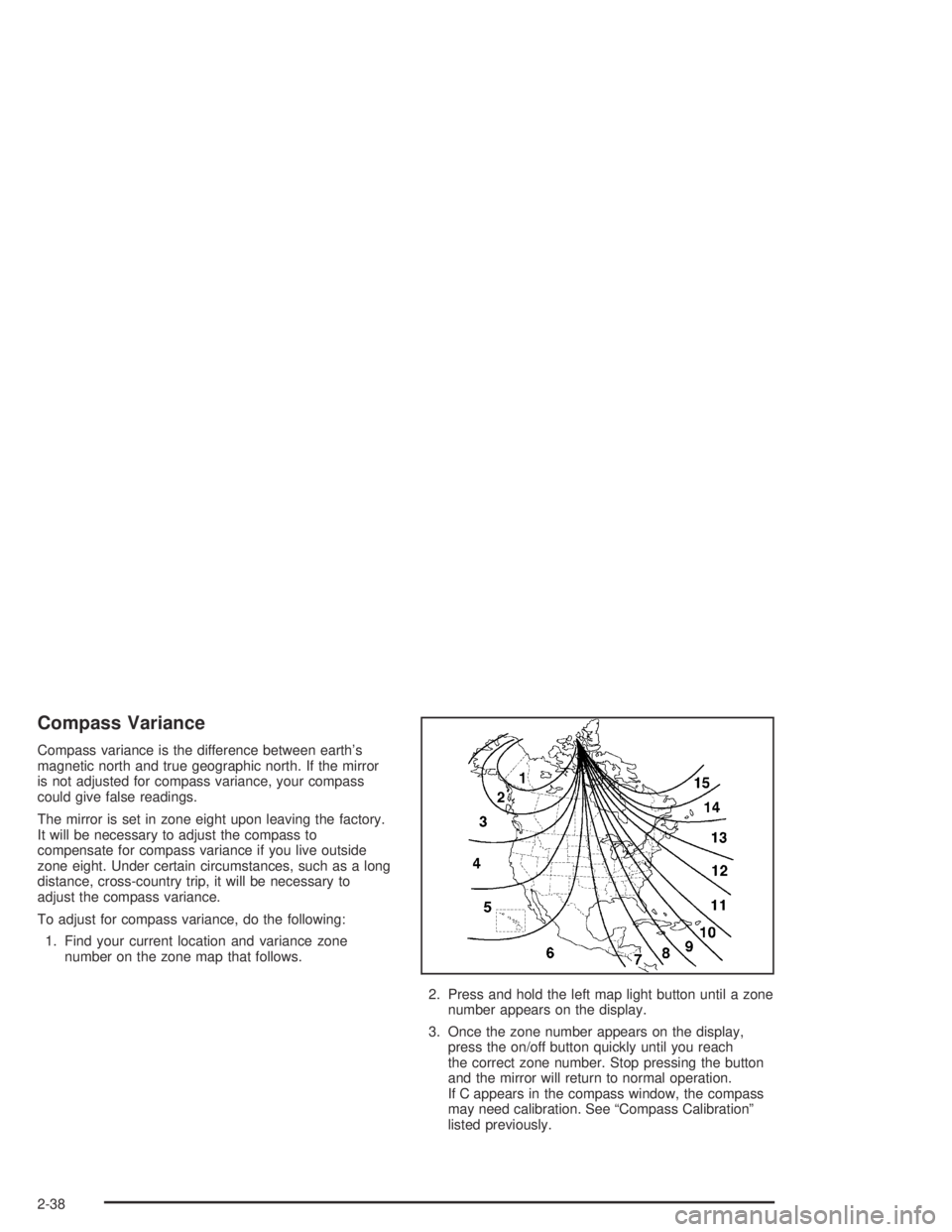
The mirror is set in zone eight upon leaving the factory.
It will be necessary to adjust the compass to
compensate for compass variance if you live outside
zone eight. Under certain circumstances, such as a long
distance, cross-country trip, it will be necessary to
adjust the compass variance.
To adjust for compass variance, do the following:
1. Find your current location and variance zone
number on the zone map that follows.
2. Press and hold the left map light button until a zone
number appears on the display.
3. Once the zone number appears on the display,
press the on/off button quickly until you reach
the correct zone number. Stop pressing the button
and the mirror will return to normal operation.
If C appears in the compass window, the compass
may need calibration. See “Compass Calibration”
listed previously.
2-38
Page 121 of 420
Temperature Display Operation
The outside air temperature is displayed in the window
located at the lower center of the mirror face.
Press and hold the far right button for four seconds and
release. This will change the temperature reading
between degrees Fahrenheit, degrees Celsius, or turn
the display off.
Cleaning the Mirror
When cleaning the mirror, use a paper towel or similar
material dampened with glass cleaner. Do not spray
glass cleaner directly on the mirror as that may cause
the liquid cleaner to enter the mirror housing.
Outside Manual Mirrors
If the vehicle has manual outside mirrors, adjust them
by hand so that the side of the vehicle can be seen while
you are sitting in a comfortable driving position.
The mirrors can be folded inward to prevent damage
when going through an automatic car wash. To fold,
push the mirror toward the vehicle. To return the mirror
to its original position, push outward. Return both
mirrors to the unfolded position before driving.
Outside Power Mirrors
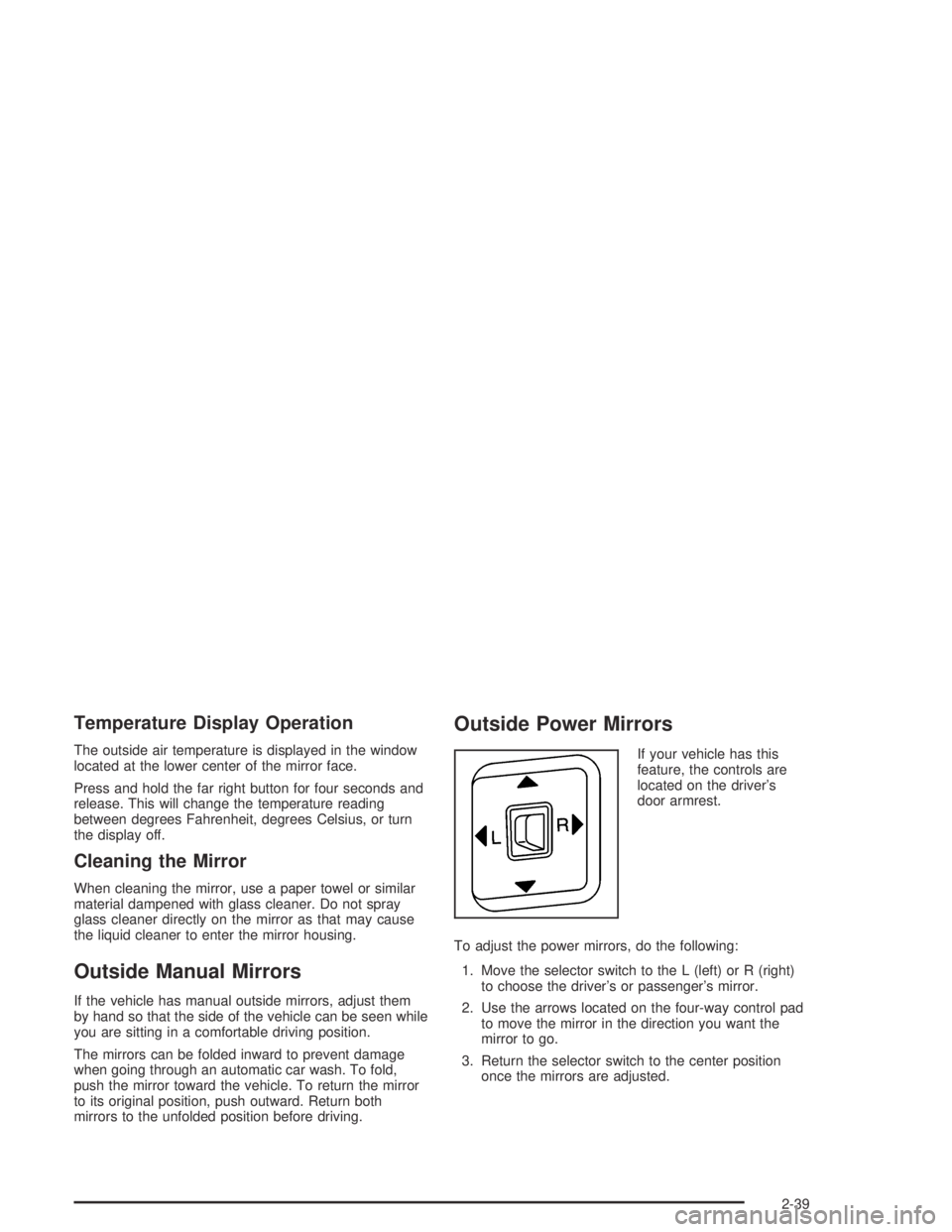
If your vehicle has this
feature, the controls are
located on the driver’s
door armrest.
To adjust the power mirrors, do the following:
1. Move the selector switch to the L (left) or R (right)
to choose the driver’s or passenger’s mirror.
2. Use the arrows located on the four-way control pad
to move the mirror in the direction you want the
mirror to go.
3. Return the selector switch to the center position
once the mirrors are adjusted.
2-39
Page 128 of 420
Driver Information Center (DIC).......................3-37
DIC Controls and Displays.............................3-37
DIC Warnings and Messages.........................3-41
Audio System(s).............................................3-44
Setting the Time for Radios without Radio
Data Systems (RDS)..................................3-44
Setting the Time for Radios with Radio
Data Systems (RDS)..................................3-45
AM-FM Radio...............................................3-45Radio with CD (MP3)....................................3-48
Radio with Six-Disc CD.................................3-63
Theft-Deterrent Feature (Non-RDS Radios).......3-74
Theft-Deterrent Feature (RDS Radios).............3-74
Radio Reception...........................................3-74
Care of Your CDs.........................................3-74
Care of Your CD Player................................3-75
Fixed Mast Antenna......................................3-75
XM™ Satellite Radio Antenna System.............3-75
Chime Level Adjustment................................3-75
Section 3 Instrument Panel
3-2
Page 143 of 420
Exterior Cargo Lamps
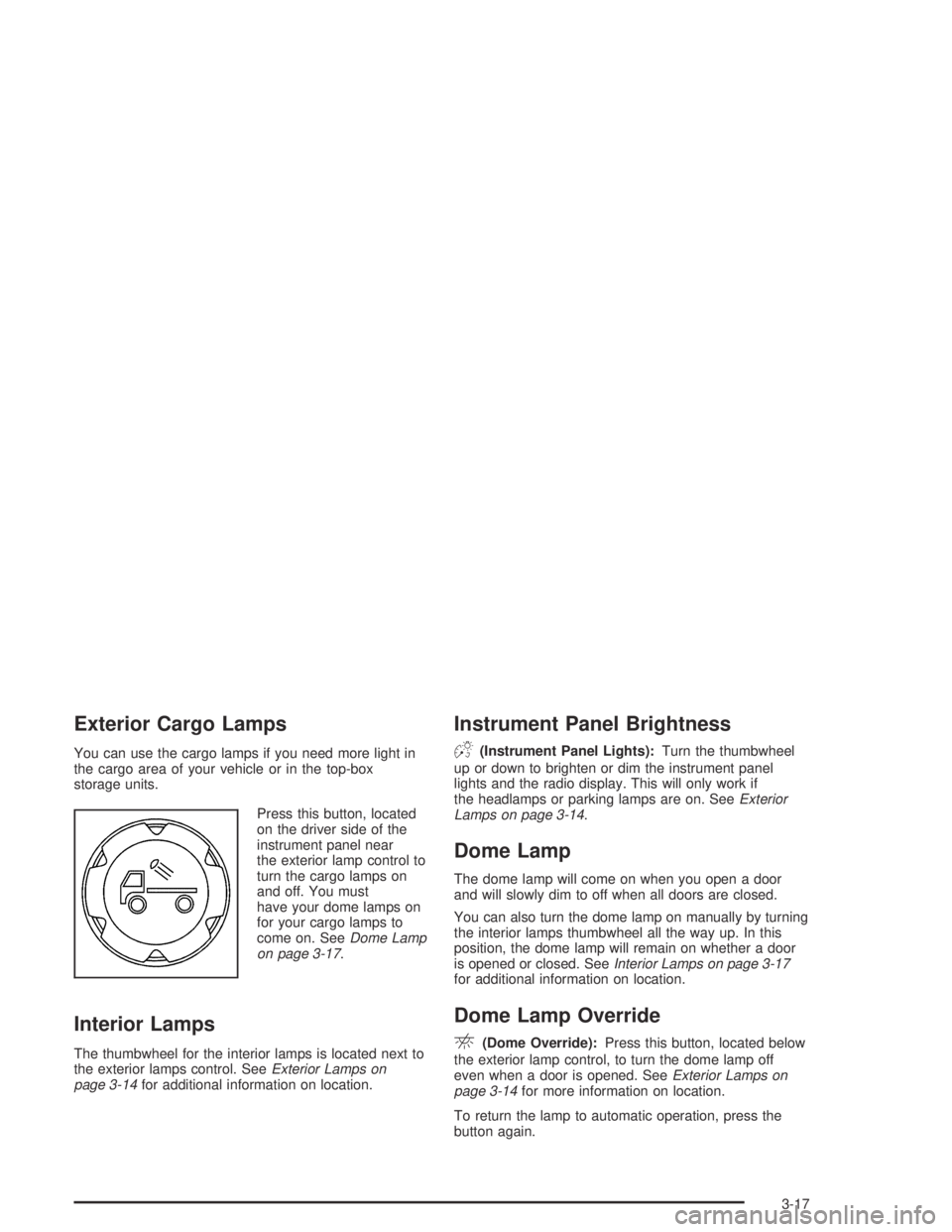
You can use the cargo lamps if you need more light in
the cargo area of your vehicle or in the top-box
storage units.
Press this button, located
on the driver side of the
instrument panel near
the exterior lamp control to
turn the cargo lamps on
and off. You must
have your dome lamps on
for your cargo lamps to
come on. SeeDome Lamp
on page 3-17.
Interior Lamps
The thumbwheel for the interior lamps is located next to
the exterior lamps control. SeeExterior Lamps on
page 3-14for additional information on location.
Instrument Panel Brightness
D(Instrument Panel Lights):Turn the thumbwheel
up or down to brighten or dim the instrument panel
lights and the radio display. This will only work if
the headlamps or parking lamps are on. SeeExterior
Lamps on page 3-14.
Dome Lamp
The dome lamp will come on when you open a door
and will slowly dim to off when all doors are closed.
You can also turn the dome lamp on manually by turning
the interior lamps thumbwheel all the way up. In this
position, the dome lamp will remain on whether a door
is opened or closed. SeeInterior Lamps on page 3-17
for additional information on location.
Dome Lamp Override
E(Dome Override):Press this button, located below
the exterior lamp control, to turn the dome lamp off
even when a door is opened. SeeExterior Lamps on
page 3-14for more information on location.
To return the lamp to automatic operation, press the
button again.
3-17