oil reset GMC CANYON 2005 Owner's Manual
[x] Cancel search | Manufacturer: GMC, Model Year: 2005, Model line: CANYON, Model: GMC CANYON 2005Pages: 420, PDF Size: 2.73 MB
Page 164 of 420
Engine Oil Life System
Press the reset stem until OIL LIFE RESET appears
(alternating between OIL LIFE and RESET) on the
DIC display. The engine oil life system calculates an
estimate of the oil’s remaining useful life. The CHANGE
OIL message will alert you to change your oil on a
schedule consistent with your driving conditions.
Always reset the OIL LIFE message after an oil change.
To reset the message, seeEngine Oil Life System on
page 5-16.
In addition to the engine oil life system monitoring the
oil life, additional maintenance is recommended in
the Maintenance Schedule in this manual. SeeEngine
Oil on page 5-13andScheduled Maintenance on
page 6-4for more information.
Automatic Door Locks
This feature allows you to program your door locks to a
preferred setting.
To set your choice for this feature, perform the
following steps:
1. With the engine off, turn the key to LOCK.
2. Press and hold the power door lock button for
approximately three seconds until the DIC
display shows the current door lock mode.
3. To view the next available mode, press and hold
the reset stem for approximately two seconds.
Release the reset stem and press and hold again
to view each mode.
4. Once the desired mode is shown on the DIC
display, briey press the reset stem to set your
choice. The DIC display will then clear.
3-38
Page 168 of 420
CHANGE OIL
This message will be displayed when the oil needs to
be changed. Check the oil in your vehicle as soon
as possible and have your vehicle serviced by your
GM dealer. SeeEngine Oil on page 5-13andScheduled
Maintenance on page 6-4for more information. Press
the reset stem to acknowledge the message and clear it
from the display.
DOORS
This message will be displayed on your DIC when one
or more of your doors is ajar. You should check all
the doors on your vehicle to make sure they are closed.
The message will clear from the display after all of
the doors are closed.
ENG (Engine) HOT
This message will be displayed when your engine
coolant temperature is hot. Check your engine coolant
temperature gage. SeeEngine Coolant Temperature
Gage on page 3-30for more information. You should
have your vehicle serviced by your GM dealer as soon
as possible if you suspect your engine is overheating.
SeeEngine Overheating on page 5-28for more
information.
FLUID
This message will be displayed if your brake uid is low.
Check the brake uid as soon as possible and have
your vehicle serviced by your GM dealer. SeeBrakes on
page 5-37for more information. Press the reset stem
to acknowledge the message and clear it from the
DIC display.
FUEL CAP
This message will be displayed if your vehicle’s fuel cap
is either off or loose. You should pull over and check
to see if your vehicle’s fuel cap is secure as soon
as possible. You may also see the check engine light
on the instrument panel cluster. SeeMalfunction
Indicator Lamp on page 3-30for more information.
Press the reset stem to acknowledge the message and
clear it from the display.
LOW FUEL
This message will be displayed if the level of fuel in
your vehicle is low. You should also check your
fuel gage. SeeFuel Gage on page 3-36for more
information. You should ll your vehicle’s tank as soon
as possible.
3-42
Page 169 of 420
LOW TRAC (Traction)
If you have the Traction Control System (TCS), you will
see this message when a low traction condition is
detected. SeeTraction Control System (TCS) on
page 4-9for more information. Press and release the
reset stem to acknowledge the message and clear it
from the DIC display.
OIL
This message will be displayed when your oil pressure
is low. SeeOil Pressure Light on page 3-34and
Engine Oil on page 5-13for more information.
OIL LIFE
This message will be displayed when you need to check
your engine oil life system. Press the reset stem to
acknowledge the message. For more information,
see “Engine Oil Life System” underDIC Controls and
Displays on page 3-37,Engine Oil on page 5-13
andEngine Oil Life System on page 5-16.
PARK BRK (Brake)
This message will be displayed when your vehicle’s
parking brake is active. SeeParking Brake on page 2-29
andBrake System Warning Light on page 3-28for
more information. The message will clear from
the display after the parking brake is released.
REDUCED POWER
This message will be displayed when your vehicle’s
engine power is reduced. Press the reset stem to
acknowledge the message and clear it from the display.
SERV (Service) 4WD
(Four-Wheel Drive)
This message will be displayed when there is a problem
with your transfer case control system. Check the
transfer case on your vehicle and have it serviced by
your GM dealer. SeeFour-Wheel Drive on page 2-26for
more information about your transfer case. Press the
reset stem to acknowledge the message and clear
it from the display.
3-43
Page 288 of 420
Notice:Use only engine oil identied as meeting
GM Standard GM6094M and showing the American
Petroleum Institute Certied For Gasoline Engines
starburst symbol. Failure to use the recommended
oil can result in engine damage not covered by
your warranty.
GM Goodwrench
®oil meets all the requirements for
your vehicle.
If you are in an area of extreme cold, where the
temperature falls below−20°F (−29°C), it is
recommended that you use either an SAE 5W-30
synthetic oil or an SAE 0W-30 oil. Both will provide
easier cold starting and better protection for your engine
at extremely low temperatures.
Engine Oil Additives
Do not add anything to your oil. The recommended oils
with the starburst symbol that meet GM Standard
GM6094M are all you will need for good performance
and engine protection.
Engine Oil Life System
When to Change Engine Oil
Your vehicle has a computer system that lets you know
when to change the engine oil and lter. This is based
on engine revolutions and engine temperature, and
not on mileage. Based on driving conditions, the mileage
at which an oil change will be indicated can vary
considerably. For the oil life system to work properly,
you must reset the system every time the oil is changed.
When the system has calculated that oil life has been
diminished, it will indicate that an oil change is
necessary. A CHANGE OIL message will come on.
SeeDIC Warnings and Messages on page 3-41.
Change your oil as soon as possible within the next
600 miles (1 000 km). It is possible that, if you are
driving under the best conditions, the oil life system may
not indicate that an oil change is necessary for over a
year. However, your engine oil and lter must be
changed at least once a year and at this time the system
must be reset. Your dealer has GM-trained people
who will perform this work using genuine GM parts and
reset the system. It is also important to check your
oil regularly and keep it at the proper level.
If the system is ever reset accidentally, you must
change your oil at 3,000 miles (5 000 km) since your
last oil change. Remember to reset the oil life system
whenever the oil is changed.
5-16
Page 289 of 420
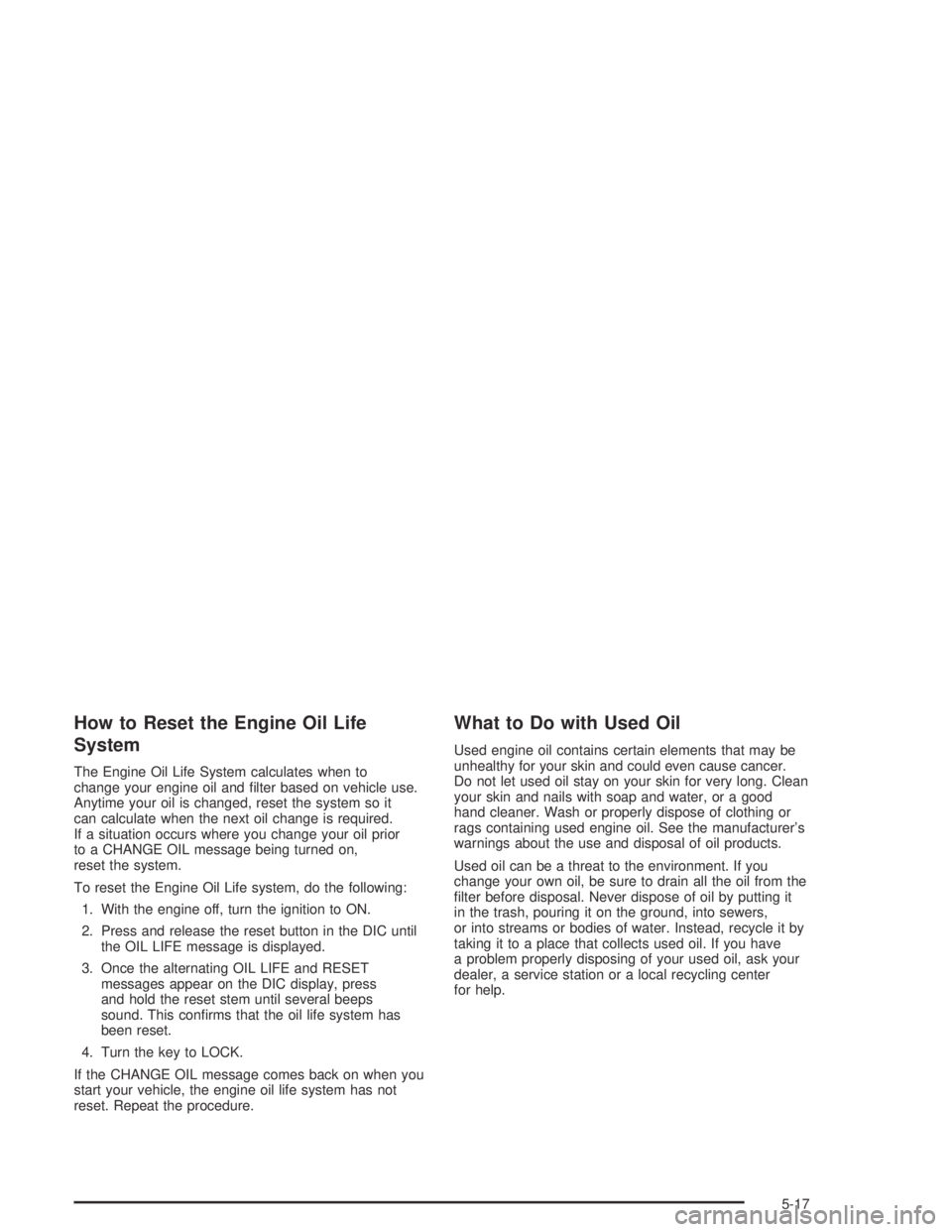
How to Reset the Engine Oil Life
System
The Engine Oil Life System calculates when to
change your engine oil and lter based on vehicle use.
Anytime your oil is changed, reset the system so it
can calculate when the next oil change is required.
If a situation occurs where you change your oil prior
to a CHANGE OIL message being turned on,
reset the system.
To reset the Engine Oil Life system, do the following:
1. With the engine off, turn the ignition to ON.
2. Press and release the reset button in the DIC until
the OIL LIFE message is displayed.
3. Once the alternating OIL LIFE and RESET
messages appear on the DIC display, press
and hold the reset stem until several beeps
sound. This conrms that the oil life system has
been reset.
4. Turn the key to LOCK.
If the CHANGE OIL message comes back on when you
start your vehicle, the engine oil life system has not
reset. Repeat the procedure.
What to Do with Used Oil
Used engine oil contains certain elements that may be
unhealthy for your skin and could even cause cancer.
Do not let used oil stay on your skin for very long. Clean
your skin and nails with soap and water, or a good
hand cleaner. Wash or properly dispose of clothing or
rags containing used engine oil. See the manufacturer’s
warnings about the use and disposal of oil products.
Used oil can be a threat to the environment. If you
change your own oil, be sure to drain all the oil from the
lter before disposal. Never dispose of oil by putting it
in the trash, pouring it on the ground, into sewers,
or into streams or bodies of water. Instead, recycle it by
taking it to a place that collects used oil. If you have
a problem properly disposing of your used oil, ask your
dealer, a service station or a local recycling center
for help.
5-17
Page 380 of 420

Owner Checks and Services on page 6-9tells you what
should be checked, when to check it and what you
can easily do to help keep your vehicle in good
condition.
The proper replacement parts, uids and lubricants to
use are listed inRecommended Fluids and Lubricants
on page 6-13andNormal Maintenance Replacement
Parts on page 6-15. When your vehicle is serviced,
make sure these are used. All parts should be replaced
and all necessary repairs done before you or anyone
else drives the vehicle. We recommend the use of
genuine GM parts.
Scheduled Maintenance
When the CHANGE OIL light comes on, it means that
service is required for your vehicle. Have your vehicle
serviced as soon as possible within the next 600 miles
(1 000 km). It is possible that, if you are driving under the
best conditions, the engine oil life system may not
indicate that vehicle service is necessary for over a year.
However, your engine oil and lter must be changed at
least once a year and at this time the system must be
reset. Your GM Goodwrench dealer has GM-trained
service technicians who will perform this work using
genuine GM parts and reset the system.If the engine oil life system is ever reset accidentally,
you must service your vehicle within 3,000 miles
(5 000 km) since your last service. Remember to reset
the oil life system whenever the oil is changed. See
Engine Oil Life System on page 5-16for information on
the Engine Oil Life System and resetting the system.
When the CHANGE OIL light appears, certain services,
checks and inspections are required. Required
services are described in the following for
“MaintenanceI” and “MaintenanceII.” Generally, it is
recommended that your rst service be MaintenanceI,
your second service be MaintenanceIIand that you
alternate MaintenanceIand MaintenanceIIthereafter.
However, in some cases, MaintenanceIImay be
required more often.
MaintenanceI— Use MaintenanceIif the CHANGE
OIL light comes on within 10 months since the
vehicle was purchased or MaintenanceIIwas
performed.
MaintenanceII— Use MaintenanceIIif the previous
service performed was MaintenanceI. Always use
MaintenanceIIwhenever the light comes on 10 months
or more since the last service or if the light has not
come on at all for one year.
6-4
Page 381 of 420
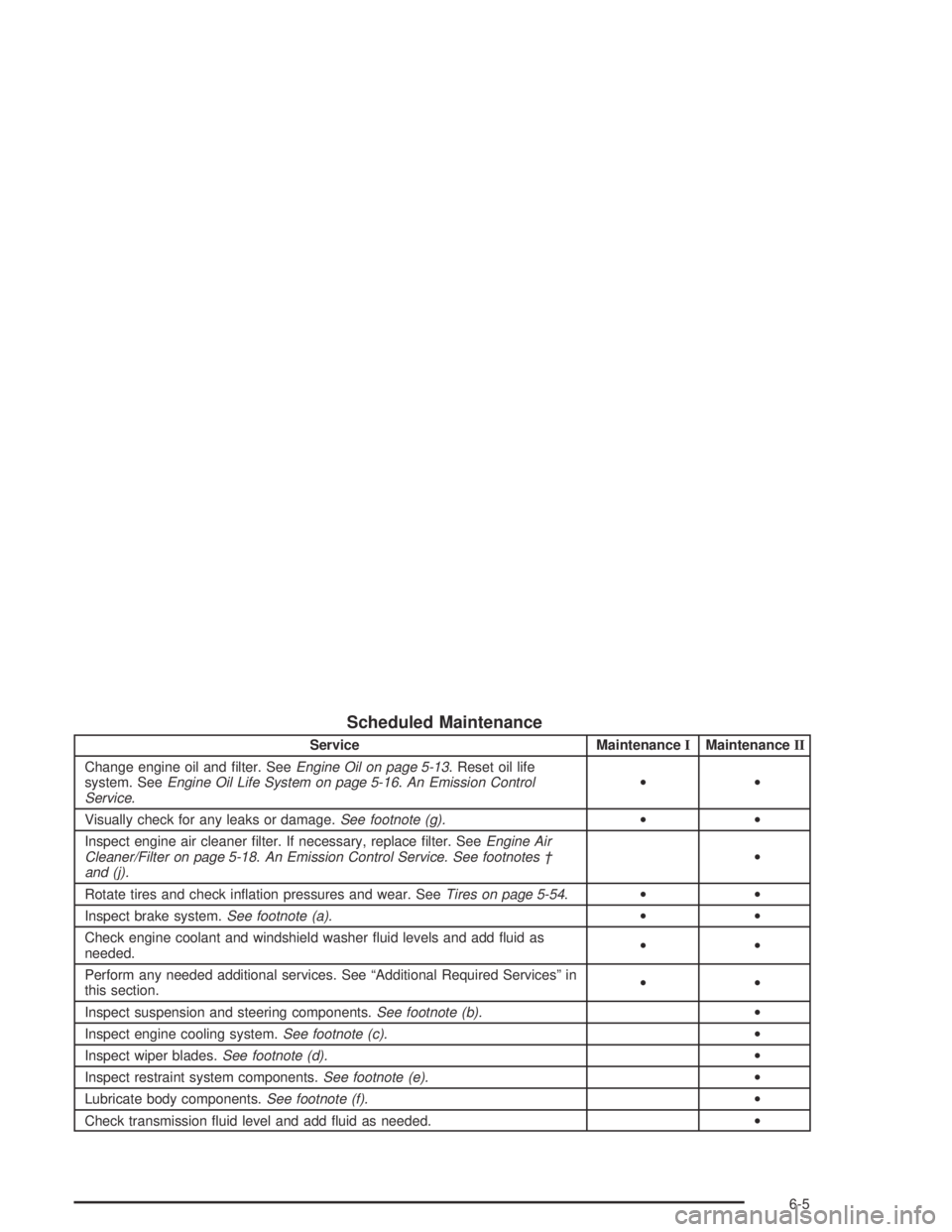
Scheduled Maintenance
Service MaintenanceIMaintenanceII
Change engine oil and lter. SeeEngine Oil on page 5-13. Reset oil life
system. SeeEngine Oil Life System on page 5-16.An Emission Control
Service.••
Visually check for any leaks or damage.See footnote (g).••
Inspect engine air cleaner lter. If necessary, replace lter. SeeEngine Air
Cleaner/Filter on page 5-18.An Emission Control Service. See footnotes †
and (j).•
Rotate tires and check ination pressures and wear. SeeTires on page 5-54.••
Inspect brake system.See footnote (a).••
Check engine coolant and windshield washer uid levels and add uid as
needed.••
Perform any needed additional services. See “Additional Required Services” in
this section.••
Inspect suspension and steering components.See footnote (b).•
Inspect engine cooling system.See footnote (c).•
Inspect wiper blades.See footnote (d).•
Inspect restraint system components.See footnote (e).•
Lubricate body components.See footnote (f).•
Check transmission uid level and add uid as needed.•
6-5