brake light GMC CANYON 2006 Owner's Manual
[x] Cancel search | Manufacturer: GMC, Model Year: 2006, Model line: CANYON, Model: GMC CANYON 2006Pages: 434, PDF Size: 2.64 MB
Page 101 of 434
Passlock®
Your vehicle has the Passlock®theft-deterrent system.
Passlock
®is a passive theft-deterrent system.
Passlock®enables fuel if the ignition lock cylinder is
turned with a valid key. If an incorrect key is used or the
ignition lock cylinder is tampered with, the fuel system
is disabled and the vehicle will not start.
During normal operation, the security light will turn off
approximately ve seconds after the engine is started.
SeeSecurity Light on page 3-37.
If the engine stalls and the security light ashes, wait
about 10 minutes until the light stops ashing before
trying to restart the engine. Remember to release
the key from START as soon as the engine starts.
If the engine does not start after three tries, the vehicle
needs service.
If the engine is running and the security light comes on,
you will be able to restart the engine if you turn the
engine off. However, your Passlock
®system is
not working properly and must be serviced by your
dealer. Your vehicle is not protected by Passlock
®at this
time. See your dealer for service.
In an emergency, call the Roadside Assistance Center.
SeeRoadside Assistance Program on page 7-6.
Starting and Operating Your
Vehicle
New Vehicle Break-In
Notice:Your vehicle does not need an elaborate
break-in. But it will perform better in the long run if
you follow these guidelines:
Keep your speed at 55 mph (88 km/h) or less for
the rst 500 miles (805 km).
Do not drive at any one constant speed, fast or
slow, for the rst 500 miles (805 km). Do not
make full-throttle starts. Avoid downshifting to
brake, or slow, the vehicle.
Avoid making hard stops for the rst 200 miles
(322 km) or so. During this time your new
brake linings are not yet broken in. Hard stops
with new linings can mean premature wear
and earlier replacement. Follow this breaking-in
guideline every time you get new brake
linings.
Do not tow a trailer during break-in. SeeTowing
a Trailer on page 4-56for the trailer towing
capabilities of your vehicle and more
information.
Following break-in, engine speed and load can be
gradually increased.
2-15
Page 109 of 434
THIRD, FOURTH AND FIFTH (3, 4 and 5):Shift into
THIRD (3), FOURTH (4) and FIFTH (5) the same
way you do for SECOND (2). Slowly let up on the clutch
pedal as you press the accelerator pedal.
To stop, let up on the accelerator pedal and press the
brake pedal. Just before the vehicle stops, press
the clutch pedal and the brake pedal, and shift to
NEUTRAL.
NEUTRAL:Use this position when you start or idle
your engine.
REVERSE (R):To back up, press the clutch pedal. After
the vehicle stops, shift into REVERSE (R). Slowly let up
on the clutch pedal as you press the accelerator pedal.
If it is hard to shift, let the shift lever return to NEUTRAL
and release the clutch pedal. Then press the clutch again
and shift into REVERSE (R). Do not attempt to shift into
the fth gear position prior to shifting into REVERSE (R).
Your transmission has a lock out feature which prevents
a fth gear to reverse gear shift.
Notice:Shifting to REVERSE (R) while your vehicle
is moving forward could damage the transmission.
The repairs would not be covered by your warranty.
Shift to REVERSE (R) only after your vehicle is
stopped.
Use REVERSE (R), along with the parking brake,
for parking your vehicle.Up-Shift Light
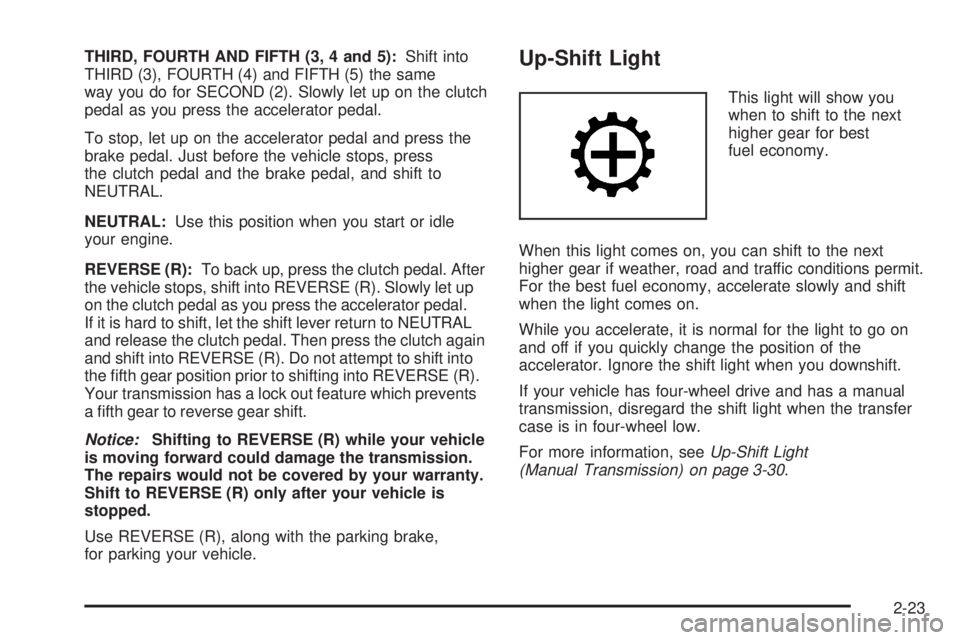
This light will show you
when to shift to the next
higher gear for best
fuel economy.
When this light comes on, you can shift to the next
higher gear if weather, road and traffic conditions permit.
For the best fuel economy, accelerate slowly and shift
when the light comes on.
While you accelerate, it is normal for the light to go on
and off if you quickly change the position of the
accelerator. Ignore the shift light when you downshift.
If your vehicle has four-wheel drive and has a manual
transmission, disregard the shift light when the transfer
case is in four-wheel low.
For more information, seeUp-Shift Light
(Manual Transmission) on page 3-30.
2-23
Page 111 of 434
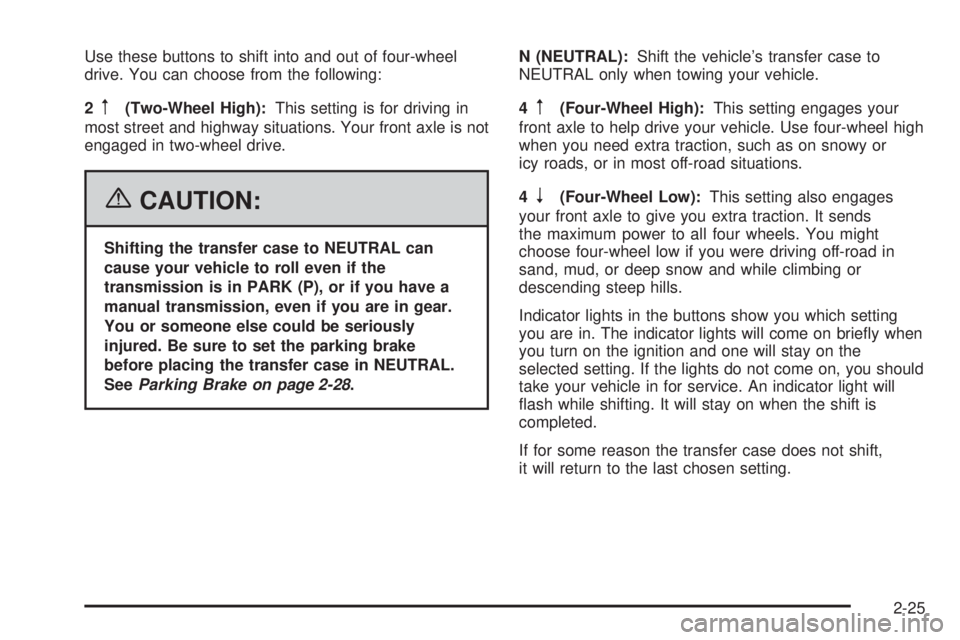
Use these buttons to shift into and out of four-wheel
drive. You can choose from the following:
2
m(Two-Wheel High):This setting is for driving in
most street and highway situations. Your front axle is not
engaged in two-wheel drive.
{CAUTION:
Shifting the transfer case to NEUTRAL can
cause your vehicle to roll even if the
transmission is in PARK (P), or if you have a
manual transmission, even if you are in gear.
You or someone else could be seriously
injured. Be sure to set the parking brake
before placing the transfer case in NEUTRAL.
SeeParking Brake on page 2-28.N (NEUTRAL):Shift the vehicle’s transfer case to
NEUTRAL only when towing your vehicle.
4
m(Four-Wheel High):This setting engages your
front axle to help drive your vehicle. Use four-wheel high
when you need extra traction, such as on snowy or
icy roads, or in most off-road situations.
4
n(Four-Wheel Low):This setting also engages
your front axle to give you extra traction. It sends
the maximum power to all four wheels. You might
choose four-wheel low if you were driving off-road in
sand, mud, or deep snow and while climbing or
descending steep hills.
Indicator lights in the buttons show you which setting
you are in. The indicator lights will come on briey when
you turn on the ignition and one will stay on the
selected setting. If the lights do not come on, you should
take your vehicle in for service. An indicator light will
ash while shifting. It will stay on when the shift is
completed.
If for some reason the transfer case does not shift,
it will return to the last chosen setting.
2-25
Page 113 of 434
Shifting to NEUTRAL
Use NEUTRAL when you plan to tow your vehicle. See
Recreational Vehicle Towing on page 4-50for towing
instructions. To shift the transfer case into NEUTRAL,
do the following:
1. Set the parking brake.
2. Start the vehicle.
3. Press the regular brake pedal and shift the
transmission in NEUTRAL (N), or press in the
clutch for vehicles with a manual transmission.
4. Shift the transfer case to Two-Wheel High.
5. Press and hold the Two-Wheel High and Four-Wheel
Low buttons at the same time for 10 seconds.
The NEUTRAL (N) light will come on when the
transfer case shift to NEUTRAL (N) is complete.
6. Press and hold the regular brake pedal and shift the
transmission to REVERSE (R) for one second, then
shift the transmission to DRIVE (D) for one second,
or FIRST (1) for vehicles with manual transmissions,
and let out the clutch to insure the transfer case is in
NEUTRAL. If the vehicle is not in NEUTRAL, repeat
this procedure starting at Step 3.
7. Place the transmission shift lever in PARK (P), or
FIRST (1) for vehicles that have a manual
transmission.
8. Turn the ignition to LOCK.
Shifting Out of NEUTRAL
After towing your vehicle, you will have to shift out of
NEUTRAL in order to drive. To shift out of NEUTRAL,
do the following:
1. Set the parking brake and apply the regular brake
pedal.
2. Start a vehicle with an automatic transmission in
PARK (P). Use FIRST (1) for vehicles with a
manual transmission.
3. Shift the transmission to NEUTRAL (N), or press
the clutch pedal for vehicles with a manual
transmission.
4. Press the button for the desired transfer case shift
position (Two-Wheel High, Four-Wheel High, or
Four-Wheel Low).
5. After the transfer case has shifted out of NEUTRAL,
the indicator light will go out.
6. Release the parking brake.
7. Shift the transmission to the desired position.
2-27
Page 114 of 434
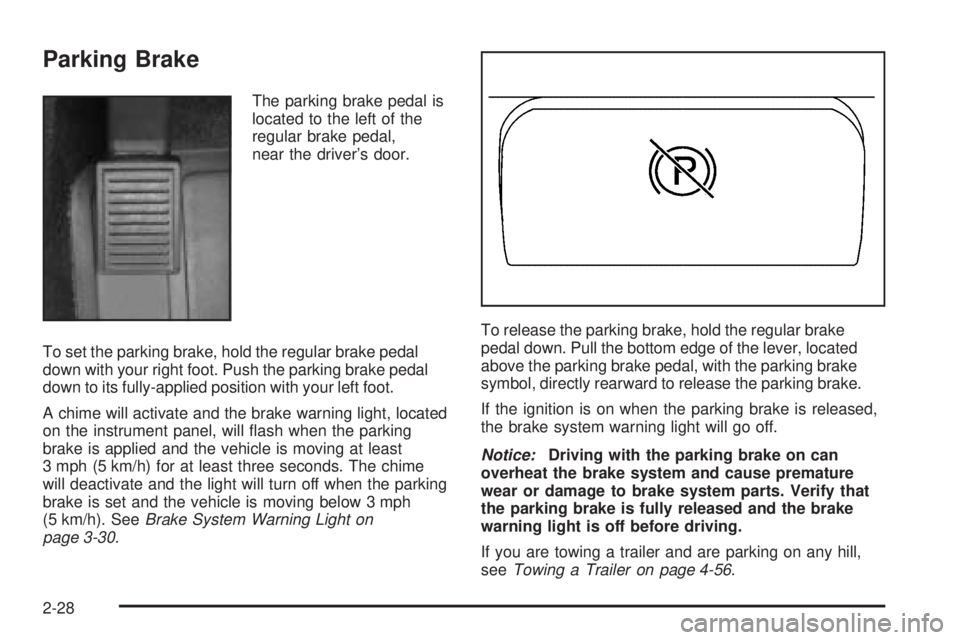
Parking Brake
The parking brake pedal is
located to the left of the
regular brake pedal,
near the driver’s door.
To set the parking brake, hold the regular brake pedal
down with your right foot. Push the parking brake pedal
down to its fully-applied position with your left foot.
A chime will activate and the brake warning light, located
on the instrument panel, will ash when the parking
brake is applied and the vehicle is moving at least
3 mph (5 km/h) for at least three seconds. The chime
will deactivate and the light will turn off when the parking
brake is set and the vehicle is moving below 3 mph
(5 km/h). SeeBrake System Warning Light on
page 3-30.To release the parking brake, hold the regular brake
pedal down. Pull the bottom edge of the lever, located
above the parking brake pedal, with the parking brake
symbol, directly rearward to release the parking brake.
If the ignition is on when the parking brake is released,
the brake system warning light will go off.
Notice:Driving with the parking brake on can
overheat the brake system and cause premature
wear or damage to brake system parts. Verify that
the parking brake is fully released and the brake
warning light is off before driving.
If you are towing a trailer and are parking on any hill,
seeTowing a Trailer on page 4-56.
2-28
Page 129 of 434
Instrument Panel Overview...............................3-4
Hazard Warning Flashers................................3-6
Other Warning Devices...................................3-6
Horn.............................................................3-6
Tilt Wheel.....................................................3-7
Turn Signal/Multifunction Lever.........................3-7
Turn and Lane-Change Signals........................3-8
Headlamp High/Low-Beam Changer..................3-9
Flash-to-Pass.................................................3-9
Windshield Wipers........................................3-10
Windshield Washer.......................................3-10
Cruise Control..............................................3-11
Exterior Lamps.............................................3-14
Headlamps on Reminder................................3-15
Daytime Running Lamps (DRL).......................3-15
Automatic Headlamp System..........................3-15
Fog Lamps..................................................3-16
Exterior Cargo Lamps....................................3-17
Interior Lamps..............................................3-17
Instrument Panel Brightness...........................3-17
Dome Lamp.................................................3-17
Dome Lamp Override....................................3-17
Exit Lighting.................................................3-18
Battery Run-Down Protection..........................3-18
Accessory Power Outlet(s).............................3-18
Ashtray(s) and Cigarette Lighter......................3-19Climate Controls............................................3-19
Climate Control System.................................3-19
Outlet Adjustment.........................................3-21
Warning Lights, Gages, and Indicators............3-22
Instrument Panel Cluster................................3-23
Speedometer and Odometer...........................3-24
Trip Odometer..............................................3-24
Tachometer.................................................3-24
Safety Belt Reminder Light.............................3-25
Passenger Safety Belt Reminder Light.............3-25
Airbag Readiness Light..................................3-26
Passenger Airbag Status Indicator...................3-27
Battery Warning Light....................................3-29
Up-Shift Light (Manual Transmission)...............3-30
Brake System Warning Light..........................3-30
Anti-Lock Brake System Warning Light.............3-31
Engine Coolant Temperature Gage..................3-32
Malfunction Indicator Lamp.............................3-32
Oil Pressure Light.........................................3-36
Security Light...............................................3-37
Cruise Control Light......................................3-37
Highbeam On Light.......................................3-37
Daytime Running Lamps (DRL) Indicator Light.....3-38
Fuel Gage...................................................3-38
Section 3 Instrument Panel
3-1
Page 133 of 434
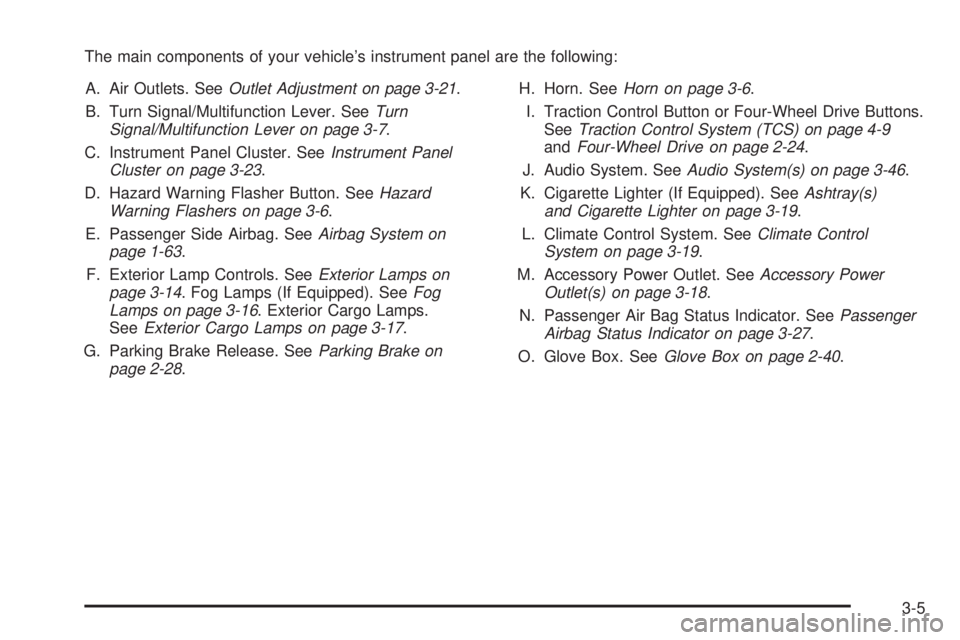
The main components of your vehicle’s instrument panel are the following:
A. Air Outlets. SeeOutlet Adjustment on page 3-21.
B. Turn Signal/Multifunction Lever. SeeTurn
Signal/Multifunction Lever on page 3-7.
C. Instrument Panel Cluster. SeeInstrument Panel
Cluster on page 3-23.
D. Hazard Warning Flasher Button. SeeHazard
Warning Flashers on page 3-6.
E. Passenger Side Airbag. SeeAirbag System on
page 1-63.
F. Exterior Lamp Controls. SeeExterior Lamps on
page 3-14. Fog Lamps (If Equipped). SeeFog
Lamps on page 3-16. Exterior Cargo Lamps.
SeeExterior Cargo Lamps on page 3-17.
G. Parking Brake Release. SeeParking Brake on
page 2-28.H. Horn. SeeHorn on page 3-6.
I. Traction Control Button or Four-Wheel Drive Buttons.
SeeTraction Control System (TCS) on page 4-9
andFour-Wheel Drive on page 2-24.
J. Audio System. SeeAudio System(s) on page 3-46.
K. Cigarette Lighter (If Equipped). SeeAshtray(s)
and Cigarette Lighter on page 3-19.
L. Climate Control System. SeeClimate Control
System on page 3-19.
M. Accessory Power Outlet. SeeAccessory Power
Outlet(s) on page 3-18.
N. Passenger Air Bag Status Indicator. SeePassenger
Airbag Status Indicator on page 3-27.
O. Glove Box. SeeGlove Box on page 2-40.
3-5
Page 141 of 434
Increasing Speed While Using Cruise
Control
There are two ways to go to a higher speed:
Use the accelerator pedal to get to the higher
speed. Press the set button at the end of the lever,
then release the button and the accelerator
pedal. You’ll now cruise at the higher speed. If the
accelerator pedal is held longer than 60 seconds,
cruise control will turn off.
Move the cruise switch from on to
resume/accelerate. Hold it there until you get up to
the speed you want, and then release the switch.
To increase your speed in very small amounts,
move the switch briey to resume/accelerate.
Reducing Speed While Using Cruise
Control
Press and hold the set button until you reach the
lower speed you want, then release it.
To slow down in very small amounts, briey press
the set button.
Passing Another Vehicle While Using
Cruise Control
Use the accelerator pedal to increase your speed.
When you take your foot off the pedal, your vehicle will
slow down to the cruise control speed you set earlier.
Using Cruise Control on Hills
How well your cruise control will work on hills depends
upon your speed, load and the steepness of the
hills. When going up steep hills, you may want to step
on the accelerator pedal to maintain your speed.
When going downhill, you may have to brake or shift to
a lower gear to keep your speed down. Of course,
applying the brake takes you out of cruise control.
Many drivers nd this to be too much trouble and don’t
use cruise control on steep hills.
Ending Cruise Control
To turn off the cruise control, do one of the following:
Step lightly on the brake pedal.
Move the cruise control switch to off.
Lightly tap or press the clutch, if you have a manual
transmission.
Erasing Speed Memory
When you turn off the cruise control or the ignition, your
cruise control set speed memory is erased.
3-13
Page 158 of 434
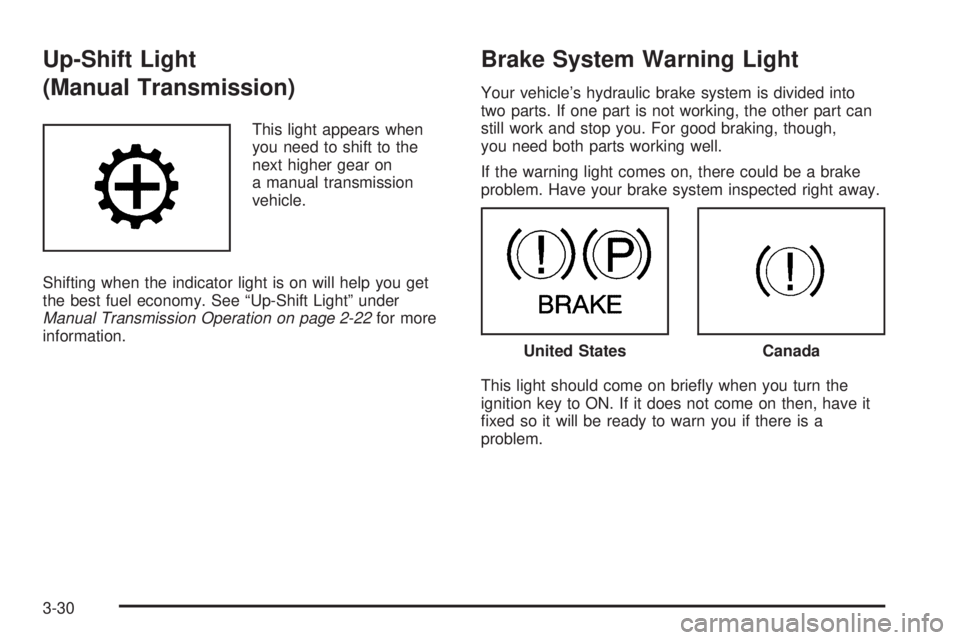
Up-Shift Light
(Manual Transmission)
This light appears when
you need to shift to the
next higher gear on
a manual transmission
vehicle.
Shifting when the indicator light is on will help you get
the best fuel economy. See “Up-Shift Light” under
Manual Transmission Operation on page 2-22for more
information.
Brake System Warning Light
Your vehicle’s hydraulic brake system is divided into
two parts. If one part is not working, the other part can
still work and stop you. For good braking, though,
you need both parts working well.
If the warning light comes on, there could be a brake
problem. Have your brake system inspected right away.
This light should come on briey when you turn the
ignition key to ON. If it does not come on then, have it
xed so it will be ready to warn you if there is a
problem.
United StatesCanada
3-30
Page 159 of 434
When the ignition is on, the brake system warning light
will also come on when you set your parking brake.
SeeParking Brake on page 2-28for more information.
The light will stay on if your parking brake does not
release fully. If it stays on after your parking brake is
fully released, it means you have a brake problem.
If the light comes on while you are driving, pull off the
road and stop carefully. You may notice that the pedal is
harder to push, or the pedal may go closer to the
oor. It may take longer to stop. If the light is still on,
have the vehicle towed for service. SeeTowing
Your Vehicle on page 4-50.
{CAUTION:
Your brake system may not be working
properly if the brake system warning light is
on. Driving with the brake system warning light
on can lead to an accident. If the light is still
on after you have pulled off the road and
stopped carefully, have the vehicle towed for
service.
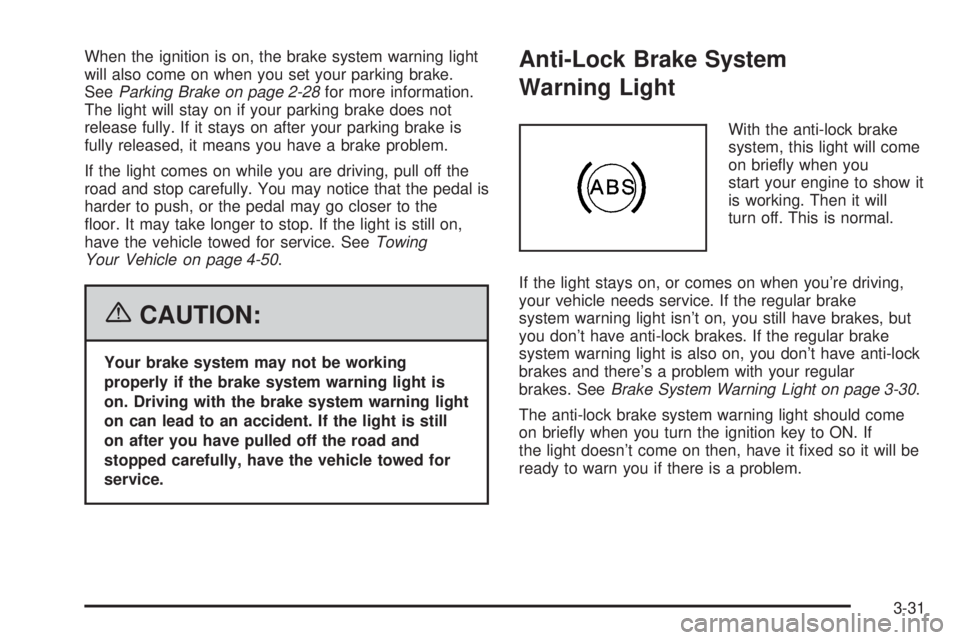
Anti-Lock Brake System
Warning Light
With the anti-lock brake
system, this light will come
on briey when you
start your engine to show it
is working. Then it will
turn off. This is normal.
If the light stays on, or comes on when you’re driving,
your vehicle needs service. If the regular brake
system warning light isn’t on, you still have brakes, but
you don’t have anti-lock brakes. If the regular brake
system warning light is also on, you don’t have anti-lock
brakes and there’s a problem with your regular
brakes. SeeBrake System Warning Light on page 3-30.
The anti-lock brake system warning light should come
on briey when you turn the ignition key to ON. If
the light doesn’t come on then, have it xed so it will be
ready to warn you if there is a problem.
3-31