change wheel GMC CANYON 2006 Owner's Manual
[x] Cancel search | Manufacturer: GMC, Model Year: 2006, Model line: CANYON, Model: GMC CANYON 2006Pages: 434, PDF Size: 2.64 MB
Page 109 of 434
THIRD, FOURTH AND FIFTH (3, 4 and 5):Shift into
THIRD (3), FOURTH (4) and FIFTH (5) the same
way you do for SECOND (2). Slowly let up on the clutch
pedal as you press the accelerator pedal.
To stop, let up on the accelerator pedal and press the
brake pedal. Just before the vehicle stops, press
the clutch pedal and the brake pedal, and shift to
NEUTRAL.
NEUTRAL:Use this position when you start or idle
your engine.
REVERSE (R):To back up, press the clutch pedal. After
the vehicle stops, shift into REVERSE (R). Slowly let up
on the clutch pedal as you press the accelerator pedal.
If it is hard to shift, let the shift lever return to NEUTRAL
and release the clutch pedal. Then press the clutch again
and shift into REVERSE (R). Do not attempt to shift into
the fth gear position prior to shifting into REVERSE (R).
Your transmission has a lock out feature which prevents
a fth gear to reverse gear shift.
Notice:Shifting to REVERSE (R) while your vehicle
is moving forward could damage the transmission.
The repairs would not be covered by your warranty.
Shift to REVERSE (R) only after your vehicle is
stopped.
Use REVERSE (R), along with the parking brake,
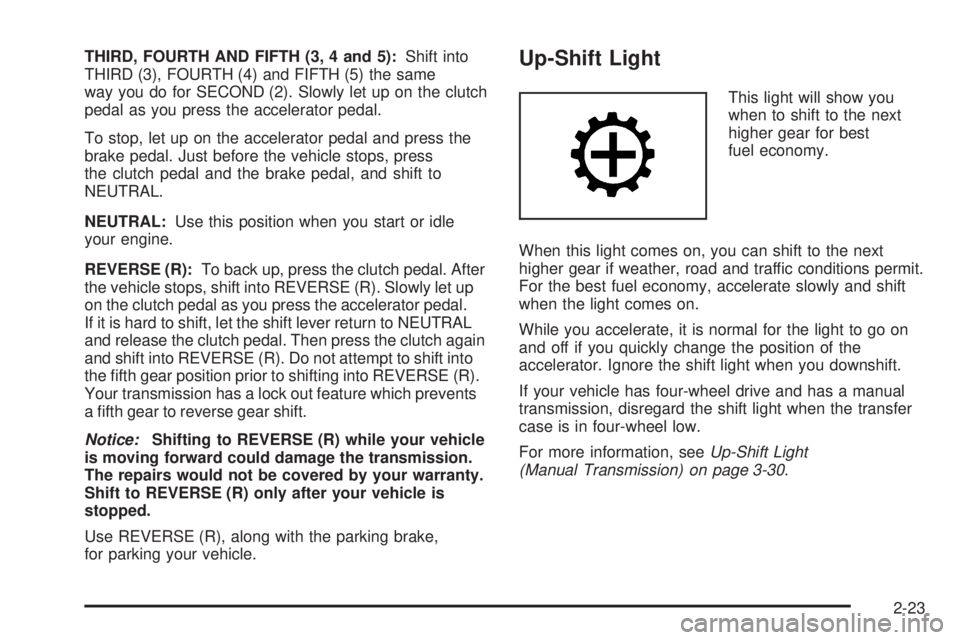
for parking your vehicle.Up-Shift Light
This light will show you
when to shift to the next
higher gear for best
fuel economy.
When this light comes on, you can shift to the next
higher gear if weather, road and traffic conditions permit.
For the best fuel economy, accelerate slowly and shift
when the light comes on.
While you accelerate, it is normal for the light to go on
and off if you quickly change the position of the
accelerator. Ignore the shift light when you downshift.
If your vehicle has four-wheel drive and has a manual
transmission, disregard the shift light when the transfer
case is in four-wheel low.
For more information, seeUp-Shift Light
(Manual Transmission) on page 3-30.
2-23
Page 129 of 434
Instrument Panel Overview...............................3-4
Hazard Warning Flashers................................3-6
Other Warning Devices...................................3-6
Horn.............................................................3-6
Tilt Wheel.....................................................3-7
Turn Signal/Multifunction Lever.........................3-7
Turn and Lane-Change Signals........................3-8
Headlamp High/Low-Beam Changer..................3-9
Flash-to-Pass.................................................3-9
Windshield Wipers........................................3-10
Windshield Washer.......................................3-10
Cruise Control..............................................3-11
Exterior Lamps.............................................3-14
Headlamps on Reminder................................3-15
Daytime Running Lamps (DRL).......................3-15
Automatic Headlamp System..........................3-15
Fog Lamps..................................................3-16
Exterior Cargo Lamps....................................3-17
Interior Lamps..............................................3-17
Instrument Panel Brightness...........................3-17
Dome Lamp.................................................3-17
Dome Lamp Override....................................3-17
Exit Lighting.................................................3-18
Battery Run-Down Protection..........................3-18
Accessory Power Outlet(s).............................3-18
Ashtray(s) and Cigarette Lighter......................3-19Climate Controls............................................3-19
Climate Control System.................................3-19
Outlet Adjustment.........................................3-21
Warning Lights, Gages, and Indicators............3-22
Instrument Panel Cluster................................3-23
Speedometer and Odometer...........................3-24
Trip Odometer..............................................3-24
Tachometer.................................................3-24
Safety Belt Reminder Light.............................3-25
Passenger Safety Belt Reminder Light.............3-25
Airbag Readiness Light..................................3-26
Passenger Airbag Status Indicator...................3-27
Battery Warning Light....................................3-29
Up-Shift Light (Manual Transmission)...............3-30
Brake System Warning Light..........................3-30
Anti-Lock Brake System Warning Light.............3-31
Engine Coolant Temperature Gage..................3-32
Malfunction Indicator Lamp.............................3-32
Oil Pressure Light.........................................3-36
Security Light...............................................3-37
Cruise Control Light......................................3-37
Highbeam On Light.......................................3-37
Daytime Running Lamps (DRL) Indicator Light.....3-38
Fuel Gage...................................................3-38
Section 3 Instrument Panel
3-1
Page 135 of 434
Tilt Wheel
A tilt wheel allows you to adjust the steering wheel
before you drive. If you have the tilt steering wheel, you
can raise it to the highest level to allow more room
for the driver to enter and exit the vehicle.
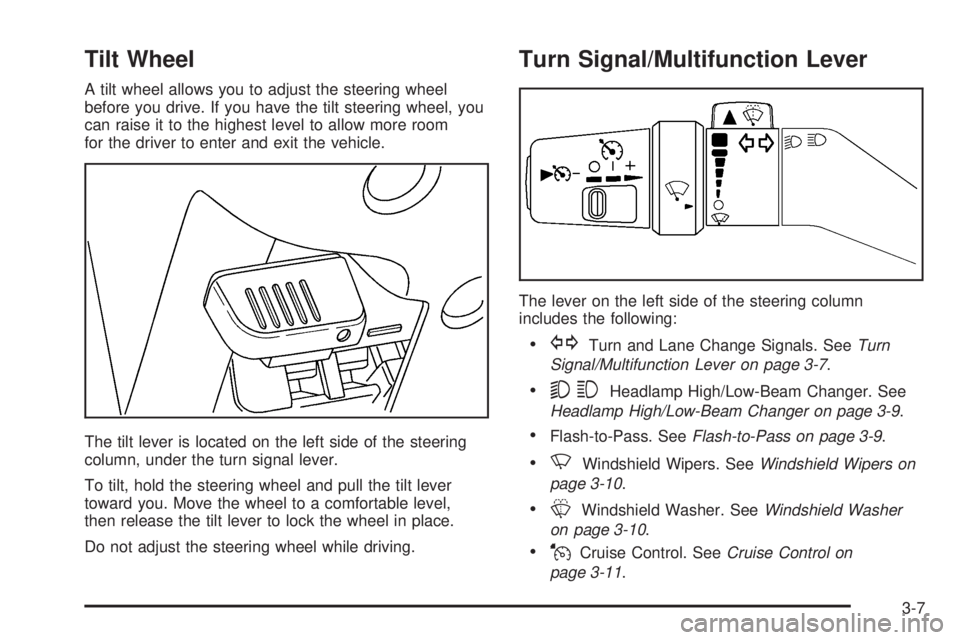
The tilt lever is located on the left side of the steering
column, under the turn signal lever.
To tilt, hold the steering wheel and pull the tilt lever
toward you. Move the wheel to a comfortable level,
then release the tilt lever to lock the wheel in place.
Do not adjust the steering wheel while driving.
Turn Signal/Multifunction Lever
The lever on the left side of the steering column
includes the following:
GTurn and Lane Change Signals. SeeTurn
Signal/Multifunction Lever on page 3-7.
53Headlamp High/Low-Beam Changer. See
Headlamp High/Low-Beam Changer on page 3-9.
Flash-to-Pass. SeeFlash-to-Pass on page 3-9.
NWindshield Wipers. SeeWindshield Wipers on
page 3-10.
LWindshield Washer. SeeWindshield Washer
on page 3-10.
JCruise Control. SeeCruise Control on
page 3-11.
3-7
Page 139 of 434
Cruise Control
Your vehicle may be equipped with cruise control.
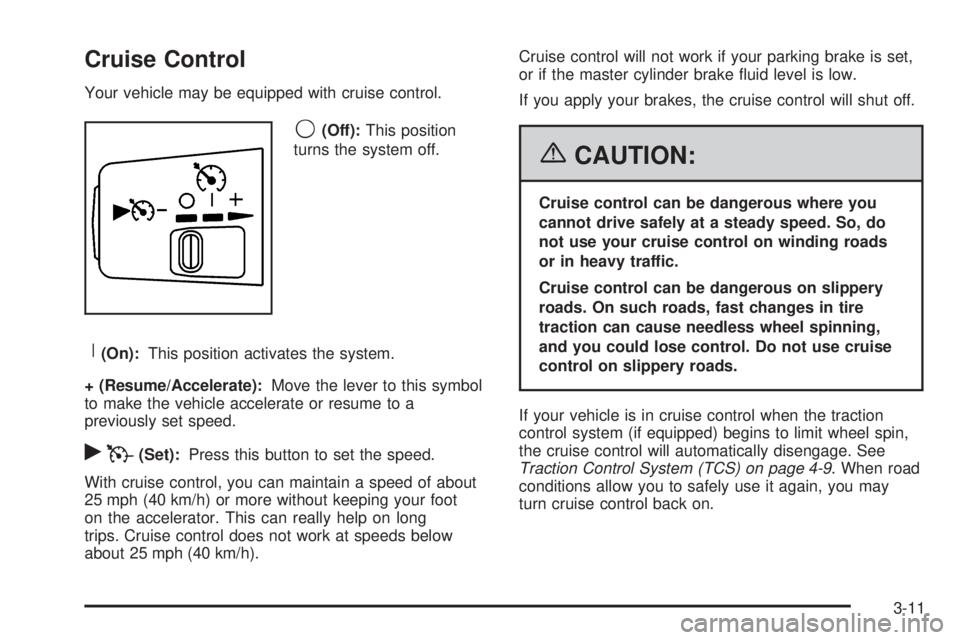
9(Off):This position
turns the system off.
R(On):This position activates the system.
+ (Resume/Accelerate):Move the lever to this symbol
to make the vehicle accelerate or resume to a
previously set speed.
rT(Set):Press this button to set the speed.
With cruise control, you can maintain a speed of about
25 mph (40 km/h) or more without keeping your foot
on the accelerator. This can really help on long
trips. Cruise control does not work at speeds below
about 25 mph (40 km/h).Cruise control will not work if your parking brake is set,
or if the master cylinder brake uid level is low.
If you apply your brakes, the cruise control will shut off.
{CAUTION:
Cruise control can be dangerous where you
cannot drive safely at a steady speed. So, do
not use your cruise control on winding roads
or in heavy traffic.
Cruise control can be dangerous on slippery
roads. On such roads, fast changes in tire
traction can cause needless wheel spinning,
and you could lose control. Do not use cruise
control on slippery roads.
If your vehicle is in cruise control when the traction
control system (if equipped) begins to limit wheel spin,
the cruise control will automatically disengage. See
Traction Control System (TCS) on page 4-9. When road
conditions allow you to safely use it again, you may
turn cruise control back on.
3-11
Page 149 of 434
You may notice a slight change in engine performance
when the air conditioning compressor shuts off and
turns on again. This is normal. The system is designed
to make adjustments to help with fuel economy while
still maintaining the selected temperature.
The air conditioning system removes moisture from the
air, so you may sometimes notice a small amount of
water dripping underneath your vehicle while idling
or after turning off the engine. This is normal.
Defogging and Defrosting
Fog on the inside of windows is a result of high humidity
(moisture) condensing on the cool window glass. This
can be minimized if the climate control system is used
properly. There are two modes to clear fog or frost from
your windshield and side windows. Use the defog mode
to clear the windows of fog or moisture and warm the
passengers. Use the defrost mode to remove fog or frost
from the windshield more quickly. For best results, clear
all snow and ice from the windshield before defrosting.
Turn the mode knob on the climate control panel
clockwise to select the defog or defrost modes.
/(Floor/Defog):This mode directs the air to the
windshield, the side window outlets, and to the oor
outlets. When you select this mode, the system runs the
air conditioning compressor unless the outside
temperature is near freezing or below. Recirculation is not
available in this mode.
0(Defrost):This mode directs most of the air to the
windshield, and the side window outlets. When you
select this mode, the system runs the air conditioning
compressor unless the outside temperature is near, or
below freezing. Recirculation is not available in
this mode.
Do not drive the vehicle until all the windows are clear.
Outlet Adjustment
Use the thumbwheel on the outlets to change the
direction of the air ow.
Lift up or push down on the thumbwheel located in the
center of the outlet to direct the air up or down, or
slide the thumbwheel to the left or right to direct the
airow from side-to-side.
Operation Tips
Clear away any ice, snow or leaves from the air
inlets at the base of the windshield that may
block the ow of air into your vehicle.
Use of non-GM approved hood deectors may
adversely affect the performance of the system.
Keep the path under the front seats clear of objects
to help circulate the air inside of your vehicle more
effectively.
3-21
Page 216 of 434
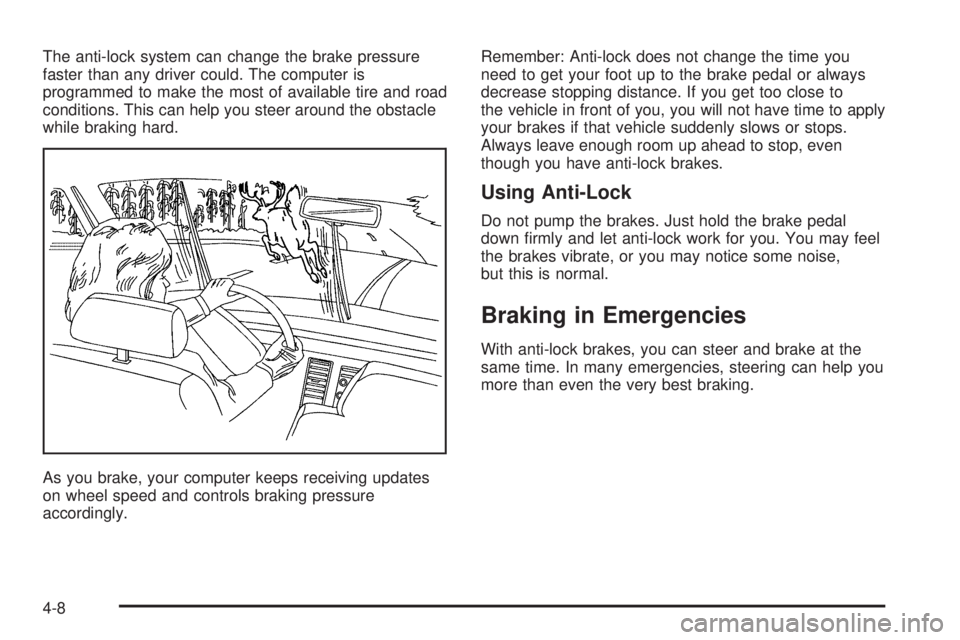
The anti-lock system can change the brake pressure
faster than any driver could. The computer is
programmed to make the most of available tire and road
conditions. This can help you steer around the obstacle
while braking hard.
As you brake, your computer keeps receiving updates
on wheel speed and controls braking pressure
accordingly.Remember: Anti-lock does not change the time you
need to get your foot up to the brake pedal or always
decrease stopping distance. If you get too close to
the vehicle in front of you, you will not have time to apply
your brakes if that vehicle suddenly slows or stops.
Always leave enough room up ahead to stop, even
though you have anti-lock brakes.
Using Anti-Lock
Do not pump the brakes. Just hold the brake pedal
down rmly and let anti-lock work for you. You may feel
the brakes vibrate, or you may notice some noise,
but this is normal.
Braking in Emergencies
With anti-lock brakes, you can steer and brake at the
same time. In many emergencies, steering can help you
more than even the very best braking.
4-8
Page 218 of 434
Steering
Power Steering
If you lose power steering assist because the engine
stops or the system is not functioning, you can steer but
it will take much more effort.
Steering Tips
It is important to take curves at a reasonable speed.
A lot of the “driver lost control” accidents mentioned on
the news happen on curves. Here is why:
Experienced driver or beginner, each of us is subject to
the same laws of physics when driving on curves.
The traction of the tires against the road surface makes
it possible for the vehicle to change its path when
you turn the front wheels. If there is no traction, inertia
will keep the vehicle going in the same direction. If
you have ever tried to steer a vehicle on wet ice, you
will understand this.
The traction you can get in a curve depends on the
condition of your tires and the road surface, the angle at
which the curve is banked, and your speed. While
you are in a curve, speed is the one factor you
can control.Suppose you are steering through a sharp curve.
Then you suddenly accelerate. Both control
systems — steering and acceleration — have to do
their work where the tires meet the road. Adding
the sudden acceleration can demand too much of those
places. You can lose control.
What should you do if this ever happens? Ease up on
the accelerator pedal, steer the vehicle the way you
want it to go, and slow down.
Speed limit signs near curves warn that you should
adjust your speed. Of course, the posted speeds
are based on good weather and road conditions. Under
less favorable conditions you will want to go slower.
If you need to reduce your speed as you approach
a curve, do it before you enter the curve, while your front
wheels are straight ahead.
Try to adjust your speed so you can “drive” through the
curve. Maintain a reasonable, steady speed. Wait to
accelerate until you are out of the curve, and then
accelerate gently into the straightaway.
Adding non-GM accessories can affect your vehicle’s
performance. SeeAccessories and Modications
on page 5-3.
4-10
Page 222 of 434
Loss of Control
Let us review what driving experts say about what
happens when the three control systems — brakes,
steering, and acceleration — do not have enough friction
where the tires meet the road to do what the driver
has asked.
In any emergency, do not give up. Keep trying to steer
and constantly seek an escape route or area of less
danger.
Skidding
In a skid, a driver can lose control of the vehicle.
Defensive drivers avoid most skids by taking reasonable
care suited to existing conditions, and by not overdriving
those conditions. But skids are always possible.
The three types of skids correspond to your vehicle’s
three control systems. In the braking skid, your wheels
are not rolling. In the steering or cornering skid, too much
speed or steering in a curve causes tires to slip and lose
cornering force. And in the acceleration skid, too much
throttle causes the driving wheels to spin.
A cornering skid is best handled by easing your foot off
the accelerator pedal.If your vehicle starts to slide, ease your foot off the
accelerator pedal and quickly steer the way you want
the vehicle to go. If you start steering quickly enough,
your vehicle may straighten out. Always be ready
for a second skid if it occurs.
Of course, traction is reduced when water, snow, ice,
gravel, or other material is on the road. For safety, you
will want to slow down and adjust your driving to
these conditions. It is important to slow down on slippery
surfaces because stopping distance will be longer and
vehicle control more limited.
While driving on a surface with reduced traction, try
your best to avoid sudden steering, acceleration,
or braking, including engine braking by shifting to a
lower gear. Any sudden changes could cause the tires
to slide. You may not realize the surface is slippery
until your vehicle is skidding. Learn to recognize warning
clues — such as enough water, ice, or packed snow
on the road to make a mirrored surface — and
slow down when you have any doubt.
Remember: Any Anti-Lock Brake System (ABS) helps
avoid only the braking skid.
4-14
Page 226 of 434
Controlling your vehicle is the key to successful off-road
driving. One of the best ways to control your vehicle
is to control your speed. Here are some things to keep
in mind. At higher speeds:
You approach things faster and you have less time
to scan the terrain for obstacles.
You have less time to react.
You have more vehicle bounce when you drive over
obstacles.
You will need more distance for braking, especially
since you are on an unpaved surface.
{CAUTION:
When you are driving off-road, bouncing and
quick changes in direction can easily throw
you out of position. This could cause you to
lose control and crash. So, whether you are
driving on or off the road, you and your
passengers should wear safety belts.
Scanning the Terrain
Off-road driving can take you over many different kinds
of terrain. You need to be familiar with the terrain
and its many different features. Here are some things to
consider.
Surface Conditions:Off-roading can take you over
hard-packed dirt, gravel, rocks, grass, sand, mud, snow,
or ice. Each of these surfaces affects the steering,
acceleration, and braking of your vehicle in different
ways. Depending upon the kind of surface you are on,
you may experience slipping, sliding, wheel spinning,
delayed acceleration, poor traction, and longer braking
distances.
Surface Obstacles:Unseen or hidden obstacles can
be hazardous. A rock, log, hole, rut, or bump can startle
you if you are not prepared for them. Often these
obstacles are hidden by grass, bushes, snow, or even
the rise and fall of the terrain itself. Here are some
things to consider:
Is the path ahead clear?
Will the surface texture change abruptly up ahead?
Does the travel take you uphill or downhill?
There is more discussion of these subjects later.
Will you have to stop suddenly or change direction
quickly?
4-18
Page 228 of 434
Approaching a Hill
When you approach a hill, you need to decide if it is one
of those hills that is just too steep to climb, descend, or
cross. Steepness can be hard to judge. On a very small
hill, for example, there may be a smooth, constant incline
with only a small change in elevation where you can
easily see all the way to the top. On a large hill, the incline
may get steeper as you near the top, but you may not see
this because the crest of the hill is hidden by bushes,
grass, or shrubs.
Here are some other things to consider as you approach
a hill.
Is there a constant incline, or does the hill get
sharply steeper in places?
Is there good traction on the hillside, or will the
surface cause tire slipping?
Is there a straight path up or down the hill so you
will not have to make turning maneuvers?
Are there obstructions on the hill that can block your
path, such as boulders, trees, logs, or ruts?
What is beyond the hill? Is there a cliff, an
embankment, a drop-off, a fence? Get out and
walk the hill if you do not know. It is the smart way
to nd out.
Is the hill simply too rough? Steep hills often have
ruts, gullies, troughs, and exposed rocks because
they are more susceptible to the effects of erosion.
Driving Uphill
Once you decide you can safely drive up the hill, you
need to take some special steps.
Use a low gear and get a rm grip on the steering
wheel.
Get a smooth start up the hill and try to maintain
your speed. Do not use more power than you
need, because you do not want your wheels to start
spinning or sliding.
Try to drive straight up the hill if at all possible. If
the path twists and turns, you might want to nd
another route.
{CAUTION:
Turning or driving across steep hills can be
dangerous. You could lose traction, slide
sideways, and possibly roll over. You could be
seriously injured or killed. When driving up
hills, always try to go straight up.
4-20