door lock GMC CANYON 2007 User Guide
[x] Cancel search | Manufacturer: GMC, Model Year: 2007, Model line: CANYON, Model: GMC CANYON 2007Pages: 492, PDF Size: 2.79 MB
Page 105 of 492
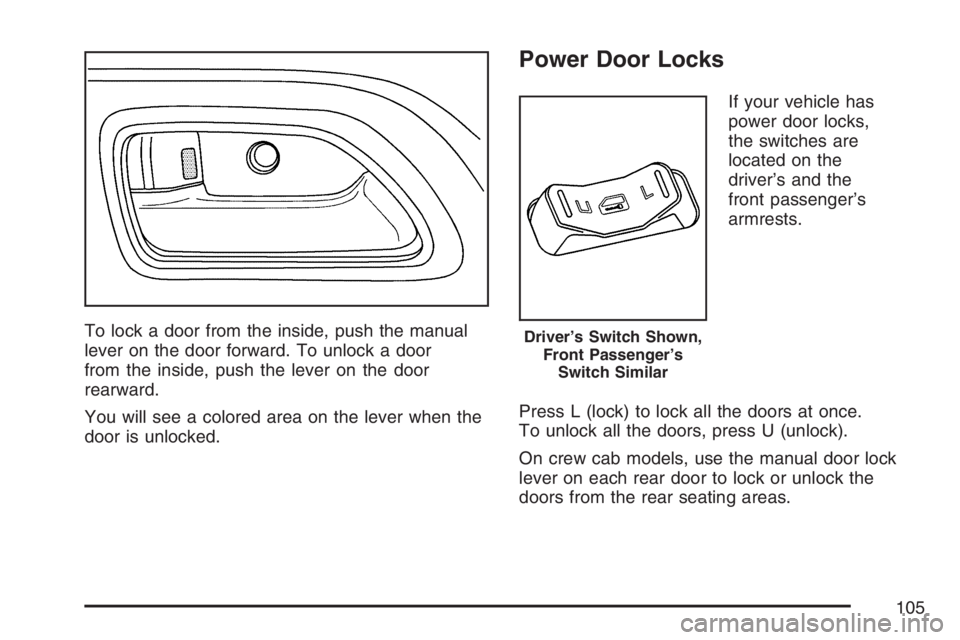
To lock a door from the inside, push the manual
lever on the door forward. To unlock a door
from the inside, push the lever on the door
rearward.
You will see a colored area on the lever when the
door is unlocked.
Power Door Locks
If your vehicle has
power door locks,
the switches are
located on the
driver’s and the
front passenger’s
armrests.
Press L (lock) to lock all the doors at once.
To unlock all the doors, press U (unlock).
On crew cab models, use the manual door lock
lever on each rear door to lock or unlock the
doors from the rear seating areas.
Driver’s Switch Shown,
Front Passenger’s
Switch Similar
105
Page 106 of 492
Programmable Automatic
Door Locks
If your vehicle has power door locks and the
remote keyless entry system, it has an automatic
lock/unlock feature.
If your vehicle has an automatic transmission,
it is programmed from the factory to lock all doors
automatically when the shift lever is moved out
of PARK (P). All the doors will unlock when
the shift lever is moved back into PARK (P).
If your vehicle has a manual transmission, it is
programmed from the factory to lock all the
doors when the vehicle speed is greater than
15 mph (24 km/h). The doors will unlock when
the key is removed from the ignition.
To change the automatic door lock and unlock
settings, see “Automatic Door Locks” under
DIC Controls and Displays on page 194.
Rear Door Security Locks
(Crew Cab)
If your vehicle is a crew cab model, it may have
rear door security locks. With this feature, you can
lock the rear doors so they cannot be opened
from the inside.
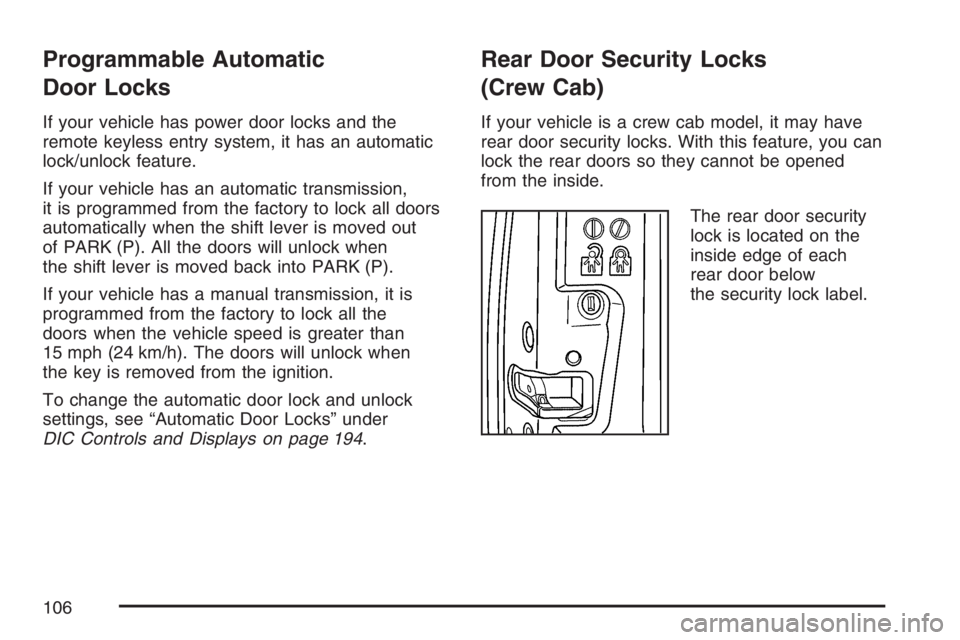
The rear door security
lock is located on the
inside edge of each
rear door below
the security lock label.
106
Page 107 of 492
To engage the security locks, do the following:
1. Open one of the rear doors.
2. Using your ignition key, turn the lock to the
horizontal position.
3. Close the door.
4. Repeat these steps on the other rear door.
If you want to open a rear door when the security
lock is on, unlock the door and open the door
from the outside.
To disengage the security locks, do the following:
1. Open one of the rear doors.
2. Using your ignition key, turn the lock to the
vertical position.
3. Close the door.
4. Repeat these steps on the other rear door.Lockout Protection
If you have power door locks, this feature protects
you from locking your key in the vehicle when
the key is in the ignition and a door is open.
If the power door lock switch is pressed when a
door is open and the key is in the ignition, all of
the doors will lock and then the driver’s door
will unlock.
Rear Doors (Extended Cab)
To open a rear door, open the front door. Then,
use the handle located on the front edge of
the rear door panel to open it. You must close
the rear door before closing the front door.
107
Page 111 of 492
Power Windows
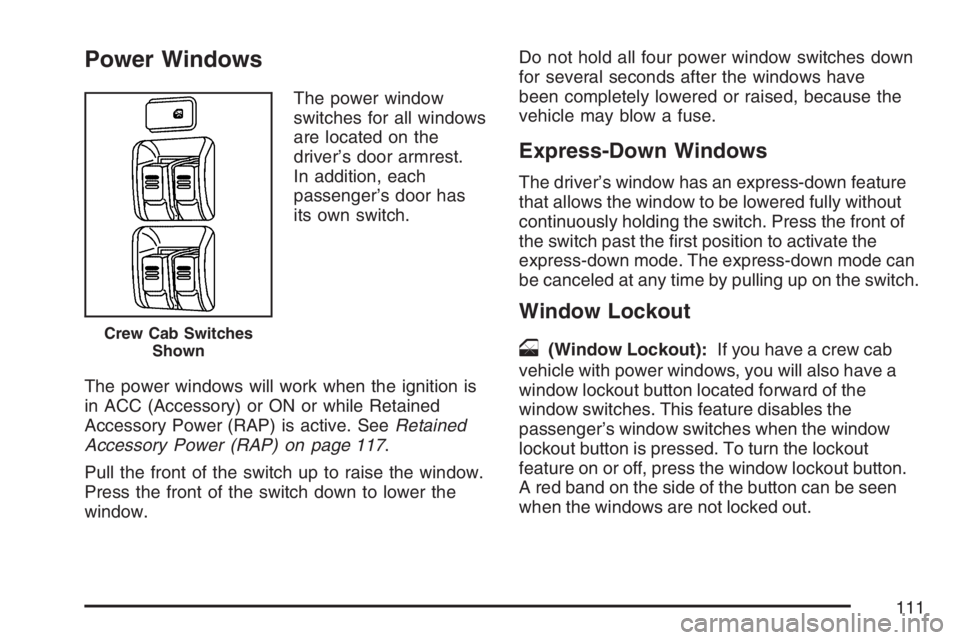
The power window
switches for all windows
are located on the
driver’s door armrest.
In addition, each
passenger’s door has
its own switch.
The power windows will work when the ignition is
in ACC (Accessory) or ON or while Retained
Accessory Power (RAP) is active. SeeRetained
Accessory Power (RAP) on page 117.
Pull the front of the switch up to raise the window.
Press the front of the switch down to lower the
window.Do not hold all four power window switches down
for several seconds after the windows have
been completely lowered or raised, because the
vehicle may blow a fuse.
Express-Down Windows
The driver’s window has an express-down feature
that allows the window to be lowered fully without
continuously holding the switch. Press the front of
the switch past the rst position to activate the
express-down mode. The express-down mode can
be canceled at any time by pulling up on the switch.
Window Lockout
o
(Window Lockout):If you have a crew cab
vehicle with power windows, you will also have a
window lockout button located forward of the
window switches. This feature disables the
passenger’s window switches when the window
lockout button is pressed. To turn the lockout
feature on or off, press the window lockout button.
A red band on the side of the button can be seen
when the windows are not locked out.Crew Cab Switches
Shown
111
Page 113 of 492
To activate the content theft-deterrent system,
do the following:
1. Close all the doors.
2. Lock the doors with the remote keyless entry
transmitter. The security light, located on the
instrument panel cluster, will ash.
If the lock button on the remote keyless entry
transmitter is pressed, but a door is open, the horn
will chirp six times. Press the lock button again,
within three seconds, and the doors will lock. Close
the open door and the system will be activated.
If a locked door is not opened using the remote
keyless entry transmitter, or by OnStar
®, the
pre-alarm will go off. If the engine is not started or
unlock not pressed within 10 seconds, the front
turn signal lamps will ash for two minutes, and the
horn will sound for two minutes, then will turn off
to save the battery power.
Remember, the theft-deterrent system will not
activate if you lock the doors with a key, the manual
door lock, or power door lock switch. The system
can only be activated using the remote keyless
entry transmitter, or by OnStar
®. SeeOnStar®
System on page 146for additional information.You should also remember that you can start your
vehicle with the correct ignition key if the alarm has
been set off.
Here is how to avoid setting off the alarm by
accident:
If you do not want to activate the theft-deterrent
system, the vehicle should be locked with the
door key after the doors are closed.
Always unlock a door with the remote keyless
entry transmitter. Unlocking a door any other
way will set off the alarm.
If you set off the alarm by accident, you can turn
off the alarm by pressing unlock on the remote
keyless entry transmitter. The alarm will not stop if
you try to unlock a door any other way.
Testing the Alarm
The alarm can be tested by following these steps:
1. From inside the vehicle, activate the system
by locking the doors with the remote keyless
entry transmitter.
2. Unlock the door with the manual door lock and
open the door. This should set off the alarm.
3. To turn the alarm off, press the unlock button
on the remote keyless entry transmitter or
start the engine.
113
Page 117 of 492
The battery could be drained if you leave the key in
the ACC or ON position with the engine off. You
may not be able to start your vehicle if the battery is
allowed to drain for an extended period of time.
START (D):This is the position that starts the
engine. When the engine starts, release the key.
The ignition switch returns to ON for driving.
When the engine is not running, ACC and ON
allows you to operate the electrical accessories,
such as the radio or items plugged into the
accessory power outlets.
A warning tone will sound if you open the driver’s
door when the ignition is in ACC or LOCK and
the key is in the ignition.
Key In the Ignition
Never leave your vehicle with the keys inside, as it
is an easy target for joy riders or thieves. If you
leave the key in the ignition and park your vehicle,
a chime will sound, when you open the driver’s
door. Always remember to remove your key from
the ignition and take it with you. This will lock
your ignition and transmission. Also, always
remember to lock the doors.The battery could be drained if you leave the key
in the ignition while your vehicle is parked.
You may not be able to start your vehicle after it
has been parked for an extended period of time.
Retained Accessory Power (RAP)
Your vehicle has Retained Accessory Power (RAP)
which allows certain features of your vehicle to
continue working for up to 20 minutes after
the ignition key is turned to LOCK.
The radio, wipers, and power windows work when
the ignition key is in ON or ACC. Once the key
is turned from ON to LOCK, these features
continue to work for up to 20 minutes or until a
door is opened.
117
Page 130 of 492
7. Turn the engine off by turning the key
to ACC (Accessory).
8. Place the transmission shift lever in
PARK (P), or FIRST (1) for vehicles that
have a manual transmission.
9. Turn the ignition to LOCK.
Shifting Out of NEUTRAL
After towing your vehicle, you will have to shift out
of NEUTRAL in order to drive. To shift out of
NEUTRAL, do the following:
1. Set the parking brake and apply the regular
brake pedal.
2. Start a vehicle with an automatic transmission
in PARK (P). Use FIRST (1) for vehicles with
a manual transmission.
3. Shift the transmission to NEUTRAL (N), or
press the clutch pedal for vehicles with a
manual transmission.
4. Press the button for the desired transfer case
shift position (Two-Wheel High, Four-Wheel
High, or Four-Wheel Low).
5. After the transfer case has shifted out of
NEUTRAL, the indicator light will go out.
6. Release the parking brake.
7. Shift the transmission to the desired position.
Parking Brake
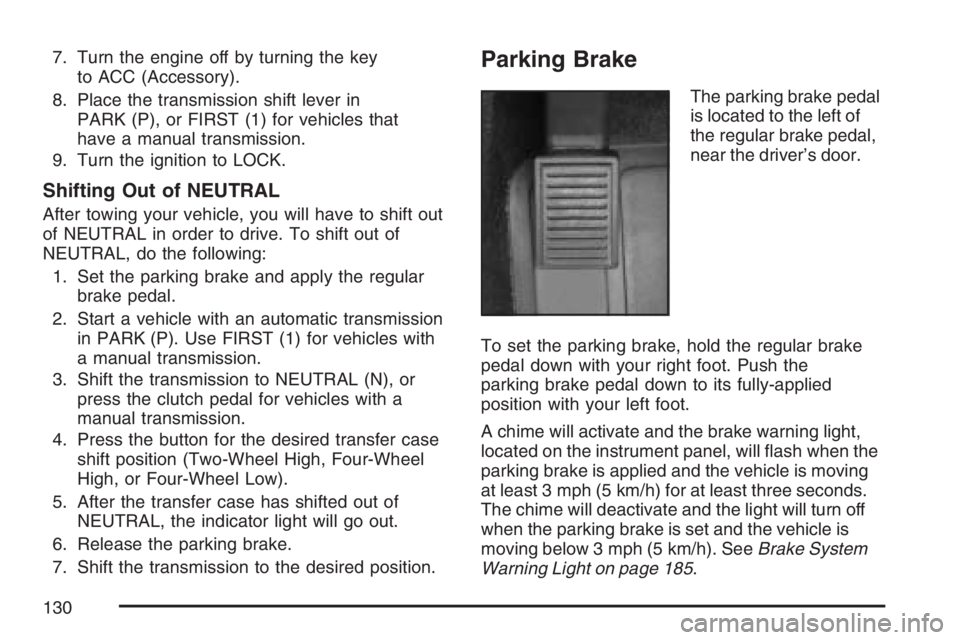
The parking brake pedal
is located to the left of
the regular brake pedal,
near the driver’s door.
To set the parking brake, hold the regular brake
pedal down with your right foot. Push the
parking brake pedal down to its fully-applied
position with your left foot.
A chime will activate and the brake warning light,
located on the instrument panel, will ash when the
parking brake is applied and the vehicle is moving
at least 3 mph (5 km/h) for at least three seconds.
The chime will deactivate and the light will turn off
when the parking brake is set and the vehicle is
moving below 3 mph (5 km/h). SeeBrake System
Warning Light on page 185.
130
Page 146 of 492
The mirrors can be manually folded inward to
prevent damage when going through an automatic
car wash. To fold, push the mirror toward the
vehicle. To return the mirror to its original position,
push outward. Be sure to return both mirrors to
the unfolded position before driving.
Outside Convex Mirror
Your passenger’s outside rearview mirror is
convex. A convex mirror’s surface is curved so
you can see more from the driver’s seat.
{CAUTION:
A convex mirror can make things (like
other vehicles) look farther away than
they really are. If you cut too sharply into
the right lane, you could hit a vehicle
on your right. Check your inside mirror
or glance over your shoulder before
changing lanes.
OnStar®System
OnStar®uses several innovative technologies and
live advisors to provide you with a wide range
of safety, security, information, and convenience
services. If your airbags deploy, the system is
designed to make an automatic call to OnStar
®
Emergency advisors who can request emergency
services be sent to your location. If you lock
your keys in the vehicle, call OnStar
®at
1-888-4-ONSTAR and they can send a signal
to unlock your doors. If you need roadside
assistance, press the OnStar
®button and they
can contact Roadside Service for you.
146
Page 147 of 492
OnStar®service is provided to you subject to the
OnStar®Terms and Conditions. You may cancel
your OnStar®service at any time by contacting
OnStar®as provided below. A complete OnStar®
Owner’s Guide and the OnStar®Terms and
Conditions are included in the vehicle’s OnStar®
Subscriber glove box literature. For more
information, visit onstar.com or onstar.ca, contact
OnStar
®at 1–888–4–ONSTAR (1–888–466–7827)
or TTY 1–877–248–2080, or press the OnStar®
button to speak with an OnStar®advisor 24 hours
a day, 7 days a week.
Not all OnStar
®features are available on all
vehicles. To check if your vehicle is equipped to
provide the services described below, or for a
full description of OnStar
®services and system
limitations, see the OnStar®Owner’s Guide in
your glove box or visit onstar.com.
OnStar®Services
For new vehicles equipped with OnStar®, the Safe
& Sound Plan, or the Directions & Connections®
Plan is included for one year from the date of
purchase. You can extend this plan beyond the rstyear, or upgrade to the Directions & Connections
®
Plan. For more information, press the OnStar®
button to speak with an advisor. Some OnStar®
services (such as Remote Door Unlock or Stolen
Vehicle Location Assistance) may not be available
until you register with OnStar
®.
Available Services with Safe & Sound®Plan
Automatic Notication of Airbag Deployment
Advanced Automatic Crash Notication (AACN)
(If equipped)
Link to Emergency Services
Roadside Assistance
Stolen Vehicle Location Assistance
AccidentAssist
Remote Door Unlock/Vehicle Alert
OnStar®Vehicle Diagnostics
GM®Goodwrench®On Demand Diagnostics
OnStar®Hands-Free Calling with
30 complimentary minutes
OnStar®Virtual Advisor
147
Page 167 of 492
Headlamps on Reminder
If a door is open, a reminder chime will sound when
the headlamps or parking lamps are manually
turned on and your key is out of the ignition. To turn
off the chime, turn the headlamp switch to off and
then back on. In the automatic mode, the
headlamps turn off once the ignition is in LOCK.
If your vehicle was rst sold in Canada and the
parking lamps are turned on manually, the Daytime
Running Lamps (DRL) will stay on.
Daytime Running Lamps (DRL)
Daytime Running Lamps (DRL) can make it easier
for others to see the front of your vehicle during
the day. DRL can be helpful in many different
driving conditions, but they can be especially
helpful in the short periods after dawn and before
sunset. Fully functional daytime running lamps
are required on all vehicles rst sold in Canada.The DRL system will come on when the following
conditions are met:
The ignition is on.
The exterior lamps control is in AUTO.
The transmission is not in PARK (P) if you
have an automatic transmission.
The light sensor determines it is daytime.
Your vehicle will have either the parking lamps or
reduced intensity low beams used as the DRL.
When the DRL are on, only those lamps will be on.
The taillamps, sidemarkers, and other lamps will
not be on. The instrument panel will not be lit
up either.
When it begins to get dark, the headlamps will
automatically switch from DRL to the regular
headlamps.
As with any vehicle, you should turn on the
regular headlamp system when you need it.
167