transmission GMC CANYON 2007 Owner's Guide
[x] Cancel search | Manufacturer: GMC, Model Year: 2007, Model line: CANYON, Model: GMC CANYON 2007Pages: 492, PDF Size: 2.79 MB
Page 138 of 492
{CAUTION:
Four-wheel drive vehicles with the transfer
case in NEUTRAL will allow the vehicle to
roll, even if your automatic transmission
shift lever is in PARK (P). So, be sure the
transfer case is in a drive gear — not in
NEUTRAL. Always set your parking brake.
Follow the proper steps to be sure your vehicle
will not move. SeeShifting Into Park (P)
(Automatic Transmission) on page 132.
If you are pulling a trailer, seeTowing a Trailer
on page 300.
Mirrors
Manual Rearview Mirror
While sitting in a comfortable driving position,
adjust the mirror so you can see clearly behind
your vehicle. Grip the mirror in the center to move
it up or down and side to side. The control at
the bottom of the mirror is the day/night feature
that allows adjustment to the mirror so that
the glare of headlamps from behind is reduced.
Push the control for daytime use; pull it for
night use.
Manual Rearview Mirror with
OnStar
®
Mirror Operation
Your vehicle may have a manual rearview mirror
with the OnStar®System. You can adjust the mirror
for day or night driving. Press the tab forward for
day driving. Pull the tab back for night driving.
138
Page 153 of 492
Instrument Panel Overview........................ 156
Hazard Warning Flashers.......................... 158
Other Warning Devices............................. 158
Horn.......................................................... 158
Tilt Wheel.................................................. 158
Turn Signal/Multifunction Lever.................. 159
Turn and Lane-Change Signals................. 160
Headlamp High/Low-Beam Changer.......... 161
Flash-to-Pass............................................ 161
Windshield Wipers..................................... 161
Windshield Washer.................................... 162
Cruise Control........................................... 163
Exterior Lamps.......................................... 166
Headlamps on Reminder........................... 167
Daytime Running Lamps (DRL)................. 167
Automatic Headlamp System..................... 168
Fog Lamps................................................ 169
Exterior Cargo Lamps................................ 169
Interior Lamps........................................... 170
Instrument Panel Brightness...................... 170
Dome Lamp.............................................. 170
Dome Lamp Override................................ 170
Exit Lighting.............................................. 171
Electric Power Management...................... 171
Battery Run-Down Protection..................... 171Accessory Power Outlet(s)........................ 172
Ashtray(s) and Cigarette Lighter................ 173
Climate Controls......................................... 173
Climate Control System............................. 173
Outlet Adjustment...................................... 176
Warning Lights, Gages, and Indicators..... 177
Instrument Panel Cluster........................... 178
Speedometer and Odometer...................... 179
Trip Odometer........................................... 179
Tachometer............................................... 179
Safety Belt Reminder Light........................ 180
Passenger Safety Belt Reminder Light....... 180
Airbag Readiness Light............................. 181
Passenger Airbag Status Indicator............. 182
Battery Warning Light................................ 184
Up-Shift Light (Manual Transmission)........ 185
Brake System Warning Light..................... 185
Anti-Lock Brake System Warning Light...... 186
Engine Coolant Temperature Gage............ 187
Tire Pressure Light.................................... 187
Malfunction Indicator Lamp........................ 188
Oil Pressure Light..................................... 191
Security Light............................................ 192
Cruise Control Light.................................. 192
Section 3 Instrument Panel
153
Page 156 of 492
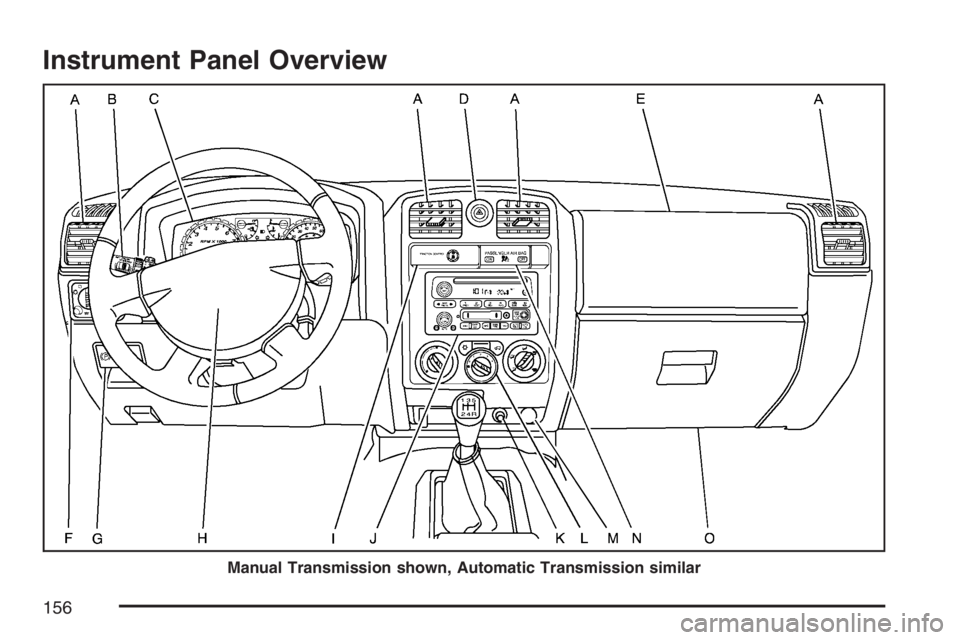
Instrument Panel Overview
Manual Transmission shown, Automatic Transmission similar
156
Page 165 of 492
Move the cruise lever from on to resume/
accelerate. Hold it there until you get up to the
speed desired, and then release the lever.
To increase your speed in very small amounts,
move the lever briey to resume/accelerate.
Reducing Speed While Using
Cruise Control
Press and hold the set button until you reach
the lower speed desired, then release it.
To slow down in very small amounts, briey
press the set button.
Passing Another Vehicle While Using
Cruise Control
Use the accelerator pedal to increase the vehicle
speed. When you take your foot off the pedal,
the vehicle will slow down to the cruise control
speed you set earlier.
Using Cruise Control on Hills
How well the cruise control will work on hills
depends upon the vehicle speed, load, and the
steepness of the hills. When going up steep hills,
you might want to step on the accelerator
pedal to maintain the vehicle speed. When going
downhill, you might have to brake or shift to a
lower gear to keep the vehicle speed down.
Of course, applying the brake turns off the cruise
control. Many drivers nd this to be too much
trouble and do not use cruise control on steep hills.
Ending Cruise Control
To turn off the cruise control, do one of the following:
Step lightly on the brake pedal.
Move the cruise control lever to off.
Lightly tap or press the clutch, if you have a
manual transmission.
Erasing Speed Memory
When you turn off the cruise control or the ignition,
the cruise control set speed memory is erased.
165
Page 167 of 492
Headlamps on Reminder
If a door is open, a reminder chime will sound when
the headlamps or parking lamps are manually
turned on and your key is out of the ignition. To turn
off the chime, turn the headlamp switch to off and
then back on. In the automatic mode, the
headlamps turn off once the ignition is in LOCK.
If your vehicle was rst sold in Canada and the
parking lamps are turned on manually, the Daytime
Running Lamps (DRL) will stay on.
Daytime Running Lamps (DRL)
Daytime Running Lamps (DRL) can make it easier
for others to see the front of your vehicle during
the day. DRL can be helpful in many different
driving conditions, but they can be especially
helpful in the short periods after dawn and before
sunset. Fully functional daytime running lamps
are required on all vehicles rst sold in Canada.The DRL system will come on when the following
conditions are met:
The ignition is on.
The exterior lamps control is in AUTO.
The transmission is not in PARK (P) if you
have an automatic transmission.
The light sensor determines it is daytime.
Your vehicle will have either the parking lamps or
reduced intensity low beams used as the DRL.
When the DRL are on, only those lamps will be on.
The taillamps, sidemarkers, and other lamps will
not be on. The instrument panel will not be lit
up either.
When it begins to get dark, the headlamps will
automatically switch from DRL to the regular
headlamps.
As with any vehicle, you should turn on the
regular headlamp system when you need it.
167
Page 168 of 492
Automatic Headlamp System
When it is dark enough outside, the automatic
headlamp system will turn on after the
transmission has been shifted from PARK (P) to
DRIVE (D). The headlamps, taillamps, sidemarker,
parking lamps, roof marker lamps, and the
instrument panel lights will turn on at normal
brightness. The radio lights will become more dim
when the headlights are off compared to when
the headlights are on.
Your vehicle has a light sensor located on the
top of the instrument panel. Be sure it is not
covered, or the system will be on whenever the
ignition is on.
The system may also turn on the headlamps when
driving through a parking garage, heavy overcast
weather, or a tunnel. This is normal.There is a delay in the transition between the
daytime and nighttime operation of the Daytime
Running Lamps (DRL) and the automatic
headlamp system so that driving under bridges
or bright overhead street lights does not affect
the system. The DRL and automatic headlamp
system will only be affected when the light sensor
detects a change in lighting lasting longer than
the delay.
If you start your vehicle in a dark garage, the
automatic headlamp system will come on
immediately. Once you leave the garage, it will
take about one minute for the automatic headlamp
system to change to DRL if it is light outside.
During that delay, the instrument panel cluster
may not be as bright as usual. Make sure
the instrument panel brightness control is in the
full bright position. SeeInstrument Panel
Brightness on page 170.
168
Page 178 of 492
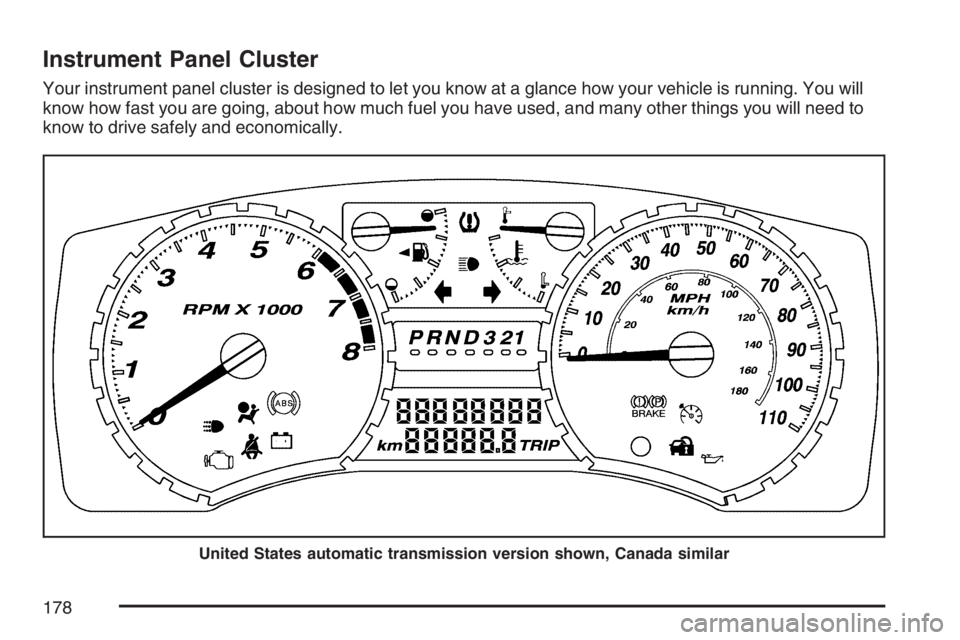
Instrument Panel Cluster
Your instrument panel cluster is designed to let you know at a glance how your vehicle is running. You will
know how fast you are going, about how much fuel you have used, and many other things you will need to
know to drive safely and economically.
United States automatic transmission version shown, Canada similar
178
Page 185 of 492
Up-Shift Light
(Manual Transmission)
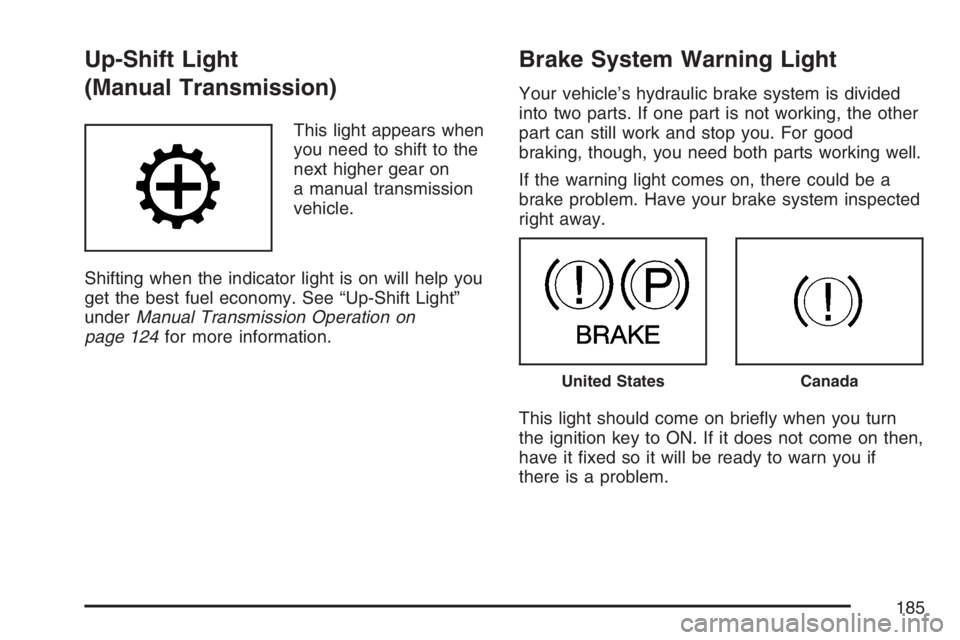
This light appears when
you need to shift to the
next higher gear on
a manual transmission
vehicle.
Shifting when the indicator light is on will help you
get the best fuel economy. See “Up-Shift Light”
underManual Transmission Operation on
page 124for more information.
Brake System Warning Light
Your vehicle’s hydraulic brake system is divided
into two parts. If one part is not working, the other
part can still work and stop you. For good
braking, though, you need both parts working well.
If the warning light comes on, there could be a
brake problem. Have your brake system inspected
right away.
This light should come on briey when you turn
the ignition key to ON. If it does not come on then,
have it xed so it will be ready to warn you if
there is a problem.
United StatesCanada
185
Page 188 of 492
Malfunction Indicator Lamp
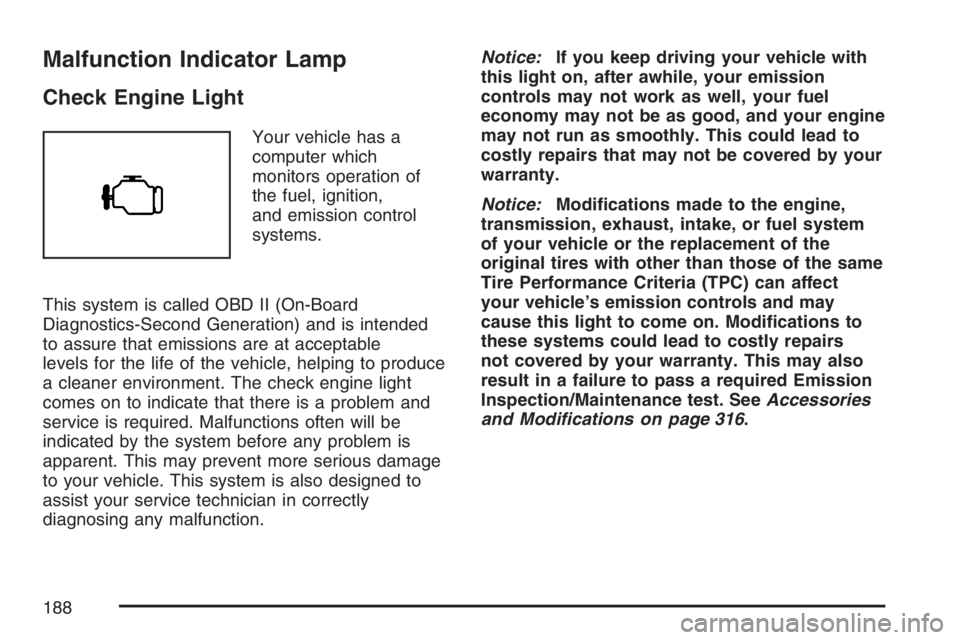
Check Engine Light
Your vehicle has a
computer which
monitors operation of
the fuel, ignition,
and emission control
systems.
This system is called OBD II (On-Board
Diagnostics-Second Generation) and is intended
to assure that emissions are at acceptable
levels for the life of the vehicle, helping to produce
a cleaner environment. The check engine light
comes on to indicate that there is a problem and
service is required. Malfunctions often will be
indicated by the system before any problem is
apparent. This may prevent more serious damage
to your vehicle. This system is also designed to
assist your service technician in correctly
diagnosing any malfunction.Notice:If you keep driving your vehicle with
this light on, after awhile, your emission
controls may not work as well, your fuel
economy may not be as good, and your engine
may not run as smoothly. This could lead to
costly repairs that may not be covered by your
warranty.
Notice:Modications made to the engine,
transmission, exhaust, intake, or fuel system
of your vehicle or the replacement of the
original tires with other than those of the same
Tire Performance Criteria (TPC) can affect
your vehicle’s emission controls and may
cause this light to come on. Modications to
these systems could lead to costly repairs
not covered by your warranty. This may also
result in a failure to pass a required Emission
Inspection/Maintenance test. SeeAccessories
and Modifications on page 316.
188
Page 196 of 492
Automatic Door Locks
This feature allows you to program your door
locks to a preferred setting.
To set your choice for this feature, perform the
following steps:
1. With the engine off, turn the key to LOCK.
Do not remove the key from the ignition.
2. Press and hold the power door lock button for
about three seconds until the DIC display
shows the current door lock mode.
3. To view the next available mode, press and
hold the reset stem for about two seconds.
Release the reset stem and press and
hold again to view each mode.
4. Once the desired mode is shown on the DIC
display, briey press the reset stem to set
your choice. The DIC display will then clear.
The following are the available modes:
Lock 1 (default):On vehicles with an automatic
transmission, this mode locks all of the doors
when the vehicle is shifted out of PARK (P) and
unlocks all of the doors when the vehicle is shifted
into PARK (P).On vehicles with a manual transmission, this
mode locks all of the doors when the vehicle
speed is greater than 15 mph (24 km/h) and
unlocks all of the doors when the key is removed
from the ignition.
Lock 2:On vehicles with an automatic
transmission, this mode locks all of the doors
when the vehicle is shifted out of PARK (P) and
unlocks the driver’s door when the vehicle is
shifted into PARK (P).
On vehicles with a manual transmission, this
mode locks all of the doors when the vehicle
speed is greater than 15 mph (24 km/h) and
unlocks the driver’s door when the key is
removed from the ignition.
Lock 3:On vehicles with an automatic
transmission, this mode locks all of the doors
when the vehicle is shifted out of PARK (P).
The doors will not automatically unlock.
On vehicles with a manual transmission, this
mode locks all of the doors when the vehicle
speed is greater than 15 mph (24 km/h).
The doors will not automatically unlock.
196