airbag GMC CANYON 2009 Owner's Guide
[x] Cancel search | Manufacturer: GMC, Model Year: 2009, Model line: CANYON, Model: GMC CANYON 2009Pages: 414, PDF Size: 2.48 MB
Page 125 of 414
OnStar Virtual Advisor
OnStar Virtual Advisor is a feature of OnStar Hands-Free
Calling that uses minutes to access location-based
weather, local traffic reports, and stock quotes. Press the
phone button and give a few simple voice commands to
browse through the various topics. See the OnStar
Owner’s Guide for more information. This feature is only
available in the continental U.S.
How OnStar Service Works
The OnStar system can record and transmit vehicle
information. This information is automatically sent to an
OnStar Call Center when the OnStar button is pressed,
the emergency button is pressed, or if the airbags or
AACN system deploy. This information usually includes
the vehicle’s GPS location and, in the event of a crash,
additional information regarding the crash that the vehicle
was involved in (e.g. the direction from which the vehicle
was hit). When the Virtual Advisor feature of OnStar
Hands-Free Calling is used, the vehicle also sends
OnStar the vehicle’s GPS location so they can provide
services where it is located.
OnStar service cannot work unless the vehicle is in a
place where OnStar has an agreement with a wireless
service provider for service in that area. OnStar service
also cannot work unless the vehicle is in a place where
the wireless service provider OnStar has hired for thatarea has coverage, network capacity and reception when
the service is needed, and technology that is compatible
with the OnStar service. Not all services are available
everywhere, particularly in remote or enclosed areas, or
at all times.
Location information about the vehicle is only available
if the GPS satellite signals are unobstructed and
available.
The vehicle must have a working electrical system,
including adequate battery power, for the OnStar
equipment to operate. There are other problems OnStar
cannot control that may prevent OnStar from providing
OnStar service at any particular time or place. Some
examples are damage to important parts of the vehicle
in a crash, hills, tall buildings, tunnels, weather or
wireless phone network congestion.
Your Responsibility
Increase the volume of the radio if the OnStar advisor
cannot be heard. If the light next to the OnStar buttons
is red, the system may not be functioning properly.
Press the OnStar button and request a vehicle
diagnostic. If the light appears clear (no light is
appearing), your OnStar subscription has expired and
all services have been deactivated. Press the OnStar
button to conrm that the OnStar equipment is active.
2-43
Page 129 of 414
Instrument Panel Overview...............................3-4
Hazard Warning Flashers................................3-6
Horn .............................................................3-6
Tilt Wheel.....................................................3-6
Turn Signal/Multifunction Lever.........................3-7
Turn and Lane-Change Signals........................3-7
Headlamp High/Low-Beam Changer..................3-8
Flash-to-Pass.................................................3-8
Windshield Wipers..........................................3-8
Windshield Washer.........................................3-9
Cruise Control..............................................3-10
Exterior Lamps.............................................3-12
Headlamps on Reminder................................3-13
Daytime Running Lamps (DRL).......................3-13
Automatic Headlamp System..........................3-14
Fog Lamps ..................................................3-14
Exterior Cargo Lamps....................................3-15
Instrument Panel Brightness...........................3-15
Dome Lamp .................................................3-15
Dome Lamp Override....................................3-16
Exit Lighting.................................................3-16
Electric Power Management...........................3-16Battery Run-Down Protection..........................3-17
Accessory Power Outlet(s).............................3-17
Ashtray(s) and Cigarette Lighter......................3-18
Climate Controls............................................3-18
Climate Control System.................................3-18
Outlet Adjustment.........................................3-20
Warning Lights, Gages, and Indicators............3-20
Instrument Panel Cluster................................3-21
Speedometer and Odometer...........................3-22
Trip Odometer..............................................3-22
Tachometer.................................................3-22
Safety Belt Reminders...................................3-23
Airbag Readiness Light.................................
.3-24
Passenger Airbag Status Indicator...................3-25
Charging System Light..................................3-26
Up-Shift Light...............................................3-26
Brake System Warning Light..........................3-27
Antilock Brake System (ABS)
Warning Light...........................................3-28
StabiliTrak
®/Traction Control System
(TCS) Warning Light..................................3-28
Section 3 Instrument Panel
3-1
Page 133 of 414
The main components of the instrument panel are the following:
A.Outlet Adjustment on page 3-20.
B.Turn Signal/Multifunction Lever on page 3-7.
C.Instrument Panel Cluster on page 3-21.
D.Hazard Warning Flashers on page 3-6.
E. Passenger Side Airbag. SeeAirbag System on
page 1-62.
F.Exterior Lamps on page 3-12.Fog Lamps on
page 3-14(If Equipped).Exterior Cargo Lamps
on page 3-15.
G.Parking Brake on page 2-31.
H.Horn on page 3-6.I.StabiliTrak
®System on page 4-6andFour-Wheel
Drive on page 2-26.
J.Audio System(s) on page 3-42.
K. Cigarette Lighter (If Equipped). SeeAshtray(s) and
Cigarette Lighter on page 3-18.
L.Climate Control System on page 3-18.
M.Accessory Power Outlet(s) on page 3-17.
N.Passenger Airbag Status Indicator on page 3-25.
O.Glove Box on page 2-44.
3-5
Page 151 of 414
Safety Belt Reminders
Driver Safety Belt Reminder Light
When the engine is started, a chime sounds for several
seconds to remind the driver to fasten the safety
belt, unless the driver safety belt is already buckled.
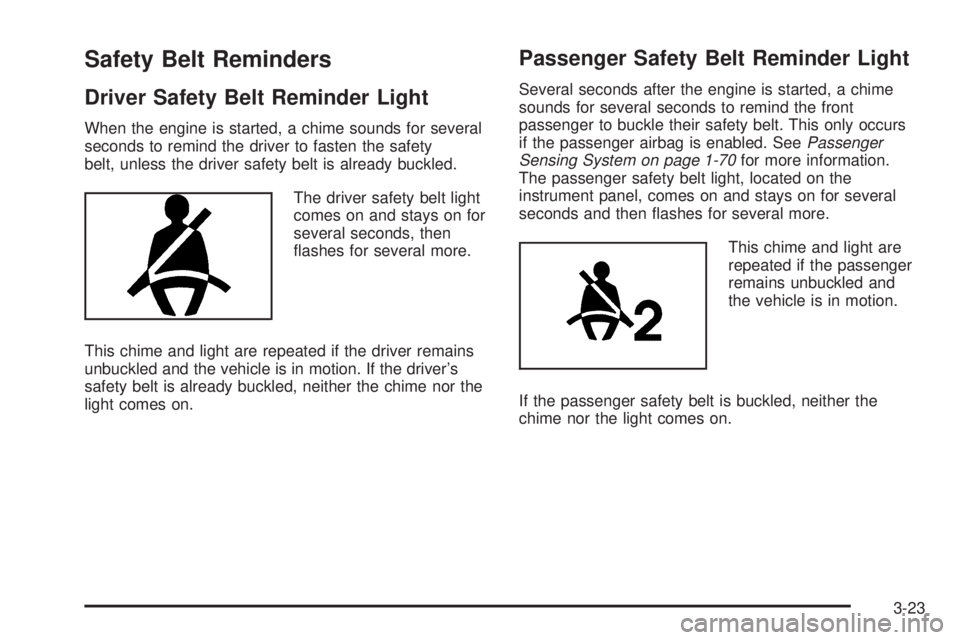
The driver safety belt light
comes on and stays on for
several seconds, then
ashes for several more.
This chime and light are repeated if the driver remains
unbuckled and the vehicle is in motion. If the driver’s
safety belt is already buckled, neither the chime nor the
light comes on.
Passenger Safety Belt Reminder Light
Several seconds after the engine is started, a chime
sounds for several seconds to remind the front
passenger to buckle their safety belt. This only occurs
if the passenger airbag is enabled. SeePassenger
Sensing System on page 1-70for more information.
The passenger safety belt light, located on the
instrument panel, comes on and stays on for several
seconds and then ashes for several more.
This chime and light are
repeated if the passenger
remains unbuckled and
the vehicle is in motion.
If the passenger safety belt is buckled, neither the
chime nor the light comes on.
3-23
Page 152 of 414
Airbag Readiness Light
The system checks the airbag’s electrical system for
possible malfunctions. If the light stays on it indicates
there is an electrical problem. The system check
includes the airbag sensor, the pretensioners, the airbag
modules, the wiring and the crash sensing and
diagnostic module. For more information on the airbag
system, seeAirbag System on page 1-62.
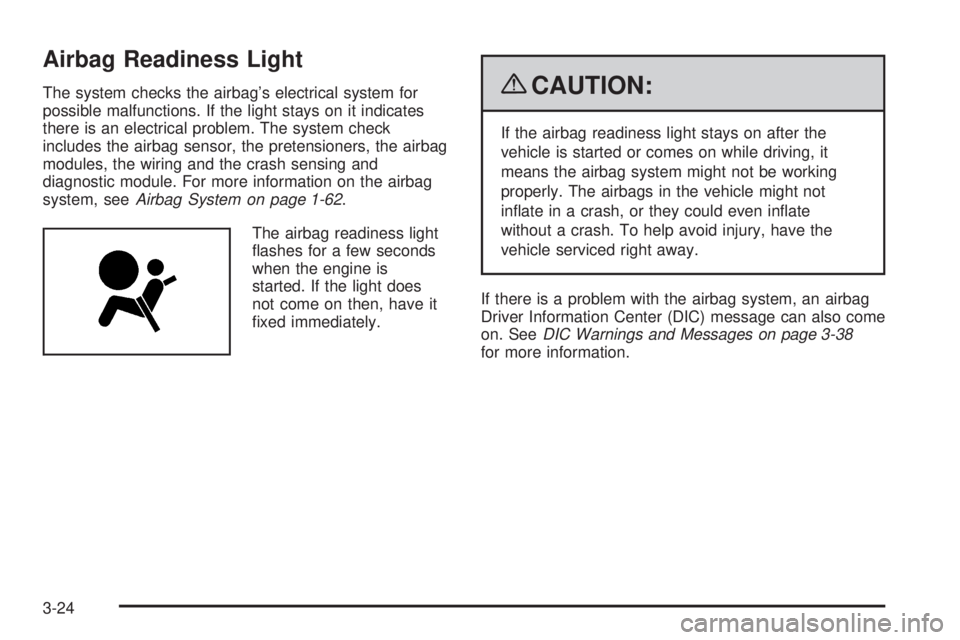
The airbag readiness light
ashes for a few seconds
when the engine is
started. If the light does
not come on then, have it
xed immediately.{CAUTION:
If the airbag readiness light stays on after the
vehicle is started or comes on while driving, it
means the airbag system might not be working
properly. The airbags in the vehicle might not
inate in a crash, or they could even inate
without a crash. To help avoid injury, have the
vehicle serviced right away.
If there is a problem with the airbag system, an airbag
Driver Information Center (DIC) message can also come
on. SeeDIC Warnings and Messages on page 3-38
for more information.
3-24
Page 153 of 414
Passenger Airbag Status Indicator
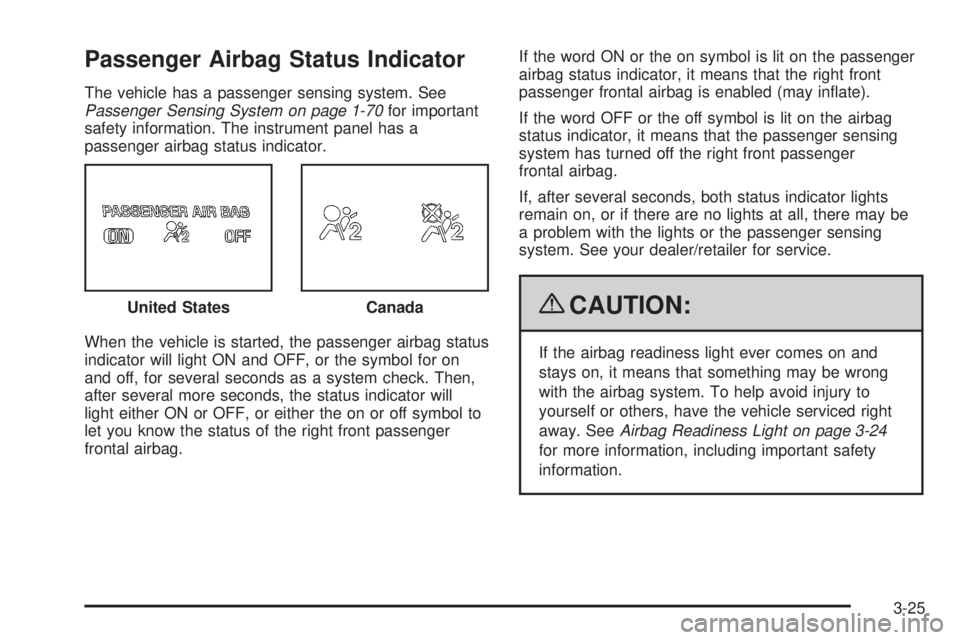
The vehicle has a passenger sensing system. See
Passenger Sensing System on page 1-70for important
safety information. The instrument panel has a
passenger airbag status indicator.
When the vehicle is started, the passenger airbag status
indicator will light ON and OFF, or the symbol for on
and off, for several seconds as a system check. Then,
after several more seconds, the status indicator will
light either ON or OFF, or either the on or off symbol to
let you know the status of the right front passenger
frontal airbag.If the word ON or the on symbol is lit on the passenger
airbag status indicator, it means that the right front
passenger frontal airbag is enabled (may inate).
If the word OFF or the off symbol is lit on the airbag
status indicator, it means that the passenger sensing
system has turned off the right front passenger
frontal airbag.
If, after several seconds, both status indicator lights
remain on, or if there are no lights at all, there may be
a problem with the lights or the passenger sensing
system. See your dealer/retailer for service.
{CAUTION:
If the airbag readiness light ever comes on and
stays on, it means that something may be wrong
with the airbag system. To help avoid injury to
yourself or others, have the vehicle serviced right
away. SeeAirbag Readiness Light on page 3-24
for more information, including important safety
information. United States
Canada
3-25
Page 202 of 414
Skidding
In a skid, a driver can lose control of the vehicle.
Defensive drivers avoid most skids by taking reasonable
care suited to existing conditions, and by not overdriving
those conditions. But skids are always possible.
The three types of skids correspond to your vehicle’s
three control systems. In the braking skid, the wheels are
not rolling. In the steering or cornering skid, too much
speed or steering in a curve causes tires to slip and lose
cornering force. And in the acceleration skid, too much
throttle causes the driving wheels to spin.
If your vehicle starts to slide, ease your foot off the
accelerator pedal and quickly steer the way you want
the vehicle to go. If you start steering quickly enough,
your vehicle may straighten out. Always be ready
for a second skid if it occurs.
Of course, traction is reduced when water, snow, ice,
gravel, or other material is on the road. For safety, you
want to slow down and adjust your driving to these
conditions. It is important to slow down on slippery
surfaces because stopping distance is longer and
vehicle control more limited.While driving on a surface with reduced traction, try
your best to avoid sudden steering, acceleration, or
braking, including reducing vehicle speed by shifting to a
lower gear. Any sudden changes could cause the tires to
slide. You might not realize the surface is slippery until
your vehicle is skidding. Learn to recognize warning
clues — such as enough water, ice, or packed snow on
the road to make a mirrored surface —and slow down
when you have any doubt.
Remember: Any Antilock Brake System (ABS) helps
avoid only the braking skid.
Off-Road Driving
Vehicles with four-wheel drive can be used for off-road
driving. Vehicles without four-wheel drive should not
be driven off-road except on a level, solid surface.
The airbag system is designed to work properly under a
wide range of conditions, including off-road usage.
Always wear your safety belt and observe safe driving
speeds, especially on rough terrain.
4-12
Page 251 of 414
Service
For service and parts needs, visit your dealer/retailer.
You will receive genuine GM parts and GM-trained and
supported service people.
Genuine GM parts have one of these marks:
Accessories and Modications
When non-dealer/non-retailer accessories are added to
the vehicle, they can affect vehicle performance and
safety, including such things as airbags, braking, stability,
ride and handling, emissions systems, aerodynamics,
durability, and electronic systems like antilock brakes,
traction control, and stability control. Some of these
accessories could even cause malfunction or damage not
covered by the vehicle warranty.
Damage to vehicle components resulting from the
installation or use of non-GM certied parts, including
control module modications, are not covered under the
terms of the vehicle warranty and may affect remaining
warranty coverage for affected parts.
GM Accessories are designed to complement and
function with other systems on the vehicle. Your GM
dealer/retailer can accessorize the vehicle using
genuine GM Accessories. When you go to your
GM dealer/retailer and ask for GM Accessories,
you will know that GM-trained and supported service
technicians will perform the work using genuine
GM Accessories.
Also, seeAdding Equipment to Your Airbag-Equipped
Vehicle on page 1-76.
5-3
Page 252 of 414
California Proposition 65 Warning
Most motor vehicles, including this one, contain and/or
emit chemicals known to the State of California to cause
cancer and birth defects or other reproductive harm.
Engine exhaust, many parts and systems (including
some inside the vehicle), many uids, and some
component wear by-products contain and/or emit
these chemicals.
California Perchlorate Materials
Requirements
Certain types of automotive applications, such as
airbag initiators, seat belt pretensioners, and lithium
batteries contained in remote keyless transmitters,
may contain perchlorate materials. Special handling
may be necessary. For additional information, see
www.dtsc.ca.gov/hazardouswaste/perchlorate.
Doing Your Own Service Work
{CAUTION:
You can be injured and the vehicle could be
damaged if you try to do service work on a vehicle
without knowing enough about it.
Be sure you have sufficient knowledge,
experience, the proper replacement parts,
and tools before attempting any vehicle
maintenance task.
Be sure to use the proper nuts, bolts, and other
fasteners. English and metric fasteners can
be easily confused. If the wrong fasteners are
used, parts can later break or fall off. You could
be hurt.
5-4
Page 253 of 414
If doing some of your own service work, use the proper
service manual. It tells you much more about how to
service the vehicle than this manual can. To order the
proper service manual, seeService Publications Ordering
Information on page 7-15.
This vehicle has an airbag system. Before attempting
to do your own service work, seeServicing Your
Airbag-Equipped Vehicle on page 1-75.
Keep a record with all parts receipts and list the
mileage and the date of any service work performed.
SeeMaintenance Record on page 6-16.
Adding Equipment to the Outside of
the Vehicle
Things added to the outside of the vehicle can affect the
airow around it. This can cause wind noise and can
affect fuel economy and windshield washer performance.
Check with your dealer/retailer before adding equipment
to the outside of the vehicle.
Fuel
Use of the recommended fuel is an important part of the
proper maintenance of this vehicle. To help keep the
engine clean and maintain optimum vehicle performance,
we recommend the use of gasoline advertised as TOP
TIER Detergent Gasoline.
Gasoline Octane
Use regular unleaded gasoline with a posted octane
rating of 87 or higher. If the octane rating is less than 87,
you might notice an audible knocking noise when you
drive, commonly referred to as spark knock. If this occurs,
use a gasoline rated at 87 octane or higher as soon as
possible. If you are using gasoline rated at 87 octane or
higher and you hear heavy knocking, the engine needs
service.
5-5