change time GMC CANYON 2012 User Guide
[x] Cancel search | Manufacturer: GMC, Model Year: 2012, Model line: CANYON, Model: GMC CANYON 2012Pages: 404, PDF Size: 5.25 MB
Page 152 of 404
Black plate (6,1)GMC Canyon Owner Manual - 2012
7-6 Infotainment System
To change the default on the
display, press the DISPL knob until
you see the desired display, then
press and hold this knob for
two seconds and the radio
beeps once.
AUTO VOL (Automatic Volume):
Automatic volume automatically
adjusts the audio system to make
up for road and wind noise while
driving. The volume level should
always sound the same while
driving.
Set the volume at the desired level.
Press to select LOW, MEDIUM, and
HIGH. AVOL displays. Each higher
setting allows for higher volume
compensation at faster vehicle
speeds.
NONE displays if the radio cannot
determine the vehicle speed. To turn
automatic volume off, press until
OFF displays.Setting the Tone (Bass/Treble)
AM-FM Radio
To adjust the bass or treble:
1. Press and release theAUDIO button until BAS (bass)
or TRE (treble) displays.
2. Press and hold the
worx
button to increase or to
decrease the tone.
To adjust the bass or treble to the
center position:
1. Press and release the AUDIO button until BAS (bass)
or TRE (treble) displays.
2. Press and hold the AUDIO button for more than
two seconds until a beep
sounds. To adjust both tone controls and
both speaker controls to the
middle position:
1. Exit out of audio mode by
pressing another button, causing
the radio to perform that function
or wait five seconds for the
display to return to time of day.
2. Press and hold AUDIO for more than two seconds until a beep
sounds. CEN (center) displays.
Radio with CD (MP3/WMA)
To adjust the bass or treble:
1. Press and release the AUDIO knob until BASS (bass)
or TREB (treble) displays.
2. Turn the AUDIO knob to increase or to decrease
the tone.
To adjust the bass/treble to the
middle position, press and hold the
AUDIO knob. The radio produces
one beep and adjusts the display
level to the middle position.
Page 163 of 404
Black plate (17,1)GMC Canyon Owner Manual - 2012
Infotainment System 7-17
If the surface of a CD is soiled, take
a soft, lint free cloth or dampen a
clean, soft cloth in a mild, neutral
detergent solution mixed with water,
and clean it. Make sure the wiping
process starts from the center to
the edge.
Playing a CD
Insert a CD partway into the slot,
label side up. The player pulls it in,
and READING displays. The CD
should begin playing. To insert a
CD with the ignition off, first press
the
Z(eject) button or the
DISPL knob.
If the ignition or radio is turned off
with a CD in the player it stays in
the player. When the ignition or
radio is turned on, the CD starts to
play where it stopped, if it was the
last selected audio source.
When the CD is inserted, the CD
symbol displays. As each new track
starts to play, the track number
displays. The CD player can play the smaller
8 cm (3 in) single CDs with an
adapter ring. Full-size CDs and the
smaller CDs are loaded in the
same manner.
3 REV (Fast Reverse):
Press and
hold to reverse quickly within a
track. Press and hold for less than
two seconds to reverse at 10 times
the normal playing speed. Press
and hold for more than two seconds
to reverse at 20 times the normal
playing speed. Release to play the
track.
4 FWD (Fast Forward): Press and
hold to advance quickly within a
track. Press and hold for less than
two seconds to advance at six times
the normal playing speed. Press
and hold for more than two seconds
to advance at 17 times the normal
playing speed. Release to play
the track.
6 RDM (Random): Press to hear
the tracks in random, rather than
sequential, order. RDM ON displays. RDM and the track number displays
when each track starts to play.
Press again to turn off random play.
RDM OFF displays.
qSEEKr:
Press the left arrow to
go to the start of the current or the
previous track. Press the right arrow
to go to the start of the next track.
Pressing either arrow for more than
two seconds scans the next tracks,
playing the first eight seconds of
each track until all of the tracks
have been previewed. Press either
arrow again to stop scanning and to
play the track.
qTUNEr: Turn to go to the
previous or next track.
DISPL (Display): Press to see how
long the current track has been
playing. ET and the elapsed time of
the track displays. To change the
default on the display (track or
elapsed time), press until you see
the desired display, then press and
hold for two seconds. The radio
beeps once. The selected display is
now the default.
Page 167 of 404
Black plate (21,1)GMC Canyon Owner Manual - 2012
Infotainment System 7-21
Press and release this button again
to turn off random play. NO RDM (no
random) displays.
qSEEKr:Press the left SEEK
arrow to go to the start of the
previous track. Press the right
SEEK arrow to go to the start of the
next track. Pressing either SEEK
arrow for more than two seconds
searches the previous or next tracks
at two tracks per second. Release
the button to stop searching and to
play the track.
qTUNEr: Turn to reverse or
advance through the tracks in all
folders or playlists. The track
number and file name displays for
each track. Turning this knob while
in random reverses or advances the
tracks in sequential order.
DISPL (Display): Press this knob
to switch between track mode,
folder/playlist mode, and time of day
mode. The display shows only
eight characters, but there can be
up to four pages of text. If there are more than
eight characters in the song,
folder, or playlist name, pressing
this knob within two seconds takes
you to the next page of text. If there
are no other pages to be shown,
pressing this knob within
two seconds takes you to the
next display mode.
.Track mode displays the current
track number and the ID3 tag
song name.
.Folder/playlist mode displays the
current folder or playlist number
and the folder/playlist name.
.Time of day mode displays the
time of day and the ID3 tag
song name.
To change the default on the
display, press the DISPL knob until
you see the desired display, then
press and hold this knob for two
two seconds. The radio produces
one beep and the selected display
is now the default. INFO (Information):
INFO displays
when a current track has ID3 tag
information. Press this button to
display the artist name and album
contained in the tag. INFO
disappears from the display when
the information in the ID3 tag has
finished being read.
BAND: Press this button to listen to
the radio when a CD is playing. The
inactive CD remains inside the radio
for future listening.
CD AUX (Auxiliary): Press this
button to play a CD when listening
to the radio. The CD symbol
illuminates on the display when a
CD is loaded.
Z(Eject): Press this button to
eject a CD. Eject can activate while
either the ignition or radio is off.
CDs can be loaded with the
ignition and radio off if this button
is pressed first.
Page 170 of 404
Black plate (24,1)GMC Canyon Owner Manual - 2012
7-24 Infotainment System
Bluetooth Controls
Use thegbutton, located on the
driver side of the instrument panel
near the headlamp controls, to
operate the Bluetooth system.
g(Push To Talk): Press to answer
incoming calls, to confirm system
information, and to start speech
recognition.
Pairing
A Bluetooth‐enabled cell phone
must be paired to the Bluetooth
system and then connected to the
vehicle before it can be used. See
your cell phone manufacturer's user
guide for Bluetooth functions before
pairing the cell phone. If a Bluetooth
phone is not connected, calls will be
made using OnStar
®Hands‐Free
Calling, if available. Refer to the
OnStar owner's guide for more
information. Pairing Information
.A Bluetooth phone with MP3
capability cannot be paired to
the vehicle as a phone and an
MP3 player at the same time.
.Up to five cell phones can be
paired to the Bluetooth system.
.The pairing process is disabled
when the vehicle is moving.
.Pairing only needs to be
completed once, unless the
pairing information on the cell
phone changes or the cell phone
is deleted from the system.
.Only one paired cell phone can
be connected to the Bluetooth
system at a time.
.If multiple paired cell phones are
within range of the system, the
system connects to the first
available paired cell phone in the
order that they were first paired
to the system. To link to a
different paired phone, see
“Linking to a Different Phone”
later in this section.Pairing a Phone
1. Press and release
g.
2. Say “Bluetooth.” This command
can be skipped.
3. Say “Pair.”The system responds
with instructions and a four‐digit
Personal Identification
Number (PIN).
4. Start the pairing process on the cell phone that you want to pair.
For help with this process, see
your cell phone manufacturer's
user guide.
5. Locate the device named “Your
Vehicle” in the list on the cell
phone. Follow the instructions
on the cell phone to enter the
PIN that was provided in Step 3.
After the PIN is successfully
entered, the system prompts you
to provide a name for the paired
cell phone. This name will be
used to indicate which phones
are paired and connected to
the vehicle. The system
responds with “
Page 171 of 404
Black plate (25,1)GMC Canyon Owner Manual - 2012
Infotainment System 7-25
has been successfully paired”
after the pairing process is
complete.
6. Repeat Steps 1 through 5 to pair additional phones.
Listing All Paired and Connected
Phones
The system can list all cell phones
paired to it. If a paired cell phone is
also connected to the vehicle, the
system responds with “is connected”
after that phone name.
1. Press and release
g.
2. Say “Bluetooth.”
3. Say “List.”
Deleting a Paired Phone
If the phone name you want to
delete is unknown, see “Listing All
Paired and Connected Phones.”
1. Press and release
g.
2. Say “Bluetooth.” 3. Say
“Delete.” The system asks
for which phone to delete.
4. Say the name of the phone you want to delete.
Connecting to a Different Phone
To connect to a different cell phone,
the Bluetooth system looks for the
next available cell phone in the
order in which all the available cell
phones were paired. Depending on
which cell phone you want to
connect to, you may have to use
this command several times.
1. Press and release
g.
2. Say “Bluetooth.”
3. Say “Change phone.”
.If another cell phone is
found, the response will be
“
connected.”
.If another cell phone is not
found, the original phone
remains connected.
Storing and Deleting Phone
Numbers
The system can store up to
30 phone numbers as name tags in
the Hands Free Directory that is
shared between the Bluetooth and
OnStar systems.
The following commands are used
delete and store phone numbers.
Store:This command will store a
phone number, or a group of
numbers as a name tag.
Digit Store: This command allows
a phone number to be stored as a
name tag by entering the digits one
at a time.
Delete: This command is used to
delete individual name tags.
Delete All Name Tags: This
command deletes all stored name
tags in the Hands Free Calling
Directory and the OnStar Turn by
Turn Destinations Directory.
Page 172 of 404
Black plate (26,1)GMC Canyon Owner Manual - 2012
7-26 Infotainment System
Using the“Store”Command
1. Press and release
g.
2. Say “Store.”
3. Say the phone number or group of numbers you want to store all
at once with no pauses, then
follow the directions given by the
system to save a name tag for
this number.
Using the “Digit Store” Command
If an unwanted number is
recognized by the system, say
“Clear” at any time to clear the
last number.
To hear all of the numbers
recognized by the system, say
“Verify” at any time.
1. Press and release
g.
2. Say “Digit Store.”
3. Say each digit, one at a time, that you want to store. After
each digit is entered, the system
repeats back the digit it heard
followed by a tone. After the last digit has been
entered, say
“Store,”and then
follow the directions given by the
system to save a name tag for
this number.
Using the “Delete”Command
1. Press and release
g.
2. Say “Delete.”
3. Say the name tag you want to delete.
Using the “Delete All Name Tags”
Command
This command deletes all stored
name tags in the Hands Free
Calling Directory and the
OnStarTurn by Turn Destinations
Directory.
To delete all name tags:
1. Press and release
g.
2. Say “Delete all name tags.”
Listing Stored Numbers
The list command will list all the
stored numbers and name tags.
Using the “List”Command
1. Press and release
g.
2. Say “Directory.”
3. Say “Hands Free Calling.”
4. Say “List.”
Making a Call
Calls can be made using the
following commands.
Dial or Call: The dial or
call command can be used
interchangeably to dial a phone
number or a stored name tag.
Digit Dial: This command allows a
phone number to be dialed by
entering the digits one at a time.
Re‐dial: This command is used to
dial the last number used on the
cell phone.
Page 207 of 404
Black plate (27,1)GMC Canyon Owner Manual - 2012
Driving and Operating 9-27
The vehicle has a
Computer-Controlled Cranking
System. This feature assists in
starting the engine and protects
components. If the ignition key is
turned to the START position,
and then released when the
engine begins cranking, the
engine will continue cranking for
a few seconds or until the
vehicle starts. If the engine does
not start and the key is held in
START for many seconds,
cranking will be stopped after
15 seconds to prevent cranking
motor damage. To prevent gear
damage, this system also
prevents cranking if the engine
is already running. Engine
cranking can be stopped by
turning the ignition switch to
ACC/ACCESSORY or
LOCK/OFF.
Notice: Cranking the engine for
long periods of time, by returning
the key to the START position
immediately after cranking has
ended, can overheat and damage the cranking motor, and drain the
battery. Wait at least 15 seconds
between each try, to let the
cranking motor cool down.
2. If the engine does not start after
5‐10 seconds, especially in very
cold weather (below 0°F or
−18°C), it could be flooded with
too much gasoline. Push the
accelerator pedal all the way to
the floor and holding it there as
you hold the key in START for a
maximum of 15 seconds. Wait at
least 15 seconds between each
try, to allow the cranking motor
to cool. When the engine starts,
let go of the key and accelerator.
If the vehicle starts briefly but
then stops again, repeat the
procedure. This clears the extra
gasoline from the engine. Do not
race the engine immediately
after starting it. Operate the
engine and transmission gently
until the oil warms up and
lubricates all moving parts. Notice:
The engine is designed to
work with the electronics in the
vehicle. If you add electrical parts
or accessories, you could change
the way the engine operates.
Before adding electrical
equipment, check with your
dealer. If you do not, the engine
might not perform properly. Any
resulting damage would not be
covered by the vehicle warranty.
Engine Heater
The engine coolant heater can
provide easier starting and better
fuel economy during engine
warm-up in cold weather conditions
at or below −18°C (0°F ). Vehicles
with an engine coolant heater
should be plugged in at least
four hours before starting. An
internal thermostat in the plug-end
of the cord may exist which will
prevent engine coolant heater
operation at temperatures above
−18°C (0°F).
Page 221 of 404
Black plate (41,1)GMC Canyon Owner Manual - 2012
Driving and Operating 9-41
Shifting Out of Neutral
After towing the vehicle, you will
have to shift out of N (Neutral) in
order to drive. To shift out of
N (Neutral), do the following:
1. Set the parking brake and applythe regular brake pedal.
2. Start a vehicle with an automatic transmission in P (Park). Use
1 (First) for vehicles with a
manual transmission.
3. Shift the transmission to N (Neutral), or press the clutch
pedal for vehicles with a manual
transmission.
4. Press the button for the desired transfer case shift position
(Two-Wheel High, Four-Wheel
High, or Four-Wheel Low).
5. After the transfer case has shifted out of N (Neutral), the
indicator light will go out.
6. Release the parking brake.
7. Shift the transmission to the desired position.Brakes
Antilock Brake
System (ABS)
This vehicle has the Antilock Brake
System (ABS), an advanced
electronic braking system that
helps prevent a braking skid.
When the engine is started and the
vehicle begins to drive away, ABS
checks itself. A momentary motor or
clicking noise might be heard while
this test is going on, and it might
even be noticed that the brake
pedal moves a little. This is normal.
If there is a problem with ABS, this
warning light stays on. See Antilock
Brake System (ABS) Warning Light
on page 5‑16. If driving safely on a wet road and it
becomes necessary to slam on the
brakes and continue braking to
avoid a sudden obstacle, a
computer senses that the wheels
are slowing down. If one of the
wheels is about to stop rolling, the
computer will separately work the
brakes at each wheel.
ABS can change the brake pressure
to each wheel, as required, faster
than any driver could. This can help
the driver steer around the obstacle
while braking hard.
As the brakes are applied, the
computer keeps receiving updates
on wheel speed and controls
braking pressure accordingly.
Remember: ABS does not change
the time needed to get a foot up to
the brake pedal or always decrease
stopping distance. If you get too
close to the vehicle in front of you,
there will not be enough time to
apply the brakes if that vehicle
Page 239 of 404
Black plate (59,1)GMC Canyon Owner Manual - 2012
Driving and Operating 9-59
Notice:Pulling a trailer
improperly can damage the
vehicle and result in costly
repairs not covered by the
vehicle warranty. To pull a trailer
correctly, follow the advice in this
section and see your dealer for
important information about
towing a trailer with the vehicle.
To identify the trailering capacity of
the vehicle, read the information in
“Weight of the Trailer” that appears
later in this section.
Trailering is different than just
driving the vehicle by itself.
Trailering means changes in
handling, acceleration, braking,
durability and fuel economy.
Successful, safe trailering takes
correct equipment, and it has to
be used properly. The following information has many
time-tested, important trailering tips
and safety rules. Many of these are
important for your safety and that of
your passengers. So please read
this section carefully before pulling
a trailer.
Weight of the Trailer
How heavy can a trailer safely be?
It depends on how the rig is used.
For example, speed, altitude, road
grades, outside temperature and
how much the vehicle is used to pull
a trailer are all important. It can
depend on any special equipment
on the vehicle, and the amount of
tongue weight the vehicle can carry.
See
“Weight of the Trailer Tongue”
later in this section for more
information. Maximum trailer weight is calculated
assuming only the driver is in the
tow vehicle and it has all the
required trailering equipment.
The weight of additional optional
equipment, passengers and cargo in
the tow vehicle must be subtracted
from the maximum trailer weight.
Use the following chart to determine
how much the vehicle can weigh,
based upon the vehicle model
and options.
Page 253 of 404
Black plate (9,1)GMC Canyon Owner Manual - 2012
Vehicle Care 10-9
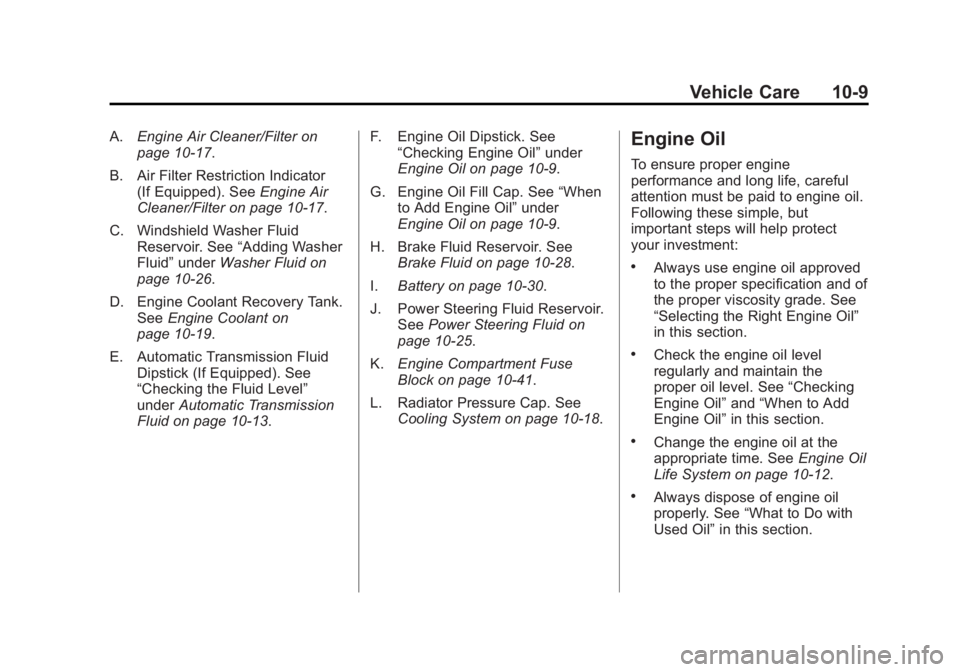
A.Engine Air Cleaner/Filter on
page 10‑17.
B. Air Filter Restriction Indicator (If Equipped). See Engine Air
Cleaner/Filter on page 10‑17.
C. Windshield Washer Fluid Reservoir. See “Adding Washer
Fluid” under Washer Fluid on
page 10‑26.
D. Engine Coolant Recovery Tank. See Engine Coolant on
page 10‑19.
E. Automatic Transmission Fluid Dipstick (If Equipped). See
“Checking the Fluid Level”
under Automatic Transmission
Fluid on page 10‑13. F. Engine Oil Dipstick. See
“Checking Engine Oil” under
Engine Oil on page 10‑9.
G. Engine Oil Fill Cap. See “When
to Add Engine Oil” under
Engine Oil on page 10‑9.
H. Brake Fluid Reservoir. See Brake Fluid on page 10‑28.
I. Battery on page 10‑30.
J. Power Steering Fluid Reservoir. See Power Steering Fluid on
page 10‑25.
K. Engine Compartment Fuse
Block on page 10‑41.
L. Radiator Pressure Cap. See Cooling System on page 10‑18.Engine Oil
To ensure proper engine
performance and long life, careful
attention must be paid to engine oil.
Following these simple, but
important steps will help protect
your investment:
.Always use engine oil approved
to the proper specification and of
the proper viscosity grade. See
“Selecting the Right Engine Oil”
in this section.
.Check the engine oil level
regularly and maintain the
proper oil level. See “Checking
Engine Oil” and“When to Add
Engine Oil” in this section.
.Change the engine oil at the
appropriate time. See Engine Oil
Life System on page 10‑12.
.Always dispose of engine oil
properly. See “What to Do with
Used Oil” in this section.