instrument cluster GMC CANYON 2012 User Guide
[x] Cancel search | Manufacturer: GMC, Model Year: 2012, Model line: CANYON, Model: GMC CANYON 2012Pages: 404, PDF Size: 5.25 MB
Page 140 of 404
Black plate (2,1)GMC Canyon Owner Manual - 2012
6-2 Lighting
AUTO:Turns the headlamps on
automatically at normal brightness,
together with the following:
.Sidemarker Lamps
.Taillamps
.Parking Lamps
.Instrument Panel Lights
See Automatic Headlamp System
on page 6‑4 for more information.
;(Parking Lamps): Turns on the
parking lamps, together with the
following:
.Sidemarker Lamps
.Taillamps
.License Plate Lamps
.Instrument Panel Lights
2(Headlamps): Turns on the
headlamps, together with the
previously listed lamps and lights.
Exterior Lamps Off
Reminder
If a door is open, a reminder chime
sounds when the headlamps or
parking lamps are manually turned
on and the key is out of the ignition.
To turn off the chime, turn the
headlamp switch to off and then
back on. In the automatic mode, the
headlamps turn off once the ignition
is in LOCK/OFF.
For vehicles first sold in Canada,
if the parking lamps are turned on
manually, the Daytime Running
Lamps (DRL) will stay on.
Headlamp High/
Low-Beam Changer
2 3
Headlamp High/Low Beam
Changer: Push the turn signal/
multifunction lever away from you to
turn the high beams on.
Pull the lever towards you to return
to low beams.
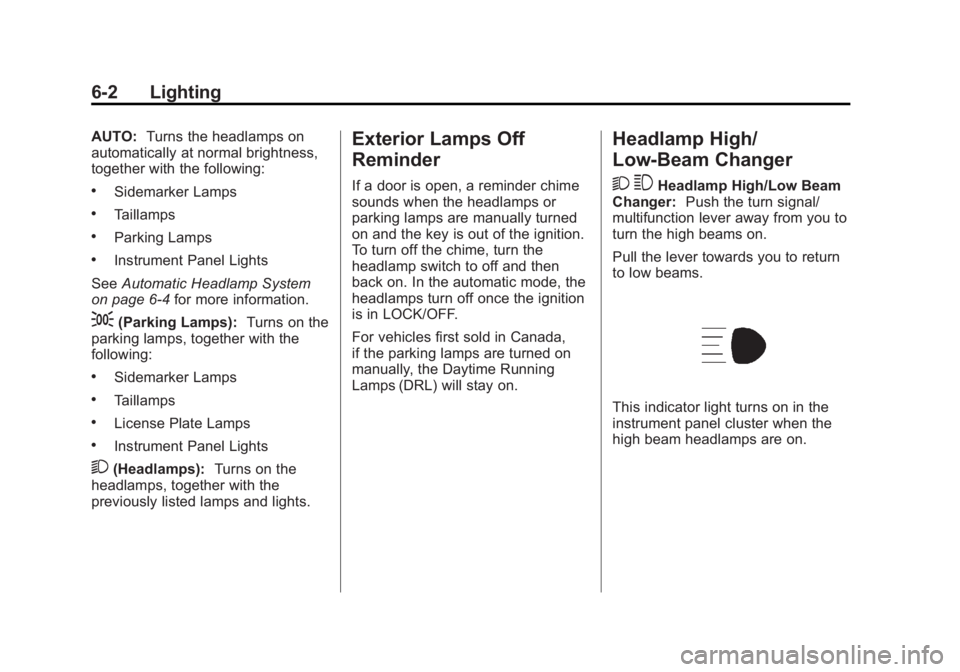
This indicator light turns on in the
instrument panel cluster when the
high beam headlamps are on.
Page 141 of 404
Black plate (3,1)GMC Canyon Owner Manual - 2012
Lighting 6-3
Flash-to-Pass
This feature lets you use the
high-beam headlamps to signal a
driver in front of you that you want
to pass. It works even if the
headlamps are in the automatic
position.
To use it, pull the turn signal lever
toward you, then release it.
If the headlamps are in the
automatic position or on low beam,
the high-beam headlamps will turn
on. They will stay on as long as the
lever is held toward you. The
high-beam indicator on the
instrument panel cluster will come
on. Release the lever to return to
normal operation.
Daytime Running
Lamps (DRL)
Daytime Running Lamps (DRL) can
make it easier for others to see the
front of your vehicle during the day.
Fully functional daytime running
lamps are required on all vehicles
first sold in Canada.
The DRL system will come on when
the following conditions are met:
.The ignition is on.
.The exterior lamps control is
in AUTO.
.The transmission is not in
P (Park) if you have an
automatic transmission.
.The light sensor determines
it is daytime.When the DRL are on, only the
parking lamps or reduced intensity
low beam headlamps will be on.
The taillamps, sidemarkers, and
other lamps will not be on. The
instrument panel will not be lit
up either.
When it begins to get dark, the
headlamps will automatically switch
from DRL to the regular headlamps.
The regular headlamp system
should be turned on when needed.
Page 142 of 404
Black plate (4,1)GMC Canyon Owner Manual - 2012
6-4 Lighting
Automatic Headlamp
System
When it is dark enough outside, the
automatic headlamp system will turn
on after the transmission has been
shifted from P (Park) to D (Drive).
The headlamps, taillamps,
sidemarker, parking lamps, roof
marker lamps, and the instrument
panel lights turn on at normal
brightness. The radio lights will
become dimmer when the
headlights are off compared to
when the headlights are on.
The vehicle has a light sensor
located on the top of the instrument
panel. Do not cover the sensor,
or the system will be on whenever
the ignition is on.
The system can turn on the
headlamps when driving in a
parking garage, through a tunnel or
when there is overcast weather.
This is normal.There is a delay in the transition
between the daytime and nighttime
operation of the Daytime Running
Lamps (DRL) and the automatic
headlamp system so that driving
under bridges or bright overhead
street lights does not affect the
system. The DRL and automatic
headlamp system will only be
affected when the light sensor
detects a change in lighting lasting
longer than the delay.
If the vehicle is started in a dark
garage, the automatic headlamp
system will come on immediately.
Once the vehicle leaves the garage,
it will take about 1 minute for the
automatic headlamp system to
change to DRL if it is light outside.
During that delay, the instrument
panel cluster may not be as bright
as usual. Make sure the instrument
panel brightness control is in the full
bright position. See
Instrument
Panel Illumination Control on
page 6‑7.
Hazard Warning Flashers
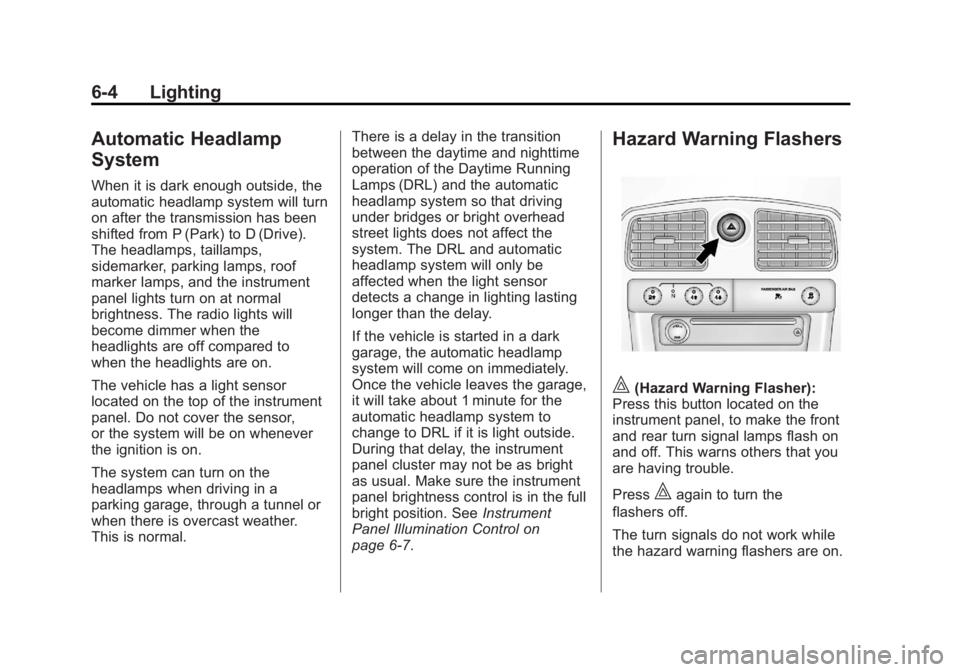
|(Hazard Warning Flasher):
Press this button located on the
instrument panel, to make the front
and rear turn signal lamps flash on
and off. This warns others that you
are having trouble.
Press
|again to turn the
flashers off.
The turn signals do not work while
the hazard warning flashers are on.
Page 145 of 404
Black plate (7,1)GMC Canyon Owner Manual - 2012
Lighting 6-7
Interior Lighting
Instrument Panel
Illumination Control
D
(Instrument Panel Lights):
Turn the thumbwheel up or down to
brighten or dim the instrument panel
lights and the radio display. The
instrument panel lights, cluster, and
radio display do not dim to complete
darkness. Turning the thumbwheel
all the way up will turn on the dome
lamps and may also turn on the
cargo lamp, if the vehicle is
equipped with Bluetooth.
The instrument panel light
brightness control will only work if
the headlamps or parking lamps are
on. See Exterior Lamp Controls on
page 6‑1.
Dome Lamps
The dome lamps come on when any
door is opened.
To manually turn on the dome
lamps, turn the thumbwheel, located
next to the exterior lamps control, all
the way up. The cargo lamps may
come on, if the vehicle is equipped
with Bluetooth. In this position, the
lamps remain on whether a door is
opened or closed.
Reading Lamps
Press the lens on the lamps to
turn each reading lamp on or off.
These lamps will not come on with
the dome lamps. Dome Lamp Override
The dome lamp override button is
located below the exterior lamps
control.
E(Dome Lamp Override):
Press this button in to make the
dome lamps remain off when the
doors are open. To return the lamps
to automatic operation, press
E
again and return it to the out
position.
Page 206 of 404
Black plate (26,1)GMC Canyon Owner Manual - 2012
9-26 Driving and Operating
B (ACC/ACCESSORY):This is the
position in which you can operate
the electrical accessories or items
plugged into the accessory power
outlets. On automatic transmission
vehicles, this position unlocks the
ignition. On manual transmission
vehicles, it unlocks the ignition and
steering wheel . Use this position if
the vehicle must be pushed or
towed.
C (ON/RUN): This position can be
used to operate the electrical
accessories and to display some
instrument panel cluster warning
and indicator lights. This position
can also be used for service and
diagnostics, and to verify the proper
operation of the malfunction
indicator lamp as may be required
for emission inspection purposes.
The switch stays in this position
when the engine is running. The
transmission is also unlocked in this
position on automatic transmission
vehicles. If you leave the key in the ACC/
ACCESSORY or ON/RUN position
with the engine off, the battery could
be drained. You may not be able to
start your vehicle if the battery is
allowed to drain for an extended
period of time.
D (START):
This is the position that
starts the engine. When the engine
starts, release the key. The ignition
switch returns to ON/RUN for
driving.
A warning tone will sound when the
driver door is opened, the ignition is
in ACC/ACCESSORY or LOCK/OFF
and the key is in the ignition.
Starting the Engine
Place the transmission in the
proper gear.
Automatic Transmission
Move the shift lever to P (Park) or
N (Neutral). The engine will not start
in any other position. To restart the
vehicle when it is already moving,
use N (Neutral) only. Notice:
Do not try to shift to
P (Park) if the vehicle is moving.
If you do, you could damage the
transmission. Shift to P (Park)
only when the vehicle is stopped.
Manual Transmission
The shift lever should be in
N (Neutral) and the parking brake
engaged. Hold the clutch pedal
down to the floor and start the
engine. The vehicle will not start if
the clutch pedal is not all the
way down.
Starting Procedure
1. With your foot off the accelerator
pedal, turn the ignition key to
START. When the engine starts,
let go of the key. The idle speed
will go down as the engine
warms. Do not race the engine
immediately after starting it.
Operate the engine and
transmission gently to allow the
oil to warm up and lubricate all
moving parts.
Page 213 of 404
Black plate (33,1)GMC Canyon Owner Manual - 2012
Driving and Operating 9-33
Automatic
Transmission
The vehicle has a shift lever on the
steering column.
It features an electronic shift
position indicator within the
instrument cluster. This display is
powered anytime the shift lever is
capable of being moved out of
P (Park). This means that if the
ignition is turned off, but not in
LOCK/OFF, there will be a small
current drain on the battery which
could discharge the battery over a
period of time. If you need to leave
the key in the ignition but not in
LOCK/OFF for an extended period,
it is recommended that youdisconnect the battery cable from
the battery to prevent discharging
the battery.
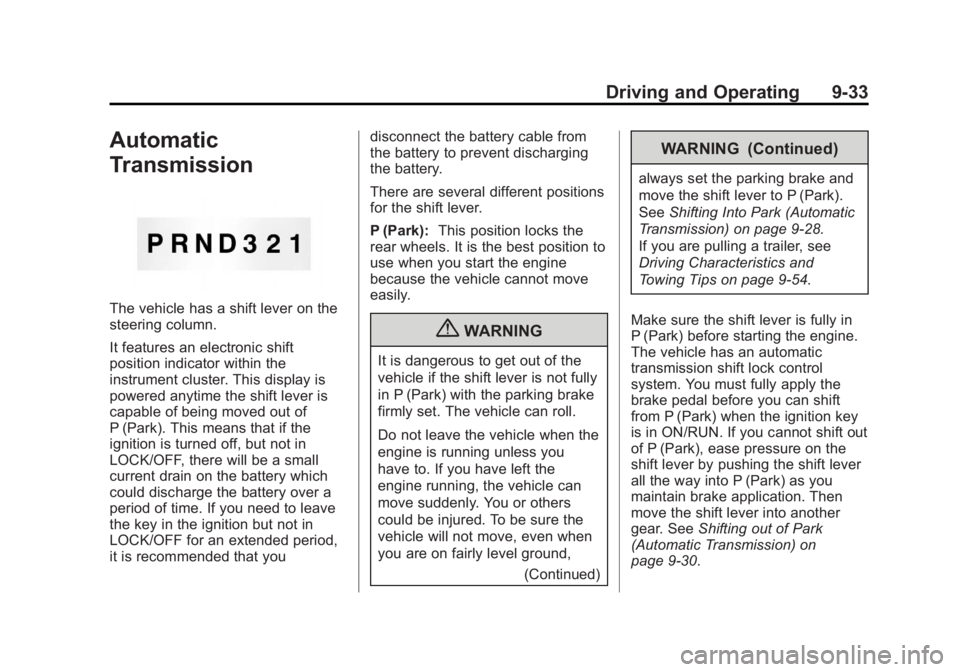
There are several different positions
for the shift lever.
P (Park):
This position locks the
rear wheels. It is the best position to
use when you start the engine
because the vehicle cannot move
easily.
{WARNING
It is dangerous to get out of the
vehicle if the shift lever is not fully
in P (Park) with the parking brake
firmly set. The vehicle can roll.
Do not leave the vehicle when the
engine is running unless you
have to. If you have left the
engine running, the vehicle can
move suddenly. You or others
could be injured. To be sure the
vehicle will not move, even when
you are on fairly level ground,
(Continued)
WARNING (Continued)
always set the parking brake and
move the shift lever to P (Park).
SeeShifting Into Park (Automatic
Transmission) on page 9‑28.
If you are pulling a trailer, see
Driving Characteristics and
Towing Tips on page 9‑54.
Make sure the shift lever is fully in
P (Park) before starting the engine.
The vehicle has an automatic
transmission shift lock control
system. You must fully apply the
brake pedal before you can shift
from P (Park) when the ignition key
is in ON/RUN. If you cannot shift out
of P (Park), ease pressure on the
shift lever by pushing the shift lever
all the way into P (Park) as you
maintain brake application. Then
move the shift lever into another
gear. See Shifting out of Park
(Automatic Transmission) on
page 9‑30.
Page 224 of 404
Black plate (44,1)GMC Canyon Owner Manual - 2012
9-44 Driving and Operating
Ride Control Systems
Traction Control
System (TCS)
The Traction Control System (TCS)
is part of StabiliTrak. TCS limits
wheel slip which is especially useful
in slippery road conditions. The
system operates only if it senses
that any of the wheels are spinning
or beginning to lose traction. When
this happens, TCS applies the
brakes to limit wheel spin and also
reduces engine power. The system
may be heard or felt while it is
working. This is normal and does
not mean there is a problem with
the vehicle.
Notice:If the wheel(s) of one axle
is allowed to spin excessively
while the StabiliTrak
®, ABS, brake
warning lights, and any relevant
DIC messages are displayed, the
transfer case could be damaged.
The repairs would not be covered
by the vehicle warranty. Reduce
engine power and do not spin the wheel(s) excessively while these
lights and messages are
displayed.
TCS can operate on dry roads
under some conditions. When this
happens, the system may be
heard working or a reduction in
acceleration may be noticed. This is
normal and does not mean there is
a problem with the vehicle.
Examples of these conditions
include hard acceleration in a turn,
an abrupt upshift or downshift of the
transmission or driving on rough
roads.
If cruise control is being used
when TCS begins to limit wheel
spin, the cruise control automatically
disengages. The cruise control
can be re-engaged when road
conditions allow. See
Cruise Control
on page 9‑47.
The message TRACTION FAULT
appears in the Driver Information
Center (DIC) when a TCS or
Antilock Brake System (ABS)
problem has been detected and the vehicle needs service. When
this message is on, the system will
not limit wheel spin. Adjust your
driving accordingly. See
Ride
Control System Messages on
page 5‑26.
The TCS/StabiliTrak light will flash
on the instrument panel cluster
when the TCS system or StabiliTrak
is both on and activated.
The TCS/StabiliTrak button is
located on the instrument panel.
Page 225 of 404
Black plate (45,1)GMC Canyon Owner Manual - 2012
Driving and Operating 9-45
To turn off TCS, press and release
the TCS/StabiliTrak button. The
StabiliTrak Off light comes on in the
instrument panel cluster, and TRAC
OFF comes on the DIC. To turn
TCS back on, press and release the
TCS/StabiliTrak button.
Adding non-dealer/non-retailer
accessories can affect the vehicle
performance. SeeAccessories and
Modifications on page 10‑4.
StabiliTrak®System
The vehicle has an electronic
stability control system called
StabiliTrak. It is an advanced
computer controlled system that
assists the driver with directional
control of the vehicle in difficult
driving conditions. StabiliTrak activates when the
computer senses a discrepancy
between the intended path and the
direction the vehicle is actually
traveling. StabiliTrak selectively
applies braking pressure at any one
of the vehicle's brakes to assist the
driver with keeping the vehicle on
the intended path.
When the vehicle is started and
begins to move, the system
performs several diagnostic checks
to insure there are no problems.
The system may be heard or felt
while it is working. This is normal
and does not mean there is a
problem with the vehicle. The
system should initialize before the
vehicle reaches 32 km/h (20 mph).
In some cases, it may take
approximately two miles of driving
before the system initializes.
If cruise control is being used when
StabiliTrak activates, the cruise
control automatically disengages.
The cruise control can be
re-engaged when road conditions
allow. See
Cruise Control on
page 9‑47.
If there is a problem detected with
StabiliTrak, a SERVICE STAB SYS
message displays on the Driver
Information Center (DIC). See Ride
Control System Messages on
page 5‑26 for more information.
When this message is displayed,
the system is not working. Adjust
your driving accordingly.
StabiliTrak and Traction Control
(TCS) come on automatically
whenever the vehicle is started and
the systems are reset with each
ignition cycle. However, when
the transfer case is placed in
Four-Wheel-Low mode, StabiliTrak
is automatically disabled. See
Four-Wheel Drive on page 10‑30
for more information. It is
recommended to leave the system
on for normal driving conditions, but
Page 226 of 404
Black plate (46,1)GMC Canyon Owner Manual - 2012
9-46 Driving and Operating
it may be necessary to turn the TCS
portion of the system off if the
vehicle is stuck in sand, mud, ice,
or snow, and it is necessary to
“rock”the vehicle to attempt to free
it. If traction control is turned off,
only the brake-traction control
portion of traction control will work.
The engine speed management will
be disabled. In this mode, engine
power is not reduced automatically
and the drive wheels can spin more
freely. This can cause the
brake-traction control to activate
constantly. See If the Vehicle Is
Stuck on page 9‑16.
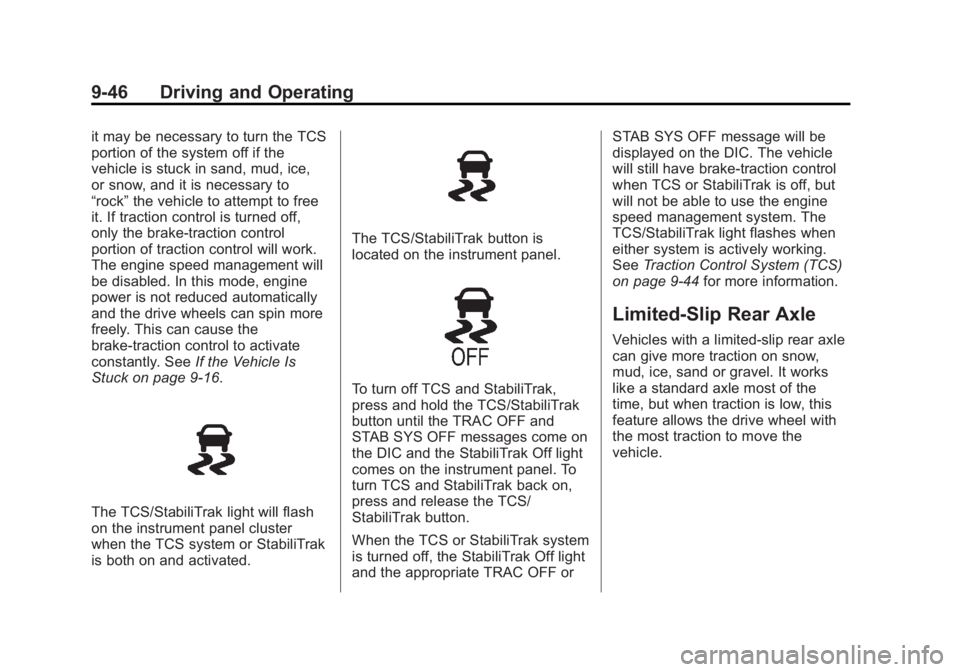
The TCS/StabiliTrak light will flash
on the instrument panel cluster
when the TCS system or StabiliTrak
is both on and activated.
The TCS/StabiliTrak button is
located on the instrument panel.
To turn off TCS and StabiliTrak,
press and hold the TCS/StabiliTrak
button until the TRAC OFF and
STAB SYS OFF messages come on
the DIC and the StabiliTrak Off light
comes on the instrument panel. To
turn TCS and StabiliTrak back on,
press and release the TCS/
StabiliTrak button.
When the TCS or StabiliTrak system
is turned off, the StabiliTrak Off light
and the appropriate TRAC OFF or STAB SYS OFF message will be
displayed on the DIC. The vehicle
will still have brake-traction control
when TCS or StabiliTrak is off, but
will not be able to use the engine
speed management system. The
TCS/StabiliTrak light flashes when
either system is actively working.
See
Traction Control System (TCS)
on page 9‑44 for more information.
Limited-Slip Rear Axle
Vehicles with a limited-slip rear axle
can give more traction on snow,
mud, ice, sand or gravel. It works
like a standard axle most of the
time, but when traction is low, this
feature allows the drive wheel with
the most traction to move the
vehicle.
Page 227 of 404
Black plate (47,1)GMC Canyon Owner Manual - 2012
Driving and Operating 9-47
Cruise Control
With cruise control, a speed of
about 40 km/h (25 mph) or more can
be maintained without keeping your
foot on the accelerator. Cruise
control does not work at speeds
below about 40 km/h (25 mph).
If the brakes are applied, the cruise
control shuts off.
{WARNING
Cruise control can be dangerous
where you cannot drive safely at
a steady speed. So, do not use
the cruise control on winding
roads or in heavy traffic.
Cruise control can be dangerous
on slippery roads. On such roads,
fast changes in tire traction can
cause excessive wheel slip, and
you could lose control. Do not use
cruise control on slippery roads.If the vehicle's StabiliTrak
®/Traction
Control System (TCS) begins to
limit wheel spin while the cruise
control is on, the cruise control
automatically disengages. See
StabiliTrak
®System on page 9‑45 or
Traction Control System (TCS) on
page 9‑44. When road conditions
allow you to safely use it again, the
cruise control can be turned
back on.
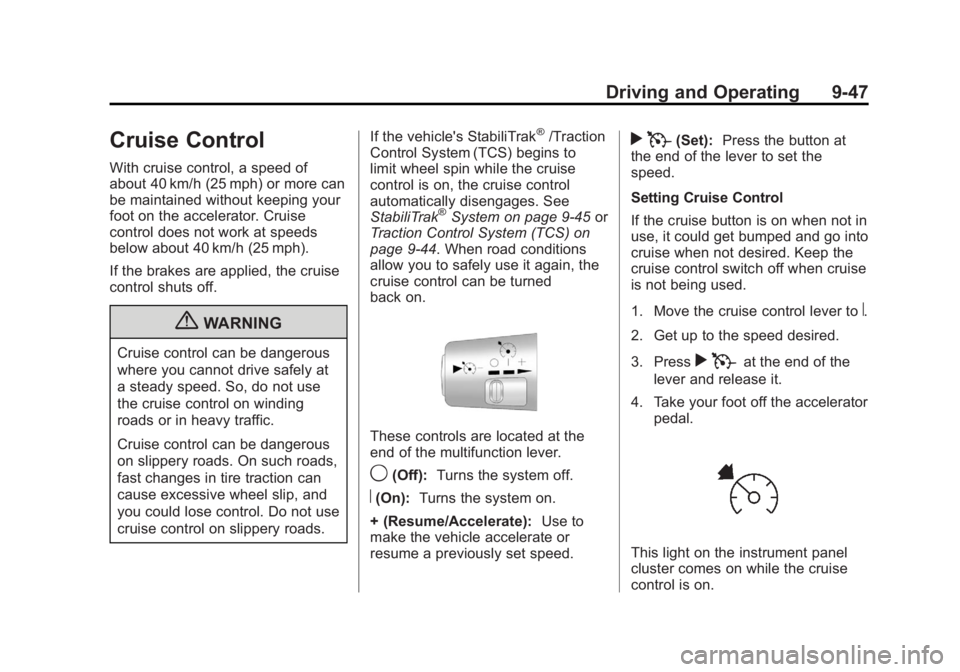
These controls are located at the
end of the multifunction lever.
9(Off): Turns the system off.
R(On):Turns the system on.
+ (Resume/Accelerate): Use to
make the vehicle accelerate or
resume a previously set speed.
r T(Set): Press the button at
the end of the lever to set the
speed.
Setting Cruise Control
If the cruise button is on when not in
use, it could get bumped and go into
cruise when not desired. Keep the
cruise control switch off when cruise
is not being used.
1. Move the cruise control lever to
R.
2. Get up to the speed desired.
3. Press
r Tat the end of the
lever and release it.
4. Take your foot off the accelerator pedal.
This light on the instrument panel
cluster comes on while the cruise
control is on.