instrument panel GMC CANYON 2012 User Guide
[x] Cancel search | Manufacturer: GMC, Model Year: 2012, Model line: CANYON, Model: GMC CANYON 2012Pages: 404, PDF Size: 5.25 MB
Page 69 of 404
Black plate (23,1)GMC Canyon Owner Manual - 2012
Seats and Restraints 3-23
{WARNING
Children who are up against,
or very close to, any airbag when
it inflates can be seriously injured
or killed. Airbags plus
lap-shoulder belts offer protection
for adults and older children, but
not for young children and infants.
Neither the vehicle safety belt
system nor its airbag system is
designed for them. Young
children and infants need the
protection that a child restraint
system can provide. Always
secure children properly in the
vehicle. To read how, seeOlder
Children on page 3‑36 orInfants
and Young Children on
page 3‑38.
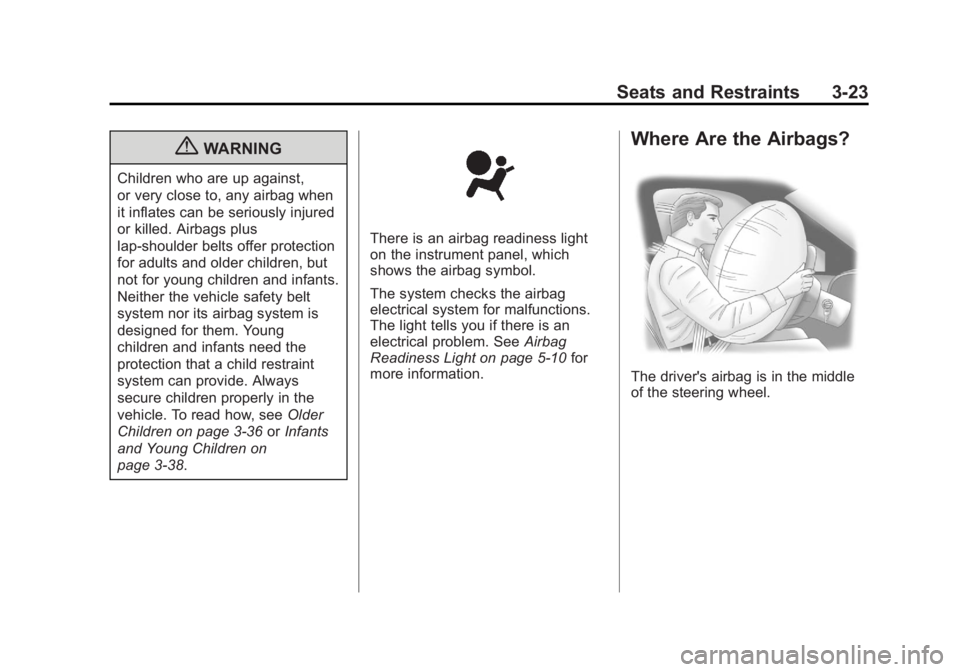
There is an airbag readiness light
on the instrument panel, which
shows the airbag symbol.
The system checks the airbag
electrical system for malfunctions.
The light tells you if there is an
electrical problem. See Airbag
Readiness Light on page 5‑10 for
more information.
Where Are the Airbags?
The driver's airbag is in the middle
of the steering wheel.
Page 70 of 404
Black plate (24,1)GMC Canyon Owner Manual - 2012
3-24 Seats and Restraints
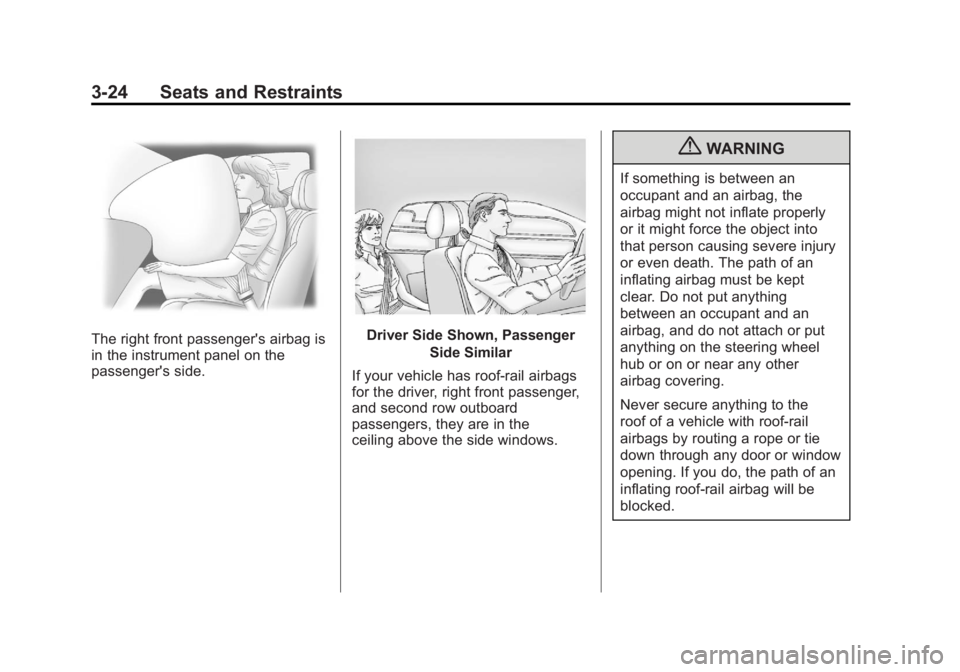
The right front passenger's airbag is
in the instrument panel on the
passenger's side.Driver Side Shown, PassengerSide Similar
If your vehicle has roof-rail airbags
for the driver, right front passenger,
and second row outboard
passengers, they are in the
ceiling above the side windows.
{WARNING
If something is between an
occupant and an airbag, the
airbag might not inflate properly
or it might force the object into
that person causing severe injury
or even death. The path of an
inflating airbag must be kept
clear. Do not put anything
between an occupant and an
airbag, and do not attach or put
anything on the steering wheel
hub or on or near any other
airbag covering.
Never secure anything to the
roof of a vehicle with roof-rail
airbags by routing a rope or tie
down through any door or window
opening. If you do, the path of an
inflating roof-rail airbag will be
blocked.
Page 72 of 404
Black plate (26,1)GMC Canyon Owner Manual - 2012
3-26 Seats and Restraints
Your vehicle may or may not have
roof-rail airbags. SeeAirbag System
on page 3‑21. Roof-rail airbags are
intended to inflate in moderate to
severe side crashes. Roof-rail
airbags will inflate if the crash
severity is above the system's
designed threshold level. The
threshold level can vary with
specific vehicle design.
Roof-rail airbags are not intended to
inflate in frontal impacts, near-frontal
impacts, rollovers, or rear impacts.
Both roof-rail airbags will deploy
when either side of the vehicle
is struck.
In any particular crash, no one can
say whether an airbag should have
inflated simply because of the
damage to a vehicle or because
of what the repair costs were.
For frontal airbags, inflation is
determined by what the vehicle hits,
the angle of the impact, and how
quickly the vehicle slows down.
For roof-rail airbags, deployment is
determined by the location and
severity of the side impact.What Makes an Airbag
Inflate?
In a deployment event, the sensing
system sends an electrical signal
triggering a release of gas from the
inflator. Gas from the inflator fills the
airbag causing the bag to break out
of the cover and deploy. The inflator,
the airbag, and related hardware are
all part of the airbag module.
Frontal airbag modules are located
inside the steering wheel and
instrument panel. For vehicles with
seat‐mounted side impact airbags,
there are airbags modules in the
side of the front seatbacks closest
to the door. For vehicles with
roof-rail airbags, there are airbag
modules in the ceiling of the vehicle,
near the side windows that have
occupant seating positions.
How Does an Airbag
Restrain?
In moderate to severe frontal or
near frontal collisions, even belted
occupants can contact the steering
wheel or the instrument panel. In
moderate to severe side collisions,
even belted occupants can contact
the inside of the vehicle.
Airbags supplement the protection
provided by safety belts. Frontal
airbags distribute the force of the
impact more evenly over the
occupant's upper body, stopping the
occupant more gradually. Roof-rail
airbags distribute the force of the
impact more evenly over the
occupant's upper body.
But airbags would not help in
many types of collisions, primarily
because the occupant's motion is
not toward those airbags. See When
Should an Airbag Inflate? on
page 3‑25 for more information.
Page 74 of 404
Black plate (28,1)GMC Canyon Owner Manual - 2012
3-28 Seats and Restraints
Additional windshield breakage may
also occur from the right front
passenger airbag.
.Airbags are designed to inflate
only once. After an airbag
inflates, you will need some new
parts for the airbag system.
If you do not get them, the
airbag system will not be there
to help protect you in another
crash. A new system will include
airbag modules and possibly
other parts. The service manual
for your vehicle covers the need
to replace other parts.
.Your vehicle has a crash
sensing and diagnostic module
which records information after
a crash. SeeVehicle Data
Recording and Privacy on
page 13‑20 andEvent Data
Recorders on page 13‑20.
.Let only qualified technicians
work on the airbag system.
Improper service can mean that
the airbag system will not work
properly. See your dealer for
service.
Passenger Sensing
System
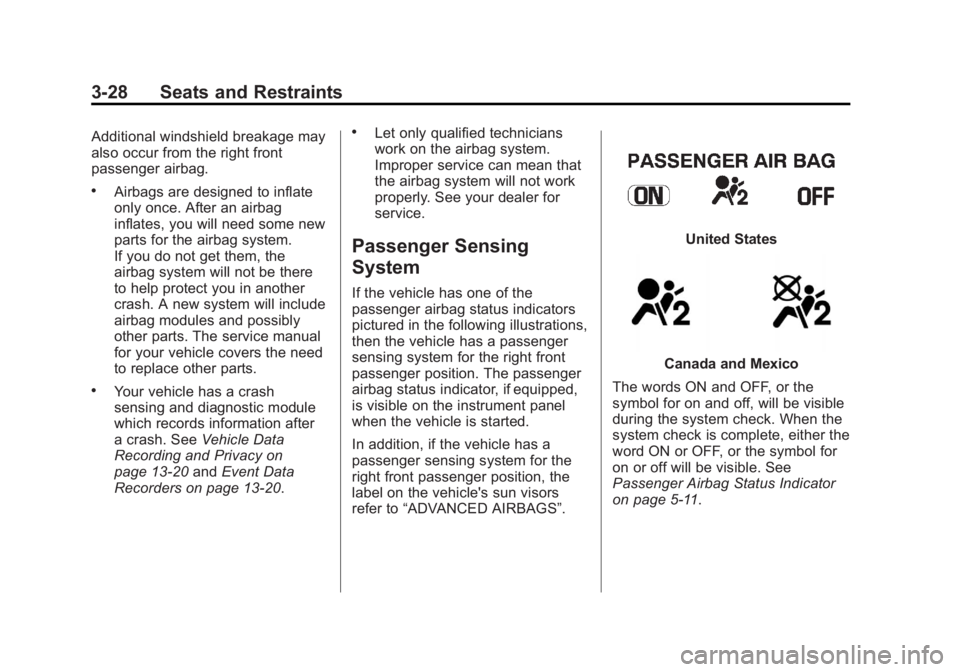
If the vehicle has one of the
passenger airbag status indicators
pictured in the following illustrations,
then the vehicle has a passenger
sensing system for the right front
passenger position. The passenger
airbag status indicator, if equipped,
is visible on the instrument panel
when the vehicle is started.
In addition, if the vehicle has a
passenger sensing system for the
right front passenger position, the
label on the vehicle's sun visors
refer to “ADVANCED AIRBAGS”.
United States
Canada and Mexico
The words ON and OFF, or the
symbol for on and off, will be visible
during the system check. When the
system check is complete, either the
word ON or OFF, or the symbol for
on or off will be visible. See
Passenger Airbag Status Indicator
on page 5‑11.
Page 80 of 404
Black plate (34,1)GMC Canyon Owner Manual - 2012
3-34 Seats and Restraints
Adding Equipment to the
Airbag-Equipped Vehicle
Q: Is there anything I might addto or change about the vehicle
that could keep the airbags
from working properly?
A: Yes. If you add things that
change the vehicle's frame,
bumper system, height, front end
or side sheet metal, they may
keep the airbag system from
working properly. Changing or
moving any parts of the front
seats, safety belts, the airbag
sensing and diagnostic module,
steering wheel, instrument
panel, roof-rail airbag modules,
ceiling headliner or pillar garnish
trim, front sensors, or airbag
wiring can affect the operation
of the airbag system.
In addition, the vehicle may have
a passenger sensing system for
the right front passenger
position, which includes sensors
that are part of the passenger
seat. The passenger sensing system may not operate properly
if the original seat trim is
replaced with non-GM covers,
upholstery or trim, or with
GM covers, upholstery or trim
designed for a different vehicle.
Any object, such as an
aftermarket seat heater or a
comfort enhancing pad or
device, installed under or on top
of the seat fabric, could also
interfere with the operation of
the passenger sensing system.
This could either prevent proper
deployment of the passenger
airbag(s) or prevent the
passenger sensing system from
properly turning off the
passenger airbag(s). See
Passenger Sensing System on
page 3‑28.
If you have any questions, call
Customer Assistance. The
phone numbers and addresses
for Customer Assistance are in
Step Two of the Customer
Satisfaction Procedure in this
manual. See
Customer Satisfaction Procedure (U.S. and
Canada) on page 13‑3
or
Customer Satisfaction
Procedure (Mexico) on
page 13‑3.
Q: Because I have a disability, I have to get my vehicle
modified. How can I find out
whether this will affect my
airbag system?
A: If you have questions, call
Customer Assistance. The
phone numbers and addresses
for Customer Assistance are in
Step Two of the Customer
Satisfaction Procedure in this
manual. See Customer
Satisfaction Procedure (U.S. and
Canada) on page 13‑1 or
Customer Satisfaction
Procedure (Mexico) on
page 13‑3.
In addition, your dealer and the
service manual have information
about the location of the airbag
sensors, sensing and diagnostic
module and airbag wiring.
Page 120 of 404
Black plate (10,1)GMC Canyon Owner Manual - 2012
5-10 Instruments and Controls
If the driver safety belt is already
buckled, neither the chime nor the
light comes on.
Passenger Safety Belt
Reminder Light
For vehicles equipped with the
passenger safety belt reminder light,
several seconds after the engine is
started, a chime sounds for several
seconds to remind the front
passenger to buckle their safety
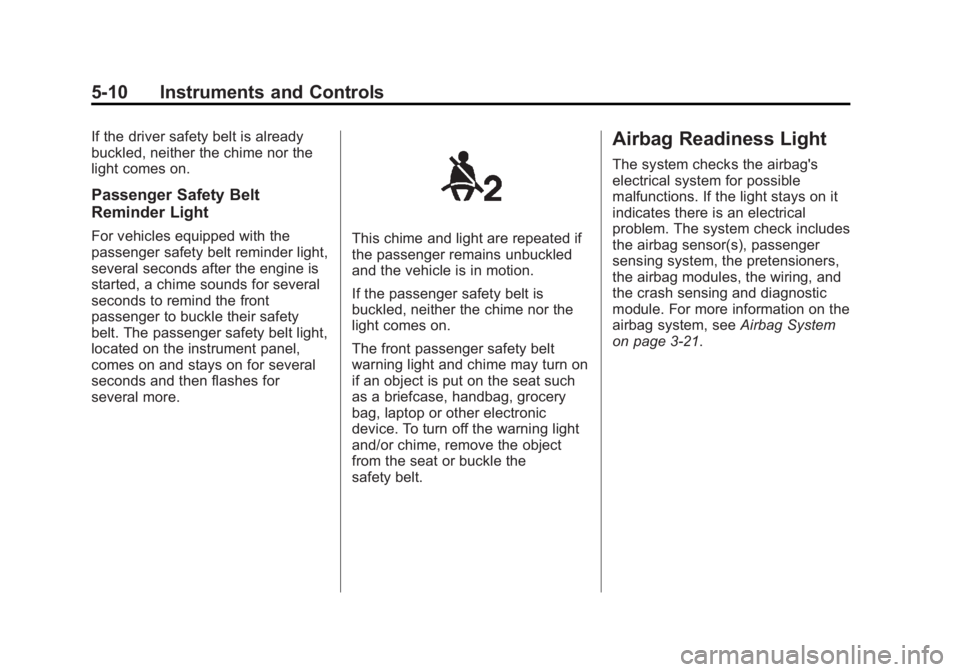
belt. The passenger safety belt light,
located on the instrument panel,
comes on and stays on for several
seconds and then flashes for
several more.This chime and light are repeated if
the passenger remains unbuckled
and the vehicle is in motion.
If the passenger safety belt is
buckled, neither the chime nor the
light comes on.
The front passenger safety belt
warning light and chime may turn on
if an object is put on the seat such
as a briefcase, handbag, grocery
bag, laptop or other electronic
device. To turn off the warning light
and/or chime, remove the object
from the seat or buckle the
safety belt.
Airbag Readiness Light
The system checks the airbag's
electrical system for possible
malfunctions. If the light stays on it
indicates there is an electrical
problem. The system check includes
the airbag sensor(s), passenger
sensing system, the pretensioners,
the airbag modules, the wiring, and
the crash sensing and diagnostic
module. For more information on the
airbag system, seeAirbag System
on page 3‑21.
Page 121 of 404
Black plate (11,1)GMC Canyon Owner Manual - 2012
Instruments and Controls 5-11
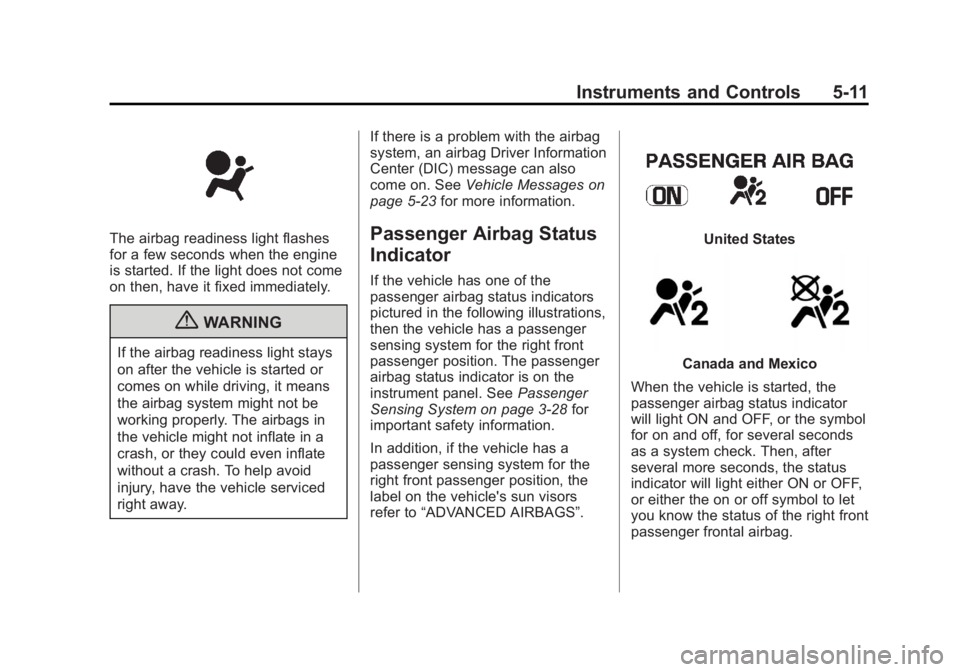
The airbag readiness light flashes
for a few seconds when the engine
is started. If the light does not come
on then, have it fixed immediately.
{WARNING
If the airbag readiness light stays
on after the vehicle is started or
comes on while driving, it means
the airbag system might not be
working properly. The airbags in
the vehicle might not inflate in a
crash, or they could even inflate
without a crash. To help avoid
injury, have the vehicle serviced
right away.If there is a problem with the airbag
system, an airbag Driver Information
Center (DIC) message can also
come on. See
Vehicle Messages on
page 5‑23 for more information.
Passenger Airbag Status
Indicator
If the vehicle has one of the
passenger airbag status indicators
pictured in the following illustrations,
then the vehicle has a passenger
sensing system for the right front
passenger position. The passenger
airbag status indicator is on the
instrument panel. See Passenger
Sensing System on page 3‑28 for
important safety information.
In addition, if the vehicle has a
passenger sensing system for the
right front passenger position, the
label on the vehicle's sun visors
refer to “ADVANCED AIRBAGS”.
United States
Canada and Mexico
When the vehicle is started, the
passenger airbag status indicator
will light ON and OFF, or the symbol
for on and off, for several seconds
as a system check. Then, after
several more seconds, the status
indicator will light either ON or OFF,
or either the on or off symbol to let
you know the status of the right front
passenger frontal airbag.
Page 124 of 404
Black plate (14,1)GMC Canyon Owner Manual - 2012
5-14 Instruments and Controls
Light On Steady:An emission
control system malfunction has
been detected on the vehicle.
Diagnosis and service might
be required.
The following may correct an
emission system malfunction:
.Check that the fuel cap is fully
installed. See Filling the Tank on
page 9‑52. The diagnostic
system can determine if the
fuel cap has been left off or
improperly installed. A loose or
missing fuel cap allows fuel to
evaporate into the atmosphere.
A few driving trips with the cap
properly installed should turn
the light off.
.Check that good quality fuel is
used. Poor fuel quality causes
the engine not to run as
efficiently as designed and may
cause stalling after start-up,
stalling when the vehicle is
changed into gear, misfiring,
hesitation on acceleration,
or stumbling on acceleration.
These conditions might go away
once the engine is warmed up.
If one or more of these conditions
occurs, change the fuel brand used.
It will require at least one full tank of
the proper fuel to turn the light off.
See Recommended Fuel on
page 9‑49.
If none of the above have made the
light turn off, your dealer can check
the vehicle. The dealer has the
proper test equipment and
diagnostic tools to fix any
mechanical or electrical problems
that might have developed.Emissions Inspection and
Maintenance Programs
Some local governments may have
programs to inspect the on-vehicle
emission control equipment. For the
inspection, the emission system test
equipment is connected to the
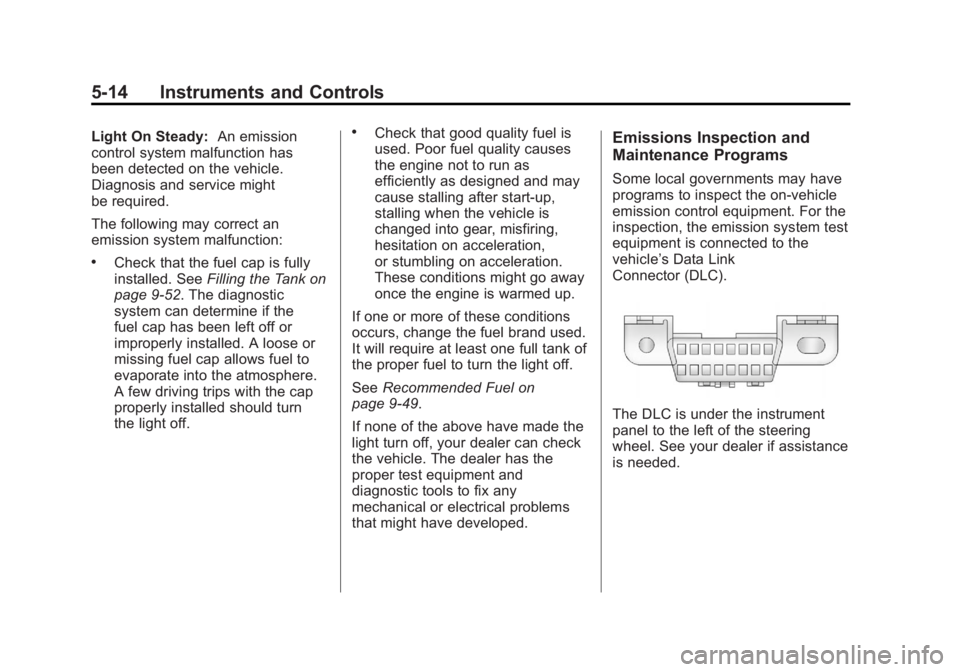
vehicle’s Data Link
Connector (DLC).
The DLC is under the instrument
panel to the left of the steering
wheel. See your dealer if assistance
is needed.
Page 130 of 404
Black plate (20,1)GMC Canyon Owner Manual - 2012
5-20 Instruments and Controls
Information Displays
Driver Information
Center (DIC)
The Driver Information Center (DIC)
displays information such as the trip
odometer, personalization features,
and warning messages. The DIC
display is located on the instrument
panel cluster.
Operation and Displays
The Driver Information Center (DIC)
comes on when the ignition is on.
If a problem is detected, a warning
message appears on the display.
Pressing and releasing the trip
odometer reset stem on the DIC
acknowledges some current
warnings or service messages.
Some messages only clear after the
required action has been taken.
The DIC has different menu items
which can be accessed by pressing
the trip odometer reset stem on the
DIC. This includes trip information,such as the odometer and trip
odometer, engine oil life reset, and
personalization features that are
explained in the following
information. The DIC trip odometer
reset stem is located on the
instrument panel cluster next to
the DIC display.
Trip Information
Odometer
The odometer is automatically
displayed on the DIC when you start
the vehicle. The odometer shows
the total distance the vehicle has
been driven in either miles for the
United States or kilometers for
Canada.
Trip Odometer
Press and release the reset stem
until TRIP appears on the DIC
display. The trip odometer shows
the current distance traveled since
the last reset of the trip odometer in
either miles for the United States or
kilometers for Canada.
To reset the trip odometer, press
and hold the reset stem until the
display returns to zero.
Engine Oil Life System
With the engine off, turn the
key to ON/RUN and then press the
reset stem until OIL LIFE RESET
appears
—alternating between OIL
LIFE and RESET —on the DIC
display. The CHANGE OIL message
alerts you to change the oil on a
schedule consistent with your
driving conditions. Always reset the
OIL LIFE message after an oil
change. To reset the message, see
Engine Oil Life System on
page 10‑12.
In addition to the engine oil life
system monitoring the oil life,
additional maintenance is
recommended in the Maintenance
Schedule in this manual. See
Engine Oil on page 10‑9 and
Maintenance Schedule on
page 11‑3 for more information.
Page 133 of 404
Black plate (23,1)GMC Canyon Owner Manual - 2012
Instruments and Controls 5-23
Vehicle Messages
Messages are displayed on the DIC
to notify the driver that the status of
the vehicle has changed and that
some action may be needed by the
driver to correct the condition.
Multiple messages may appear one
after another. The messages are
displayed for several seconds each.
Some messages may not require
immediate action, but you should
press and release the trip odometer
reset stem to acknowledge that you
received the messages and to clear
them from the display. Each
message must be acknowledged
individually.
Some messages cannot be cleared
from the DIC display because they
are more urgent. These messages
require action before they can be
cleared. You should take any
messages that appear on the
display seriously and remember that
clearing the messages only makes
the messages disappear, not correct
the problem.The following are the possible
messages that can be displayed
and some information about them.
Battery Voltage and
Charging Messages
SERVICE CHARG (Charge)
SYS (System)
This message displays if there is a
problem with the battery charging
system. Under certain conditions,
the battery warning light may also
turn on in the instrument panel
cluster. See
Charging System Light
on page 5‑12. The battery will not
be charging at an optimal rate and
the vehicle will lose the ability to
enter the fuel economy mode. The
vehicle is safe to drive, however
have the electrical system checked
by your dealer. Press and release
the reset stem to acknowledge the
message and clear it from the
display.
Brake System Messages
ABS (Antilock Brake System)
FAULT
This message displays if there is a
problem with the Antilock Brake
System (ABS). Check the ABS as
soon as possible and have your
vehicle serviced by your dealer. See
Braking on page 9‑4 andAntilock
Brake System (ABS) Warning Light
on page 5‑16 for more information.
Press and release the reset stem to
acknowledge the message and
clear it from the display.
BRAKES
This message displays if there is a
problem with the brakes. Check the
brakes as soon as possible and
have your vehicle serviced by your
dealer. See Braking on page 9‑4
and Antilock Brake System (ABS)
Warning Light on page 5‑16 for
more information. Press and release
the reset stem to acknowledge the
message and clear it from the
display.