wheel GMC CANYON 2012 User Guide
[x] Cancel search | Manufacturer: GMC, Model Year: 2012, Model line: CANYON, Model: GMC CANYON 2012Pages: 404, PDF Size: 5.25 MB
Page 80 of 404
Black plate (34,1)GMC Canyon Owner Manual - 2012
3-34 Seats and Restraints
Adding Equipment to the
Airbag-Equipped Vehicle
Q: Is there anything I might addto or change about the vehicle
that could keep the airbags
from working properly?
A: Yes. If you add things that
change the vehicle's frame,
bumper system, height, front end
or side sheet metal, they may
keep the airbag system from
working properly. Changing or
moving any parts of the front
seats, safety belts, the airbag
sensing and diagnostic module,
steering wheel, instrument
panel, roof-rail airbag modules,
ceiling headliner or pillar garnish
trim, front sensors, or airbag
wiring can affect the operation
of the airbag system.
In addition, the vehicle may have
a passenger sensing system for
the right front passenger
position, which includes sensors
that are part of the passenger
seat. The passenger sensing system may not operate properly
if the original seat trim is
replaced with non-GM covers,
upholstery or trim, or with
GM covers, upholstery or trim
designed for a different vehicle.
Any object, such as an
aftermarket seat heater or a
comfort enhancing pad or
device, installed under or on top
of the seat fabric, could also
interfere with the operation of
the passenger sensing system.
This could either prevent proper
deployment of the passenger
airbag(s) or prevent the
passenger sensing system from
properly turning off the
passenger airbag(s). See
Passenger Sensing System on
page 3‑28.
If you have any questions, call
Customer Assistance. The
phone numbers and addresses
for Customer Assistance are in
Step Two of the Customer
Satisfaction Procedure in this
manual. See
Customer Satisfaction Procedure (U.S. and
Canada) on page 13‑3
or
Customer Satisfaction
Procedure (Mexico) on
page 13‑3.
Q: Because I have a disability, I have to get my vehicle
modified. How can I find out
whether this will affect my
airbag system?
A: If you have questions, call
Customer Assistance. The
phone numbers and addresses
for Customer Assistance are in
Step Two of the Customer
Satisfaction Procedure in this
manual. See Customer
Satisfaction Procedure (U.S. and
Canada) on page 13‑1 or
Customer Satisfaction
Procedure (Mexico) on
page 13‑3.
In addition, your dealer and the
service manual have information
about the location of the airbag
sensors, sensing and diagnostic
module and airbag wiring.
Page 111 of 404
Black plate (1,1)GMC Canyon Owner Manual - 2012
Instruments and Controls 5-1
Instruments and
Controls
Controls
Steering Wheel Adjustment . . . 5-2
Horn . . . . . . . . . . . . . . . . . . . . . . . . . . 5-2
Windshield Wiper/Washer . . . . . 5-2
Compass . . . . . . . . . . . . . . . . . . . . . 5-3
Clock . . . . . . . . . . . . . . . . . . . . . . . . . 5-4
Power Outlets . . . . . . . . . . . . . . . . . 5-5
Cigarette Lighter . . . . . . . . . . . . . . 5-5
Ashtrays . . . . . . . . . . . . . . . . . . . . . . 5-5
Warning Lights, Gauges, and
Indicators
Warning Lights, Gauges, andIndicators . . . . . . . . . . . . . . . . . . . . 5-6
Chime Level Adjustment . . . . . . 5-6
Instrument Cluster . . . . . . . . . . . . 5-7
Speedometer . . . . . . . . . . . . . . . . . 5-8
Odometer . . . . . . . . . . . . . . . . . . . . . 5-8
Trip Odometer . . . . . . . . . . . . . . . . . 5-8
Tachometer . . . . . . . . . . . . . . . . . . . 5-8 Fuel Gauge . . . . . . . . . . . . . . . . . . . 5-8
Engine Coolant Temperature
Gauge . . . . . . . . . . . . . . . . . . . . . . . 5-9
Safety Belt Reminders . . . . . . . . 5-9
Airbag Readiness Light . . . . . . 5-10
Passenger Airbag Status Indicator . . . . . . . . . . . . . . . . . . . . 5-11
Charging System Light . . . . . . 5-12
Malfunction Indicator Lamp . . . . . . . . . . . . . 5-12
Brake System Warning Light . . . . . . . . . . . . . . . . . . . . . . . 5-15
Antilock Brake System (ABS) Warning Light . . . . . . . . . . . . . . 5-16
StabiliTrak
®OFF Light . . . . . . . 5-17
Traction Control System (TCS)/StabiliTrak
®Light . . . . 5-17
Tire Pressure Light . . . . . . . . . . 5-17
Engine Oil Pressure Light . . . . 5-18
Security Light . . . . . . . . . . . . . . . . 5-19
High-Beam On Light . . . . . . . . . 5-19
Cruise Control Light . . . . . . . . . 5-19
Information Displays
Driver Information Center (DIC) . . . . . . . . . . . . . . . 5-20
Vehicle Messages
Vehicle Messages . . . . . . . . . . . 5-23
Battery Voltage and ChargingMessages . . . . . . . . . . . . . . . . . . 5-23
Brake System Messages . . . . 5-23
Door Ajar Messages . . . . . . . . . 5-24
Engine Cooling System Messages . . . . . . . . . . . . . . . . . . 5-24
Engine Oil Messages . . . . . . . . 5-24
Engine Power Messages . . . . 5-25
Fuel System Messages . . . . . . 5-25
Lamp Messages . . . . . . . . . . . . . 5-25
Ride Control System Messages . . . . . . . . . . . . . . . . . . 5-26
Service Vehicle Messages . . . 5-27
Tire Messages . . . . . . . . . . . . . . . 5-27
Transmission Messages . . . . . 5-27
Page 112 of 404
Black plate (2,1)GMC Canyon Owner Manual - 2012
5-2 Instruments and Controls
Controls
Steering Wheel
Adjustment
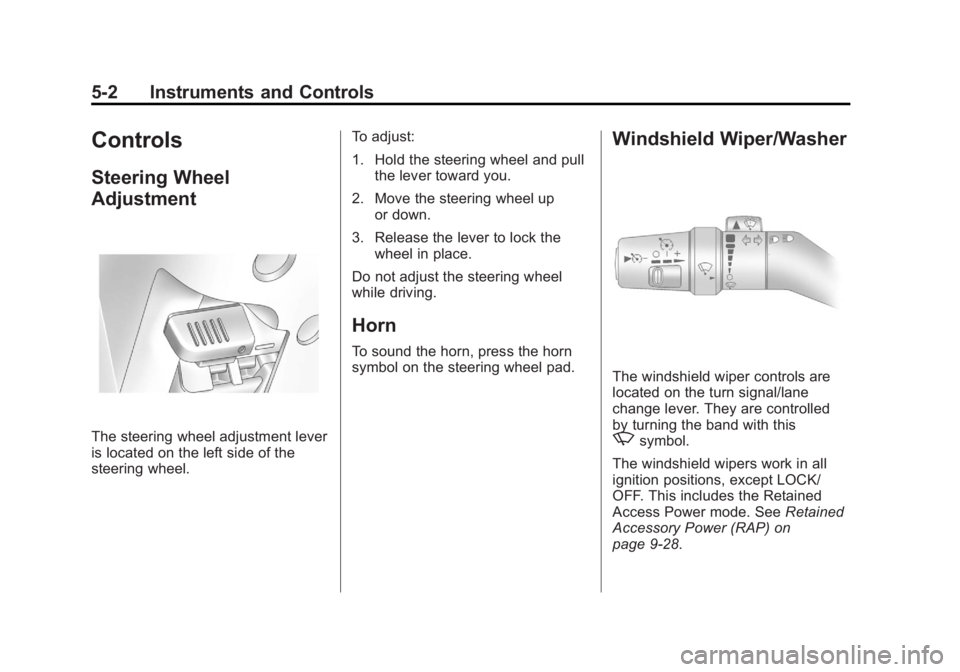
The steering wheel adjustment lever
is located on the left side of the
steering wheel.To adjust:
1. Hold the steering wheel and pull
the lever toward you.
2. Move the steering wheel up or down.
3. Release the lever to lock the wheel in place.
Do not adjust the steering wheel
while driving.
Horn
To sound the horn, press the horn
symbol on the steering wheel pad.
Windshield Wiper/Washer
The windshield wiper controls are
located on the turn signal/lane
change lever. They are controlled
by turning the band with this
zsymbol.
The windshield wipers work in all
ignition positions, except LOCK/
OFF. This includes the Retained
Access Power mode. See Retained
Accessory Power (RAP) on
page 9‑28.
Page 124 of 404
Black plate (14,1)GMC Canyon Owner Manual - 2012
5-14 Instruments and Controls
Light On Steady:An emission
control system malfunction has
been detected on the vehicle.
Diagnosis and service might
be required.
The following may correct an
emission system malfunction:
.Check that the fuel cap is fully
installed. See Filling the Tank on
page 9‑52. The diagnostic
system can determine if the
fuel cap has been left off or
improperly installed. A loose or
missing fuel cap allows fuel to
evaporate into the atmosphere.
A few driving trips with the cap
properly installed should turn
the light off.
.Check that good quality fuel is
used. Poor fuel quality causes
the engine not to run as
efficiently as designed and may
cause stalling after start-up,
stalling when the vehicle is
changed into gear, misfiring,
hesitation on acceleration,
or stumbling on acceleration.
These conditions might go away
once the engine is warmed up.
If one or more of these conditions
occurs, change the fuel brand used.
It will require at least one full tank of
the proper fuel to turn the light off.
See Recommended Fuel on
page 9‑49.
If none of the above have made the
light turn off, your dealer can check
the vehicle. The dealer has the
proper test equipment and
diagnostic tools to fix any
mechanical or electrical problems
that might have developed.Emissions Inspection and
Maintenance Programs
Some local governments may have
programs to inspect the on-vehicle
emission control equipment. For the
inspection, the emission system test
equipment is connected to the
vehicle’s Data Link
Connector (DLC).
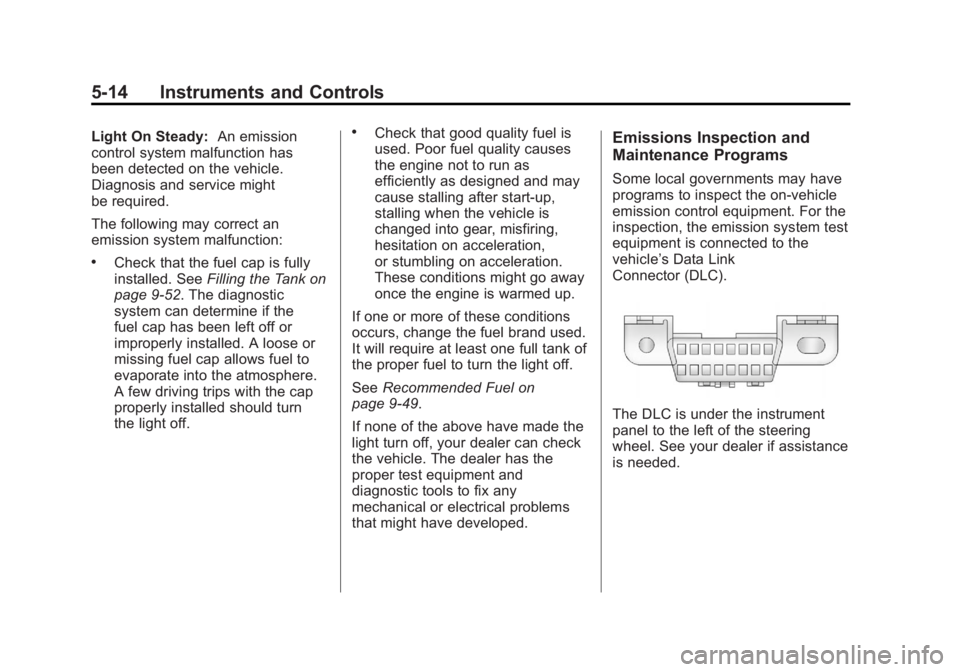
The DLC is under the instrument
panel to the left of the steering
wheel. See your dealer if assistance
is needed.
Page 137 of 404
Black plate (27,1)GMC Canyon Owner Manual - 2012
Instruments and Controls 5-27
Service Vehicle Messages
SERV (Service) VEH (Vehicle)
This message displays if your
vehicle needs service. Have your
vehicle serviced by your dealer as
soon as possible.
Tire Messages
LOW TIRE
This message displays if a low tire
pressure is detected in any of the
vehicle's tires. Press and release
the reset stem to acknowledge the
message and clear it from the
display. The message appears at
each ignition cycle until the tires
are inflated to the correct inflation
pressure. SeeTires on page 10‑48
and Tire Pressure on page 10‑54 for
more information on tires and the
correct inflation pressures.
SERV (Service)
TPM (Tire Pressure Monitor)
This message displays if a part on
the Tire Pressure Monitor System
(TPMS) is not working properly. The
tire pressure light also flashes and
then remains on during the same
ignition cycle. See Tire Pressure
Light on page 5‑17. Several
conditions may cause this message
to appear. See Tire Pressure
Monitor Operation on page 10‑58 for
more information. If the warning
comes on and stays on, there may
be a problem with the TPMS. See
your dealer.
Transmission Messages
SERV (Service)
4WD (Four-Wheel Drive)
This message displays when there
is a problem with the transfer case
control system. Check the transfer
case on your vehicle and have it
serviced by your dealer. See
Four-Wheel Drive on page 9‑37 for
more information about the transfer
case. Press and release the reset
stem to acknowledge the message
and clear it from the display.
Page 139 of 404
Black plate (1,1)GMC Canyon Owner Manual - 2012
Lighting 6-1
Lighting
Exterior Lighting
Exterior Lamp Controls . . . . . . . . 6-1
Exterior Lamps OffReminder . . . . . . . . . . . . . . . . . . . . 6-2
Headlamp High/Low-Beam Changer . . . . . . . . . . . . . . . . . . . . . 6-2
Flash-to-Pass . . . . . . . . . . . . . . . . . 6-3
Daytime Running Lamps (DRL) . . . . . . . . . . . . . . . . 6-3
Automatic Headlamp System . . . . . . . . . . . . . . . . . . . . . . 6-4
Hazard Warning Flashers . . . . . 6-4
Turn and Lane-Change Signals . . . . . . . . . . . . . . . . . . . . . . 6-5
Fog Lamps . . . . . . . . . . . . . . . . . . . . 6-6
Exterior Cargo Lamps . . . . . . . . . 6-6
Interior Lighting
Instrument Panel Illumination Control . . . . . . . . . . . . . . . . . . . . . . 6-7
Dome Lamps . . . . . . . . . . . . . . . . . 6-7
Lighting Features
Exit Lighting . . . . . . . . . . . . . . . . . . . 6-8
Battery Load Management . . . . 6-8
Battery Power Protection . . . . . . 6-8
Exterior Lighting
Exterior Lamp Controls
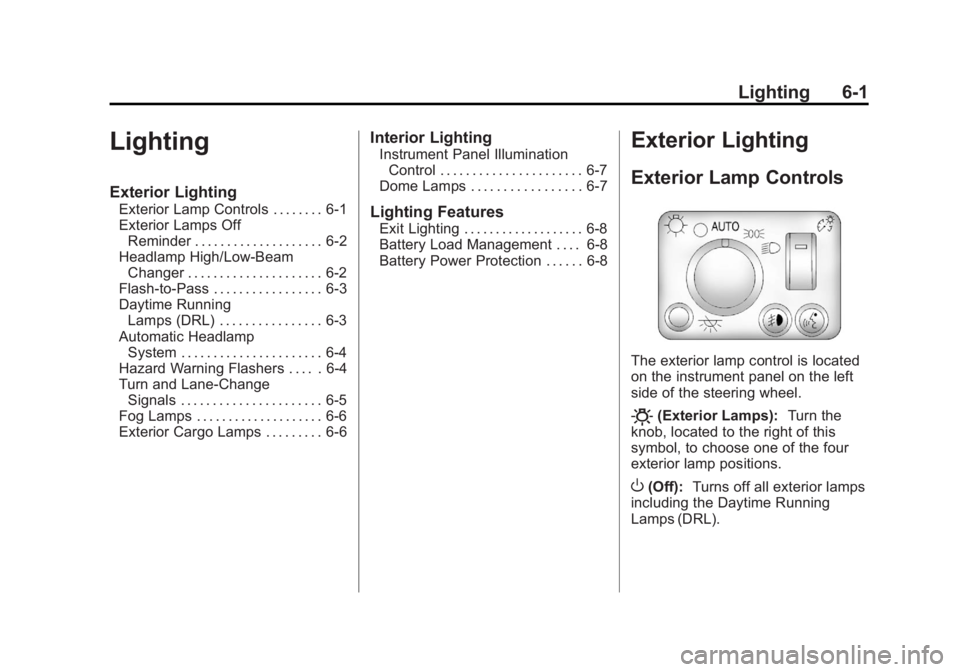
The exterior lamp control is located
on the instrument panel on the left
side of the steering wheel.
O(Exterior Lamps): Turn the
knob, located to the right of this
symbol, to choose one of the four
exterior lamp positions.
O(Off): Turns off all exterior lamps
including the Daytime Running
Lamps (DRL).
Page 144 of 404
Black plate (6,1)GMC Canyon Owner Manual - 2012
6-6 Lighting
Fog Lamps
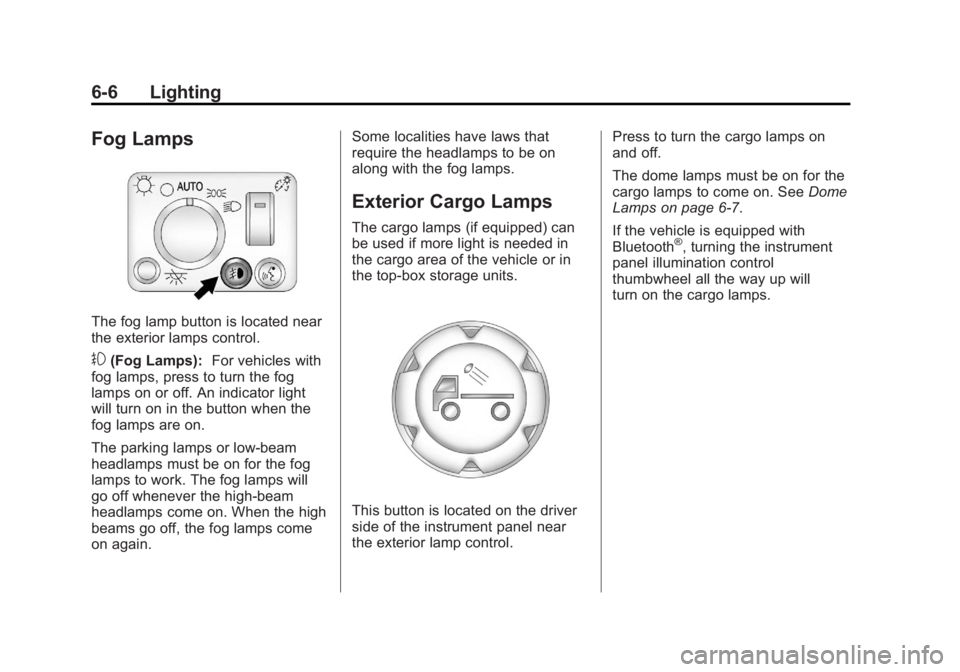
The fog lamp button is located near
the exterior lamps control.
#(Fog Lamps):For vehicles with
fog lamps, press to turn the fog
lamps on or off. An indicator light
will turn on in the button when the
fog lamps are on.
The parking lamps or low-beam
headlamps must be on for the fog
lamps to work. The fog lamps will
go off whenever the high-beam
headlamps come on. When the high
beams go off, the fog lamps come
on again. Some localities have laws that
require the headlamps to be on
along with the fog lamps.
Exterior Cargo Lamps
The cargo lamps (if equipped) can
be used if more light is needed in
the cargo area of the vehicle or in
the top-box storage units.
This button is located on the driver
side of the instrument panel near
the exterior lamp control.
Press to turn the cargo lamps on
and off.
The dome lamps must be on for the
cargo lamps to come on. See
Dome
Lamps on page 6‑7.
If the vehicle is equipped with
Bluetooth
®, turning the instrument
panel illumination control
thumbwheel all the way up will
turn on the cargo lamps.
Page 145 of 404
Black plate (7,1)GMC Canyon Owner Manual - 2012
Lighting 6-7
Interior Lighting
Instrument Panel
Illumination Control
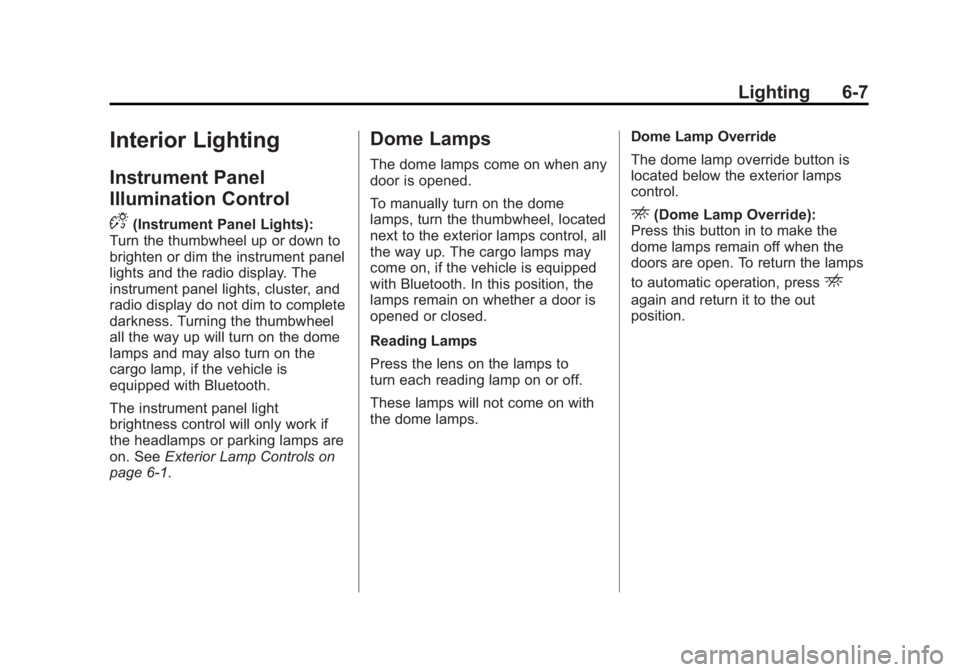
D
(Instrument Panel Lights):
Turn the thumbwheel up or down to
brighten or dim the instrument panel
lights and the radio display. The
instrument panel lights, cluster, and
radio display do not dim to complete
darkness. Turning the thumbwheel
all the way up will turn on the dome
lamps and may also turn on the
cargo lamp, if the vehicle is
equipped with Bluetooth.
The instrument panel light
brightness control will only work if
the headlamps or parking lamps are
on. See Exterior Lamp Controls on
page 6‑1.
Dome Lamps
The dome lamps come on when any
door is opened.
To manually turn on the dome
lamps, turn the thumbwheel, located
next to the exterior lamps control, all
the way up. The cargo lamps may
come on, if the vehicle is equipped
with Bluetooth. In this position, the
lamps remain on whether a door is
opened or closed.
Reading Lamps
Press the lens on the lamps to
turn each reading lamp on or off.
These lamps will not come on with
the dome lamps. Dome Lamp Override
The dome lamp override button is
located below the exterior lamps
control.
E(Dome Lamp Override):
Press this button in to make the
dome lamps remain off when the
doors are open. To return the lamps
to automatic operation, press
E
again and return it to the out
position.
Page 179 of 404
Black plate (3,1)GMC Canyon Owner Manual - 2012
Climate Controls 8-3
@(Recirculation):Press to turn
the recirculation mode on or off. An
indicator light on the button comes
on to show that the recirculation
mode is on. This mode recirculates
and helps to quickly cool the air
inside the vehicle. It can be used to
prevent outside air and odors from
entering the vehicle.
The recirculation mode cannot be
used with floor/defog, defrost,
or defogging modes. If recirculation
is selected in these modes, the
indicator will flash or not come on.Air Vents
Use the thumbwheel on the outlets
to change the direction of the
air flow.
Lift up or push down on the
thumbwheel located in the center of
the outlet to direct the air up or
down, or slide the thumbwheel to
the left or right to direct the airflow
from side‐to‐side. Operation Tips.Clear away any ice, snow or
leaves from the air inlets at the
base of the windshield that may
block the flow of air into the
vehicle.
.Use of non-GM approved hood
deflectors may adversely affect
the performance of the system.
.Keep the path under the front
seats clear of objects to help
circulate the air inside of the
vehicle more effectively.
Page 181 of 404
Black plate (1,1)GMC Canyon Owner Manual - 2012
Driving and Operating 9-1
Driving and
Operating
Driving Information
Distracted Driving . . . . . . . . . . . . . 9-2
Defensive Driving . . . . . . . . . . . . . 9-3
Drunk Driving . . . . . . . . . . . . . . . . . 9-3
Control of a Vehicle . . . . . . . . . . . 9-4
Braking . . . . . . . . . . . . . . . . . . . . . . . 9-4
Steering . . . . . . . . . . . . . . . . . . . . . . . 9-4
Off-Road Recovery . . . . . . . . . . . . 9-5
Loss of Control . . . . . . . . . . . . . . . . 9-5
Off-Road Driving . . . . . . . . . . . . . . 9-6
Driving on Wet Roads . . . . . . . 9-12
Highway Hypnosis . . . . . . . . . . . 9-13
Hill and Mountain Roads . . . . . 9-13
Winter Driving . . . . . . . . . . . . . . . 9-14
If the Vehicle Is Stuck . . . . . . . . 9-16
Vehicle Load Limits . . . . . . . . . . 9-18
Truck-Camper LoadingInformation . . . . . . . . . . . . . . . . . 9-23
Starting and Operating
New Vehicle Break-In . . . . . . . . 9-24
Ignition Positions . . . . . . . . . . . . 9-24
Starting the Engine . . . . . . . . . . 9-26
Engine Heater . . . . . . . . . . . . . . . 9-27
Retained AccessoryPower (RAP) . . . . . . . . . . . . . . . 9-28
Shifting Into Park (Automatic Transmission) . . . . . . . . . . . . . . 9-28
Shifting out of Park (Automatic Transmission) . . . . . . . . . . . . . . 9-30
Parking (Manual Transmission) . . . . . . . . . . . . . . 9-30
Parking over Things That Burn . . . . . . . . . . . . . . . . . . 9-31
Engine Exhaust
Engine Exhaust . . . . . . . . . . . . . . 9-31
Running the Vehicle WhileParked . . . . . . . . . . . . . . . . . . . . . 9-32
Automatic Transmission
Automatic Transmission . . . . . 9-33
Manual Transmission
Manual Transmission . . . . . . . . 9-35
Drive Systems
Four-Wheel Drive . . . . . . . . . . . . 9-37
Brakes
Antilock BrakeSystem (ABS) . . . . . . . . . . . . . . 9-41
Parking Brake . . . . . . . . . . . . . . . 9-42
Brake Assist . . . . . . . . . . . . . . . . . 9-43
Ride Control Systems
Traction Control System (TCS) . . . . . . . . . . . . . . 9-44
StabiliTrak
®System . . . . . . . . . 9-45
Limited-Slip Rear Axle . . . . . . . 9-46
Cruise Control
Cruise Control . . . . . . . . . . . . . . . 9-47