airbag GMC CANYON 2012 Owner's Guide
[x] Cancel search | Manufacturer: GMC, Model Year: 2012, Model line: CANYON, Model: GMC CANYON 2012Pages: 404, PDF Size: 5.25 MB
Page 120 of 404
Black plate (10,1)GMC Canyon Owner Manual - 2012
5-10 Instruments and Controls
If the driver safety belt is already
buckled, neither the chime nor the
light comes on.
Passenger Safety Belt
Reminder Light
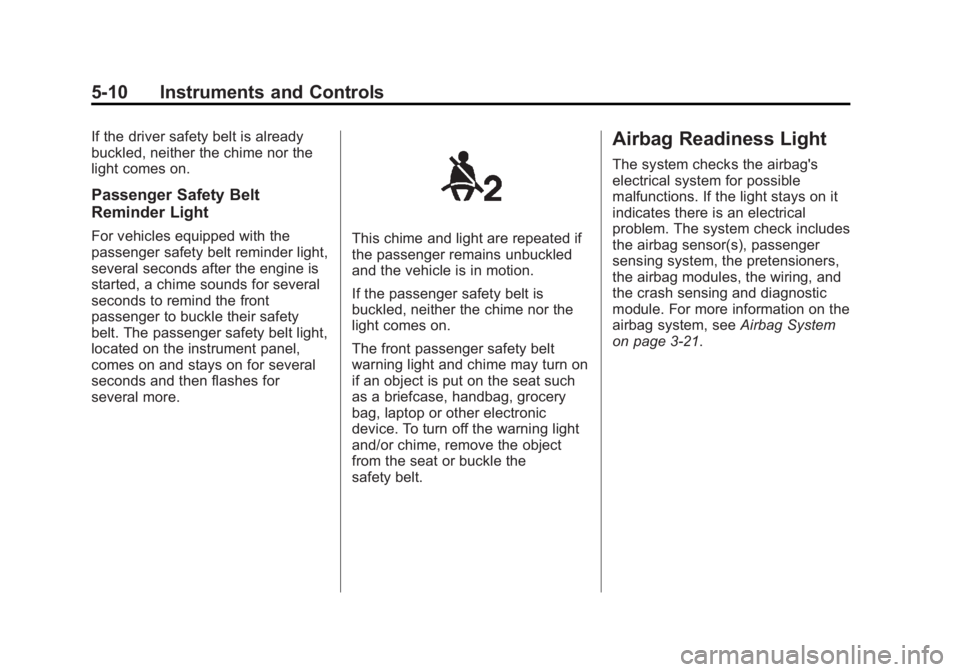
For vehicles equipped with the
passenger safety belt reminder light,
several seconds after the engine is
started, a chime sounds for several
seconds to remind the front
passenger to buckle their safety
belt. The passenger safety belt light,
located on the instrument panel,
comes on and stays on for several
seconds and then flashes for
several more.This chime and light are repeated if
the passenger remains unbuckled
and the vehicle is in motion.
If the passenger safety belt is
buckled, neither the chime nor the
light comes on.
The front passenger safety belt
warning light and chime may turn on
if an object is put on the seat such
as a briefcase, handbag, grocery
bag, laptop or other electronic
device. To turn off the warning light
and/or chime, remove the object
from the seat or buckle the
safety belt.
Airbag Readiness Light
The system checks the airbag's
electrical system for possible
malfunctions. If the light stays on it
indicates there is an electrical
problem. The system check includes
the airbag sensor(s), passenger
sensing system, the pretensioners,
the airbag modules, the wiring, and
the crash sensing and diagnostic
module. For more information on the
airbag system, seeAirbag System
on page 3‑21.
Page 121 of 404
Black plate (11,1)GMC Canyon Owner Manual - 2012
Instruments and Controls 5-11
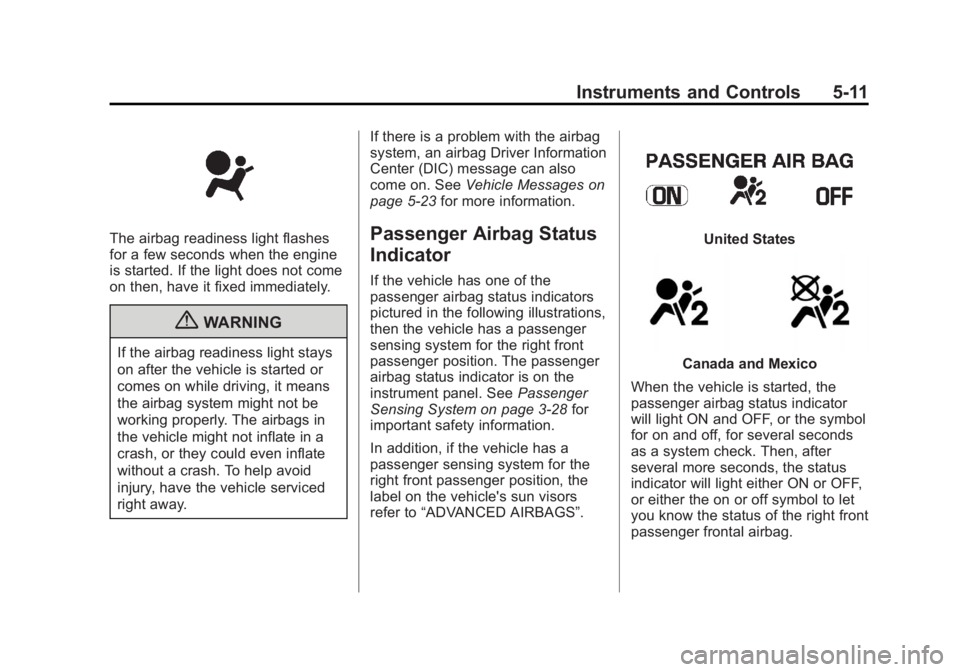
The airbag readiness light flashes
for a few seconds when the engine
is started. If the light does not come
on then, have it fixed immediately.
{WARNING
If the airbag readiness light stays
on after the vehicle is started or
comes on while driving, it means
the airbag system might not be
working properly. The airbags in
the vehicle might not inflate in a
crash, or they could even inflate
without a crash. To help avoid
injury, have the vehicle serviced
right away.If there is a problem with the airbag
system, an airbag Driver Information
Center (DIC) message can also
come on. See
Vehicle Messages on
page 5‑23 for more information.
Passenger Airbag Status
Indicator
If the vehicle has one of the
passenger airbag status indicators
pictured in the following illustrations,
then the vehicle has a passenger
sensing system for the right front
passenger position. The passenger
airbag status indicator is on the
instrument panel. See Passenger
Sensing System on page 3‑28 for
important safety information.
In addition, if the vehicle has a
passenger sensing system for the
right front passenger position, the
label on the vehicle's sun visors
refer to “ADVANCED AIRBAGS”.
United States
Canada and Mexico
When the vehicle is started, the
passenger airbag status indicator
will light ON and OFF, or the symbol
for on and off, for several seconds
as a system check. Then, after
several more seconds, the status
indicator will light either ON or OFF,
or either the on or off symbol to let
you know the status of the right front
passenger frontal airbag.
Page 122 of 404
Black plate (12,1)GMC Canyon Owner Manual - 2012
5-12 Instruments and Controls
If the word ON or the on symbol is
lit on the passenger airbag status
indicator, it means that the right
front passenger frontal airbag is
enabled (may inflate).
If the word OFF or the off symbol is
lit on the airbag status indicator, it
means that the passenger sensing
system has turned off the right front
passenger frontal airbag.
If, after several seconds, both status
indicator lights remain on, or if there
are no lights at all, there may be a
problem with the lights or the
passenger sensing system.
See your dealer for service.
{WARNING
If the airbag readiness light ever
comes on and stays on, it means
that something may be wrong
with the airbag system. To help
avoid injury to yourself or others,
have the vehicle serviced right
away. SeeAirbag Readiness
(Continued)
WARNING (Continued)
Light on page 5‑10 for more
information, including important
safety information.
Charging System Light
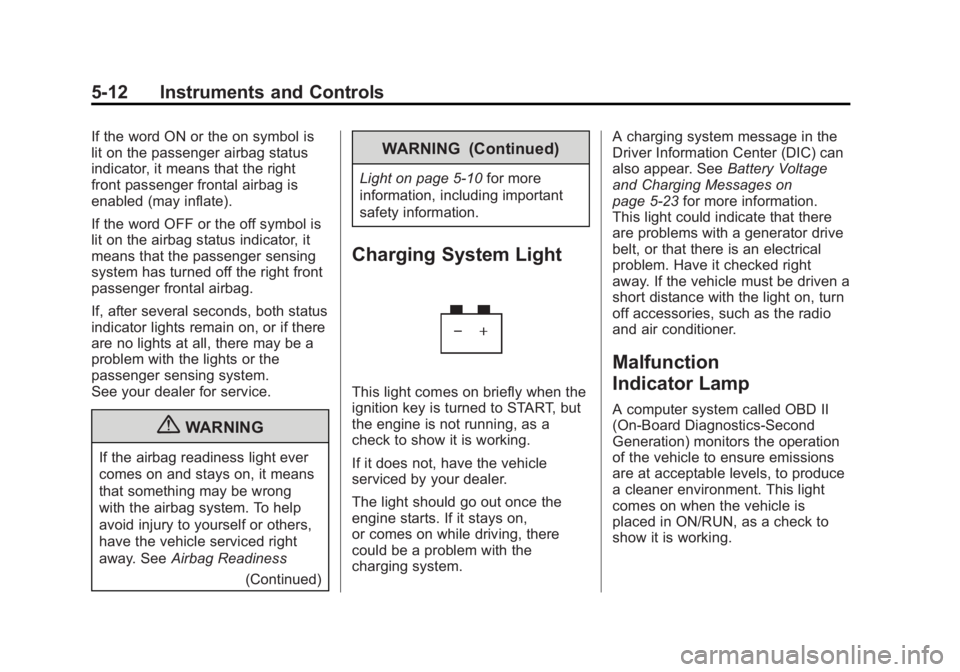
This light comes on briefly when the
ignition key is turned to START, but
the engine is not running, as a
check to show it is working.
If it does not, have the vehicle
serviced by your dealer.
The light should go out once the
engine starts. If it stays on,
or comes on while driving, there
could be a problem with the
charging system. A charging system message in the
Driver Information Center (DIC) can
also appear. See
Battery Voltage
and Charging Messages on
page 5‑23 for more information.
This light could indicate that there
are problems with a generator drive
belt, or that there is an electrical
problem. Have it checked right
away. If the vehicle must be driven a
short distance with the light on, turn
off accessories, such as the radio
and air conditioner.
Malfunction
Indicator Lamp
A computer system called OBD II
(On-Board Diagnostics-Second
Generation) monitors the operation
of the vehicle to ensure emissions
are at acceptable levels, to produce
a cleaner environment. This light
comes on when the vehicle is
placed in ON/RUN, as a check to
show it is working.
Page 205 of 404
Black plate (25,1)GMC Canyon Owner Manual - 2012
Driving and Operating 9-25
A (STOPPING THE ENGINE/
LOCK/OFF):When the vehicle is
stopped, turn the ignition switch to
LOCK/OFF to turn the engine off.
Retained Accessory Power (RAP)
will remain active. See Retained
Accessory Power (RAP) on
page 9‑28.
This position locks the ignition.
It also locks the transmission on
automatic transmission vehicles.
It locks the steering wheel on
manual transmission vehicles.
The key can only be removed
in LOCK/OFF.
Do not turn the engine off when the
vehicle is moving. This will cause a
loss of power assist in the brake
and steering systems and disable
the airbags. If the vehicle must be shut off in an
emergency:
1. Brake using a firm and steady
pressure. Do not pump the
brakes repeatedly. This may
deplete power assist, requiring
increased brake pedal force.
2. Shift the vehicle to neutral. This can be done while the vehicle is
moving. After shifting to neutral,
firmly apply the brakes and steer
the vehicle to a safe location.
3. Come to a complete stop. Shift to P (Park) with an automatic
transmission, or neutral with a
manual transmission. Turn the
ignition to LOCK/OFF. 4. Set the parking brake. See
Parking Brake on page 9‑42.
{WARNING
Turning off the vehicle while
moving may cause loss of power
assist in the brake and steering
systems and disable the airbags.
While driving, only shut the
vehicle off in an emergency.
If the vehicle cannot be pulled over,
and must be shut off while driving,
turn the ignition to ACC/
ACCESSORY.
On vehicles with an automatic
transmission, the shift lever must be
in P (Park) to turn the ignition switch
to LOCK/OFF.
The steering can bind with the
wheels turned off center. If this
happens, move the steering wheel
from right to left while turning the
key to ACC/ACCESSORY. If this
doesn't work, then the vehicle
needs service.
Page 244 of 404
Black plate (64,1)GMC Canyon Owner Manual - 2012
9-64 Driving and Operating
Trailer Brakes
A loaded trailer that weighs more
than 450 kg (1,000 lbs) needs to
have its own brake system that is
adequate for the weight of the
trailer. Be sure to read and follow
the instructions for the trailer brakes
so they are installed, adjusted and
maintained properly.
Since the vehicle is equipped with
StabiliTrak
®, the trailer cannot tap
into the vehicle's hydraulic brake
system.
Trailer Wiring Harness
The vehicle may be equipped
with a four‐pin trailer towing
harness. This harness has a
four‐pin trailer connector that is
attached to a bracket on the hitch
platform. The four‐wire harness
contains the following trailer circuits:
.Yellow: Left Stop/Turn Signal
.Green: Right Stop/Turn Signal
.Brown: Taillamps/Park lamps
.White: Ground
Conversions and
Add-Ons
Add-On Electrical
Equipment
Notice: Do not add anything
electrical to the vehicle unless
you check with your dealer first.
Some electrical equipment can
damage the vehicle and the
damage would not be covered by
the vehicle's warranty. Some
add-on electrical equipment can
keep other components from
working as they should.
Add-on equipment can drain the
vehicle's 12‐volt battery, even if the
vehicle is not operating.
The vehicle has an airbag system.
Before attempting to add anything
electrical to the vehicle, see
Servicing the Airbag-Equipped
Vehicle on page 3‑33 andAdding
Equipment to the Airbag-Equipped
Vehicle on page 3‑34.
Pickup Conversion to
Chassis Cab
We are aware that some vehicle
owners might consider having the
pickup box removed and a
commercial or recreational body
installed. However, we recommend
that conversions of this type not be
done to pickups. Owners should be
aware that, as manufactured, there
are differences between a chassis
cab and a pickup with the box
removed which could affect
vehicle safety.
Page 247 of 404
Black plate (3,1)GMC Canyon Owner Manual - 2012
Vehicle Care 10-3
General Information
For service and parts needs, visit
your dealer. You will receive
genuine GM parts and GM-trained
and supported service people.
Genuine GM parts have one of
these marks:
California Proposition
65 Warning
Most motor vehicles, including this
one, contain and/or emit chemicals
known to the State of California to
cause cancer and birth defects or
other reproductive harm. Engine
exhaust, many parts and systems,
many fluids, and some component
wear by-products contain and/or
emit these chemicals.
California Perchlorate
Materials Requirements
Certain types of automotive
applications, such as airbag
initiators, safety belt pretensioners,
and lithium batteries contained in
Remote Keyless Entry transmitters,
may contain perchlorate materials.
Special handling may be necessary.
For additional information, see
www.dtsc.ca.gov/hazardouswaste/
perchlorate.
Page 248 of 404
Black plate (4,1)GMC Canyon Owner Manual - 2012
10-4 Vehicle Care
Accessories and
Modifications
Adding non‐dealer accessories or
making modifications to the vehicle
can affect vehicle performance and
safety, including such things as
airbags, braking, stability, ride and
handling, emissions systems,
aerodynamics, durability, and
electronic systems like antilock
brakes, traction control, and stability
control. These accessories or
modifications could even cause
malfunction or damage not covered
by the vehicle warranty.Damage to vehicle components
resulting from modifications or the
installation or use of non‐GM
certified parts, including control
module or software modifications, is
not covered under the terms of the
vehicle warranty and may affect
remaining warranty coverage for
affected parts.
GM Accessories are designed to
complement and function with other
systems on the vehicle. See your
dealer to accessorize the vehicle
using genuine GM Accessories
installed by a dealer technician.
Also, see
Adding Equipment to the
Airbag-Equipped Vehicle on
page 3‑34.
Vehicle Checks
Doing Your Own
Service Work
{WARNING
It can be dangerous to work on
your vehicle if you do not have
the proper knowledge, service
manual, tools, or parts. Always
follow owner manual procedures
and consult the service manual
for your vehicle before doing any
service work.
If doing some of your own service
work, use the proper service
manual. It tells you much more
about how to service the vehicle
than this manual can. To order the
proper service manual, see Service
Publications Ordering Information
on page 13‑17.
Page 249 of 404
Black plate (5,1)GMC Canyon Owner Manual - 2012
Vehicle Care 10-5
This vehicle has an airbag system.
Before attempting to do your own
service work, seeServicing the
Airbag-Equipped Vehicle on
page 3‑33.
Keep a record with all parts receipts
and list the mileage and the date of
any service work performed. See
Maintenance Records on
page 11‑17.Hood
To open the hood, do the following:
1. Pull the handle with this symbol on it. It is located inside the
vehicle on the lower left side of
the instrument panel.
2. Release the secondary latch on the hood. It is located below the
front center of the hood. 3. Lift the hood.
4. Release the hood prop from its
retainer and put the hood prop
into the slot in the hood.
Before closing the hood, be sure all
the filler caps are on properly. Then
lift the hood to relieve pressure on
the hood prop. Remove the hood
prop from the slot in the hood and
return the prop to its retainer. Lower
the hood 25 to 30 cm (10 to 12 in)
above the vehicle and release it to
latch fully. Check to make sure the
hood is closed and repeat the
procedure if necessary.
Page 287 of 404
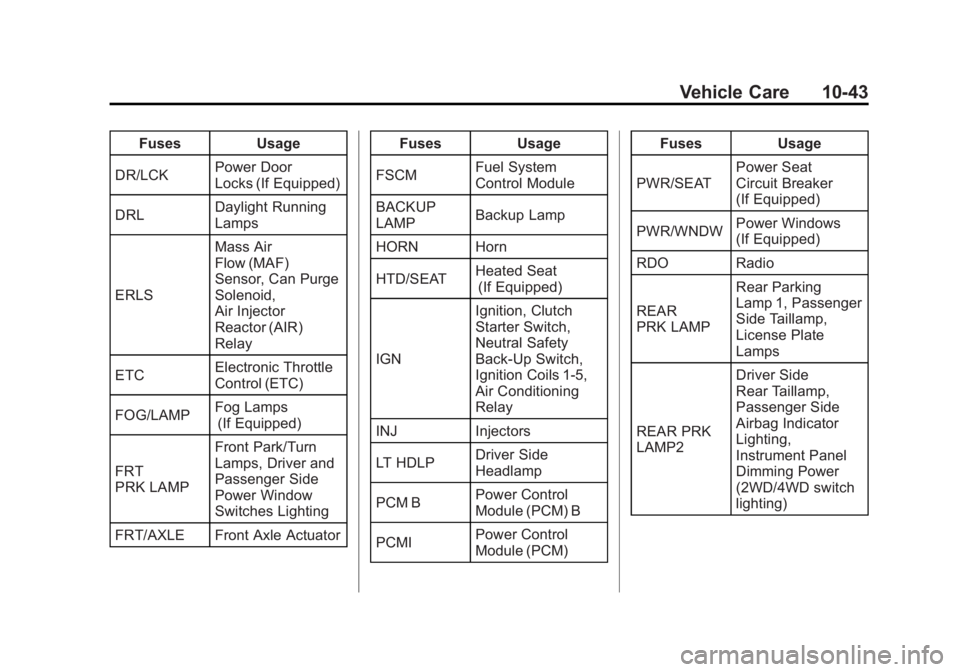
Black plate (43,1)GMC Canyon Owner Manual - 2012
Vehicle Care 10-43
FusesUsage
DR/LCK Power Door
Locks (If Equipped)
DRL Daylight Running
Lamps
ERLS Mass Air
Flow (MAF)
Sensor, Can Purge
Solenoid,
Air Injector
Reactor (AIR)
Relay
ETC Electronic Throttle
Control (ETC)
FOG/LAMP Fog Lamps
(If Equipped)
FRT
PRK LAMP Front Park/Turn
Lamps, Driver and
Passenger Side
Power Window
Switches Lighting
FRT/AXLE Front Axle Actuator Fuses
Usage
FSCM Fuel System
Control Module
BACKUP
LAMP Backup Lamp
HORN Horn
HTD/SEAT Heated Seat
(If Equipped)
IGN Ignition, Clutch
Starter Switch,
Neutral Safety
Back‐Up Switch,
Ignition Coils 1‐5,
Air Conditioning
Relay
INJ Injectors
LT HDLP Driver Side
Headlamp
PCM B Power Control
Module (PCM) B
PCMI Power Control
Module (PCM) Fuses
Usage
PWR/SEAT Power Seat
Circuit Breaker
(If Equipped)
PWR/WNDW Power Windows
(If Equipped)
RDO Radio
REAR
PRK LAMP Rear Parking
Lamp 1, Passenger
Side Taillamp,
License Plate
Lamps
REAR PRK
LAMP2 Driver Side
Rear Taillamp,
Passenger Side
Airbag Indicator
Lighting,
Instrument Panel
Dimming Power
(2WD/4WD switch
lighting)
Page 289 of 404
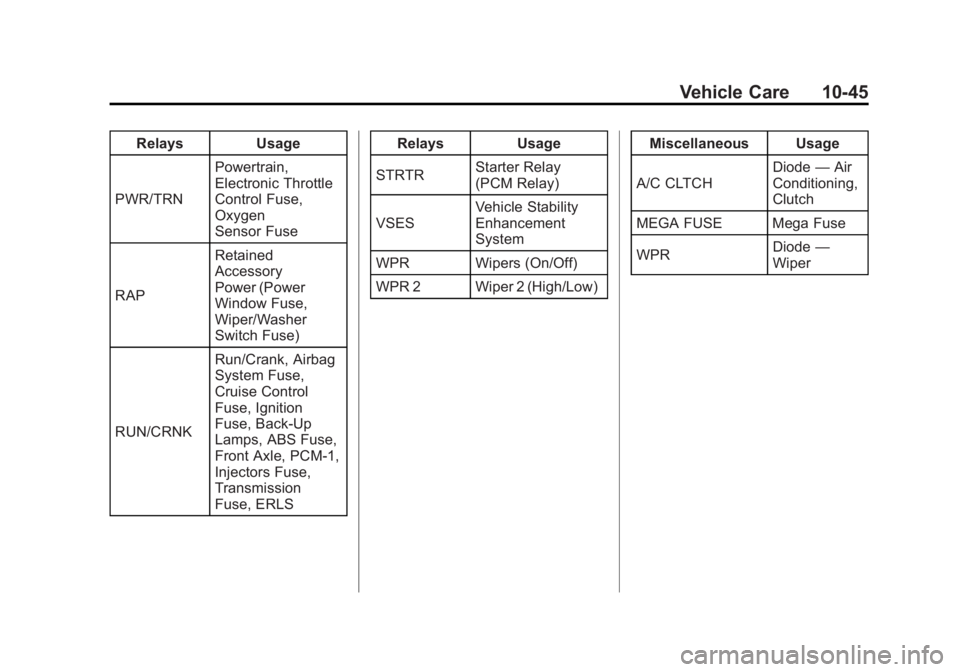
Black plate (45,1)GMC Canyon Owner Manual - 2012
Vehicle Care 10-45
RelaysUsage
PWR/TRN Powertrain,
Electronic Throttle
Control Fuse,
Oxygen
Sensor Fuse
RAP Retained
Accessory
Power (Power
Window Fuse,
Wiper/Washer
Switch Fuse)
RUN/CRNK Run/Crank, Airbag
System Fuse,
Cruise Control
Fuse, Ignition
Fuse, Back-Up
Lamps, ABS Fuse,
Front Axle, PCM-1,
Injectors Fuse,
Transmission
Fuse, ERLS Relays
Usage
STRTR Starter Relay
(PCM Relay)
VSES Vehicle Stability
Enhancement
System
WPR Wipers (On/Off)
WPR 2 Wiper 2 (High/Low) Miscellaneous Usage
A/C CLTCH Diode
—Air
Conditioning,
Clutch
MEGA FUSE Mega Fuse
WPR Diode
—
Wiper