display GMC CANYON 2012 Workshop Manual
[x] Cancel search | Manufacturer: GMC, Model Year: 2012, Model line: CANYON, Model: GMC CANYON 2012Pages: 404, PDF Size: 5.25 MB
Page 268 of 404
Black plate (24,1)GMC Canyon Owner Manual - 2012
10-24 Vehicle Care
If Steam is Coming from the
Engine Compartment
{WARNING
Steam from an overheated engine
can burn you badly, even if you
just open the hood. Stay away
from the engine if you see or hear
steam coming from it. Just turn it
off and get everyone away from
the vehicle until it cools down.
Wait until there is no sign of
steam or coolant before you
open the hood.
If you keep driving when the
engine is overheated, the liquids
in it can catch fire. You or others
could be badly burned. Stop the
engine if it overheats, and get out
of the vehicle until the engine
is cool.
If No Steam is Coming from
the Engine Compartment
If an engine overheat warning is
displayed but no steam can be seen
or heard, the problem may not be
too serious. Sometimes the engine
can get a little too hot when the
vehicle:
.Climbs a long hill on a hot day.
.Stops after high-speed driving.
.Idles for long periods in traffic.
.Tows a trailer. See“Driving on
Grades” underTrailer Towing on
page 9‑58.
If the overheat warning is displayed
with no sign of steam:
1. Turn the air conditioning off.
2. Turn the heater on to the highest temperature and to the highest
fan speed. Open the windows as
necessary. 3. In heavy traffic, let the engine
idle in N (Neutral) while stopped.
If it is safe to do so, pull off the
road, shift to P (Park) or
N (Neutral) and let the
engine idle.
If the temperature overheat gauge
is no longer in the overheat zone or
an overheat warning no longer
displays, the vehicle can be driven.
Continue to drive the vehicle slowly
for about 10 minutes. Keep a safe
vehicle distance from the vehicle in
front. If the warning does not come
back on, continue to drive normally.
If the warning continues, pull over,
stop, and park the vehicle
right away.
If there is no sign of steam, idle the
engine for three minutes while
parked. If the warning is still
displayed, turn off the engine until
it cools down.
Page 302 of 404
Black plate (58,1)GMC Canyon Owner Manual - 2012
10-58 Vehicle Care
Tire Pressure Monitor
Operation
This vehicle may have a Tire
Pressure Monitor System (TPMS).
The TPMS is designed to warn the
driver when a low tire pressure
condition exists. TPMS sensors are
mounted onto each tire and wheel
assembly on your vehicle, excluding
the spare tire. The TPMS sensors
monitor the air pressure in your tires
and transmit the tire pressure
readings to a receiver located in
the vehicle.
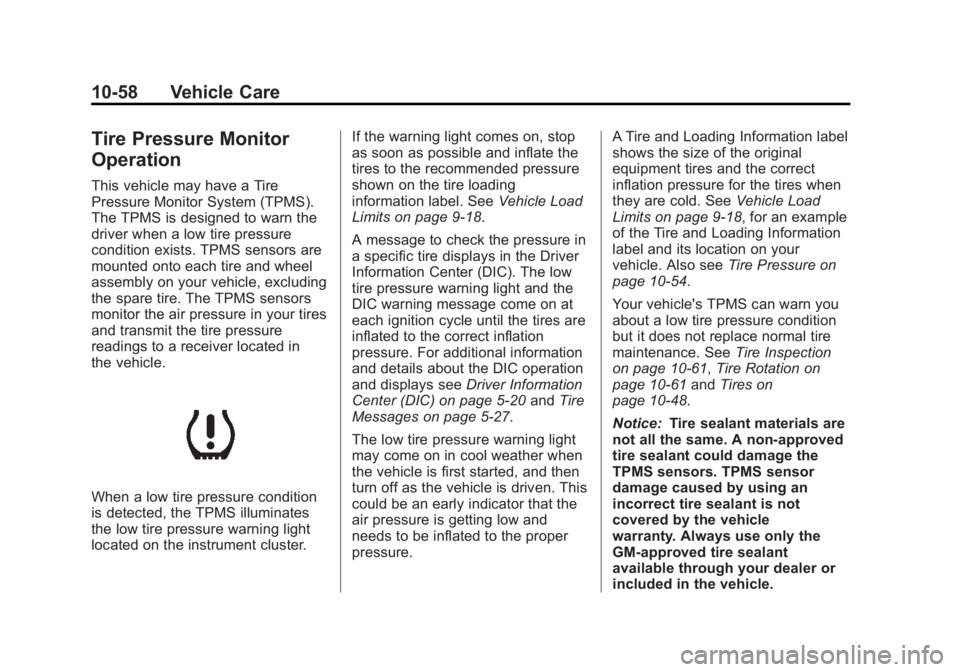
When a low tire pressure condition
is detected, the TPMS illuminates
the low tire pressure warning light
located on the instrument cluster.If the warning light comes on, stop
as soon as possible and inflate the
tires to the recommended pressure
shown on the tire loading
information label. See
Vehicle Load
Limits on page 9‑18.
A message to check the pressure in
a specific tire displays in the Driver
Information Center (DIC). The low
tire pressure warning light and the
DIC warning message come on at
each ignition cycle until the tires are
inflated to the correct inflation
pressure. For additional information
and details about the DIC operation
and displays see Driver Information
Center (DIC) on page 5‑20 andTire
Messages on page 5‑27.
The low tire pressure warning light
may come on in cool weather when
the vehicle is first started, and then
turn off as the vehicle is driven. This
could be an early indicator that the
air pressure is getting low and
needs to be inflated to the proper
pressure. A Tire and Loading Information label
shows the size of the original
equipment tires and the correct
inflation pressure for the tires when
they are cold. See
Vehicle Load
Limits on page 9‑18, for an example
of the Tire and Loading Information
label and its location on your
vehicle. Also see Tire Pressure on
page 10‑54.
Your vehicle's TPMS can warn you
about a low tire pressure condition
but it does not replace normal tire
maintenance. See Tire Inspection
on page 10‑61, Tire Rotation on
page 10‑61 andTires on
page 10‑48.
Notice: Tire sealant materials are
not all the same. A non-approved
tire sealant could damage the
TPMS sensors. TPMS sensor
damage caused by using an
incorrect tire sealant is not
covered by the vehicle
warranty. Always use only the
GM-approved tire sealant
available through your dealer or
included in the vehicle.
Page 303 of 404
Black plate (59,1)GMC Canyon Owner Manual - 2012
Vehicle Care 10-59
TPMS Malfunction Light and
Message
The TPMS will not function properly
if one or more of the TPMS sensors
are missing or inoperable. When the
system detects a malfunction, the
low tire pressure warning light
flashes for about one minute and
then stays on for the remainder of
the ignition cycle. A DIC warning
message also displays. The
malfunction light and DIC warning
message come on at each ignition
cycle until the problem is corrected.
Some of the conditions that can
cause these to come on are:
.One of the road tires has been
replaced with the spare tire.
The spare tire does not have a
TPMS sensor. The malfunction
light and the DIC message
should go off after the road tire
is replaced and the sensor
matching process is performed
successfully. See "TPMS Sensor
Matching Process" later in this
section.
.The TPMS sensor matching
process was not done or not
completed successfully after
rotating the vehicle's tires. The
malfunction light and the DIC
message should go off once the
TPMS sensor matching process
is performed successfully.
See“TPMS Sensor Matching
Process” later in this section.
.One or more TPMS sensors are
missing or damaged. The
malfunction light and the DIC
message should go off when the
TPMS sensors are installed and
the sensor matching process is
performed successfully. See
your dealer for service.
.Replacement tires or wheels do
not match the original equipment
tires or wheels. Tires and wheels
other than those recommended
could prevent the TPMS from
functioning properly. See Buying
New Tires on page 10‑63.
.Operating electronic devices or
being near facilities using radio
wave frequencies similar to the
TPMS could cause the TPMS
sensors to malfunction.
If the TPMS is not functioning
properly, it cannot detect or signal a
low tire condition. See your dealer
for service if the TPMS malfunction
light and DIC message comes on
and stays on.
TPMS Sensor Matching
Process
Each TPMS sensor has a unique
identification code. The identification
code needs to be matched to a new
tire/wheel position after rotating the
vehicle’s tires or replacing one or
more of the TPMS sensors. Also,
the TPMS sensor matching process
should be performed after replacing
a spare tire with a road tire
containing the TPMS sensor.
Page 304 of 404
Black plate (60,1)GMC Canyon Owner Manual - 2012
10-60 Vehicle Care
The malfunction light and the DIC
message should go off at the next
ignition cycle. The sensors are
matched to the tire/wheel positions,
using a TPMS relearn tool, in the
following order: driver side front tire,
passenger side front tire, passenger
side rear tire, and driver side rear.
See your dealer for service or to
purchase a relearn tool.
There is one minute to match the
first tire/wheel position, and
five minutes overall to match all
four tire/wheel positions. If it takes
longer, the matching process stops
and must be restarted.
The TPMS sensor matching
procedure is:
1. Set the parking brake.
2. Turn the ignition to ON/RUN withthe engine off.
3. Turn the exterior lamp switch from AUTO to OFF four times
within three seconds. A double
horn chirp will sound and the
TPMS low tire warning light starts flashing. The double horn
chirp and flashing TPMS
warning light indicates the TPMS
matching process has started.
The TPMS warning light should
continue flashing throughout the
matching procedure. The LOW
TIRE message displays on the
Driver Information Center (DIC).
4. Start with the driver side front tire.
5. Place the relearn tool against the tire sidewall, near the valve
stem. Then press the button to
activate the TPMS sensor.
A horn chirp confirms that the
sensor identification code has
been matched to this tire and
wheel position.
6. Proceed to the passenger side front tire, and repeat the
procedure in Step 5.
7. Proceed to the passenger side rear tire, and repeat the
procedure in Step 5. 8. Proceed to the driver side rear
tire, and repeat the procedure in
Step 5.
9. After hearing the confirming horn chirp for the driver side rear tire,
check to see if the TPMS low tire
warning light and the DIC LOW
TIRE messages have turned off.
If yes, the TPMS sensors have
been relearned. Turn the ignition
switch to LOCK/OFF.
If the low tire warning light and
the SERV TPM message on the
DIC are on after completing
Step 5 for the driver side rear
tire, the sensor relearn process
has not been successful. Turn
the ignition to LOCK/OFF and
repeat the matching process
beginning with Step 2.
10. Set all four tires to the recommended air pressure
level as indicated on the Tire
and Loading Information label.
Page 349 of 404
Black plate (3,1)GMC Canyon Owner Manual - 2012
Service and Maintenance 11-3
Refer to the information in the
Maintenance Schedule Additional
Required Services‐Severe chart.
{WARNING
Performing maintenance work can
be dangerous and can cause
serious injury. Perform
maintenance work only if the
required information, proper tools,
and equipment are available.
If they are not, see your dealer to
have a trained technician do the
work. See Doing Your Own
Service Work on page 10‑4.
Maintenance
Schedule
Owner Checks and Services
At Each Fuel Stop
.Check the engine oil level.
See Engine Oil on page 10‑9.
Once a Month
.Check the tire inflation
pressures. See Tire Pressure on
page 10‑54.
.Inspect the tires for wear. See
Tire Inspection on page 10‑61.
.Check the windshield washer
fluid level. See Washer Fluid on
page 10‑26.
Engine Oil Change
When the CHANGE ENGINE OIL
SOON message displays, have the
engine oil and filter changed within
the next 1 000 km/600 mi. If driven
under the best conditions, the
engine oil life system might not
indicate the need for vehicle service
for more than a year. The engine oil
and filter must be changed at least
once a year and the oil life system
must be reset. Your trained dealer
technician can perform this work.
If the engine oil life system is reset
accidentally, service the vehicle
within 5 000 km/3,000 mi since the
last service. Reset the oil life
system when the oil is changed.
See Engine Oil Life System on
page 10‑12.