automatic transmission GMC CANYON 2012 Owner's Manual
[x] Cancel search | Manufacturer: GMC, Model Year: 2012, Model line: CANYON, Model: GMC CANYON 2012Pages: 404, PDF Size: 5.25 MB
Page 2 of 404
Black plate (2,1)GMC Canyon Owner Manual - 2012
2012 GMC Canyon Owner ManualM
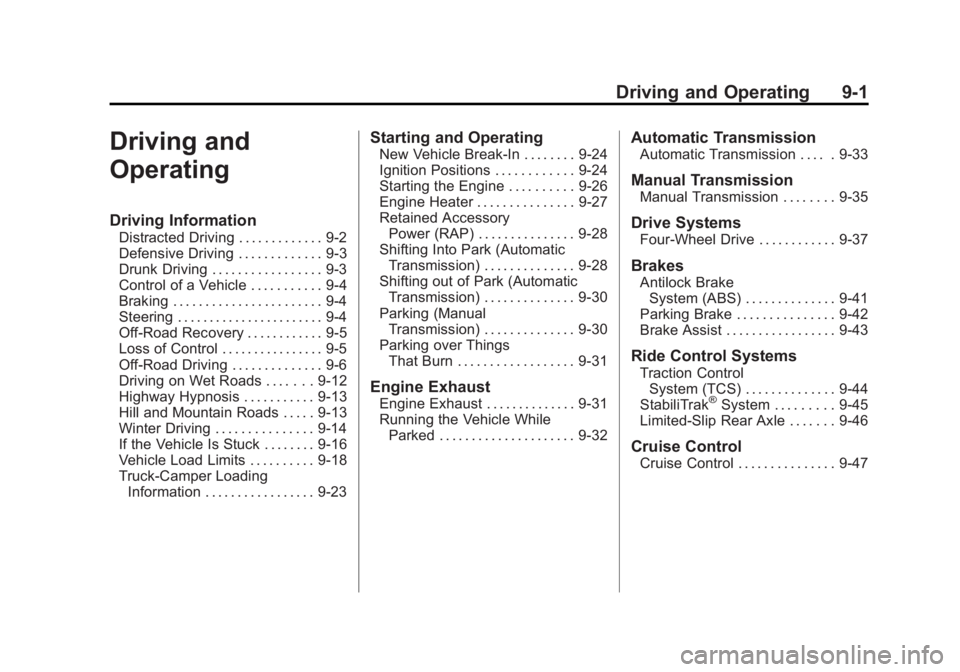
Driving and Operating. . . . . . . . 9-1
Driving Information . . . . . . . . . . . . . 9-2
Starting and Operating . . . . . . . 9-24
Engine Exhaust . . . . . . . . . . . . . . 9-31
Automatic Transmission . . . . . . 9-33
Manual Transmission . . . . . . . . . 9-35
Drive Systems . . . . . . . . . . . . . . . . 9-37
Brakes . . . . . . . . . . . . . . . . . . . . . . . 9-41
Ride Control Systems . . . . . . . . 9-44
Cruise Control . . . . . . . . . . . . . . . . 9-47
Fuel . . . . . . . . . . . . . . . . . . . . . . . . . . 9-49
Towing . . . . . . . . . . . . . . . . . . . . . . . 9-54
Conversions and Add-Ons . . . 9-64 Vehicle Care
. . . . . . . . . . . . . . . . . 10-1
General Information . . . . . . . . . . 10-3
Vehicle Checks . . . . . . . . . . . . . . . 10-4
Headlamp Aiming . . . . . . . . . . . 10-36
Bulb Replacement . . . . . . . . . . 10-37
Electrical System . . . . . . . . . . . . 10-40
Wheels and Tires . . . . . . . . . . . 10-48
Jump Starting . . . . . . . . . . . . . . . 10-87
Towing . . . . . . . . . . . . . . . . . . . . . . 10-91
Appearance Care . . . . . . . . . . . 10-96
Service and Maintenance . . . 11-1
General Information . . . . . . . . . . 11-1
Maintenance Schedule . . . . . . . 11-3
Special Application
Services . . . . . . . . . . . . . . . . . . . . 11-9 Additional Maintenance
and Care . . . . . . . . . . . . . . . . . . . 11-10
Recommended Fluids, Lubricants, and Parts . . . . . . 11-13
Maintenance Records . . . . . . . 11-17
Technical Data . . . . . . . . . . . . . . . 12-1
Vehicle Identification . . . . . . . . . 12-1
Vehicle Data . . . . . . . . . . . . . . . . . . 12-2
Customer Information . . . . . . . 13-1
Customer Information . . . . . . . . 13-1
Reporting Safety Defects . . . . 13-18
Vehicle Data Recording and Privacy . . . . . . . . . . . . . . . . . . . . 13-20
Index . . . . . . . . . . . . . . . . . . . . . i-1
Page 8 of 404
Black plate (2,1)GMC Canyon Owner Manual - 2012
1-2 In Brief
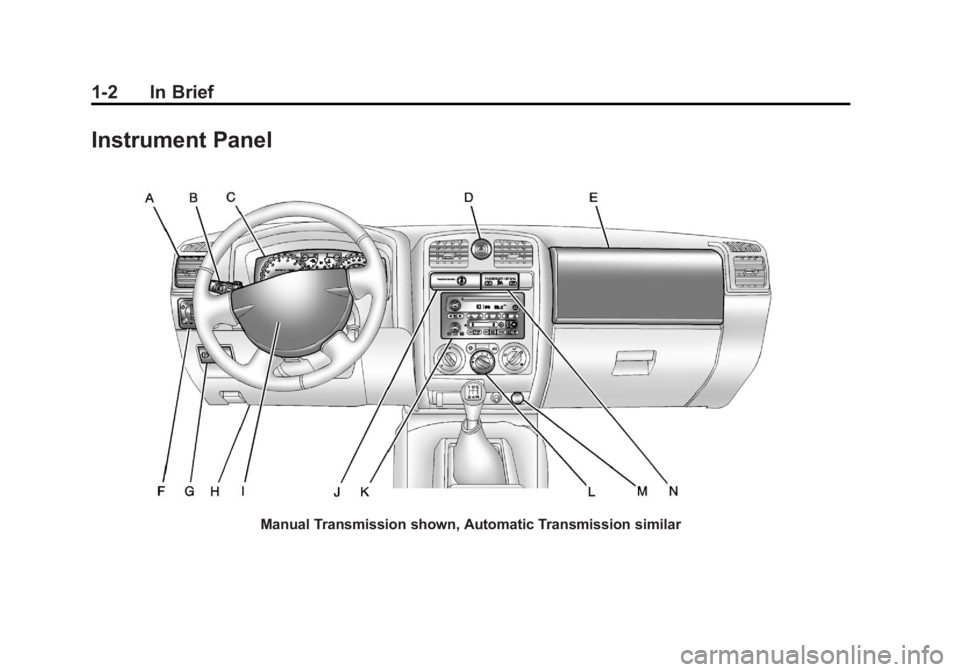
Instrument Panel
Manual Transmission shown, Automatic Transmission similar
Page 34 of 404
Black plate (6,1)GMC Canyon Owner Manual - 2012
2-6 Keys, Doors, and Windows
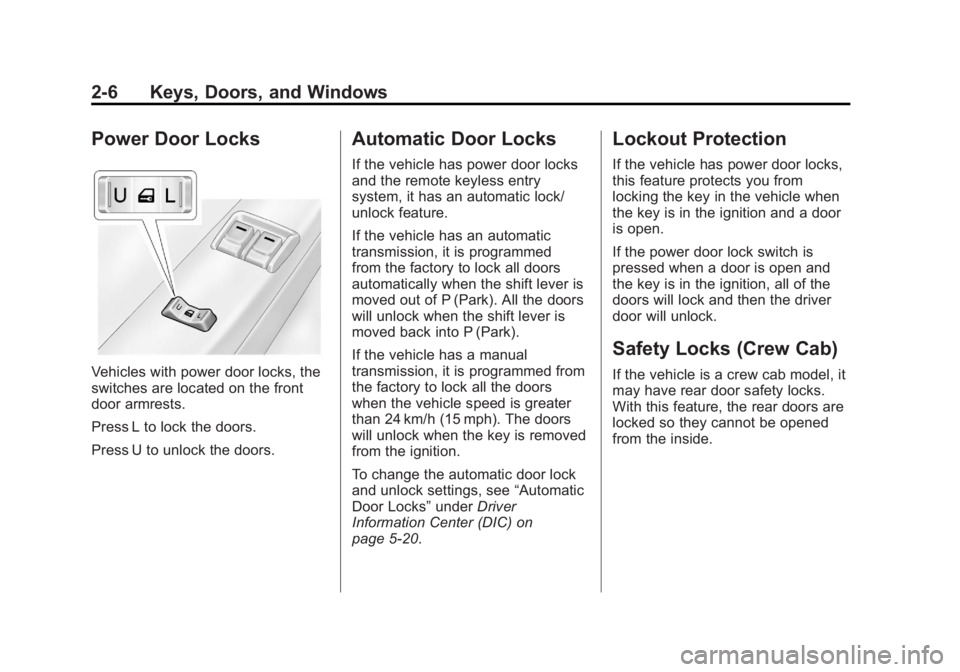
Power Door Locks
Vehicles with power door locks, the
switches are located on the front
door armrests.
Press L to lock the doors.
Press U to unlock the doors.
Automatic Door Locks
If the vehicle has power door locks
and the remote keyless entry
system, it has an automatic lock/
unlock feature.
If the vehicle has an automatic
transmission, it is programmed
from the factory to lock all doors
automatically when the shift lever is
moved out of P (Park). All the doors
will unlock when the shift lever is
moved back into P (Park).
If the vehicle has a manual
transmission, it is programmed from
the factory to lock all the doors
when the vehicle speed is greater
than 24 km/h (15 mph). The doors
will unlock when the key is removed
from the ignition.
To change the automatic door lock
and unlock settings, see“Automatic
Door Locks” underDriver
Information Center (DIC) on
page 5‑20.
Lockout Protection
If the vehicle has power door locks,
this feature protects you from
locking the key in the vehicle when
the key is in the ignition and a door
is open.
If the power door lock switch is
pressed when a door is open and
the key is in the ignition, all of the
doors will lock and then the driver
door will unlock.
Safety Locks (Crew Cab)
If the vehicle is a crew cab model, it
may have rear door safety locks.
With this feature, the rear doors are
locked so they cannot be opened
from the inside.
Page 117 of 404
Black plate (7,1)GMC Canyon Owner Manual - 2012
Instruments and Controls 5-7
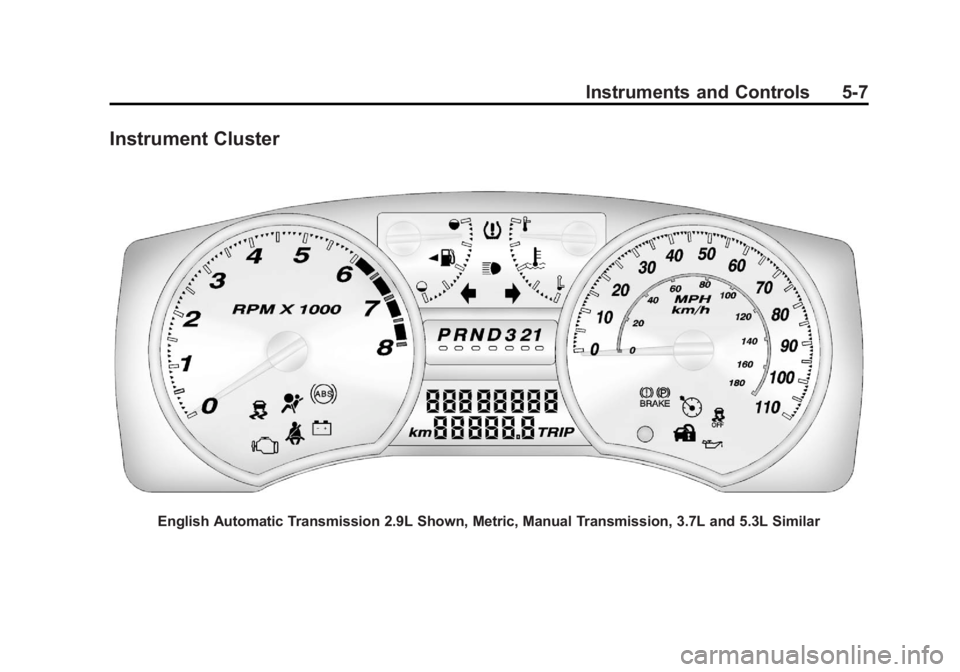
Instrument Cluster
English Automatic Transmission 2.9L Shown, Metric, Manual Transmission, 3.7L and 5.3L Similar
Page 131 of 404
Black plate (21,1)GMC Canyon Owner Manual - 2012
Instruments and Controls 5-21
Personalization Features
Language
This feature allows you to choose
the language in which the DIC
display shows information.
To set your choice for this feature:
1. With the engine off, turn the keyto ON/RUN, but do not start the
engine.
2. Close all doors so the DOORS message does not display in
the DIC.
3. Momentarily press and release the reset stem until the current
language is displayed: English
(default), Spanish, or French.
4. To select a different language, press and hold the reset stem
until the next language appears.
5. Repeat Step 4 until the desired language is displayed. Once the
desired language is shown on
the DIC display, the language
is set. 6. To exit the language selection,
momentarily press and release
the reset stem. All DIC
messages will now display in the
language selected.
Automatic Door Locks
This feature allows you to program
the door locks to a preferred setting.
To set your choice for this feature:
1. With the engine off, turn the key to LOCK/OFF. Do not remove
the key from the ignition.
2. Press and hold the power door lock button until the DIC display
shows the current door
lock mode.
3. To view the next available mode, press and hold the reset stem
until the mode appears. Release
the reset stem and press and
hold again to view the
next mode. 4. Once the desired mode is shown
on the DIC display, briefly press
the reset stem to set your
choice. The DIC display then
clears.
The following are the available
modes:
Lock 1 (default): On vehicles with
an automatic transmission, this
mode locks all of the doors when
the vehicle is shifted out of P (Park)
and unlocks all of the doors when
the vehicle is shifted into P (Park).
On vehicles with a manual
transmission, this mode locks all of
the doors when the vehicle speed is
greater than 24 km/h (15 mph) and
unlocks all of the doors when the
key is removed from the ignition.
Lock 2: On vehicles with an
automatic transmission, this mode
locks all of the doors when the
vehicle is shifted out of P (Park) and
unlocks the driver's door when the
vehicle is shifted into P (Park).
Page 132 of 404
Black plate (22,1)GMC Canyon Owner Manual - 2012
5-22 Instruments and Controls
On vehicles with a manual
transmission, this mode locks all of
the doors when the vehicle speed is
greater than 24 km/h (15 mph) and
unlocks the driver's door when the
key is removed from the ignition.
Lock 3:On vehicles with an
automatic transmission, this mode
locks all of the doors when the
vehicle is shifted out of P (Park).
The doors will not automatically
unlock.
On vehicles with a manual
transmission, this mode locks all of
the doors when the vehicle speed is
greater than 24 km/h (15 mph). The
doors will not automatically unlock. Remote Keyless Entry (RKE)
Feedback
This feature allows you to program
the Remote Keyless Entry (RKE)
feedback to a preferred setting.
To set your choice for this feature:
1. With the engine off, turn the key
to LOCK/OFF. Do not remove
the key from the ignition.
2. Press and hold the lock and unlock buttons on the RKE
transmitter at the same time.
Hold both buttons until the DIC
display shows the current RKE
feedback mode.
3. To view the next available mode, press and hold the reset stem
until the mode appears. Release
the reset stem and press and
hold again to view the
next mode.
4. Once the desired mode is shown on the DIC display, briefly
press the reset stem to set
your choice. The DIC display
then clears. The following are the available
modes:
RFA 1 (default):
This mode flashes
the parking lamps when you press
the lock or unlock buttons on the
RKE transmitter.
RFA 2: This mode flashes the
parking lamps and sounds the horn
when you press the lock button on
the RKE transmitter. This mode also
flashes the parking lamps when you
press the unlock button on the RKE
transmitter.
RFA 3: This mode flashes the
parking lamps and sounds the horn
when you press the lock or unlock
buttons on the RKE transmitter.
RFA 4: This mode disables RKE
feedback. There will be no feedback
when you press the lock or unlock
buttons on the RKE transmitter.
Page 141 of 404
Black plate (3,1)GMC Canyon Owner Manual - 2012
Lighting 6-3
Flash-to-Pass
This feature lets you use the
high-beam headlamps to signal a
driver in front of you that you want
to pass. It works even if the
headlamps are in the automatic
position.
To use it, pull the turn signal lever
toward you, then release it.
If the headlamps are in the
automatic position or on low beam,
the high-beam headlamps will turn
on. They will stay on as long as the
lever is held toward you. The
high-beam indicator on the
instrument panel cluster will come
on. Release the lever to return to
normal operation.
Daytime Running
Lamps (DRL)
Daytime Running Lamps (DRL) can
make it easier for others to see the
front of your vehicle during the day.
Fully functional daytime running
lamps are required on all vehicles
first sold in Canada.
The DRL system will come on when
the following conditions are met:
.The ignition is on.
.The exterior lamps control is
in AUTO.
.The transmission is not in
P (Park) if you have an
automatic transmission.
.The light sensor determines
it is daytime.When the DRL are on, only the
parking lamps or reduced intensity
low beam headlamps will be on.
The taillamps, sidemarkers, and
other lamps will not be on. The
instrument panel will not be lit
up either.
When it begins to get dark, the
headlamps will automatically switch
from DRL to the regular headlamps.
The regular headlamp system
should be turned on when needed.
Page 142 of 404
Black plate (4,1)GMC Canyon Owner Manual - 2012
6-4 Lighting
Automatic Headlamp
System
When it is dark enough outside, the
automatic headlamp system will turn
on after the transmission has been
shifted from P (Park) to D (Drive).
The headlamps, taillamps,
sidemarker, parking lamps, roof
marker lamps, and the instrument
panel lights turn on at normal
brightness. The radio lights will
become dimmer when the
headlights are off compared to
when the headlights are on.
The vehicle has a light sensor
located on the top of the instrument
panel. Do not cover the sensor,
or the system will be on whenever
the ignition is on.
The system can turn on the
headlamps when driving in a
parking garage, through a tunnel or
when there is overcast weather.
This is normal.There is a delay in the transition
between the daytime and nighttime
operation of the Daytime Running
Lamps (DRL) and the automatic
headlamp system so that driving
under bridges or bright overhead
street lights does not affect the
system. The DRL and automatic
headlamp system will only be
affected when the light sensor
detects a change in lighting lasting
longer than the delay.
If the vehicle is started in a dark
garage, the automatic headlamp
system will come on immediately.
Once the vehicle leaves the garage,
it will take about 1 minute for the
automatic headlamp system to
change to DRL if it is light outside.
During that delay, the instrument
panel cluster may not be as bright
as usual. Make sure the instrument
panel brightness control is in the full
bright position. See
Instrument
Panel Illumination Control on
page 6‑7.
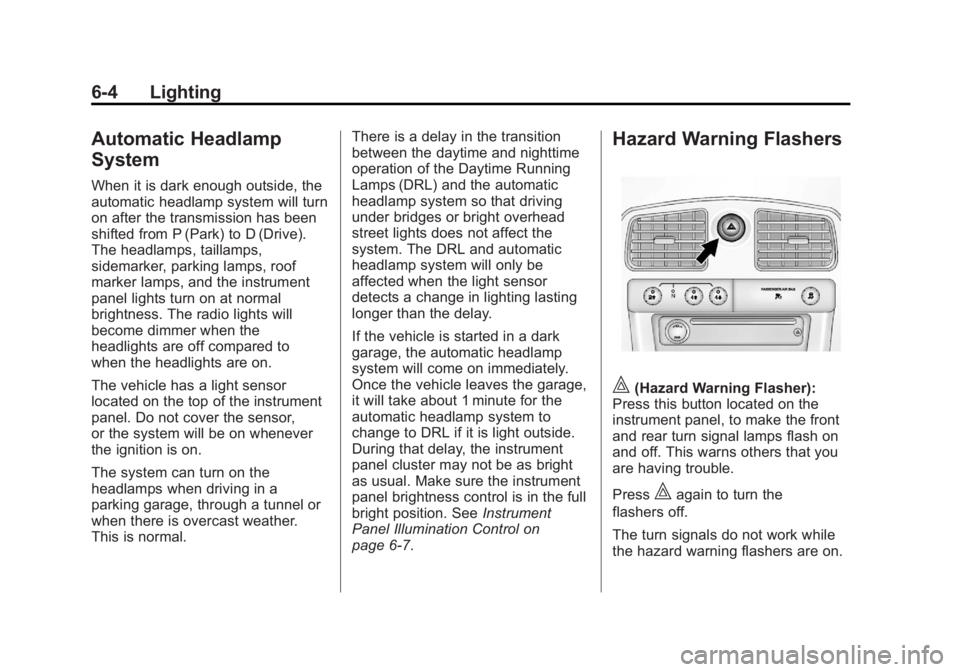
Hazard Warning Flashers
|(Hazard Warning Flasher):
Press this button located on the
instrument panel, to make the front
and rear turn signal lamps flash on
and off. This warns others that you
are having trouble.
Press
|again to turn the
flashers off.
The turn signals do not work while
the hazard warning flashers are on.
Page 181 of 404
Black plate (1,1)GMC Canyon Owner Manual - 2012
Driving and Operating 9-1
Driving and
Operating
Driving Information
Distracted Driving . . . . . . . . . . . . . 9-2
Defensive Driving . . . . . . . . . . . . . 9-3
Drunk Driving . . . . . . . . . . . . . . . . . 9-3
Control of a Vehicle . . . . . . . . . . . 9-4
Braking . . . . . . . . . . . . . . . . . . . . . . . 9-4
Steering . . . . . . . . . . . . . . . . . . . . . . . 9-4
Off-Road Recovery . . . . . . . . . . . . 9-5
Loss of Control . . . . . . . . . . . . . . . . 9-5
Off-Road Driving . . . . . . . . . . . . . . 9-6
Driving on Wet Roads . . . . . . . 9-12
Highway Hypnosis . . . . . . . . . . . 9-13
Hill and Mountain Roads . . . . . 9-13
Winter Driving . . . . . . . . . . . . . . . 9-14
If the Vehicle Is Stuck . . . . . . . . 9-16
Vehicle Load Limits . . . . . . . . . . 9-18
Truck-Camper LoadingInformation . . . . . . . . . . . . . . . . . 9-23
Starting and Operating
New Vehicle Break-In . . . . . . . . 9-24
Ignition Positions . . . . . . . . . . . . 9-24
Starting the Engine . . . . . . . . . . 9-26
Engine Heater . . . . . . . . . . . . . . . 9-27
Retained AccessoryPower (RAP) . . . . . . . . . . . . . . . 9-28
Shifting Into Park (Automatic Transmission) . . . . . . . . . . . . . . 9-28
Shifting out of Park (Automatic Transmission) . . . . . . . . . . . . . . 9-30
Parking (Manual Transmission) . . . . . . . . . . . . . . 9-30
Parking over Things That Burn . . . . . . . . . . . . . . . . . . 9-31
Engine Exhaust
Engine Exhaust . . . . . . . . . . . . . . 9-31
Running the Vehicle WhileParked . . . . . . . . . . . . . . . . . . . . . 9-32
Automatic Transmission
Automatic Transmission . . . . . 9-33
Manual Transmission
Manual Transmission . . . . . . . . 9-35
Drive Systems
Four-Wheel Drive . . . . . . . . . . . . 9-37
Brakes
Antilock BrakeSystem (ABS) . . . . . . . . . . . . . . 9-41
Parking Brake . . . . . . . . . . . . . . . 9-42
Brake Assist . . . . . . . . . . . . . . . . . 9-43
Ride Control Systems
Traction Control System (TCS) . . . . . . . . . . . . . . 9-44
StabiliTrak
®System . . . . . . . . . 9-45
Limited-Slip Rear Axle . . . . . . . 9-46
Cruise Control
Cruise Control . . . . . . . . . . . . . . . 9-47
Page 188 of 404
Black plate (8,1)GMC Canyon Owner Manual - 2012
9-8 Driving and Operating
When driving on hills:
.Use a low gear and keep a firm
grip on the steering wheel.
.Maintain a slow speed.
.When possible, drive straight up
or down the hill.
.Slow down when approaching
the top of the hill.
.Use headlamps even during the
day to make the vehicle more
visible.
{WARNING
Driving to the top of a hill at high
speed can cause an accident.
There could be a drop-off,
embankment, cliff, or even
another vehicle. You could be
seriously injured or killed. As you
near the top of a hill, slow down
and stay alert.
.Never go downhill forward or
backward with either the
transmission or transfer case in
N (Neutral). The brakes could
overheat and you could lose
control.
{WARNING
If the vehicle has the two‐speed
automatic transfer case, shifting
the transfer case to N (Neutral)
can cause your vehicle to roll
even if the transmission is in
P (Park) for an automatic
transmission or any gear position
for a manual transmission. This is
because the N (Neutral) position
on the transfer case overrides the
transmission. You or someone
else could be injured. If leaving
the vehicle, set the parking brake
and shift the transmission to
P (Park) for an automatic
transmission or any gear position(Continued)
WARNING (Continued)
for a manual transmission. Shift
the transfer case to any position
but N (Neutral).
.When driving down a hill, keep
the vehicle headed straight
down. Use a low gear because
the engine will work with the
brakes to slow the vehicle and
help keep the vehicle under
control.
{WARNING
Heavy braking when going down
a hill can cause your brakes to
overheat and fade. This could
cause loss of control and you or
others could be injured or killed.
Apply the brakes lightly when
descending a hill and use a
low gear to keep vehicle speed
under control.