phone GMC CANYON 2015 User Guide
[x] Cancel search | Manufacturer: GMC, Model Year: 2015, Model line: CANYON, Model: GMC CANYON 2015Pages: 433, PDF Size: 4.61 MB
Page 171 of 433
Black plate (4,1)GMC Canyon Owner Manual (GMNA-Localizing-U.S./Canada-7587000) -
2015 - CRC - 3/17/15
7-4 Infotainment System
5. MEDIA
.Press to change the audio
source between USB, AUX,
and Bluetooth Audio,
if equipped.
6. RADIO
.Press to change the audio
source between AM, FM,
or SiriusXM, if equipped.
7.
gorl(Seek)
.AM, FM, or SiriusXM (If
Equipped): Press
gorlto
seek to the previous or next
strong station.
8. TONE
.Press TONE to open the
Tone Settings menu.
9.
{(Home Page)
.Press to go to the Home
Page from any point in the
system. See “Home Page”
following. 10.
oBACK
.Press to return to the
previous screen in a menu.
11. MENU
.Press to access the menu
for the current audio
source.
.Press to select the
highlighted menu option.
.Turn to scroll through a list.
.Turn to manually select a
station.
Home Page
Home Page Features
The infotainment system displays a
Home Page that makes it easy to
access all of the applications. Turn
the MENU knob to highlight feature
icons. Press the MENU knob to
access the feature’s options.
Various functions are disabled when
the vehicle is moving. AUDIO:
Select the AUDIO screen
icon to display the active source
page. The sources available are
AM, FM, SiriusXM
®(if equipped),
USB/iPod, AUX Input, and Bluetooth
Audio (if equipped). See AM-FM
Radio on page 7-7, Satellite Radio
on page 7-8,Auxiliary Jack on
page 7-15, and Bluetooth Audio on
page 7-16.
PHONE: Select the PHONE screen
icon to display the Phone main
page. See Bluetooth (Overview) on
page 7-25 orBluetooth
(Infotainment Controls - Base
Radio) on page 7-26 orBluetooth
(Infotainment Controls - Base
Connected Radio) on page 7-30.
NAV (Navigation, If Equipped):
Select the NAV screen icon to
display the OnStar Turn-by-Turn
Navigation. See OnStar Overview
on page 14-1, if equipped.
SETTINGS: Select the SETTINGS
screen icon to display the Settings
main page. See “Setting Radio
Preferences” following.
Page 176 of 433
Black plate (9,1)GMC Canyon Owner Manual (GMNA-Localizing-U.S./Canada-7587000) -
2015 - CRC - 3/17/15
Infotainment System 7-9
Radio Reception
Frequency interference and static
can occur during normal radio
reception if items such as cell phone
chargers, vehicle convenience
accessories, and external electronic
devices are plugged into the
accessory power outlet. If there is
interference or static, unplug the
item from the accessory power
outlet.
FM
FM signals only reach about 16 to
65 km (10 to 40 mi). Although the
radio has a built-in electronic circuit
that automatically works to reduce
interference, some static can occur,
especially around tall buildings or
hills, causing the sound to fade in
and out.
AM
The range for most AM stations is
greater than for FM, especially at
night. The longer range can cause
station frequencies to interfere with
each other. Static can occur whenthings like storms and power lines
interfere with radio reception. When
this happens, try reducing the treble
on the radio.
SiriusXM Satellite Radio
Service
If equipped, SiriusXM Satellite
Radio Service provides digital radio
reception. Tall buildings or hills can
interfere with satellite radio signals,
causing the sound to fade in and
out. In addition, traveling or standing
under heavy foliage, bridges,
garages, or tunnels may cause loss
of the SiriusXM signal for a period
of time.
Cell Phone Usage
Cell phone usage, such as making
or receiving phone calls, charging,
or just having the phone on may
cause static interference with the
radio. Unplug the phone or turn it off
if this happens.
Multi-Band Antenna
The multi-band antenna is on the
roof of the vehicle. The antenna is
used for the AM-FM radio, OnStar,
the SiriusXM Satellite Radio Service
System, and GPS (Global
Positioning System), if the vehicle
has these features. Keep the
antenna clear of obstructions for
clear reception.
Pandora Internet Radio
If equipped, Pandora®is a free
Internet radio service that streams
personalized radio stations based
on artists, tracks, genres, and
comedians. Create stations using
the Pandora website or Smartphone
application, then use
-(thumbs up)
or
,(thumbs down) to personalize
stations. To set up an account, or for
more information, go to
www.pandora.com. Pandora may
not be available in Canada or
Mexico.
Page 177 of 433
Black plate (10,1)GMC Canyon Owner Manual (GMNA-Localizing-U.S./Canada-7587000) -
2015 - CRC - 3/17/15
7-10 Infotainment System
A phone or tablet with Internet
connection and the Pandora
application installed is required.
Personal cell phone data plans are
used. Make sure the latest version
is installed on the device.
Launching Pandora
Connect the iPhone to the USB
port, or connect Android®or
BlackBerry®through Bluetooth. See
Bluetooth (Overview) on page 7-25
or Bluetooth (Infotainment Controls -
Base Radio) on page 7-26 or
Bluetooth (Infotainment Controls -
Base Connected Radio) on
page 7-30. For first time use, set up
the stations before connecting to the
vehicle. The Pandora icon will be
available on the Home Page.
When Pandora is chosen, the
Pandora logo will populate on the
screen and the system will display
“Acquiring Pandora Radio Station.”
Launch times can be significant. Using the iPhone
1. Plug the device into the USB
port. The phone screen must be
unlocked.
2. Launch Pandora from the Home Page by selecting the
Pandora icon.
If nothing happens when the
available Pandora screen button is
pressed, download the latest
Pandora application and retry.
The login screen may display on the
device.
Using an Android or BlackBerry
Phone
The BlackBerry phone must be
unlocked to launch Pandora service.
1. Pair the phone using Bluetooth.
2. Launch Pandora by selecting Pandora on the Home Page.
If nothing happens when the
available Pandora screen button is
selected, download the latest
Pandora application and retry. The login screen may display on the
device.
Pandora Menus
Press the MENU knob.
Pandora has a menu with the
following:
Tone Settings:
Select to adjust the
tone settings. See AM-FM Radio on
page 7-7.
Bookmark Artist: Select to
bookmark the artist.
Bookmark Song: Select to
bookmark the song.
Auto Volume: This feature sets the
auto volume based on the speed of
the vehicle and noise in the vehicle.
See AM-FM Radio on page 7-7.
Pandora Features
Pandora service has features to rate
tracks, skip tracks, or change
stations.
Page 178 of 433
Black plate (11,1)GMC Canyon Owner Manual (GMNA-Localizing-U.S./Canada-7587000) -
2015 - CRC - 3/17/15
Infotainment System 7-11
}(Bookmarks):When selected
during a track, a choice displays to
bookmark the artist or track. This
sends the bookmark to the Pandora
account.
,(Thumbs Down): When
selected, Pandora stores this
information, changes to the next
track, and does not play this track
on this station again. This helps
Pandora choose which tracks
should not play on this station. This
feature is only available on user
created stations.
-(Thumbs Up): When selected,
Pandora stores this information and
-is highlighted for the remainder
of the track. This helps Pandora
choose which tracks should play on
this station.
d(Next Track): When selected,
Pandora changes to the next track.
rorj(Play/Pause): Select to play
or pause playback. Pandora Skip Limit
Pandora limits the number of skips
allowed on their service. When the
skip limit is reached,
,or next
arrow will not skip the currently
playing track, but the
,feedback
will be recorded.
Advertisement on Pandora
Pandora may display
advertisements. The artist name
and track title will not be displayed
and the skip track button will not be
available.
Pandora Troubleshooting
Unable to Connect Device to
Vehicle
If the device is unable to connect to
the USB or Bluetooth:
1. Turn the vehicle off.
2. Take the Remote Keyless Entry (RKE) transmitter at least 6 m
(20 ft) away from the vehicle. 3. Wait about 30 seconds, and try
to connect the device again.
See Bluetooth (Overview) on
page 7-25 orBluetooth
(Infotainment Controls - Base
Radio) on page 7-26 or
Bluetooth (Infotainment Controls
- Base Connected Radio) on
page 7-30.
Unable to Start Pandora
If the device is unable to launch
Pandora:
.Check that the latest version of
Pandora is installed.
.Check that there is an active
account logged into Pandora.
.Have at least one station
created.
.For Android and BlackBerry
devices, check that the device is
paired with the vehicle, and
whether the device displays in
the Connected phone sources
list under the Phone icon from
the Home Page.
Page 179 of 433
Black plate (12,1)GMC Canyon Owner Manual (GMNA-Localizing-U.S./Canada-7587000) -
2015 - CRC - 3/17/15
7-12 Infotainment System
.For an iPhone, check that the
USB cable is connected to the
USB port and the screen is
unlocked.
.Close Pandora on the device
and launch again. Devices that
allow multitasking may require
an extra step to quit the Pandora
application. See the cell phone
manufacturer's user guide.
Thumbs Up or Thumbs Down
Error
If there is an error trying to rate a
track with the
,or-buttons, the
message “Thumbs Down Error” or
“Thumbs Up Error” will display.
Press OK to dismiss.
Loss of Audio
Loss of Pandora audio can happen
in different ways:
.Weak or lost data connection.
.Device needs to be charged.
.Application needs to be
relaunched.
.Connection between phone and
radio lost.
.An iPhone is connected to both
Bluetooth and the USB port.
Playback can be resumed from
a loss of audio by double
tapping on the iPhone home
button then scrolling through the
icons to find an icon that allows
a change of flow between
Bluetooth and USB cable.
Volume and song selection may
be controlled using the
Infotainment controls or on the
phone/device. If Pandora is
selected and nothing is heard,
check the volume setting on
both phone/device and the
Infotainment system.
Common Pandora Messages
Pandora Error/Please Check
Device: Not signed in or Pandora
is down for maintenance.
No Stations Available: No stations
are available on the Pandora server
through the connected device. Action Unavailable. Please Check
Device Connection:
A few
conditions for loss of Internet
connection are:
.The connected device loses its
cellular connection.
.The device does not support
Internet connectivity.
.The device is not in the vehicle.
.The Bluetooth signal is lost.
No skips remaining for this
station or permitted during
advertisements:
.The maximum Pandora skip limit
has been reached according to
the plan that was obtained.
.Skipping an advertisement was
tried.
See www.pandora.com/help. If the
service will not work, see a dealer
for assistance.
Page 180 of 433
Black plate (13,1)GMC Canyon Owner Manual (GMNA-Localizing-U.S./Canada-7587000) -
2015 - CRC - 3/17/15
Infotainment System 7-13
Audio Players
USB Port
Playing from a USB
A USB mass storage device can be
connected to the USB port.
There is a USB port on the center
console. SeeCenter Console
Storage on page 4-2.
USB MP3 Player and USB Drives
.The USB MP3 players and USB
drives connected must comply
with the USB Mass Storage
Class specification (USB MSC).
.Hard disk drives are not
supported.
To play a USB device:
.Connect the USB.
.Press the MEDIA button on the
faceplate until the connected
device is shown. While the USB source is active,
press the corresponding faceplate
button for the icons on the screen to
operate USB function:
.t(Seek Previous/Fast
Reverse)
.u(Seek Next/Fast Forward)
.j/r(Play/Pause)
.Z(Shuffle)
USB Menu
Press the MENU knob to display the
USB menu and the following may
display:
Browse: Select to display the files
and folders on the USB device.
Tone Settings: Select to adjust
Bass, Midrange, Treble, Balance,
Fade, and EQ (Equalizer).
Auto Volume: If equipped, this
feature adjusts the volume based on
vehicle speed and ambient noise. EQ (Equalizer):
If equipped, this
feature adjusts the equalizer
settings. See “EQ (Equalizer)
Settings” inAM-FM Radio on
page 7-7.
Playing from an iPod®/iPad®/
iPhone®
This feature supports the following
devices:
.iPod nano®(1st, 2nd, 3rd, and
4th generation)
.iPod with video (5.0 and 5.5
generation)
.iPod classic®(6th generation)
.iPod touch®(1st and 2nd
generation)
.iPad
.iPhone 3G, iPhone 3GS,
iPhone 4
Page 182 of 433
Black plate (15,1)GMC Canyon Owner Manual (GMNA-Localizing-U.S./Canada-7587000) -
2015 - CRC - 3/17/15
Infotainment System 7-15
3. Turn the MENU knob to highlightand press to select an album
name to view a list of all songs
on the album.
4. Turn the MENU knob to highlight and press to select the song
from the list to begin playback.
Albums:
1. Turn the MENU knob to highlight and press to view the albums
stored on the device.
2. Turn the MENU knob to highlight and press to select an album
name to view a list of all songs
on the album.
3. Turn the MENU knob to highlight and press to select the song
from the list to begin playback.
Genres:
1. Turn the MENU knob to highlight and press to view the genres
stored on the device. 2. Turn the MENU knob to highlight
and press to select a genre
name to view a list of artists of
that genre.
3. Turn the MENU knob to highlight and press to select to view
albums by that artist.
4. Turn the MENU knob to highlight and press to select an album to
view songs.
5. Turn the MENU knob to highlight and press to select the song
from the list to begin playback.
Songs:
1. Turn the MENU knob to highlight and press to view a list of all
songs stored on the device.
2. Turn the MENU knob to highlight and press to select the song
from the list to begin playback.
Auxiliary Jack
There is an AUX jack on the center
console. See Center Console
Storage on page 4-2. Possible auxiliary audio sources
include:
.Laptop computer
.Audio music player
This jack is not an audio output.
Do not plug headphones into the
auxiliary input jack. Auxiliary
devices should be set up while the
vehicle is in P (Park).
Connect a 3.5 mm (1/8 in) cable
from the auxiliary device to the
auxiliary input jack.
If an auxiliary device has already
been connected, but a different
source is currently active, press the
MEDIA faceplate button repeatedly
to scroll through all of the available
audio source screens, until the AUX
source screen is shown.
Playing from the AUX Jack
An auxiliary device is played
through the audio system and
controlled through the device itself.
Page 183 of 433
Black plate (16,1)GMC Canyon Owner Manual (GMNA-Localizing-U.S./Canada-7587000) -
2015 - CRC - 3/17/15
7-16 Infotainment System
AUX Menu
Press the MENU knob to display the
AUX menu and the following may
display:
Tone Settings:Select to adjust
Bass, Midrange, Treble, Balance,
Fade, and EQ (Equalizer). See
“Tone Settings” underAM-FM Radio
on page 7-7.
Auto Volume: If equipped, this
feature adjusts the volume based on
vehicle speed and ambient noise.
EQ (Equalizer): If equipped, this
feature adjusts the pre-defined
equalizer settings. See “EQ
(Equalizer)” inAM-FM Radio on
page 7-7.
Bluetooth Audio
If equipped, music may be played
from a paired Bluetooth device. See
“Pairing” in“Information Controls”
under Bluetooth (Overview) on
page 7-25 orBluetooth
(Infotainment Controls - Base
Radio) on page 7-26 orBluetooth (Infotainment Controls - Base
Connected Radio) on page 7-30
for
help pairing a device.
Volume and song selection may be
controlled using the Infotainment
controls or on the phone/device.
If Bluetooth Audio is selected and
nothing is heard, check the volume
setting on both the phone/device
and the infotainment system.
Music can be launched by pressing
the MEDIA screen button on the
Home Page.
To play music via Bluetooth:
1. Power on the device, and pair to connect the device.
2. Once paired, go into the audio application from the Home Page
or via the application tray. Select
MEDIA until Bluetooth displays. Bluetooth Audio Menu
Press the MENU screen button to
display the Bluetooth Audio menu.
The following may be available:
Tone:
Select + or −to adjust the
tone settings. See AM-FM Radio on
page 7-7.
Press
oBACK to go back to the
previous menu.
Manage Bluetooth Devices: Select
to go to the Bluetooth page to add
or delete devices.
When selecting Bluetooth Audio, the
radio may not be able to launch the
audio player on the connected
device to start playing. When the
vehicle is not moving, use the
phone to begin playback.
Page 184 of 433
Black plate (17,1)GMC Canyon Owner Manual (GMNA-Localizing-U.S./Canada-7587000) -
2015 - CRC - 3/17/15
Infotainment System 7-17
All devices launch audio differently.
When selecting Bluetooth Audio as
a source, the radio may show as
paused on the screen. Press play
on the device or press
rto begin
playback.
Some phones support sending
Bluetooth music information to
display on the radio. When the radio
receives this information, it will
check to see if any is available and
display it. For more information
about supported Bluetooth features,
see www.gm.com/bluetooth.
Navigation
OnStar®System
An OnStar®Subscriber has the
ability to connect to the OnStar
system (if equipped) and ask an
OnStar Advisor to download a
destination into the vehicle. OnStar
will send address information and
location coordinates of the
destination into the vehicle.
To access from the Home Page,
turn the MENU knob to highlight the
OnStar icon. Press the MENU knob
to access.
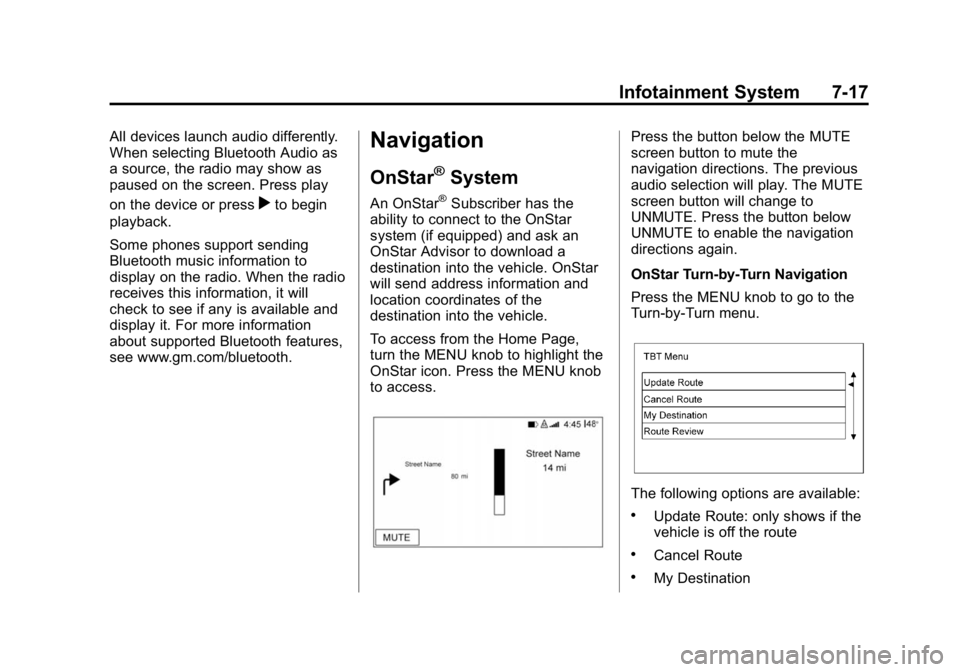
Press the button below the MUTE
screen button to mute the
navigation directions. The previous
audio selection will play. The MUTE
screen button will change to
UNMUTE. Press the button below
UNMUTE to enable the navigation
directions again.
OnStar Turn-by-Turn Navigation
Press the MENU knob to go to the
Turn-by-Turn menu.
The following options are available:
.Update Route: only shows if the
vehicle is off the route
.Cancel Route
.My Destination
Page 186 of 433
Black plate (19,1)GMC Canyon Owner Manual (GMNA-Localizing-U.S./Canada-7587000) -
2015 - CRC - 3/17/15
Infotainment System 7-19
Voice Recognition
If equipped, voice recognition allows
for hands-free operation within the
audio and phone applications. This
feature can be started by pressing
the button below
gon the
infotainment screen.
However, not all features within
these areas are supported by voice
commands. Generally, only complex
tasks that require multiple manual
interactions to complete are
supported by voice commands.
For example, tasks that take more
than one or two button presses such
as selecting a song or artist to play
from a media device would be
supported by voice commands.
Other tasks, like adjusting the
volume or seeking up or down are
audio features that are easily
performed by pressing one or two
buttons, and are not supported by
voice commands. In general there are flexible ways to
speak commands for completing the
tasks. Most of them, except
destination entry and voice keypad,
can be completed in a single
command. If the task takes more
than one command to complete, the
first command would be to indicate
the kind of task that is to be
performed. The system replies with
prompts that lead through a dialog
to enter the necessary information.
Voice recognition can be used when
the ignition is on or when Retained
Accessory Power (RAP) is active.
See
Retained Accessory Power
(RAP) on page 9-24.
Using Voice Recognition
Voice recognition becomes available
once the system has been
initialized. This begins when the
ignition is turned on. Initialization
may take a few moments. 1. Press the button below the
g
screen button.
When voice recognition is
started from the infotainment
screen, the selections and visual
dialog content are displayed on
both the center stack display
and the instrument cluster
display.
2. The audio system mutes and the system plays a prompt followed
by a beep.
3. Wait until the beep stops, then clearly speak one of the
commands described in this
section.
Press the button below the
g
screen button to interrupt any
voice recognition system prompt.
For example, if the prompt
seems to be taking too long to
finish, press the button below
the
gscreen button again and
the beep should happen
right away.