wheel GMC CANYON 2016 Workshop Manual
[x] Cancel search | Manufacturer: GMC, Model Year: 2016, Model line: CANYON, Model: GMC CANYON 2016Pages: 392, PDF Size: 5.31 MB
Page 233 of 392
GMC Canyon Owner Manual (GMNA-Localizing-U.S/Canada-9159361) -
2016 - crc - 8/25/15
232 Driving and Operating
vehicle wheel brakes to assist the
driver in keeping the vehicle on the
intended path.
If cruise control is being used and
traction control or StabiliTrak begins
to limit wheel spin, cruise control will
disengage. Cruise control may be
turned back on when road
conditions allow.
Both systems come on
automatically when the vehicle is
started and begins to move. The
systems may be heard or felt while
they are operating or while
performing diagnostic checks. This
is normal and does not mean there
is a problem with the vehicle.
It is recommended to leave both
systems on for normal driving
conditions, but it may be necessary
to turn TCS off if the vehicle gets
stuck in sand, mud, ice, or snow.
SeeIf the Vehicle Is Stuck 0203
iiand “Turning the Systems Off and
On” later in this section.
When the transfer case (if equipped)
is in Four-Wheel Drive Low, the
stability system is automatically
disabled, and
gcomes on in the instrument cluster. Both traction
control and StabiliTrak are
automatically disabled in this
condition.
The indicator light for both systems
is in the instrument cluster. This
light will:
.
Flash when TCS is limiting
wheel spin.
. Flash when StabiliTrak is
activated.
. Turn on and stay on when either
system is not working.
If either system fails to turn on or to
activate, a message displays in the
Driver Information Center (DIC), and
dcomes on and stays on to
indicate that the system is inactive
and is not assisting the driver in maintaining control. The vehicle is
safe to drive, but driving should be
adjusted accordingly.
If
dcomes on and stays on:
1. Stop the vehicle.
2. Turn the engine off and wait 15 seconds.
3. Start the engine.
Drive the vehicle. If
dcomes on
and stays on, the vehicle may need
more time to diagnose the problem.
If the condition persists, see your
dealer.
Turning the Systems Off
and On
The button for TCS and StabiliTrak
is on the center stack.
Page 234 of 392
GMC Canyon Owner Manual (GMNA-Localizing-U.S/Canada-9159361) -
2016 - crc - 8/25/15
Driving and Operating 233
Caution
Do not repeatedly brake or
accelerate heavily when TCS is
off. The vehicle driveline could be
damaged.
To turn off only TCS, press and
release the
gbutton. The Traction
Off light
idisplays in the
instrument cluster. To turn TCS on
again, press and release the
g
button. The Traction Off lighti
displayed in the instrument cluster
will turn off.
If TCS is limiting wheel spin when
the
gbutton is pressed, the system
will not turn off until the wheels stop
spinning.
To turn off both TCS and StabiliTrak,
press and hold the
gbutton until
the Traction Off light
iand
StabiliTrak Off light
gcome on and
stay on in the instrument cluster. To
turn TCS and StabiliTrak on again,
press and release the
gbutton. The Traction Off light
iand StabiliTrak
Off light
gin the instrument cluster
turn off.
StabiliTrak will automatically turn on
if the vehicle exceeds 56 km/h
(35 mph). Traction control will
remain off until the driver presses
the
gbutton or the ignition is cycled
Off then On.
Adding accessories can affect the
vehicle performance. See
Accessories and Modifications
0 257
ii.
Hill Descent
Control (HDC)
If equipped, HDC can be used when
driving downhill. It sets and
maintains vehicle speed while
descending a very steep incline in a
forward or reverse gear.
The HDC switch is on the center
stack, below the climate controls.
Press
5to enable or disable HDC.
Vehicle speed must be below
60 km/h (37 mph).
The HDC light displays on the
instrument cluster when enabled.
HDC can maintain vehicle speeds
between 4 and 30 km/h (3 and
19 mph) on an incline greater than
or equal to a 10% grade. A blinking
HDC light indicates that the system
is actively applying the brakes to
maintain vehicle speed.
When HDC is set, that is the initial
set speed. It can be increased or
decreased by applying the
accelerator or brake pedal. Smaller
HDC speed control adjustments are
accomplished using the cruise up or
down buttons. Each tap of the
+RES will increase the set speed by
0.8 km/h (0.5 mph), while each tap
of the SET– will decrease the set
speed by 0.8 km/h (0.5 mph). This
adjusted speed becomes the new
set speed.
Page 235 of 392
GMC Canyon Owner Manual (GMNA-Localizing-U.S/Canada-9159361) -
2016 - crc - 8/25/15
234 Driving and Operating
HDC will remain enabled between
30 and 60 km/h (19 and 37 mph),
however vehicle speed cannot be
set or maintained in this range.
It will automatically disable if the
vehicle speed is above 80 km/h
(50 mph) or above 60 km/h
(37 mph) for at least 30 seconds.
5
must be pressed again to
re-enable HDC.
When enabled, if the vehicle is at a
speed above 30 km/h (19 mph) and
less than 60 km/h (37 mph), a DIC
message will display instructing the
driver to reduce speed for HDC
operation.
Cruise control will not function while
HDC is enabled and vehicle speed
is below 40 km/h (25 mph).
Cruise Control
With cruise control a speed of about
40 km/h (25 mph) or more can be
maintained without keeping your
foot on the accelerator. Cruise
control does not work at speeds
below about 40 km/h (25 mph).
{Warning
Cruise control can be dangerous
where you cannot drive safely at
a steady speed. Do not use
cruise control on winding roads or
in heavy traffic.
Cruise control can be dangerous
on slippery roads. On such roads,
fast changes in tire traction can
cause excessive wheel slip, and
you could lose control. Do not use
cruise control on slippery roads.
If equipped with a manual
transmission, the cruise control will
remain active when the gears are
shifted. The cruise is deactivated if
the clutch is pressed for several
seconds. If the cruise control is being used and the Traction Control
(TCS) system or StabiliTrak begins
to limit wheel spin, the cruise control
will automatically disengage. See
Traction Control/Electronic Stability
Control
0231
ii. If a collision alert
occurs when cruise control is
activated, cruise control is
disengaged. See Forward Collision
Alert (FCA) System 0238
ii. When
road conditions allow you to safely
use it again, cruise control can be
turned back on.
If the brakes are applied, the cruise
control disengages.
Page 239 of 392
GMC Canyon Owner Manual (GMNA-Localizing-U.S/Canada-9159361) -
2016 - crc - 8/25/15
238 Driving and Operating
When the System Does Not
Seem to Work Properly
The RVC system may not work
properly or display a clear image if:
.It is dark.
. The sun or the beam of
headlamps are shining directly
into the camera lens.
. Ice, snow, mud, or anything else
builds up on the camera lens.
Clean the lens, rinse it with
water, and wipe it with a soft
cloth.
. The back of the vehicle is in an
accident. The position and
mounting angle of the camera
can change or the camera can
be affected. Be sure to have the
camera, its position, and
mounting angle checked at your
dealer.
Disconnecting the Rear Vision
Camera (RVC)
The RVC must be disconnected if
the tailgate needs to be removed.
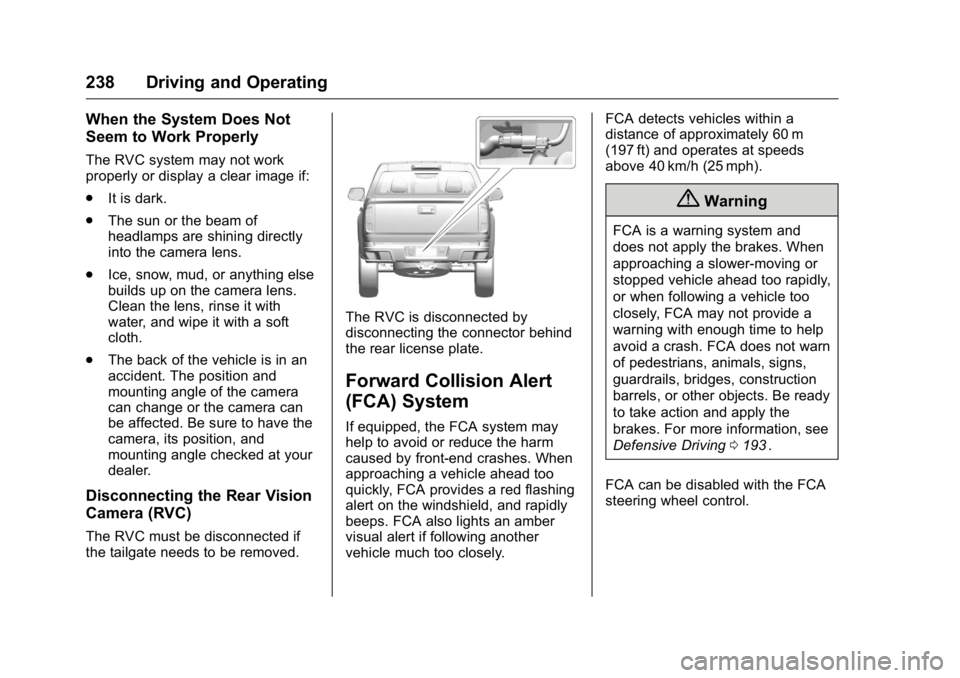
The RVC is disconnected by
disconnecting the connector behind
the rear license plate.
Forward Collision Alert
(FCA) System
If equipped, the FCA system may
help to avoid or reduce the harm
caused by front-end crashes. When
approaching a vehicle ahead too
quickly, FCA provides a red flashing
alert on the windshield, and rapidly
beeps. FCA also lights an amber
visual alert if following another
vehicle much too closely. FCA detects vehicles within a
distance of approximately 60 m
(197 ft) and operates at speeds
above 40 km/h (25 mph).
{Warning
FCA is a warning system and
does not apply the brakes. When
approaching a slower-moving or
stopped vehicle ahead too rapidly,
or when following a vehicle too
closely, FCA may not provide a
warning with enough time to help
avoid a crash. FCA does not warn
of pedestrians, animals, signs,
guardrails, bridges, construction
barrels, or other objects. Be ready
to take action and apply the
brakes. For more information, see
Defensive Driving
0193
ii.
FCA can be disabled with the FCA
steering wheel control.
Page 240 of 392
GMC Canyon Owner Manual (GMNA-Localizing-U.S/Canada-9159361) -
2016 - crc - 8/25/15
Driving and Operating 239
Detecting the Vehicle Ahead
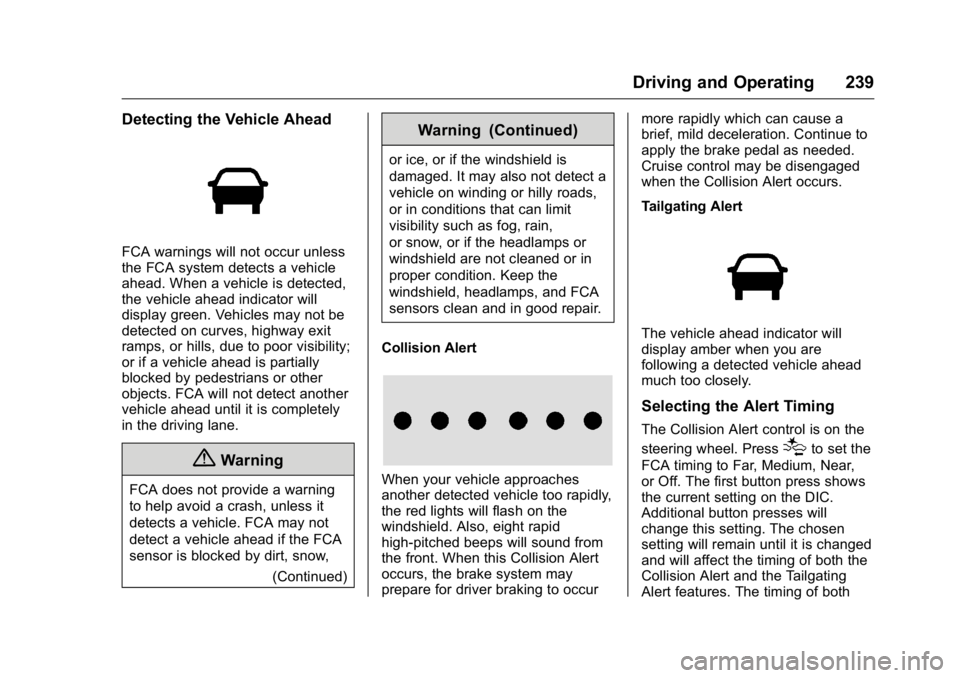
FCA warnings will not occur unless
the FCA system detects a vehicle
ahead. When a vehicle is detected,
the vehicle ahead indicator will
display green. Vehicles may not be
detected on curves, highway exit
ramps, or hills, due to poor visibility;
or if a vehicle ahead is partially
blocked by pedestrians or other
objects. FCA will not detect another
vehicle ahead until it is completely
in the driving lane.
{Warning
FCA does not provide a warning
to help avoid a crash, unless it
detects a vehicle. FCA may not
detect a vehicle ahead if the FCA
sensor is blocked by dirt, snow,(Continued)
Warning (Continued)
or ice, or if the windshield is
damaged. It may also not detect a
vehicle on winding or hilly roads,
or in conditions that can limit
visibility such as fog, rain,
or snow, or if the headlamps or
windshield are not cleaned or in
proper condition. Keep the
windshield, headlamps, and FCA
sensors clean and in good repair.
Collision Alert
When your vehicle approaches
another detected vehicle too rapidly,
the red lights will flash on the
windshield. Also, eight rapid
high-pitched beeps will sound from
the front. When this Collision Alert
occurs, the brake system may
prepare for driver braking to occur more rapidly which can cause a
brief, mild deceleration. Continue to
apply the brake pedal as needed.
Cruise control may be disengaged
when the Collision Alert occurs.
Tailgating Alert
The vehicle ahead indicator will
display amber when you are
following a detected vehicle ahead
much too closely.
Selecting the Alert Timing
The Collision Alert control is on the
steering wheel. Press
[to set the
FCA timing to Far, Medium, Near,
or Off. The first button press shows
the current setting on the DIC.
Additional button presses will
change this setting. The chosen
setting will remain until it is changed
and will affect the timing of both the
Collision Alert and the Tailgating
Alert features. The timing of both
Page 247 of 392
GMC Canyon Owner Manual (GMNA-Localizing-U.S/Canada-9159361) -
2016 - crc - 8/25/15
246 Driving and Operating
.Do not tow a trailer during the
first 800 km (500 mi) to prevent
damage to the engine, axle,
or other parts.
. Then during the first 800 km
(500 mi) of trailer towing, do not
drive over 80 km/h (50 mph) and
do not make starts at full throttle.
. Vehicles can tow in D (Drive).
Shift the transmission to a lower
gear if the transmission shifts
too often under heavy loads and/
or hilly conditions.
. If equipped with 4WD, see
Four-Wheel Drive 0225
iibefore
pulling a trailer.
{Warning
When towing a trailer, exhaust
gases may collect at the rear of
the vehicle and enter if the
liftgate, trunk/hatch, or rear-most
window is open.
When towing a trailer:
(Continued)
Warning (Continued)
.Do not drive with the
liftgate, trunk/hatch,
or rear-most window open.
. Fully open the air outlets on
or under the instrument
panel.
. Also adjust the climate
control system to a setting
that brings in only outside
air. See “Climate Control
Systems” in the Index.
For more information about
carbon monoxide, see Engine
Exhaust 0218
ii.
Towing a trailer requires a certain
amount of experience. The
combination you are driving is
longer and not as responsive as the
vehicle itself. Get acquainted with
the handling and braking of the rig
before setting out for the open road.
Before starting, check all trailer hitch
parts and attachments, safety
chains, electrical connectors, lamps,
tires, and mirrors. If the trailer has electric brakes, start the
combination moving and then apply
the trailer brake controller by hand
to be sure the brakes work.
During the trip, check occasionally
to be sure that the load is secure
and the lamps and any trailer
brakes still work.
Following Distance
Stay at least twice as far behind the
vehicle ahead as you would when
driving the vehicle without a trailer.
This can help to avoid heavy
braking and sudden turns.
Passing
More passing distance is needed
when towing a trailer. The
combination will not accelerate as
quickly and is longer so it is
necessary to go much farther
beyond the passed vehicle before
returning to the lane.
Backing Up
Hold the bottom of the steering
wheel with one hand. To move the
trailer to the left, move that hand to
the left. To move the trailer to the
Page 248 of 392
GMC Canyon Owner Manual (GMNA-Localizing-U.S/Canada-9159361) -
2016 - crc - 8/25/15
Driving and Operating 247
right, move your hand to the right.
Always back up slowly and,
if possible, have someone
guide you.
Making TurnsCaution
Making very sharp turns while
trailering could cause the trailer to
come in contact with the vehicle.
The vehicle could be damaged.
Avoid making very sharp turns
while trailering.
When turning with a trailer, make
wider turns than normal. Do this so
the trailer will not strike soft
shoulders, curbs, road signs, trees,
or other objects. Avoid jerky or
sudden maneuvers. Signal well in
advance.
If the trailer turn signal bulbs burn
out, the arrows on the instrument
cluster will still flash for turns. It is
important to check occasionally to
be sure the trailer bulbs are still
working.
Driving on Grades
Reduce speed and shift to a lower
gear before starting down a long or
steep downgrade. If the
transmission is not shifted down, the
brakes might get hot and no longer
work well.
Vehicles can tow in D (Drive). Shift
the transmission to a lower gear if
the transmission shifts too often
under heavy loads and/or hilly
conditions.
The Tow/Haul Mode may be used if
the transmission shifts too often.
See Tow/Haul Mode 0223
ii.
When towing at high altitude on
steep uphill grades, consider the
following: Engine coolant will boil at
a lower temperature than at normal
altitudes. If the engine is turned off
immediately after towing at high
altitude on steep uphill grades, the
vehicle may show signs similar to
engine overheating. To avoid this,
let the engine run while parked,
preferably on level ground, with the
transmission in P (Park) for a few minutes before turning the engine
off. If the overheat warning comes
on, see
Engine Overheating 0271
ii.
Parking on Hills
{Warning
Parking the vehicle on a hill with
the trailer attached can be
dangerous. If something goes
wrong, the rig could start to move.
People can be injured, and both
the vehicle and the trailer can be
damaged. When possible, always
park the rig on a flat surface.
If parking the rig on a hill: 1. Press the brake pedal, but do not shift into P (Park) yet. Turn
the wheels into the curb if
facing downhill or into traffic if
facing uphill.
2. Have someone place chocks under the trailer wheels.
3. When the wheel chocks are in place, release the regular
brakes until the chocks absorb
the load.
Page 254 of 392
GMC Canyon Owner Manual (GMNA-Localizing-U.S/Canada-9159361) -
2016 - crc - 8/25/15
Driving and Operating 253
Press this button on the center
stack to turn on and off the Tow/
Haul Mode.
This indicator light on the instrument
cluster comes on when the Tow/
Haul Mode is on.
Tow/Haul is a feature that assists
when pulling a heavy trailer or a
large or heavy load. SeeTow/Haul
Mode 0223
ii.
Tow/Haul is designed to be most
effective when the vehicle and
trailer combined weight is at least
75 percent of the vehicle's Gross
Combined Weight Rating (GCWR).
See “Weight of the Trailer” under
Trailer Towing 0248
ii. Tow/Haul is
most useful under the following
driving conditions:
. When pulling a heavy trailer or a
large or heavy load through
rolling terrain. .
When pulling a heavy trailer or a
large or heavy load in
stop-and-go traffic.
. When pulling a heavy trailer or a
large or heavy load in busy
parking lots where improved low
speed control of the vehicle is
desired.
Operating the vehicle in Tow/Haul
when lightly loaded or with no trailer
at all will not cause damage.
However, there is no benefit to the
selection of Tow/Haul when the
vehicle is unloaded. Such a
selection when unloaded may result
in unpleasant engine and
transmission driving characteristics
and reduced fuel economy. Tow/
Haul is recommended only when
pulling a heavy trailer or a large or
heavy load.
If the vehicle has a diesel engine,
the Tow/Haul button activates the
exhaust brake system
simultaneously. See “Exhaust
Brake” in the Duramax diesel
supplement.
Trailer Sway
Control (TSC)
Vehicles with StabiliTrak have a
TSC feature. Trailer sway is
unintended side-to-side motion of a
trailer while being towed. If the
vehicle is towing a trailer and the
TSC detects that sway is increasing,
the vehicle brakes are selectively
applied at each wheel, to help
reduce excessive trailer sway. If the
vehicle is equipped with the
Integrated Trailer Brake Control
(ITBC) system, and the trailer has
the electric actuated brake system,
StabiliTrak may also apply the trailer
brakes.
If TSC is enabled, the Traction
Control System (TCS)/StabiliTrak
warning light will flash on the
instrument cluster. Vehicle speed
must be reduced. If trailer sway
continues, StabiliTrak can reduce
engine torque to help slow the
vehicle. See Traction Control/
Electronic Stability Control 0231
ii.
Page 256 of 392
GMC Canyon Owner Manual (GMNA-Localizing-U.S/Canada-9159361) -
2016 - crc - 8/25/15
Vehicle Care 255
Vehicle Care
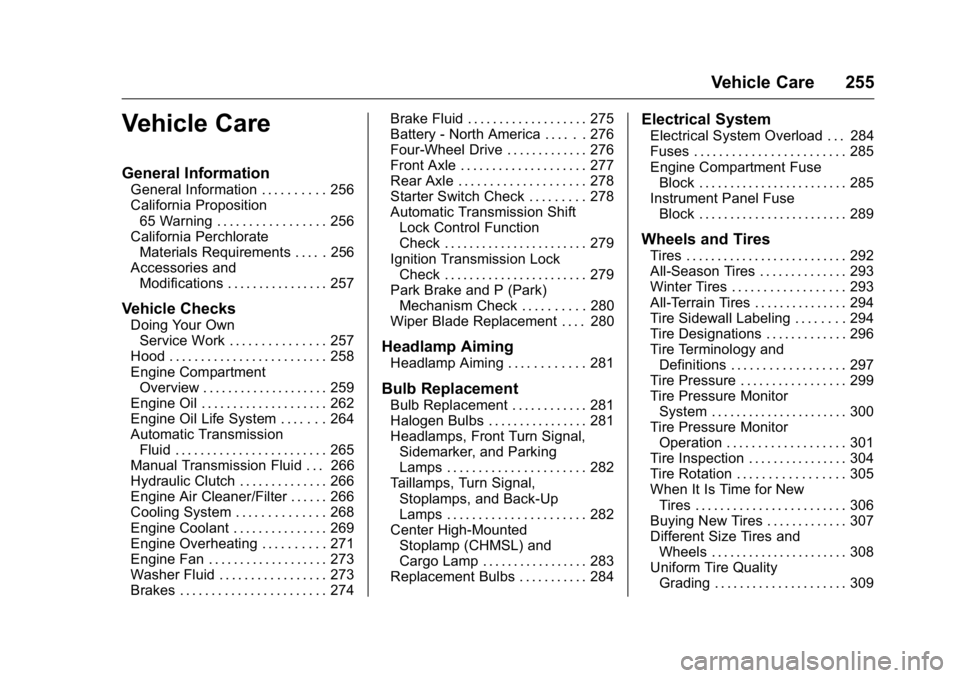
General Information
General Information . . . . . . . . . . 256
California Proposition65 Warning . . . . . . . . . . . . . . . . . 256
California Perchlorate Materials Requirements . . . . . 256
Accessories and Modifications . . . . . . . . . . . . . . . . 257
Vehicle Checks
Doing Your OwnService Work . . . . . . . . . . . . . . . 257
Hood . . . . . . . . . . . . . . . . . . . . . . . . . 258
Engine Compartment Overview . . . . . . . . . . . . . . . . . . . . 259
Engine Oil . . . . . . . . . . . . . . . . . . . . 262
Engine Oil Life System . . . . . . . 264
Automatic Transmission Fluid . . . . . . . . . . . . . . . . . . . . . . . . 265
Manual Transmission Fluid . . . 266
Hydraulic Clutch . . . . . . . . . . . . . . 266
Engine Air Cleaner/Filter . . . . . . 266
Cooling System . . . . . . . . . . . . . . 268
Engine Coolant . . . . . . . . . . . . . . . 269
Engine Overheating . . . . . . . . . . 271
Engine Fan . . . . . . . . . . . . . . . . . . . 273
Washer Fluid . . . . . . . . . . . . . . . . . 273
Brakes . . . . . . . . . . . . . . . . . . . . . . . 274 Brake Fluid . . . . . . . . . . . . . . . . . . . 275
Battery - North America . . . . . . 276
Four-Wheel Drive . . . . . . . . . . . . . 276
Front Axle . . . . . . . . . . . . . . . . . . . . 277
Rear Axle . . . . . . . . . . . . . . . . . . . . 278
Starter Switch Check . . . . . . . . . 278
Automatic Transmission Shift
Lock Control Function
Check . . . . . . . . . . . . . . . . . . . . . . . 279
Ignition Transmission Lock Check . . . . . . . . . . . . . . . . . . . . . . . 279
Park Brake and P (Park) Mechanism Check . . . . . . . . . . 280
Wiper Blade Replacement . . . . 280
Headlamp Aiming
Headlamp Aiming . . . . . . . . . . . . 281
Bulb Replacement
Bulb Replacement . . . . . . . . . . . . 281
Halogen Bulbs . . . . . . . . . . . . . . . . 281
Headlamps, Front Turn Signal, Sidemarker, and Parking
Lamps . . . . . . . . . . . . . . . . . . . . . . 282
Taillamps, Turn Signal, Stoplamps, and Back-Up
Lamps . . . . . . . . . . . . . . . . . . . . . . 282
Center High-Mounted Stoplamp (CHMSL) and
Cargo Lamp . . . . . . . . . . . . . . . . . 283
Replacement Bulbs . . . . . . . . . . . 284
Electrical System
Electrical System Overload . . . 284
Fuses . . . . . . . . . . . . . . . . . . . . . . . . 285
Engine Compartment Fuse Block . . . . . . . . . . . . . . . . . . . . . . . . 285
Instrument Panel Fuse
Block . . . . . . . . . . . . . . . . . . . . . . . . 289
Wheels and Tires
Tires . . . . . . . . . . . . . . . . . . . . . . . . . . 292
All-Season Tires . . . . . . . . . . . . . . 293
Winter Tires . . . . . . . . . . . . . . . . . . 293
All-Terrain Tires . . . . . . . . . . . . . . . 294
Tire Sidewall Labeling . . . . . . . . 294
Tire Designations . . . . . . . . . . . . . 296
Tire Terminology andDefinitions . . . . . . . . . . . . . . . . . . 297
Tire Pressure . . . . . . . . . . . . . . . . . 299
Tire Pressure Monitor
System . . . . . . . . . . . . . . . . . . . . . . 300
Tire Pressure Monitor Operation . . . . . . . . . . . . . . . . . . . 301
Tire Inspection . . . . . . . . . . . . . . . . 304
Tire Rotation . . . . . . . . . . . . . . . . . 305
When It Is Time for New Tires . . . . . . . . . . . . . . . . . . . . . . . . 306
Buying New Tires . . . . . . . . . . . . . 307
Different Size Tires and Wheels . . . . . . . . . . . . . . . . . . . . . . 308
Uniform Tire Quality Grading . . . . . . . . . . . . . . . . . . . . . 309
Page 257 of 392
GMC Canyon Owner Manual (GMNA-Localizing-U.S/Canada-9159361) -
2016 - crc - 8/25/15
256 Vehicle Care
Wheel Alignment and TireBalance . . . . . . . . . . . . . . . . . . . . . 310
Wheel Replacement . . . . . . . . . . 310
Tire Chains . . . . . . . . . . . . . . . . . . . 311
If a Tire Goes Flat . . . . . . . . . . . . 312
Tire Changing . . . . . . . . . . . . . . . . 313
Compact Spare Tire . . . . . . . . . . 322
Full-Size Spare Tire . . . . . . . . . . 323
Jump Starting
Jump Starting - North America . . . . . . . . . . . . . . . . . . . . . 324
Towing the Vehicle
Towing the Vehicle . . . . . . . . . . . 326
Recreational VehicleTowing . . . . . . . . . . . . . . . . . . . . . . 327
Appearance Care
Exterior Care . . . . . . . . . . . . . . . . . 331
Interior Care . . . . . . . . . . . . . . . . . . 336
Floor Mats . . . . . . . . . . . . . . . . . . . . 339
General Information
For service and parts needs, visit
your dealer. You will receive
genuine GM parts and GM-trained
and supported service people.
Genuine GM parts have one of
these marks:
California Proposition
65 Warning
WARNING: Most motor vehicles,
including this one, contain and/or
emit chemicals known to the State
of California to cause cancer and
birth defects or other reproductive harm. Engine exhaust, many parts
and systems, many fluids, and
some component wear by-products
contain and/or emit these
chemicals.
See
Battery - North America 0276
iiand Jump Starting - North America
0 324ii.
California Perchlorate
Materials Requirements
Certain types of automotive
applications, such as airbag
initiators, safety belt pretensioners,
and lithium batteries contained in
Remote Keyless Entry transmitters,
may contain perchlorate materials.
Special handling may be necessary.
For additional information, see
www.dtsc.ca.gov/hazardouswaste/
perchlorate.