manual radio set GMC CANYON 2017 User Guide
[x] Cancel search | Manufacturer: GMC, Model Year: 2017, Model line: CANYON, Model: GMC CANYON 2017Pages: 417, PDF Size: 5.36 MB
Page 156 of 417

GMC Canyon Owner Manual (GMNA-Localizing-U.S./Canada-10122677) -
2017 - crc - 1/20/17
Infotainment System 155
5.oBACK
. Press to return to the
previous screen in a menu.
6.
{
. Press to go to the Home
Page from any point in the
system. See “Home Page”
later in this section.
7. TONE .Press to open the Tone
Settings menu.
8.
gorl
. AM, FM, or SXM (If
Equipped): Press to seek to
the previous or next strong
station.
9. RADIO .Press to change the audio
source between AM, FM,
or SXM, if equipped.
10. MEDIA .Press to change the audio
source between USB, AUX,
and Bluetooth Audio,
if equipped. 11.
O
.
Press to turn the audio on.
. Press and hold to turn it off.
. When on, press to mute the
system. Press again to
unmute.
. Turn to increase or
decrease the volume.
Page 158 of 417
GMC Canyon Owner Manual (GMNA-Localizing-U.S./Canada-10122677) -
2017 - crc - 1/20/17
Infotainment System 157
4.6
.Radio: Press and release to
go to the next station or
channel. Press and hold to
fast seek the next strongest
station or channel.
. USB/BT Music/Pictures:
Press and hold to go to the
next content. Press and
hold to fast forward.
5.
#
. Press and release to
access the phone screen,
answer an incoming call,
or access the device home
screen. Press and hold to
access Press to Talk.
Home Page (Base Radio)
Home Page Features
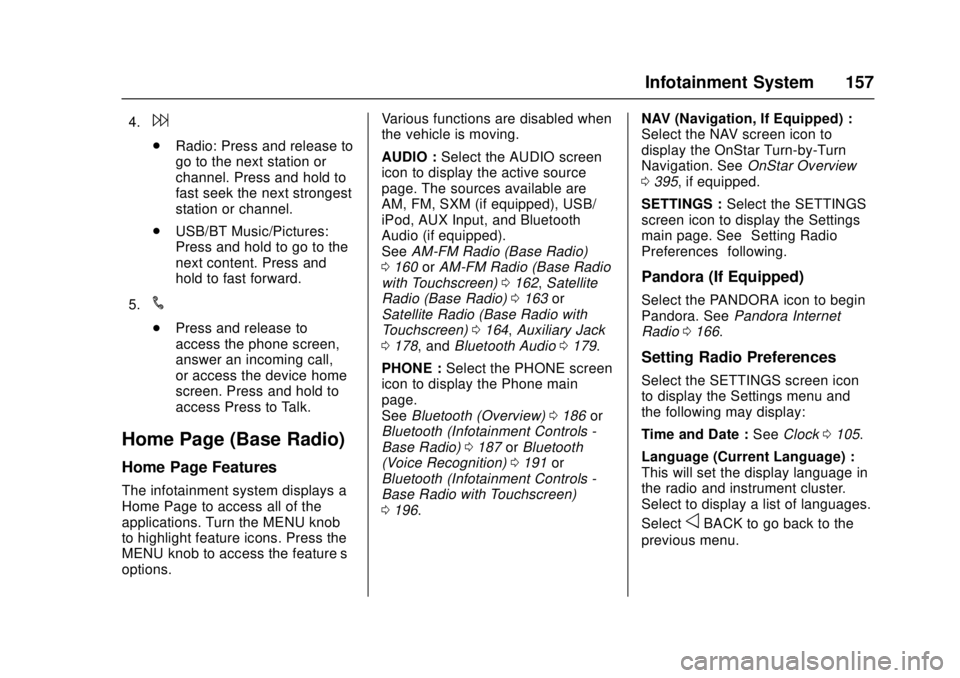
The infotainment system displays a
Home Page to access all of the
applications. Turn the MENU knob
to highlight feature icons. Press the
MENU knob to access the feature’s
options. Various functions are disabled when
the vehicle is moving.
AUDIO :
Select the AUDIO screen
icon to display the active source
page. The sources available are
AM, FM, SXM (if equipped), USB/
iPod, AUX Input, and Bluetooth
Audio (if equipped).
See AM-FM Radio (Base Radio)
0 160 orAM-FM Radio (Base Radio
with Touchscreen) 0162, Satellite
Radio (Base Radio) 0163 or
Satellite Radio (Base Radio with
Touchscreen) 0164, Auxiliary Jack
0 178, and Bluetooth Audio 0179.
PHONE : Select the PHONE screen
icon to display the Phone main
page.
See Bluetooth (Overview) 0186 or
Bluetooth (Infotainment Controls -
Base Radio) 0187 orBluetooth
(Voice Recognition) 0191 or
Bluetooth (Infotainment Controls -
Base Radio with Touchscreen)
0 196. NAV (Navigation, If Equipped) :
Select the NAV screen icon to
display the OnStar Turn-by-Turn
Navigation. See
OnStar Overview
0 395, if equipped.
SETTINGS : Select the SETTINGS
screen icon to display the Settings
main page. See “Setting Radio
Preferences” following.
Pandora (If Equipped)
Select the PANDORA icon to begin
Pandora. See Pandora Internet
Radio 0166.
Setting Radio Preferences
Select the SETTINGS screen icon
to display the Settings menu and
the following may display:
Time and Date : SeeClock 0105.
Language (Current Language) :
This will set the display language in
the radio and instrument cluster.
Select to display a list of languages.
Select
oBACK to go back to the
previous menu.
Page 159 of 417
GMC Canyon Owner Manual (GMNA-Localizing-U.S./Canada-10122677) -
2017 - crc - 1/20/17
158 Infotainment System
Valet Mode:
Using the circular numeric keypad,
enter a four-digit code:1. Turn the MENU knob to highlight a number.
2. Press the MENU knob to select it. Do this for each one of the
four digits. Select Enter to go to
the confirmation screen.
3. Re-enter the four-digit code. Select LOCK to lock the
system.
4. Enter the four-digit code to unlock the system. Select
o
BACK to go back to the
previous menu.
Radio : See“Radio Setup” later in
this section.
Vehicle : SeeVehicle
Personalization 0138.
Display : Press the MENU knob to
turn the display on or off.
Return to Factory Settings : See
“Return to Factory Settings” later in
this section. Software Information (If
Equipped) :
Press the MENU knob
to select Save Vehicle Info to USB.
Press the MENU knob again to start
downloading the vehicle information
to the USB.
Radio Setup
Press the RADIO button and the
following may display:
Manage Favorites:
. Turn the MENU knob and press
to select a favorite.
.To delete a favorite, press
the menu key just below the
DELETE menu item.
. To move a favorite, press the
menu key just below the
MOVE menu item. Turn the
MENU knob to select a new
location, then press the
menu key just below the
DROP menu item to select
the new location.
. Select
oBACK to go back to
the previous menu. Number of Favorites Shown :
Select Auto and the system will
automatically adjust the number of
favorite pages when favorites are
added and removed, or select a
number from 5–25 to manually
adjust the number of favorites
shown.
Audible Touch Feedback (If
Equipped) :
Select Audible Touch
Feedback to turn feedback off or on.
Auto Volume (If Equipped) : This
feature adjusts the volume based on
vehicle speed. The options are Off,
Low, Medium-Low, Medium,
Medium-High, or High. Select the
desired volume.
Maximum Startup Volume : This
feature sets the maximum startup
volume. If the vehicle is started and
the volume is greater than this level,
the volume is adjusted to this level.
To set the maximum startup volume,
Turn the MENU knob to increase or
decrease.
Rear Camera (If Equipped)
From the Rear Camera menu item,
the following may display:
Page 160 of 417
GMC Canyon Owner Manual (GMNA-Localizing-U.S./Canada-10122677) -
2017 - crc - 1/20/17
Infotainment System 159
Return to Factory Settings
Select Return to Factory Settings
and the following may display:
Restore Vehicle Settings :This
option will restore factory vehicle
personalization settings. Select
Restore Vehicle Settings. A screen
displays stating all vehicle
customization settings will be
restored to the factory settings.
Select Cancel or Confirm.
Clear All Private Data (If
Equipped) : This option clears all
private information from the vehicle.
Select Clear All Private Data. Select
Cancel or Confirm.
Restore Radio Settings : This
option will restore factory radio
settings. Select Restore Radio
Settings. A screen displays stating
all personalized radio settings will
be restored back to the factory
settings. Select Cancel or Confirm.
English and Metric Unit
Conversion
To change the display units between
English and metric units, see Driver
Information Center (DIC) (Base Level)
0109 orDriver Information
Center (DIC) (Uplevel) 0128 or
Instrument Cluster (Base Level)
0 109 orInstrument Cluster
(Uplevel) 0111.
Home Page (Base Radio
with Touchscreen)
Touchscreen Buttons
Touchscreen buttons show on the
screen when available. When a
function is unavailable, the button
may gray out. When a function is
selected, the button may highlight.
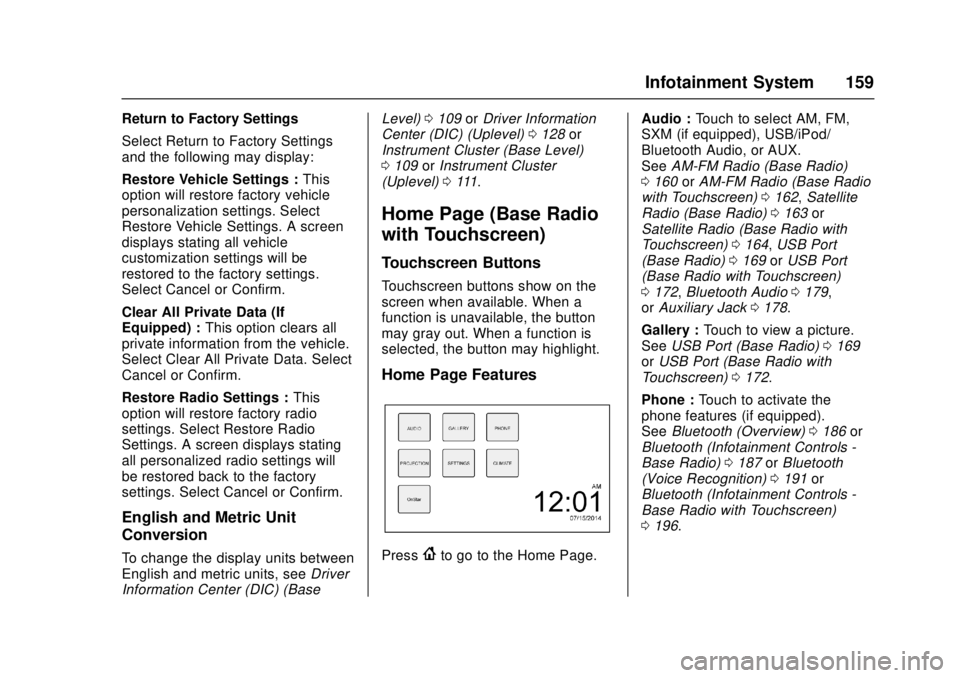
Home Page Features
Press{to go to the Home Page. Audio :
Touch to select AM, FM,
SXM (if equipped), USB/iPod/
Bluetooth Audio, or AUX.
See AM-FM Radio (Base Radio)
0 160 orAM-FM Radio (Base Radio
with Touchscreen) 0162, Satellite
Radio (Base Radio) 0163 or
Satellite Radio (Base Radio with
Touchscreen) 0164, USB Port
(Base Radio) 0169 orUSB Port
(Base Radio with Touchscreen)
0 172, Bluetooth Audio 0179,
or Auxiliary Jack 0178.
Gallery : Touch to view a picture.
See USB Port (Base Radio) 0169
or USB Port (Base Radio with
Touchscreen) 0172.
Phone : Touch to activate the
phone features (if equipped).
See Bluetooth (Overview) 0186 or
Bluetooth (Infotainment Controls -
Base Radio) 0187 orBluetooth
(Voice Recognition) 0191 or
Bluetooth (Infotainment Controls -
Base Radio with Touchscreen)
0 196.
Page 161 of 417
GMC Canyon Owner Manual (GMNA-Localizing-U.S./Canada-10122677) -
2017 - crc - 1/20/17
160 Infotainment System
Projection :Touch to access
supported devices when connected.
See USB Port (Base Radio) 0169
or USB Port (Base Radio with
Touchscreen) 0172.
Settings : Touch to access the
Personalization menu. See Vehicle
Personalization 0138.
Climate : Touch to access the
Climate menu.
See Climate Control Systems 0207
or Automatic Climate Control
System 0209.
OnStar : If equipped, touch to
access the OnStar menu. See
OnStar Overview 0395.
Software Updates
See the website for more
information.
Website Information
In the U.S., see www.gmc.com
In Canada, see www.gmccanada.ca
Radio
AM-FM Radio (Base
Radio)
Playing the Radio
While on the audio main page,
press the RADIO button repeatedly
to cycle through the available
sources AM, FM, and SXM (if
equipped) or press the MEDIA
button repeatedly to cycle through
the available sources Bluetooth
®
Audio (if equipped), USB, and AUX.
The steering wheel controls can
also be used to adjust the volume.
See Steering Wheel Controls 0103.
AM, FM, or SXM (If Equipped)
To select AM, FM, or SXM (if
equipped), press the RADIO button
to toggle to the desired broadcast
source.
Press the MENU knob and the
following radio settings may display: Tone Settings:
.
Bass, Midrange, and Treble:
Turn the MENU knob and
highlight. Press the MENU knob
to select. Turn the MENU knob
to adjust.
. Balance: Turn the MENU knob
to highlight. Press the MENU
knob to select. Turn the MENU
knob left for more sound from
the left speakers or right for
more sound from the right
speakers. The middle position
balances the sound between the
left and right speakers.
. Fade: Turn the MENU knob to
highlight. Press the MENU knob
to select. Turn the MENU knob
to the left for more sound from
the front speakers and to the
right for more sound from the
rear speakers. The middle
position balances the sound
between the front and rear
speakers.
Page 162 of 417
GMC Canyon Owner Manual (GMNA-Localizing-U.S./Canada-10122677) -
2017 - crc - 1/20/17
Infotainment System 161
.DSP: If equipped with a Bose
Surround®sound system, it will
have three DSP modes
including:
‐ Normal: Adjusts the audio to
provide the best sound for all
seating positions.
‐ Driver: Adjusts the audio to
provide the best sound for the
driver.
‐ Centerpoint: Creates a
surround sound from nearly
any audio source.
. EQ (Equalizer): If equipped with
a Bose sound system, turn the
MENU knob to highlight. Turn
the MENU knob to scroll through
the options. Press the MENU
knob to select. Press the
o
BACK button to go to the
previous menu.
Station List : Select to display a list
of AM or FM stations. Press
o
BACK to go to the previous menu.
Auto Volume : If equipped, this
feature adjusts the volume based on
the vehicle speed. Select the level between Off, Low, Medium-Low,
Medium, Medium-High, and High.
Press
oBACK to go to the
previous menu.
EQ (Equalizer) Settings : In certain
configurations, the available choices
are Manual and Talk.
Options for SXM Only
SXM View : SXM view allows the
channel list to be viewed by channel
name, artist playing on channel,
or song playing on channel. Turn
the MENU knob to highlight and
press the MENU knob to select.
Press
oBACK to go to the
previous menu.
SXM Channel List : Select to
display a list of SXM channels. Turn
the MENU knob to highlight and
press the MENU knob to select.
Press
oBACK to go to the
previous menu.
Also see the radio settings common
for all sources earlier in this section.
Finding a Station
Seeking a Station
Press
gorlto search for the
previous or next strongest station.
Tuning a Station
Turn the MENU knob to manually
find a station.
Storing Radio Station Presets
Up to 25 preset stations from all
bands can be stored in the favorite
lists in any order. Up to five stations
can be stored in each favorite page
and the number of favorites can
be set.
AM, FM, or SXM (If Equipped) :
While on the active source main
page, such as AM, FM, or SXM (if
equipped), press and hold a
favorites/soft key button on the
faceplate.
Mixed-Audio Favorites
Media (if equipped) and Broadcast
favorites can be stored.
To display the favorites page, press
qorron the radio faceplate.
Page 163 of 417
GMC Canyon Owner Manual (GMNA-Localizing-U.S./Canada-10122677) -
2017 - crc - 1/20/17
162 Infotainment System
To manage favorites, see“Manage
Favorites” underHome Page (Base
Radio) 0157 orHome Page (Base
Radio with Touchscreen) 0159.
AM-FM Radio (Base
Radio with Touchscreen)
Playing the Radio
Audio Source Menu
{:Press to go to the Home Page.
O:Press to turn on, mute,
or unmute the system. Press and
hold to turn off the system.
Selecting a Band
Press{, then touch AUDIO,
Source, then select AM, FM,
or SXM (if equipped). The last
station that was playing starts
playing again.
System Settings
Auto Volume
This feature automatically adjusts
the radio volume to compensate for
road and wind noise. The level of volume compensation
can be selected, or the feature can
be turned off.
1. Touch MENU from a source screen.
2. Select Auto Volume.
3. Select the desired setting.
4. Touch
3to go back to the
source screen.
Tone Settings
The tone settings can be set for
each radio band and each audio
player source.
Preset Tone Settings 1. Touch MENU.
2. Touch Tone Settings.
3. Select a preset tone setting. .Bass, Midrange, or Treble:
Touch −or +.
. Fader or Balance: Adjust
the front/rear or left/right
speakers by dragging the
dot in the vehicle image on
the screen. Custom Tone Settings
1. Touch MENU.
2. Touch Tone Settings.
3. Touch Custom. .Bass, Midrange, or Treble:
Touch −or +.
. Fader or Balance: Adjust
the front/rear or left/right
speakers by dragging the
dot in the vehicle image on
the screen.
Touch
3to go back to the source
screen.
Selecting an Auxiliary Device
Connect the auxiliary device to the
AUX input terminal. Play will begin
when the system has finished
reading the information on the
device.
If the AUX device is already
connected, press
{, AUDIO,
Source, then select the device.
Page 164 of 417
GMC Canyon Owner Manual (GMNA-Localizing-U.S./Canada-10122677) -
2017 - crc - 1/20/17
Infotainment System 163
Selecting a Station
Seek Tuning
If the radio station is not known:
Press
7or6to automatically
search for available radio stations.
Manual Tuning
Continue touching
toruto
manually change the radio station.
Direct Tune
From the AM or FM menu:
1. Touch Tune.
2. Enter the station number.
3. Touch Go or
toruto go to
the previous or next station.
Favorite
1. Touch
SorTto scroll through
the favorites.
2. Touch the station to select it.
Station List 1. From the AM or FM menu, touch MENU.
2. Select Station List. 3. Touch
QorRto scroll through
the list. Touch the station to
select it.
Update Station List 1. From the AM or FM menu, touch MENU, then touch
Update Station List. The
broadcasting list updating will
begin.
2. During the AM or FM broadcasting list update, touch
Cancel to stop the updates.
Storing a Station as a Favorite
Stations from all bands can be
stored in any order in the favorite
pages.
Up to 25 stations can be stored.
Storing Stations
To store the station to a position in
the list, touch the corresponding
button 1−5 until a beep is heard.
1. Select the desired station.
2. Touch
SorTto select the
desired page of saved
favorites. 3. Touch and hold any of the
preset buttons to save the
current radio station to that
button of the selected
favorites page.
To change a preset button, tune to
the new desired radio station and
touch and hold the preset button.
Satellite Radio (Base
Radio)
SiriusXM®Satellite Radio
Service
Vehicles with a SiriusXM satellite
radio tuner and a valid SiriusXM
satellite radio subscription can
receive SiriusXM programming.
SiriusXM is a satellite radio service
based in the 48 contiguous United
States and 10 Canadian provinces.
SiriusXM satellite radio has a wide
variety of programming and
commercial-free music, coast to
coast, and in digital-quality sound.
A service fee is required to receive
the SiriusXM service. See
www.siriusxm.com or call
Page 165 of 417
GMC Canyon Owner Manual (GMNA-Localizing-U.S./Canada-10122677) -
2017 - crc - 1/20/17
164 Infotainment System
1-888-601-6296 (U.S.); or see
www.siriusxm.ca or call
1-877-438-9677 (Canada).
When SiriusXM is active, the
channel name and number,
category name, song title, and artist
display on the screen.
Browsing SiriusXM Channels
To browse the SiriusXM channels:1. Press the MENU knob.
2. Turn the MENU knob to highlight SXM Channel List.
3. Turn the MENU knob to highlight the desired SXM
Channels.
Satellite Radio (Base
Radio with Touchscreen)
SiriusXM®Satellite Radio
Service
Vehicles with an SXM Satellite
Radio tuner and a valid SiriusXM®
Satellite Radio subscription can
receive SiriusXM programming. SiriusXM is a satellite radio service
based in the 48 contiguous United
States and 10 Canadian provinces.
SiriusXM Satellite Radio has a wide
variety of programming and
commercial-free music, coast to
coast, and in digital-quality sound.
A service fee is required to receive
the SiriusXM service. See
www.siriusxm.com or call
1-888-601-6296 (U.S.); or see
www.siriusxm.ca or call
1-877-438-9677 (Canada).
When SiriusXM is active, the
channel name and number,
category name, song title, and artist
display on the screen.
Listening to SiriusXM Radio
1. Press{.
2. Touch AUDIO.
3. Touch Source.
4. Touch SXM and the most recent listened to SiriusXM
channel will display.
Touch
0to return to the
HOME menu.
Selecting a Category
From Menu, touch Categories, then
touch the desired category or from
Categories, touch
QorRto find the
desired channel. Touch the channel
to select it.
Selecting a Channel
Touchuortand the previous or
next channel will be selected.
Touch and hold
uortto jump
four channels backward or forward,
then release the button at the
desired channel.
Using the Preset Buttons
Up to seven favorites pages can be
saved, and each page can store up
to five channels.
To change a preset button, tune to
the new desired channel and hold
the button.
Listening to Preset Channels
1. Continue touching
SorTto
select the desired
favorites page.
Page 166 of 417
GMC Canyon Owner Manual (GMNA-Localizing-U.S./Canada-10122677) -
2017 - crc - 1/20/17
Infotainment System 165
2. Touch the preset button tolisten to the channel saved to
that button.
Using the SiriusXM Menu
Operation
1. Touch MENU on the SXM infotainment display.
2. Touch the menu to select the desired item or to display the
detail menu item.
3. Touch
0to return to the
previous menu.
Channel List 1. Touch SXM Channel List from the SXM menu. The channel
list is displayed.
2. Touch
QorRto find the
desired channel. Tune to the
channel by selecting it.
Tone Settings
From the tone settings menu, the
sound features can be set up for
SiriusXM audio and each audio
player ’s functions. 1. Touch Tone Settings. The tone
settings screen is displayed.
See “Tone Settings” under
“Base Radio with Touchscreen”
in AM-FM Radio (Base Radio)
0 160 orAM-FM Radio (Base
Radio with Touchscreen)
0 162.
2. Touch OK.
Auto Volume 1. Touch Auto Volume. See “Auto
Volume” under“Base Radio
with Touchscreen” inAM-FM
Radio (Base Radio) 0160 or
AM-FM Radio (Base Radio with
Touchscreen) 0162.
2. Touch OK.
Categories 1. Touch Categories.
2. Touch
QorRto find the
desired category. Touch the
category to select it. Explicit Content Filter
When on, only a filtered list of
channels will be received. When off,
all regular SXM programming
subscribed to will be received.
1. Touch SXM Explicit Filter.
2. Select On or Off.
Radio Reception
Frequency interference and static
can occur during normal radio
reception if items such as cell phone
chargers, vehicle convenience
accessories, and external electronic
devices are plugged into the
accessory power outlet. If there is
interference or static, unplug the
item from the accessory power
outlet.
FM
FM signals only reach about 16 to
65 km (10 to 40 mi). Although the
radio has a built-in electronic circuit
that automatically works to reduce
interference, some static can occur,
especially around tall buildings or
hills, causing the sound to fade in
and out.