tow GMC CANYON 2017 Owner's Guide
[x] Cancel search | Manufacturer: GMC, Model Year: 2017, Model line: CANYON, Model: GMC CANYON 2017Pages: 417, PDF Size: 5.36 MB
Page 121 of 417
GMC Canyon Owner Manual (GMNA-Localizing-U.S./Canada-10122677) -
2017 - crc - 1/20/17
120 Instruments and Controls
Warning (Continued)
warning light on can lead to a
crash. If the light is still on after
the vehicle has been pulled off
the road and carefully stopped,
have the vehicle towed for
service.
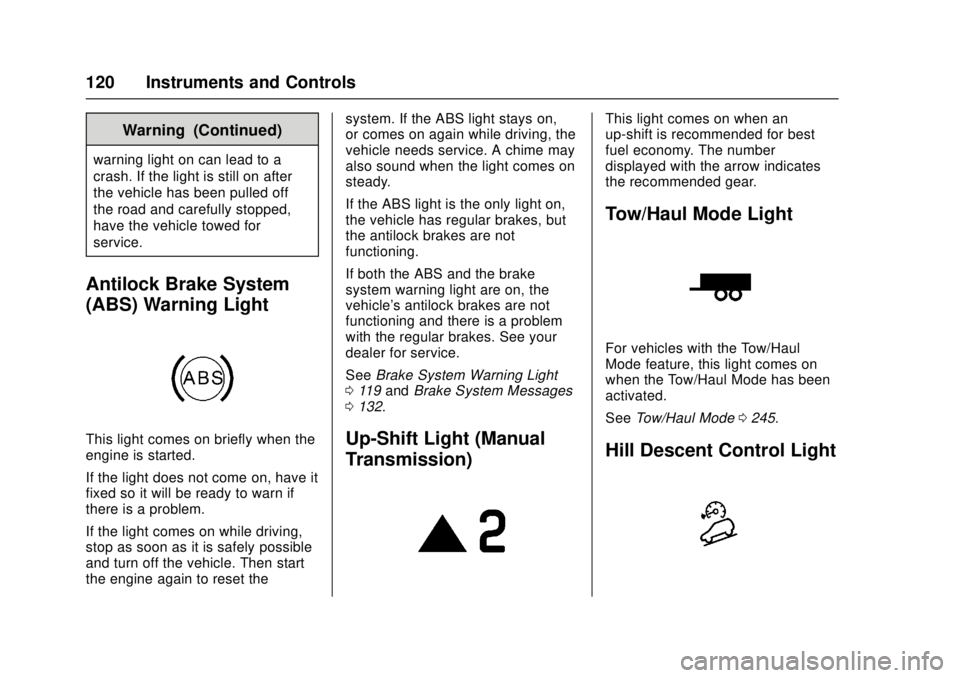
Antilock Brake System
(ABS) Warning Light
This light comes on briefly when the
engine is started.
If the light does not come on, have it
fixed so it will be ready to warn if
there is a problem.
If the light comes on while driving,
stop as soon as it is safely possible
and turn off the vehicle. Then start
the engine again to reset thesystem. If the ABS light stays on,
or comes on again while driving, the
vehicle needs service. A chime may
also sound when the light comes on
steady.
If the ABS light is the only light on,
the vehicle has regular brakes, but
the antilock brakes are not
functioning.
If both the ABS and the brake
system warning light are on, the
vehicle's antilock brakes are not
functioning and there is a problem
with the regular brakes. See your
dealer for service.
See
Brake System Warning Light
0 119 and Brake System Messages
0 132.Up-Shift Light (Manual
Transmission)
This light comes on when an
up-shift is recommended for best
fuel economy. The number
displayed with the arrow indicates
the recommended gear.
Tow/Haul Mode Light
For vehicles with the Tow/Haul
Mode feature, this light comes on
when the Tow/Haul Mode has been
activated.
See Tow/Haul Mode 0245.
Hill Descent Control Light
Page 134 of 417
GMC Canyon Owner Manual (GMNA-Localizing-U.S./Canada-10122677) -
2017 - crc - 1/20/17
Instruments and Controls 133
ENGINE OVERHEATING, IDLE
ENGINE
This message displays when the
engine coolant temperature is too
hot. Stop and allow the vehicle to
idle until it cools down. SeeEngine
Coolant Temperature Gauge 0114.
When towing, use Tow/Haul Mode
to prevent damage to the engine or
transmission. See Tow/Haul Mode
0 245.
ENGINE OVERHEATED STOP
ENGINE
This message displays and a chime
may sound if the engine cooling
system reaches unsafe
temperatures for operation. Stop
and turn off the vehicle as soon as it
is safe to do so to avoid severe
damage. This message clears when
the engine has cooled to a safe
operating temperature.
Engine Oil Messages
CHANGE ENGINE OIL SOON
This message displays when the
engine oil needs to be changed.
When you change the engine oil, be
sure to reset the CHANGE ENGINE
OIL SOON message. See Engine
Oil Life System 0286 for
information on how to reset the
message.
See Engine Oil 0284 and
Maintenance Schedule 0364.
ENGINE OIL LOW ADD OIL
On some vehicles, this message
displays when the engine oil level
may be too low. Check the oil level
before filling to the recommended
level. If the oil is not low and this
message remains on, take the
vehicle to your dealer for service.
See Engine Oil 0284.
ENGINE OIL HOT IDLE
ENGINE
This message displays when the
engine oil becomes hotter than the
normal operating temperature. Stop and allow the vehicle to idle until it
cools down. See
Engine Coolant
Temperature Gauge 0114.
OIL PRESSURE LOW STOP
ENGINE
This message displays if low oil
pressure levels occur. Stop the
vehicle as soon as safely possible
and do not operate it until the cause
of the low oil pressure has been
corrected. Check the oil as soon as
possible and have the vehicle
serviced by your dealer. See Engine
Oil 0284.
Engine Power Messages
ENGINE POWER IS REDUCED
This message displays and a chime
may sound when the cooling system
temperature gets too hot and the
engine further enters the engine
coolant protection mode. See
Engine Overheating 0294 for more
information.
This message also displays when
the vehicle's engine power is
reduced. Reduced engine power
can affect the vehicle's ability to
Page 138 of 417
GMC Canyon Owner Manual (GMNA-Localizing-U.S./Canada-10122677) -
2017 - crc - 1/20/17
Instruments and Controls 137
FOR 4WD LOW SLOW TO XXX
If a four-wheel drive shift into
Four-Wheel Drive Low is requested,
but the vehicle speed is too high,
this message will display until the
correct vehicle speed is reached.
FOR 4WD LOW SHIFT TO
NEUTRAL
If a four-wheel drive shift into
Four-Wheel Drive Low is requested,
and the vehicle speed is correct, but
the transmission is not in
N (Neutral), this message will
display until the transmission is
shifted to N (Neutral).
SERVICE 4WD
If the vehicle has four-wheel drive,
this message may display if a
problem occurs with the
four-wheel-drive system. If this
message appears, stop as soon as
possible and turn off the vehicle.
Make sure the key is in the LOCK/
OFF position for at least
one minute, then restart the vehicle
and check for the message on the
DIC display. If the message is still
displayed or appears again whenyou begin driving, the
four-wheel-drive system needs
service. See your dealer.
TO EXIT 4WD LOW SLOW
TO XXX
If a four-wheel drive shift out of
Four-Wheel Drive Low is requested,
but the vehicle speed is too high,
this message will display until the
correct vehicle speed is reached.
TO EXIT 4WD LOW SHIFT TO
NEUTRAL
If a four-wheel drive shift out of
Four-Wheel Drive Low is requested,
and the vehicle speed is correct, but
the transmission is not in
N (Neutral), this message will
display until the transmission is
shifted to N (Neutral).
TRANSMISSION HOT IDLE
ENGINE
This message displays and a chime
may sound if the transmission fluid
in the vehicle gets hot. Driving with
the transmission fluid temperature
high can cause damage to the
vehicle. Stop the vehicle and let it
idle to allow the transmission to
cool. This message clears and the
chime stops when the fluid
temperature reaches a safe level.
When towing, use Tow/Haul Mode
to prevent damage to the engine or
transmission. See
Tow/Haul Mode
0 245.
VEHICLE IN 4WD LOW
This message will display if the
vehicle is driven in Four-Wheel
Drive Low for about 10 minutes
above 72 km/h (45 mph).
Vehicle Reminder
Messages
ICE POSSIBLE DRIVE
WITH CARE
This message is displayed when ice
conditions are possible.
Page 147 of 417
GMC Canyon Owner Manual (GMNA-Localizing-U.S./Canada-10122677) -
2017 - crc - 1/20/17
146 Lighting
10 minutes after the ignition is
turned off. When the headlamps are
turned on while the vehicle is off,
the headlamps will stay on for
10 minutes before turning off to
prevent the battery from being
drained. Turn the headlamp control
off and then back to the headlamp
on position to make the headlamps
stay on for an additional 10 minutes.
To keep the lamps on for more than
10 minutes, the ignition must be in
the ACC/ACCESSORY or ON/RUN
position.
#:If equipped, it turns on the fog
lamps. See Fog Lamps0148.
Exterior Lamps Off
Reminder
A reminder chime sounds when the
headlamps or parking lamps are
manually turned on, the ignition is
off, and a door is open. To disable
the chime, turn the lamps off.
Headlamp High/
Low-Beam Changer
Push the turn signal lever toward
the instrument panel to change the
headlamps from low to high beam.
Pull the turn signal lever toward you
and release it to return to low-beam
headlamps.
When the high-beam headlamps are
on, this indicator light on the
instrument cluster will also be on.
Flash-to-Pass
This feature lets you use the
high-beam headlamps to signal a
driver in front of you that you want
to pass. It works even if the
headlamps are in the automatic
position.
To use it, pull the turn signal lever
toward you, then release it. If the headlamps are in the
automatic position or on low beam,
the high-beam headlamps will turn
on. They will stay on as long as you
hold the lever toward you. The
high-beam indicator on the
instrument cluster will come on.
Release the lever to return to
normal operation.
Daytime Running
Lamps (DRL)
DRL can make it easier for others to
see the front of the vehicle during
the day. Fully functional DRL are
required on all vehicles first sold in
Canada.
The DRL system comes on when
the following conditions are met:
.
The ignition is on.
. The exterior lamp control is
in AUTO.
. The transmission is not in
P (Park).
. The light sensor determines it is
daytime.
Page 214 of 417
GMC Canyon Owner Manual (GMNA-Localizing-U.S./Canada-10122677) -
2017 - crc - 1/20/17
Driving and Operating 213
Driving and
Operating
Driving Information
Distracted Driving . . . . . . . . . . . . 214
Defensive Driving . . . . . . . . . . . . . 214
Drunk Driving . . . . . . . . . . . . . . . . . 214
Control of a Vehicle . . . . . . . . . . . 215
Braking . . . . . . . . . . . . . . . . . . . . . . . 215
Steering . . . . . . . . . . . . . . . . . . . . . . 215
Off-Road Recovery . . . . . . . . . . . 216
Loss of Control . . . . . . . . . . . . . . . 216
Off-Road Driving . . . . . . . . . . . . . 217
Driving on Wet Roads . . . . . . . . 221
Hill and Mountain Roads . . . . . 222
Winter Driving . . . . . . . . . . . . . . . . 223
If the Vehicle Is Stuck . . . . . . . . 224
Vehicle Load Limits . . . . . . . . . . . 225
Truck-Camper LoadingInformation . . . . . . . . . . . . . . . . . . 231
Starting and Operating
New Vehicle Break-In . . . . . . . . . 231
Ignition Positions . . . . . . . . . . . . . 232
Starting the Engine . . . . . . . . . . . 233
Engine Heater . . . . . . . . . . . . . . . . 234
Retained AccessoryPower (RAP) . . . . . . . . . . . . . . . . 236
Shifting Into Park . . . . . . . . . . . . . 236 Shifting out of Park . . . . . . . . . . . 238
Parking . . . . . . . . . . . . . . . . . . . . . . . 238
Parking over Things
That Burn . . . . . . . . . . . . . . . . . . . 238
Engine Exhaust
Engine Exhaust . . . . . . . . . . . . . . 239
Running the Vehicle WhileParked . . . . . . . . . . . . . . . . . . . . . . 239
Automatic Transmission
Automatic Transmission . . . . . . 240
Manual Mode . . . . . . . . . . . . . . . . . 242
Tow/Haul Mode . . . . . . . . . . . . . . . 245
Manual Transmission
Manual Transmission . . . . . . . . . 245
Drive Systems
Four-Wheel Drive . . . . . . . . . . . . . 247
Brakes
Antilock BrakeSystem (ABS) . . . . . . . . . . . . . . . 251
Parking Brake . . . . . . . . . . . . . . . . 251
Brake Assist . . . . . . . . . . . . . . . . . . 252
Hill Start Assist (HSA) . . . . . . . . 252
Ride Control Systems
Traction Control/Electronic Stability Control . . . . . . . . . . . . . 253
Hill Descent Control (HDC) . . . 255
Cruise Control
Cruise Control . . . . . . . . . . . . . . . . 256
Driver Assistance Systems
Rear Vision Camera (RVC) . . . 258
Forward Collision Alert (FCA) System . . . . . . . . . . . . . . . . . . . . . . 260
Lane Departure Warning (LDW) . . . . . . . . . . . . . 261
Fuel
Fuel . . . . . . . . . . . . . . . . . . . . . . . . . . 263
California FuelRequirements . . . . . . . . . . . . . . . 264
Fuels in Foreign Countries . . . 264
Fuel Additives . . . . . . . . . . . . . . . . 264
Filling the Tank . . . . . . . . . . . . . . . 264
Filling a Portable Fuel Container . . . . . . . . . . . . . . . . . . . 266
Trailer Towing
General TowingInformation . . . . . . . . . . . . . . . . . . 267
Driving Characteristics and Towing Tips . . . . . . . . . . . . . . . . . 267
Trailer Towing . . . . . . . . . . . . . . . . 269
Towing Equipment . . . . . . . . . . . . 272
Trailer Sway Control (TSC) . . . 275
Conversions and Add-Ons
Add-On Electrical Equipment . . . . . . . . . . . . . . . . . . 275
Page 226 of 417
GMC Canyon Owner Manual (GMNA-Localizing-U.S./Canada-10122677) -
2017 - crc - 1/20/17
Driving and Operating 225
causes a rocking motion that could
free the vehicle. If that does not get
the vehicle out after a few tries, it
might need to be towed out. See
Towing the Vehicle0349. Recovery
hooks can be used, if the vehicle
has them.
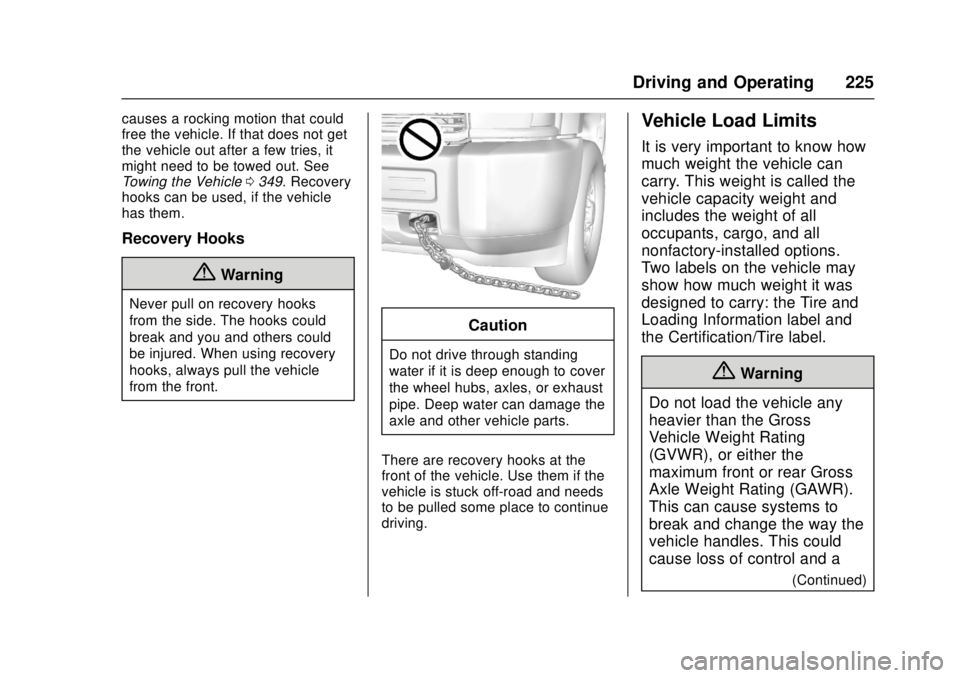
Recovery Hooks
{Warning
Never pull on recovery hooks
from the side. The hooks could
break and you and others could
be injured. When using recovery
hooks, always pull the vehicle
from the front.
Caution
Do not drive through standing
water if it is deep enough to cover
the wheel hubs, axles, or exhaust
pipe. Deep water can damage the
axle and other vehicle parts.
There are recovery hooks at the
front of the vehicle. Use them if the
vehicle is stuck off-road and needs
to be pulled some place to continue
driving.
Vehicle Load Limits
It is very important to know how
much weight the vehicle can
carry. This weight is called the
vehicle capacity weight and
includes the weight of all
occupants, cargo, and all
nonfactory-installed options.
Two labels on the vehicle may
show how much weight it was
designed to carry: the Tire and
Loading Information label and
the Certification/Tire label.
{Warning
Do not load the vehicle any
heavier than the Gross
Vehicle Weight Rating
(GVWR), or either the
maximum front or rear Gross
Axle Weight Rating (GAWR).
This can cause systems to
break and change the way the
vehicle handles. This could
cause loss of control and a
(Continued)
Page 228 of 417
GMC Canyon Owner Manual (GMNA-Localizing-U.S./Canada-10122677) -
2017 - crc - 1/20/17
Driving and Operating 227
load capacity is 650 lbs.
(1400-750 (5 x 150) =
650 lbs.)
5.Determine the combined
weight of luggage and cargo
being loaded on the vehicle.
That weight may not safely
exceed the available cargo
and luggage load capacity
calculated in Step 4.
6.If your vehicle will be towing
a trailer, load from your
trailer will be transferred to
your vehicle. Consult this
manual to determine how
this reduces the available
cargo and luggage load
capacity of your vehicle.”
See Trailer Towing 0269 for
important information on towing
a trailer, towing safety rules, and
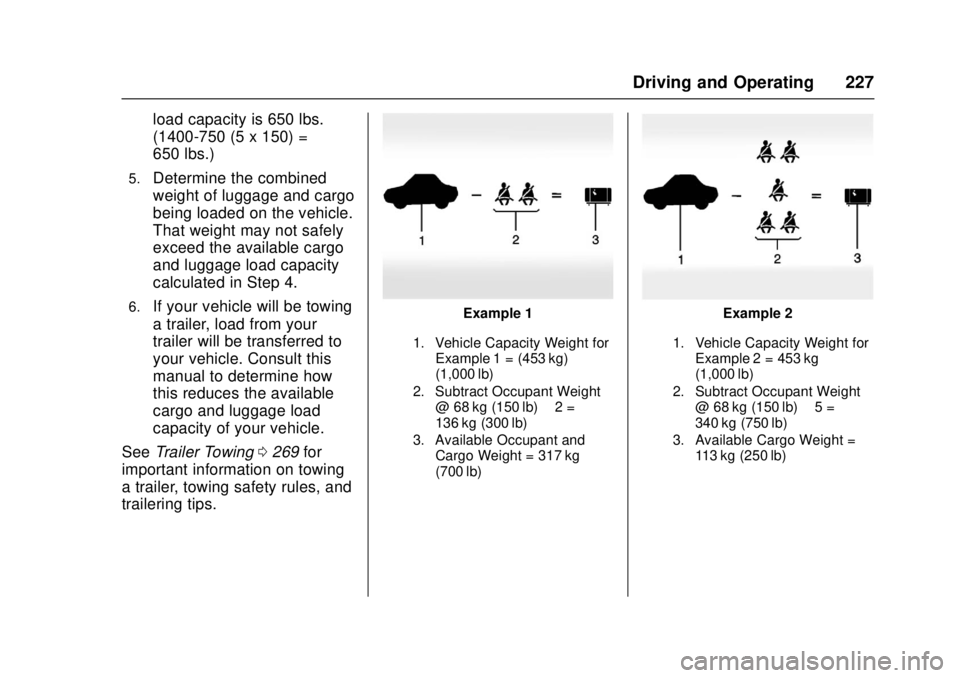
trailering tips.Example 1
1. Vehicle Capacity Weight for
Example 1 = (453 kg)
(1,000 lb)
2. Subtract Occupant Weight @ 68 kg (150 lb) × 2 =
136 kg (300 lb)
3. Available Occupant and Cargo Weight = 317 kg
(700 lb)
Example 2
1. Vehicle Capacity Weight forExample 2 = 453 kg
(1,000 lb)
2. Subtract Occupant Weight @ 68 kg (150 lb) × 5 =
340 kg (750 lb)
3. Available Cargo Weight = 113 kg (250 lb)
Page 232 of 417
GMC Canyon Owner Manual (GMNA-Localizing-U.S./Canada-10122677) -
2017 - crc - 1/20/17
Driving and Operating 231
accessory design, use a spacer
under the accessory at the load
points to remove gap. The holes for
GM approved accessories (3) are
not intended for aftermarket
equipment. See www.gmupfitter.com
for additional pickup box load
bearing structural information.
Truck-Camper Loading
Information
The vehicle was neither
designed nor intended to carry a
slide-in camper.Caution
Adding a slide-in camper or
similar equipment to the vehicle
can damage it, and the repairs
would not be covered by the
vehicle warranty. Do not install a
slide-in camper or similar
equipment on the vehicle.
Starting and
Operating
New Vehicle Break-In
Caution
The vehicle does not need an
elaborate break-in. But it will
perform better in the long run if
you follow these guidelines:. Keep the vehicle speed at
88 km/h (55 mph) or less for
the first 805 km (500 mi).
. Do not drive at any one
constant speed, fast or slow,
for the first 805 km (500 mi).
Do not make full-throttle
starts. Avoid downshifting to
brake or slow the vehicle.
. Avoid making hard stops for
the first 322 km (200 mi) or
so. During this time the new
brake linings are not yet
broken in. Hard stops with
new linings can mean
(Continued)
Caution (Continued)
premature wear and earlier
replacement. Follow this
breaking-in guideline every
time you get new brake
linings.
. Do not tow a trailer during
break-in. See Trailer Towing
0 269 for the trailer towing
capabilities of the vehicle
and more information.
Following break-in, engine speed
and load can be gradually
increased.
Page 234 of 417
GMC Canyon Owner Manual (GMNA-Localizing-U.S./Canada-10122677) -
2017 - crc - 1/20/17
Driving and Operating 233
Caution
Using a tool to force the key to
turn in the ignition could cause
damage to the switch or break the
key. Use the correct key, make
sure it is all the way in, and turn it
only with your hand. If the key
cannot be turned by hand, see
your dealer.
1 (ACC/ACCESSORY) : This
position lets things like the radio
and the windshield wipers operate
while the engine is off. It also
unlocks the steering wheel. Use this
position if the vehicle must be
pushed or towed.
2 (ON/RUN) : This position can be
used to operate the electrical
accessories and to display some
instrument cluster warning and
indicator lights. This position can
also be used for service and
diagnostics, and to verify the proper
operation of the malfunction
indicator lamp as may be required
for emission inspection purposes.
The switch stays in this position when the engine is running. The
transmission is also unlocked in this
position on automatic transmission
vehicles.
If the key is left in the ACC/
ACCESSORY or ON/RUN position
with the engine off, the battery could
be drained. The vehicle may not
start if the battery is allowed to drain
for an extended period of time.
3 (START) :
This is the position that
starts the engine. When the engine
starts, release the key. The ignition
switch returns to ON/RUN for
driving.
A warning tone will sound when the
driver door is opened, the ignition is
in ACC/ACCESSORY or LOCK/
OFF, and the key is in the ignition.
Starting the Engine
If the vehicle has a diesel engine,
see the Duramax diesel
supplement.
Caution
If you add electrical parts or
accessories, you could change
the way the engine operates. Any
resulting damage would not be
covered by the vehicle warranty.
See Add-On Electrical Equipment
0 275.
Place the transmission in the
proper gear.
Automatic Transmission
Move the shift lever to P (Park) or
N (Neutral). The engine will not start
in any other position. To restart the
engine when the vehicle is already
moving, use N (Neutral) only.
Caution
Do not try to shift to P (Park) if the
vehicle is moving. If you do, you
could damage the transmission.
Shift to P (Park) only when the
vehicle is stopped.
Page 237 of 417
GMC Canyon Owner Manual (GMNA-Localizing-U.S./Canada-10122677) -
2017 - crc - 1/20/17
236 Driving and Operating
4. Before starting the engine, besure to unplug and store the
cord as it was before to keep it
away from moving engine
parts. If you do not, it could be
damaged.
The length of time the heater should
remain plugged in depends on
several factors. Ask a dealer in the
area where you will be parking the
vehicle for the best advice on this.
Retained Accessory
Power (RAP)
The following vehicle accessories
can be used for up to 10 minutes
after the engine is turned off:
. Audio System
. Power Windows
. OnStar System (if equipped)
These features work when the key
is in ON/RUN or ACC/
ACCESSORY. Once the key is
turned from ON/RUN to LOCK/OFF,
the windows continue to work up to
10 minutes or until any door is opened. The radio continues to
work for up to 10 minutes or until the
driver door is opened.
Accessory Power Outlets (APOs)
The vehicle may have Accessory
Power Outlets (APOs) in several
locations. See
Power Outlets0106.
The APOs in the console or center
seat position are powered by
Retained Accessory Power (RAP).
They will continue to work for up to
10 minutes after the key is turned
from ON/RUN to LOCK/OFF, or until
the driver door is opened.
The APOs on the center stack come
from the factory powered directly
from the vehicle battery, and supply
accessory power at all times,
regardless of ignition key position.
If electronic items are left plugged
into these APOs for long periods of
time with the vehicle off, the vehicle
battery could be drained. The
vehicle may not start if the battery is
allowed to drain for an extended
period of time.
Shifting Into Park
{Warning
It can be dangerous to get out of
the vehicle if the shift lever is not
fully in P (Park) with the parking
brake firmly set. The vehicle can
roll. If you have left the engine
running, the vehicle can move
suddenly. You or others could be
injured. To be sure the vehicle will
not move, even when you are on
fairly level ground, use the steps
that follow. With four-wheel drive,
if the transfer case is in
N (Neutral), the vehicle will be
free to roll, even if the shift lever
is in P (Park). Be sure the transfer
case is in a drive gear. If towing a
trailer, see Driving Characteristics
and Towing Tips 0267.
1. Hold the brake pedal down, then set the parking brake.
See Parking Brake 0251.