check engine light GMC CANYON 2019 User Guide
[x] Cancel search | Manufacturer: GMC, Model Year: 2019, Model line: CANYON, Model: GMC CANYON 2019Pages: 381, PDF Size: 5.59 MB
Page 132 of 381
GMC Canyon/Canyon Denali Owner Manual (GMNA-Localizing-U.S./Canada-
12461766) - 2019 - crc - 10/2/18
Instruments and Controls 131
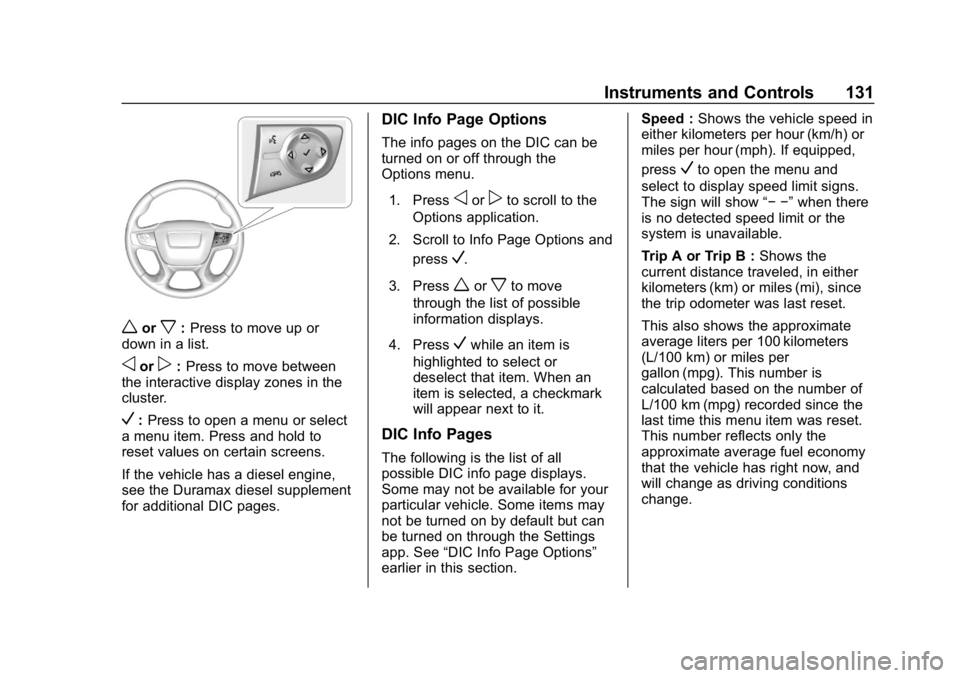
worx:Press to move up or
down in a list.
oorp: Press to move between
the interactive display zones in the
cluster.
V: Press to open a menu or select
a menu item. Press and hold to
reset values on certain screens.
If the vehicle has a diesel engine,
see the Duramax diesel supplement
for additional DIC pages.
DIC Info Page Options
The info pages on the DIC can be
turned on or off through the
Options menu.
1. Press
oorpto scroll to the
Options application.
2. Scroll to Info Page Options and press
V.
3. Press
worxto move
through the list of possible
information displays.
4. Press
Vwhile an item is
highlighted to select or
deselect that item. When an
item is selected, a checkmark
will appear next to it.
DIC Info Pages
The following is the list of all
possible DIC info page displays.
Some may not be available for your
particular vehicle. Some items may
not be turned on by default but can
be turned on through the Settings
app. See “DIC Info Page Options”
earlier in this section. Speed :
Shows the vehicle speed in
either kilometers per hour (km/h) or
miles per hour (mph). If equipped,
press
Vto open the menu and
select to display speed limit signs.
The sign will show “− −”when there
is no detected speed limit or the
system is unavailable.
Trip A or Trip B : Shows the
current distance traveled, in either
kilometers (km) or miles (mi), since
the trip odometer was last reset.
This also shows the approximate
average liters per 100 kilometers
(L/100 km) or miles per
gallon (mpg). This number is
calculated based on the number of
L/100 km (mpg) recorded since the
last time this menu item was reset.
This number reflects only the
approximate average fuel economy
that the vehicle has right now, and
will change as driving conditions
change.
Page 196 of 381
GMC Canyon/Canyon Denali Owner Manual (GMNA-Localizing-U.S./Canada-
12461766) - 2019 - crc - 10/2/18
Driving and Operating 195
7. With the engine running, verifythat the transfer case is in
N (Neutral) by shifting the
transmission to R (Reverse),
then shift the transmission to
D (Drive). There should be no
movement of the vehicle while
shifting the transmission.
8. Turn the engine off, and the ignition to ACC/ACCESSORY.
9. Place the transmission shift lever in P (Park). See
Recreational Vehicle Towing
0309.
10. Turn the ignition to off.
Shifting Out of N (Neutral)
To shift: 1. Set the parking brake and apply the brake pedal.
2. Turn the ignition on with the engine off.
3. Shift the transmission to N (Neutral).
4. Turn the transfer case knob to the desired setting. After the transfer case has
shifted out of N (Neutral), the
N (Neutral) light will go out.
5. Release the parking brake.
6. Start the engine and shift the transmission to the
desired gear.Brakes
Antilock Brake
System (ABS)
This vehicle has an Antilock Brake
System (ABS), an advanced
electronic braking system that helps
prevent a braking skid.
When the vehicle begins to drive
away, ABS checks itself.
A momentary motor or clicking noise
may be heard while this test is going
on, and it may even be noticed that
the brake pedal moves a little. This
is normal.
If there is a problem with ABS, this
warning light stays on. See Antilock
Brake System (ABS) Warning Light
0 122.
Page 199 of 381
GMC Canyon/Canyon Denali Owner Manual (GMNA-Localizing-U.S./Canada-
12461766) - 2019 - crc - 10/2/18
198 Driving and Operating
Ride Control Systems
Traction Control/
Electronic Stability
Control
System Operation
The vehicle has a Traction Control
System (TCS) and StabiliTrak/
Electronic Stability Control (ESC) an
electronic stability control system.
These systems help limit wheel slip
and assist the driver in maintaining
control, especially on slippery road
conditions.
TCS activates if it senses that any
of the drive wheels are spinning or
beginning to lose traction. When this
happens, TCS applies the brakes to
the spinning wheels and reduces
engine power to limit wheel spin.
StabiliTrak/ESC activates when the
vehicle senses a difference between
the intended path and the direction
the vehicle is actually traveling.
StabiliTrak/ESC selectively applies
braking pressure to any one of thevehicle wheel brakes to assist the
driver in keeping the vehicle on the
intended path.
If cruise control is being used and
traction control or StabiliTrak/ESC
begins to limit wheel spin, cruise
control will disengage. Cruise
control may be turned back on when
road conditions allow.
Both systems come on
automatically when the vehicle is
started and begins to move. The
systems may be heard or felt while
they are operating or while
performing diagnostic checks. This
is normal and does not mean there
is a problem with the vehicle.
It is recommended to leave both
systems on for normal driving
conditions, but it may be necessary
to turn TCS off if the vehicle gets
stuck in sand, mud, ice, or snow.
See
If the Vehicle Is Stuck 0166
and “Turning the Systems Off and
On” later in this section.
When the transfer case (if equipped)
is in Four-Wheel Drive Low, the
stability system is automatically disabled, and
gcomes on in the
instrument cluster. Both traction
control and StabiliTrak/ESC are
automatically disabled in this
condition.
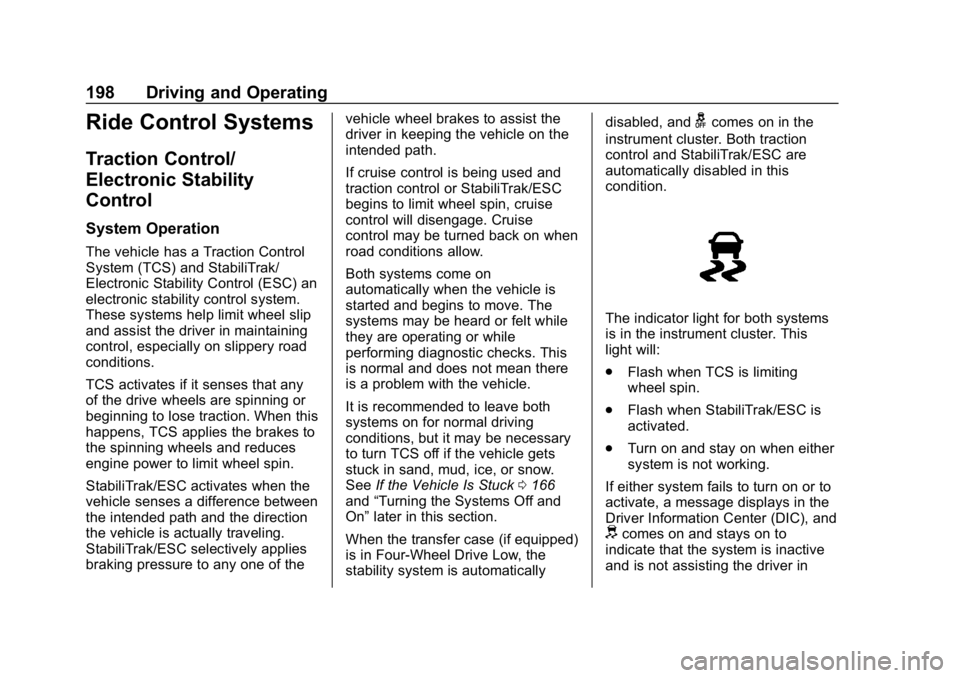
The indicator light for both systems
is in the instrument cluster. This
light will:
. Flash when TCS is limiting
wheel spin.
. Flash when StabiliTrak/ESC is
activated.
. Turn on and stay on when either
system is not working.
If either system fails to turn on or to
activate, a message displays in the
Driver Information Center (DIC), and
dcomes on and stays on to
indicate that the system is inactive
and is not assisting the driver in
Page 231 of 381
GMC Canyon/Canyon Denali Owner Manual (GMNA-Localizing-U.S./Canada-
12461766) - 2019 - crc - 10/2/18
230 Driving and Operating
To determine whether the electrical
fault is on the vehicle side or trailer
side of the trailer wiring harness
connection:1. Disconnect the trailer wiring harness from the vehicle.
2. Turn the ignition off.
3. Wait 10 seconds, then turn the ignition back to RUN.
4. If the CHECK TRAILER WIRING message reappears,
the electrical fault is on the
vehicle side.
If the CHECK TRAILER WIRING
message only reappears when
connecting the trailer wiring harness
to the vehicle, the electrical fault is
on the trailer side.
SERVICE TRAILER BRAKE
SYSTEM: This message will display
when there is a problem with the
ITBC system. If this message
continues over multiple ignition
cycles, have the vehicle serviced.
If either the CHECK TRAILER
WIRING or SERVICE TRAILER
BRAKE SYSTEM message displays while driving, the ITBC system may
not be fully functional or may not
function at all. When traffic
conditions allow, carefully pull the
vehicle over to the side of the road
and turn the ignition off. Check the
wiring connection to the trailer and
turn the ignition back on. If either of
these messages continues, either
the vehicle or trailer needs service.
A GM dealer may be able to
diagnose and repair problems with
the trailer. However, any diagnosis
and repair of the trailer is not
covered under the vehicle warranty.
Contact your trailer dealer for
assistance with trailer repairs and
trailer warranty information.
Trailer Sway
Control (TSC)
Vehicles with StabiliTrak/Electronic
Stability Control (ESC) have a
Trailer Sway Control (TSC) feature.
Trailer sway is unintended
side-to-side motion of a trailer while
towing. If the vehicle is towing a
trailer and the TSC detects that
sway is increasing, the vehiclebrakes are selectively applied at
each wheel, to help reduce
excessive trailer sway. If equipped
with the Integrated Trailer Brake
Control (ITBC) system, and the
trailer has an electric brake system,
StabiliTrak/ESC may also apply the
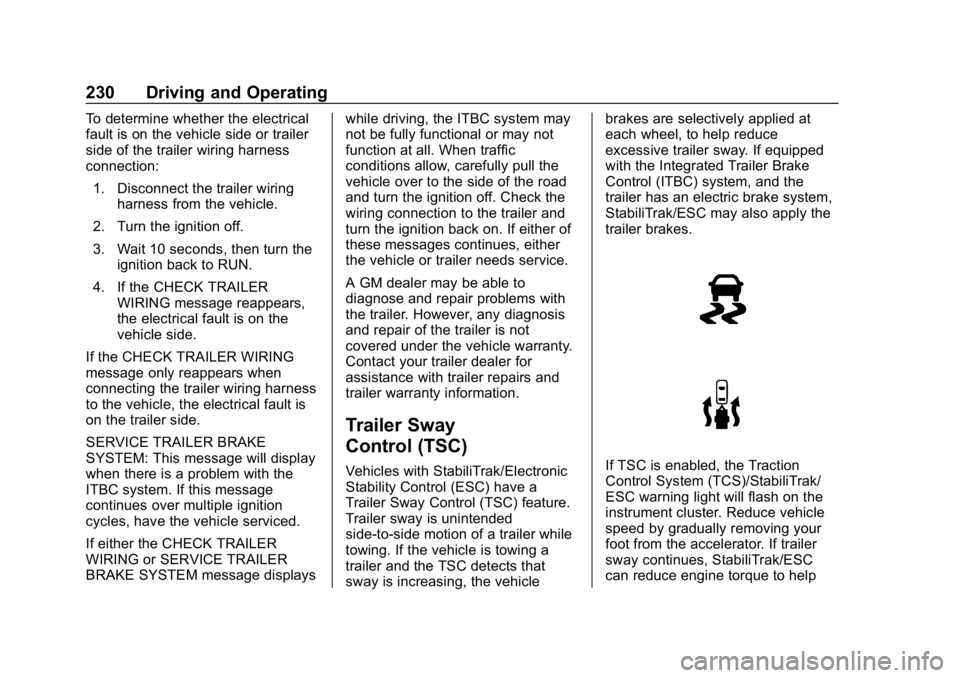
trailer brakes.If TSC is enabled, the Traction
Control System (TCS)/StabiliTrak/
ESC warning light will flash on the
instrument cluster. Reduce vehicle
speed by gradually removing your
foot from the accelerator. If trailer
sway continues, StabiliTrak/ESC
can reduce engine torque to help
Page 233 of 381
GMC Canyon/Canyon Denali Owner Manual (GMNA-Localizing-U.S./Canada-
12461766) - 2019 - crc - 10/2/18
232 Driving and Operating
Warning (Continued)
.If the trailer brakes are not
operating properly at any
time, or if a DIC message
indicates problems with the
trailer connections or trailer
brakes, carefully pull the
vehicle over to the side of
the road when traffic
conditions allow.
Trailer Tires
Special Trailer (ST) tires differ from
vehicle tires. Trailer tires are
designed with stiff sidewalls to help
prevent sway and to support heavy
loads. These features can make it
difficult to determine if the trailer tire
pressures are low only based on a
visual inspection.
Always check all trailer tire
pressures before each trip when the
tires are cool. Low trailer tire
pressure is a leading cause of trailer
tire blow-outs. Trailer tires deteriorate over time.
The trailer tire sidewall will show the
week and year the tire was
manufactured. Many trailer tire
manufacturers recommend
replacing tires more than six
years old.
Overloading is another leading
cause of trailer tire blow-outs. Never
load your trailer with more weight
than the tires are designed to
support. The load rating is located
on the trailer tire sidewall.
Always know the maximum speed
rating for the trailer tires before
driving. This may be significantly
lower than the vehicle tire speed
rating. The speed rating may be on
the trailer tire sidewall. If the speed
rating is not shown, the default
trailer tire speed rating is 105 km/h
(65 mph).
Conversions and
Add-Ons
Add-On Electrical
Equipment
{Warning
The Data Link Connector (DLC) is
used for vehicle service and
Emission Inspection/Maintenance
testing. See
Malfunction Indicator
Lamp (Check Engine Light) 0119.
A device connected to the DLC —
such as an aftermarket fleet or
driver-behavior tracking device —
may interfere with vehicle
systems. This could affect vehicle
operation and cause a crash.
Such devices may also access
information stored in the vehicle’s
systems.
Page 247 of 381
GMC Canyon/Canyon Denali Owner Manual (GMNA-Localizing-U.S./Canada-
12461766) - 2019 - crc - 10/2/18
246 Vehicle Care
cap. SeeEngine Compartment
Overview 0238 for reservoir
location.
How to Check and Add Fluid
Visually check the brake/clutch fluid
reservoir to make sure the fluid level
is at the MIN (minimum) line on the
front of the reservoir. The brake/
hydraulic clutch fluid system should
be closed and sealed.
Do not remove the cap to check the
fluid level or to top-off the fluid level.
Remove the cap only when
necessary to add the proper fluid
until the level reaches the MIN line.
Engine Air Cleaner/Filter
The engine air cleaner/filter is in the
engine compartment on the
passenger side of the vehicle. See
Engine Compartment Overview
0 238.
When to Inspect the Engine Air
Cleaner/Filter
For intervals on changing and
inspecting the engine air cleaner/
filter, see Maintenance Schedule
0 325.
How to Inspect the Engine Air
Cleaner/Filter
Do not start the engine or have the
engine running with the engine air
cleaner/filter housing open. Before
removing the engine air cleaner/
filter, make sure that the engine air
cleaner/filter housing and nearby
components are free of dirt and
debris. Remove the engine air
cleaner/filter. Lightly tap and shake
the engine air cleaner/filter (away
from the vehicle), to release loose
dust and dirt. Inspect the engine air
cleaner/filter for damage, and
replace if damaged. Do not clean
the engine air cleaner/filter or
components with water or
compressed air.
To inspect or replace the air cleaner/
filter:
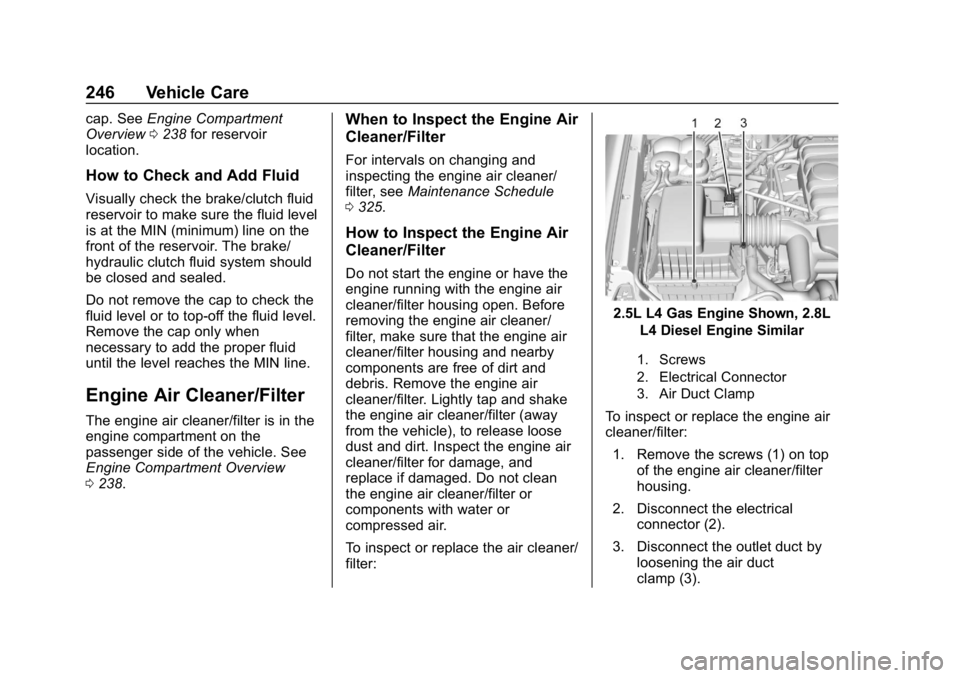
2.5L L4 Gas Engine Shown, 2.8L
L4 Diesel Engine Similar
1. Screws
2. Electrical Connector
3. Air Duct Clamp
To inspect or replace the engine air
cleaner/filter:
1. Remove the screws (1) on top of the engine air cleaner/filter
housing.
2. Disconnect the electrical connector (2).
3. Disconnect the outlet duct by loosening the air duct
clamp (3).
Page 255 of 381
GMC Canyon/Canyon Denali Owner Manual (GMNA-Localizing-U.S./Canada-
12461766) - 2019 - crc - 10/2/18
254 Vehicle Care
heard all the time the vehicle is
moving, except when applying the
brake pedal firmly.
{Warning
The brake wear warning sound
means that soon the brakes will
not work well. That could lead to
a crash. When the brake wear
warning sound is heard, have the
vehicle serviced.
Caution
Continuing to drive with worn-out
brake pads could result in costly
brake repair.
Some driving conditions or climates
can cause a brake squeal when the
brakes are first applied or lightly
applied. This does not mean
something is wrong with the brakes.
Properly torqued wheel nuts are
necessary to help prevent brake
pulsation. When tires are rotated, inspect brake pads for wear and
evenly tighten wheel nuts in the
proper sequence to torque
specifications in
Capacities and
Specifications 0340.
Brake linings should always be
replaced as complete axle sets.
Brake Pedal Travel
See your dealer if the brake pedal
does not return to normal height,
or if there is a rapid increase in
pedal travel. This could be a sign
that brake service may be required.
Replacing Brake System Parts
Always replace brake system parts
with new, approved replacement
parts. If this is not done, the brakes
may not work properly. The braking
performance expected can change
in many other ways if the wrong
replacement brake parts are
installed or parts are improperly
installed.
Brake Fluid
The brake/clutch master cylinder
reservoir is filled with GM approved
DOT 3 brake fluid as indicated on
the reservoir cap. See Engine
Compartment Overview 0238 for
the location of the reservoir.
Checking Brake Fluid
Place the vehicle in P (Park) or
Neutral with the parking brake
applied if equipped with a manual
transmission. On a level surface,
the brake fluid level should be
between the minimum and
maximum marks on the brake fluid
reservoir.
Page 333 of 381
GMC Canyon/Canyon Denali Owner Manual (GMNA-Localizing-U.S./Canada-
12461766) - 2019 - crc - 10/2/18
332 Service and Maintenance
Additional
Maintenance and Care
Your vehicle is an important
investment and caring for it properly
may help to avoid future costly
repairs. To maintain vehicle
performance, additional
maintenance services may be
required.
It is recommended that your dealer
perform these services—their
trained dealer technicians know
your vehicle best. Your dealer can
also perform a thorough
assessment with a multi-point
inspection to recommend when your
vehicle may need attention.
The following list is intended to
explain the services and conditions
to look for that may indicate
services are required.
Battery
The 12-volt battery supplies power
to start the engine and operate any
additional electrical accessories. .
To avoid break-down or failure to
start the vehicle, maintain a
battery with full cranking power.
. Trained dealer technicians have
the diagnostic equipment to test
the battery and ensure that the
connections and cables are
corrosion-free.
Belts
. Belts may need replacing if they
squeak or show signs of
cracking or splitting.
. Trained dealer technicians have
access to tools and equipment
to inspect the belts and
recommend adjustment or
replacement when necessary.
Brakes
Brakes stop the vehicle and are
crucial to safe driving.
. Signs of brake wear may include
chirping, grinding, or squealing
noises, or difficulty stopping. .
Trained dealer technicians have
access to tools and equipment
to inspect the brakes and
recommend quality parts
engineered for the vehicle.
Fluids
Proper fluid levels and approved
fluids protect the vehicle’s systems
and components. See
Recommended Fluids and
Lubricants 0335 for GM approved
fluids.
. Engine oil and windshield
washer fluid levels should be
checked at every fuel fill.
. Instrument cluster lights may
come on to indicate that fluids
may be low and need to be
filled.
Hoses
Hoses transport fluids and should
be regularly inspected to ensure
that there are no cracks or leaks.
With a multi-point inspection, your
dealer can inspect the hoses and
advise if replacement is needed.
Page 370 of 381

GMC Canyon/Canyon Denali Owner Manual (GMNA-Localizing-U.S./Canada-
12461766) - 2019 - crc - 10/2/18
Index 369
IndexA
Accessories andModifications . . . . . . . . . . . . . . . . . . 236
Accessory Power . . . . . . . . . . . . . . . 178
Add-On Electrical Equipment . . . 232
Additional Information OnStar . . . . . . . . . . . . . . . . . . . . . . . 359
Additional Maintenance and Care . . . . . . . . . . . . . . . . . . . . . . 332
Adjustments
Lumbar, Front Seats . . . . . . . . . . . . 46
Air Cleaner/Filter, Engine . . . . . . . 246
Air Conditioning . . . . . . . . . . . 147, 149
Air Filter, Passenger Compartment . . . . . . . . . . . . . . . . . 153
Air Vents . . . . . . . . . . . . . . . . . . . . . . . 152
Airbag System Check . . . . . . . . . . . . . . . . . . . . . . . . . . 71
How Does an AirbagRestrain? . . . . . . . . . . . . . . . . . . . . . 63
Passenger Sensing System . . . . 65
What Makes an Airbag Inflate? . . . . . . . . . . . . . . . . . . . . . . . . 63
What Will You See after an
Airbag Inflates? . . . . . . . . . . . . . . . 64
When Should an Airbag Inflate? . . . . . . . . . . . . . . . . . . . . . . . . 62
Where Are the Airbags? . . . . . . . . 61 Airbags
Adding Equipment to the
Vehicle . . . . . . . . . . . . . . . . . . . . . . . . 70
Passenger Status Indicator . . . .118
Readiness Light . . . . . . . . . . . . . . .118
Servicing Airbag-Equipped Vehicles . . . . . . . . . . . . . . . . . . . . . . . 69
System Check . . . . . . . . . . . . . . . . . . 59
Alarm Vehicle Security . . . . . . . . . . . . . . . . 34
All-Season Tires . . . . . . . . . . . . . . . . 274
All-Terrain Tires . . . . . . . . . . . . . . . . . 275
Antilock Brake System (ABS) . . . 195
Warning Light . . . . . . . . . . . . . . . . . 122
Appearance Care Exterior . . . . . . . . . . . . . . . . . . . . . . . 313
Interior . . . . . . . . . . . . . . . . . . . . . . . . 318
Assistance Program, Roadside . . . . . . . . . . . . . . . . . . . . . . 347
Assistance Systems for Parking and Backing . . . . . . . . . . 205
Automatic Climate Control System . . . . . . . 149
Door Locks . . . . . . . . . . . . . . . . . . . . . 33
Headlamp System . . . . . . . . . . . . 140
Transmission . . . . . . . . . . . . . . . . . 182
Transmission Fluid . . . . . . . . . . . 245
Page 371 of 381

GMC Canyon/Canyon Denali Owner Manual (GMNA-Localizing-U.S./Canada-
12461766) - 2019 - crc - 10/2/18
370 Index
Automatic TransmissionManual Mode . . . . . . . . . . . . . . . . . 184
Shift Lock Control Function
Check . . . . . . . . . . . . . . . . . . . . . . . 259
Axle, Front . . . . . . . . . . . . . . . . . . . . . . 257
Axle, Rear . . . . . . . . . . . . . . . . . . . . . . 257
B
Battery Exterior Lighting BatterySaver . . . . . . . . . . . . . . . . . . . . . . . 145
Load Management . . . . . . . . . . . . 144
Power Protection . . . . . . . . . . . . . 145
Battery - North America . . . . 255, 306
Blade Replacement, Wiper . . . . . 260
Blind Spot Mirrors . . . . . . . . . . . . . . . 37
Brake System Warning Light . . . . . . . . 121
Brakes . . . . . . . . . . . . . . . . . . . . . . . . . . 253 Antilock . . . . . . . . . . . . . . . . . . . . . . . 195
Assist . . . . . . . . . . . . . . . . . . . . . . . . . 197
Fluid . . . . . . . . . . . . . . . . . . . . . . . . . . 254
Parking . . . . . . . . . . . . . . . . . . . . . . . 196
Braking . . . . . . . . . . . . . . . . . . . . . . . . . 156
Break-In, New Vehicle . . . . . . . . . . 173 Bulb Replacement
Center High-Mounted
Stoplamp (CHMSL) and
Cargo Lamp . . . . . . . . . . . . . . . . . 264
Halogen Bulbs . . . . . . . . . . . . . . . . 262
Headlamp Aiming . . . . . . . . . . . . . 262
Headlamps . . . . . . . . . . . . . . . . . . . 262
Headlamps, Front Turn Signal, Sidemarker, and
Parking Lamps . . . . . . . . . . . . . . 262
Taillamps, Turn Signal,
Stoplamps, and Back-up
Lamps . . . . . . . . . . . . . . . . . . . . . . 263
Buying New Tires . . . . . . . . . . . . . . . 288
C
Calibration . . . . . . . . . . . . . . . . . . . . . . 107
California Perchlorate MaterialsRequirements . . . . . . . . . . . . . . . 236
California
Proposition
65 Warning . . . . . . . . . .235, 255, 306, Back Cover
Canadian Vehicle Owners . . . . . . . . 2
Capacities and Specifications . . . . . . . . . . . . . . . . . 340 Carbon Monoxide
Engine Exhaust . . . . . . . . . . . . . . . 181
Tailgate . . . . . . . . . . . . . . . . . . . . . . . . . 34
Winter Driving . . . . . . . . . . . . . . . . 164
Caution, Danger, and Warning . . . . 2
Center Console Storage . . . . . . . . 103
Center High-Mounted Stoplamp (CHMSL) and
Cargo Lamp . . . . . . . . . . . . . . . . . . . 264
Chains, Tire . . . . . . . . . . . . . . . . . . . . 292
Charging Wireless . . . . . . . . . . . . . . . . . . . . . . 108
Charging System Light . . . . . . . . . 119
Check Engine Light (MalfunctionIndicator) . . . . . . . . . . . . . . . . . . . . .119
Ignition Transmission Lock . . . 259
Child Restraints Infants and Young Children . . . . . 73
Lower Anchors and Tethersfor Children . . . . . . . . . . . . . . . . . . . 79
Older Children . . . . . . . . . . . . . . . . . . 72
Securing . . . . . . . . . . . . . . . . . . . . 93, 99
Systems . . . . . . . . . . . . . . . . . . . . . . . . 76
Circuit Breakers . . . . . . . . . . . . . . . . 265
Cleaning
Exterior Care . . . . . . . . . . . . . . . . . 313
Interior Care . . . . . . . . . . . . . . . . . . 318