dic GMC CANYON 2019 Repair Manual
[x] Cancel search | Manufacturer: GMC, Model Year: 2019, Model line: CANYON, Model: GMC CANYON 2019Pages: 381, PDF Size: 5.59 MB
Page 152 of 381
GMC Canyon/Canyon Denali Owner Manual (GMNA-Localizing-U.S./Canada-
12461766) - 2019 - crc - 10/2/18
Climate Controls 151
Air Delivery Mode Controls :
Press
Y,\,[, or-to change
the direction of the airflow. An
indicator light comes on in the
selected mode button.
Changing the mode cancels the
automatic operation and the system
goes into manual mode.
Press AUTO to return to automatic
operation.
Y: Air is directed to the instrument
panel outlets.
\: Air is divided between the
instrument panel and floor outlets.
[: Air is directed to the floor
outlets, with some to the windshield,
outboard instrument panel outlets,
side window outlets, and second
row floor outlets.
-: This mode clears the windows
of fog or moisture. Air is directed to
the windshield, floor outlets,
outboard instrument panel outlets,
and side window outlets. The
system automatically forces outside
air into the vehicle and the air conditioning compressor will run,
unless the outside temperature is
close to or below freezing.
0:
Press to clear the windshield
of fog or frost more quickly. Air is
directed to the windshield and the
side window vents, with some air
directed to the outboard instrument
panel outlets. The system
automatically forces outside air into
the vehicle and the air conditioning
compressor will run, unless the
outside temperature is close to or
below freezing.
Do not drive the vehicle until all
windows are clear.
See Air Vents 0152.
A/C : Press to turn the air
conditioning system on or off. An
indicator light comes on to show
that the air conditioning is enabled.
The A/C light will stay on even if the
outside temperatures are below
freezing. If the fan is turned off, the
air conditioner will not run. Press
AUTO to return to automatic
operation.
@: Press to turn on recirculation.
An indicator light comes on. Air is
recirculated to quickly cool the
inside of the vehicle. It can also be
used to help reduce outside air and
odors that enter the vehicle. The air
conditioning compressor also comes
on when this mode is activated.
Press AUTO to return to automatic
operation.
Auto Defog : The climate control
system may have a sensor to
automatically detect high humidity
inside the vehicle. When high
humidity is detected, the climate
control system may adjust air
delivery modes, outside air supply,
and turn on the air conditioner. If the
climate control system does not
detect possible window fogging, it
returns to normal operation. To turn
Auto Defog off or on, see “Climate
and Air Quality” underVehicle
Personalization 0135.
Rear Window Defogger
The rear window defogger uses a
warming grid to remove fog from the
rear window.
Page 153 of 381
GMC Canyon/Canyon Denali Owner Manual (GMNA-Localizing-U.S./Canada-
12461766) - 2019 - crc - 10/2/18
152 Climate Controls
K:Press to turn the rear window
defogger on or off. An indicator light
on the button comes on to show that
the rear window defogger is on.
The rear window defogger only
works when the ignition is on. The
defogger also turns off if the ignition
is turned to off or ACC/
ACCESSORY.
Caution
Using a razor blade or sharp
object to clear the inside rear
window can damage the rear
window defogger. Repairs would
not be covered by the vehicle
warranty. Do not clear the inside
rear window with sharp objects.
Heated Mirrors : If equipped with
heated outside mirrors, the mirrors
heat to help clear fog or frost from
the surface of the mirror when the
rear window defog button is
pressed. See Heated Mirrors 037.
Air Vents
Adjustable air vents are in the
center and on the side of the
instrument panel. Use the sliding
knobs on the air vents to change
the direction of the airflow. Slide the
knob up or down to open or close
off the airflow.
Air vents blow warm air on the side
windows in cold weather. If Floor,
Defog, or Defrost modes are
selected, a small amount of air will
come from the vents close to the
window. If the airflow is shut off
using the sliding knobs, warm air
will be directed to the other
instrument panel vents. This is
normal operation.
Use the sliding knobs to turn vent
airflow on or off based on the mode
selected.
Operation Tips
.
Clear away any ice, snow,
or leaves from air inlets at the
base of the windshield that could
block the flow of air into the
vehicle. .
Clear snow off the hood to
improve visibility and help
decrease moisture drawn into
the vehicle.
. Keep the path under the front
seats clear of objects to help
circulate the air inside of the
vehicle more effectively.
. Use of non-GM approved hood
deflectors can adversely affect
the performance of the system.
Check with your dealer before
adding equipment to the outside
of the vehicle.
Page 154 of 381
GMC Canyon/Canyon Denali Owner Manual (GMNA-Localizing-U.S./Canada-
12461766) - 2019 - crc - 10/2/18
Climate Controls 153
Maintenance
Passenger Compartment
Air Filter
The passenger compartment air
filter reduces dust, pollen, and other
airborne irritants from outside air
that is pulled into the vehicle. The
filter will need to be replaced
periodically. SeeMaintenance
Schedule 0325.
Using the climate control system
without an air filter installed is not
recommended. Water or other
debris could enter the system and
result in leaks or noises. Always
install a new filter when removing
the old filter.
For more information on filter
replacement, see your dealer.
Service
All vehicles have a label underhood
that identifies the refrigerant used in
the vehicle. The refrigerant system
should only be serviced by trained
and certified technicians. The air
conditioning evaporator should
never be repaired or replaced by
one from a salvage vehicle.
It should only be replaced by a new
evaporator to ensure proper and
safe operation.
During service, all refrigerants
should be reclaimed with proper
equipment. Venting refrigerants
directly to the atmosphere is harmful
to the environment and may also
create unsafe conditions based on
inhalation, combustion, frostbite,
or other health-based concerns.
The air conditioning system requires
periodic maintenance. See
Maintenance Schedule 0325.
Page 176 of 381
GMC Canyon/Canyon Denali Owner Manual (GMNA-Localizing-U.S./Canada-
12461766) - 2019 - crc - 10/2/18
Driving and Operating 175
5. Shift to P (Park) with anautomatic transmission,
or Neutral with a manual
transmission.
6. Continue to hold the brake pedal, then set the parking
brake. See Parking Brake
0 196.
7. Push the key all the way in toward the steering column,
then turn the ignition to
LOCK/OFF.
8. Remove the key.
9. Release the brake pedal.
Caution
Use the correct key, make sure it
is all the way in —or pushed all
the way in toward the steering
column when turning off the
vehicle —and turn it only with
your hand.
1 (ACC/ACCESSORY) : This
position allows features such as the
infotainment system to operate while the vehicle is off. It also
unlocks the steering column,
if equipped with a locking steering
column. Use this position if the
vehicle must be pushed or towed.
See
Retained Accessory Power
(RAP) 0178.
From ON/RUN, push the key all the
way in toward the steering column,
then turn the key to ACC/
ACCESSORY.
If the key is left in ACC/
ACCESSORY with the engine off,
the battery could drain and the
vehicle may not start.
A warning chime will sound when
the driver door is opened and the
key is in the ignition.
2 (ON/RUN) : This position can be
used to operate the electrical
accessories and to display some
instrument cluster warning and
indicator lights. This position can
also be used for service and
diagnostics, and to verify the proper
operation of the malfunction
indicator lamp as may be required
for emission inspection purposes. The switch stays in this position
when the engine is running. The
transmission is also unlocked in this
position on automatic transmission
vehicles.
If the key is left in ON/RUN with the
engine off, the battery could drain
and the vehicle may not start.
3 (START) :
This is the position that
starts the engine. When the engine
starts, release the key. The ignition
returns to ON/RUN for driving.
Starting the Engine
If the vehicle has a diesel engine,
see the Duramax diesel
supplement.
Caution
If you add electrical parts or
accessories, you could change
the way the engine operates. Any
resulting damage would not be
covered by the vehicle warranty.
See Add-On Electrical Equipment
0 232.
Page 183 of 381
GMC Canyon/Canyon Denali Owner Manual (GMNA-Localizing-U.S./Canada-
12461766) - 2019 - crc - 10/2/18
182 Driving and Operating
Automatic
Transmission
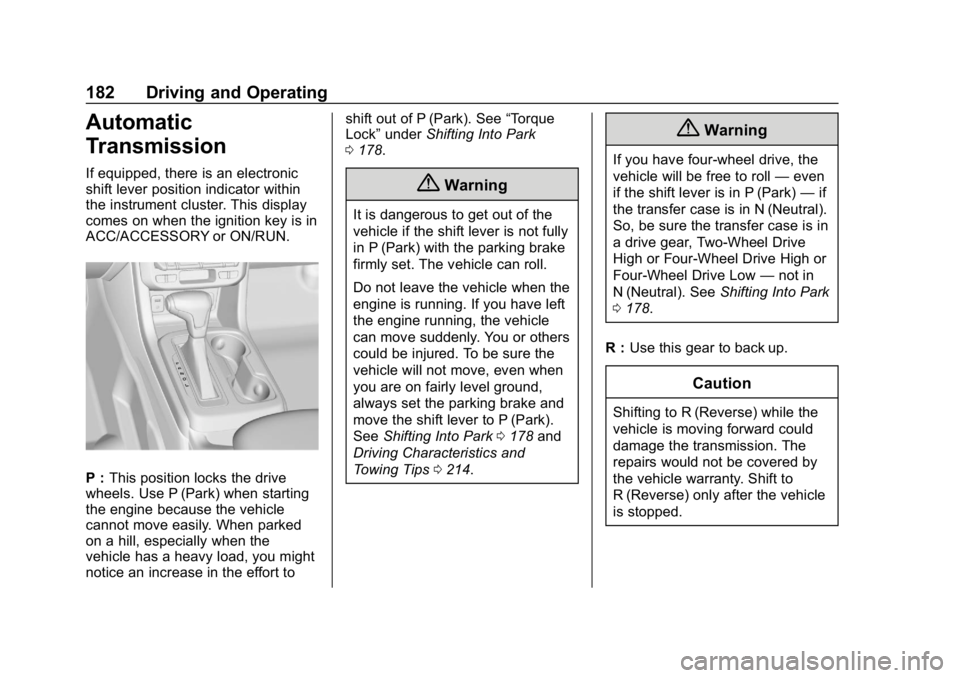
If equipped, there is an electronic
shift lever position indicator within
the instrument cluster. This display
comes on when the ignition key is in
ACC/ACCESSORY or ON/RUN.
P :This position locks the drive
wheels. Use P (Park) when starting
the engine because the vehicle
cannot move easily. When parked
on a hill, especially when the
vehicle has a heavy load, you might
notice an increase in the effort to shift out of P (Park). See
“Torque
Lock” under Shifting Into Park
0 178.
{Warning
It is dangerous to get out of the
vehicle if the shift lever is not fully
in P (Park) with the parking brake
firmly set. The vehicle can roll.
Do not leave the vehicle when the
engine is running. If you have left
the engine running, the vehicle
can move suddenly. You or others
could be injured. To be sure the
vehicle will not move, even when
you are on fairly level ground,
always set the parking brake and
move the shift lever to P (Park).
See Shifting Into Park 0178 and
Driving Characteristics and
Towing Tips 0214.
{Warning
If you have four-wheel drive, the
vehicle will be free to roll —even
if the shift lever is in P (Park) —if
the transfer case is in N (Neutral).
So, be sure the transfer case is in
a drive gear, Two-Wheel Drive
High or Four-Wheel Drive High or
Four-Wheel Drive Low —not in
N (Neutral). See Shifting Into Park
0 178.
R : Use this gear to back up.
Caution
Shifting to R (Reverse) while the
vehicle is moving forward could
damage the transmission. The
repairs would not be covered by
the vehicle warranty. Shift to
R (Reverse) only after the vehicle
is stopped.
Page 186 of 381
GMC Canyon/Canyon Denali Owner Manual (GMNA-Localizing-U.S./Canada-
12461766) - 2019 - crc - 10/2/18
Driving and Operating 185
When the shift lever is moved from
D (Drive) to L (Manual Mode), a
number displays next to the L,
indicating the current transmission
range.
This number is the highest gear that
the transmission will command while
operating in L (Manual Mode). All
gears below that number are
available. As driving conditions
change, the transmission can
automatically shift to lower gears.
For example, when L5 is selected,
1 (First) through 5 (Fifth) gears are
automatically shifted by the
transmission, but 6 (Sixth) cannot be
used until the plus/minus button on
the shift lever is used to change to
the range.
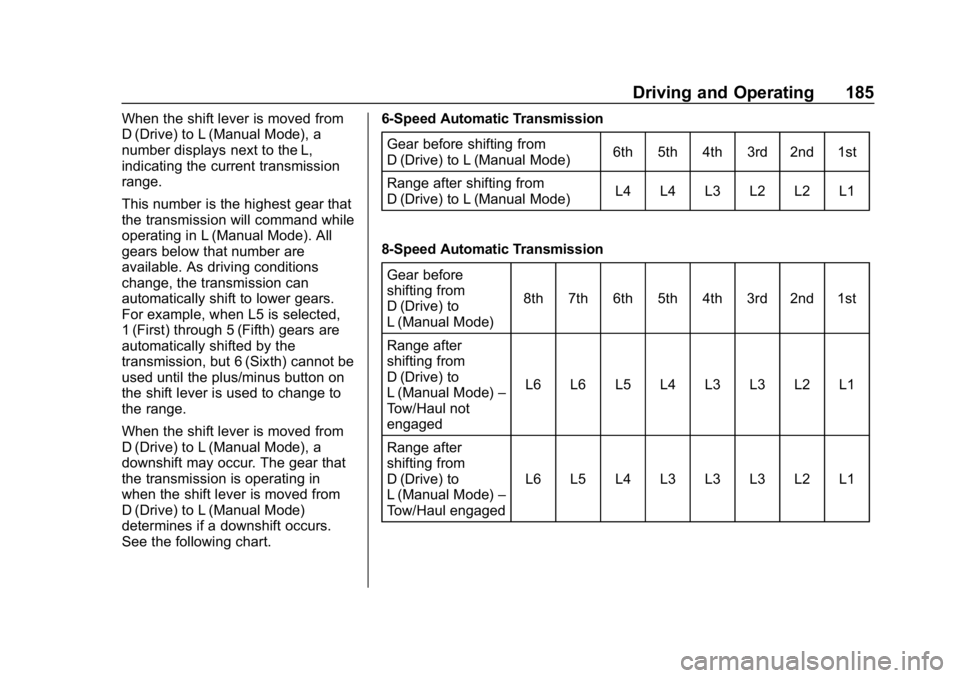
When the shift lever is moved from
D (Drive) to L (Manual Mode), a
downshift may occur. The gear that
the transmission is operating in
when the shift lever is moved from
D (Drive) to L (Manual Mode)
determines if a downshift occurs.
See the following chart.6-Speed Automatic Transmission
Gear before shifting from
D (Drive) to L (Manual Mode) 6th 5th 4th 3rd 2nd 1st
Range after shifting from
D (Drive) to L (Manual Mode) L4 L4 L3 L2 L2 L1
8-Speed Automatic Transmission Gear before
shifting from
D (Drive) to
L (Manual Mode) 8th 7th 6th 5th 4th 3rd 2nd 1st
Range after
shifting from
D (Drive) to
L (Manual Mode) –
Tow/Haul not
engaged L6 L6 L5 L4 L3 L3 L2 L1
Range after
shifting from
D (Drive) to
L (Manual Mode) –
Tow/Haul engaged L6 L5 L4 L3 L3 L3 L2 L1
Page 189 of 381
GMC Canyon/Canyon Denali Owner Manual (GMNA-Localizing-U.S./Canada-
12461766) - 2019 - crc - 10/2/18
188 Driving and Operating
To stop, let up on the accelerator
pedal and press the brake pedal.
Just before the vehicle stops, press
the clutch pedal and the brake
pedal, and shift to Neutral.
Neutral :Use this position when
you start or idle the engine.
R (Reverse) : To back up, with the
vehicle at a complete stop, press
the clutch pedal. Press down on
shift lever in the 3–4 Neutral
position, then shift into R (Reverse).
If it is hard to shift, let the shift lever
return to the 3–4 Neutral position
and release the clutch pedal. Then
follow the steps again to shift into
R (Reverse). Slowly let up on the
clutch pedal as you press the
accelerator pedal.
Caution
Shifting to R (Reverse) while the
vehicle is moving forward could
damage the transmission. The
repairs would not be covered by
(Continued)
Caution (Continued)
the vehicle warranty. Shift to
R (Reverse) only after the vehicle
is stopped.
Use R (Reverse), along with the
parking brake, for parking the
vehicle.
Shift Speeds
{Warning
If you skip a gear when
downshifting, you could lose
control of the vehicle. You could
injure yourself or others. Do not
shift down more than one gear at
a time when downshifting.
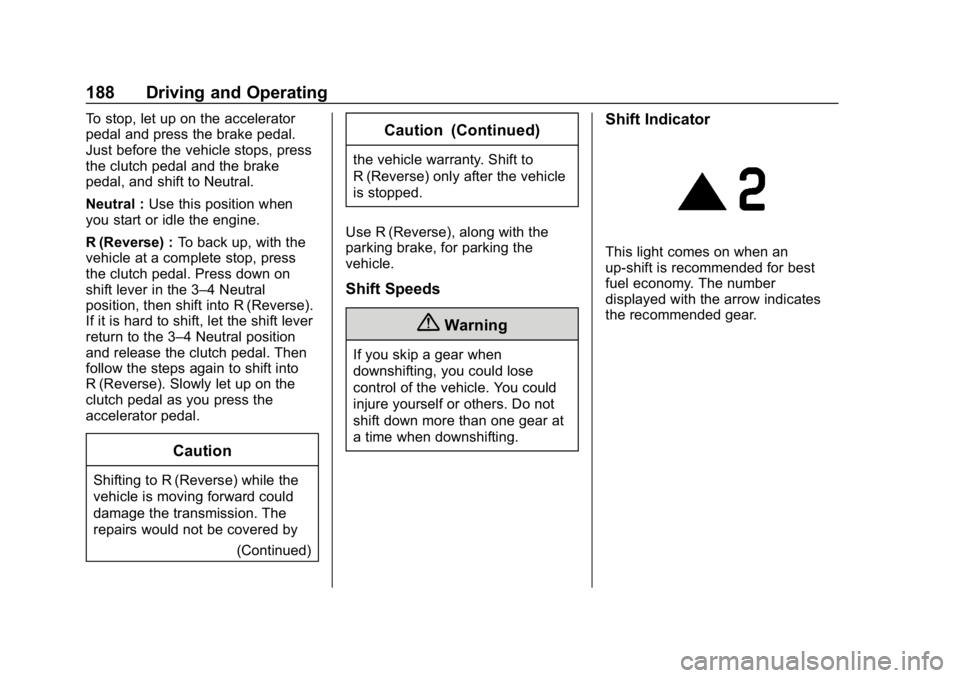
Shift Indicator
This light comes on when an
up-shift is recommended for best
fuel economy. The number
displayed with the arrow indicates
the recommended gear.
Page 191 of 381
GMC Canyon/Canyon Denali Owner Manual (GMNA-Localizing-U.S./Canada-
12461766) - 2019 - crc - 10/2/18
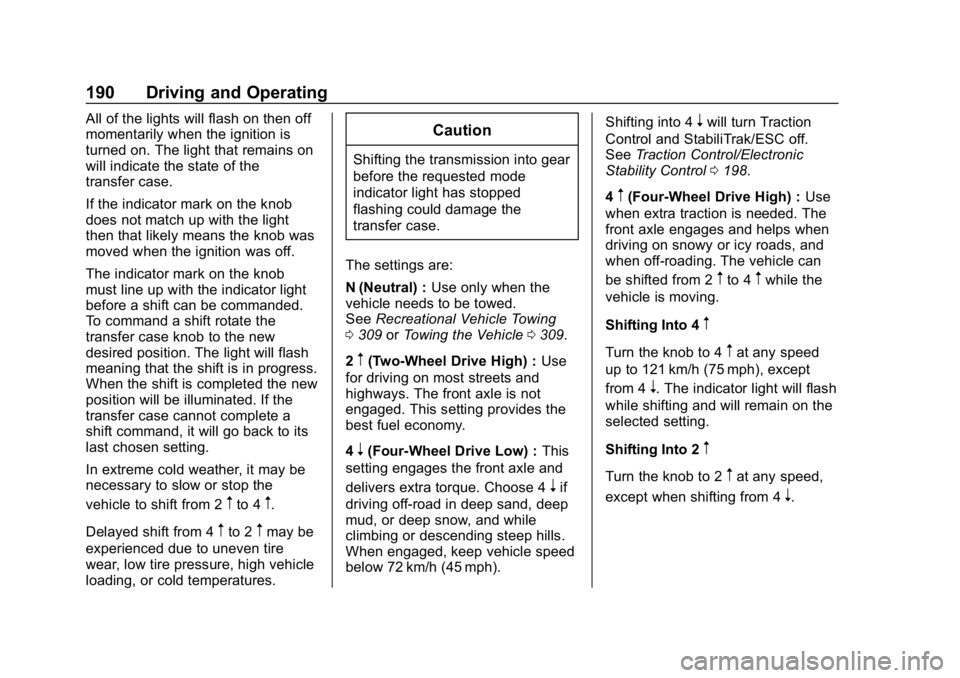
190 Driving and Operating
All of the lights will flash on then off
momentarily when the ignition is
turned on. The light that remains on
will indicate the state of the
transfer case.
If the indicator mark on the knob
does not match up with the light
then that likely means the knob was
moved when the ignition was off.
The indicator mark on the knob
must line up with the indicator light
before a shift can be commanded.
To command a shift rotate the
transfer case knob to the new
desired position. The light will flash
meaning that the shift is in progress.
When the shift is completed the new
position will be illuminated. If the
transfer case cannot complete a
shift command, it will go back to its
last chosen setting.
In extreme cold weather, it may be
necessary to slow or stop the
vehicle to shift from 2
mto 4m.
Delayed shift from 4
mto 2mmay be
experienced due to uneven tire
wear, low tire pressure, high vehicle
loading, or cold temperatures.
Caution
Shifting the transmission into gear
before the requested mode
indicator light has stopped
flashing could damage the
transfer case.
The settings are:
N (Neutral) : Use only when the
vehicle needs to be towed.
See Recreational Vehicle Towing
0 309 orTowing the Vehicle 0309.
2
m(Two-Wheel Drive High) : Use
for driving on most streets and
highways. The front axle is not
engaged. This setting provides the
best fuel economy.
4
n(Four-Wheel Drive Low) : This
setting engages the front axle and
delivers extra torque. Choose 4
nif
driving off-road in deep sand, deep
mud, or deep snow, and while
climbing or descending steep hills.
When engaged, keep vehicle speed
below 72 km/h (45 mph). Shifting into 4
nwill turn Traction
Control and StabiliTrak/ESC off.
See Traction Control/Electronic
Stability Control 0198.
4
m(Four-Wheel Drive High) : Use
when extra traction is needed. The
front axle engages and helps when
driving on snowy or icy roads, and
when off-roading. The vehicle can
be shifted from 2
mto 4mwhile the
vehicle is moving.
Shifting Into 4
m
Turn the knob to 4mat any speed
up to 121 km/h (75 mph), except
from 4
n. The indicator light will flash
while shifting and will remain on the
selected setting.
Shifting Into 2
m
Turn the knob to 2mat any speed,
except when shifting from 4
n.
Page 192 of 381
GMC Canyon/Canyon Denali Owner Manual (GMNA-Localizing-U.S./Canada-
12461766) - 2019 - crc - 10/2/18
Driving and Operating 191
Shifting Into 4n
When 4nis engaged, vehicle speed
should be kept below 72 km/h
(45 mph).
1. The ignition must be on and the vehicle must be stopped or
moving less than 5 km/h
(3 mph) with the transmission
in N (Neutral). It is best for the
vehicle to be moving
1.6 to 3.2 km/h (1 to 2 mph).
2. Turn the knob to 4
n. Wait for
the 4
nindicator light to stop
flashing before shifting the
transmission into gear.
If the transmission is in gear and/or
moving more than 5 km/h (3 mph),
the 4
nindicator light will flash for
30 seconds, but will not complete
the shift. After 30 seconds the
transfer case will shift to 4
m. Turn
the knob to 4
mto see the indicator.
With the vehicle moving less than
5 km/h (3 mph), and the
transmission in N (Neutral), attempt
the shift again. Shifting Out of 4
n
1. To shift out of 4nthe vehicle
must be stopped or moving
less than 5 km/h (3 mph) with
the transmission in N (Neutral)
and the ignition on. It is best for
the vehicle to be moving
1.6 to 3.2 km/h (1 to 2 mph).
2. Turn the knob to 4
mor 2m.
Wait for the 4
mor 2mindicator
light to stop flashing before
shifting the transmission
into gear.
If the transmission is in gear and/or
moving more than 5 km/h (3 mph),
the 4
mor 2mindicator light will flash
for 30 seconds, but will not complete
the shift. With the vehicle moving
less than 5 km/h (3 mph), and the
transmission in N (Neutral), attempt
the shift again.
Shifting Into N (Neutral)
To shift:
1. Park the vehicle on a level surface. 2. Set the parking brake and
press and hold the brake
pedal. See Parking Brake
0 196.
3. Start the vehicle or turn the ignition on.
4. Shift the transmission to N (Neutral).
5. Shift the transfer case to 2
m.
6. Turn the transfer case knob clockwise to N (Neutral) until it
stops and hold it there until the
N (Neutral) light starts flashing.
This will take at least
10 seconds. Then slowly
release the knob to the 4
n
position. The N (Neutral) light
will come on when the transfer
case shift to N (Neutral) is
complete.
7. With the engine running, verify that the transfer case is in
N (Neutral) by shifting the
transmission to R (Reverse),
then to D (Drive). There should
be no movement of the vehicle
while shifting the transmission.
Page 193 of 381
GMC Canyon/Canyon Denali Owner Manual (GMNA-Localizing-U.S./Canada-
12461766) - 2019 - crc - 10/2/18
192 Driving and Operating
8. Turn the engine off, and theignition to ACC/ACCESSORY.
9. Place the transmission shift lever in P (Park). See
Recreational Vehicle Towing
0309.
10. Turn the ignition off.
Shifting Out of N (Neutral)
To shift: 1. Set the parking brake and apply the brake pedal.
2. Turn the ignition on with the engine off.
3. Shift the transmission to N (Neutral).
4. Turn the transfer case knob to 2
m.
After the transfer case has
shifted out of N (Neutral), the
N (Neutral) light will go out.
5. Release the parking brake.
Caution
Shifting the transmission into gear
before the requested mode
indicator light has stopped
flashing could damage the
transfer case.
6. Start the engine and shift the transmission to the
desired gear.
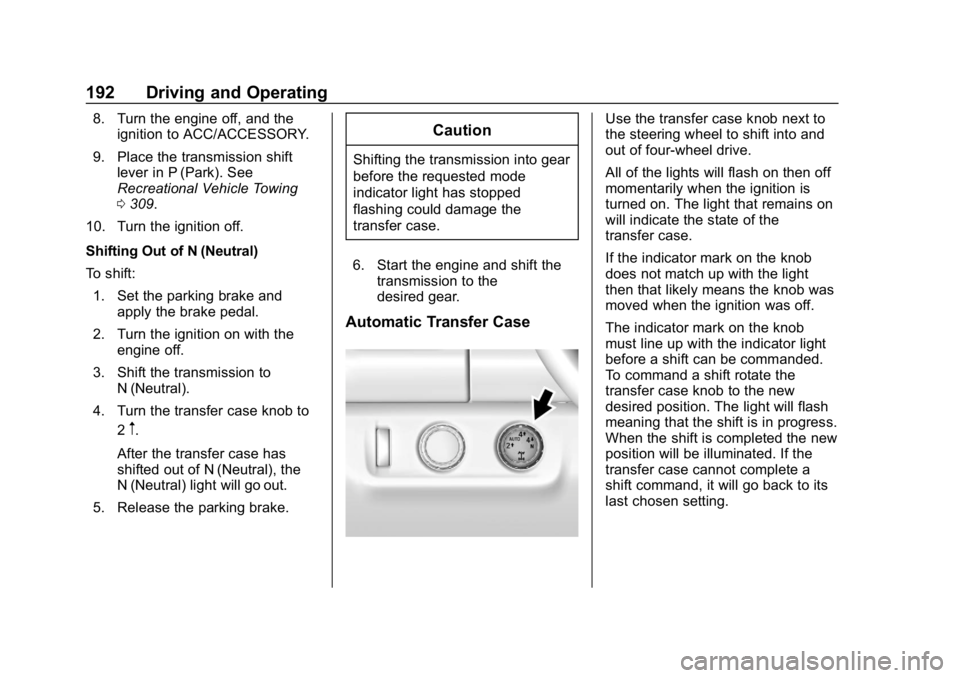
Automatic Transfer Case
Use the transfer case knob next to
the steering wheel to shift into and
out of four-wheel drive.
All of the lights will flash on then off
momentarily when the ignition is
turned on. The light that remains on
will indicate the state of the
transfer case.
If the indicator mark on the knob
does not match up with the light
then that likely means the knob was
moved when the ignition was off.
The indicator mark on the knob
must line up with the indicator light
before a shift can be commanded.
To command a shift rotate the
transfer case knob to the new
desired position. The light will flash
meaning that the shift is in progress.
When the shift is completed the new
position will be illuminated. If the
transfer case cannot complete a
shift command, it will go back to its
last chosen setting.