Onstar GMC CANYON 2019 Owner's Manual
[x] Cancel search | Manufacturer: GMC, Model Year: 2019, Model line: CANYON, Model: GMC CANYON 2019Pages: 381, PDF Size: 5.59 MB
Page 2 of 381
GMC Canyon/Canyon Denali Owner Manual (GMNA-Localizing-U.S./Canada-
12461766) - 2019 - crc - 10/2/18
ContentsIntroduction . . . . . . . . . . . . . . . . . . . . . . 2
In Brief . . . . . . . . . . . . . . . . . . . . . . . . . . . 5
Keys, Doors, and Windows . . . . . 25
Seats and Restraints . . . . . . . . . . . 43
Storage . . . . . . . . . . . . . . . . . . . . . . . 102
Instruments and Controls . . . . . . 104
Lighting . . . . . . . . . . . . . . . . . . . . . . . 138
Infotainment System . . . . . . . . . . 146
Climate Controls . . . . . . . . . . . . . . 147
Driving and Operating . . . . . . . . . 154
Vehicle Care . . . . . . . . . . . . . . . . . . 234
Service and Maintenance . . . . . 323
Technical Data . . . . . . . . . . . . . . . . 339
Customer Information . . . . . . . . . 343
Reporting Safety Defects . . . . . . 353
OnStar . . . . . . . . . . . . . . . . . . . . . . . . 357
Connected Services . . . . . . . . . . . 365
Index . . . . . . . . . . . . . . . . . . . . 369
Page 29 of 381
GMC Canyon/Canyon Denali Owner Manual (GMNA-Localizing-U.S./Canada-
12461766) - 2019 - crc - 10/2/18
28 Keys, Doors, and Windows
learned and all previously
known keys will no longer work
with the vehicle.
6. To learn the second key, turn the ignition off. Insert the
second key to be learned and
turn the ignition on.
After two keys are learned, the
remaining keys can be learned by
following the procedure in
“Programming with Two
Recognized Keys.”
The key has a bar-coded key tag
that the dealer or qualified locksmith
can use to make new keys. Store
this information in a safe place, not
in the vehicle.
If it becomes difficult to turn a key,
inspect the key blade for debris.
Periodically clean with a brush
or pick.
See your dealer if a replacement
key or additional key is needed.
If locked out of the vehicle, see
Roadside Assistance Program
0 347. With an active OnStar or connected
service plan, an OnStar Advisor
may remotely unlock the vehicle.
See
OnStar Overview 0357.
Remote Keyless Entry
(RKE) System
See Radio Frequency Statement
0 353.
If there is a decrease in the Remote
Keyless Entry (RKE) operating
range:
. Check the distance. The
transmitter may be too far from
the vehicle.
. Check the location. Other
vehicles or objects may be
blocking the signal.
. Check the transmitter's battery.
See “Battery Replacement” later
in this section.
. If the transmitter is still not
working correctly, see your
dealer or a qualified technician
for service.
Remote Keyless Entry
(RKE) System Operation
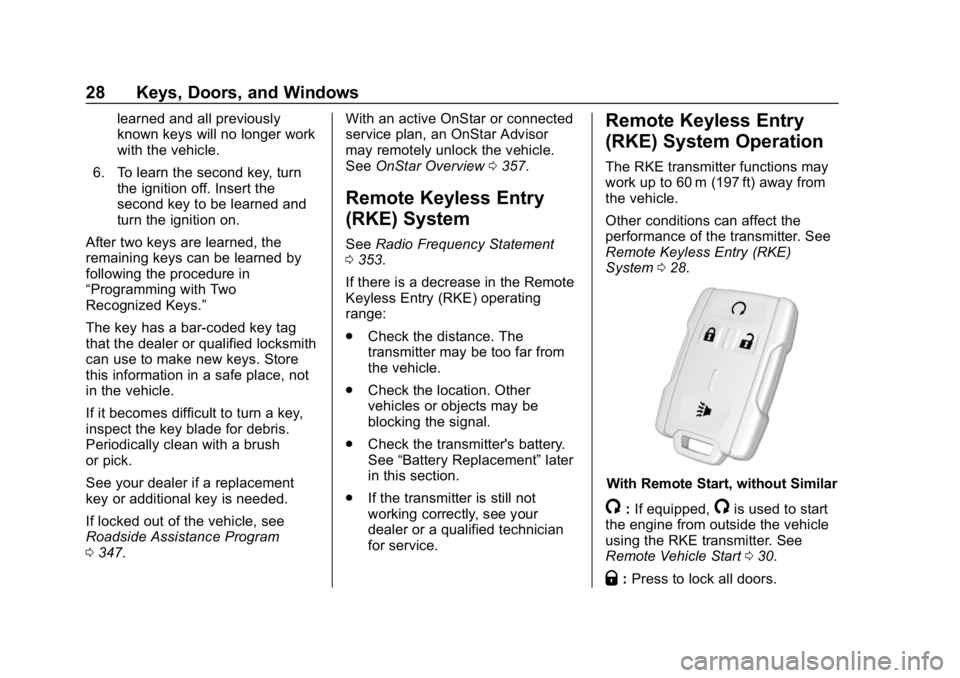
The RKE transmitter functions may
work up to 60 m (197 ft) away from
the vehicle.
Other conditions can affect the
performance of the transmitter. See
Remote Keyless Entry (RKE)
System 028.
With Remote Start, without Similar
/:If equipped,/is used to start
the engine from outside the vehicle
using the RKE transmitter. See
Remote Vehicle Start 030.
Q:Press to lock all doors.
Page 40 of 381
GMC Canyon/Canyon Denali Owner Manual (GMNA-Localizing-U.S./Canada-
12461766) - 2019 - crc - 10/2/18
Keys, Doors, and Windows 39
Interior Mirrors
Interior Rearview Mirrors
Adjust the rearview mirror for a clear
view of the area behind your
vehicle.
If equipped with OnStar, the vehicle
may have three control buttons at
the bottom of the mirror. SeeOnStar
Overview 0357.
To avoid accidental OnStar calls,
clean the mirror with the ignition off.
Do not spray glass cleaner directly
on the mirror. Use a soft towel
dampened with water.
Manual Rearview Mirror
If equipped, push the tab forward for
daytime use and pull it rearward for
nighttime use to avoid glare from
the headlamps from behind.
Automatic Dimming
Rearview Mirror
If equipped, the mirror will
automatically reduce the glare of the
headlamps from behind. The
dimming feature comes on each
time the vehicle is started.
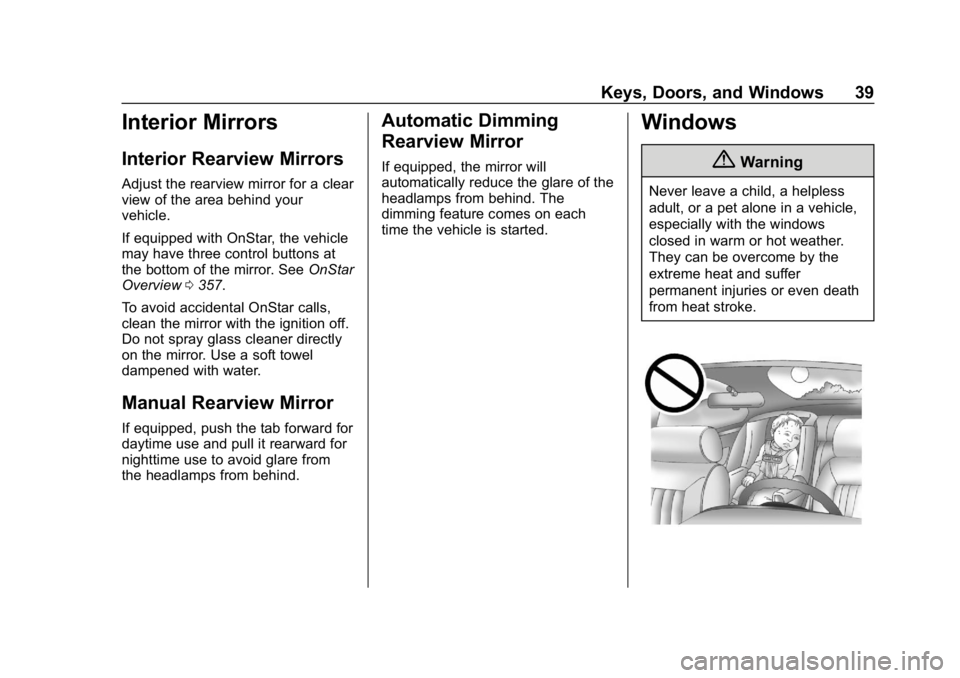
Windows
{Warning
Never leave a child, a helpless
adult, or a pet alone in a vehicle,
especially with the windows
closed in warm or hot weather.
They can be overcome by the
extreme heat and suffer
permanent injuries or even death
from heat stroke.
Page 273 of 381
GMC Canyon/Canyon Denali Owner Manual (GMNA-Localizing-U.S./Canada-
12461766) - 2019 - crc - 10/2/18
272 Vehicle Care
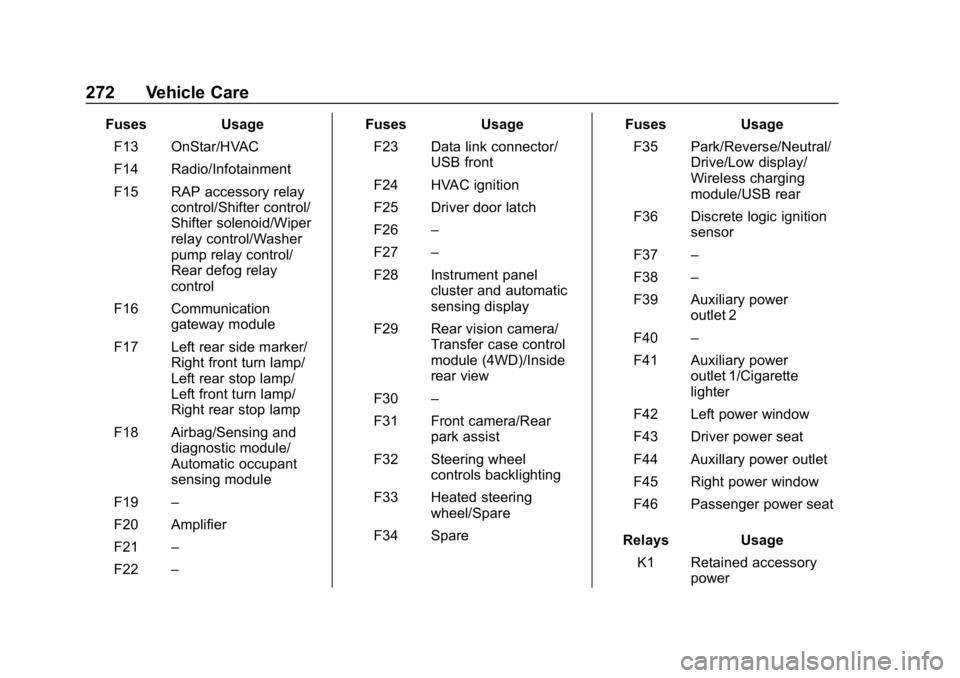
FusesUsage
F13 OnStar/HVAC
F14 Radio/Infotainment
F15 RAP accessory relay control/Shifter control/
Shifter solenoid/Wiper
relay control/Washer
pump relay control/
Rear defog relay
control
F16 Communication gateway module
F17 Left rear side marker/ Right front turn lamp/
Left rear stop lamp/
Left front turn lamp/
Right rear stop lamp
F18 Airbag/Sensing and diagnostic module/
Automatic occupant
sensing module
F19 –
F20 Amplifier
F21 –
F22 – Fuses
Usage
F23 Data link connector/ USB front
F24 HVAC ignition
F25 Driver door latch
F26 –
F27 –
F28 Instrument panel cluster and automatic
sensing display
F29 Rear vision camera/ Transfer case control
module (4WD)/Inside
rear view
F30 –
F31 Front camera/Rear park assist
F32 Steering wheel controls backlighting
F33 Heated steering wheel/Spare
F34 Spare Fuses
Usage
F35 Park/Reverse/Neutral/ Drive/Low display/
Wireless charging
module/USB rear
F36 Discrete logic ignition sensor
F37 –
F38 –
F39 Auxiliary power outlet 2
F40 –
F41 Auxiliary power outlet 1/Cigarette
lighter
F42 Left power window
F43 Driver power seat
F44 Auxillary power outlet
F45 Right power window
F46 Passenger power seat
Relays Usage
K1 Retained accessory power
Page 344 of 381
GMC Canyon/Canyon Denali Owner Manual (GMNA-Localizing-U.S./Canada-
12461766) - 2019 - crc - 10/2/18
Customer Information 343
Customer
Information
Customer Information
Customer SatisfactionProcedure . . . . . . . . . . . . . . . . . . . 343
Customer Assistance Offices . . . . . . . . . . . . . . . . . . . . . . 345
Customer Assistance for Text Telephone (TTY) Users . . . . . 346
Online Owner Center . . . . . . . . . 346
GM Mobility Reimbursement Program . . . . . . . . . . . . . . . . . . . . 347
Roadside Assistance Program . . . . . . . . . . . . . . . . . . . . 347
Scheduling Service Appointments . . . . . . . . . . . . . . . 349
Courtesy Transportation Program . . . . . . . . . . . . . . . . . . . . 349
Collision Damage Repair . . . . . 350
Publication Ordering Information . . . . . . . . . . . . . . . . . . 352
Radio Frequency Statement . . . . . . . . . . . . . . . . . . . 353
Reporting Safety Defects
Reporting Safety Defects tothe United States
Government . . . . . . . . . . . . . . . . . 353
Reporting Safety Defects to the Canadian
Government . . . . . . . . . . . . . . . . . 354
Reporting Safety Defects to General Motors . . . . . . . . . . . . . 354
Vehicle Data Recording and
Privacy
Vehicle Data Recording andPrivacy . . . . . . . . . . . . . . . . . . . . . . 355
Event Data Recorders . . . . . . . . 355
OnStar . . . . . . . . . . . . . . . . . . . . . . . 356
Infotainment System . . . . . . . . . . 356
Customer Information
Customer Satisfaction
Procedure
Your satisfaction and goodwill are
important to your dealer and to
GMC. Normally, any concerns with
the sales transaction or the
operation of the vehicle will be
resolved by your dealer's sales or
service departments. Sometimes,
however, despite the best intentions
of all concerned, misunderstandings
can occur. If your concern has not
been resolved to your satisfaction,
the following steps should be taken:
STEP ONE : Discuss your concern
with a member of dealership
management. Normally, concerns
can be quickly resolved at that level.
If the matter has already been
reviewed with the sales, service,
or parts manager, contact the owner
of your dealership or the general
manager.
STEP TWO : If after contacting a
member of dealership management,
it appears your concern cannot be
Page 347 of 381
GMC Canyon/Canyon Denali Owner Manual (GMNA-Localizing-U.S./Canada-
12461766) - 2019 - crc - 10/2/18
346 Customer Information
Customer Assistance for
Text Telephone (TTY)
Users
To assist customers who are deaf,
hard of hearing, or speech-impaired
and who use Text Telephones
(TTYs), GMC has TTY equipment
available at its Customer Assistance
Center. Any TTY user in the U.S.
can communicate with GMC by
dialing: 1-888-889-2438. TTY users
in Canada can dial 1-800-263-3830.
Online Owner Center
Online Owner Experience
(U.S.) my.gmc.com
The GMC online owner experience
is a one-stop resource that allows
interaction with GMC and keeps
important vehicle-specific
information in one place.
Membership Benefits
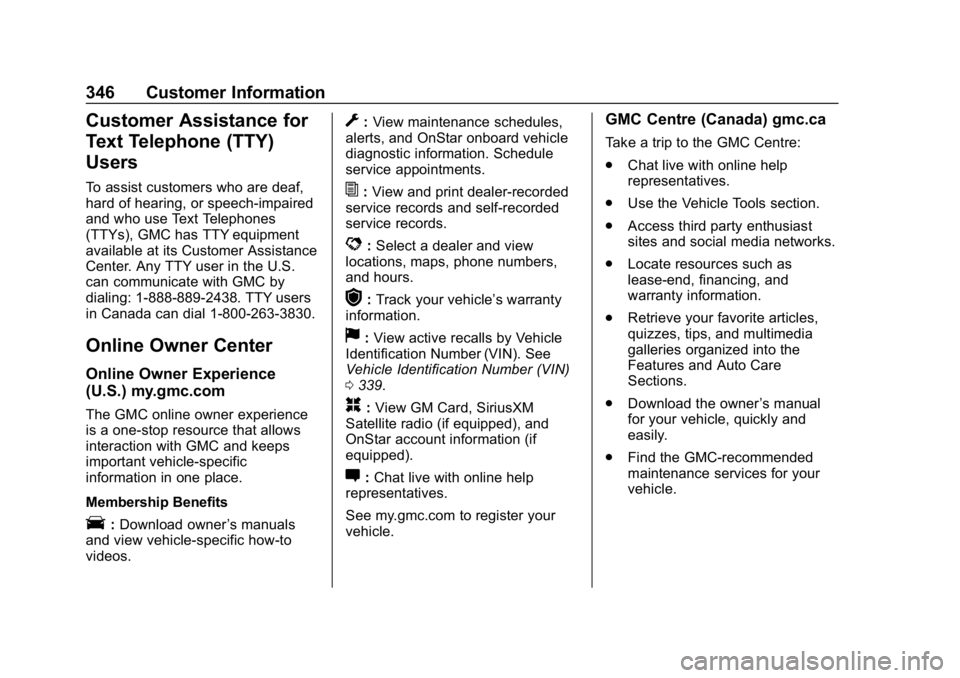
E:Download owner ’s manuals
and view vehicle-specific how-to
videos.
G: View maintenance schedules,
alerts, and OnStar onboard vehicle
diagnostic information. Schedule
service appointments.
I: View and print dealer-recorded
service records and self-recorded
service records.
D: Select a dealer and view
locations, maps, phone numbers,
and hours.
r: Track your vehicle’s warranty
information.
J: View active recalls by Vehicle
Identification Number (VIN). See
Vehicle Identification Number (VIN)
0 339.
H:View GM Card, SiriusXM
Satellite radio (if equipped), and
OnStar account information (if
equipped).
F: Chat live with online help
representatives.
See my.gmc.com to register your
vehicle.
GMC Centre (Canada) gmc.ca
Take a trip to the GMC Centre:
. Chat live with online help
representatives.
. Use the Vehicle Tools section.
. Access third party enthusiast
sites and social media networks.
. Locate resources such as
lease-end, financing, and
warranty information.
. Retrieve your favorite articles,
quizzes, tips, and multimedia
galleries organized into the
Features and Auto Care
Sections.
. Download the owner ’s manual
for your vehicle, quickly and
easily.
. Find the GMC-recommended
maintenance services for your
vehicle.
Page 349 of 381
GMC Canyon/Canyon Denali Owner Manual (GMNA-Localizing-U.S./Canada-
12461766) - 2019 - crc - 10/2/18
348 Customer Information
.Lock-Out Service: Service to
unlock the vehicle if you are
locked out. A remote unlock may
be available if you have OnStar.
For security reasons, the driver
must present identification
before this service is given.
. Emergency Tow from a Public
Road or Highway: Tow to the
nearest GMC dealer for warranty
service, or if the vehicle was in a
crash and cannot be driven.
Assistance is not given when the
vehicle is stuck in the sand,
mud, or snow.
. Flat Tire Change: Service to
change a flat tire with the spare
tire. The spare tire, if equipped,
must be in good condition and
properly inflated. It is the owner's
responsibility for the repair or
replacement of the tire if it is not
covered by the warranty.
. Battery Jump Start: Service to
jump start a dead battery.
. Trip Interruption Benefits and
Assistance: If your trip is
interrupted due to a warranty event, incidental expenses may
be reimbursed within the
Powertrain warranty period.
Items considered are reasonable
and customary hotel, meals,
rental car, or a vehicle being
delivered back to the customer,
up to 500 miles.
Services Not Included in
Roadside Assistance
.
Impound towing caused by
violation of any laws
. Legal fines
. Mounting, dismounting,
or changing of snow tires,
chains, or other traction devices
Service is not provided if a vehicle
is in an area that is not accessible
to the service vehicle or is not a
regularly traveled or maintained
public road, which includes ice and
winter roads. Off-road use is not
covered.
Services Specific to
Canadian-Purchased Vehicles
. Fuel Delivery: Reimbursement
is up to 7 L. Diesel fuel delivery
may be restricted. Propane and
other fuels are not provided
through this service.
. Lock-Out Service: Vehicle
registration is required.
. Trip Interruption Benefits and
Assistance: Must be over
150 km from where your trip was
started to qualify.
Pre-authorization, original
detailed receipts, and a copy of
the repair orders are required.
Once authorization has been
received, the Roadside
Assistance advisor will help to
make arrangements and explain
how to receive payment.
. Alternative Service: If
assistance cannot be provided
right away, the Roadside
Assistance advisor may give
permission to get local
emergency road service. You will
receive payment, up to $100,
Page 357 of 381
GMC Canyon/Canyon Denali Owner Manual (GMNA-Localizing-U.S./Canada-
12461766) - 2019 - crc - 10/2/18
356 Customer Information
GM will not access these data or
share it with others except: with the
consent of the vehicle owner or,
if the vehicle is leased, with the
consent of the lessee; in response
to an official request by police or
similar government office; as part of
GM's defense of litigation through
the discovery process; or, as
required by law. Data that GM
collects or receives may also be
used for GM research needs or may
be made available to others for
research purposes, where a need is
shown and the data is not tied to a
specific vehicle or vehicle owner.
OnStar
If the vehicle is equipped with
OnStar and has an active service
plan, additional data may be
collected through the OnStar
system. This includes information
about the vehicle’s operation;
collisions involving the vehicle; the
use of the vehicle and its features;
and, in certain situations, the
location and approximate GPS
speed of the vehicle. Refer to theOnStar Terms and Conditions and
Privacy Statement on the OnStar
website.
See
OnStar Additional Information
0 359.
Infotainment System
If the vehicle is equipped with a
navigation system as part of the
infotainment system, use of the
system may result in the storage of
destinations, addresses, telephone
numbers, and other trip information.
See the infotainment manual for
information on stored data and for
deletion instructions.
Page 358 of 381
GMC Canyon/Canyon Denali Owner Manual (GMNA-Localizing-U.S./Canada-
12461766) - 2019 - crc - 10/2/18
OnStar 357
OnStar
OnStar Overview
OnStar Overview . . . . . . . . . . . . . 357
OnStar Services
Emergency . . . . . . . . . . . . . . . . . . . 358
Security . . . . . . . . . . . . . . . . . . . . . . 359
OnStar Additional Information
OnStar AdditionalInformation . . . . . . . . . . . . . . . . . . 359
OnStar Overview
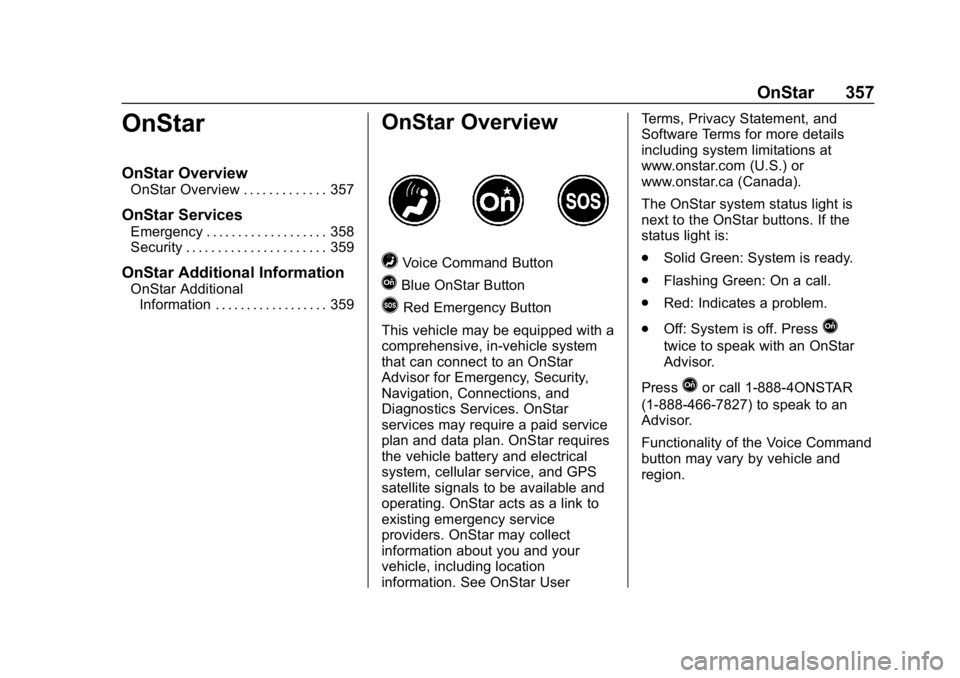
=Voice Command Button
QBlue OnStar Button
>Red Emergency Button
This vehicle may be equipped with a
comprehensive, in-vehicle system
that can connect to an OnStar
Advisor for Emergency, Security,
Navigation, Connections, and
Diagnostics Services. OnStar
services may require a paid service
plan and data plan. OnStar requires
the vehicle battery and electrical
system, cellular service, and GPS
satellite signals to be available and
operating. OnStar acts as a link to
existing emergency service
providers. OnStar may collect
information about you and your
vehicle, including location
information. See OnStar User Terms, Privacy Statement, and
Software Terms for more details
including system limitations at
www.onstar.com (U.S.) or
www.onstar.ca (Canada).
The OnStar system status light is
next to the OnStar buttons. If the
status light is:
.
Solid Green: System is ready.
. Flashing Green: On a call.
. Red: Indicates a problem.
. Off: System is off. Press
Q
twice to speak with an OnStar
Advisor.
Press
Qor call 1-888-4ONSTAR
(1-888-466-7827) to speak to an
Advisor.
Functionality of the Voice Command
button may vary by vehicle and
region.
Page 359 of 381
GMC Canyon/Canyon Denali Owner Manual (GMNA-Localizing-U.S./Canada-
12461766) - 2019 - crc - 10/2/18
358 OnStar
Press=to:
. Open the OnStar app on the
infotainment display. See the
infotainment manual for
information on how to use the
OnStar app.
Or
. Make a call, end a call,
or answer an incoming call.
. Give OnStar Hands-Free Calling
voice commands.
. Give OnStar Turn-by-Turn
Navigation voice commands.
. Obtain and customize the Wi-Fi
hotspot name or SSID and
password, if equipped.
Press
Qto connect to an
Advisor to:
. Verify account information or
update contact information.
. Get driving directions.
. Receive a Diagnostic check of
the vehicle's key operating
systems.
. Receive Roadside Assistance. .
Manage Wi-Fi Settings,
if equipped.
Press
>to get a priority connection
to an OnStar Advisor available
24/7 to:
. Get help for an emergency.
. Be a Good Samaritan or
respond to an AMBER Alert.
. Get assistance in severe
weather or other crisis situations
and find evacuation routes.
OnStar Services
Emergency
Emergency Services require an
active safety and security plan. With
Automatic Crash Response, built-in
sensors can automatically alert a
specially trained OnStar Advisor
who is immediately connected in to
the vehicle to help.
Press
>for a priority connection to
an OnStar Advisor who can contact
emergency service providers, direct
them to your exact location, and
relay important information.
With OnStar Crisis Assist, specially
trained Advisors are available
24 hours a day, 7 days a week, to
provide a central point of contact,
assistance, and information during a
crisis.
With Roadside Assistance, Advisors
can locate a nearby service provider
to help with a flat tire, a battery
jump, or an empty gas tank.