warning GMC CANYON 2020 User Guide
[x] Cancel search | Manufacturer: GMC, Model Year: 2020, Model line: CANYON, Model: GMC CANYON 2020Pages: 364, PDF Size: 5.59 MB
Page 25 of 364
GMC Canyon/Canyon Denali Owner Manual (GMNA-Localizing-U.S./Canada-
13566643) - 2020 - CRC - 10/4/19
24 Keys, Doors, and Windows
Automatic Dimming
Rearview Mirror
If equipped, the mirror will
automatically reduce the glare of the
headlamps from behind. The
dimming feature comes on each
time the vehicle is started.
Windows
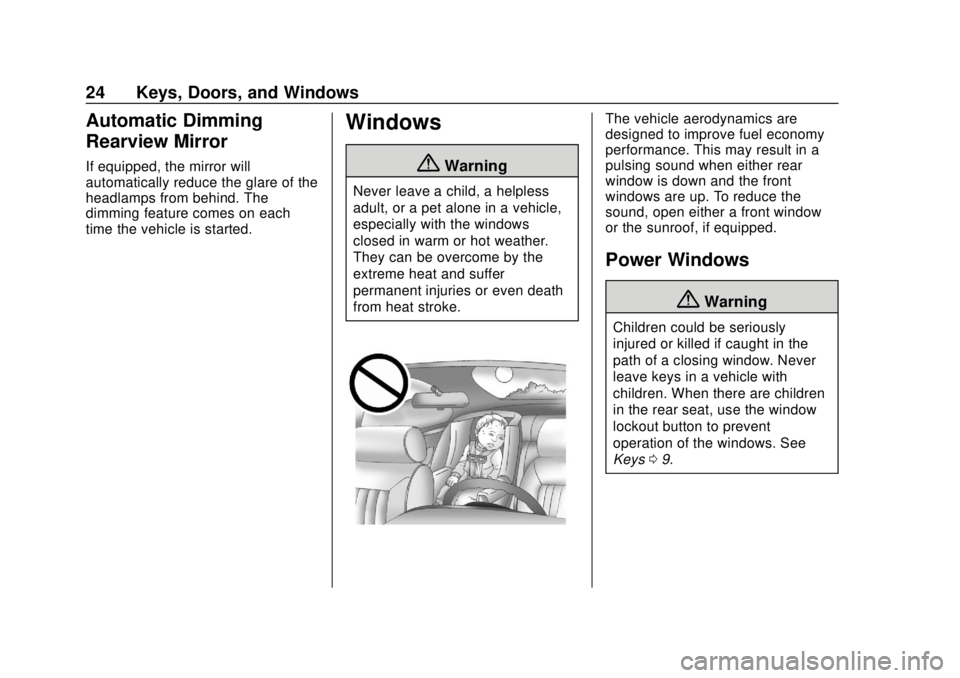
{Warning
Never leave a child, a helpless
adult, or a pet alone in a vehicle,
especially with the windows
closed in warm or hot weather.
They can be overcome by the
extreme heat and suffer
permanent injuries or even death
from heat stroke.
The vehicle aerodynamics are
designed to improve fuel economy
performance. This may result in a
pulsing sound when either rear
window is down and the front
windows are up. To reduce the
sound, open either a front window
or the sunroof, if equipped.
Power Windows
{Warning
Children could be seriously
injured or killed if caught in the
path of a closing window. Never
leave keys in a vehicle with
children. When there are children
in the rear seat, use the window
lockout button to prevent
operation of the windows. See
Keys09.
Page 27 of 364
GMC Canyon/Canyon Denali Owner Manual (GMNA-Localizing-U.S./Canada-
13566643) - 2020 - CRC - 10/4/19
26 Keys, Doors, and Windows
Automatic Reversal System
Override
{Warning
If automatic reversal system
override is active, the window will
not reverse automatically. You or
others could be injured and the
window could be damaged.
Before using automatic reversal
system override, make sure that
all people and obstructions are
clear of the window path.
When the engine is on, override the
automatic reversal system by pulling
and holding the window switch if
conditions prevent it from closing.
Programming the Power
Windows
Programming may be necessary if
the vehicle battery has been
disconnected or discharged. If the
window is unable to express-up,
program each express-close
window: 1. Close all doors.
2. Turn the ignition on or to ACC/
ACCESSORY.
3. Partially open the window to be programmed. Then close it and
continue to pull the switch
briefly after the window has
fully closed.
4. Open the window and continue to press the switch briefly after
the window has fully opened.
Rear Windows
Sliding Rear Window
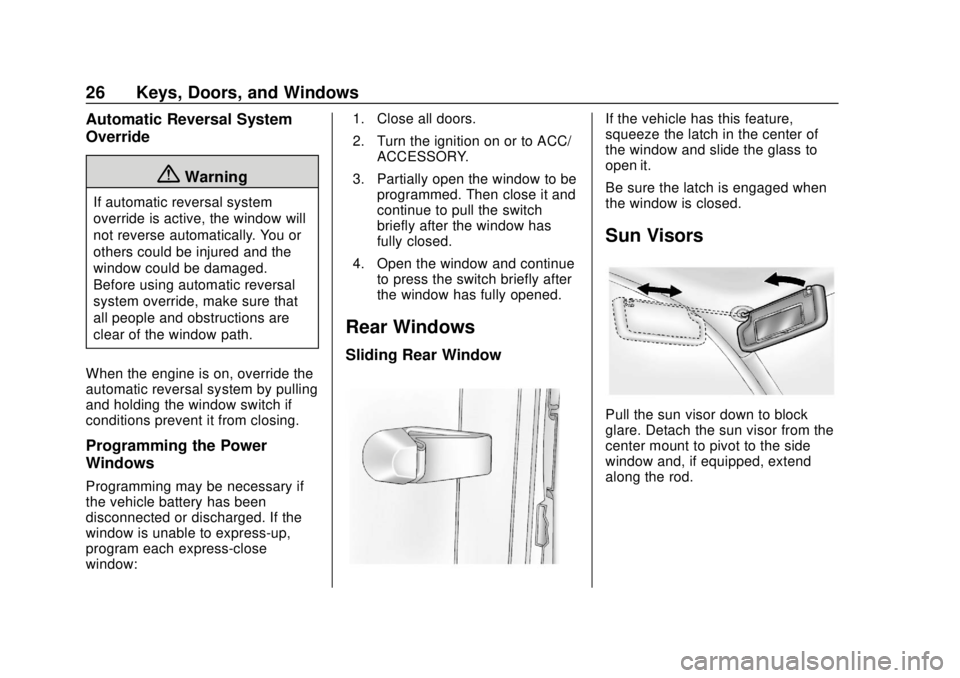
If the vehicle has this feature,
squeeze the latch in the center of
the window and slide the glass to
open it.
Be sure the latch is engaged when
the window is closed.
Sun Visors
Pull the sun visor down to block
glare. Detach the sun visor from the
center mount to pivot to the side
window and, if equipped, extend
along the rod.
Page 29 of 364
GMC Canyon/Canyon Denali Owner Manual (GMNA-Localizing-U.S./Canada-
13566643) - 2020 - CRC - 10/4/19
28 Seats and Restraints
Head Restraints
The vehicle's front seats have
adjustable head restraints in the
outboard seating positions.
{Warning
With head restraints that are not
installed and adjusted properly,
there is a greater chance that
occupants will suffer a neck/
spinal injury in a crash. Do not
drive until the head restraints for
all occupants are installed and
adjusted properly.
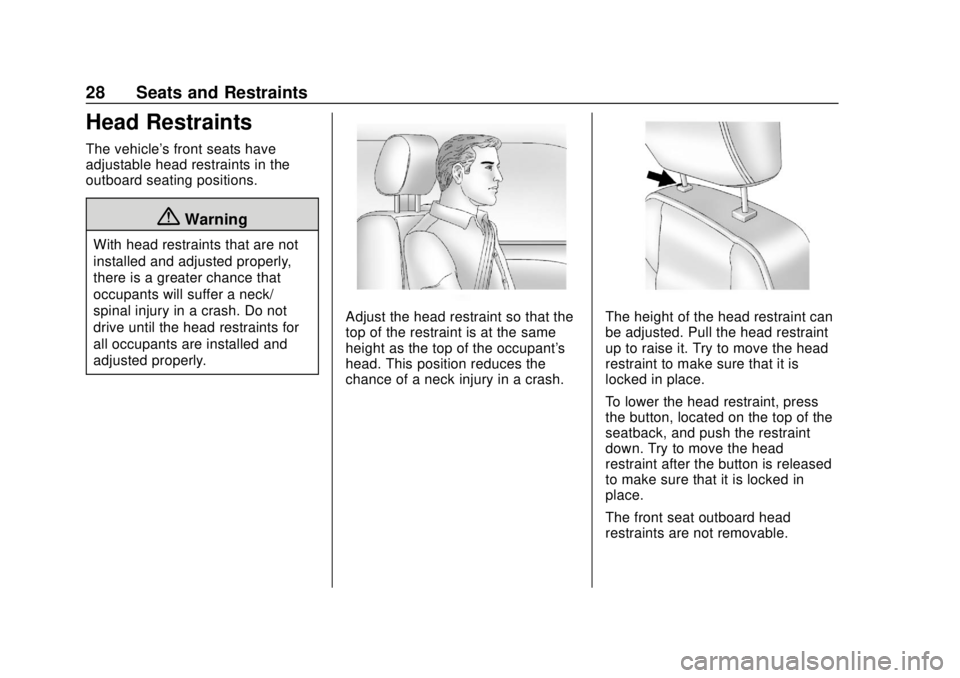
Adjust the head restraint so that the
top of the restraint is at the same
height as the top of the occupant's
head. This position reduces the
chance of a neck injury in a crash.The height of the head restraint can
be adjusted. Pull the head restraint
up to raise it. Try to move the head
restraint to make sure that it is
locked in place.
To lower the head restraint, press
the button, located on the top of the
seatback, and push the restraint
down. Try to move the head
restraint after the button is released
to make sure that it is locked in
place.
The front seat outboard head
restraints are not removable.
Page 30 of 364
GMC Canyon/Canyon Denali Owner Manual (GMNA-Localizing-U.S./Canada-
13566643) - 2020 - CRC - 10/4/19
Seats and Restraints 29
Rear Head Restraints
Crew Cab
The vehicle’s rear seats have head
restraints in the outboard seating
positions that cannot be adjusted up
or down.
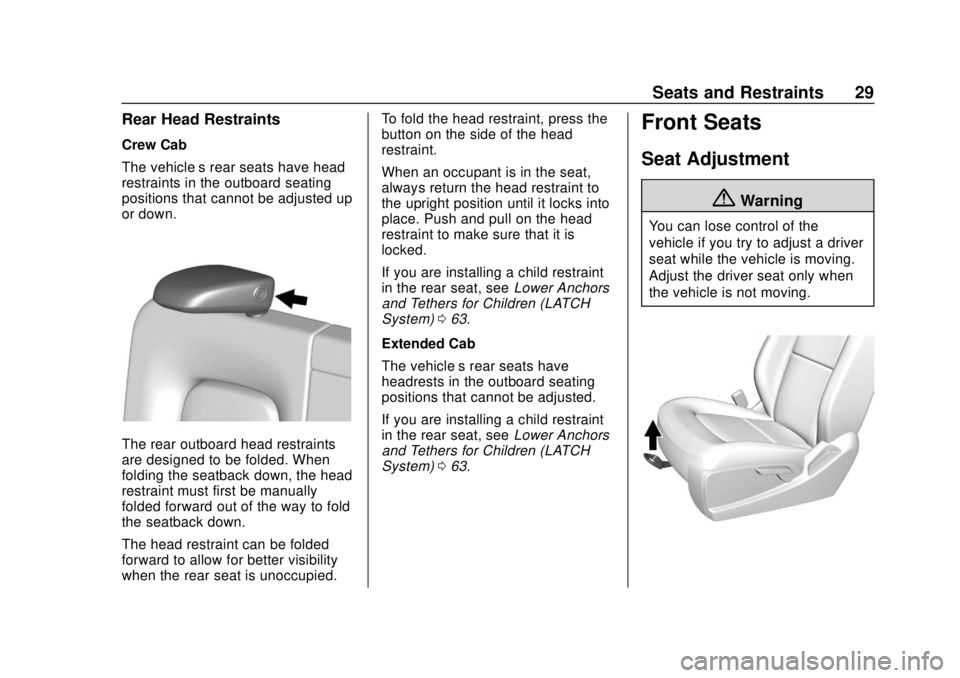
The rear outboard head restraints
are designed to be folded. When
folding the seatback down, the head
restraint must first be manually
folded forward out of the way to fold
the seatback down.
The head restraint can be folded
forward to allow for better visibility
when the rear seat is unoccupied.To fold the head restraint, press the
button on the side of the head
restraint.
When an occupant is in the seat,
always return the head restraint to
the upright position until it locks into
place. Push and pull on the head
restraint to make sure that it is
locked.
If you are installing a child restraint
in the rear seat, see
Lower Anchors
and Tethers for Children (LATCH
System) 063.
Extended Cab
The vehicle’s rear seats have
headrests in the outboard seating
positions that cannot be adjusted.
If you are installing a child restraint
in the rear seat, see Lower Anchors
and Tethers for Children (LATCH
System) 063.
Front Seats
Seat Adjustment
{Warning
You can lose control of the
vehicle if you try to adjust a driver
seat while the vehicle is moving.
Adjust the driver seat only when
the vehicle is not moving.
Page 31 of 364
GMC Canyon/Canyon Denali Owner Manual (GMNA-Localizing-U.S./Canada-
13566643) - 2020 - CRC - 10/4/19
30 Seats and Restraints
To adjust the seat:1. Pull the handle at the front of the seat.
2. Slide the seat to the desired position and release the
handle.
3. Try to move the seat back and forth to be sure the seat is
locked in place.
Power Seat Adjustment
{Warning
The power seats will work with
the ignition off. Children could
operate the power seats and be
injured. Never leave children
alone in the vehicle.
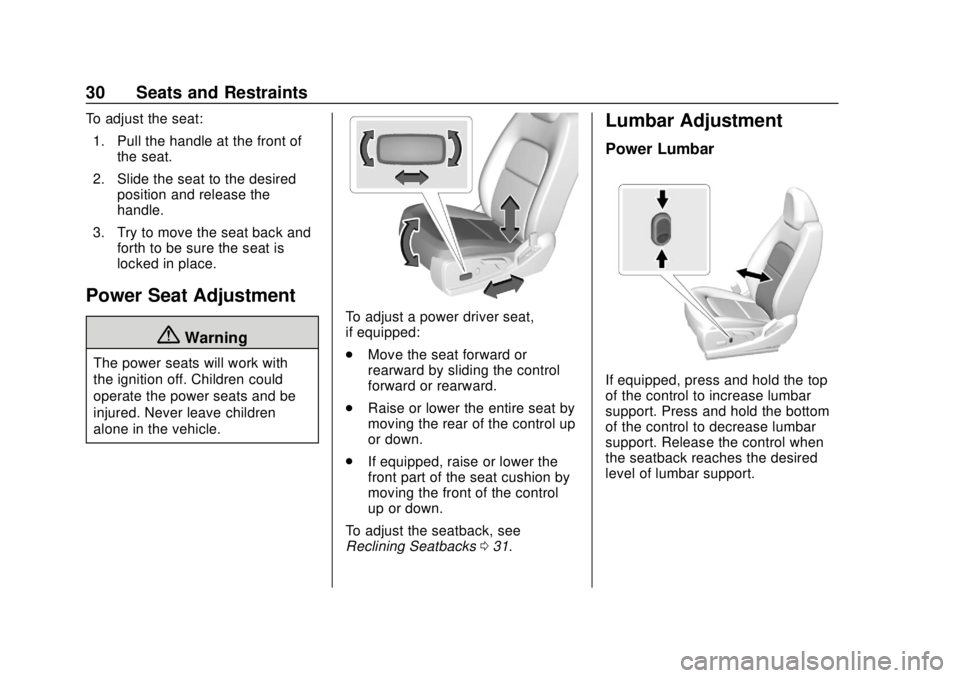
To adjust a power driver seat,
if equipped:
.Move the seat forward or
rearward by sliding the control
forward or rearward.
. Raise or lower the entire seat by
moving the rear of the control up
or down.
. If equipped, raise or lower the
front part of the seat cushion by
moving the front of the control
up or down.
To adjust the seatback, see
Reclining Seatbacks 031.
Lumbar Adjustment
Power Lumbar
If equipped, press and hold the top
of the control to increase lumbar
support. Press and hold the bottom
of the control to decrease lumbar
support. Release the control when
the seatback reaches the desired
level of lumbar support.
Page 32 of 364
GMC Canyon/Canyon Denali Owner Manual (GMNA-Localizing-U.S./Canada-
13566643) - 2020 - CRC - 10/4/19
Seats and Restraints 31
Reclining Seatbacks
{Warning
Sitting in a reclined position when
the vehicle is in motion can be
dangerous. Even when buckled
up, the seat belts cannot do
their job.
The shoulder belt will not be
against your body. Instead, it will
be in front of you. In a crash, you
could go into it, receiving neck or
other injuries.
The lap belt could go up over
your abdomen. The belt forces
would be there, not at your pelvic
bones. This could cause serious
internal injuries.
For proper protection when the
vehicle is in motion, have the
seatback upright. Then sit well
back in the seat and wear the
seat belt properly.
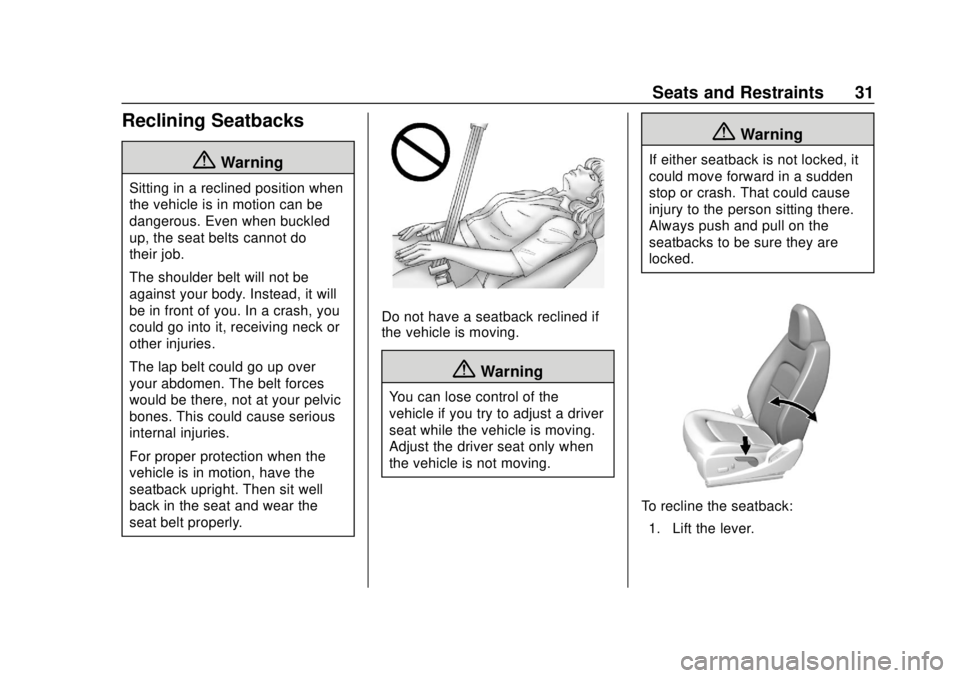
Do not have a seatback reclined if
the vehicle is moving.
{Warning
You can lose control of the
vehicle if you try to adjust a driver
seat while the vehicle is moving.
Adjust the driver seat only when
the vehicle is not moving.
{Warning
If either seatback is not locked, it
could move forward in a sudden
stop or crash. That could cause
injury to the person sitting there.
Always push and pull on the
seatbacks to be sure they are
locked.
To recline the seatback:1. Lift the lever.
Page 33 of 364
GMC Canyon/Canyon Denali Owner Manual (GMNA-Localizing-U.S./Canada-
13566643) - 2020 - CRC - 10/4/19
32 Seats and Restraints
2. Move the seatback to thedesired position, and then
release the lever to lock the
seatback in place.
3. Push and pull on the seatback to make sure it is locked.
To return the seatback to the upright
position: 1. Lift the lever fully without applying pressure to the
seatback.
2. Push and pull on the seatback to make sure it is locked.
Heated and Ventilated
Front Seats
{Warning
If temperature change or pain to
the skin cannot be felt, the seat
heater may cause burns. To
reduce the risk of burns, use care
when using the seat heater,
especially for long periods of
time. Do not place anything on
(Continued)
Warning (Continued)
the seat that insulates against
heat, such as a blanket, cushion,
cover, or similar item. This may
cause the seat heater to
overheat. An overheated seat
heater may cause a burn or may
damage the seat.
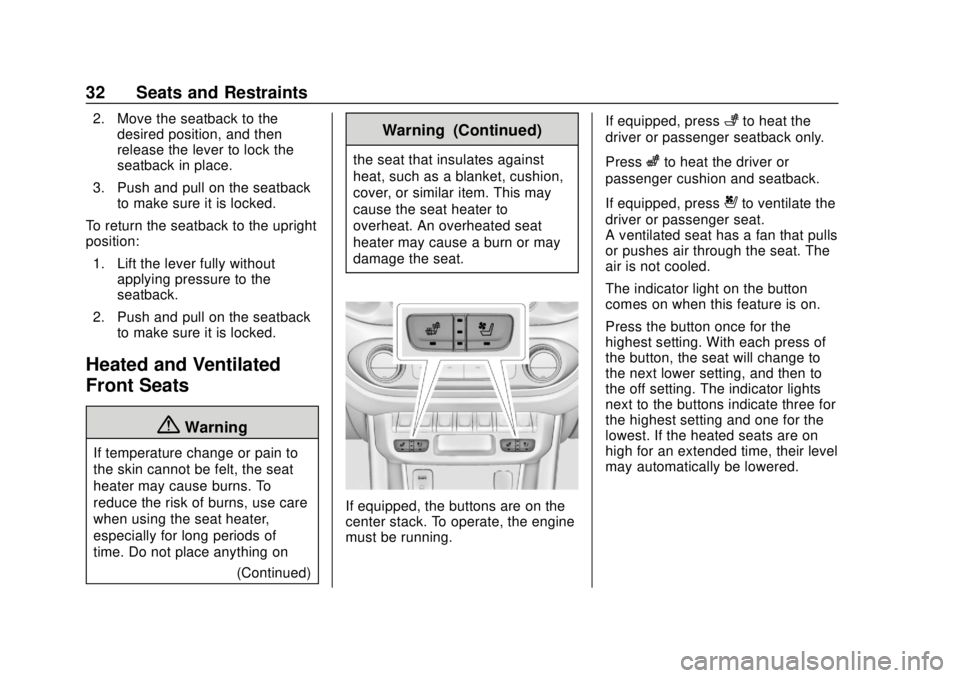
If equipped, the buttons are on the
center stack. To operate, the engine
must be running. If equipped, press
+to heat the
driver or passenger seatback only.
Press
zto heat the driver or
passenger cushion and seatback.
If equipped, press
{to ventilate the
driver or passenger seat.
A ventilated seat has a fan that pulls
or pushes air through the seat. The
air is not cooled.
The indicator light on the button
comes on when this feature is on.
Press the button once for the
highest setting. With each press of
the button, the seat will change to
the next lower setting, and then to
the off setting. The indicator lights
next to the buttons indicate three for
the highest setting and one for the
lowest. If the heated seats are on
high for an extended time, their level
may automatically be lowered.
Page 35 of 364
GMC Canyon/Canyon Denali Owner Manual (GMNA-Localizing-U.S./Canada-
13566643) - 2020 - CRC - 10/4/19
34 Seats and Restraints
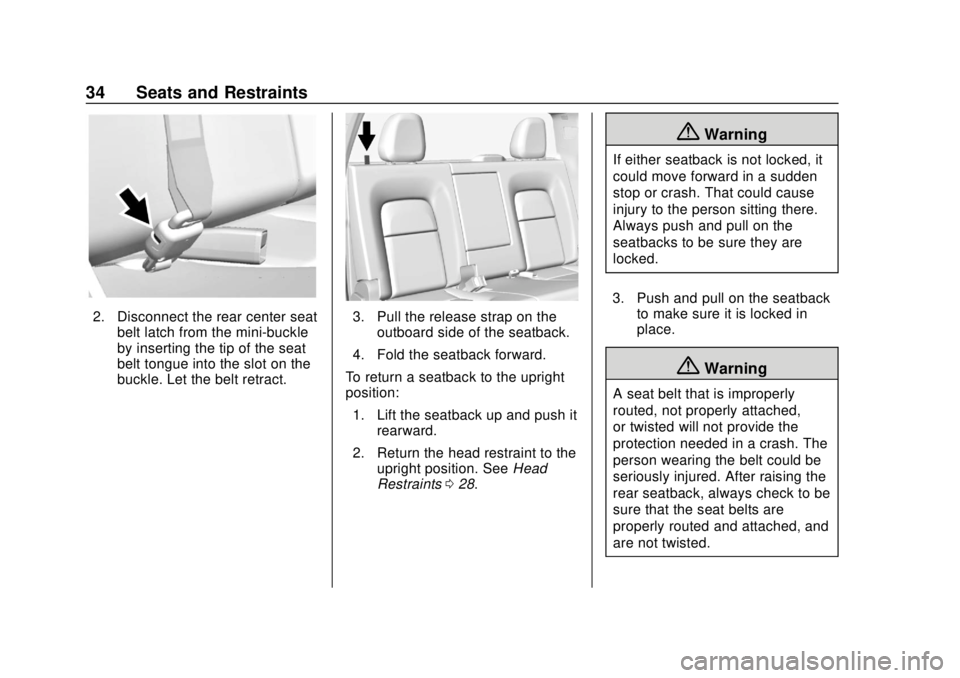
2. Disconnect the rear center seatbelt latch from the mini-buckle
by inserting the tip of the seat
belt tongue into the slot on the
buckle. Let the belt retract.3. Pull the release strap on theoutboard side of the seatback.
4. Fold the seatback forward.
To return a seatback to the upright
position: 1. Lift the seatback up and push it rearward.
2. Return the head restraint to the upright position. See Head
Restraints 028.
{Warning
If either seatback is not locked, it
could move forward in a sudden
stop or crash. That could cause
injury to the person sitting there.
Always push and pull on the
seatbacks to be sure they are
locked.
3. Push and pull on the seatback to make sure it is locked in
place.
{Warning
A seat belt that is improperly
routed, not properly attached,
or twisted will not provide the
protection needed in a crash. The
person wearing the belt could be
seriously injured. After raising the
rear seatback, always check to be
sure that the seat belts are
properly routed and attached, and
are not twisted.
Page 36 of 364
GMC Canyon/Canyon Denali Owner Manual (GMNA-Localizing-U.S./Canada-
13566643) - 2020 - CRC - 10/4/19
Seats and Restraints 35
4. Reconnect the center seat beltlatch plate to the mini-buckle.
Make sure the seat belt is not
twisted.
5. Push and pull on the latch plate to be sure it is secure.
When the seatback is not in use, it
should be kept in the upright, locked
position.Seat Belts
This section describes how to use
seat belts properly, and some things
not to do.
{Warning
Do not let anyone ride where a
seat belt cannot be worn properly.
In a crash, if you or your
passenger(s) are not wearing
seat belts, injuries can be much
worse than if you are wearing
seat belts. You can be seriously
injured or killed by hitting things
inside the vehicle harder or by
being ejected from the vehicle. In
addition, anyone who is not
buckled up can strike other
passengers in the vehicle.
It is extremely dangerous to ride
in a cargo area, inside or outside
of a vehicle. In a collision,
passengers riding in these areas
are more likely to be seriously
injured or killed. Do not allow (Continued)
Warning (Continued)
passengers to ride in any area of
the vehicle that is not equipped
with seats and seat belts.
Always wear a seat belt, and
check that all passenger(s) are
restrained properly too.
This vehicle has indicators as a
reminder to buckle the seat belts.
See Seat Belt Reminders 0104.
Buckle to Drive Feature
If equipped, this feature prevents
the vehicle from shifting out of
P (Park) when Teen Driver is active
and the driver seat belt is not
buckled. See “Teen Driver”in the
infotainment manual. If the engine is
running, the driver seat belt is not
buckled, and the brake pedal is
pressed with the vehicle in P (Park),
a message displays in the Driver
Information Center (DIC). Buckle the
driver seat belt to shift out of
P (Park). Shifting from P (Park) will
be prevented once for each ignition
Page 38 of 364
GMC Canyon/Canyon Denali Owner Manual (GMNA-Localizing-U.S./Canada-
13566643) - 2020 - CRC - 10/4/19
Seats and Restraints 37
provided, all occupants still have
to buckle up to get the most
protection.
Also, in nearly all states and in
all Canadian provinces, the law
requires wearing seat belts.
How to Wear Seat Belts
Properly
Follow these rules for everyone's
protection.
There are additional things to know
about seat belts and children,
including smaller children and
infants. If a child will be riding in the
vehicle, seeOlder Children 056 or
Infants and Young Children 058.
Review and follow the rules for
children in addition to the following
rules.
It is very important for all occupants
to buckle up. Statistics show that
unbelted people are hurt more often
in crashes than those who are
wearing seat belts.
There are important things to know
about wearing a seat belt properly.
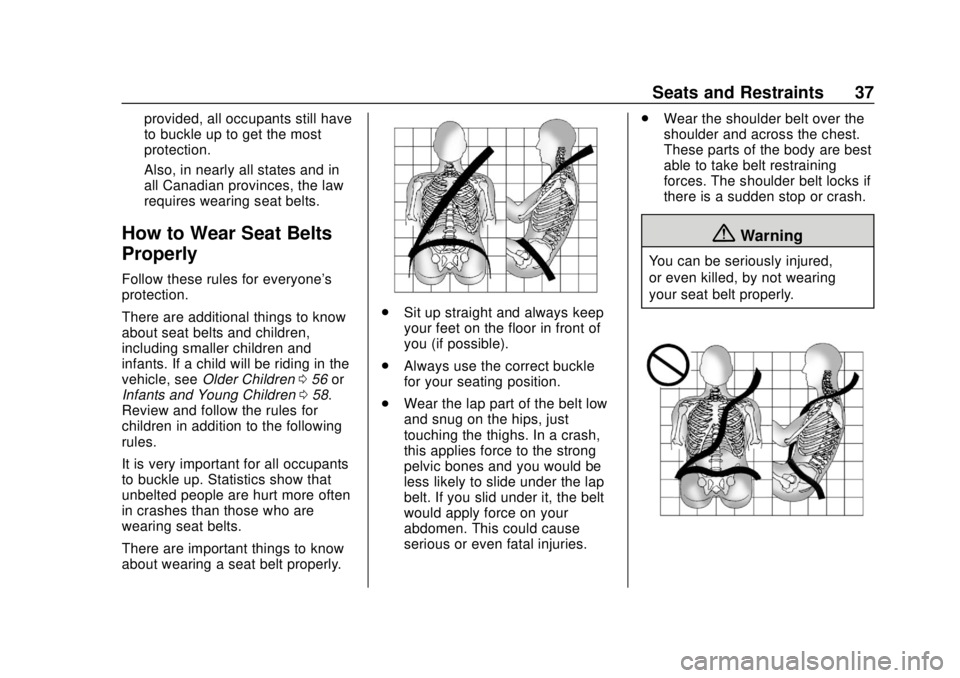
. Sit up straight and always keep
your feet on the floor in front of
you (if possible).
. Always use the correct buckle
for your seating position.
. Wear the lap part of the belt low
and snug on the hips, just
touching the thighs. In a crash,
this applies force to the strong
pelvic bones and you would be
less likely to slide under the lap
belt. If you slid under it, the belt
would apply force on your
abdomen. This could cause
serious or even fatal injuries. .
Wear the shoulder belt over the
shoulder and across the chest.
These parts of the body are best
able to take belt restraining
forces. The shoulder belt locks if
there is a sudden stop or crash.
{Warning
You can be seriously injured,
or even killed, by not wearing
your seat belt properly.