cruise control GMC CANYON 2022 User Guide
[x] Cancel search | Manufacturer: GMC, Model Year: 2022, Model line: CANYON, Model: GMC CANYON 2022Pages: 361, PDF Size: 6.48 MB
Page 196 of 361
GMC Canyon/Canyon Denali Owner Manual (GMNA-Localizing-U.S./Canada-
15275607) - 2022 - CRC - 11/2/21
194 Driving and Operating
Grade Braking is not available when Range
Selection Mode is active. SeeTow/Haul
Mode 0194.
While using Range Selection Mode, cruise
control and the Tow/Haul Mode can
be used.
Caution
Spinning the tires or holding the vehicle
in one place on a hill using only the
accelerator pedal may damage the
transmission. The repair will not be
covered by the vehicle warranty. If the
vehicle is stuck, do not spin the tires.
When stopping on a hill, use the brakes
to hold the vehicle in place.
Low Traction Mode
If equipped, Low Traction Mode assists in
vehicle acceleration when road conditions
are slippery, such as with ice or snow. While
the vehicle is at a stop, select L2 using
Range Selection Mode. This will limit torque
to the wheels and help to prevent the tires
from spinning.
Tow/Haul Mode
If equipped, Tow/Haul Mode adjusts the
transmission shift pattern to reduce shift
cycling. While towing heavy loads, this
mode provides increased performance and
vehicle control.
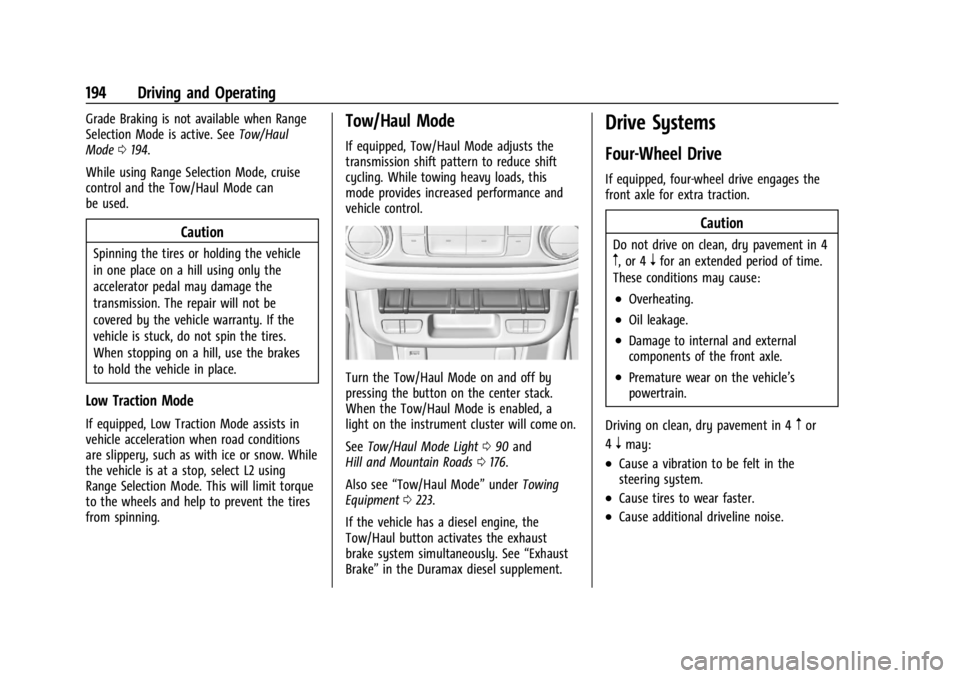
Turn the Tow/Haul Mode on and off by
pressing the button on the center stack.
When the Tow/Haul Mode is enabled, a
light on the instrument cluster will come on.
See Tow/Haul Mode Light 090 and
Hill and Mountain Roads 0176.
Also see “Tow/Haul Mode” underTowing
Equipment 0223.
If the vehicle has a diesel engine, the
Tow/Haul button activates the exhaust
brake system simultaneously. See “Exhaust
Brake” in the Duramax diesel supplement.
Drive Systems
Four-Wheel Drive
If equipped, four-wheel drive engages the
front axle for extra traction.
Caution
Do not drive on clean, dry pavement in 4
m, or 4nfor an extended period of time.
These conditions may cause:
.Overheating.
.Oil leakage.
.Damage to internal and external
components of the front axle.
.Premature wear on the vehicle’s
powertrain.
Driving on clean, dry pavement in 4
mor
4
nmay:
.Cause a vibration to be felt in the
steering system.
.Cause tires to wear faster.
.Cause additional driveline noise.
Page 203 of 361
GMC Canyon/Canyon Denali Owner Manual (GMNA-Localizing-U.S./Canada-
15275607) - 2022 - CRC - 11/2/21
Driving and Operating 201
to activate ABS normally. Minor noise, brake
pedal pulsation, and/or pedal movement
during this time may occur. Continue to
apply the brake pedal as the driving
situation dictates. Brake Assist disengages
when the brake pedal is released.
Hill Start Assist (HSA)
{Warning
Do not rely on the HSA feature. HSA does
not replace the need to pay attention
and drive safely. You may not hear or
feel alerts or warnings provided by this
system. Failure to use proper care when
driving may result in injury, death,
or vehicle damage. SeeDefensive Driving
0 169.
When the vehicle is stopped on a grade, Hill
Start Assist (HSA) temporarily prevents the
vehicle from rolling in an unintended
direction during the transition from brake
pedal release to accelerator pedal apply. The
brakes release when the accelerator pedal is
applied or automatically release after a few
seconds. The brakes may also release under
other conditions. Do not rely on HSA to hold
the vehicle. HSA is available when the vehicle is facing
uphill in a forward gear, or when facing
downhill in R (Reverse). The vehicle must
come to a complete stop on a grade for HSA
to activate.
Ride Control Systems
Traction Control/Electronic
Stability Control
System Operation
The vehicle has a Traction Control System
(TCS) and StabiliTrak/Electronic Stability
Control (ESC), an electronic stability control
system. These systems help limit wheel spin
and assist the driver in maintaining control,
especially on slippery road conditions.
TCS activates if it senses that any of the
drive wheels are spinning or beginning to
lose traction. When this happens, TCS
applies the brakes to the spinning wheels
and reduces engine power to limit
wheel spin.
StabiliTrak/ESC activates when the vehicle
senses a difference between the intended
path and the direction the vehicle is actually
traveling. StabiliTrak/ESC selectively applies
braking pressure to any one of the vehicle
wheel brakes to assist the driver in keeping
the vehicle on the intended path.
If cruise control is being used and TCS or
StabiliTrak/ESC begins to limit wheel spin,
cruise control will disengage. Cruise control
may be turned back on when road
conditions allow.
Both systems come on automatically when
the vehicle is started and begins to move.
The systems may be heard or felt while
they are operating or while performing
diagnostic checks. This is normal and does
not mean there is a problem with the
vehicle.
It is recommended to leave both systems on
for normal driving conditions, but it may be
necessary to turn TCS off if the vehicle gets
stuck in sand, mud, ice, or snow. See
If the
Vehicle Is Stuck 0177 and “Turning the
Systems Off and On” later in this section.
When the transfer case (if equipped) is in
4
n, the stability system is automatically
disabled, and
gcomes on in the instrument
cluster. Both TCS and StabiliTrak/ESC are
automatically disabled.
Page 205 of 361
GMC Canyon/Canyon Denali Owner Manual (GMNA-Localizing-U.S./Canada-
15275607) - 2022 - CRC - 11/2/21
Driving and Operating 203
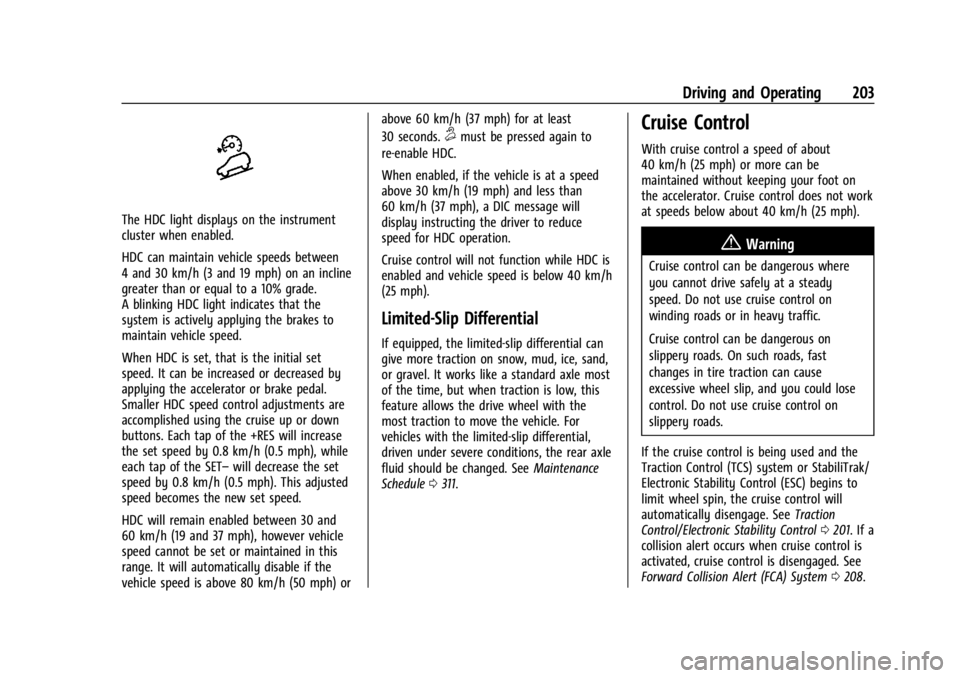
The HDC light displays on the instrument
cluster when enabled.
HDC can maintain vehicle speeds between
4 and 30 km/h (3 and 19 mph) on an incline
greater than or equal to a 10% grade.
A blinking HDC light indicates that the
system is actively applying the brakes to
maintain vehicle speed.
When HDC is set, that is the initial set
speed. It can be increased or decreased by
applying the accelerator or brake pedal.
Smaller HDC speed control adjustments are
accomplished using the cruise up or down
buttons. Each tap of the +RES will increase
the set speed by 0.8 km/h (0.5 mph), while
each tap of the SET–will decrease the set
speed by 0.8 km/h (0.5 mph). This adjusted
speed becomes the new set speed.
HDC will remain enabled between 30 and
60 km/h (19 and 37 mph), however vehicle
speed cannot be set or maintained in this
range. It will automatically disable if the
vehicle speed is above 80 km/h (50 mph) or above 60 km/h (37 mph) for at least
30 seconds.
5must be pressed again to
re-enable HDC.
When enabled, if the vehicle is at a speed
above 30 km/h (19 mph) and less than
60 km/h (37 mph), a DIC message will
display instructing the driver to reduce
speed for HDC operation.
Cruise control will not function while HDC is
enabled and vehicle speed is below 40 km/h
(25 mph).
Limited-Slip Differential
If equipped, the limited-slip differential can
give more traction on snow, mud, ice, sand,
or gravel. It works like a standard axle most
of the time, but when traction is low, this
feature allows the drive wheel with the
most traction to move the vehicle. For
vehicles with the limited-slip differential,
driven under severe conditions, the rear axle
fluid should be changed. See Maintenance
Schedule 0311.
Cruise Control
With cruise control a speed of about
40 km/h (25 mph) or more can be
maintained without keeping your foot on
the accelerator. Cruise control does not work
at speeds below about 40 km/h (25 mph).
{Warning
Cruise control can be dangerous where
you cannot drive safely at a steady
speed. Do not use cruise control on
winding roads or in heavy traffic.
Cruise control can be dangerous on
slippery roads. On such roads, fast
changes in tire traction can cause
excessive wheel slip, and you could lose
control. Do not use cruise control on
slippery roads.
If the cruise control is being used and the
Traction Control (TCS) system or StabiliTrak/
Electronic Stability Control (ESC) begins to
limit wheel spin, the cruise control will
automatically disengage. See Traction
Control/Electronic Stability Control 0201. If a
collision alert occurs when cruise control is
activated, cruise control is disengaged. See
Forward Collision Alert (FCA) System 0208.
Page 206 of 361
GMC Canyon/Canyon Denali Owner Manual (GMNA-Localizing-U.S./Canada-
15275607) - 2022 - CRC - 11/2/21
204 Driving and Operating
When road conditions allow you to safely
use it again, cruise control can be turned
back on.
If equipped with Hill Descent Control (HDC),
cruise control will disengage if HDC is Active.
If the brakes are applied, the cruise control
disengages.
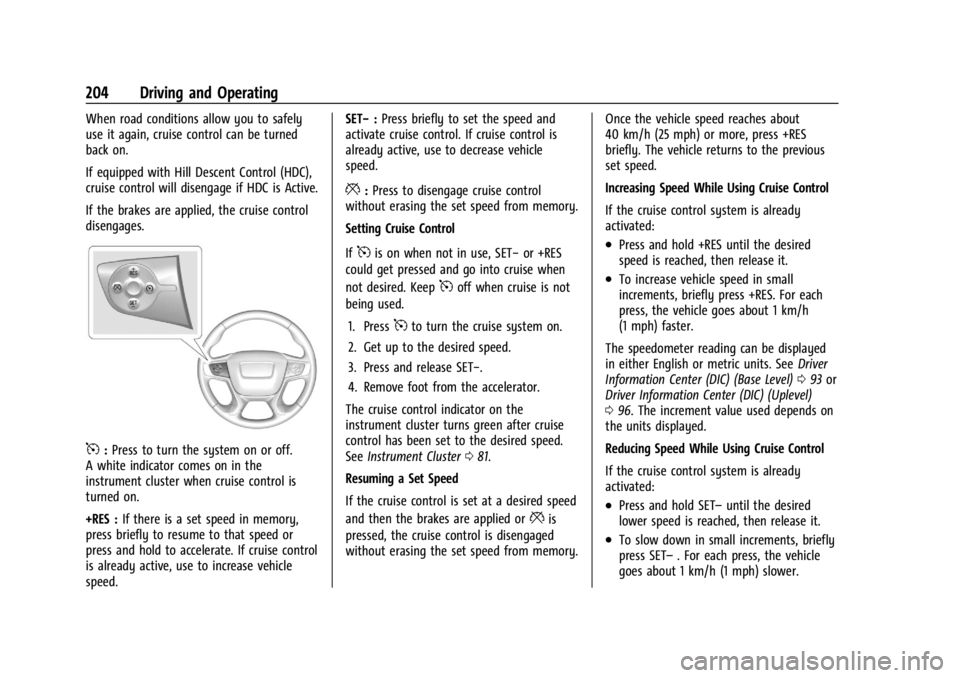
5:Press to turn the system on or off.
A white indicator comes on in the
instrument cluster when cruise control is
turned on.
+RES : If there is a set speed in memory,
press briefly to resume to that speed or
press and hold to accelerate. If cruise control
is already active, use to increase vehicle
speed. SET−
:Press briefly to set the speed and
activate cruise control. If cruise control is
already active, use to decrease vehicle
speed.
*: Press to disengage cruise control
without erasing the set speed from memory.
Setting Cruise Control
If
5is on when not in use, SET− or +RES
could get pressed and go into cruise when
not desired. Keep
5off when cruise is not
being used.
1. Press
5to turn the cruise system on.
2. Get up to the desired speed.
3. Press and release SET−.
4. Remove foot from the accelerator.
The cruise control indicator on the
instrument cluster turns green after cruise
control has been set to the desired speed.
See Instrument Cluster 081.
Resuming a Set Speed
If the cruise control is set at a desired speed
and then the brakes are applied or
*is
pressed, the cruise control is disengaged
without erasing the set speed from memory. Once the vehicle speed reaches about
40 km/h (25 mph) or more, press +RES
briefly. The vehicle returns to the previous
set speed.
Increasing Speed While Using Cruise Control
If the cruise control system is already
activated:
.Press and hold +RES until the desired
speed is reached, then release it.
.To increase vehicle speed in small
increments, briefly press +RES. For each
press, the vehicle goes about 1 km/h
(1 mph) faster.
The speedometer reading can be displayed
in either English or metric units. See Driver
Information Center (DIC) (Base Level) 093 or
Driver Information Center (DIC) (Uplevel)
0 96. The increment value used depends on
the units displayed.
Reducing Speed While Using Cruise Control
If the cruise control system is already
activated:
.Press and hold SET– until the desired
lower speed is reached, then release it.
.To slow down in small increments, briefly
press SET– . For each press, the vehicle
goes about 1 km/h (1 mph) slower.
Page 207 of 361
GMC Canyon/Canyon Denali Owner Manual (GMNA-Localizing-U.S./Canada-
15275607) - 2022 - CRC - 11/2/21
Driving and Operating 205
The speedometer reading can be displayed
in either English or metric units. SeeDriver
Information Center (DIC) (Base Level) 093 or
Driver Information Center (DIC) (Uplevel)
0 96. The increment value used depends on
the units displayed.
Passing Another Vehicle While Using Cruise
Control
Use the accelerator pedal to increase the
vehicle speed. When you take your foot off
the pedal, the vehicle will slow down to the
previous set cruise speed. While pressing the
accelerator pedal or shortly following the
release to override cruise control, briefly
pressing SET– will result in cruise control set
to the current vehicle speed.
Using Cruise Control on Hills
How well the cruise control will work on
hills depends on the vehicle speed, load, and
the steepness of the hills. When going up
steep hills, you might have to step on the
accelerator pedal to maintain your speed.
When going downhill, you might have to
brake or shift to a lower gear to keep your
speed down. If the brake pedal is applied,
cruise control will disengage. Ending Cruise Control
There are three ways to end cruise control:
.Step lightly on the brake pedal.
.Press*.
.To turn off cruise control, press5.
Erasing Speed Memory
The cruise control set speed is erased from
memory if
5is pressed or if the ignition is
turned off.
Driver Assistance Systems
This vehicle may have features that work
together to help avoid crashes or reduce
crash damage while driving, backing, and
parking. Read this entire section before
using these systems.
{Warning
Do not rely on the Driver Assistance
Systems. These systems do not replace
the need for paying attention and driving
safely. You may not hear or see alerts or
warnings provided by these systems.
(Continued)
Warning (Continued)
Failure to use proper care when driving
may result in injury, death, or vehicle
damage. SeeDefensive Driving 0169.
Under many conditions, these systems
will not:
.Detect children, pedestrians, bicyclists,
or animals.
.Detect vehicles or objects outside the
area monitored by the system.
.Work at all driving speeds.
.Warn you or provide you with enough
time to avoid a crash.
.Work under poor visibility or bad
weather conditions.
.Work if the detection sensor is not
cleaned or is covered by ice, snow,
mud, or dirt.
.Work if the detection sensor is
covered up, such as with a sticker,
magnet, or metal plate.
.Work if the area surrounding the
detection sensor is damaged or not
properly repaired. (Continued)
Page 211 of 361
GMC Canyon/Canyon Denali Owner Manual (GMNA-Localizing-U.S./Canada-
15275607) - 2022 - CRC - 11/2/21
Driving and Operating 209
{Warning
FCA is a warning system and does not
apply the brakes. When approaching a
slower-moving or stopped vehicle ahead
too rapidly, or when following a vehicle
too closely, FCA may not provide a
warning with enough time to help avoid
a crash. It also may not provide any
warning at all. FCA does not warn of
pedestrians, animals, signs, guardrails,
bridges, construction barrels, or other
objects. Be ready to take action and
apply the brakes. SeeDefensive Driving
0 169.
FCA can be disabled with either the FCA
steering wheel control or, if equipped,
through vehicle personalization. See
“Collision/Detection Systems” underVehicle
Personalization 099.
Detecting the Vehicle Ahead
FCA warnings will not occur unless the FCA
system detects a vehicle ahead. When a
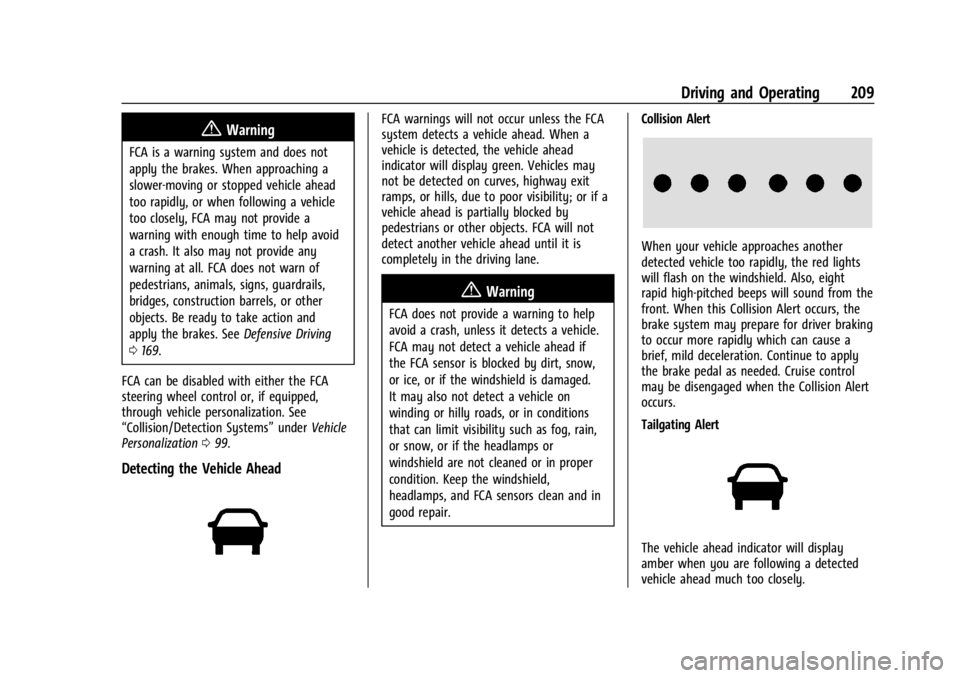
vehicle is detected, the vehicle ahead
indicator will display green. Vehicles may
not be detected on curves, highway exit
ramps, or hills, due to poor visibility; or if a
vehicle ahead is partially blocked by
pedestrians or other objects. FCA will not
detect another vehicle ahead until it is
completely in the driving lane.
{Warning
FCA does not provide a warning to help
avoid a crash, unless it detects a vehicle.
FCA may not detect a vehicle ahead if
the FCA sensor is blocked by dirt, snow,
or ice, or if the windshield is damaged.
It may also not detect a vehicle on
winding or hilly roads, or in conditions
that can limit visibility such as fog, rain,
or snow, or if the headlamps or
windshield are not cleaned or in proper
condition. Keep the windshield,
headlamps, and FCA sensors clean and in
good repair. Collision Alert
When your vehicle approaches another
detected vehicle too rapidly, the red lights
will flash on the windshield. Also, eight
rapid high-pitched beeps will sound from the
front. When this Collision Alert occurs, the
brake system may prepare for driver braking
to occur more rapidly which can cause a
brief, mild deceleration. Continue to apply
the brake pedal as needed. Cruise control
may be disengaged when the Collision Alert
occurs.
Tailgating Alert
The vehicle ahead indicator will display
amber when you are following a detected
vehicle ahead much too closely.
Page 218 of 361
GMC Canyon/Canyon Denali Owner Manual (GMNA-Localizing-U.S./Canada-
15275607) - 2022 - CRC - 11/2/21
216 Driving and Operating
The following information has many
time-tested, important trailering tips and
safety rules. Many of these are important
for your safety and that of your passengers.
Read this section carefully before pulling a
trailer.
When towing a trailer:
.Become familiar with and follow all state
and local laws that apply to trailer
towing. These requirements vary from
state to state.
.State laws may require the use of
extended side view mirrors. Even if not
required, you should install extended side
view mirrors if your visibility is limited or
restricted while towing.
.Do not tow a trailer during the first
800 km (500 mi) of vehicle use to prevent
damage to the engine, axle, or other
parts.
.It is recommended to perform the first oil
change before heavy towing.
.During the first 800 km (500 mi) of trailer
towing, do not drive over 80 km/h
(50 mph) and do not make starts at full
throttle.
.Vehicles can tow in D (Drive). Tow/Haul
Mode is recommended for heavier trailers.
SeeTow/Haul Mode 0194. If the
transmission downshifts too often, a
lower gear may be selected using Manual
Mode. See Manual Mode 0192.
If equipped, the following driver assistance
features should be turned off when towing
a trailer:
.Adaptive Cruise Control (ACC)
.Super Cruise Control
.Lane Keep Assist (LKA)
.Park Assist
.Reverse Automatic Braking (RAB)
If equipped, the following driver assistance
features should be turned to alert or off
when towing a trailer:
.Automatic Emergency Braking (AEB)
.Intelligent Brake Assist (IBA)
.Front Pedestrian Braking (FPB)
If equipped with Lane Change Alert (LCA),
the LCA detection zones that extend back
from the side of the vehicle do not move
further back when a trailer is towed. Use
caution while changing lanes when towing a
trailer. If equipped with Rear Cross Traffic Alert
(RCTA), use caution while backing up when
towing a trailer, as the RCTA detection zones
that extend out from the back of the vehicle
do not move further back when a trailer is
towed.
{Warning
To prevent serious injury or death from
carbon monoxide (CO), when towing a
trailer:
.Do not drive with the liftgate, trunk/
hatch, or rear-most window open.
.Fully open the air outlets on or under
the instrument panel.
.Adjust the climate control system to a
setting that brings in only outside air.
See
“Climate Control Systems” in the
Index.
For more information about carbon
monoxide, see Engine Exhaust 0189.
Towing a trailer requires experience. The
combination of the vehicle and trailer is
longer and not as responsive as the vehicle
itself. Get used to the handling and braking
of the combination by driving on a level
road surface before driving on public roads.
Page 267 of 361
GMC Canyon/Canyon Denali Owner Manual (GMNA-Localizing-U.S./Canada-
15275607) - 2022 - CRC - 11/2/21
Vehicle Care 265
The vehicle may not be equipped with all of
the fuses, relays, and features shown.Fuses Usage
F1 BCM 1 –Body Control
Module 1 –Indicator
Dimming Control, Retained
Accessory Power (RAP)
Relay Coil Control, Rear
License Lamp Supply
Voltage, Windshield
Washer Relay Control, Run/
Crank Relay Coil Control,
Cruise/Electronic Torque
Control/Torque Converter
Clutch Brake Signal, Run
Ignition 3 Voltage
F2 –
F3 –
F4 STR/WHL/CNTL –Steering
Wheel Controls Fuses
Usage
F5 –
BCM 2–Body Control
Module 2 –Interior Lamp
Control, Accessory
Voltage (1), Backup Lamp
Relay Control, Park Lock
Solenoid Control, Trailer
Brake Apply Signal
F6 –
F7 –
F8 MIR WNDW MDL –Mirror
Window Module
F9 I/P CLUSTER –Instrument
Panel Cluster
F10 –
F11 BCM 8 –Body Control
Module 8 –Door Lock
Actuator Lock Control 2,
Door Lock Control (2), Door
Lock Actuator Unlock
Control
F12 –
F13 OnStar/HVAC Fuses
Usage
F14 RDO/INFOTMNT –Radio/
Infotainment
F15 BCM 6 –Body Control
Module 6 –LED Backlight
Dimming Control, Interior
Lamps, Lights Exterior
Reverse/Backup Lamps
Direct Drive, Stop Lamp
Relay Coil Supply Voltage
F16 CGM –Communication
Gateway Module
F17 BCM 4 –Body Control
Module 4 –Left Headlamp
Low Beam Supply Voltage,
Right Park Lamp Supply
Voltage, Left Rear Stop
Lamp Supply Voltage, Right
Rear Park Lamp Supply
Voltage
F18 AIRBAG/SDM/AOS MDL –
Airbag/Sensing and
Diagnostic Module/
Automatic Occupant
Sensing Module
F19 –
Page 352 of 361

GMC Canyon/Canyon Denali Owner Manual (GMNA-Localizing-U.S./Canada-
15275607) - 2022 - CRC - 11/2/21
350 Index
Climate Control Systems (cont'd)Automatic . . . . . . . . . . . . . . . . . . . . . . . . . . . . . 164
Heating . . . . . . . . . . . . . . . . . . . . . . . . . . . . . . . . 162
Clock . . . . . . . . . . . . . . . . . . . . . . . . . . . . . . . . . . . . . 78
Cluster, Instrument . . . . . . . . . . . . . . . . . . . . . . . .81
Collision Damage Repair . . . . . . . . . . . . . . . . . 334
Compact Spare Tire . . . . . . . . . . . . . . . . . . . . . . 293
Compartments Storage . . . . . . . . . . . . . . . . . . . . . . . . . . . . . . . . . 73
Compass . . . . . . . . . . . . . . . . . . . . . . . . . . . . . . . . . . 78
Connected Services Connections . . . . . . . . . . . . . . . . . . . . . . . . . . . 345
Diagnostics . . . . . . . . . . . . . . . . . . . . . . . . . . . . 347
Navigation . . . . . . . . . . . . . . . . . . . . . . . . . . . . . 345
Connections Connected Services . . . . . . . . . . . . . . . . . . . . 345
Control Hill Descent . . . . . . . . . . . . . . . . . . . . . . . . . . . . 202
Traction and Electronic Stability . . . . . . . 201
Control Light Hill Descent . . . . . . . . . . . . . . . . . . . . . . . . . . . . . 90
Control of a Vehicle . . . . . . . . . . . . . . . . . . . . . 170
Controls Steering Wheel . . . . . . . . . . . . . . . . . . . . . . . . . 112
Convex Mirrors . . . . . . . . . . . . . . . . . . . . . . . . . . . .16
Coolant Engine Temperature Gauge . . . . . . . . . . . . . 85
Cooling . . . . . . . . . . . . . . . . . . . . . . . . . . . . . .162, 164 Cooling System . . . . . . . . . . . . . . . . . . . . . . . . . . 243
Courtesy Transportation Program . . . . . . . . 333
Coverage Explanations . . . . . . . . . . . . . . . . . . . .134
Cruise Control . . . . . . . . . . . . . . . . . . . . . . . . . . . 203
Light . . . . . . . . . . . . . . . . . . . . . . . . . . . . . . . . . . . . 93
Cupholders . . . . . . . . . . . . . . . . . . . . . . . . . . . . . . . .73
Customer Assistance . . . . . . . . . . . . . . . . . . . . . 330 Offices . . . . . . . . . . . . . . . . . . . . . . . . . . . . . . . . . 330
Text Telephone (TTY) Users . . . . . . . . . . . . 330
Customer Information Publications Ordering Information . . . . . 335
Customer Satisfaction Procedure . . . . . . . . . 328
Cybersecurity . . . . . . . . . . . . . . . . . . . . . . . . . . . . 338
D
Damage Repair, Collision . . . . . . . . . . . . . . . . . 334
Danger, Warning, and Caution . . . . . . . . . . . . . .2
Data Collection Infotainment System . . . . . . . . . . . . . . . . . . 339
OnStar . . . . . . . . . . . . . . . . . . . . . . . . . . . . . . . . . 339
Data Recorders, Event . . . . . . . . . . . . . . . . . . . 338
Database Coverage Explanations . . . . . . . . . .134
Daytime Running Lamps (DRL) . . . . . . . . . . . 103
Defensive Driving . . . . . . . . . . . . . . . . . . . . . . . . 169
Delayed Locking . . . . . . . . . . . . . . . . . . . . . . . . . . . 12
Destination . . . . . . . . . . . . . . . . . . . . . . . . . . . . . . . 127
Diagnostics
Connected Services . . . . . . . . . . . . . . . . . . . . 347 Differential, Limited-Slip . . . . . . . . . . . . . . . . . 203
Distracted Driving . . . . . . . . . . . . . . . . . . . . . . . . 169
Dome Lamps . . . . . . . . . . . . . . . . . . . . . . . . . . . . . 106
Door
Ajar Light . . . . . . . . . . . . . . . . . . . . . . . . . . . . . . . 93
Delayed Locking . . . . . . . . . . . . . . . . . . . . . . . . . 12
Locks . . . . . . . . . . . . . . . . . . . . . . . . . . . . . . . . . . . . 12
Power Locks . . . . . . . . . . . . . . . . . . . . . . . . . . . . . 12
Drive Belt Routing, Engine . . . . . . . . . . . . . . . 327
Driver Teen . . . . . . . . . . . . . . . . . . . . . . . . . . . . . . . . . . . . 151
Driver Assistance Systems . . . . . . . . . . . . . . . 205
Driver Information Center (DIC) . . . . . . . 93, 96
Driving Better Fuel Economy . . . . . . . . . . . . . . . . . . . 169
Characteristics and Towing Tips . . . . . . . . 215
Defensive . . . . . . . . . . . . . . . . . . . . . . . . . . . . . . 169
Hill and Mountain Roads . . . . . . . . . . . . . . 176
If the Vehicle is Stuck . . . . . . . . . . . . . . . . . . 177
Impaired . . . . . . . . . . . . . . . . . . . . . . . . . . . . . . . 170
Loss of Control . . . . . . . . . . . . . . . . . . . . . . . . . 171
Off-Road . . . . . . . . . . . . . . . . . . . . . . . . . . . . . . . . 172
Off-Road Recovery . . . . . . . . . . . . . . . . . . . . . . 171
Vehicle Load Limits . . . . . . . . . . . . . . . . . . . . 178
Wet Roads . . . . . . . . . . . . . . . . . . . . . . . . . . . . . . 175
Winter . . . . . . . . . . . . . . . . . . . . . . . . . . . . . . . . . 176
Page 355 of 361

GMC Canyon/Canyon Denali Owner Manual (GMNA-Localizing-U.S./Canada-
15275607) - 2022 - CRC - 11/2/21
Index 353
L
Labeling, Tire Sidewall . . . . . . . . . . . . . . . . . . . 268
LampsDaytime Running (DRL) . . . . . . . . . . . . . . . . 103
Dome . . . . . . . . . . . . . . . . . . . . . . . . . . . . . . . . . . 106
Exterior Cargo . . . . . . . . . . . . . . . . . . . . . . . . . 105
Exterior Controls . . . . . . . . . . . . . . . . . . . . . . . 102
Exterior Lamps Off Reminder . . . . . . . . . . 103
Exterior Lighting Battery Saver . . . . . . . . 108
Malfunction Indicator (CheckEngine) . . . . . . . . . . . . . . . . . . . . . . . . . . . . . . . 87
On Reminder . . . . . . . . . . . . . . . . . . . . . . . . . . . 93
Reading . . . . . . . . . . . . . . . . . . . . . . . . . . . . . . . . 106
Lane Departure Warning (LDW) . . . . . . . . . . . 211
Lane Departure Warning Light . . . . . . . . . . . . 90
Lap-Shoulder Belt . . . . . . . . . . . . . . . . . . . . . . . . . 30
LATCH System
Replacing Parts after a Crash . . . . . . . . . . . 64
LATCH, Lower Anchors and Tethers for
Children . . . . . . . . . . . . . . . . . . . . . . . . . . . . . . . . . . 51
Lighting Entry . . . . . . . . . . . . . . . . . . . . . . . . . . . . . . . . . . 107
Exit . . . . . . . . . . . . . . . . . . . . . . . . . . . . . . . . . . . . 107
Illumination Control . . . . . . . . . . . . . . . . . . . 106
Lights Airbag Readiness . . . . . . . . . . . . . . . . . . . . . . . 86
Antilock Brake System (ABS)Warning . . . . . . . . . . . . . . . . . . . . . . . . . . . . . . 89 Lights (cont'd)
Brake System Warning . . . . . . . . . . . . . . . . . 88
Charging System . . . . . . . . . . . . . . . . . . . . . . . 87
Check Engine (Malfunction
Indicator) . . . . . . . . . . . . . . . . . . . . . . . . . . . . . 87
Cruise Control . . . . . . . . . . . . . . . . . . . . . . . . . . 93
Door Ajar . . . . . . . . . . . . . . . . . . . . . . . . . . . . . . . 93
Engine Oil Pressure . . . . . . . . . . . . . . . . . . . . . 92
Flash-to-Pass . . . . . . . . . . . . . . . . . . . . . . . . . . . 103
Four-Wheel-Drive . . . . . . . . . . . . . . . . . . . . . . . 89
Front Fog Lamp . . . . . . . . . . . . . . . . . . . . . . . . . 93
High-Beam On . . . . . . . . . . . . . . . . . . . . . . . . . . 93
High/Low Beam Changer . . . . . . . . . . . . . . 103
Hill Descent Control . . . . . . . . . . . . . . . . . . . . 90
Lane Departure Warning . . . . . . . . . . . . . . . . 90
Low Fuel Warning . . . . . . . . . . . . . . . . . . . . . . 92
Seat Belt Reminders . . . . . . . . . . . . . . . . . . . . 85
Security . . . . . . . . . . . . . . . . . . . . . . . . . . . . . . . . . 92
StabiliTrak OFF . . . . . . . . . . . . . . . . . . . . . . . . . . 91
Tire Pressure . . . . . . . . . . . . . . . . . . . . . . . . . . . . 91
Tow/Haul Mode . . . . . . . . . . . . . . . . . . . . . . . . 90
Traction Control System (TCS)/StabiliTrak . . . . . . . . . . . . . . . . . . . . . . 91
Traction Off . . . . . . . . . . . . . . . . . . . . . . . . . . . . . 90
Limited-Slip Differential . . . . . . . . . . . . . . . . . . 203
Locks Automatic Door . . . . . . . . . . . . . . . . . . . . . . . . . . 13
Delayed Locking . . . . . . . . . . . . . . . . . . . . . . . . . 12 Locks (cont'd)
Door . . . . . . . . . . . . . . . . . . . . . . . . . . . . . . . . . . . . . 12
Lockout Protection . . . . . . . . . . . . . . . . . . . . . . . 13
Power Door . . . . . . . . . . . . . . . . . . . . . . . . . . . . . . 12
Safety . . . . . . . . . . . . . . . . . . . . . . . . . . . . . . . . . . . 13
Loss of Control . . . . . . . . . . . . . . . . . . . . . . . . . . . 171
Low Fuel Warning Light . . . . . . . . . . . . . . . . . . 92
Lower Anchors and Tethers for Children (LATCH System) . . . . . . . . . . . . . . . . . 51
Lumbar Adjustment . . . . . . . . . . . . . . . . . . . . . . . 24 Front Seats . . . . . . . . . . . . . . . . . . . . . . . . . . . . . 24
M
MaintenanceRecords . . . . . . . . . . . . . . . . . . . . . . . . . . . . . . . . 323
Maintenance and Care Additional . . . . . . . . . . . . . . . . . . . . . . . . . . . . . . 317
Maintenance Schedule . . . . . . . . . . . . . . . . . . . . 311 Recommended Fluids andLubricants . . . . . . . . . . . . . . . . . . . . . . . . . . . . 320
Malfunction Indicator Lamp . . . . . . . . . . . . . . . 87
Manual Mirrors . . . . . . . . . . . . . . . . . . . . . . . . . . . .16
Manual Mode . . . . . . . . . . . . . . . . . . . . . . . . . . . 192
Map Data Updates . . . . . . . . . . . . . . . . . . . . . . . .134
Maps . . . . . . . . . . . . . . . . . . . . . . . . . . . . . . . . . . . . 126
Media Avoiding Untrusted Devices . . . . . . . . . . . . . 119