airbag off GMC CANYON 2023 User Guide
[x] Cancel search | Manufacturer: GMC, Model Year: 2023, Model line: CANYON, Model: GMC CANYON 2023Pages: 371, PDF Size: 7.41 MB
Page 70 of 371
GMC Canyon/Canyon Denali Owner Manual (GMNA-Localizing-U.S./Canada/
Mexico-16510661) - 2023 - CRC - 11/29/22
Seats and Restraints 69
Position the release button on the
buckle, away from the child restraint, so
that the seat belt could be quickly
unbuckled if necessary.
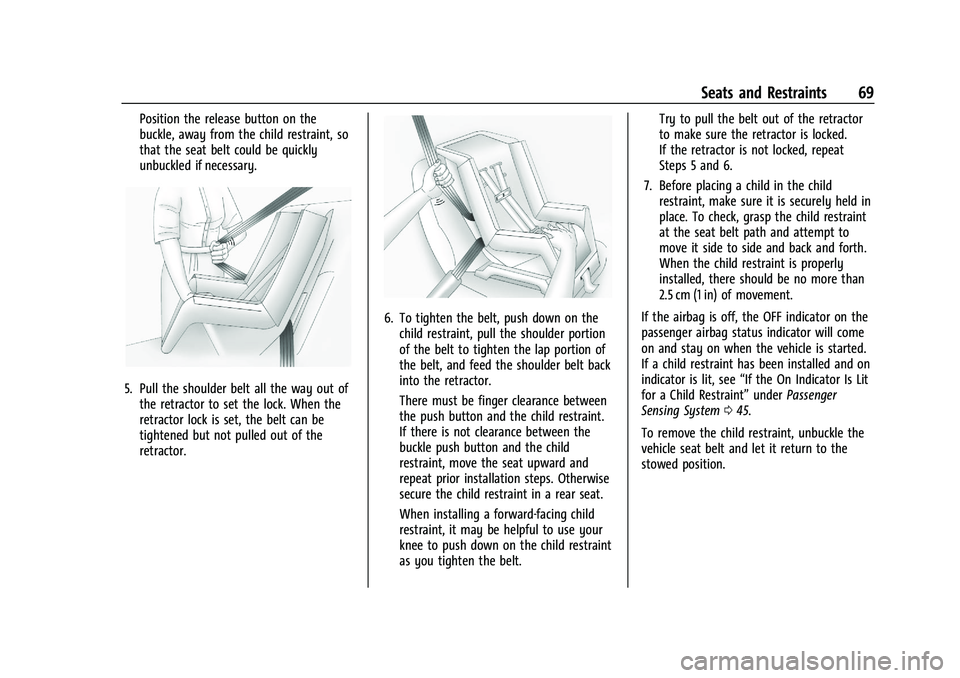
5. Pull the shoulder belt all the way out ofthe retractor to set the lock. When the
retractor lock is set, the belt can be
tightened but not pulled out of the
retractor.
6. To tighten the belt, push down on thechild restraint, pull the shoulder portion
of the belt to tighten the lap portion of
the belt, and feed the shoulder belt back
into the retractor.
There must be finger clearance between
the push button and the child restraint.
If there is not clearance between the
buckle push button and the child
restraint, move the seat upward and
repeat prior installation steps. Otherwise
secure the child restraint in a rear seat.
When installing a forward-facing child
restraint, it may be helpful to use your
knee to push down on the child restraint
as you tighten the belt. Try to pull the belt out of the retractor
to make sure the retractor is locked.
If the retractor is not locked, repeat
Steps 5 and 6.
7. Before placing a child in the child restraint, make sure it is securely held in
place. To check, grasp the child restraint
at the seat belt path and attempt to
move it side to side and back and forth.
When the child restraint is properly
installed, there should be no more than
2.5 cm (1 in) of movement.
If the airbag is off, the OFF indicator on the
passenger airbag status indicator will come
on and stay on when the vehicle is started.
If a child restraint has been installed and on
indicator is lit, see “If the On Indicator Is Lit
for a Child Restraint” underPassenger
Sensing System 045.
To remove the child restraint, unbuckle the
vehicle seat belt and let it return to the
stowed position.
Page 73 of 371
GMC Canyon/Canyon Denali Owner Manual (GMNA-Localizing-U.S./Canada/
Mexico-16510661) - 2023 - CRC - 11/30/22
72 Instruments and Controls
Instruments and Controls
Controls
Steering Wheel Adjustment . . . . . . . . . . . . . 73
Heated Steering Wheel . . . . . . . . . . . . . . . . . 73
Horn . . . . . . . . . . . . . . . . . . . . . . . . . . . . . . . . . . . . 73
Windshield Wiper/Washer . . . . . . . . . . . . . . 74
Compass . . . . . . . . . . . . . . . . . . . . . . . . . . . . . . . . 75
Clock . . . . . . . . . . . . . . . . . . . . . . . . . . . . . . . . . . . 75
Power Outlets . . . . . . . . . . . . . . . . . . . . . . . . . . 75
Wireless Charging . . . . . . . . . . . . . . . . . . . . . . 76
Warning Lights, Gauges, and Indicators
Warning Lights, Gauges, andIndicators . . . . . . . . . . . . . . . . . . . . . . . . . . . . . 79
Instrument Cluster (Base Level) . . . . . . . . . 79
Instrument Cluster (Uplevel) . . . . . . . . . . . . 81
Speedometer . . . . . . . . . . . . . . . . . . . . . . . . . . . 82
Odometer . . . . . . . . . . . . . . . . . . . . . . . . . . . . . . 82
Trip Odometer . . . . . . . . . . . . . . . . . . . . . . . . . . 82
Tachometer . . . . . . . . . . . . . . . . . . . . . . . . . . . . 82
Fuel Gauge . . . . . . . . . . . . . . . . . . . . . . . . . . . . . 83
Engine Oil Pressure Gauge . . . . . . . . . . . . . 84
Engine Oil Temperature Gauge . . . . . . . . . 85
Engine Coolant Temperature Gauge . . . . 86
Transmission Temperature Gauge . . . . . . 86
Seat Belt Reminders . . . . . . . . . . . . . . . . . . . . 87
Airbag Readiness Light . . . . . . . . . . . . . . . . . 88
Passenger Airbag Status Indicator . . . . . . 88
Charging System Light . . . . . . . . . . . . . . . . . 89 Malfunction Indicator Lamp (Check
Engine Light) . . . . . . . . . . . . . . . . . . . . . . . . . 89
Brake System Warning Light . . . . . . . . . . . . 91
Electric Parking Brake Light . . . . . . . . . . . . . 91
Service Electric Parking Brake Light . . . . . 92
Antilock Brake System (ABS) Warning Light . . . . . . . . . . . . . . . . . . . . . . . . . . . . . . . . . . 92
Four-Wheel-Drive Light . . . . . . . . . . . . . . . . . 92
Hill Descent Control Light . . . . . . . . . . . . . . 93
Lane Keep Assist (LKA) Light . . . . . . . . . . . . 93
Automatic Emergency Braking (AEB) Disabled Light . . . . . . . . . . . . . . . . . . . . . . . . 93
Vehicle Ahead Indicator . . . . . . . . . . . . . . . . 93
Pedestrian Ahead Indicator . . . . . . . . . . . . . 94
Traction Off Light . . . . . . . . . . . . . . . . . . . . . . 94
Traction Control System (TCS)/Electronic Stability Control Light . . . . . . . . . . . . . . . . 94
Electronic Stability Control (ESC) Off Light . . . . . . . . . . . . . . . . . . . . . . . . . . . . . . . . . . 95
Engine Coolant Temperature Warning Light . . . . . . . . . . . . . . . . . . . . . . . . . . . . . . . . . . 95
Driver Mode Control Light . . . . . . . . . . . . . . 95
Tire Pressure Light . . . . . . . . . . . . . . . . . . . . . 96
Engine Oil Pressure Light . . . . . . . . . . . . . . . 96
Low Fuel Warning Light . . . . . . . . . . . . . . . . 97
Auto Stop Indicator . . . . . . . . . . . . . . . . . . . . . 97
Security Light . . . . . . . . . . . . . . . . . . . . . . . . . . 97
High-Beam On Light . . . . . . . . . . . . . . . . . . . . 97
Front Fog Lamp Light . . . . . . . . . . . . . . . . . . . 97
Lamps On Reminder . . . . . . . . . . . . . . . . . . . . 98 Cruise Control Light . . . . . . . . . . . . . . . . . . . . 98
Door Ajar Light (Uplevel Cluster) . . . . . . . 98
Information Displays
Driver Information Center (DIC) (Base
Level) . . . . . . . . . . . . . . . . . . . . . . . . . . . . . . . . . 98
Driver Information Center (DIC) (Uplevel) . . . . . . . . . . . . . . . . . . . . . . . . . . . . 100
Vehicle Status . . . . . . . . . . . . . . . . . . . . . . . . . 103
Head-Up Display (HUD) . . . . . . . . . . . . . . . . 105
Vehicle Messages
Vehicle Messages . . . . . . . . . . . . . . . . . . . . . . 107
Engine Power Messages . . . . . . . . . . . . . . . 108
Vehicle Speed Messages . . . . . . . . . . . . . . . 108
Page 89 of 371
GMC Canyon/Canyon Denali Owner Manual (GMNA-Localizing-U.S./Canada/
Mexico-16510661) - 2023 - CRC - 11/30/22
88 Instruments and Controls
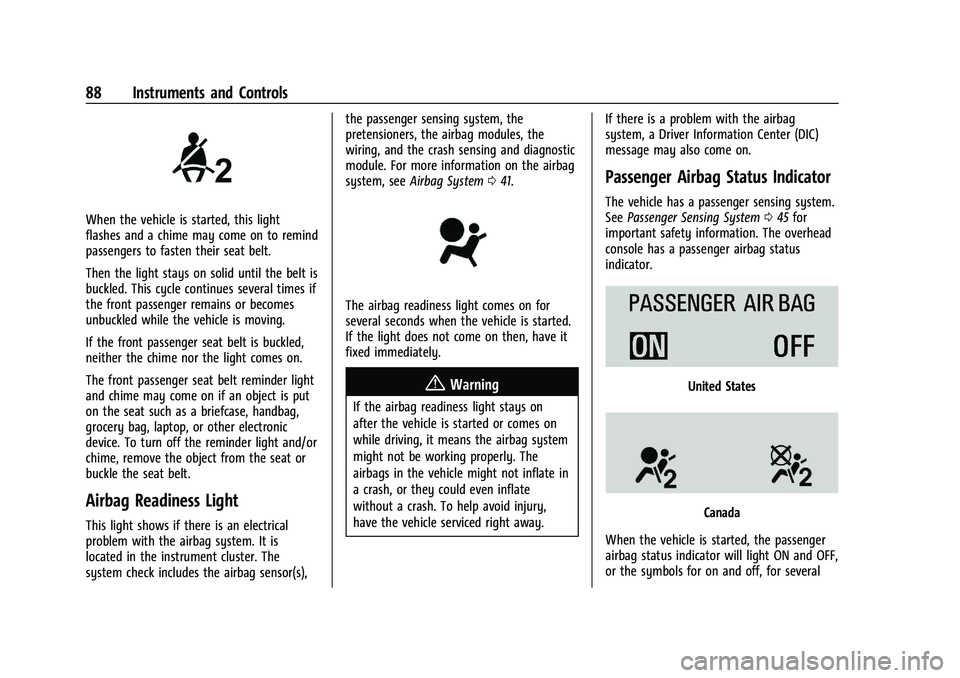
When the vehicle is started, this light
flashes and a chime may come on to remind
passengers to fasten their seat belt.
Then the light stays on solid until the belt is
buckled. This cycle continues several times if
the front passenger remains or becomes
unbuckled while the vehicle is moving.
If the front passenger seat belt is buckled,
neither the chime nor the light comes on.
The front passenger seat belt reminder light
and chime may come on if an object is put
on the seat such as a briefcase, handbag,
grocery bag, laptop, or other electronic
device. To turn off the reminder light and/or
chime, remove the object from the seat or
buckle the seat belt.
Airbag Readiness Light
This light shows if there is an electrical
problem with the airbag system. It is
located in the instrument cluster. The
system check includes the airbag sensor(s),the passenger sensing system, the
pretensioners, the airbag modules, the
wiring, and the crash sensing and diagnostic
module. For more information on the airbag
system, see
Airbag System 041.
The airbag readiness light comes on for
several seconds when the vehicle is started.
If the light does not come on then, have it
fixed immediately.
{Warning
If the airbag readiness light stays on
after the vehicle is started or comes on
while driving, it means the airbag system
might not be working properly. The
airbags in the vehicle might not inflate in
a crash, or they could even inflate
without a crash. To help avoid injury,
have the vehicle serviced right away. If there is a problem with the airbag
system, a Driver Information Center (DIC)
message may also come on.
Passenger Airbag Status Indicator
The vehicle has a passenger sensing system.
See
Passenger Sensing System 045 for
important safety information. The overhead
console has a passenger airbag status
indicator.
United States
Canada
When the vehicle is started, the passenger
airbag status indicator will light ON and OFF,
or the symbols for on and off, for several
Page 90 of 371
GMC Canyon/Canyon Denali Owner Manual (GMNA-Localizing-U.S./Canada/
Mexico-16510661) - 2023 - CRC - 11/30/22
Instruments and Controls 89
seconds as a system check. Then, after
several more seconds, the status indicator
will light either ON or OFF, or either the on
or off symbol, to let you know the status of
the front outboard passenger frontal airbag.
If the word ON or the on symbol is lit on
the passenger airbag status indicator, it
means that the front outboard passenger
frontal airbag is allowed to inflate.
If the word OFF, or the off symbol, is lit on
the airbag status indicator, it means that
the passenger sensing system has turned off
the front outboard passenger frontal airbag.
If after several seconds both status indicator
lights remain on, or if there are no lights at
all, or if the airbag readiness light is on,
there may be a problem with the lights or
the passenger sensing system. See your
dealer for service right away.
{Warning
If the airbag readiness light ever comes
on and stays on, it means that
something may be wrong with the airbag
system. To help avoid injury to yourself
or others, have the vehicle serviced right(Continued)
Warning (Continued)
away. SeeAirbag Readiness Light 088
for more information, including important
safety information.
Charging System Light
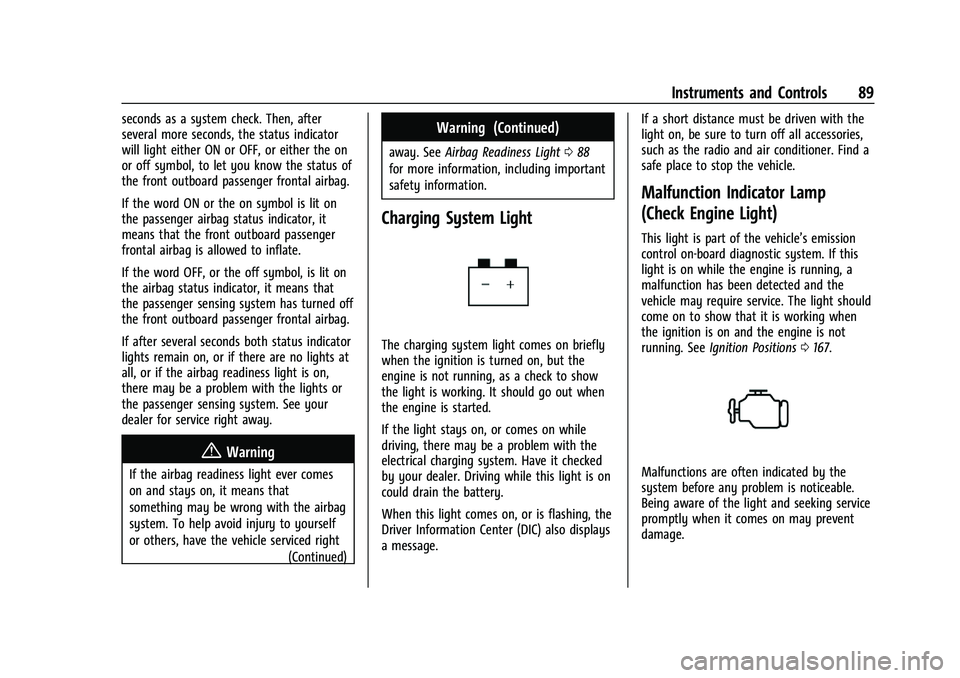
The charging system light comes on briefly
when the ignition is turned on, but the
engine is not running, as a check to show
the light is working. It should go out when
the engine is started.
If the light stays on, or comes on while
driving, there may be a problem with the
electrical charging system. Have it checked
by your dealer. Driving while this light is on
could drain the battery.
When this light comes on, or is flashing, the
Driver Information Center (DIC) also displays
a message. If a short distance must be driven with the
light on, be sure to turn off all accessories,
such as the radio and air conditioner. Find a
safe place to stop the vehicle.
Malfunction Indicator Lamp
(Check Engine Light)
This light is part of the vehicle’s emission
control on-board diagnostic system. If this
light is on while the engine is running, a
malfunction has been detected and the
vehicle may require service. The light should
come on to show that it is working when
the ignition is on and the engine is not
running. See
Ignition Positions 0167.
Malfunctions are often indicated by the
system before any problem is noticeable.
Being aware of the light and seeking service
promptly when it comes on may prevent
damage.
Page 169 of 371
GMC Canyon/Canyon Denali Owner Manual (GMNA-Localizing-U.S./Canada/
Mexico-16510661) - 2023 - CRC - 11/29/22
168 Driving and Operating
This vehicle has pushbutton starting.
The remote key must be in the vehicle for
the system to operate. If the pushbutton
start is not working, the vehicle may be
near a strong radio antenna signal causing
interference to the Keyless Access system.
SeeRemote Key Operation 07.
To shift out of P (Park), the ignition must be
on or in Service Mode and the brake pedal
must be applied.
Stopping the Engine/OFF (No Indicator
Lights) : When the vehicle is stopped, press
ENGINE START/STOP once to turn the
engine off.
If the vehicle is in P (Park), the ignition will
turn off, and Retained Accessory Power
(RAP) will remain active. See Retained
Accessory Power (RAP) 0172.
If the vehicle is not in P (Park), the ignition
will return to accessory mode and display
the message SHIFT TO PARK in the Driver
Information Center (DIC). When the vehicle
is shifted into P (Park), the ignition will
turn off.
Do not turn the engine off when the vehicle
is moving. This will cause a loss of power
assist in the brake and steering systems and
disable the airbags. If the vehicle must be shut off in an
emergency:
1. Brake using a firm and steady pressure. Do not pump the brakes repeatedly. This
may deplete power assist, requiring
increased brake pedal force.
2. Shift the vehicle to N (Neutral). This can be done while the vehicle is moving.
After shifting to N (Neutral), firmly apply
the brakes and steer the vehicle to a
safe location.
3. Come to a complete stop, shift to P (Park), and turn the ignition off. The
shift lever must be in P (Park) to turn the
ignition off.
4. Set the parking brake. See Electric
Parking Brake 0183.
{Warning
Turning off the vehicle while moving may
cause loss of power assist in the brake
and steering systems and disable the
airbags. While driving, only shut the
vehicle off in an emergency. If the vehicle cannot be pulled over, and
must be shut off while driving, press and
hold ENGINE START/STOP for longer than
two seconds, or press twice in five seconds.
Accessory Mode (Amber Indicator Light) :
This mode allows some electrical accessories
to be used when the engine is off.
With the ignition off, pressing the button
one time without the brake pedal applied
will place the ignition system in
accessory mode.
The ignition will switch from accessory
mode to OFF after five minutes to prevent
battery rundown.
ON/RUN/START (Green Indicator Light) :
This
mode is for driving and starting. With the
ignition off, and the brake pedal applied,
pressing the button once will place the
ignition system in ON/RUN/START. Once
engine cranking begins, release the button.
Engine cranking will continue until the
engine starts. See Starting the Engine 0169.
The ignition will then remain in ON/RUN.
Service Mode
This power mode is available for service and
diagnostics, and to verify the proper
operation of the malfunction indicator lamp
as may be required for emission inspection
Page 255 of 371
GMC Canyon/Canyon Denali Owner Manual (GMNA-Localizing-U.S./Canada/
Mexico-16510661) - 2023 - CRC - 11/29/22
254 Vehicle Care
Vehicle Checks
Doing Your Own Service Work
{Warning
It can be dangerous to work on your
vehicle if you do not have the proper
knowledge, service manual, tools,
or parts. Always follow owner’s manual
procedures and consult the service
manual for your vehicle before doing any
service work.
If doing some of your own service work, use
the proper service manual. It tells you much
more about how to service the vehicle than
this manual can. To order the proper service
manual, see Publication Ordering
Information 0345.
This vehicle has an airbag system. Before
attempting to do your own service work,
see Servicing the Airbag-Equipped Vehicle
0 49. If equipped with remote vehicle start, open
the hood before performing any service
work to prevent remote starting the vehicle
accidentally. See
Remote Vehicle Start 012.
Keep a record with all parts receipts and list
the mileage and the date of any service
work performed. See Maintenance Records
0 334.
Caution
Even small amounts of contamination can
cause damage to vehicle systems. Do not
allow contaminants to contact the fluids,
reservoir caps, or dipsticks.
Hood
{Warning
Turn the vehicle off before opening the
hood. If the engine is running with the
hood open, you or others could be
injured.
{Warning
Components under the hood can get hot
from running the engine. To help avoid
the risk of burning unprotected skin,
never touch these components until they
have cooled, and always use a glove or
towel to avoid direct skin contact.
Clear any snow from the hood before
opening.
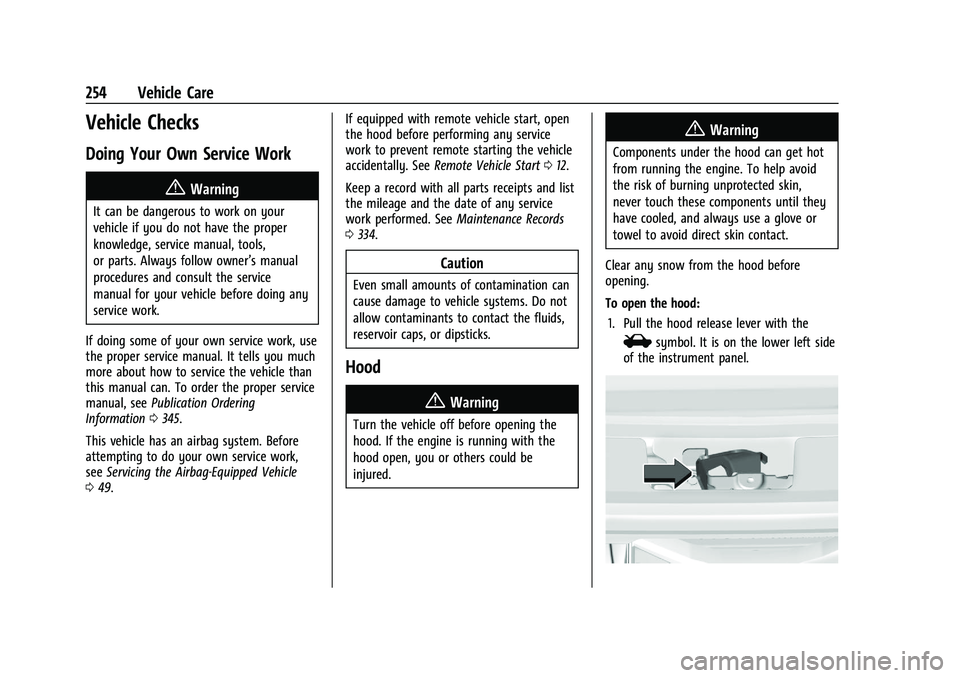
To open the hood: 1. Pull the hood release lever with the
isymbol. It is on the lower left side
of the instrument panel.
Page 346 of 371
GMC Canyon/Canyon Denali Owner Manual (GMNA-Localizing-U.S./Canada/
Mexico-16510661) - 2023 - CRC - 11/29/22
Customer Information 345
If the vehicle is leased, the leasing company
may require you to have insurance that
ensures repairs with Genuine GM Original
Equipment Manufacturer (OEM) parts or
Genuine Manufacturer replacement parts.
Read the lease carefully, as you may be
charged at the end of the lease for poor
quality repairs.
If a Crash Occurs
If there has been an injury, call emergency
services for help. Do not leave the scene of
a crash until all matters have been taken
care of. Move the vehicle only if its position
puts you in danger, or you are instructed to
move it by a police officer.
Give only the necessary information to
police and other parties involved in the
crash.
For emergency towing seeRoadside
Assistance Program 0341.
Gather the following information:
.Driver name, address, and telephone
number
.Driver license number
.Owner name, address, and telephone
number
.Vehicle license plate number
.Vehicle make, model, and model year
.Vehicle Identification Number (VIN)
.Insurance company and policy number
.General description of the damage to the
other vehicle
Choose a reputable repair facility that uses
quality replacement parts. See “Collision
Parts” earlier in this section.
If the airbag has inflated, see What Will You
See after an Airbag Inflates? 044.
Managing the Vehicle Damage Repair
Process
In the event that the vehicle requires
damage repairs, GM recommends that you
take an active role in its repair. If you have
a pre-determined repair facility of choice,
take the vehicle there, or have it towed
there. Specify to the facility that any
required replacement collision parts be
original equipment parts, either new
Genuine GM parts or recycled original GM
parts. Remember, recycled parts will not be
covered by the GM vehicle warranty.
Insurance pays the bill for the repair, but
you must live with the repair. Depending on
your policy limits, your insurance company
may initially value the repair using aftermarket parts. Discuss this with the
repair professional, and insist on Genuine
GM parts. Remember, if the vehicle is
leased, you may be obligated to have the
vehicle repaired with Genuine GM parts,
even if your insurance coverage does not
pay the full cost.
If another party's insurance company is
paying for the repairs, you are not obligated
to accept a repair valuation based on that
insurance company's collision policy repair
limits, as you have no contractual limits
with that company. In such cases, you can
have control of the repair and parts choices
as long as the cost stays within reasonable
limits.
Publication Ordering Information
Service Manuals
Service manuals have the diagnosis and
repair information on the engine/propulsion,
transmission, axle, suspension, brakes,
electrical system, steering system, body, etc.
Page 365 of 371
GMC Canyon/Canyon Denali Owner Manual (GMNA-Localizing-U.S./Cana-
da/Mexico-16510661) - 2023 - CRC - 11/29/22
364 Index
LightingEntry . . . . . . . . . . . . . . . . . . . . . . . . . . . . . . . . . . . 114
Exit . . . . . . . . . . . . . . . . . . . . . . . . . . . . . . . . . . . . . 114
Illumination Control . . . . . . . . . . . . . . . . . . . . 113
LED . . . . . . . . . . . . . . . . . . . . . . . . . . . . . . . . . . . . 273
Lights Airbag Readiness . . . . . . . . . . . . . . . . . . . . . . . 88
Antilock Brake System (ABS)
Warning . . . . . . . . . . . . . . . . . . . . . . . . . . . . . . 92
Automatic Emergency Braking (AEB) Disabled . . . . . . . . . . . . . . . . . . . . . . . . . . . . . . 93
Brake System Warning . . . . . . . . . . . . . . . . . 91
Charging System . . . . . . . . . . . . . . . . . . . . . . . 89
Check Engine (Malfunction Indicator) . . . . . . . . . . . . . . . . . . . . . . . . . . . . . 89
Cruise Control Light . . . . . . . . . . . . . . . . . . . . . 98
Door Ajar . . . . . . . . . . . . . . . . . . . . . . . . . . . . . . . 98
Driver Mode Control . . . . . . . . . . . . . . . . . . . . 95
Electric Parking Brake . . . . . . . . . . . . . . . . . . . 91
Electronic Stability Control (ESC), Off . . . 95
Engine Coolant Temperature
Warning . . . . . . . . . . . . . . . . . . . . . . . . . . . . . . 95
Engine Oil Pressure . . . . . . . . . . . . . . . . . . . . . 96
Four-Wheel-Drive . . . . . . . . . . . . . . . . . . . . . . . 92
Front Fog Lamp . . . . . . . . . . . . . . . . . . . . . . . . . 97
Gauges and Indicators . . . . . . . . . . . . . . . . . . 79
High-Beam On . . . . . . . . . . . . . . . . . . . . . . . . . . 97
Hill Descent Control . . . . . . . . . . . . . . . . . . . . 93 Lights (cont'd)
Lane Keep Assist . . . . . . . . . . . . . . . . . . . . . . . . 93
Low Fuel Warning . . . . . . . . . . . . . . . . . . . . . . 97
Seat Belt Reminders . . . . . . . . . . . . . . . . . . . . 87
Security . . . . . . . . . . . . . . . . . . . . . . . . . . . . . . . . . 97
Service Electric Parking Brake . . . . . . . . . . . 92
Tire Pressure . . . . . . . . . . . . . . . . . . . . . . . . . . . . 96
Traction Control System
(TCS)/Electronic Stability Control
Light . . . . . . . . . . . . . . . . . . . . . . . . . . . . . . . . . . 94
Traction Off . . . . . . . . . . . . . . . . . . . . . . . . . . . . . 94
Limited-Slip Differential . . . . . . . . . . . . . . . . . . . 191
Locking Front Axle . . . . . . . . . . . . . . . . . . . . . . . 192
Locking Rear Axle . . . . . . . . . . . . . . . . . . . . . . . . . 191
Locks Automatic Door . . . . . . . . . . . . . . . . . . . . . . . . . . 15
Delayed Locking . . . . . . . . . . . . . . . . . . . . . . . . 14
Door . . . . . . . . . . . . . . . . . . . . . . . . . . . . . . . . . . . . . 13
Lockout Protection . . . . . . . . . . . . . . . . . . . . . . . 15
Power Door . . . . . . . . . . . . . . . . . . . . . . . . . . . . . 14
Safety . . . . . . . . . . . . . . . . . . . . . . . . . . . . . . . . . . . 15
Loss of Control . . . . . . . . . . . . . . . . . . . . . . . . . . . 153
Low Fuel Warning Light . . . . . . . . . . . . . . . . . . 97
Lower Anchors and Tethers for Children (LATCH System) . . . . . . . . . . . . . . . . .57
Lumbar Adjustment . . . . . . . . . . . . . . . . . . . . . . . 28
Front Seats . . . . . . . . . . . . . . . . . . . . . . . . . . . . . 28M
MaintenanceRecords . . . . . . . . . . . . . . . . . . . . . . . . . . . . . . . . 334
Maintenance Schedule . . . . . . . . . . . . . . . . . . . 328 Recommended Fluids and
Lubricants . . . . . . . . . . . . . . . . . . . . . . . . . . . . 332
Malfunction Indicator Lamp . . . . . . . . . . . . . . . 89
Manual Mode . . . . . . . . . . . . . . . . . . . . . . . . . . . . . . . . . . . 177
Maps . . . . . . . . . . . . . . . . . . . . . . . . . . . . . . . . . . . . . 125
Media
Avoiding Untrusted Devices . . . . . . . . . . . . 123
Memory Seats . . . . . . . . . . . . . . . . . . . . . . . . . . . . 28
Messages Engine Power . . . . . . . . . . . . . . . . . . . . . . . . . . 108
Vehicle . . . . . . . . . . . . . . . . . . . . . . . . . . . . . . . . 107
Vehicle Speed . . . . . . . . . . . . . . . . . . . . . . . . . . 108
Mirrors Automatic Dimming Rearview . . . . . . . . . . 20
Convex . . . . . . . . . . . . . . . . . . . . . . . . . . . . . . . . . 19
Folding . . . . . . . . . . . . . . . . . . . . . . . . . . . . . . . . . 20
Heated . . . . . . . . . . . . . . . . . . . . . . . . . . . . . . . . . 20
Interior Rearview . . . . . . . . . . . . . . . . . . . . . . . 20
Manual Rearview . . . . . . . . . . . . . . . . . . . . . . . 20
Power . . . . . . . . . . . . . . . . . . . . . . . . . . . . . . . . . . 19
Mode Driver Control . . . . . . . . . . . . . . . . . . . . . . . . . 187
Monitor System, Tire Pressure . . . . . . . . . . . 291
Page 366 of 371
GMC Canyon/Canyon Denali Owner Manual (GMNA-Localizing-U.S./Cana-
da/Mexico-16510661) - 2023 - CRC - 11/29/22
Index 365
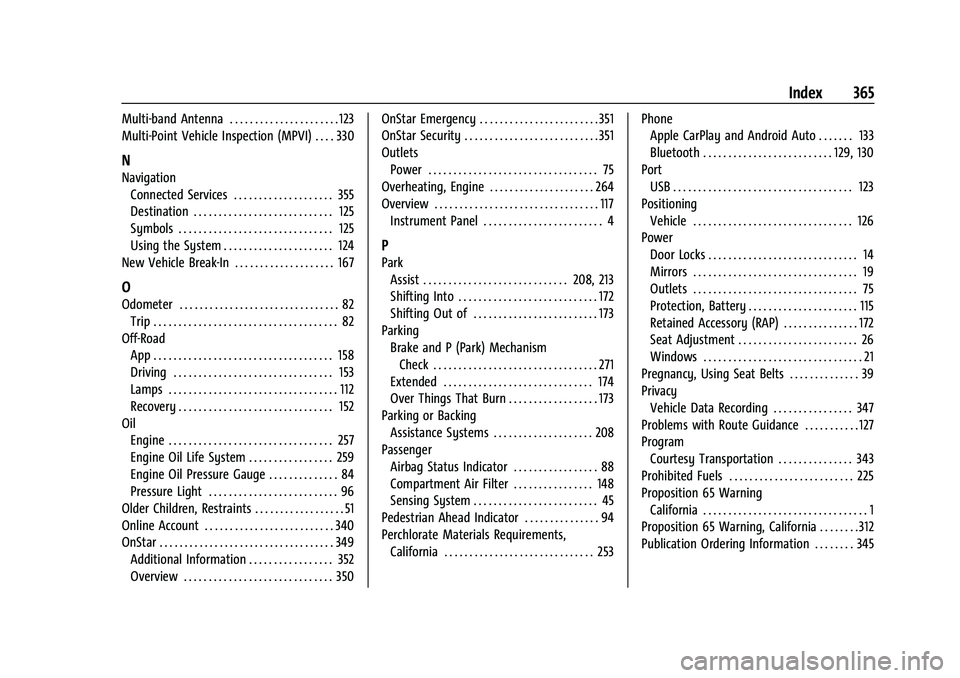
Multi-band Antenna . . . . . . . . . . . . . . . . . . . . . . 123
Multi-Point Vehicle Inspection (MPVI) . . . . 330
N
NavigationConnected Services . . . . . . . . . . . . . . . . . . . . 355
Destination . . . . . . . . . . . . . . . . . . . . . . . . . . . . 125
Symbols . . . . . . . . . . . . . . . . . . . . . . . . . . . . . . . 125
Using the System . . . . . . . . . . . . . . . . . . . . . . 124
New Vehicle Break-In . . . . . . . . . . . . . . . . . . . . 167
O
Odometer . . . . . . . . . . . . . . . . . . . . . . . . . . . . . . . . 82 Trip . . . . . . . . . . . . . . . . . . . . . . . . . . . . . . . . . . . . . 82
Off-Road App . . . . . . . . . . . . . . . . . . . . . . . . . . . . . . . . . . . . 158
Driving . . . . . . . . . . . . . . . . . . . . . . . . . . . . . . . . 153
Lamps . . . . . . . . . . . . . . . . . . . . . . . . . . . . . . . . . . 112
Recovery . . . . . . . . . . . . . . . . . . . . . . . . . . . . . . . 152
Oil Engine . . . . . . . . . . . . . . . . . . . . . . . . . . . . . . . . . 257
Engine Oil Life System . . . . . . . . . . . . . . . . . 259
Engine Oil Pressure Gauge . . . . . . . . . . . . . . 84
Pressure Light . . . . . . . . . . . . . . . . . . . . . . . . . . 96
Older Children, Restraints . . . . . . . . . . . . . . . . . . 51
Online Account . . . . . . . . . . . . . . . . . . . . . . . . . . 340
OnStar . . . . . . . . . . . . . . . . . . . . . . . . . . . . . . . . . . . 349 Additional Information . . . . . . . . . . . . . . . . . 352
Overview . . . . . . . . . . . . . . . . . . . . . . . . . . . . . . 350 OnStar Emergency . . . . . . . . . . . . . . . . . . . . . . . . 351
OnStar Security . . . . . . . . . . . . . . . . . . . . . . . . . . . 351
Outlets
Power . . . . . . . . . . . . . . . . . . . . . . . . . . . . . . . . . . 75
Overheating, Engine . . . . . . . . . . . . . . . . . . . . . 264
Overview . . . . . . . . . . . . . . . . . . . . . . . . . . . . . . . . . 117 Instrument Panel . . . . . . . . . . . . . . . . . . . . . . . . 4
P
Park
Assist . . . . . . . . . . . . . . . . . . . . . . . . . . . . . 208, 213
Shifting Into . . . . . . . . . . . . . . . . . . . . . . . . . . . . 172
Shifting Out of . . . . . . . . . . . . . . . . . . . . . . . . . 173
Parking Brake and P (Park) MechanismCheck . . . . . . . . . . . . . . . . . . . . . . . . . . . . . . . . . 271
Extended . . . . . . . . . . . . . . . . . . . . . . . . . . . . . . 174
Over Things That Burn . . . . . . . . . . . . . . . . . . 173
Parking or Backing Assistance Systems . . . . . . . . . . . . . . . . . . . . 208
Passenger
Airbag Status Indicator . . . . . . . . . . . . . . . . . 88
Compartment Air Filter . . . . . . . . . . . . . . . . 148
Sensing System . . . . . . . . . . . . . . . . . . . . . . . . . 45
Pedestrian Ahead Indicator . . . . . . . . . . . . . . . 94
Perchlorate Materials Requirements, California . . . . . . . . . . . . . . . . . . . . . . . . . . . . . . 253 Phone
Apple CarPlay and Android Auto . . . . . . . 133
Bluetooth . . . . . . . . . . . . . . . . . . . . . . . . . . 129, 130
Port USB . . . . . . . . . . . . . . . . . . . . . . . . . . . . . . . . . . . . 123
Positioning Vehicle . . . . . . . . . . . . . . . . . . . . . . . . . . . . . . . . 126
Power Door Locks . . . . . . . . . . . . . . . . . . . . . . . . . . . . . . 14
Mirrors . . . . . . . . . . . . . . . . . . . . . . . . . . . . . . . . . 19
Outlets . . . . . . . . . . . . . . . . . . . . . . . . . . . . . . . . . 75
Protection, Battery . . . . . . . . . . . . . . . . . . . . . . 115
Retained Accessory (RAP) . . . . . . . . . . . . . . . 172
Seat Adjustment . . . . . . . . . . . . . . . . . . . . . . . . 26
Windows . . . . . . . . . . . . . . . . . . . . . . . . . . . . . . . . 21
Pregnancy, Using Seat Belts . . . . . . . . . . . . . . 39
Privacy
Vehicle Data Recording . . . . . . . . . . . . . . . . 347
Problems with Route Guidance . . . . . . . . . . . 127
Program Courtesy Transportation . . . . . . . . . . . . . . . 343
Prohibited Fuels . . . . . . . . . . . . . . . . . . . . . . . . . 225
Proposition 65 Warning California . . . . . . . . . . . . . . . . . . . . . . . . . . . . . . . . . 1
Proposition 65 Warning, California . . . . . . . . 312
Publication Ordering Information . . . . . . . . 345