seats GMC CANYON 2023 Workshop Manual
[x] Cancel search | Manufacturer: GMC, Model Year: 2023, Model line: CANYON, Model: GMC CANYON 2023Pages: 371, PDF Size: 7.41 MB
Page 116 of 371
GMC Canyon/Canyon Denali Owner Manual (GMNA-Localizing-U.S./Canada/
Mexico-16510661) - 2023 - CRC - 12/6/22
Lighting 115
heated seats, engine cooling fans, trailer
loads, and loads plugged into accessory
power outlets.
EPM works to prevent excessive discharge of
the battery. It does this by balancing the
generator's output and the vehicle's
electrical needs. It can increase engine idle
speed to generate more power, whenever
needed. It can temporarily reduce the power
demands of some accessories.
Normally, these actions occur in steps or
levels, without being noticeable. In rare
cases at the highest levels of corrective
action, this action may be noticeable to the
driver. If so, a DIC message might be
displayed and it is recommended that the
driver reduce the electrical loads as much as
possible.
Battery Power Protection
This feature helps prevent the battery from
being drained, if the interior courtesy lamps
or reading lamps are accidentally left on.
If any of these lamps are left on, they
automatically turn off after 10 minutes,if the ignition is off. The lamps will not
come back on again until one of the
following occurs:
.The ignition is turned on.
.The doors are closed and then re-opened.
Exterior Lighting Battery Saver
The exterior lamps turn off about 10 minutes
after the vehicle is turned off, if the parking
lamps or headlamps have been manually
left on. This protects against draining the
battery. To restart the 10-minute timer, turn
the exterior lamp control to the
Oposition
and then back to the
;or2position.
To keep the lamps on for more than
10 minutes, the vehicle must be on or in
accessory mode.
Page 148 of 371
GMC Canyon/Canyon Denali Owner Manual (GMNA-Localizing-U.S./Canada/
Mexico-16510661) - 2023 - CRC - 11/29/22
Climate Controls 147
.:Press to turn on recirculation. An
indicator light comes on. Air is recirculated
to quickly cool the inside of the vehicle.
It can also be used to help reduce outside
air and odors that enter the vehicle.
Avoid using recirculation for long periods of
time in cold or damp conditions. Using
recirculation in cold or damp conditions can
result in window fogging.
A/C : Press to turn the air conditioning on
or off. An indicator light comes on to show
that the air conditioning is enabled. If the
fan is turned off, the air conditioner will not
run. The A/C light will stay on even if the
outside temperatures are below freezing.
Rear Window Defogger
1REAR : If equipped, press to turn the
rear window defogger on or off. An indicator
light on the button comes on to show that
the rear window defogger is on.
The rear window defogger only works when
the engine is running.The defogger can be
turned off by turning the vehicle off or to
accessory mode.
If equipped with heated outside mirrors,
press
fto turn them on or off. See Heated
Mirrors 020.
Caution
Using a razor blade or sharp object to
clear the inside rear window can damage
the rear window defogger. Repairs would
not be covered by the vehicle warranty.
Do not clear the inside rear window with
sharp objects.
Remote Start Climate Control Operation :
If equipped with remote start, the climate
control system may run when the vehicle is
started remotely. If equipped with heated or
ventilated seats or a heated steering wheel,
these features may come on during a
remote start. See Remote Vehicle Start 012,
Heated and Ventilated Front Seats 031, and
Heated Steering Wheel 073.
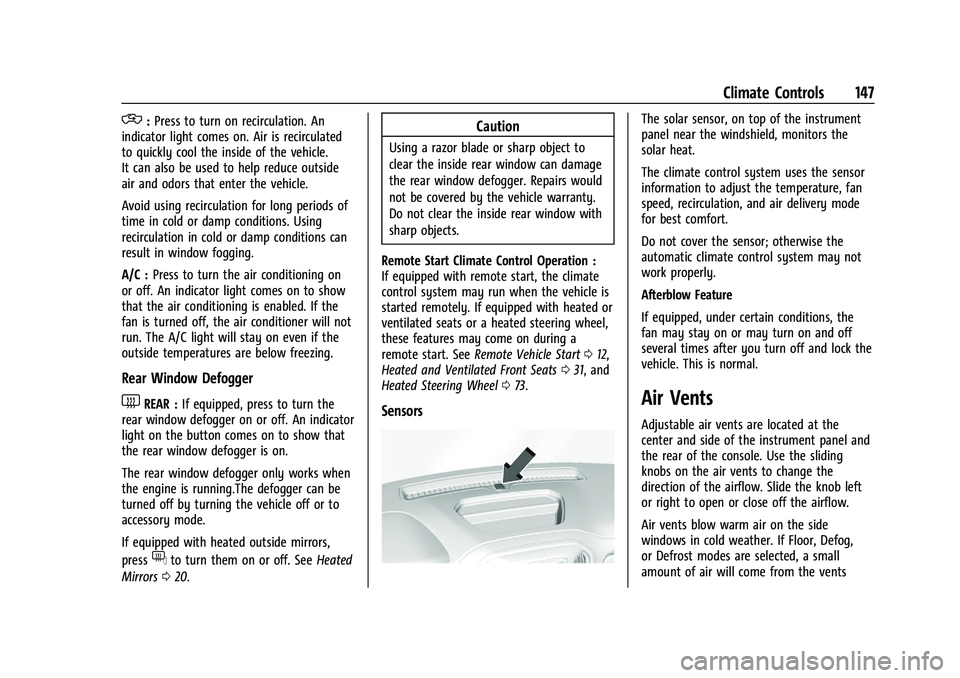
Sensors
The solar sensor, on top of the instrument
panel near the windshield, monitors the
solar heat.
The climate control system uses the sensor
information to adjust the temperature, fan
speed, recirculation, and air delivery mode
for best comfort.
Do not cover the sensor; otherwise the
automatic climate control system may not
work properly.
Afterblow Feature
If equipped, under certain conditions, the
fan may stay on or may turn on and off
several times after you turn off and lock the
vehicle. This is normal.
Air Vents
Adjustable air vents are located at the
center and side of the instrument panel and
the rear of the console. Use the sliding
knobs on the air vents to change the
direction of the airflow. Slide the knob left
or right to open or close off the airflow.
Air vents blow warm air on the side
windows in cold weather. If Floor, Defog,
or Defrost modes are selected, a small
amount of air will come from the vents
Page 149 of 371
GMC Canyon/Canyon Denali Owner Manual (GMNA-Localizing-U.S./Canada/
Mexico-16510661) - 2023 - CRC - 11/29/22
148 Climate Controls
close to the window. If the airflow is shut
off using the sliding knobs, warm air will be
directed to the other instrument panel
vents. This is normal operation.
Operation Tips
.Clear away any ice, snow, or leaves from
air inlets at the base of the windshield
that could block the flow of air into the
vehicle.
.Clear snow off the hood to improve
visibility and help decrease moisture
drawn into the vehicle.
.Keep the path under the front seats clear
of objects to help circulate the air inside
of the vehicle more effectively.
.Hood deflectors can adversely affect the
performance of the system. Check with
your dealer before adding equipment to
the outside of the vehicle.
Maintenance
Passenger Compartment Air Filter
The passenger compartment air filter
reduces dust, pollen, and other airborne
irritants from outside air that is pulled into
the vehicle. Replace the filter periodically.
SeeMaintenance Schedule 0328. Using the climate control system without an
air filter installed is not recommended.
Water or other debris could enter the
system and result in leaks or noises. Always
install a new filter when removing the old
filter.
For more information on filter replacement,
see your dealer.
Service
All vehicles have a label underhood that
identifies the refrigerant used in the vehicle.
The refrigerant system should only be
serviced by trained and certified technicians.
The air conditioning evaporator should never
be repaired or replaced by one from a
salvage vehicle. It should only be replaced
by a new evaporator to ensure proper and
safe operation.
During service, all refrigerants should be
reclaimed with proper equipment. Venting
refrigerants directly to the atmosphere is
harmful to the environment and may also
create unsafe conditions based on
inhalation, combustion, frostbite, or other
health-based concerns.
The air conditioning system requires periodic
maintenance. See
Maintenance Schedule
0 328.
Page 166 of 371
GMC Canyon/Canyon Denali Owner Manual (GMNA-Localizing-U.S./Canada/
Mexico-16510661) - 2023 - CRC - 11/29/22
Driving and Operating 165
Weight Rating (GAWR). To find out the
actual loads on the front and rear axles,
weigh the vehicle at a weigh station.
Your dealer can help with this. Be sure
to spread the load equally on both
sides of the centerline.
{Warning
In the case of a sudden stop or
collision, things carried in the bed of
your truck could shift forward and
come into the passenger area,
injuring you and others. If you put
things in the bed of your truck, you
should make sure they are properly
secured.
{Warning
Do not load the vehicle any heavier
than the Gross Vehicle Weight Rating
(GVWR), or either the maximum
front or rear Gross Axle Weight
Rating (GAWR). This can cause
systems to break and change the
way the vehicle handles. This could
(Continued)
Warning (Continued)
cause loss of control and a crash.
Overloading can also reduce stopping
performance, damage the tires, and
shorten the life of the vehicle.
Caution
Overloading the vehicle may cause
damage. Repairs would not be covered by
the vehicle warranty. Do not overload the
vehicle.
Using heavier suspension components
to get added durability might not
change the weight ratings. Ask your
dealer to help load the vehicle the
right way.
{Warning
Things you put inside the vehicle can
strike and injure people in a sudden
stop or turn, or in a crash.
(Continued)
Warning (Continued)
.Put things in the cargo area of the
vehicle. Try to spread the weight
evenly.
.Never stack heavier things, like
suitcases, inside the vehicle so
that some of them are above the
tops of the seats.
.Do not leave an unsecured child
restraint in the vehicle.
.When you carry something inside
the vehicle, secure it whenever
you can.
.Do not leave a seat folded down
unless you need to.
There is also important loading
information for off-road driving in this
manual. See “Loading the Vehicle for
Off-Road Driving“ underOff-Road
Driving 0153.
Page 284 of 371
GMC Canyon/Canyon Denali Owner Manual (GMNA-Localizing-U.S./Canada/
Mexico-16510661) - 2023 - CRC - 11/29/22
Vehicle Care 283
FusesUsage
F13 CGM & SDM/AOS –Central
Gateway Module/Sensing
and Diagnostic Module/
Automatic Occupant
Sensing Module
F14 MISCELLANEOUS 2 –
Transmission Control
Module/Transfer Case
Control/Electronic Brake
Control Module/Integrated
Chassis Control Module/
Trailer Interface Module
F15 MISCELLANEOUS 3 –
Exterior Lighting Module/
DC-AC Inverter Module/
Vented Module
F16 –
F17 WCM/DATA LINK CONN –
Wireless Charger Module/
Data Link Connector Fuses
Usage
F18 MISCELLANEOUS 4 –E-Stop/
Driver Mode Switch/
Reflective Light Auxiliary
Display/Sensing and
Diagnostic Module/Inside
Rear View Mirror/Humidity
Sensor
F19 ENGINE CNTRL MODULE –
Engine Control Module
F20 RFA/RPA –Remote
Function Antenna/Park
Assist
AMP –Amplifier
F21 MISC 1 DISPLAYS/VPM –
Video Processing Module/
Display
F22 SUNROOF –Sunroof
F23 –
F24 TRLR BRK CNTRL SW –
Trailer Break Control Switch
F25 AUX USB FLOOR CNSL –
Auxiliary USB Power Outlet
F26 BODY CNTRL MODULE 2 –
Body Control Module 2 Fuses
Usage
F27 DOOR PANEL SW LF (EXPRESS UP/DOWN) –
Door Panel Switch Left
F28 BODY CNTRL MODULE 3 –
Body Control Module 3
F29 ELM 3 –Exterior Lighting
Module 3
F30 FRONT CAMERA –Front
Camera Module
F31 VCU MDL/SPARE –Virtual
Cockpit Unit Module
F32 HTD STR WHL –Heated
Steering Wheel Module
F33 ELM 5 –Exterior Lighting
Module 5
F34 BODY CNTRL MODULE 4 –
Body Control Module 4
F35 DC/DC Converter 2
F36 DC/DC Converter 1 F37 FRT SEATS LMBR SWS –
Seat Lumbar Switch
F38 –
Page 298 of 371
GMC Canyon/Canyon Denali Owner Manual (GMNA-Localizing-U.S./Canada/
Mexico-16510661) - 2023 - CRC - 11/29/22
Vehicle Care 297
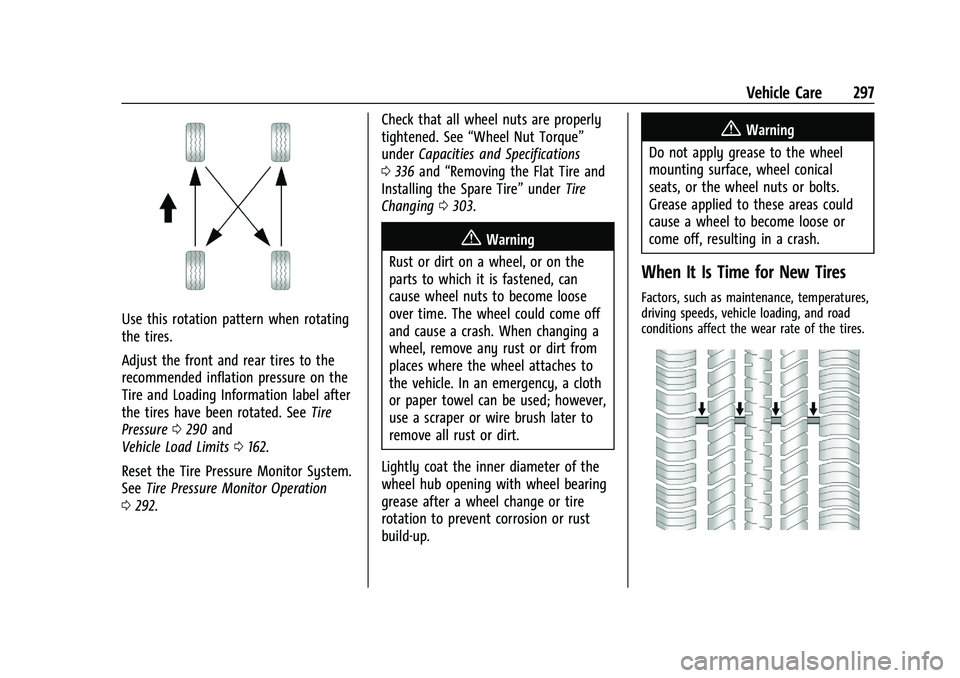
Use this rotation pattern when rotating
the tires.
Adjust the front and rear tires to the
recommended inflation pressure on the
Tire and Loading Information label after
the tires have been rotated. SeeTire
Pressure 0290 and
Vehicle Load Limits 0162.
Reset the Tire Pressure Monitor System.
See Tire Pressure Monitor Operation
0 292. Check that all wheel nuts are properly
tightened. See
“Wheel Nut Torque”
under Capacities and Specifications
0 336 and “Removing the Flat Tire and
Installing the Spare Tire” underTire
Changing 0303.
{Warning
Rust or dirt on a wheel, or on the
parts to which it is fastened, can
cause wheel nuts to become loose
over time. The wheel could come off
and cause a crash. When changing a
wheel, remove any rust or dirt from
places where the wheel attaches to
the vehicle. In an emergency, a cloth
or paper towel can be used; however,
use a scraper or wire brush later to
remove all rust or dirt.
Lightly coat the inner diameter of the
wheel hub opening with wheel bearing
grease after a wheel change or tire
rotation to prevent corrosion or rust
build-up.
{Warning
Do not apply grease to the wheel
mounting surface, wheel conical
seats, or the wheel nuts or bolts.
Grease applied to these areas could
cause a wheel to become loose or
come off, resulting in a crash.
When It Is Time for New Tires
Factors, such as maintenance, temperatures,
driving speeds, vehicle loading, and road
conditions affect the wear rate of the tires.
Page 310 of 371
GMC Canyon/Canyon Denali Owner Manual (GMNA-Localizing-U.S./Canada/
Mexico-16510661) - 2023 - CRC - 11/29/22
Vehicle Care 309
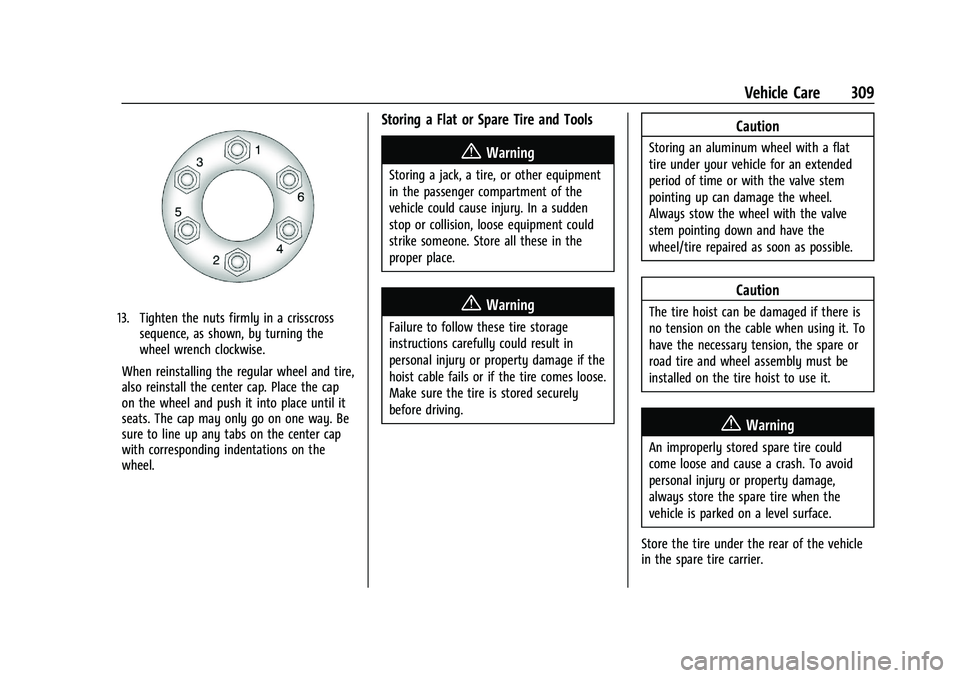
13. Tighten the nuts firmly in a crisscrosssequence, as shown, by turning the
wheel wrench clockwise.
When reinstalling the regular wheel and tire,
also reinstall the center cap. Place the cap
on the wheel and push it into place until it
seats. The cap may only go on one way. Be
sure to line up any tabs on the center cap
with corresponding indentations on the
wheel.
Storing a Flat or Spare Tire and Tools
{Warning
Storing a jack, a tire, or other equipment
in the passenger compartment of the
vehicle could cause injury. In a sudden
stop or collision, loose equipment could
strike someone. Store all these in the
proper place.
{Warning
Failure to follow these tire storage
instructions carefully could result in
personal injury or property damage if the
hoist cable fails or if the tire comes loose.
Make sure the tire is stored securely
before driving.
Caution
Storing an aluminum wheel with a flat
tire under your vehicle for an extended
period of time or with the valve stem
pointing up can damage the wheel.
Always stow the wheel with the valve
stem pointing down and have the
wheel/tire repaired as soon as possible.
Caution
The tire hoist can be damaged if there is
no tension on the cable when using it. To
have the necessary tension, the spare or
road tire and wheel assembly must be
installed on the tire hoist to use it.
{Warning
An improperly stored spare tire could
come loose and cause a crash. To avoid
personal injury or property damage,
always store the spare tire when the
vehicle is parked on a level surface.
Store the tire under the rear of the vehicle
in the spare tire carrier.
Page 326 of 371
GMC Canyon/Canyon Denali Owner Manual (GMNA-Localizing-U.S./Canada/
Mexico-16510661) - 2023 - CRC - 11/29/22
Vehicle Care 325
commercial upholstery cleaner or spot lifter.
If ring formation occurs, clean the entire
fabric or carpet.
After cleaning, use a paper towel to blot
excess moisture.
Cleaning High Gloss Surfaces and Vehicle
Information and Radio Displays
Use a microfiber cloth on high gloss surfaces
or vehicle displays. First, use a soft bristle
brush to remove dirt that can scratch the
surface. Then gently clean by rubbing with a
microfiber cloth. Never use window cleaners
or solvents. Periodically hand wash the
microfiber cloth separately, using mild soap.
Do not use bleach or fabric softener. Rinse
thoroughly and air dry before next use.
Caution
Do not attach a device with a suction cup
to the display. This may cause damage
and would not be covered by the vehicle
warranty.
Instrument Panel, Leather, Vinyl, Other
Plastic Surfaces, Low Gloss Paint
Surfaces, and Natural Open Pore Wood
Surfaces
Use a soft bristle brush to remove dust from
knobs and crevices on the instrument
cluster. Use a soft microfiber cloth
dampened with water to remove dust and
loose dirt. For a more thorough cleaning,
use a soft microfiber cloth dampened with a
mild soap and water solution.
Caution
Soaking or saturating leather, especially
perforated leather, as well as other
interior surfaces, may cause permanent
damage. Wipe excess moisture from
these surfaces after cleaning and allow
them to dry naturally. Never use heat,
steam, or spot removers. Do not use
liquids that contain alcohol or solvents on
leather seats. Do not use cleaners that
contain silicone or wax-based products.
Cleaners containing these solvents can
permanently change the appearance and
feel of leather or soft trim, and are not
recommended.Do not use cleaners that increase gloss,
especially on the instrument panel. Reflected
glare can decrease visibility through the
windshield under certain conditions.
Caution
Use of air fresheners may cause
permanent damage to plastics and
painted surfaces. If an air freshener
comes in contact with any plastic or
painted surface in the vehicle, blot
immediately and clean with a soft cloth
dampened with a mild soap solution.
Damage caused by air fresheners would
not be covered by the vehicle warranty.
Cargo Cover and Convenience Net
If equipped, wash with warm water and
mild detergent. Do not use chlorine bleach.
Rinse with cold water, and then dry
completely.
Care of Seat Belts
Keep belts clean and dry.
Page 359 of 371
GMC Canyon/Canyon Denali Owner Manual (GMNA-Localizing-U.S./Cana-
da/Mexico-16510661) - 2023 - CRC - 11/29/22
358 Index
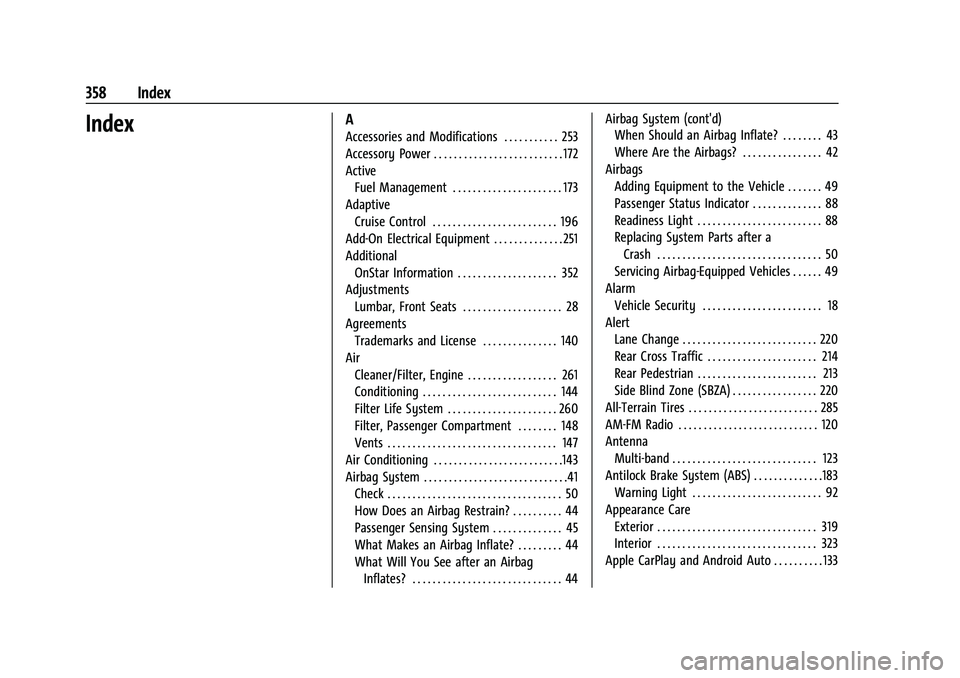
IndexA
Accessories and Modifications . . . . . . . . . . . 253
Accessory Power . . . . . . . . . . . . . . . . . . . . . . . . . . 172
ActiveFuel Management . . . . . . . . . . . . . . . . . . . . . . 173
Adaptive Cruise Control . . . . . . . . . . . . . . . . . . . . . . . . . 196
Add-On Electrical Equipment . . . . . . . . . . . . . . 251
Additional OnStar Information . . . . . . . . . . . . . . . . . . . . 352
Adjustments Lumbar, Front Seats . . . . . . . . . . . . . . . . . . . . 28
Agreements Trademarks and License . . . . . . . . . . . . . . . 140
Air Cleaner/Filter, Engine . . . . . . . . . . . . . . . . . . 261
Conditioning . . . . . . . . . . . . . . . . . . . . . . . . . . . 144
Filter Life System . . . . . . . . . . . . . . . . . . . . . . 260
Filter, Passenger Compartment . . . . . . . . 148
Vents . . . . . . . . . . . . . . . . . . . . . . . . . . . . . . . . . . 147
Air Conditioning . . . . . . . . . . . . . . . . . . . . . . . . . .143
Airbag System . . . . . . . . . . . . . . . . . . . . . . . . . . . . .41 Check . . . . . . . . . . . . . . . . . . . . . . . . . . . . . . . . . . . 50
How Does an Airbag Restrain? . . . . . . . . . . 44
Passenger Sensing System . . . . . . . . . . . . . . 45
What Makes an Airbag Inflate? . . . . . . . . . 44
What Will You See after an AirbagInflates? . . . . . . . . . . . . . . . . . . . . . . . . . . . . . . 44 Airbag System (cont'd)
When Should an Airbag Inflate? . . . . . . . . 43
Where Are the Airbags? . . . . . . . . . . . . . . . . 42
Airbags Adding Equipment to the Vehicle . . . . . . . 49
Passenger Status Indicator . . . . . . . . . . . . . . 88
Readiness Light . . . . . . . . . . . . . . . . . . . . . . . . . 88
Replacing System Parts after aCrash . . . . . . . . . . . . . . . . . . . . . . . . . . . . . . . . . 50
Servicing Airbag-Equipped Vehicles . . . . . . 49
Alarm Vehicle Security . . . . . . . . . . . . . . . . . . . . . . . . 18
Alert Lane Change . . . . . . . . . . . . . . . . . . . . . . . . . . . 220
Rear Cross Traffic . . . . . . . . . . . . . . . . . . . . . . 214
Rear Pedestrian . . . . . . . . . . . . . . . . . . . . . . . . 213
Side Blind Zone (SBZA) . . . . . . . . . . . . . . . . . 220
All-Terrain Tires . . . . . . . . . . . . . . . . . . . . . . . . . . 285
AM-FM Radio . . . . . . . . . . . . . . . . . . . . . . . . . . . . 120
Antenna Multi-band . . . . . . . . . . . . . . . . . . . . . . . . . . . . . 123
Antilock Brake System (ABS) . . . . . . . . . . . . . .183 Warning Light . . . . . . . . . . . . . . . . . . . . . . . . . . 92
Appearance Care Exterior . . . . . . . . . . . . . . . . . . . . . . . . . . . . . . . . 319
Interior . . . . . . . . . . . . . . . . . . . . . . . . . . . . . . . . 323
Apple CarPlay and Android Auto . . . . . . . . . . 133
Page 363 of 371
GMC Canyon/Canyon Denali Owner Manual (GMNA-Localizing-U.S./Cana-
da/Mexico-16510661) - 2023 - CRC - 11/29/22
362 Index
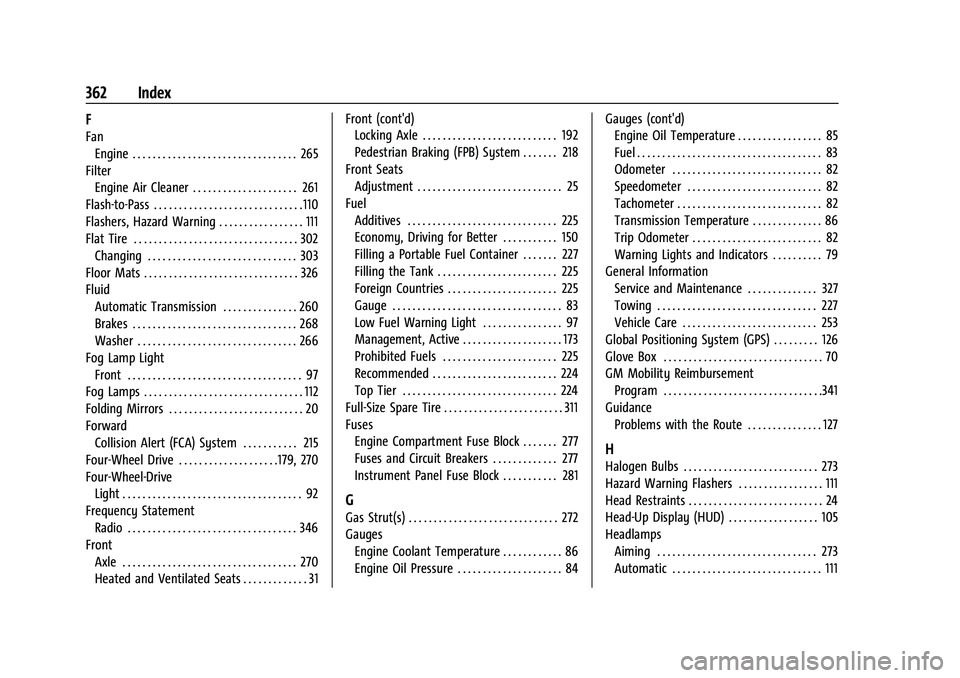
F
FanEngine . . . . . . . . . . . . . . . . . . . . . . . . . . . . . . . . . 265
Filter Engine Air Cleaner . . . . . . . . . . . . . . . . . . . . . 261
Flash-to-Pass . . . . . . . . . . . . . . . . . . . . . . . . . . . . . .110
Flashers, Hazard Warning . . . . . . . . . . . . . . . . . 111
Flat Tire . . . . . . . . . . . . . . . . . . . . . . . . . . . . . . . . . 302 Changing . . . . . . . . . . . . . . . . . . . . . . . . . . . . . . 303
Floor Mats . . . . . . . . . . . . . . . . . . . . . . . . . . . . . . . 326
Fluid
Automatic Transmission . . . . . . . . . . . . . . . 260
Brakes . . . . . . . . . . . . . . . . . . . . . . . . . . . . . . . . . 268
Washer . . . . . . . . . . . . . . . . . . . . . . . . . . . . . . . . 266
Fog Lamp Light Front . . . . . . . . . . . . . . . . . . . . . . . . . . . . . . . . . . . 97
Fog Lamps . . . . . . . . . . . . . . . . . . . . . . . . . . . . . . . . 112
Folding Mirrors . . . . . . . . . . . . . . . . . . . . . . . . . . . 20
Forward Collision Alert (FCA) System . . . . . . . . . . . 215
Four-Wheel Drive . . . . . . . . . . . . . . . . . . . .179, 270
Four-Wheel-Drive Light . . . . . . . . . . . . . . . . . . . . . . . . . . . . . . . . . . . . 92
Frequency Statement
Radio . . . . . . . . . . . . . . . . . . . . . . . . . . . . . . . . . . 346
Front Axle . . . . . . . . . . . . . . . . . . . . . . . . . . . . . . . . . . . 270
Heated and Ventilated Seats . . . . . . . . . . . . . 31 Front (cont'd)
Locking Axle . . . . . . . . . . . . . . . . . . . . . . . . . . . 192
Pedestrian Braking (FPB) System . . . . . . . 218
Front Seats Adjustment . . . . . . . . . . . . . . . . . . . . . . . . . . . . . 25
Fuel Additives . . . . . . . . . . . . . . . . . . . . . . . . . . . . . . 225
Economy, Driving for Better . . . . . . . . . . . 150
Filling a Portable Fuel Container . . . . . . . 227
Filling the Tank . . . . . . . . . . . . . . . . . . . . . . . . 225
Foreign Countries . . . . . . . . . . . . . . . . . . . . . . 225
Gauge . . . . . . . . . . . . . . . . . . . . . . . . . . . . . . . . . . 83
Low Fuel Warning Light . . . . . . . . . . . . . . . . 97
Management, Active . . . . . . . . . . . . . . . . . . . . 173
Prohibited Fuels . . . . . . . . . . . . . . . . . . . . . . . 225
Recommended . . . . . . . . . . . . . . . . . . . . . . . . . 224
Top Tier . . . . . . . . . . . . . . . . . . . . . . . . . . . . . . . 224
Full-Size Spare Tire . . . . . . . . . . . . . . . . . . . . . . . . 311
Fuses Engine Compartment Fuse Block . . . . . . . 277
Fuses and Circuit Breakers . . . . . . . . . . . . . 277
Instrument Panel Fuse Block . . . . . . . . . . . 281
G
Gas Strut(s) . . . . . . . . . . . . . . . . . . . . . . . . . . . . . . 272
GaugesEngine Coolant Temperature . . . . . . . . . . . . 86
Engine Oil Pressure . . . . . . . . . . . . . . . . . . . . . 84 Gauges (cont'd)
Engine Oil Temperature . . . . . . . . . . . . . . . . . 85
Fuel . . . . . . . . . . . . . . . . . . . . . . . . . . . . . . . . . . . . . 83
Odometer . . . . . . . . . . . . . . . . . . . . . . . . . . . . . . 82
Speedometer . . . . . . . . . . . . . . . . . . . . . . . . . . . 82
Tachometer . . . . . . . . . . . . . . . . . . . . . . . . . . . . . 82
Transmission Temperature . . . . . . . . . . . . . . 86
Trip Odometer . . . . . . . . . . . . . . . . . . . . . . . . . . 82
Warning Lights and Indicators . . . . . . . . . . 79
General Information Service and Maintenance . . . . . . . . . . . . . . 327
Towing . . . . . . . . . . . . . . . . . . . . . . . . . . . . . . . . 227
Vehicle Care . . . . . . . . . . . . . . . . . . . . . . . . . . . 253
Global Positioning System (GPS) . . . . . . . . . 126
Glove Box . . . . . . . . . . . . . . . . . . . . . . . . . . . . . . . . 70
GM Mobility Reimbursement Program . . . . . . . . . . . . . . . . . . . . . . . . . . . . . . . .341
Guidance Problems with the Route . . . . . . . . . . . . . . . 127
H
Halogen Bulbs . . . . . . . . . . . . . . . . . . . . . . . . . . . 273
Hazard Warning Flashers . . . . . . . . . . . . . . . . . 111
Head Restraints . . . . . . . . . . . . . . . . . . . . . . . . . . . 24
Head-Up Display (HUD) . . . . . . . . . . . . . . . . . . 105
HeadlampsAiming . . . . . . . . . . . . . . . . . . . . . . . . . . . . . . . . 273
Automatic . . . . . . . . . . . . . . . . . . . . . . . . . . . . . . 111